BlogGuide
Employee One‑Pager: Benefits, Onboarding and Policy Summaries on One Page
Four employee one-pagers HR teams use: benefits summary, new-hire welcome, policy summary and team intro. What to put on each, with a filled example.

By MakeOnepagers Team
Updated · 5 min read
An employee one-pager is a single page that sums up something every employee needs to know, such as their benefits, their first week or a new policy, without making them read the full handbook. HR teams use them because the long document still has to exist for legal and reference reasons, but almost nobody reads it end to end. The one-pager is the part people actually read.
One‑Pager examples
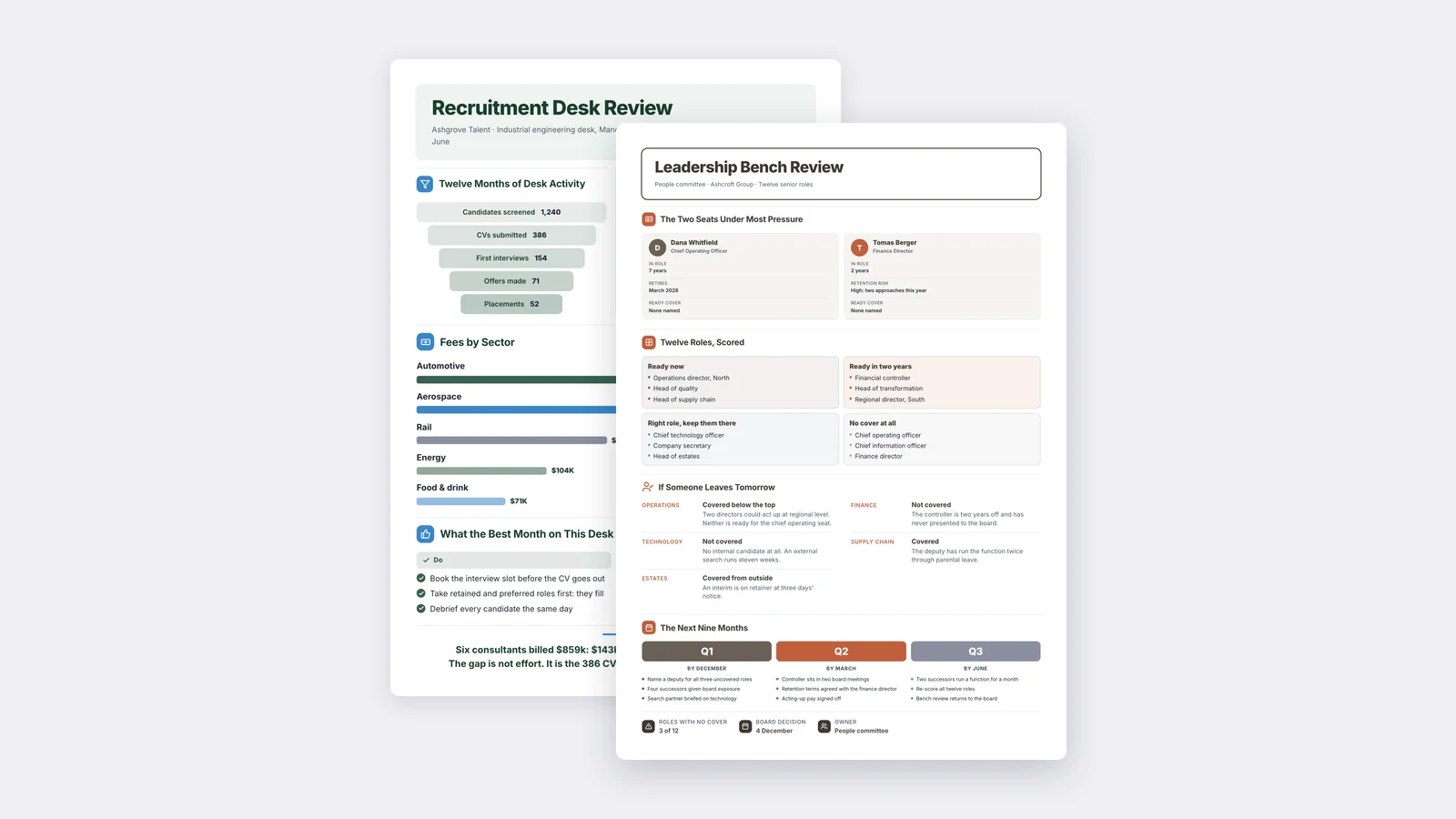
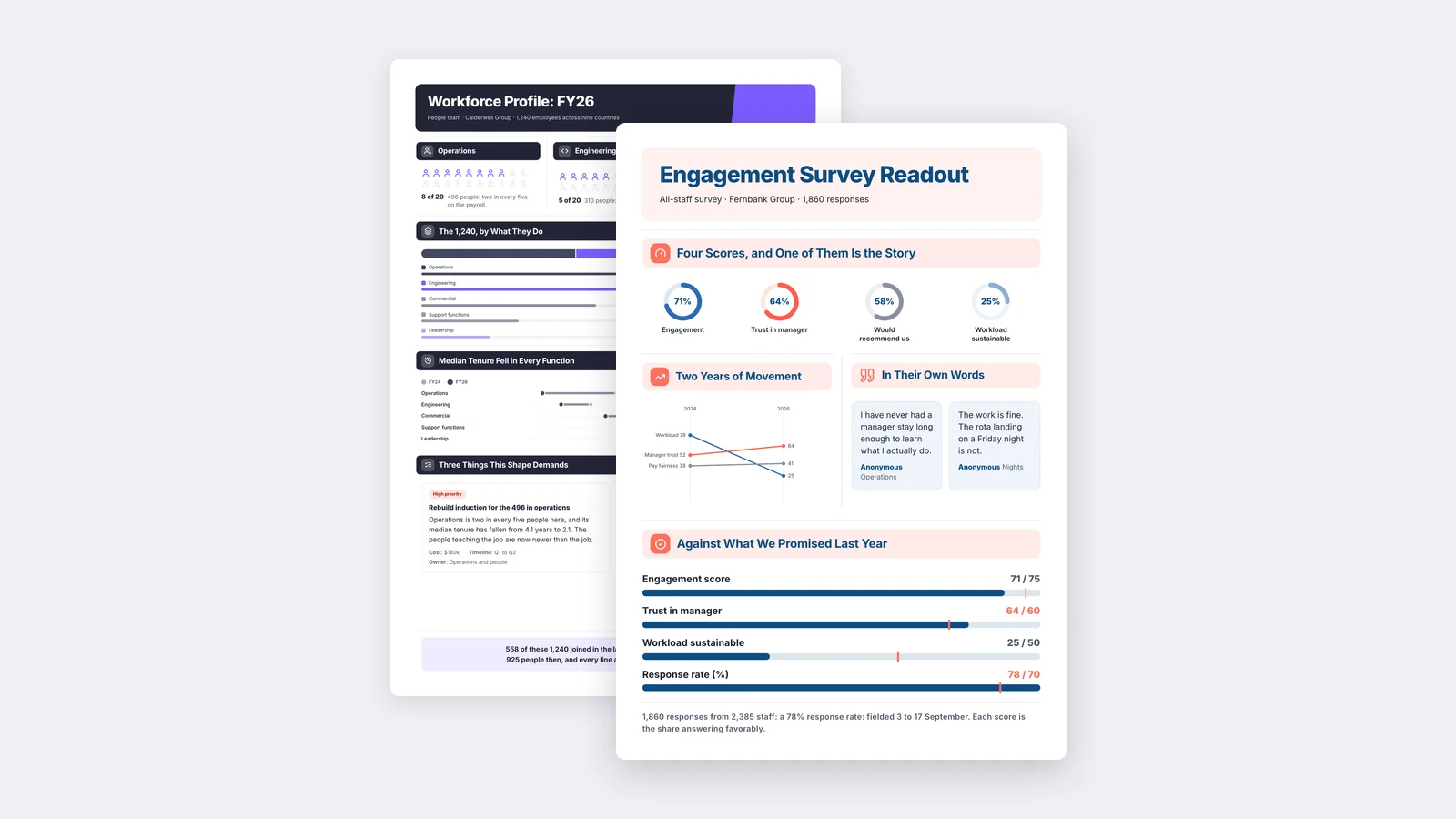
Six real One-Pagers made with MakeOnepagers. Open any one to edit it as your own.
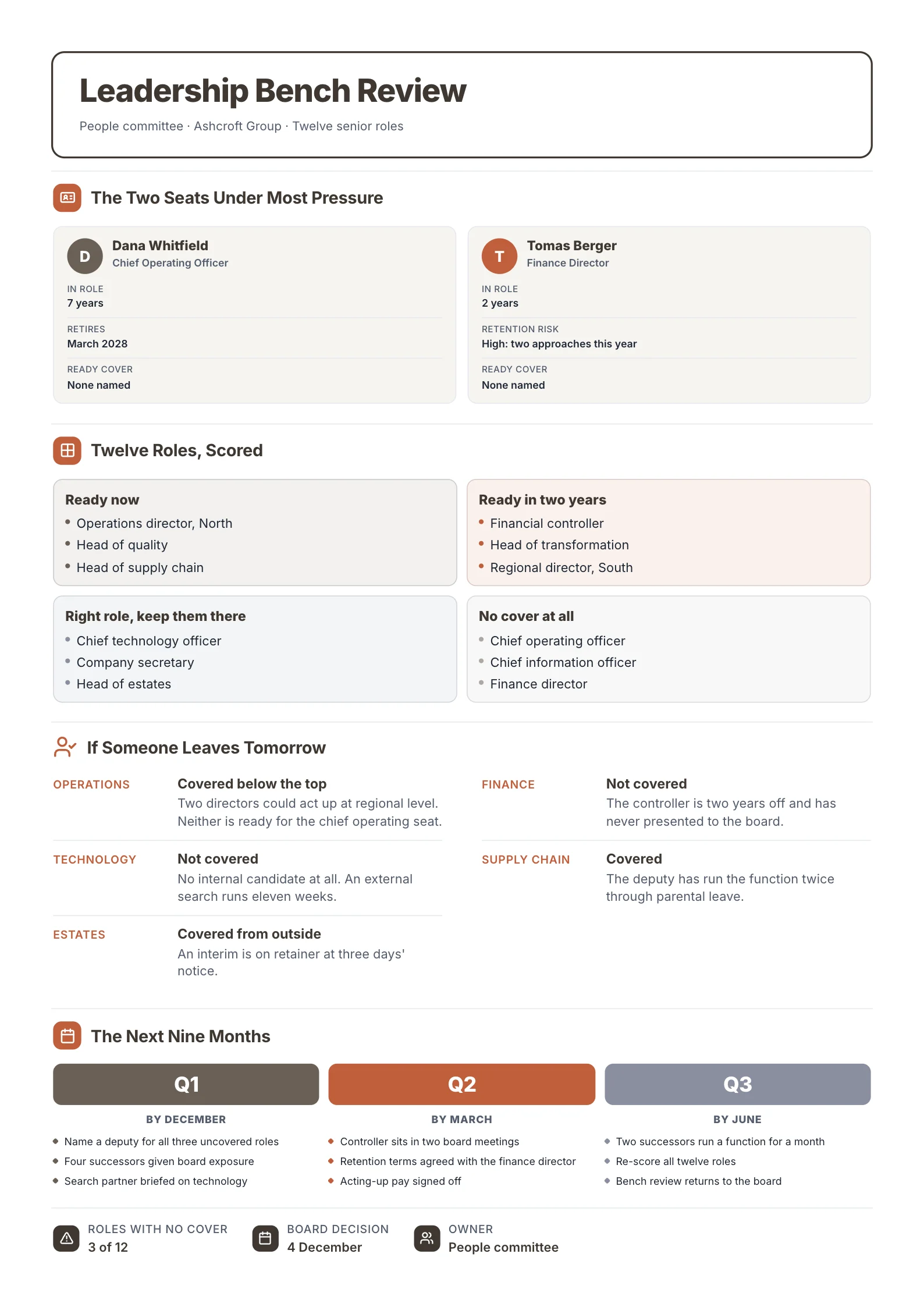 Succession PlanOpen this One-Pager (opens in a new tab)
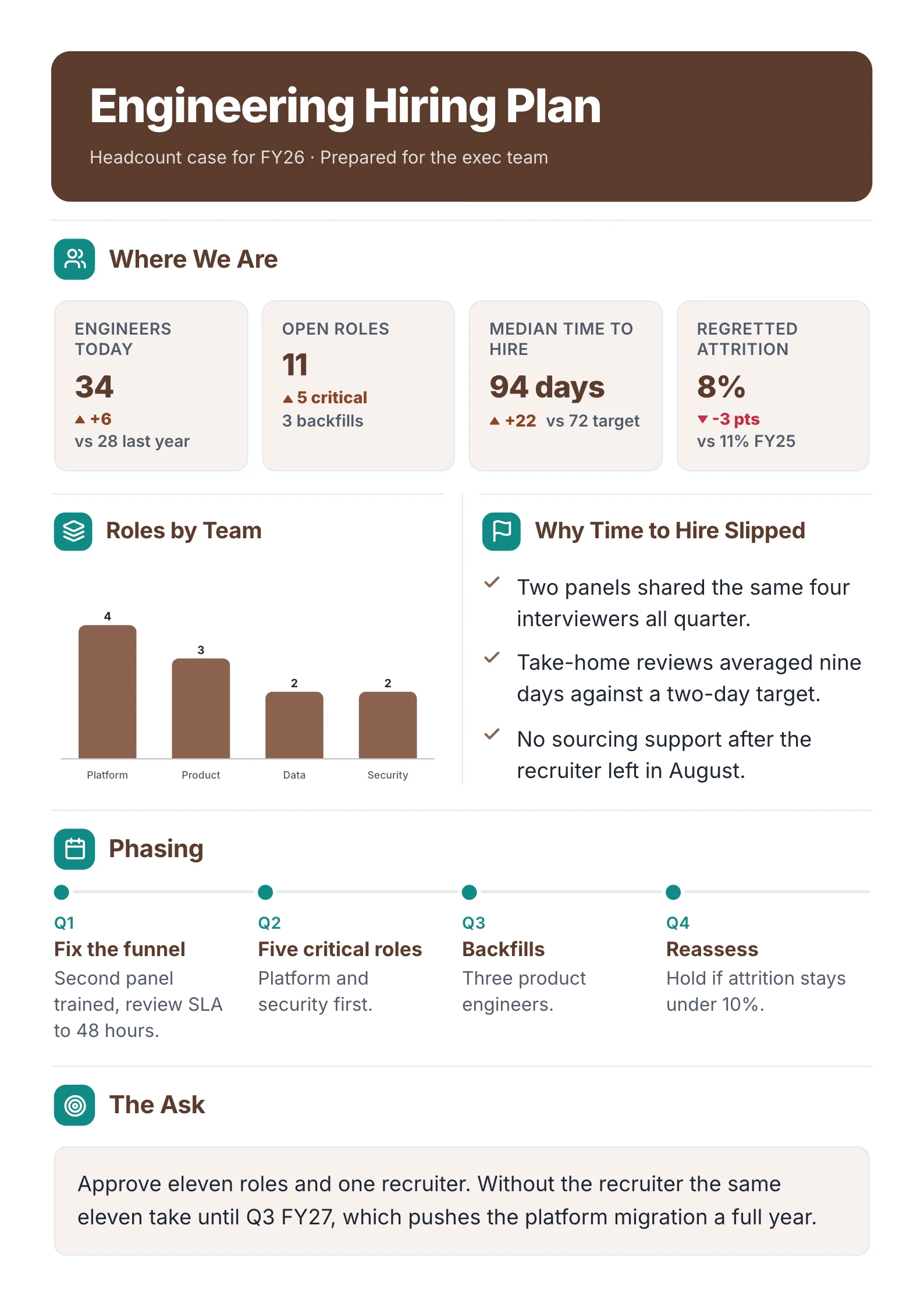 Hiring PlanOpen this One-Pager (opens in a new tab)
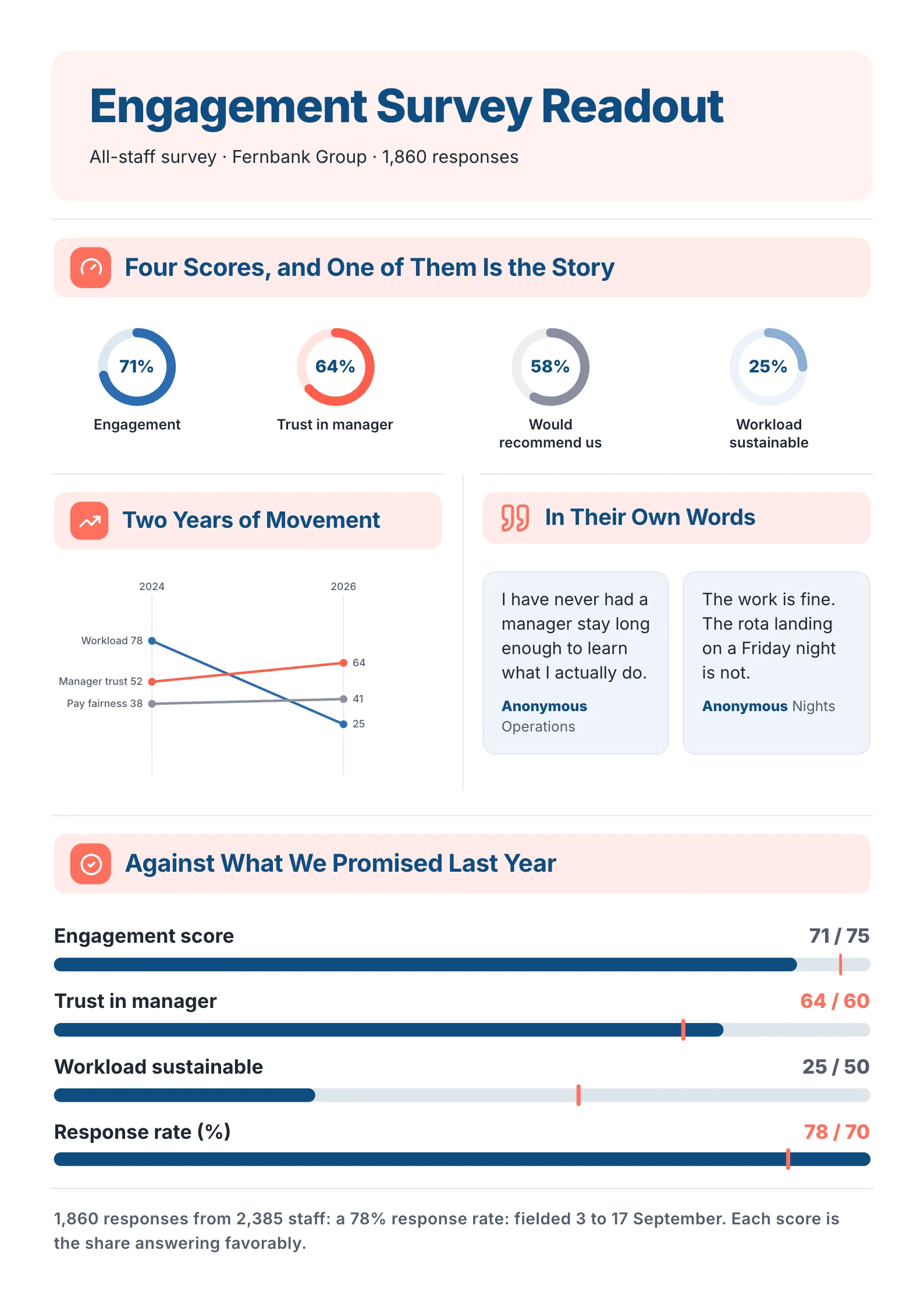 Employee Survey ResultsOpen this One-Pager (opens in a new tab)
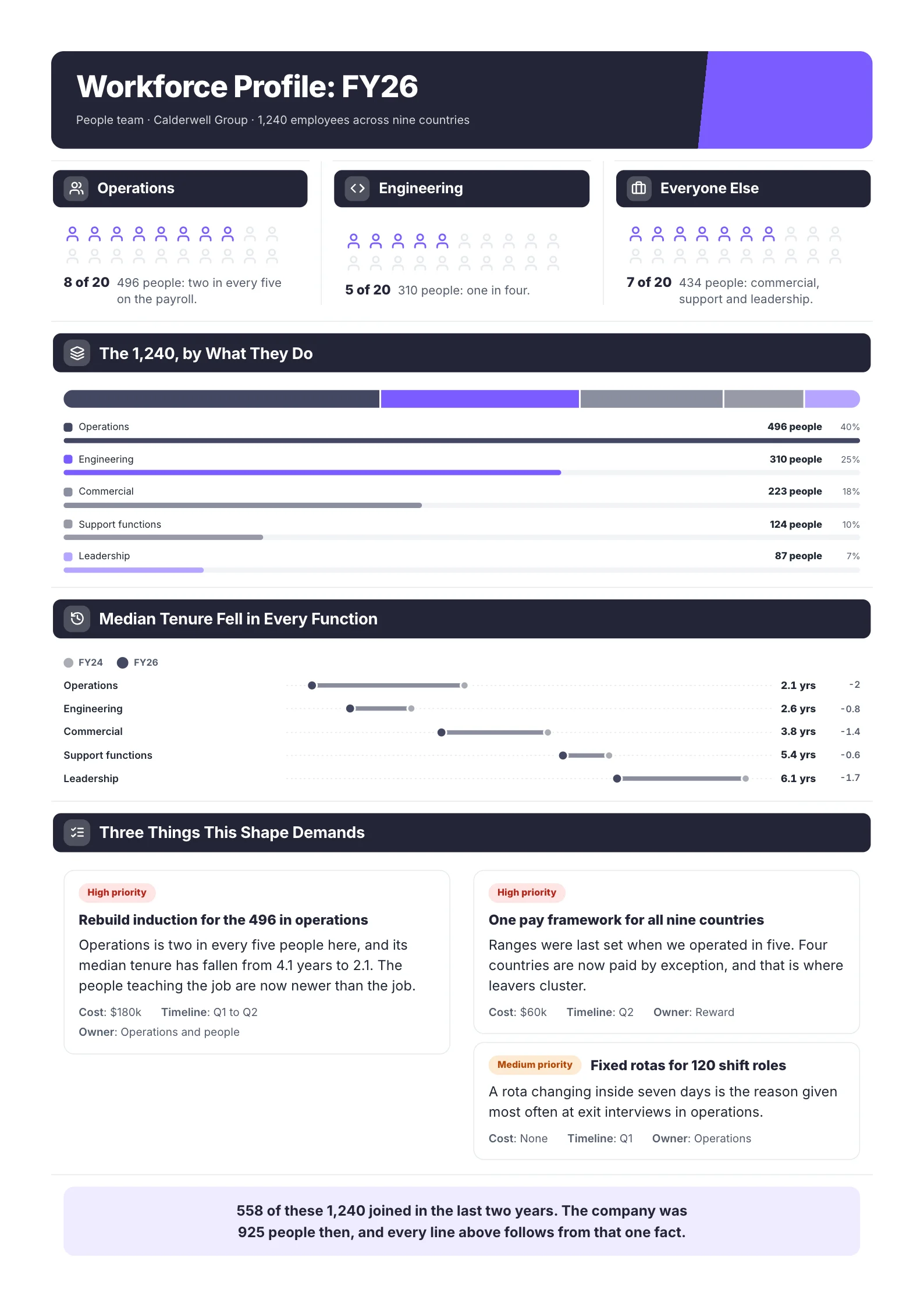 Workforce ReportOpen this One-Pager (opens in a new tab)
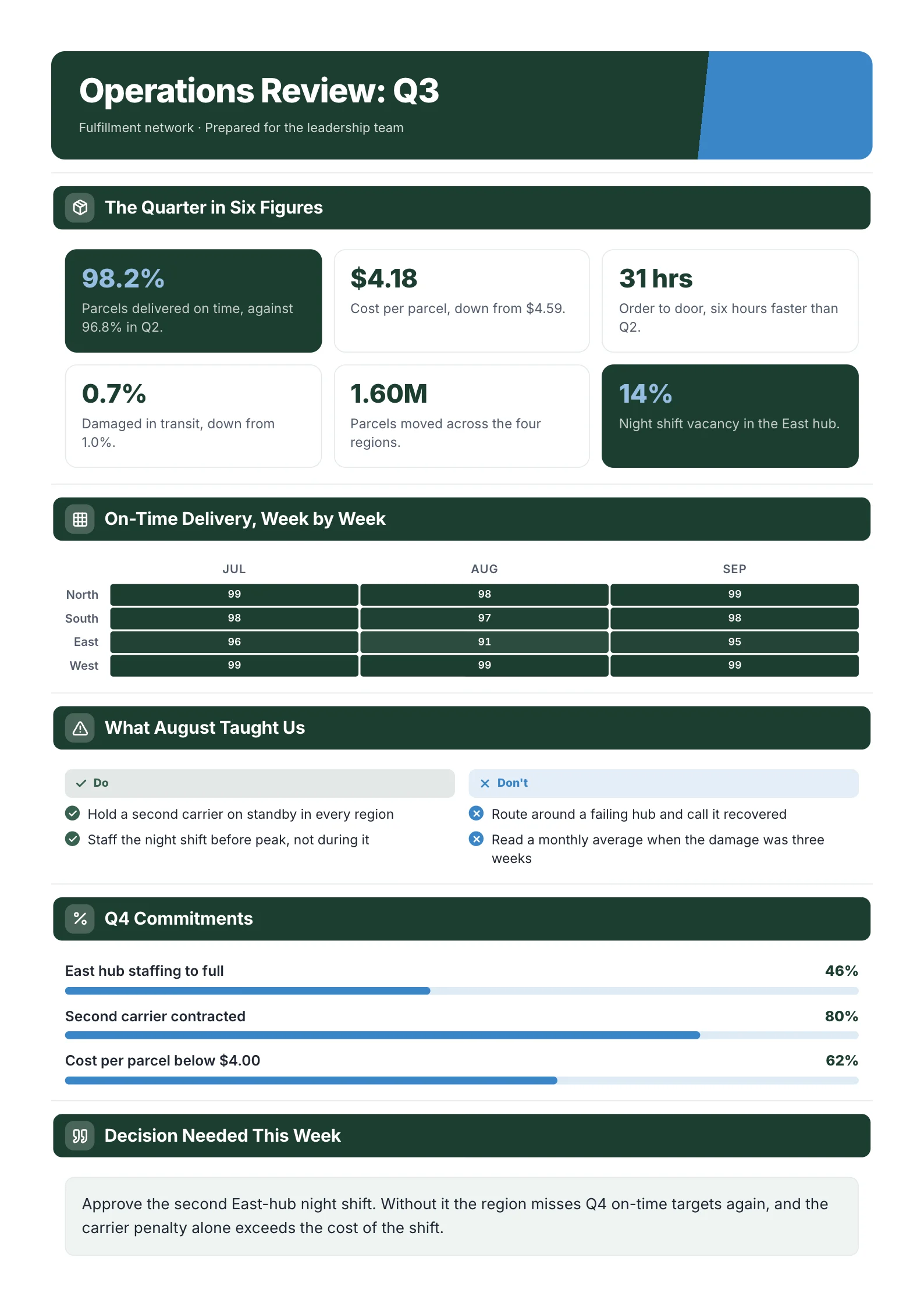 Operations ReviewOpen this One-Pager (opens in a new tab)
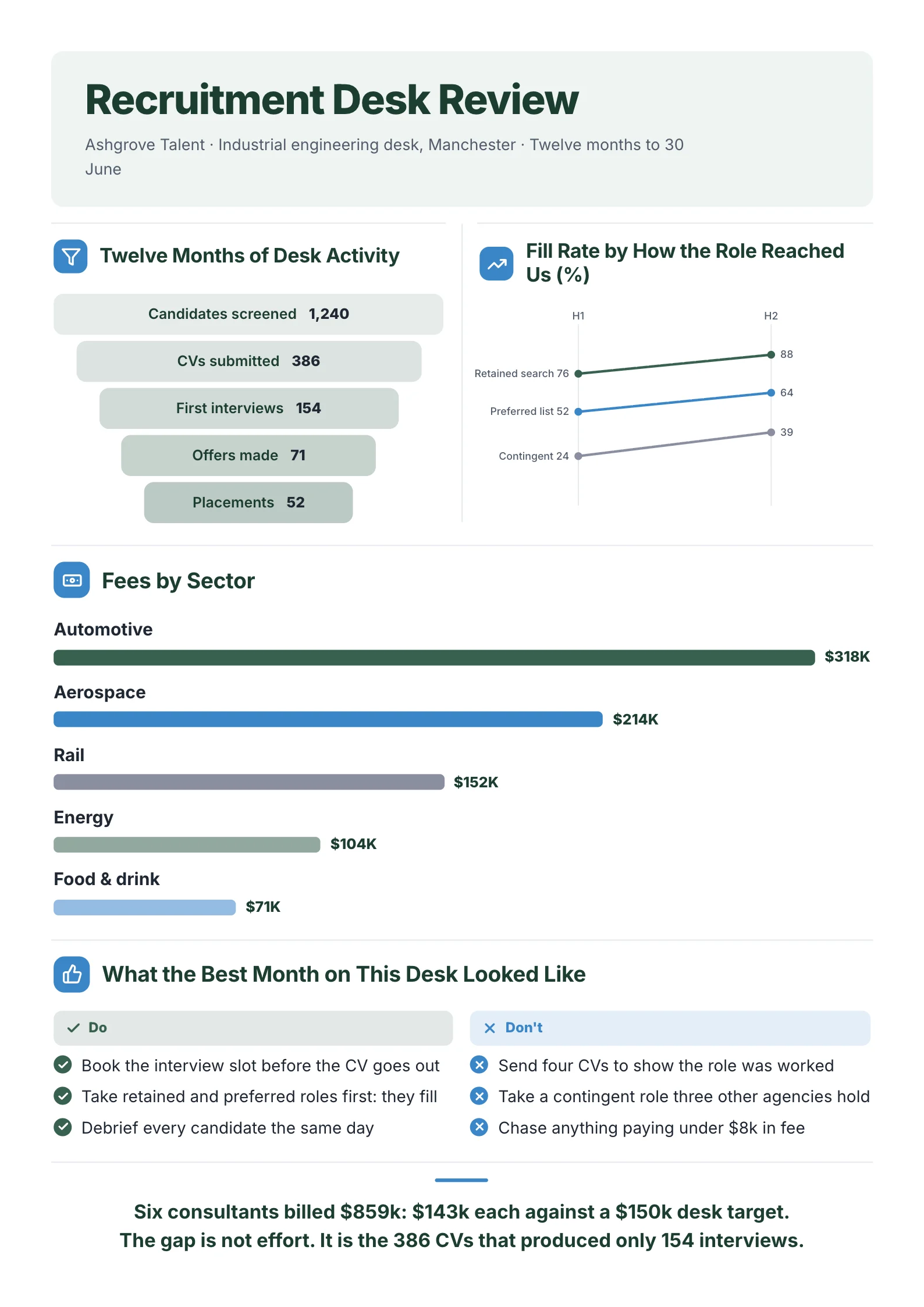 Recruitment ReportOpen this One-Pager (opens in a new tab)
This guide covers the four employee one-pagers HR teams use most, what goes on each, a filled benefits example, the mistakes that make people ignore them, and how to make one from the document you already have.
The 4 employee one-pagers HR teams use most
| One-pager | Who reads it | When |
|---|---|---|
| Benefits summary | Every employee, and new hires | Open enrolment, onboarding, after a plan change |
| New-hire welcome | New employees | The week before they start |
| Policy summary | Everyone affected by a policy | When a policy is new or changes |
| Team or employee introduction | Colleagues, clients, a new manager | A new hire joins, or a team is introduced |
What goes on a benefits summary one-pager
- What's new this year, at the top, if anything changed.
- Health cover: the plans, what the employee pays, and the deductible, in a small table.
- Time off: holiday days, sick leave and parental leave, as numbers.
- Retirement: the employer match and when it vests.
- Other benefits: two to five lines, such as wellness, learning budget or equipment.
- Key dates: the enrolment window and the deadline.
- Who to ask: one named contact and where the full plan documents live.
A filled benefits one-pager example
Here's the text of a sample benefits summary. The company and figures are a sample, not a real plan.
Your 2027 Benefits · Northfield Logistics
What's new: dental now covers two cleanings a year at no cost.
Health Cover (monthly, employee pays)
- Standard: $45 for you only, $210 for you and family, $1,500 deductible
- Plus: $95 for you only, $340 for you and family, $500 deductible
Time Off
- 20 holiday days
- 10 sick days
- 16 weeks paid parental leave
Retirement
We match 100% of the first 4% you save. Fully yours after 2 years.
Also Included
- $750 learning budget
- $40 a month for wellness
- Home office kit
Key Dates
Enrol 1 to 15 November. If you don't choose, you get the Standard plan for you only.
Questions
Priya Shah, People team · benefits@example.com · full plan documents on the intranet
For a benefits or policy summary, start from the employee benefits summary One-Pager template.
An employee can answer "what will this cost me" and "what do I need to do" without opening the 40-page plan document.
What goes on the other three
New-hire welcome: start date, time and place (or link), who will meet them, what to bring, the first week at a glance, their manager and buddy, and one person to call if something goes wrong.
Policy summary: what the policy is in one sentence, who it applies to, what changes and from when, what the employee needs to do, and where the full policy is.
Team or employee introduction: name, role and photo, what they'll work on, two or three facts about their experience, and how to reach them.
Mistakes that make employees ignore it
| Mistake | Fix |
|---|---|
| Copying the policy's legal wording | Plain language; link to the full document |
| No clear action or deadline | Say what to do and by when, near the top |
| Percentages with no money amounts | Show what it costs in dollars per month |
| One page covering every benefit in detail | The main five; the rest in the full plan |
| No named contact | One person or one inbox, by name |
| Sent once, then lost | Pin it on the intranet and attach it to onboarding |
How to make an employee one-pager
The content almost always exists already: a benefits guide, an employee handbook, a policy document. The work is cutting it to one page without losing the numbers and the deadlines.
You can do it by hand in Word, Google Docs or Canva using the example above as a template. Or upload the handbook, benefits guide or policy to MakeOnepagers: it reads the whole document, pulls out the figures, dates and actions, and lays them out as a designed One-Pager you can edit. It leaves out anything it can't tie back to your document, which matters when the page is about people's pay and cover.
See also how MakeOnepagers handles contracts and meeting packs, or browse ready-made One-Pager templates.
Turn your handbook into a One-Pager
Upload your benefits guide, handbook or policy and get a designed employee One-Pager back in a minute or two. MakeOnepagers is free for 7 days with 3 One-Pagers included. Make your first One-Pager.
Frequently asked questions
What is an employee one-pager?
It's a single page that summarises something employees need to know, such as benefits, onboarding or a policy, in plain language, with the numbers, the dates and who to ask.
What should a benefits one-pager include?
What's new, health plans with costs, time off, retirement match, other benefits, key enrolment dates and one contact. Keep the full plan documents linked for detail.
Is a one-pager a replacement for the employee handbook?
No. The handbook stays as the full reference, and often the legal record. The one-pager is the summary people actually read, and it should point to the handbook for detail.
Can I make an employee one-pager for free?
Yes. Word, Google Docs and Canva's free plan all work with the example above. MakeOnepagers has a 7-day free trial with 3 One-Pagers if you'd rather it build the first draft from your existing handbook or benefits guide.
How often should a benefits one-pager be updated?
At least once a year, before open enrolment, and any time a plan, price or policy changes. Put the year in the title so nobody reads an old one.