BlogGuide
Progress Report Template: Free, With 5 One-Page Examples
A free progress report template, the 7 parts that show progress against plan, and 5 examples: construction, a rollout, a school, OKRs and a client.

By MakeOnepagers Team
Updated · 10 min read
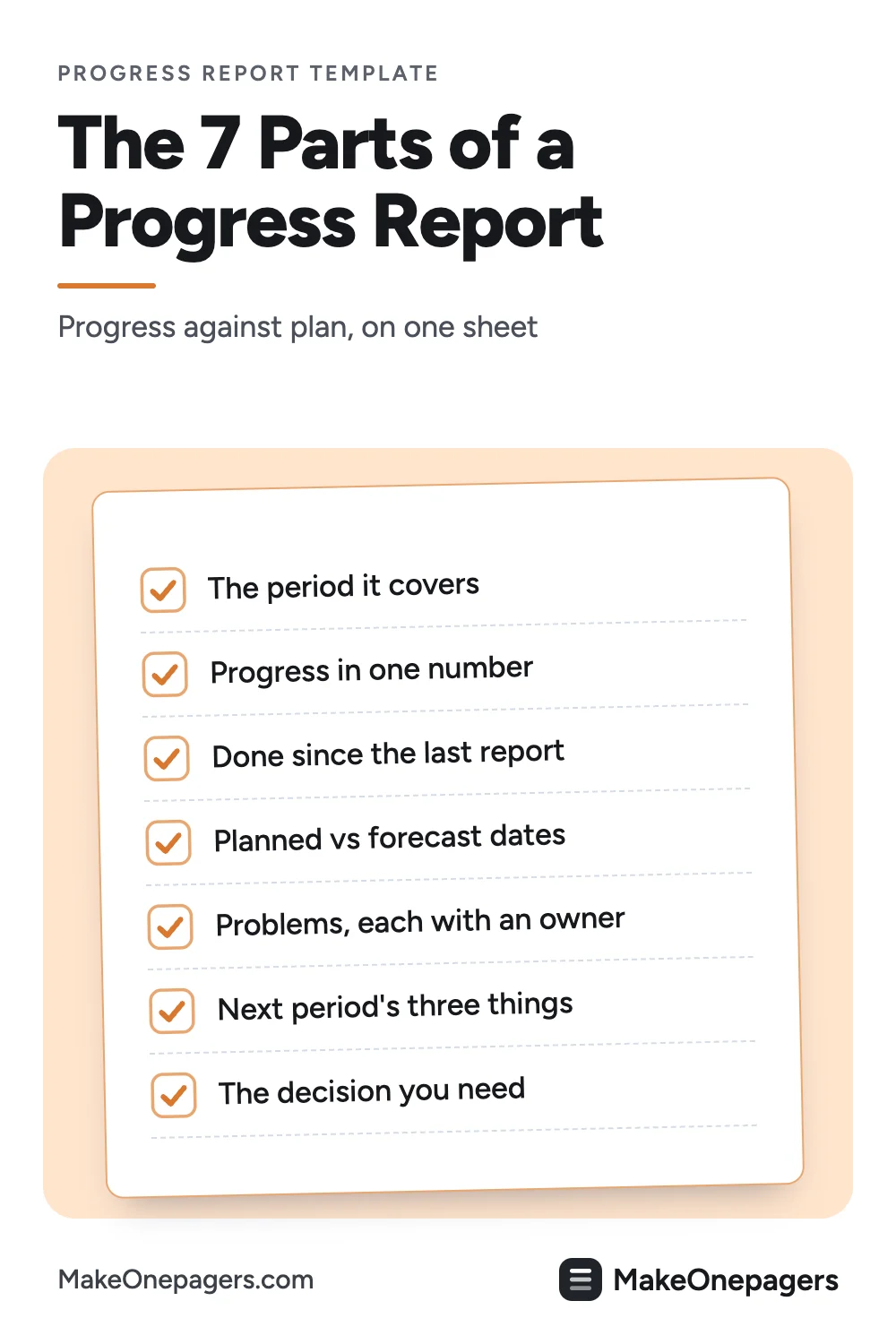
A progress report template gives every update the same seven parts: the period it covers, how far the work moved, what got done, the planned dates beside today's forecast, the problems, what comes next and the decision you need. Below is a free template you can copy, five progress reports made as One-Pagers, and the difference between a progress report and a status report.
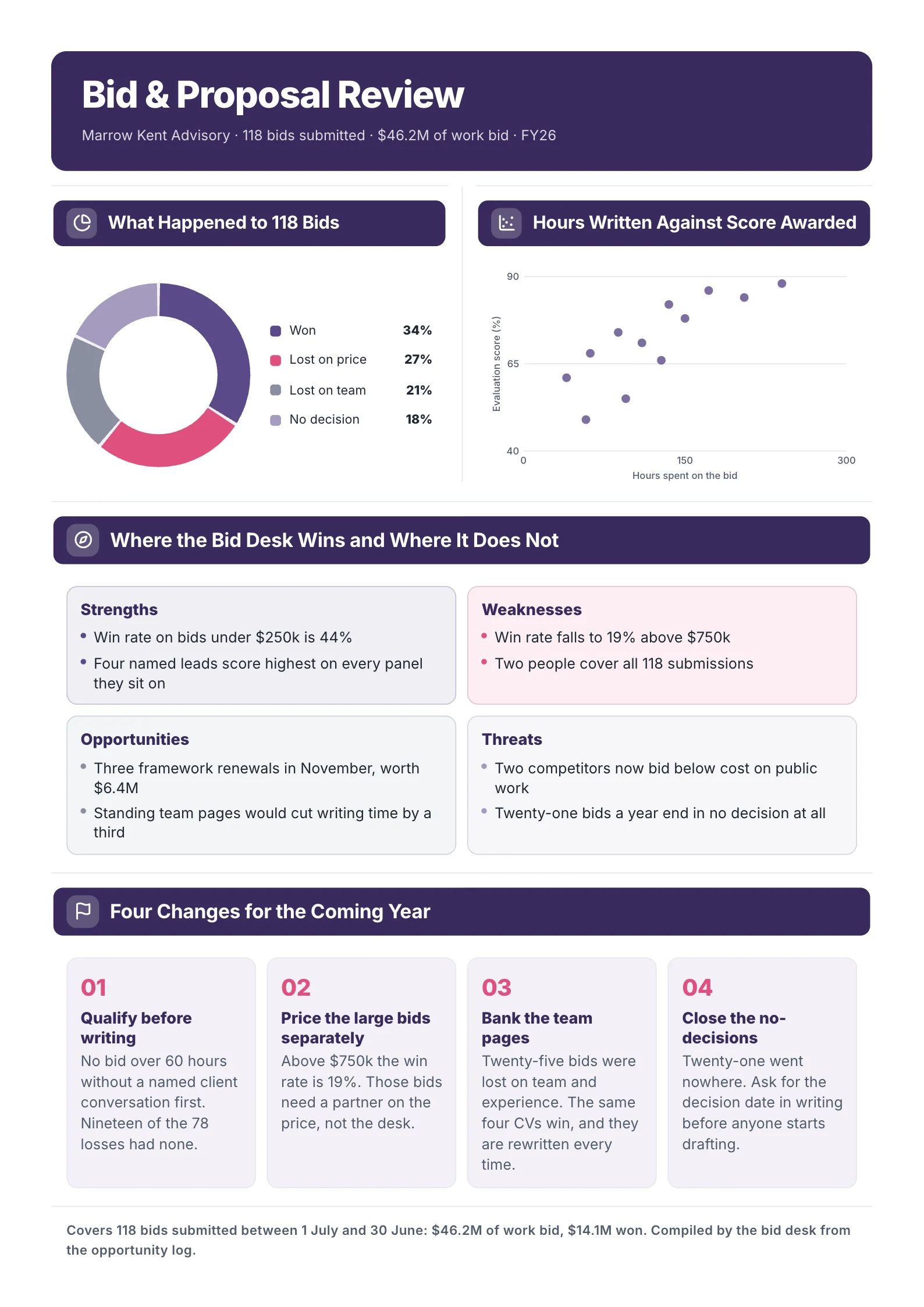
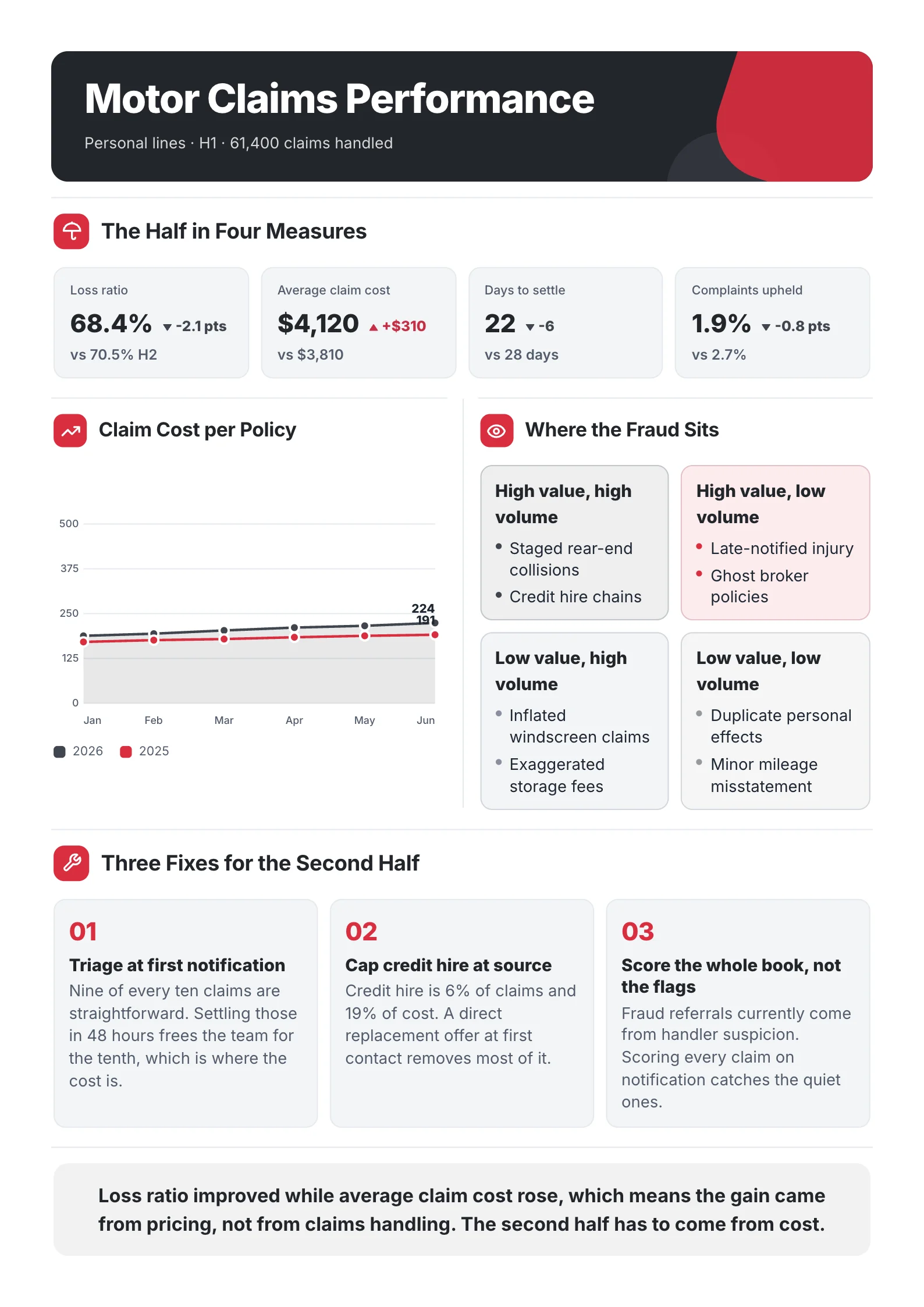
One‑Pager examples
Real One-Pagers made with MakeOnepagers. Open any one to edit it as your own.
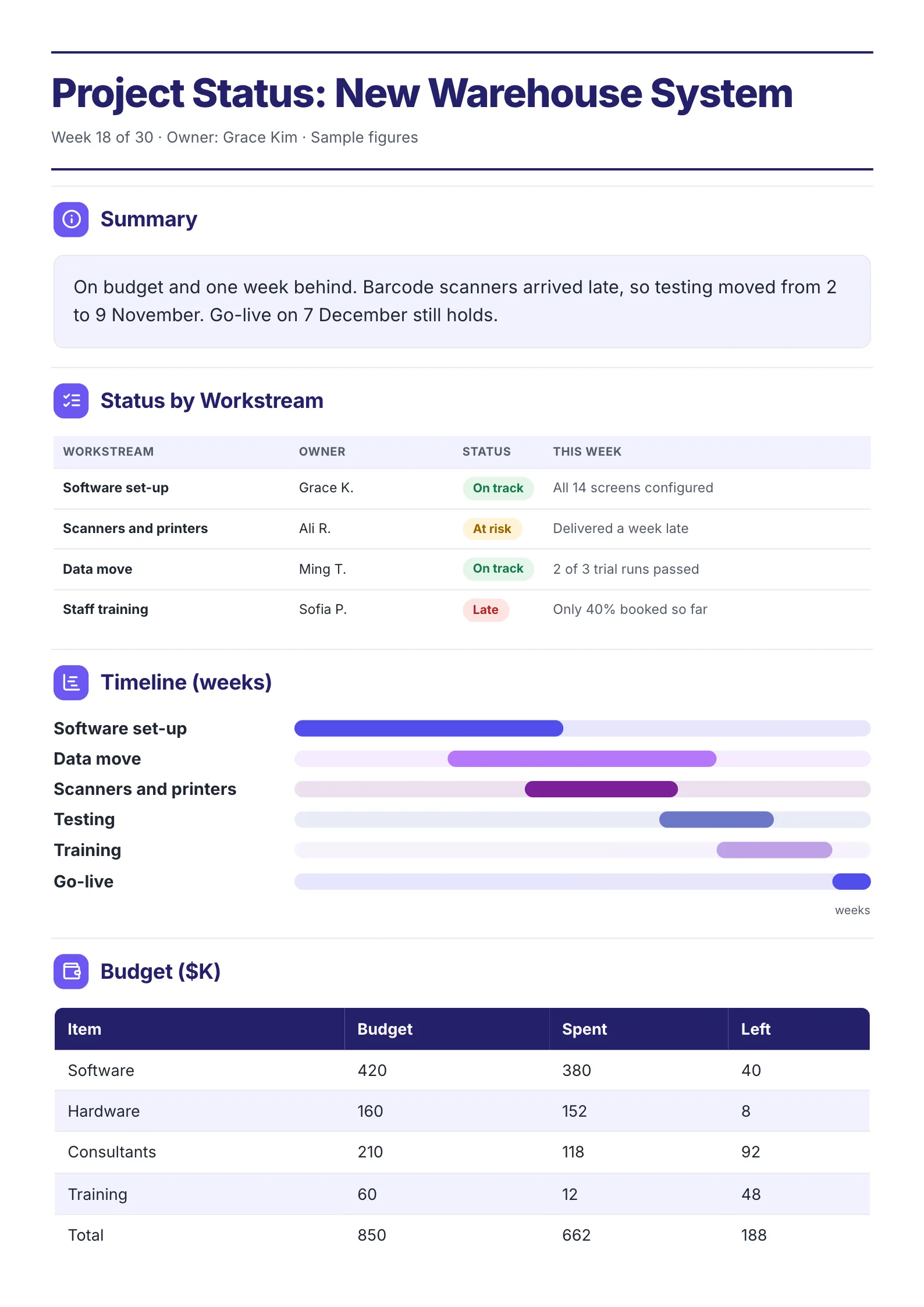 Project Status SummaryEdit for free(opens in a new tab)
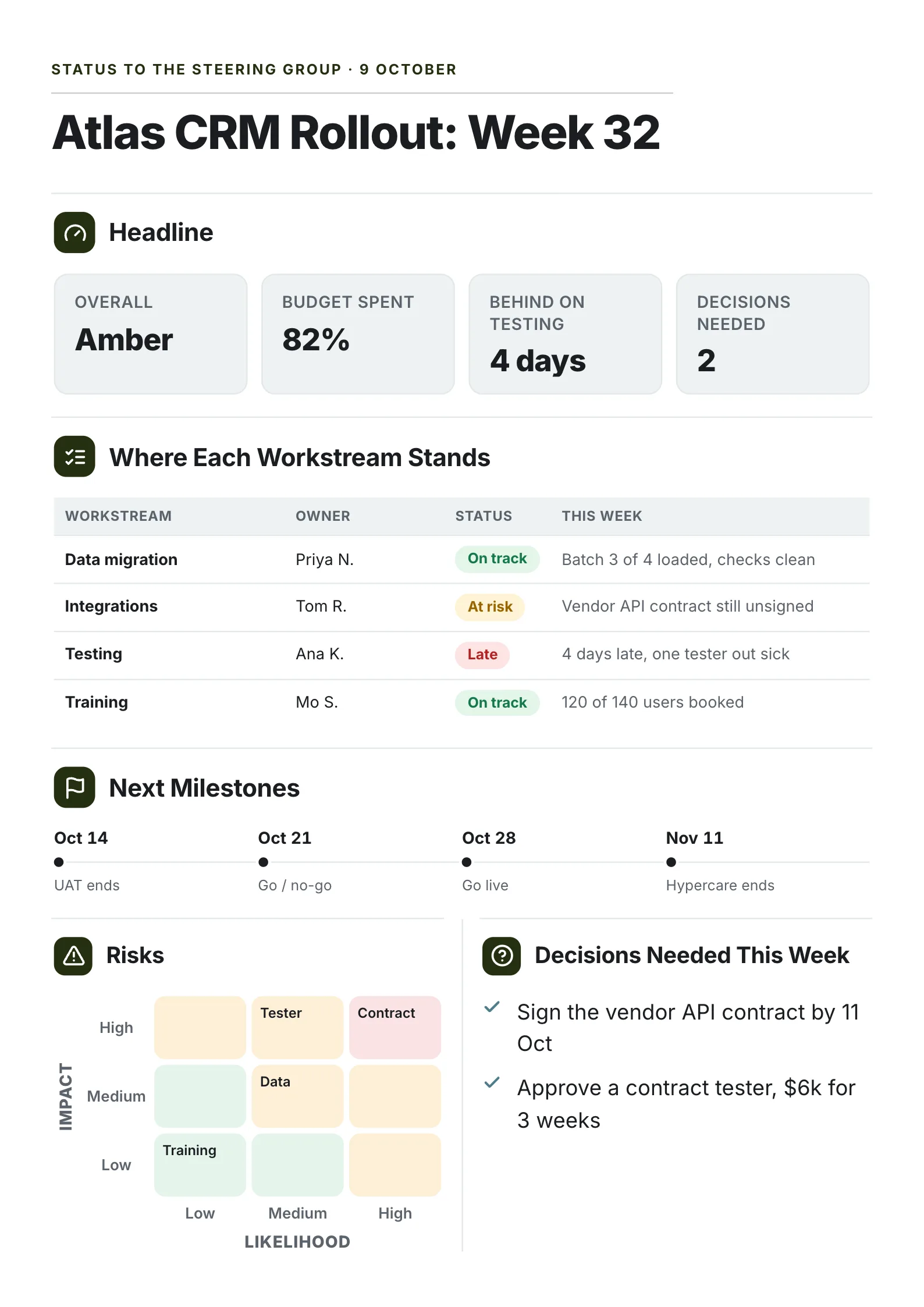 Project Status ReportEdit for free(opens in a new tab)
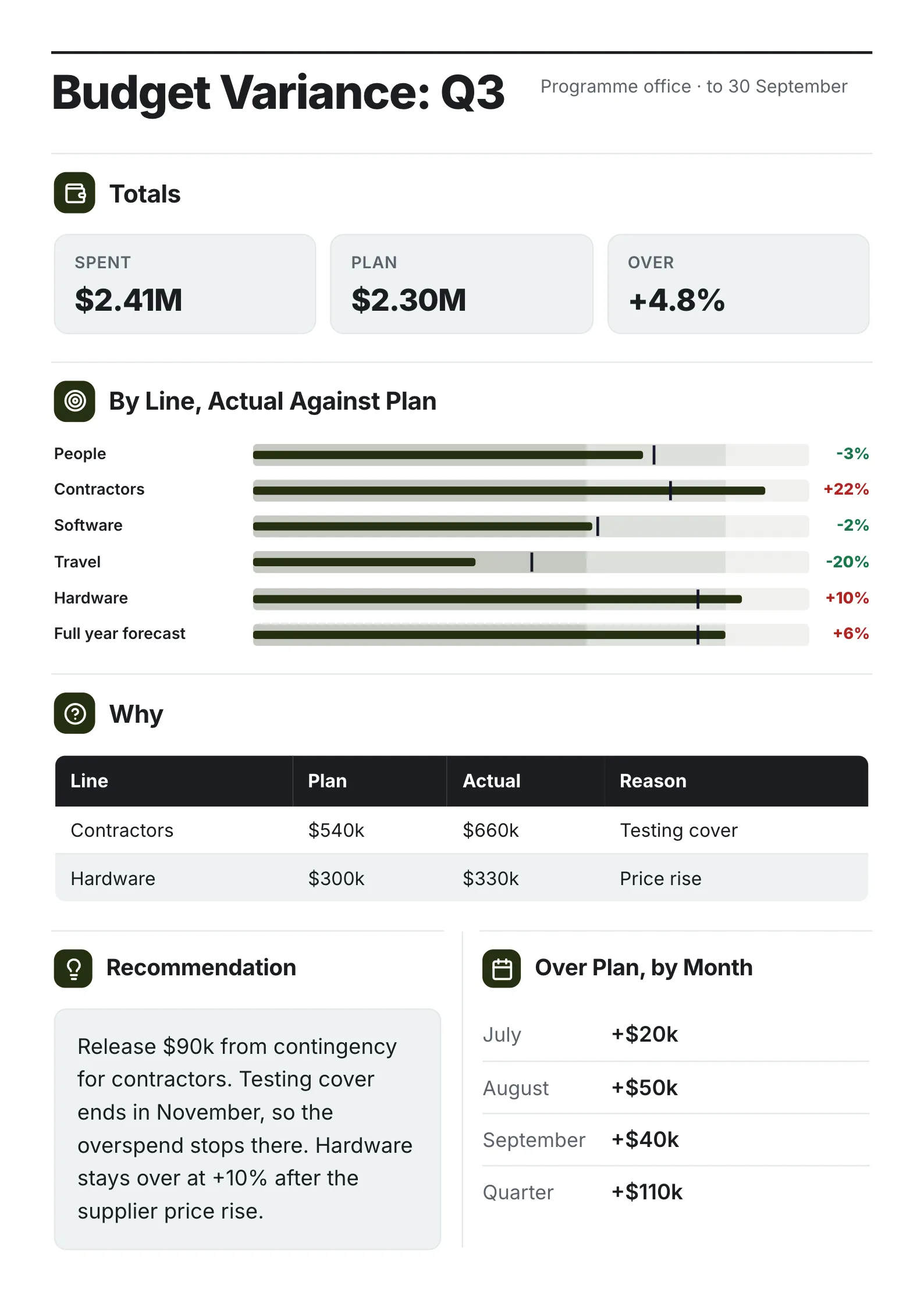 Budget Variance ReportEdit for free(opens in a new tab)
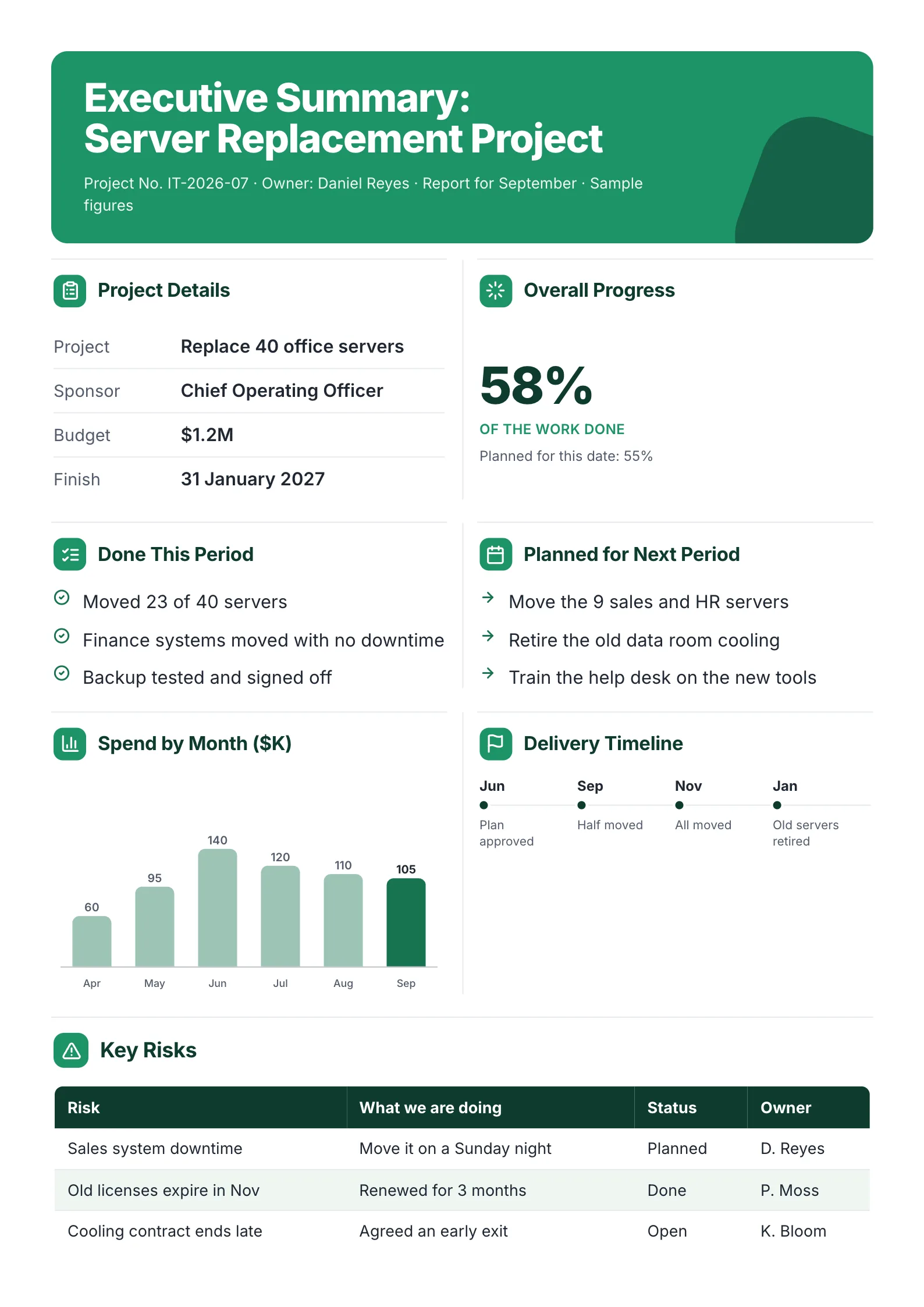 Executive Summary of a Project ReportEdit for free(opens in a new tab)
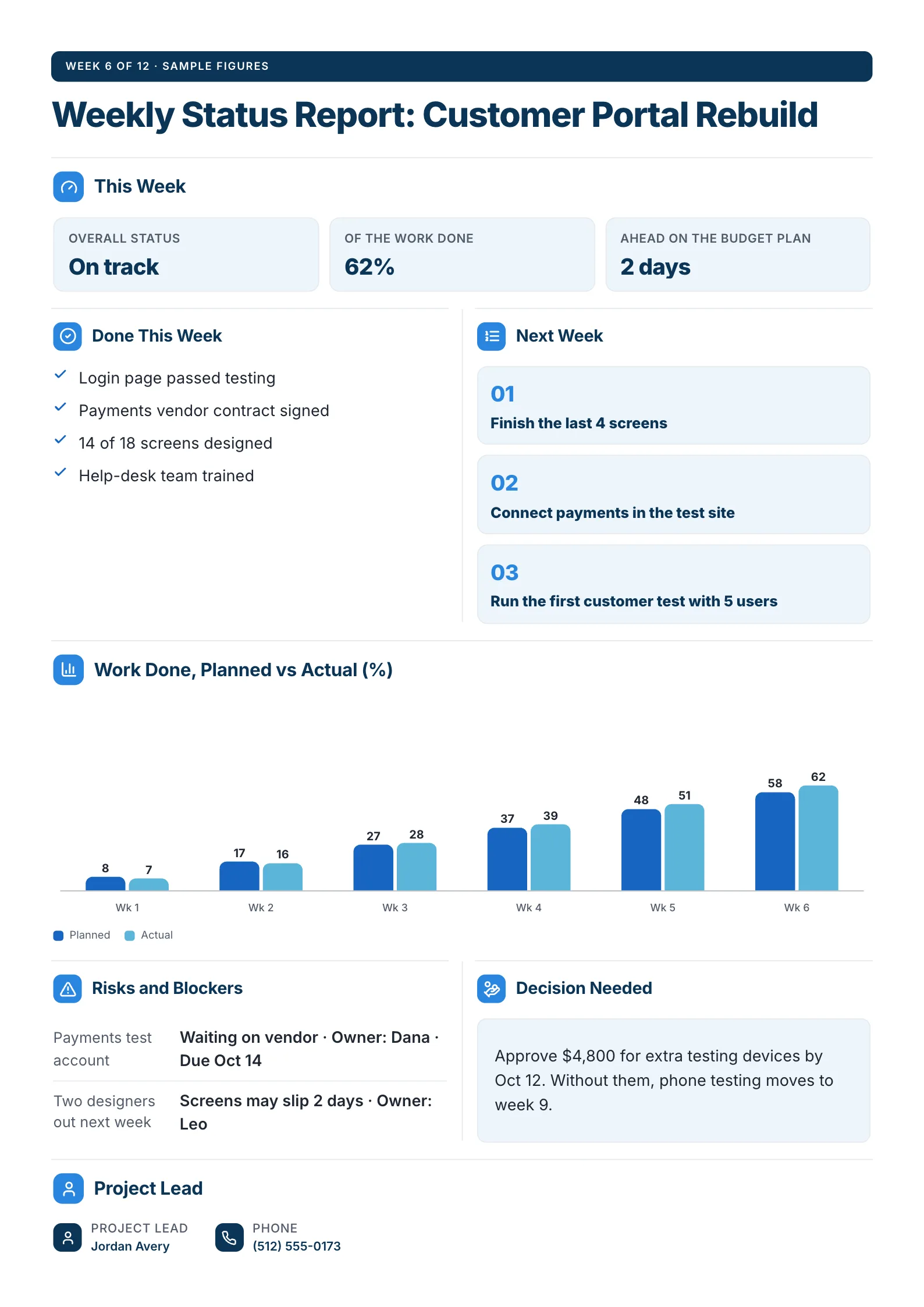 Weekly Status ReportEdit for free(opens in a new tab)
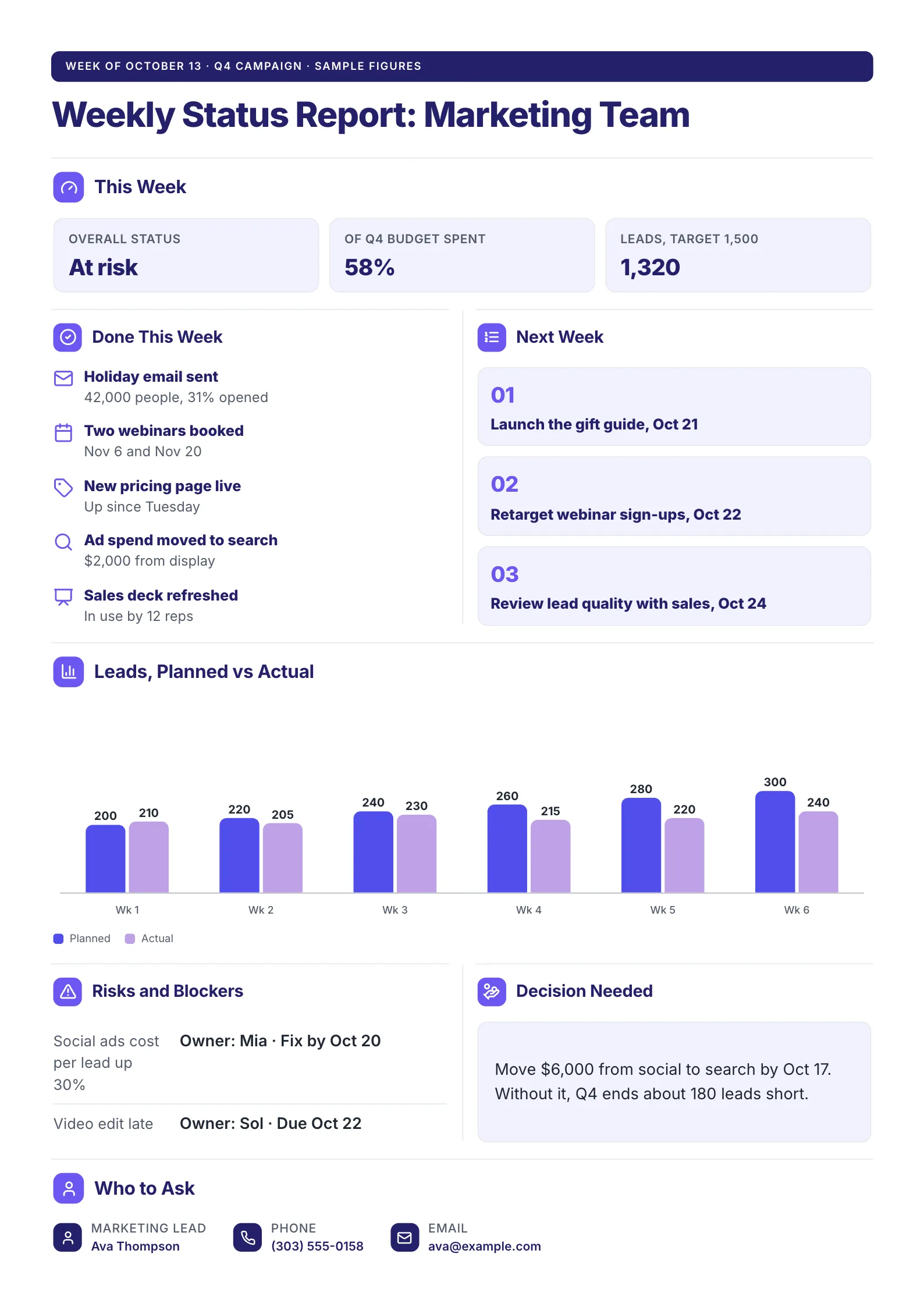 Marketing Weekly Status ReportEdit for free(opens in a new tab)
We read the three progress report templates ranking at the top of Google on 18 October 2026 (Qwilr, Lumiform and Jotform's 44 templates). Not one of them asks for the forecast date beside the planned date, and not one asks the reader for a decision. Those are the two lines that make a progress report worth reading, so every example below has both.
Every example was made with MakeOnepagers and opens as a template you can edit for free.
What is a progress report?
A progress report tells the people paying for or waiting on a piece of work how far it has moved since the last report, and whether it will still finish on time and on budget. A builder sends one to a client, a team lead to a sponsor, a nonprofit to a funder, a teacher to a parent.
The word that matters is since. A progress report compares two moments: where the work was last time and where it is now, both measured against the plan.
Progress report vs status report
People use the two names for the same document, and most readers will not mind which one you use. When teams do separate them, the line is this:
| Status report | Progress report | |
|---|---|---|
| The question it answers | Where are we today? | How far did we get, and will we finish on time? |
| What it measures | A snapshot: on track, at risk or late | Movement over a period, against the plan |
| Typical rhythm | Weekly | Monthly, per milestone or per funding period |
| The number that leads | One status word | Percent done, or done against planned |
If your reader asks "are we OK this week?", send a weekly status report. If they ask "how much did we get for the money so far?", send a progress report.
The 7 parts of a progress report
- The period. "Report 14, week 62 of 96" or "September 2026". The reader needs to know which slice of time they are looking at.
- Progress in one number. Percent done, homes reached, students tutored. One figure, written large, with the plan beside it.
- Done since the last report. Three to five results, written as finished things: "All ductwork installed", not "Worked on ductwork".
- Planned dates against today's forecast. For each milestone, the date in the plan, the date you now expect, and the gap in days or weeks. This is the line the top-ranking templates leave out.
- Problems, each with an owner and a due date. A problem with no owner reads as a complaint.
- Next period. The three things that will happen before the next report, so the next report can tick them off.
- The decision needed. What you need, by when, and what happens if nobody decides. If you need nothing, say "No decision needed" so the reader knows they read to the end.
If you only have room for four, keep the progress number, the dates against forecast, the problems and the decision.
A free progress report template
Copy this into a document or an email, or open one of the examples below and edit it.
| Part | What to write, with an example |
|---|---|
| Title | The work and the period. Progress Report: Riverside Clinic Fit-Out, September 2026 |
| Progress | One number against the plan. 64% done, planned 70% |
| Done since last report | 3 to 5 results. Permit approved 12 Sep. All ductwork installed. Rooms 1 to 8 plastered |
| Milestones | Planned date, forecast date, gap. Finishes: planned 6 Oct, forecast 20 Oct, 2 weeks late |
| Problems | Each with impact, owner and due date. Elevator parts on back order, medium, K. Lee, Oct 15 |
| Next period | 3 numbered items. 1. Start finishes on 20 Oct |
| Decision needed | What, by when, and the cost of waiting. Approve weekend shifts by Oct 10, or handover moves to December |
| Who to ask | Name, role, phone or email |
Keep the same order every time. When the parts never move, the reader goes straight to the two that changed.
5 progress report examples
1. Construction progress report
 Edit this template
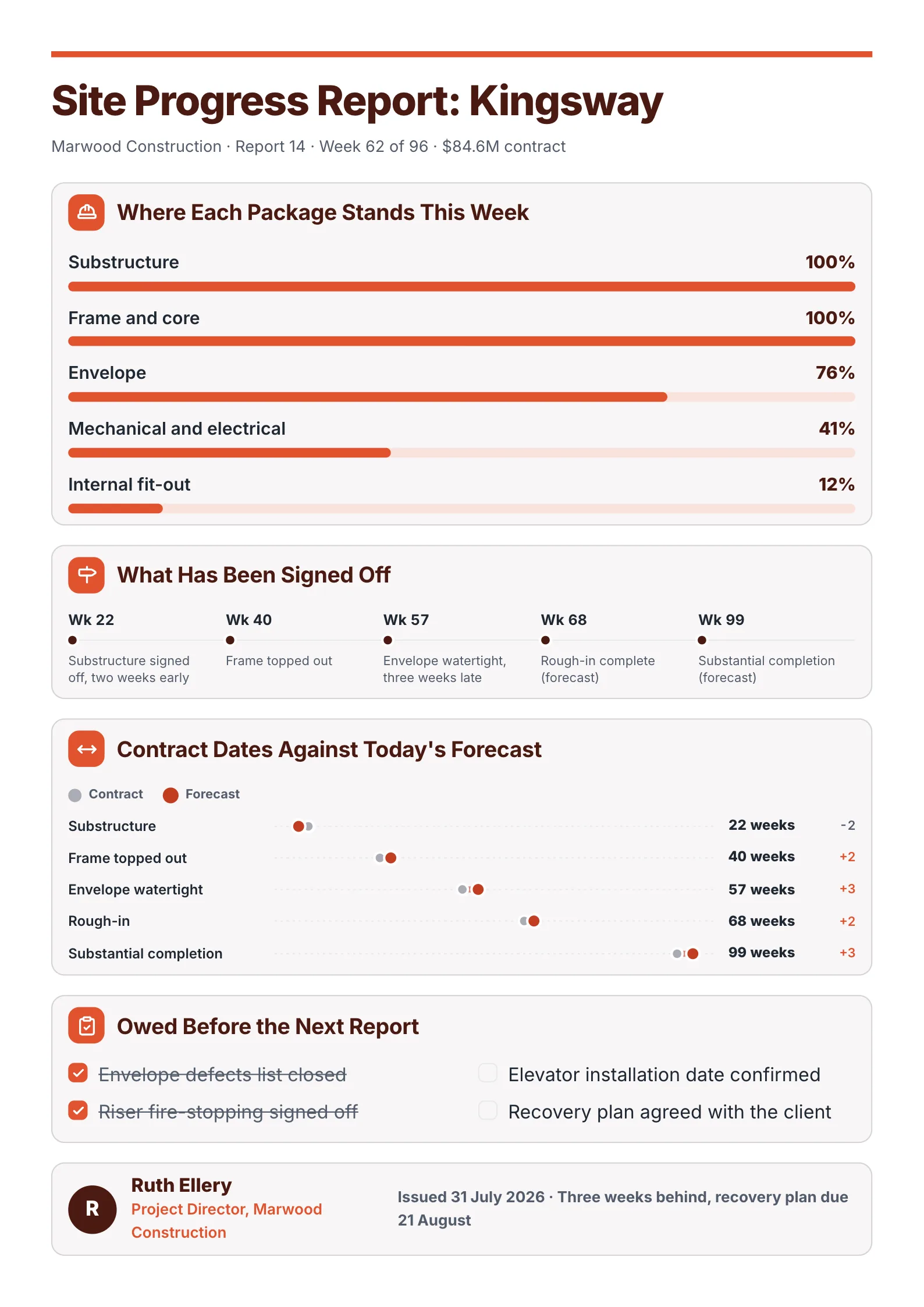
A builder's report to the client, where every milestone shows the contract date and the forecast side by side.
What to copy:
- Contract dates against today's forecast, with the gap. "Envelope watertight: 57 weeks, +3" says more than "slightly behind".
- Percent complete for each package, from substructure at 100% to internal fit-out at 12%. The reader sees where the work is, not only how much.
- The bad news in the footer, with its fix: "Three weeks behind, recovery plan due 21 August."
Edit for free: construction progress report template.
2. Progress report for a public rollout
 Edit this template
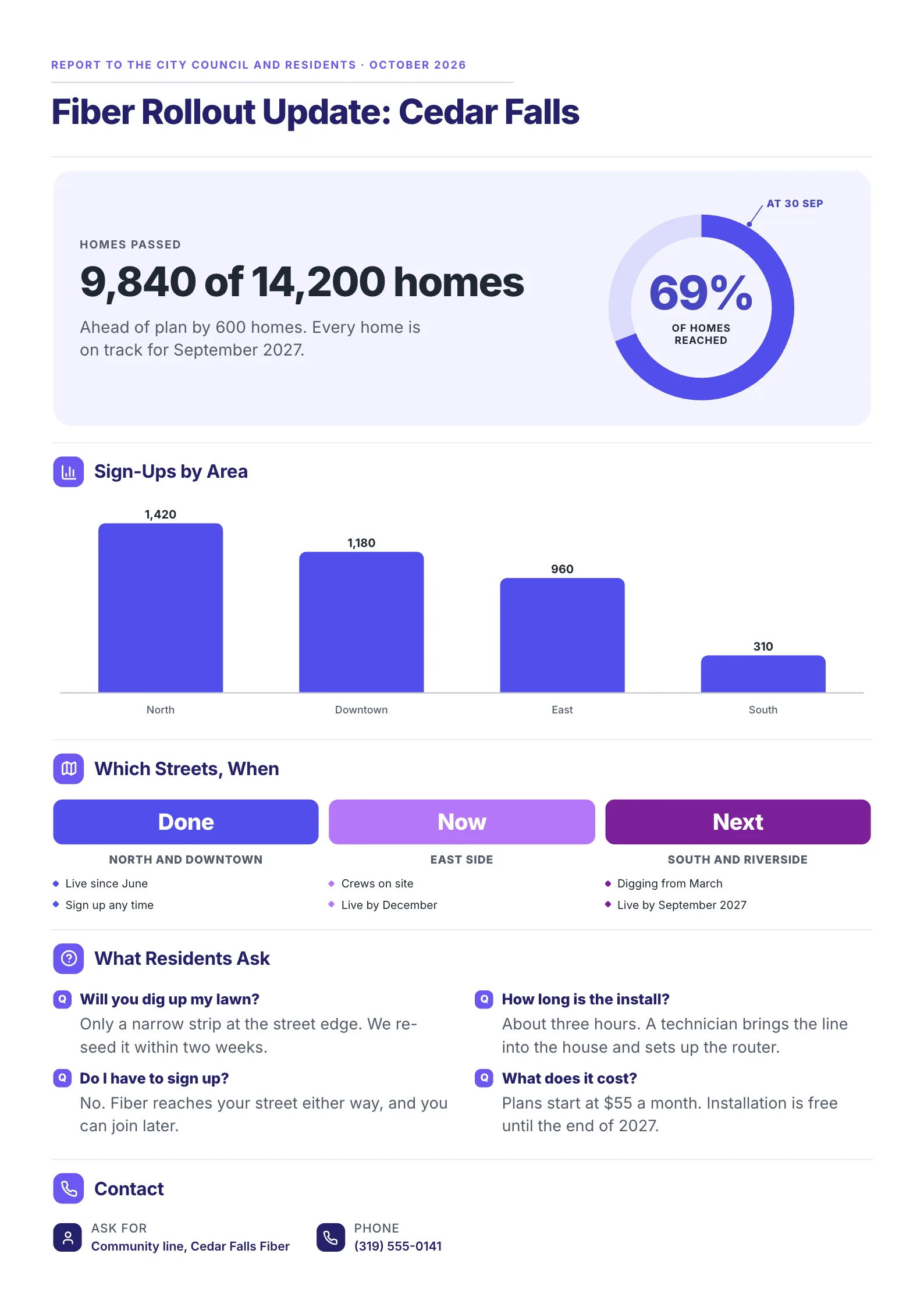
A city-wide project reported to a council and to the people living with the roadworks.
What to copy:
- One big number with the plan beside it: 9,840 of 14,200 homes, ahead of plan by 600.
- Done, Now and Next as three columns, so every resident finds their street in a second.
- The questions people actually ask, answered. A progress report for the public is also the cheapest support desk you will ever run.
Edit for free: fiber rollout update template.
3. Progress report for a school program
 Edit this template
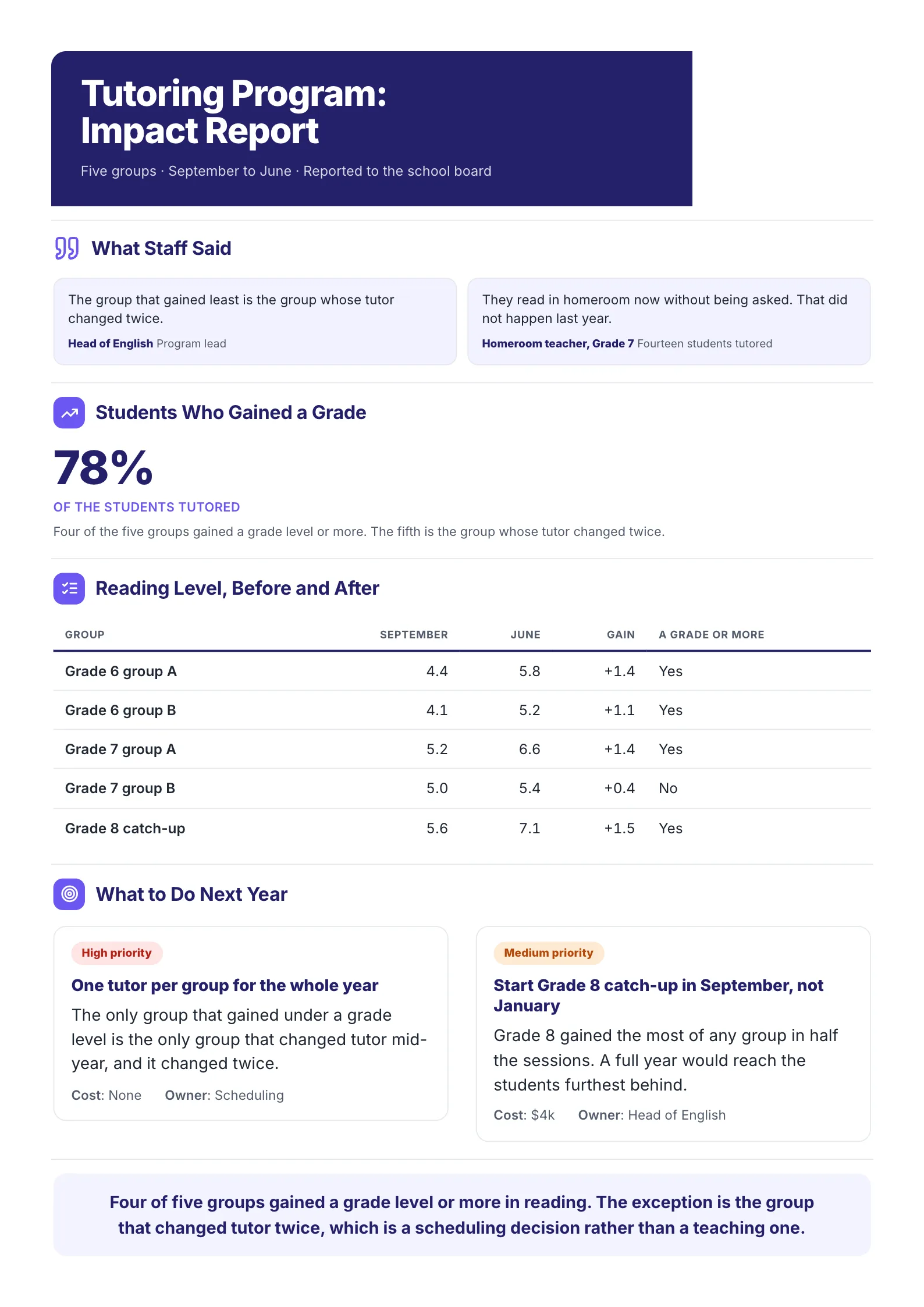
A school year of tutoring reported to the board: where each group started, where it finished and why one group fell short.
What to copy:
- Before and after in one table. September level, June level, the gain, and a plain yes or no for "a grade or more".
- The reason for the miss, named. The one group that gained under a grade is the one whose tutor changed twice.
- Next steps with a cost and an owner, so the board can approve them in the same meeting.
For a single student, keep the same shape: each skill, the level at the start and now, the goal for the next term and one thing that helps at home.
Edit for free: tutoring progress report template.
4. Progress report on goals (OKRs)
 Edit this template
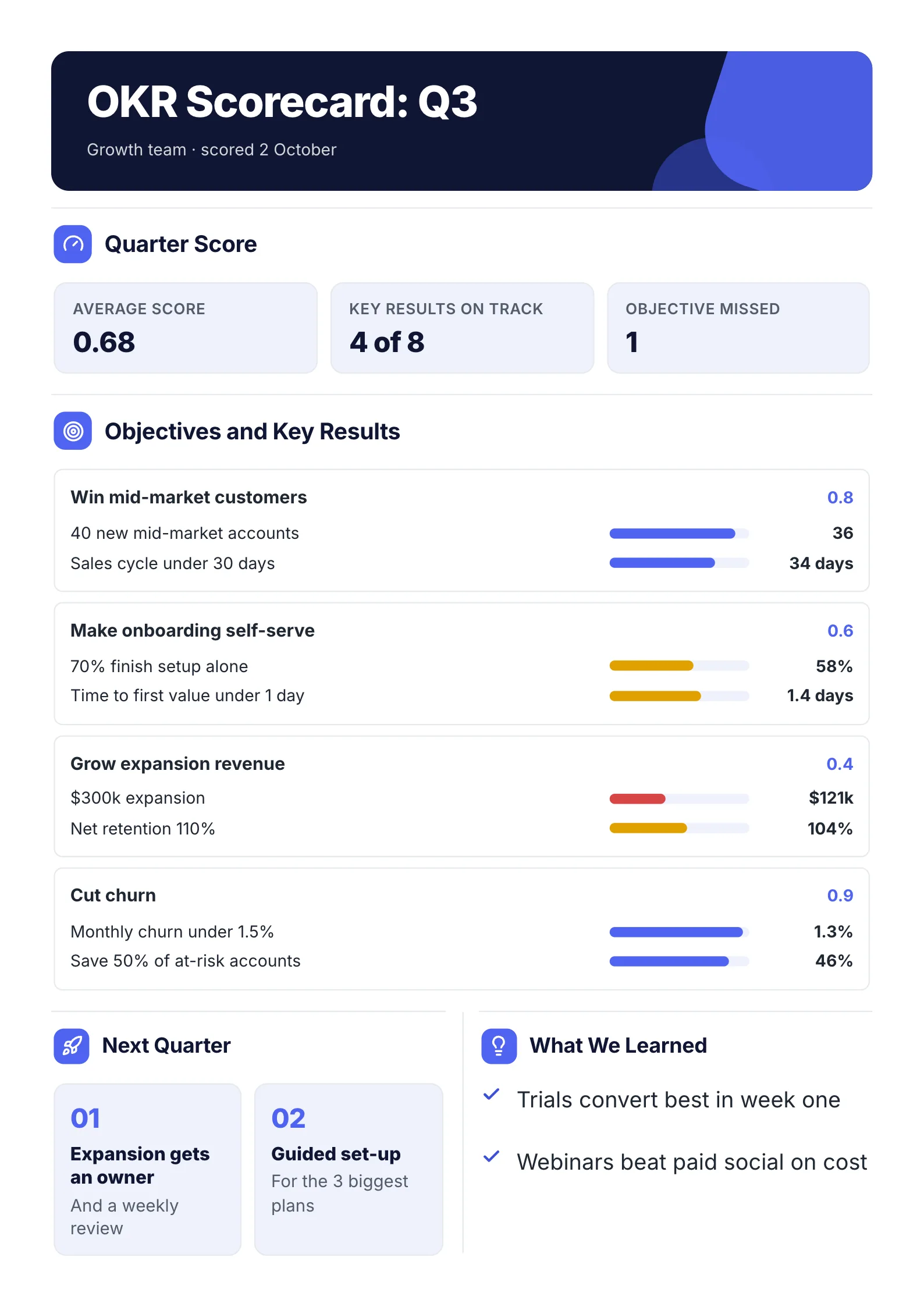
A quarter of goals reported as progress: every key result shows the target, the actual and a bar.
What to copy:
- Three numbers at the top: the average score, key results on track and objectives missed.
- Target and actual on the same line, "40 new mid-market accounts", 36, with a bar between them.
- What the team learned, two lines long. It turns a scorecard into a plan.
Edit for free: OKR scorecard template. For setting the goals in the first place, see our OKR template guide.
5. Monthly progress report for a client
 Edit this template
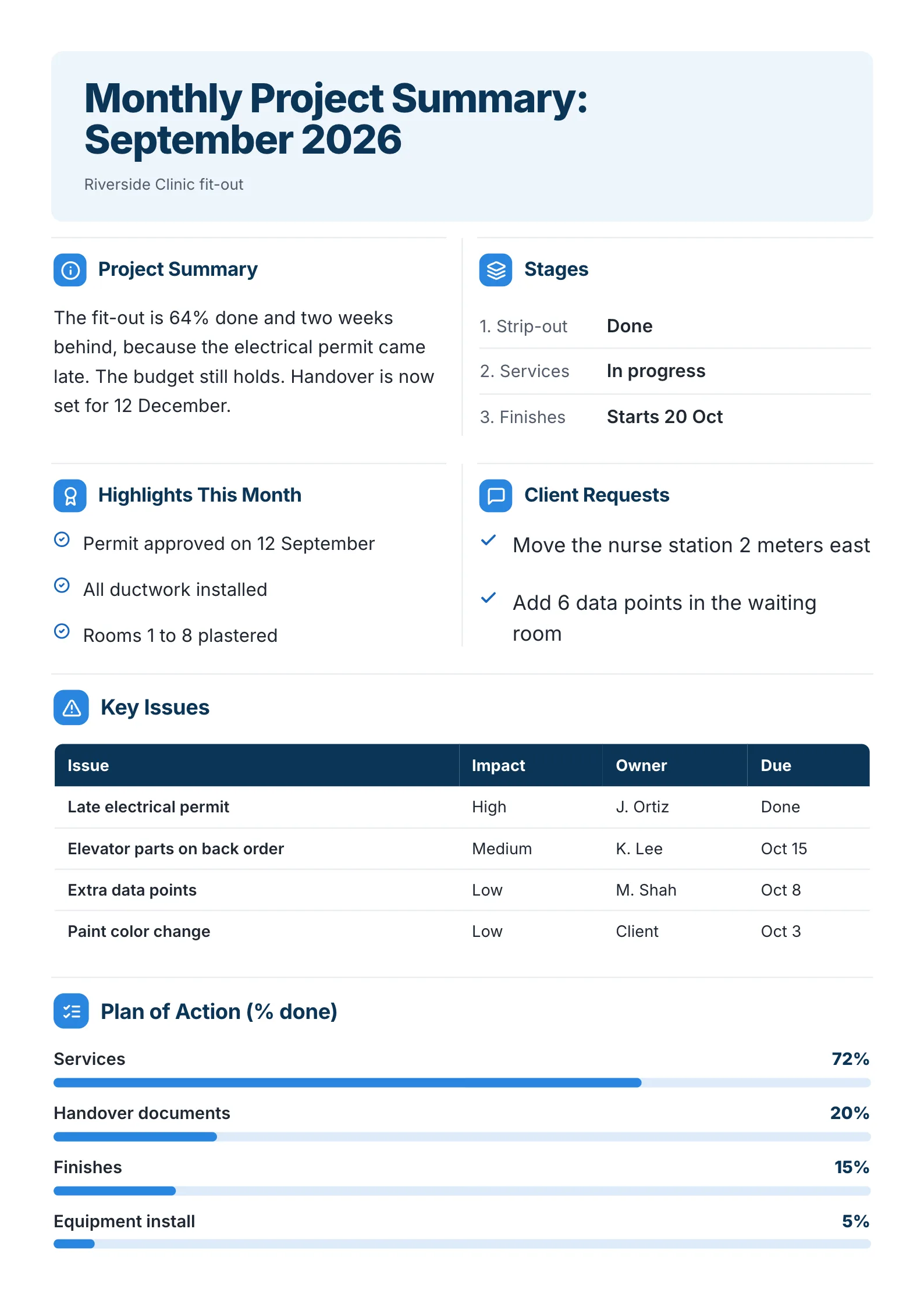
The same seven parts, sent once a month to a client, plus a list of what the client asked for.
What to copy:
- The whole month in one sentence at the top: 64% done, two weeks behind, why, and "the budget still holds".
- A section for the client's own requests, ticked when done.
- Issues with impact, owner and due date, sorted with the biggest impact first.
Edit for free: monthly project summary template.
Word, Excel, or a One-Pager?
Autocomplete shows people adding "word", "excel" and "free" to this search. Here is what each format is good for.
| Format | Best for | Where to get one |
|---|---|---|
| A designed One-Pager | A report read on a phone, printed for a meeting or forwarded to someone senior | MakeOnepagers, free to edit and download as a PDF |
| Word or Google Docs | A long written report with sections and appendices | Any blank document, using the table above as the outline |
| Excel or Google Sheets | Tracking many tasks, hours or costs in rows | Your own tracker; the progress report summarizes it |
| A form or checklist app | Inspections and site visits filled in on a phone | Lumiform's template rates time, quality and cost as yes or no |
| A PDF form | A report someone fills in and signs | Jotform's progress report forms |
The spreadsheet is where you keep track. The progress report is what everyone else reads. If the reader has to scroll through rows to find out whether you will finish on time, the report has not been written yet.
How to write a progress report in 15 minutes
- Copy the last report. The shape stays; only the numbers and the words change.
- Update the one progress number first, then the milestone dates. If a forecast date moved, write the reason in the same line.
- Write what got done as results, three to five of them.
- Move last period's "next" items into "done", or into problems if they slipped.
- Write the decision last, because by then you know what you need.
- Read the top third alone. If the period, the number and the decision are all there, send it.
Common mistakes
- A list of activities instead of progress. "Held 4 meetings" is effort. "Supplier signed" is progress.
- No plan to compare against. "64% done" means nothing until the reader knows the plan said 70%.
- Hiding the slip in the middle. Put a late date where the reader looks first, with the cause and the recovery date.
- A different shape every time. Readers stop reading reports they have to learn again.
Make your progress report
Pick the example closest to your work, change the numbers and the names, and download it as a PDF. Browse all One-Pager templates, or start from the homepage and make one from your own notes.
Frequently asked questions
What should be included in a progress report?
The period it covers, one progress number against the plan, what got done since the last report, planned dates beside today's forecast, problems with owners, the next period's work and any decision needed.
What is the difference between a progress report and a status report?
A status report is a snapshot of where the work stands today. A progress report measures how far the work moved over a period and whether it will still finish on time. Many teams use the two names for the same document.
How long should a progress report be?
One page for the people who read it. Keep the detail, such as task lists, timesheets and receipts, in an appendix or a linked file.
How often should you send a progress report?
At a fixed rhythm the reader expects: monthly for most clients and funders, at each milestone for construction, and at the end of each term for a school.
Is there a free progress report template?
Yes. Copy the table above, or open any of the five examples in MakeOnepagers and edit every word, number and color for free.