BlogGuide
Weekly Status Report Template: Free, With 5 Examples
A free weekly status report template, the 7 parts every update needs, and 5 examples for a project, a steering group, a sprint, a client and a sponsor.

By MakeOnepagers Team
Updated · 8 min read
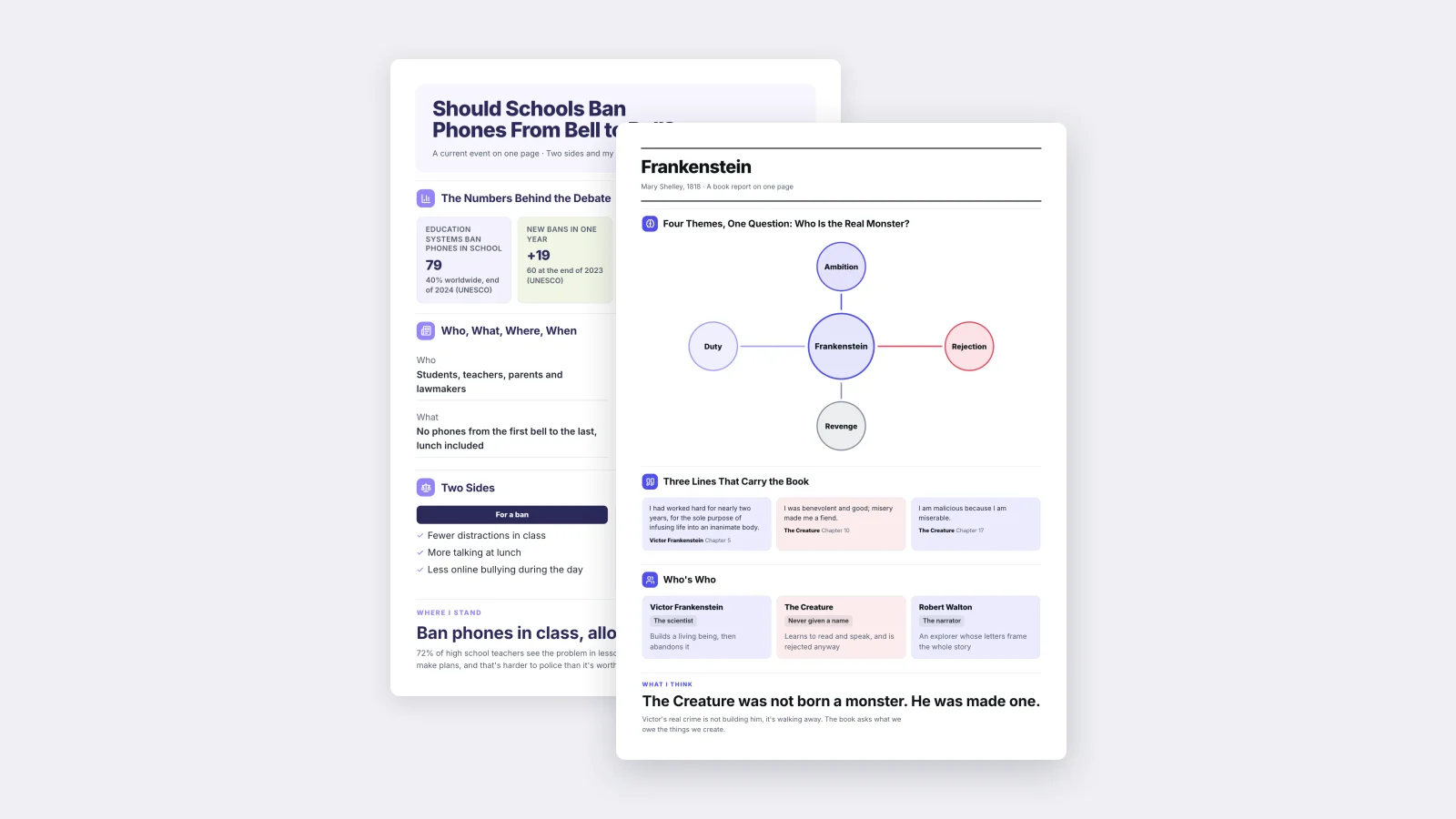
A weekly status report template gives your Friday update the same shape every week: the overall status, what got done, what happens next week, the risks and the decision you need. Because the shape never changes, the people reading it learn where to look, and they read it in a minute. Below are the seven parts every weekly status report needs, a free template you can copy, and five examples for different readers.
One‑Pager examples
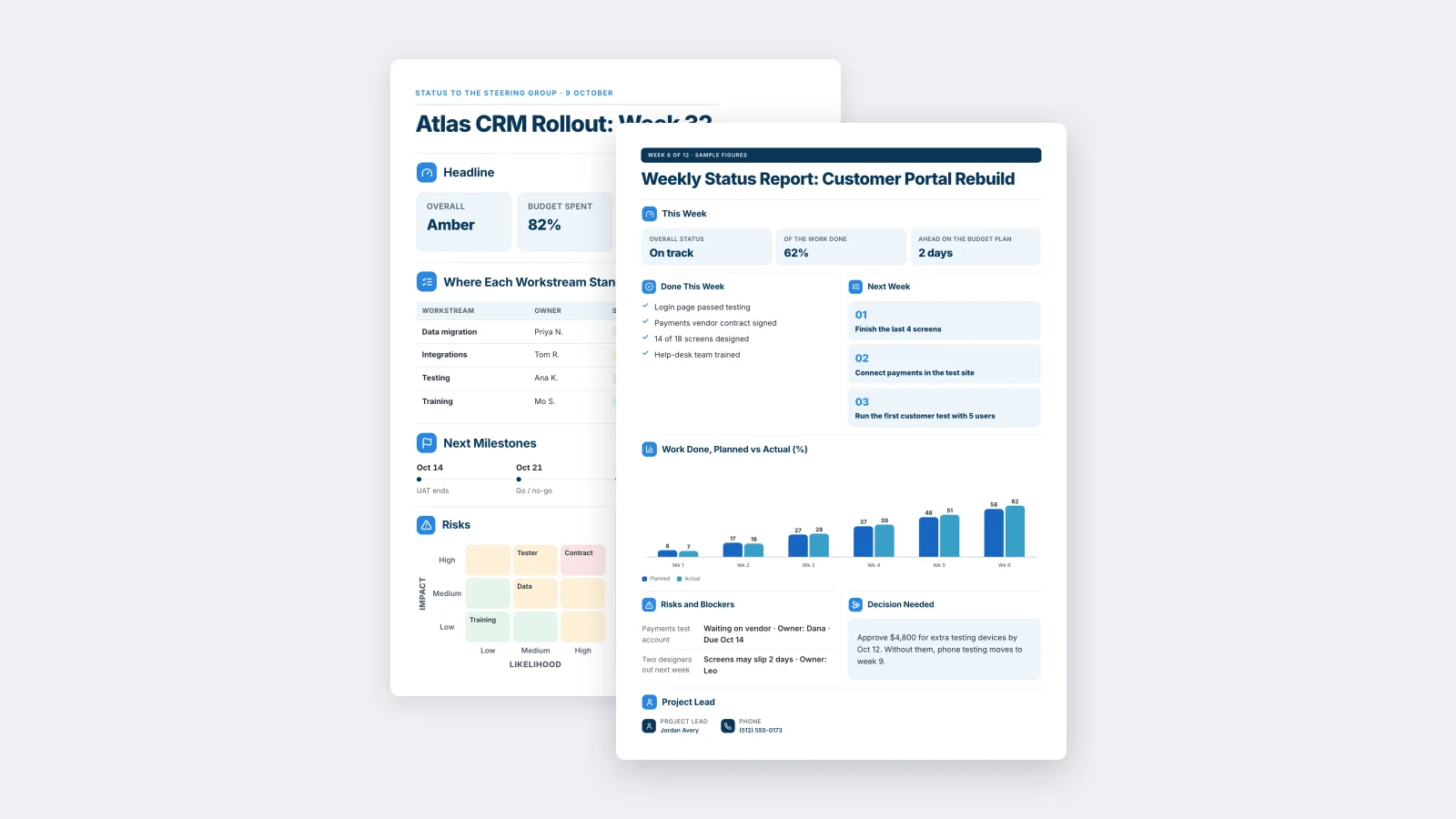
Real One-Pagers made with MakeOnepagers. Open any one to edit it as your own.
 Weekly Status ReportEdit for free(opens in a new tab)
 Project Status ReportEdit for free(opens in a new tab)
 Sprint ReviewEdit for free(opens in a new tab)
 Project Status SummaryEdit for free(opens in a new tab)
 Monthly Project SummaryEdit for free(opens in a new tab)
 RAID Log SummaryEdit for free(opens in a new tab)
Every example was made with MakeOnepagers. The projects and figures are samples, and each one opens as a template you can edit for free.
What is a weekly status report?
A weekly status report is a short update a project lead or team sends every week to the people who care about the work: a manager, a sponsor, a client or a steering group. It answers four questions in order: are we on track, what did we finish, what is next, and is anything stuck.
It is not a diary of everything the team did. The reader wants to know whether to worry and whether they need to act. Everything else can wait for the meeting.
The 7 parts of a weekly status report
- The overall status in one word. On track, at risk or late. Many teams use green, amber and red, but write the word too, because colors disappear when the report is printed.
- Two or three numbers. How much of the work is done, the budget spent, days ahead or behind.
- Done this week. Three to five finished items, written as results: "Login page passed testing", not "Worked on login".
- Next week. The three things that will happen, numbered.
- Risks and blockers, each with an owner and a date.
- The decision needed, with a deadline and what happens if nobody decides.
- Who to ask. The project lead's name and how to reach them.
If you only have room for four, keep the status, done, next and the decision.
A free weekly status report template
Copy this into an email or a document, or open one of the examples below and edit it.
| Part | What to write, with an example |
|---|---|
| Title | The project and the week. Weekly Status Report: Customer Portal Rebuild, week 6 of 12 |
| Overall status | One word. On track |
| Numbers | 2 or 3 figures. 62% of the work done, 2 days ahead of plan |
| Done this week | 3 to 5 results. Payments vendor contract signed. 14 of 18 screens designed |
| Next week | 3 numbered items. 1. Finish the last 4 screens |
| Risks and blockers | Each with an owner and a date. Payments test account, waiting on vendor, Dana, Oct 14 |
| Decision needed | What, by when, and the cost of waiting. Approve $4,800 for testing devices by Oct 12, or phone testing moves to week 9 |
| Project lead | Name and phone or email |
Send it on the same day at the same time every week. Readers trust a report that arrives like clockwork.
5 weekly status report examples
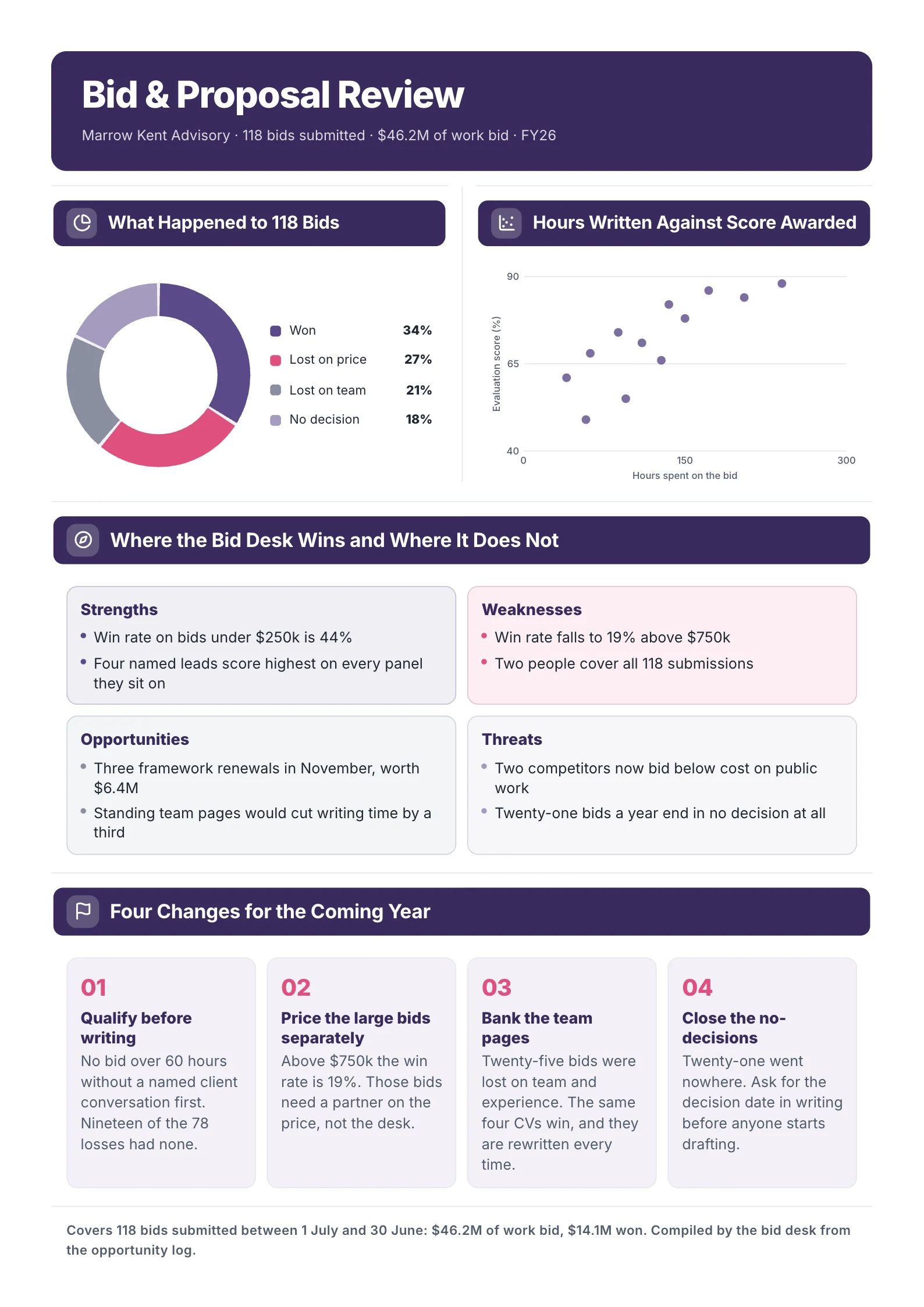
1. Weekly status report for a project team
 Edit this template
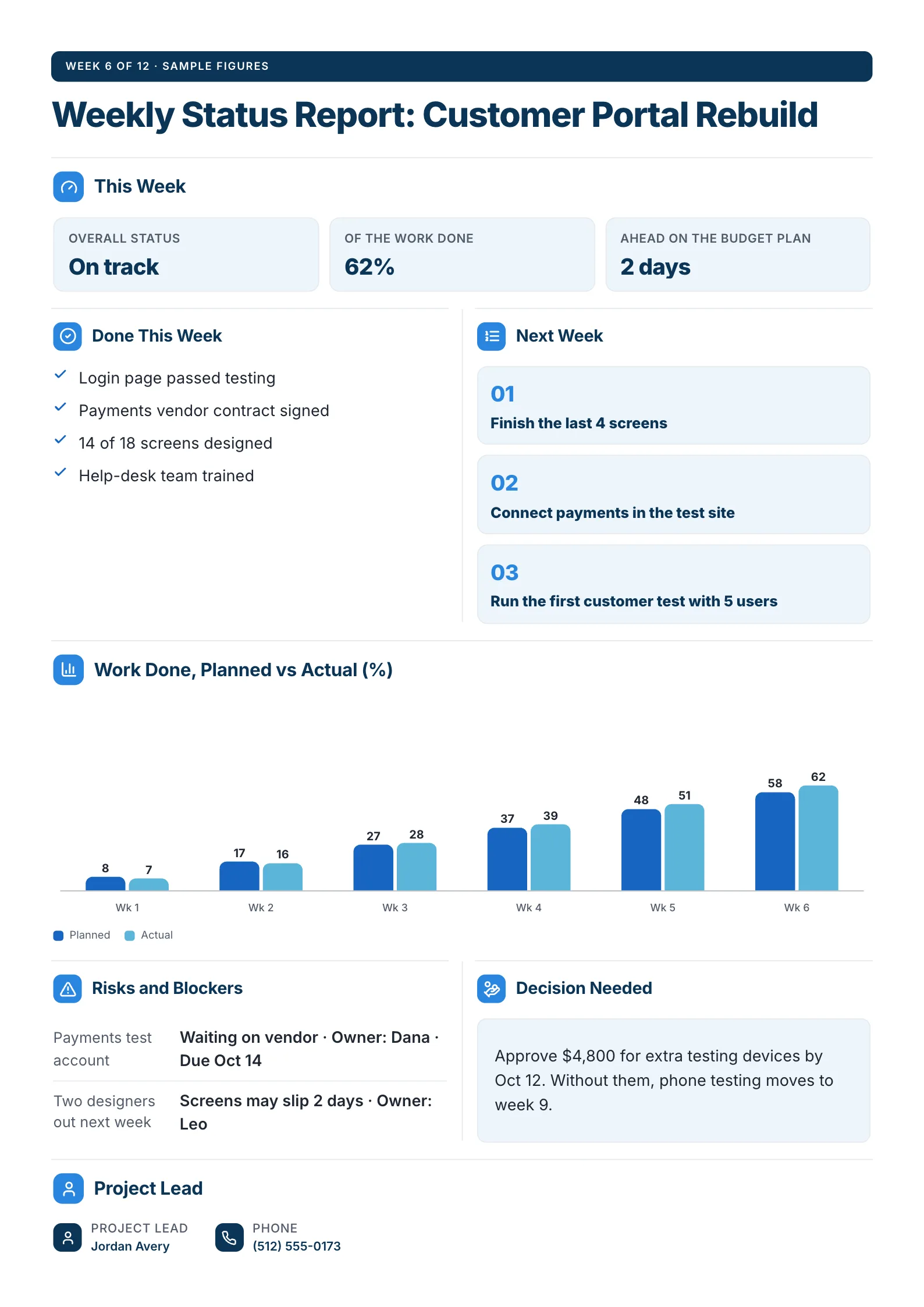
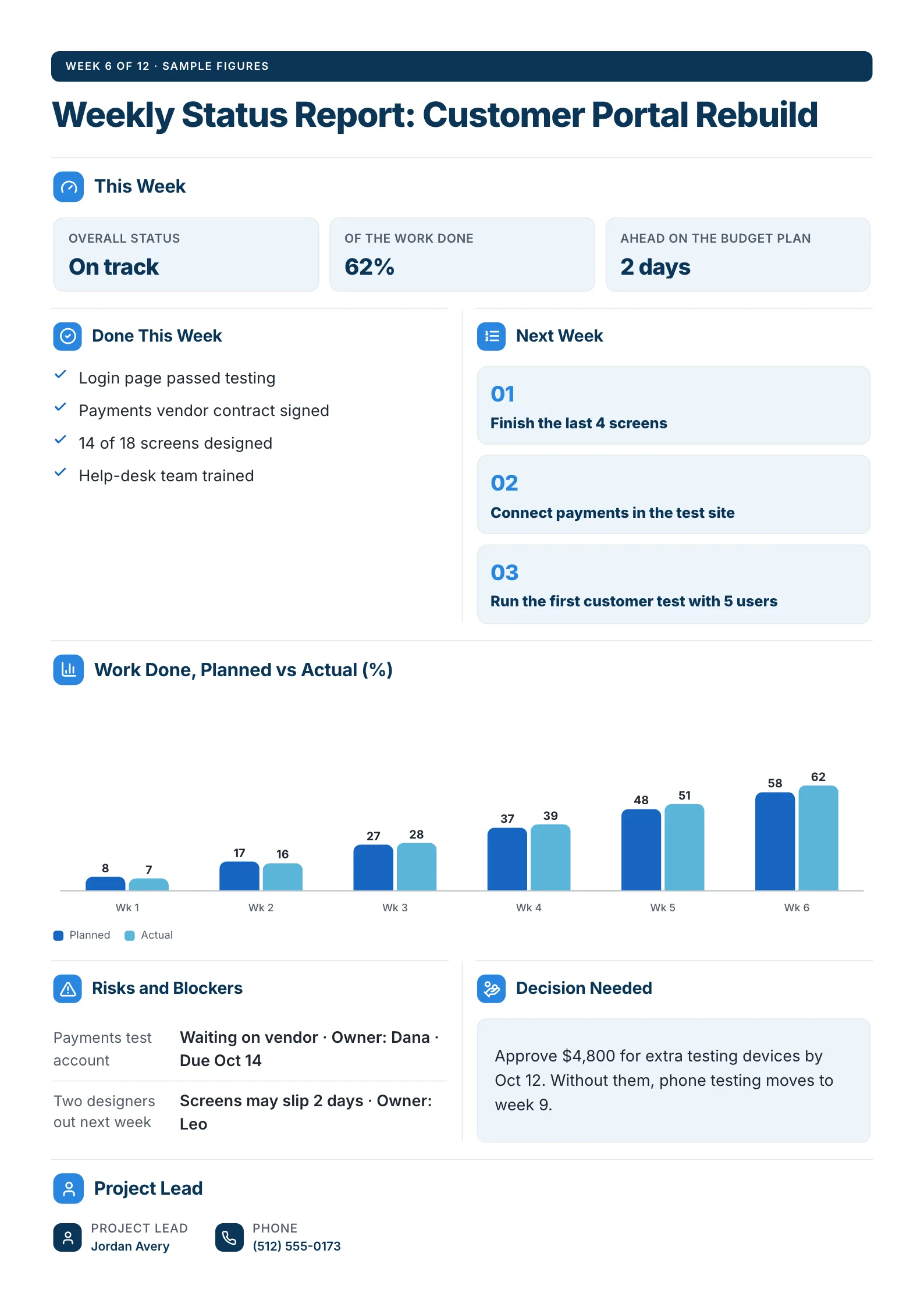
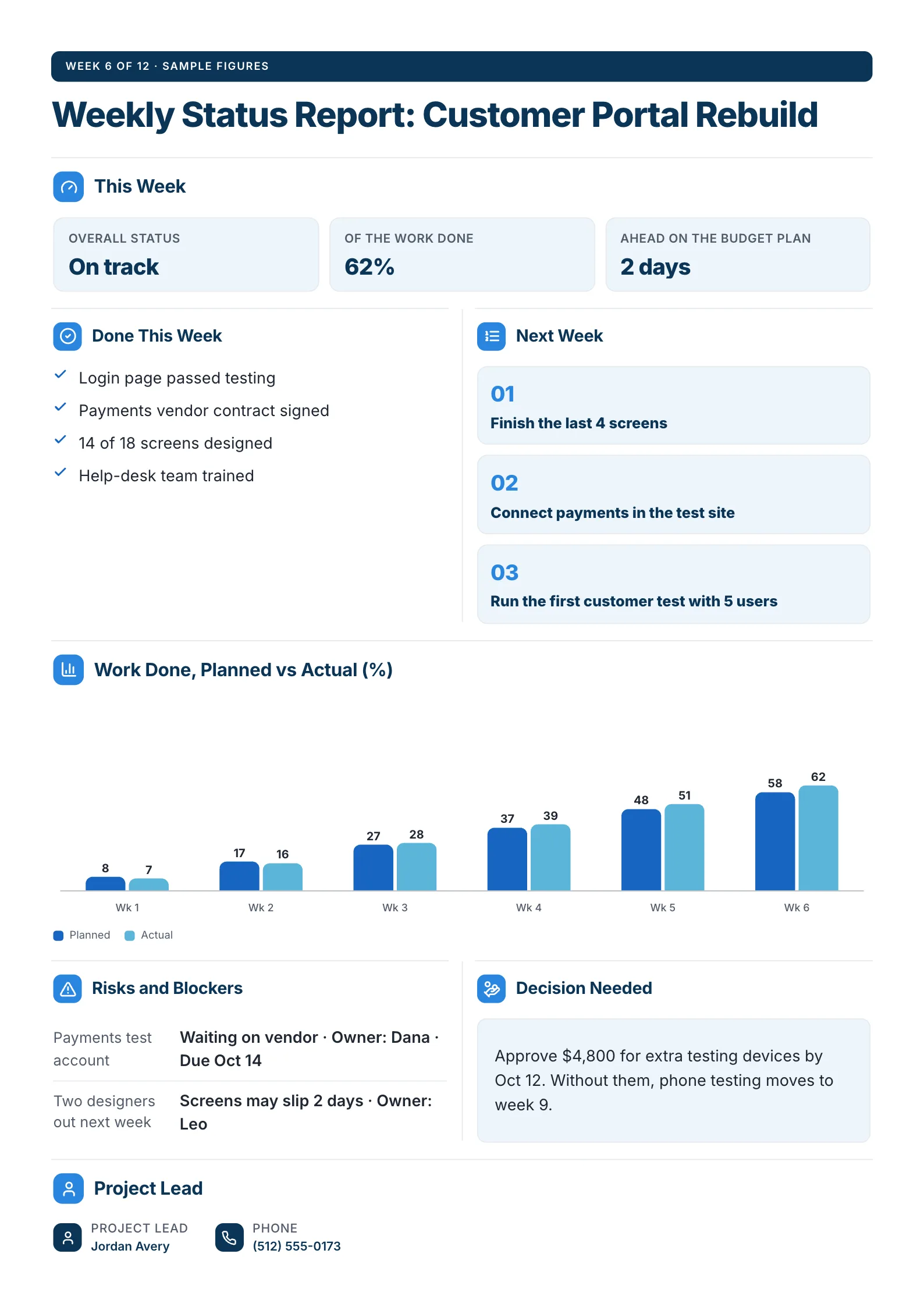
The classic Friday update for a project with a sponsor: status, done, next, risks and one decision.
What to copy:
- Planned against actual, week by week. Two bars a week show the project pulling ahead from week 4, which says more than "on track" alone.
- A decision with its cost. "Approve $4,800 for extra testing devices by Oct 12. Without them, phone testing moves to week 9." The reader knows what saying no means.
- Next week as three numbered items, so the following report can tick them off.
Open it: weekly status report template.
 Edit this template
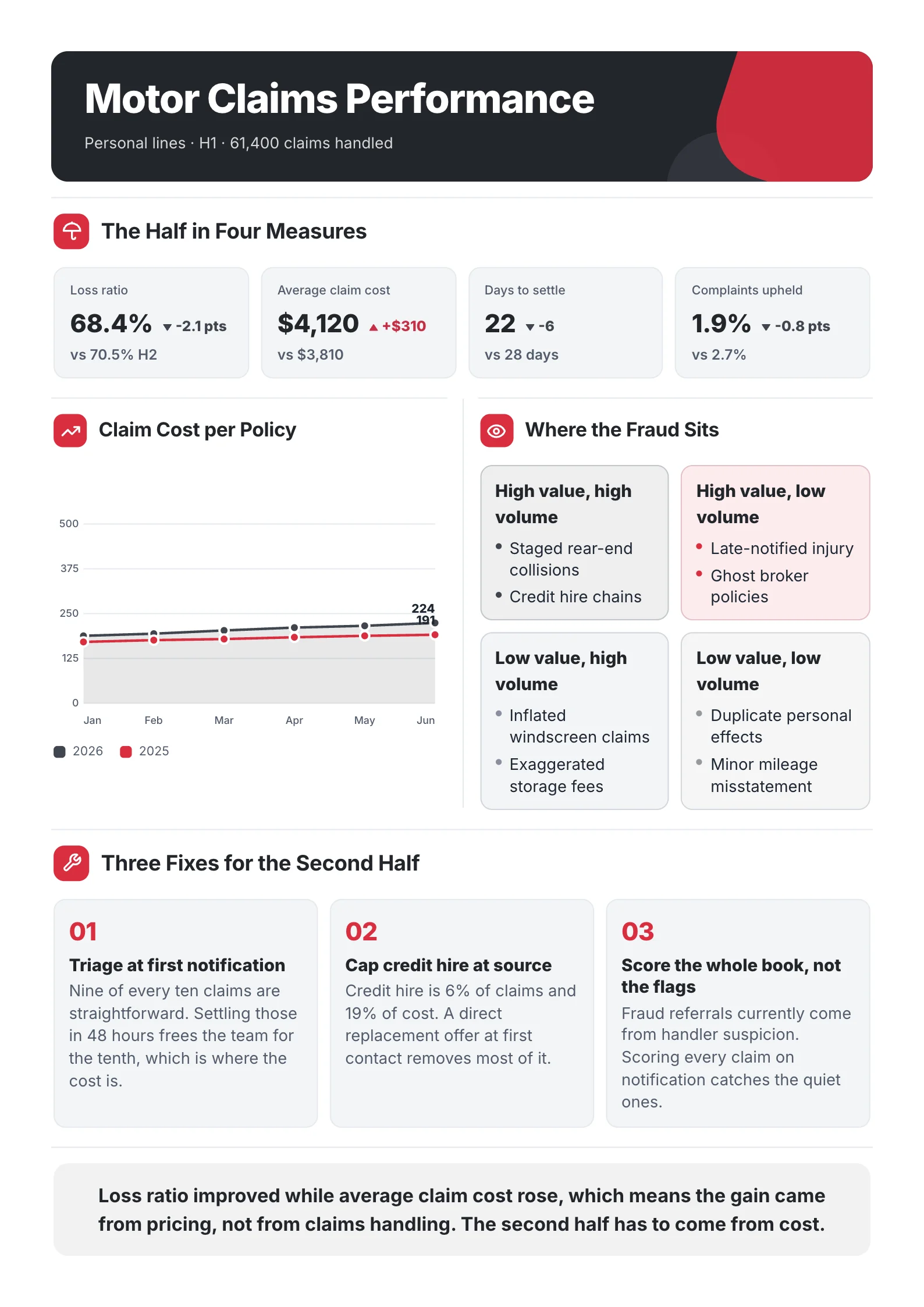
2. Status report for a steering group
 Edit this template
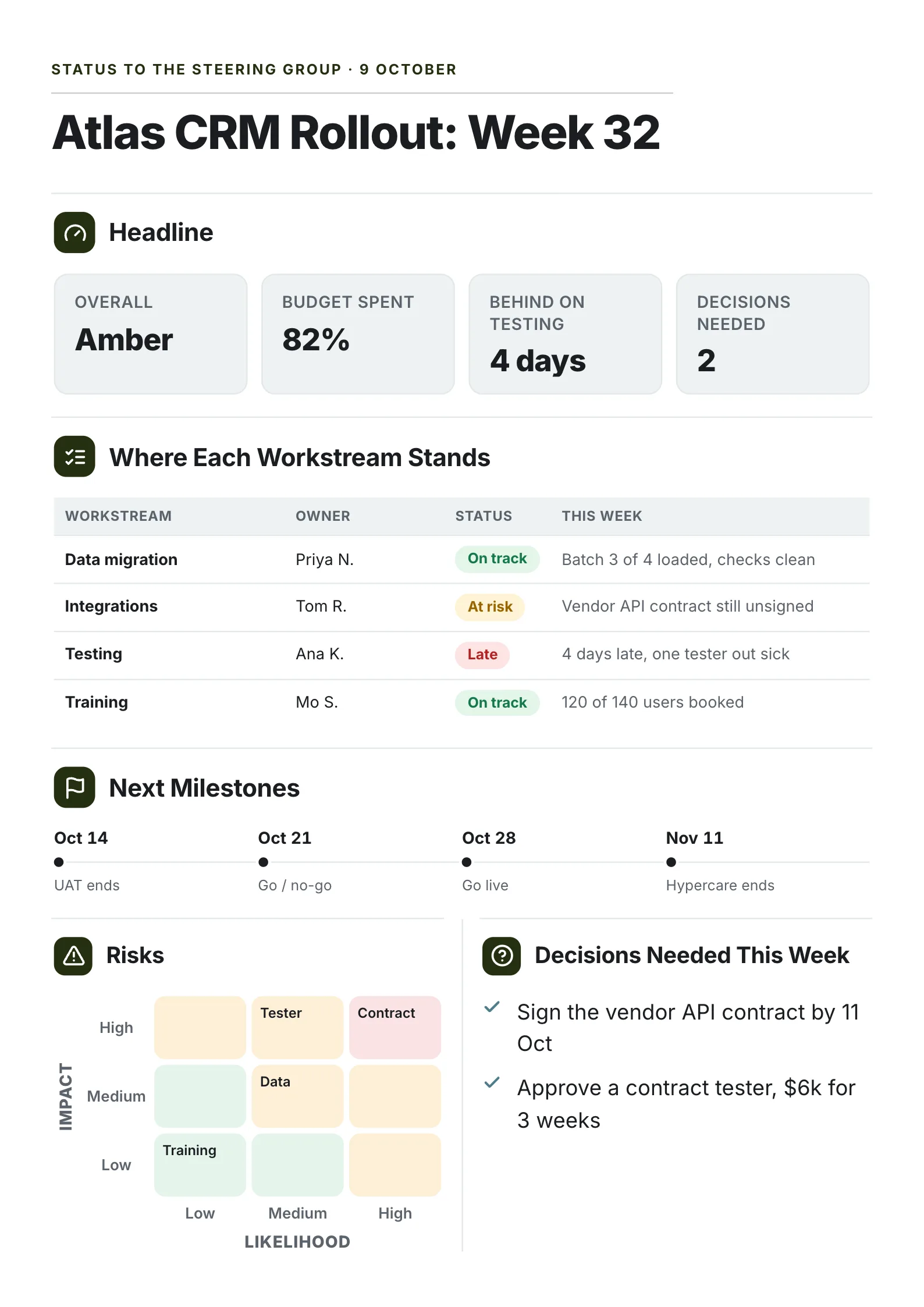
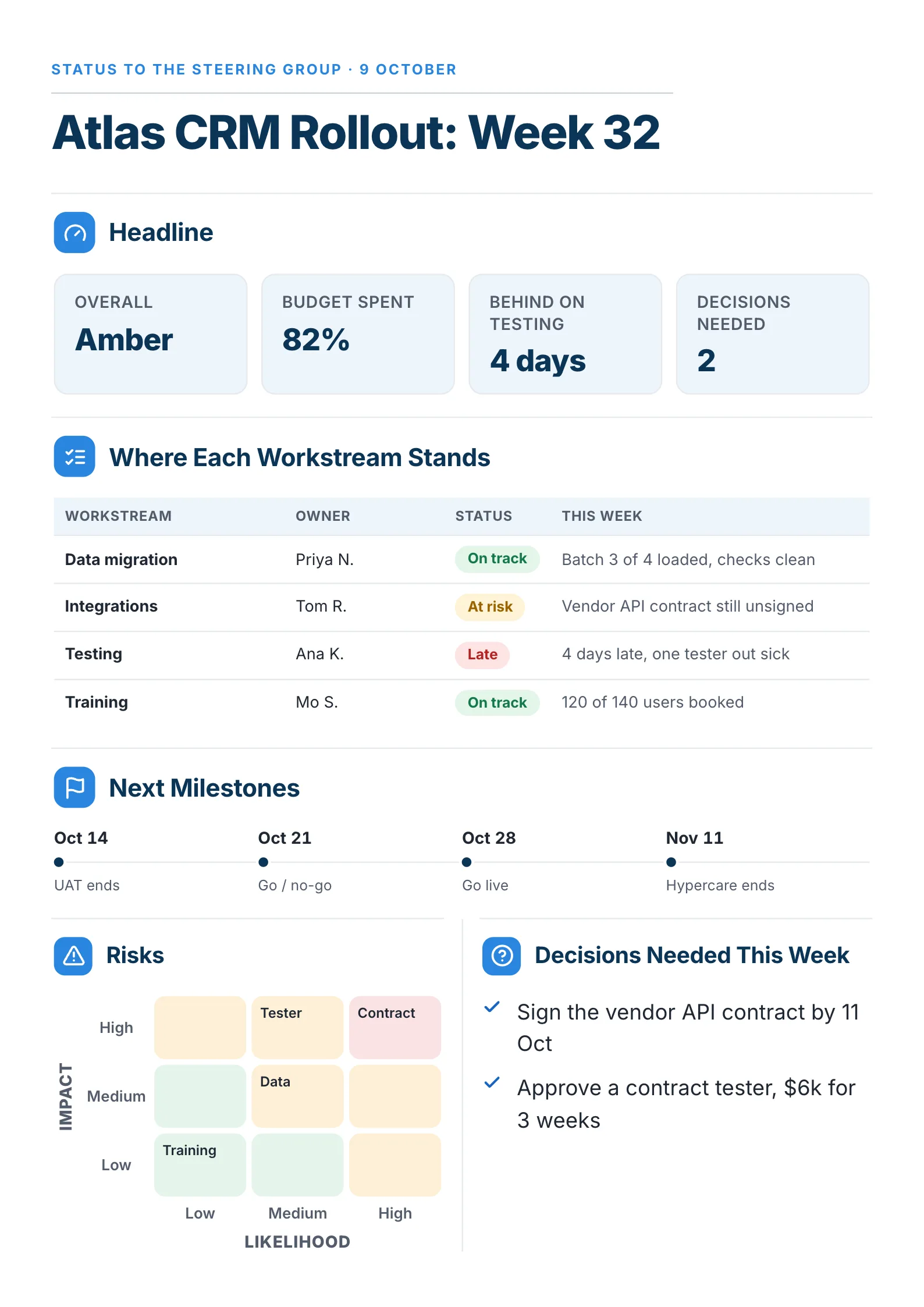
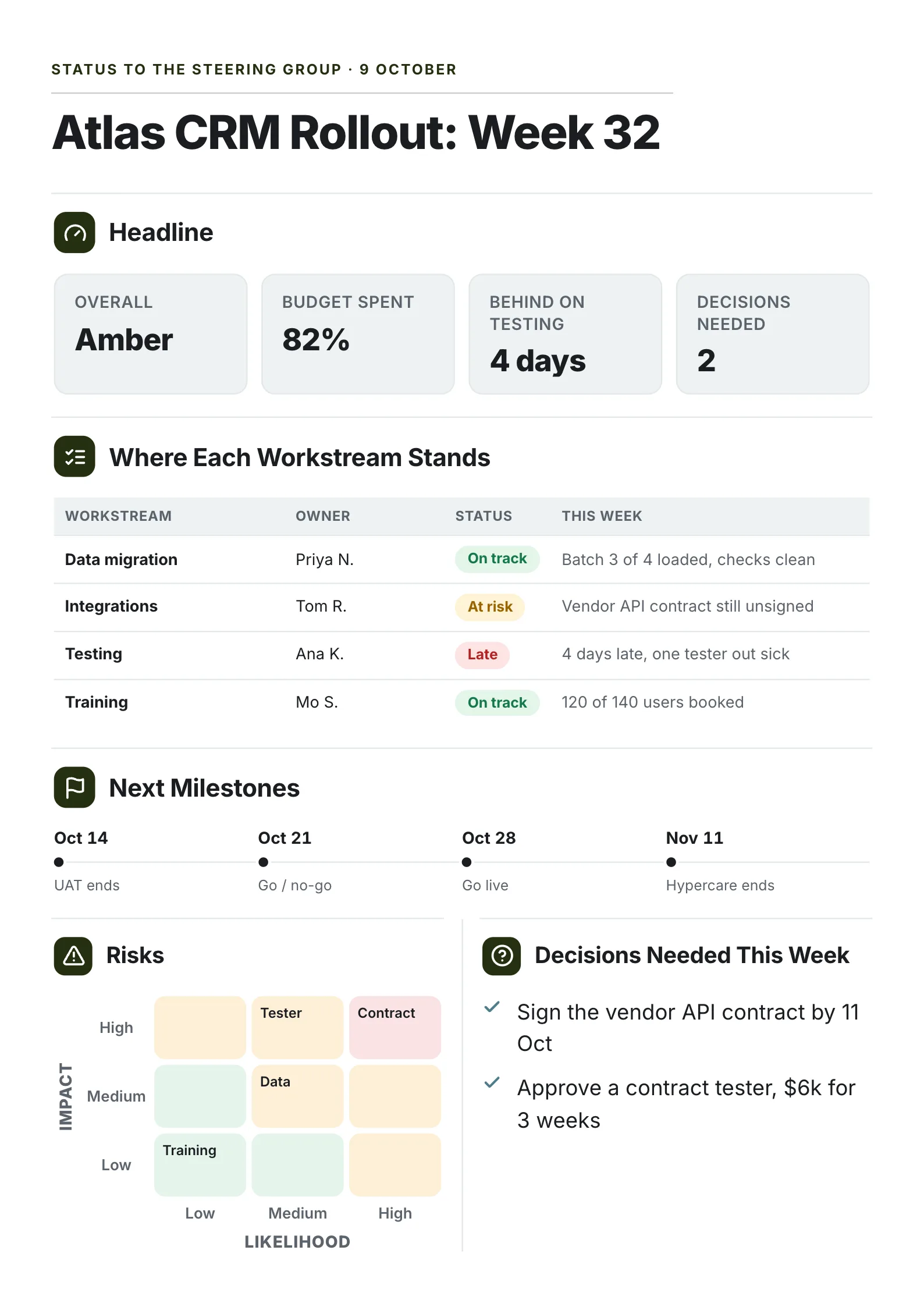
A bigger project reported to a steering group, with the two decisions the group has to make this week.
What to copy:
- "Decisions needed: 2" as one of the headline numbers. The group sees there is work for them before they read a word.
- A status and a reason for every workstream. "Late: 4 days, one tester out sick" answers the next question before it is asked.
- The next four milestones on a line, from the end of testing to go-live.
Open it: project status report template.
 Edit this template
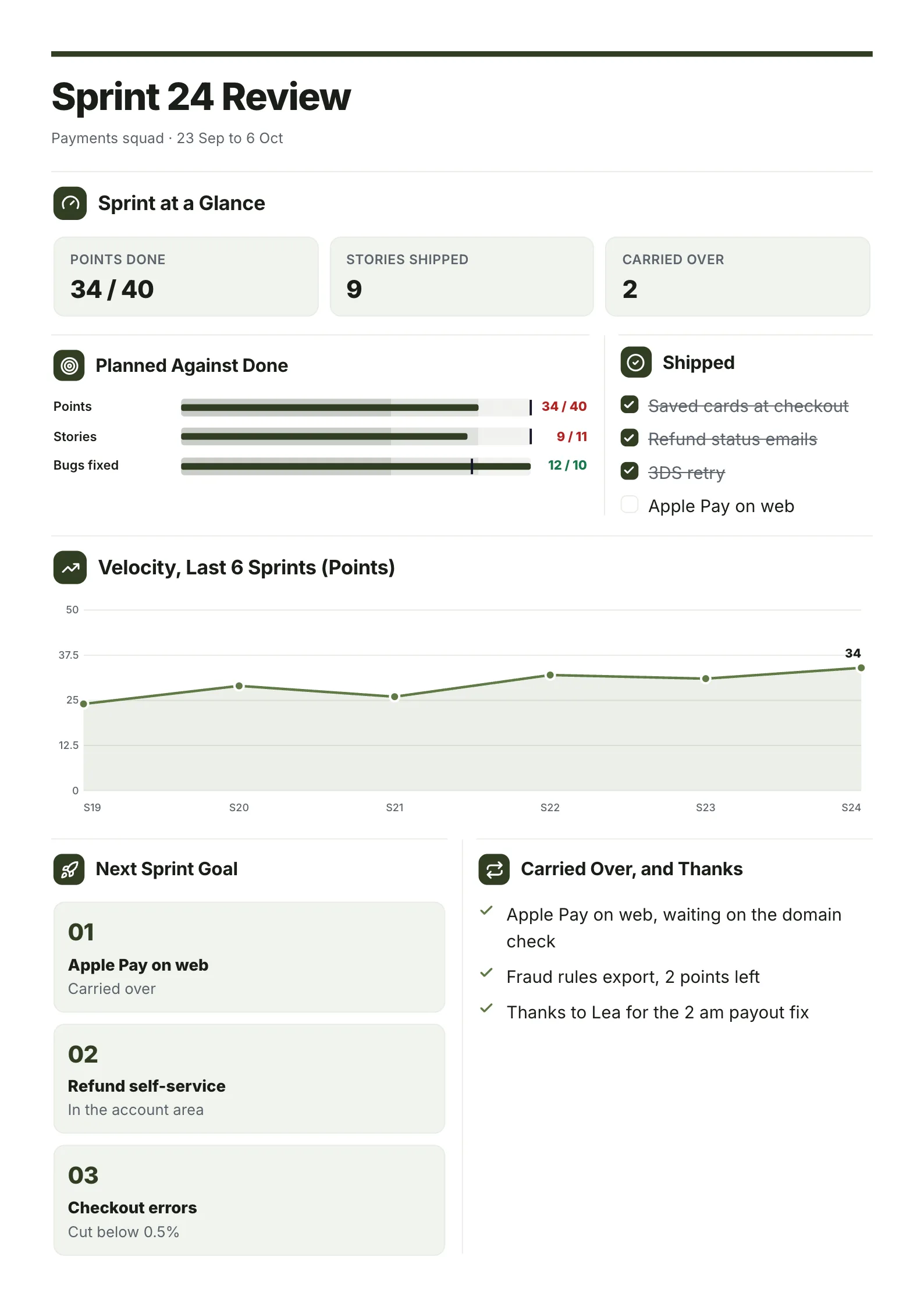
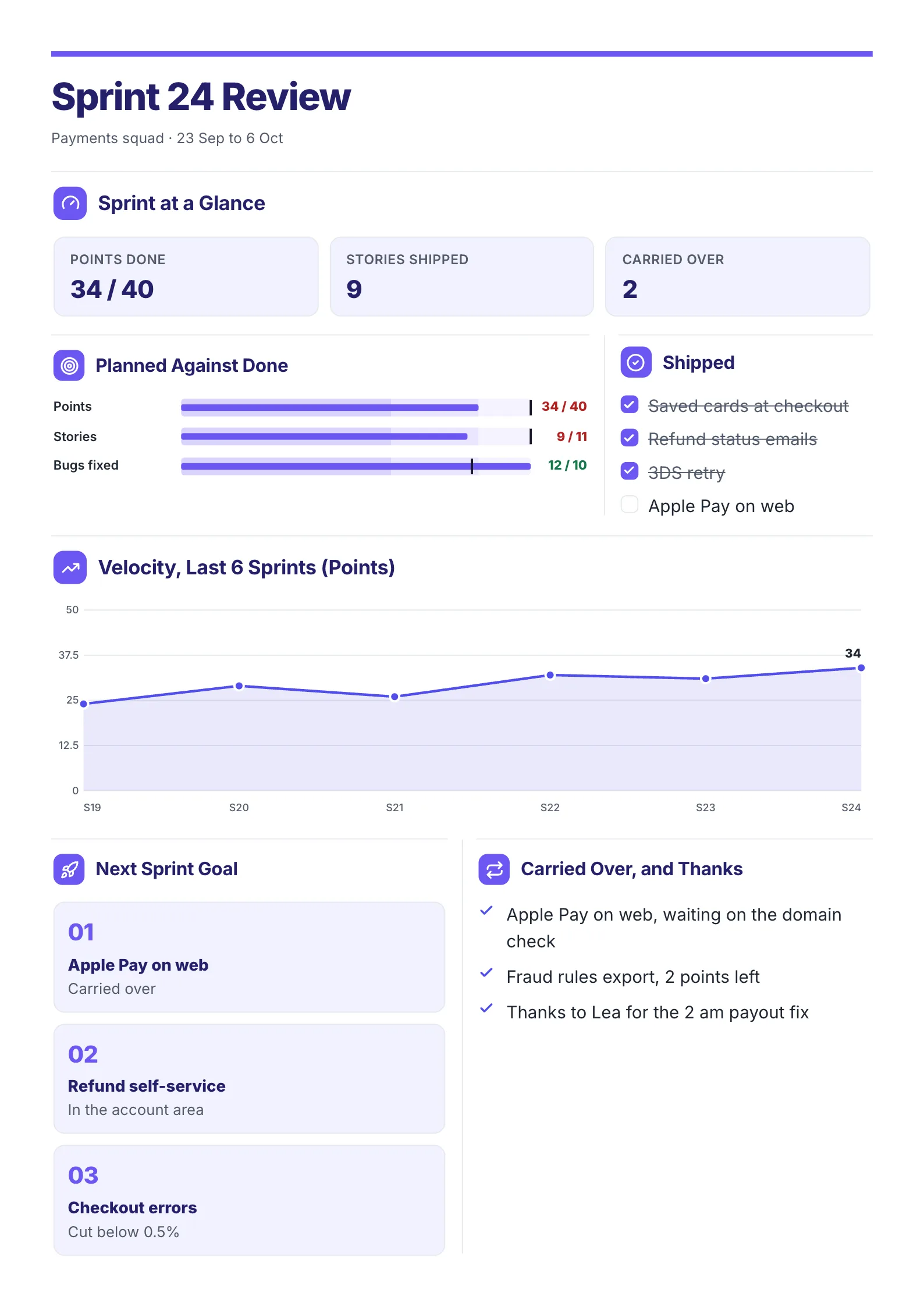
3. Sprint review for a software team
 Edit this template
A two-week sprint reported the way software teams count work: points, stories and what carried over.
What to copy:
- Planned against done for points, stories and bugs. Shipping 12 bugs against 10 planned explains why only 34 of 40 points landed.
- Velocity over six sprints, so one slow sprint does not look like a trend.
- A thank-you line. "Thanks to Lea for the 2 am payout fix" costs one line and is the part the team reads first.
Open it: sprint review template.
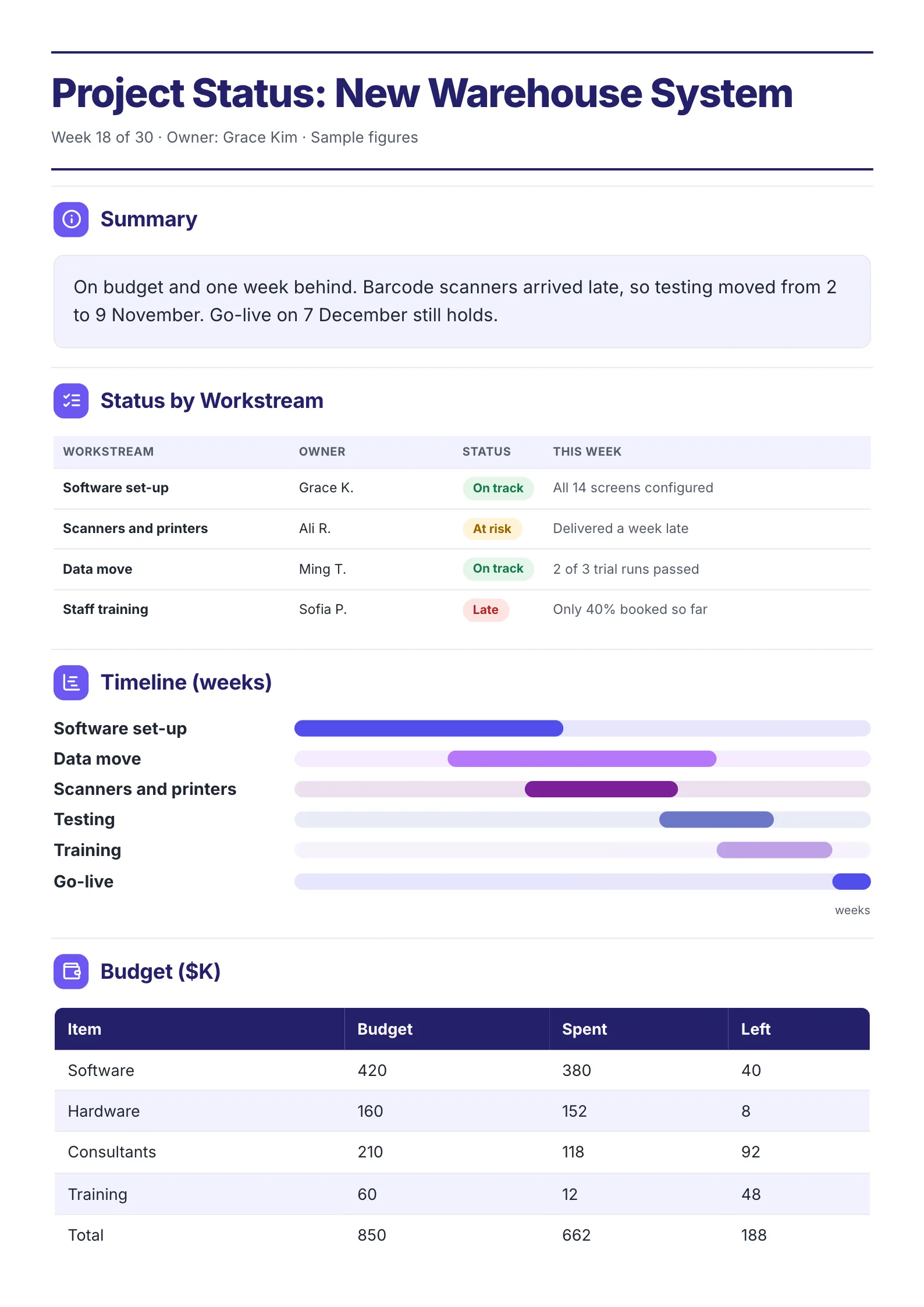
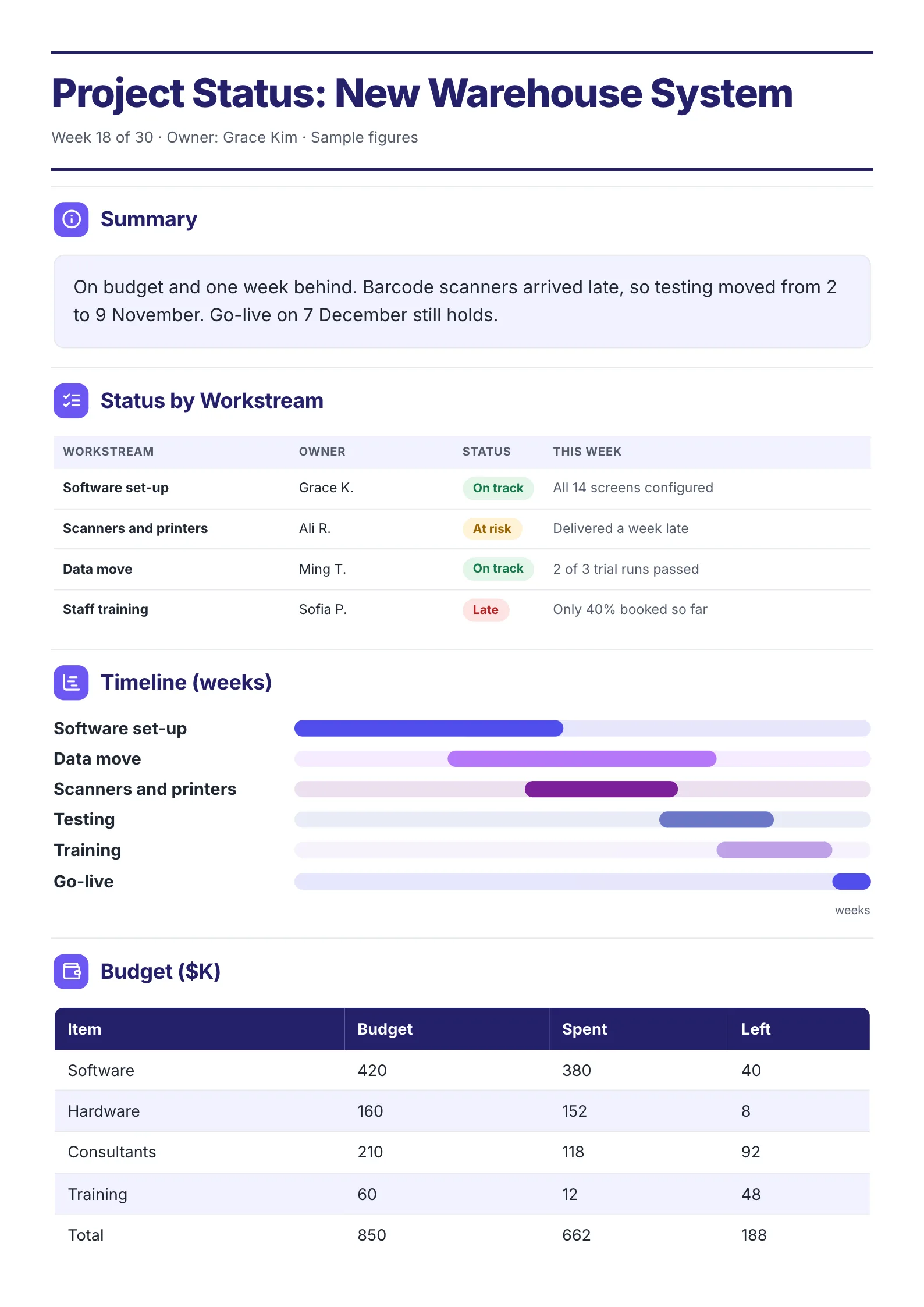
4. Status report for a project that is behind
 Edit this template
A project running a week late, reported plainly, with the reason and the date that still holds.
What to copy:
- Bad news first, with the cause and the new date in one sentence: "Barcode scanners arrived late, so testing moved from 2 to 9 November. Go-live on 7 December still holds."
- A timeline of each workstream in weeks, so the reader sees the slip is inside the plan.
- Budget, spent and left, because "on budget" is a claim and the table is the proof.
Open it: project status summary template.
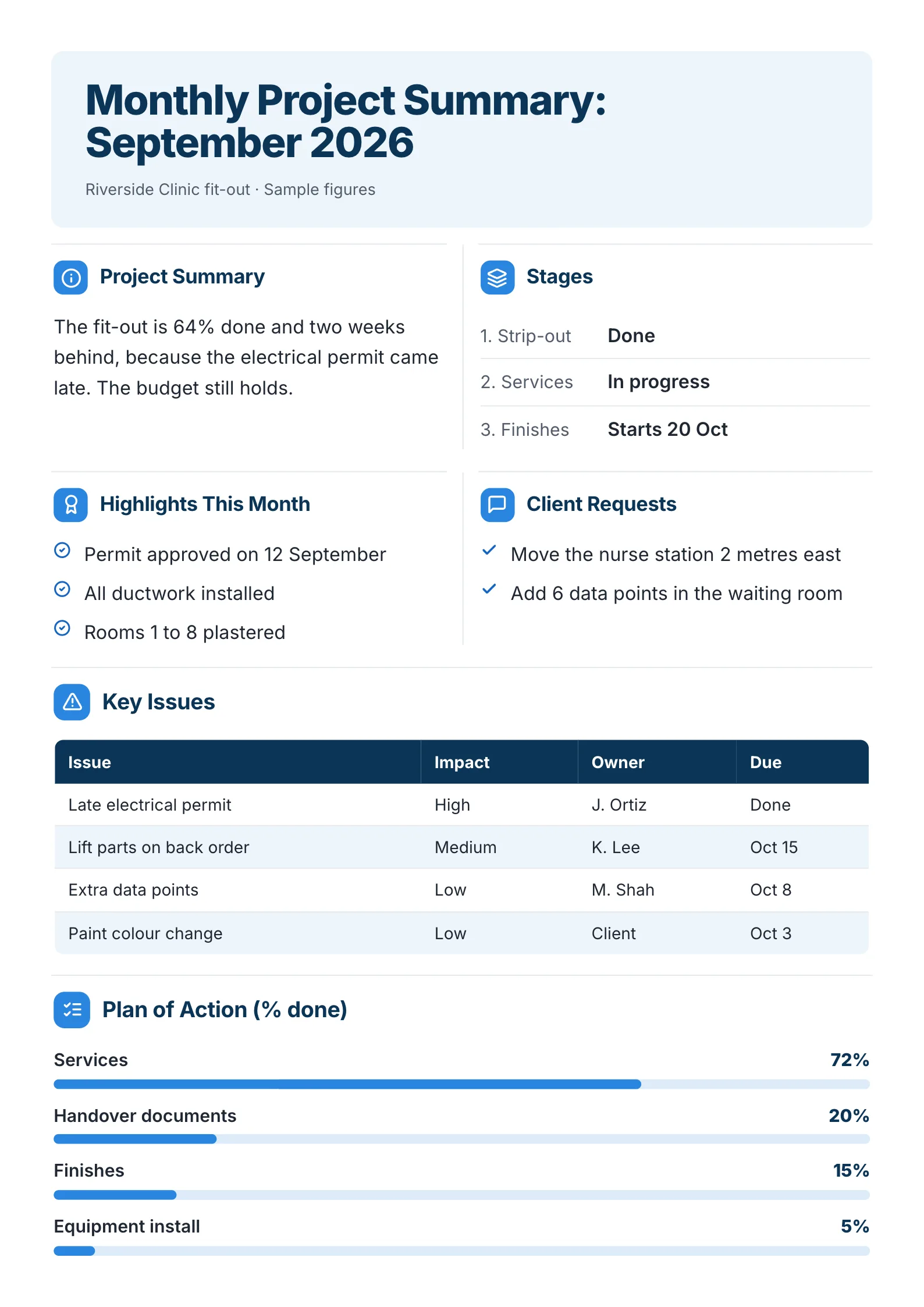
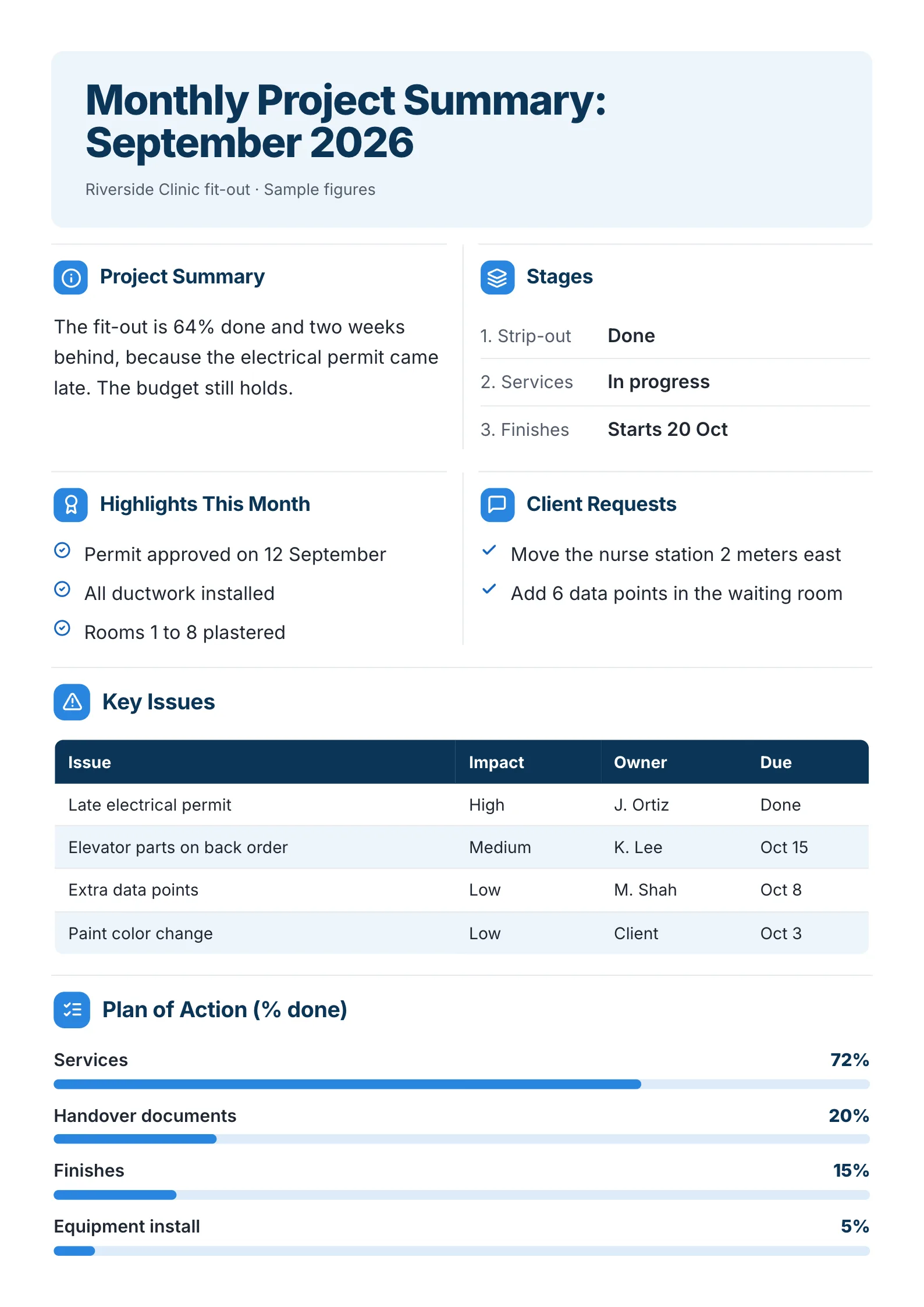
5. Monthly status report for a client
 Edit this template
When the update goes to a client once a month, the same parts apply, plus what the client asked for.
What to copy:
- A section for the client's own requests, ticked when done. It shows they were heard.
- Issues with impact, owner and due date.
- Progress per part of the plan, with the percentage written out.
Open it: monthly project summary template.
Excel, Word, PowerPoint or a One-Pager?
Searches for this template often add a format. Here is what each one is good for, with what the big template sites offered when we read them on 9 October 2026.
| Format | Best for | Where to get one |
|---|---|---|
| Excel or Google Sheets | Tracking many tasks and dates in rows | Smartsheet offers free Excel and Sheets downloads |
| Word, Google Docs or email | A plain written update | Smartsheet also has an email and a Word template |
| A project tool | Teams already working in that tool | Asana's status report template has fields for progress, blockers, risks and next steps |
| PowerPoint | A weekly meeting on a screen | Smartsheet's slideshow version |
| A designed One-Pager | An update read on a phone, printed or forwarded to someone senior | MakeOnepagers, free to edit and download as a PDF |
The spreadsheet is where the team keeps track. The weekly report is what everyone else reads. If your sponsor has to scroll through rows to find the status, the report is the spreadsheet with a new name.
How to write a weekly status report in 10 minutes
- Copy last week's report. The shape stays, only the words change.
- Set the status word first. Be honest: amber this week is better than red in three weeks.
- Move last week's "next" items to "done", or say why not.
- Write next week's three items.
- Update risks, close the ones that passed, and add owners and dates to new ones.
- Write the decision you need, or "no decision needed this week".
Have notes or a long update already? Drop them into the free AI One-Pager generator and get them back as one designed One-Pager.
Weekly status report mistakes
- "Green" every week until it is suddenly red. Report the risk while there is still time to fix it.
- Activities instead of results. "Met with vendor" says nothing. "Vendor contract signed" says a step is done.
- A risk with no owner. Nobody fixes a risk that belongs to everyone.
- No ask. If you need something, it goes at the top, with a date.
Make your weekly status report
Open the free weekly status report template, change the words and numbers and send it on Friday. Or drop this week's notes into the free AI One-Pager generator and get a finished One-Pager back.
Frequently asked questions
What should be included in a weekly status report?
The overall status, two or three key numbers, what was done this week, what is planned next week, risks and blockers with owners, any decision needed and who to contact.
How do you write a weekly status report to your manager?
Start with the status in one word and the one thing you need from them. Then list what you finished and what is next, three items each. Keep it to one page, because your manager is reading several of these.
Is there a weekly status report template in Excel?
Yes, Smartsheet offers free Excel and Google Sheets versions, and a spreadsheet suits tracking tasks. For the update you send to people outside the team, a One-Pager is faster to read: edit one on MakeOnepagers and download it as a PDF, free with a free account.
What is the difference between a weekly status report and a project status report?
A weekly status report is a project status report sent every week. A project status report can also be monthly or tied to milestones, and is usually longer for big projects.
How long should a weekly status report be?
One page, readable in about a minute. If it runs longer, move the detail into an attachment or the project tool and link to it.