One Page Budget Template: Free for Home, Events, Teams and Weddings
A free one page budget template for a household, event, team or wedding, built around four steps from the CFPB, with 5 filled-in examples to edit.

The hard part of a budget is rarely the template. It's knowing what you actually spend. Once you do, a one page budget template holds the total, the categories, the spending so far and what's left, for a household's month, a conference, a team's quarter or a wedding. Start from a free one pager template.
One‑Pager examples
Real One-Pagers made with MakeOnepagers. Open any one to edit it as your own.
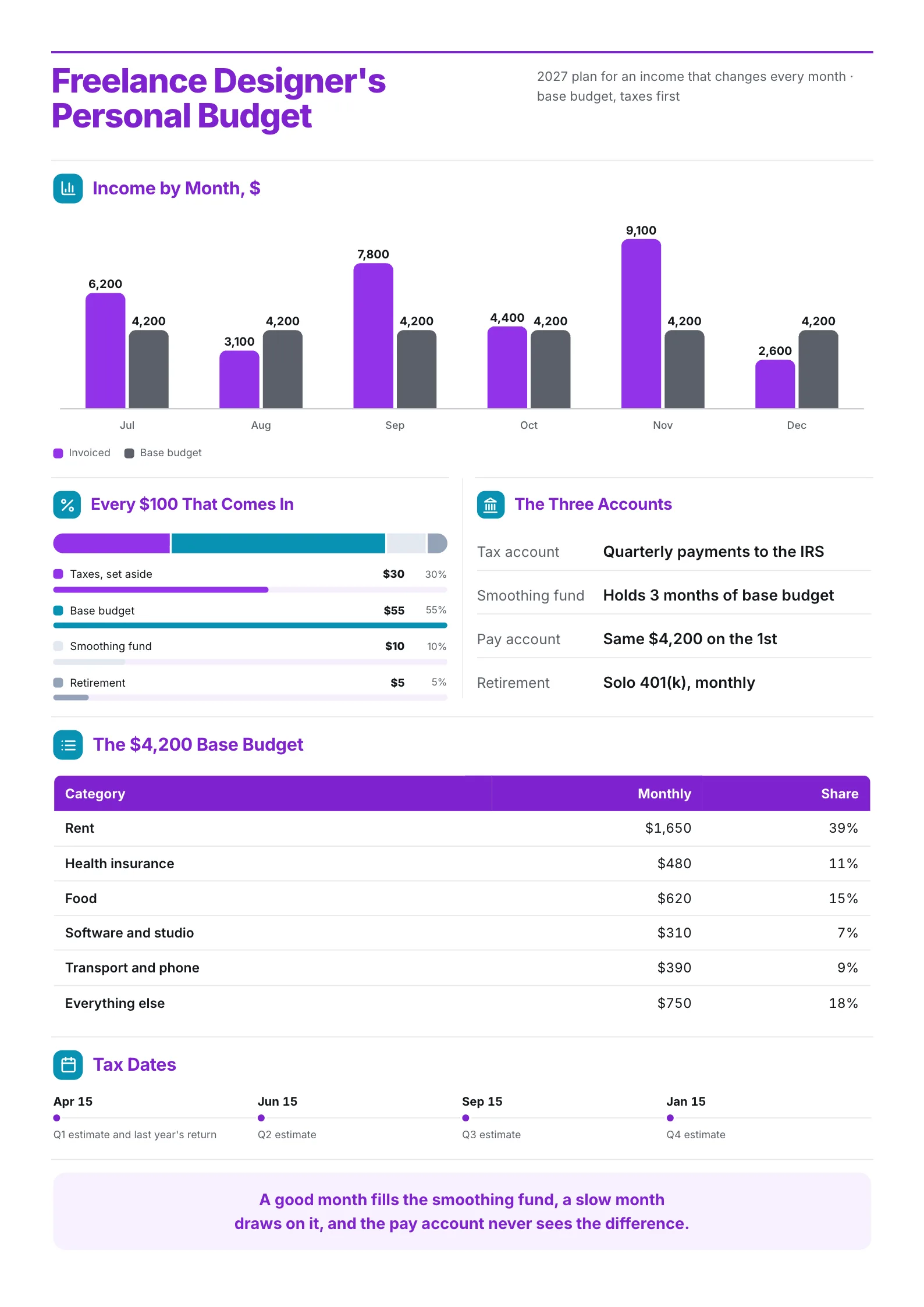 Personal Budget: Freelancer Uneven IncomeEdit for free(opens in a new tab)
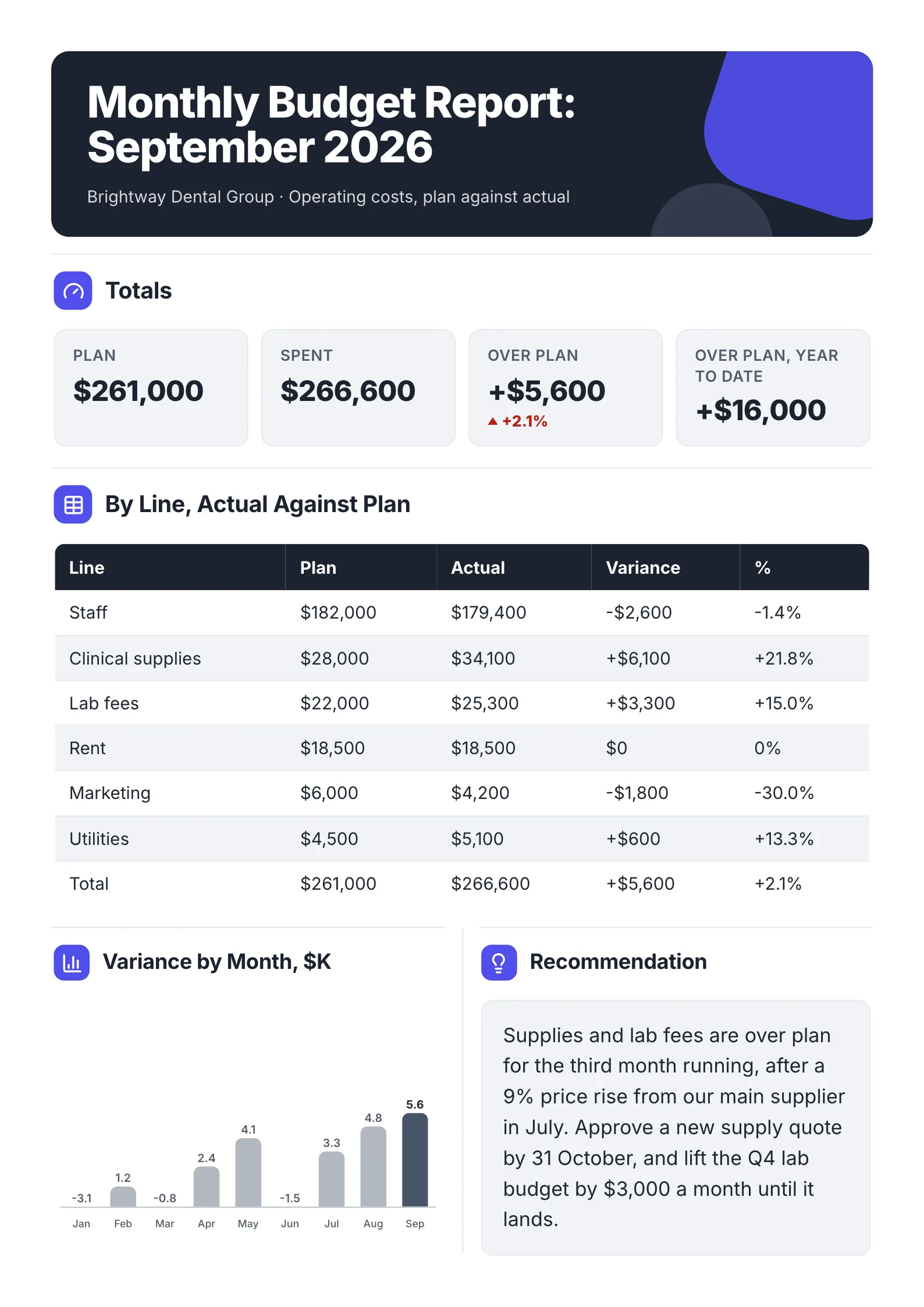 Monthly Budget ReportEdit for free(opens in a new tab)
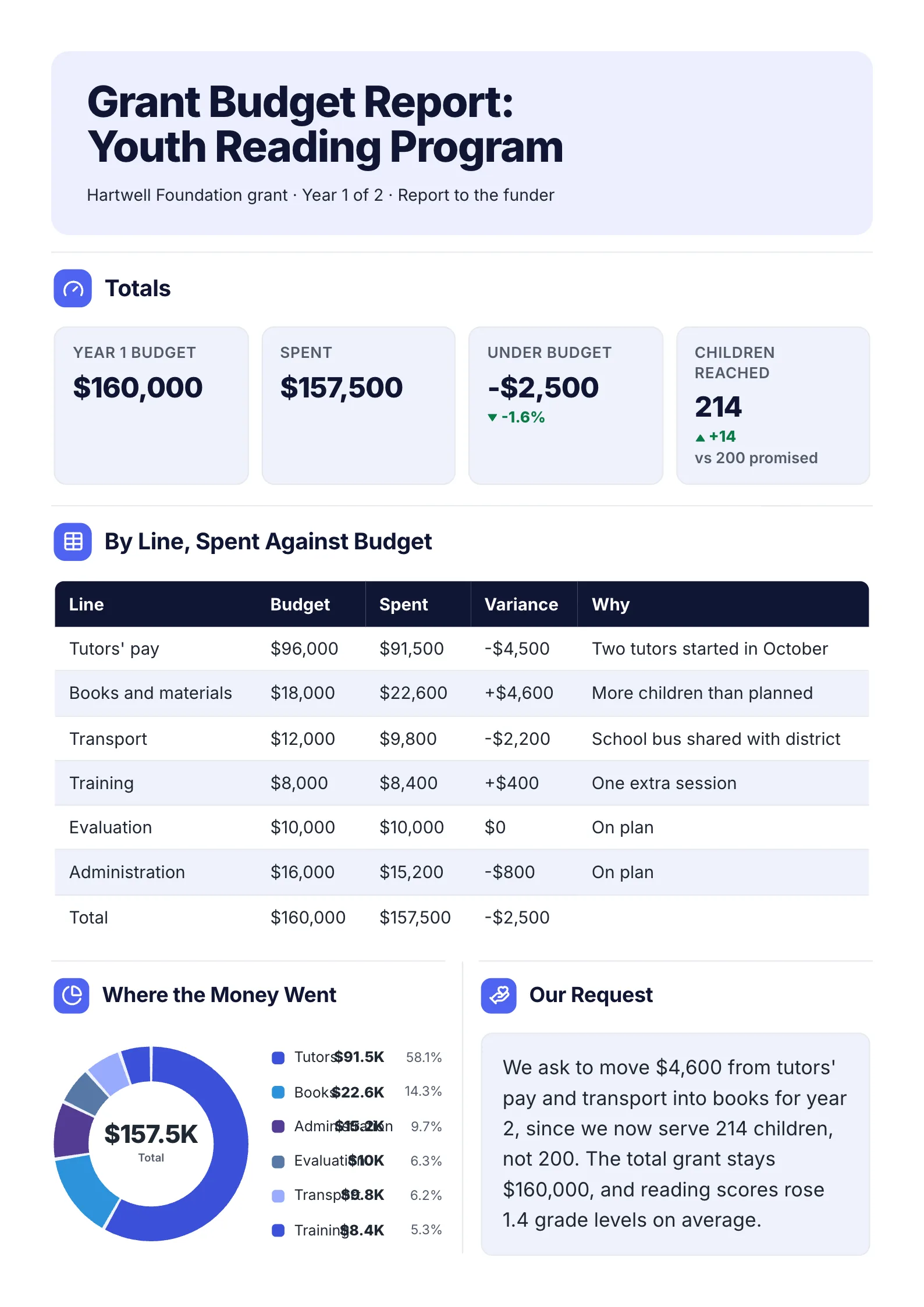 Grant Budget ReportEdit for free(opens in a new tab)
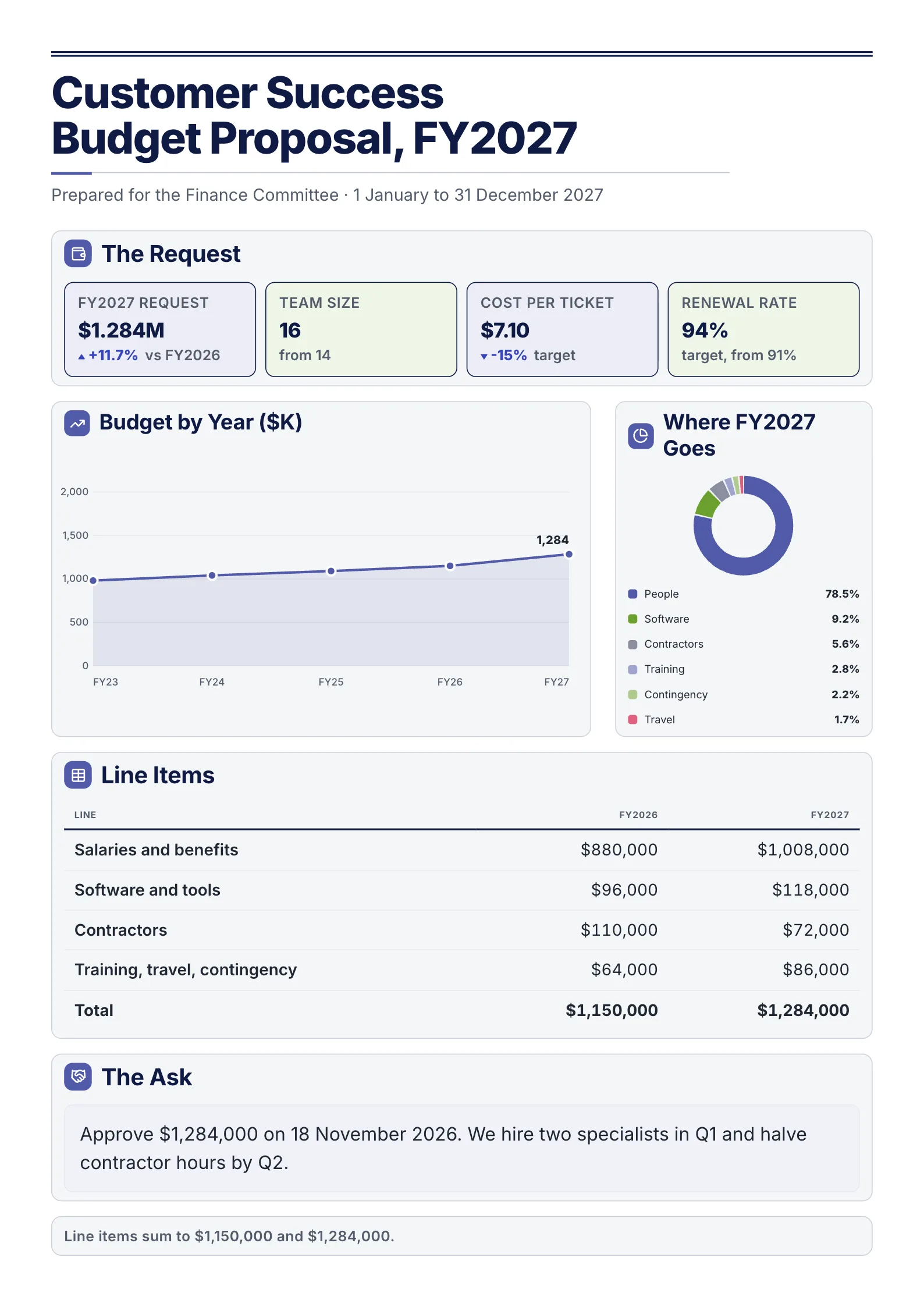 Budget ProposalEdit for free(opens in a new tab)
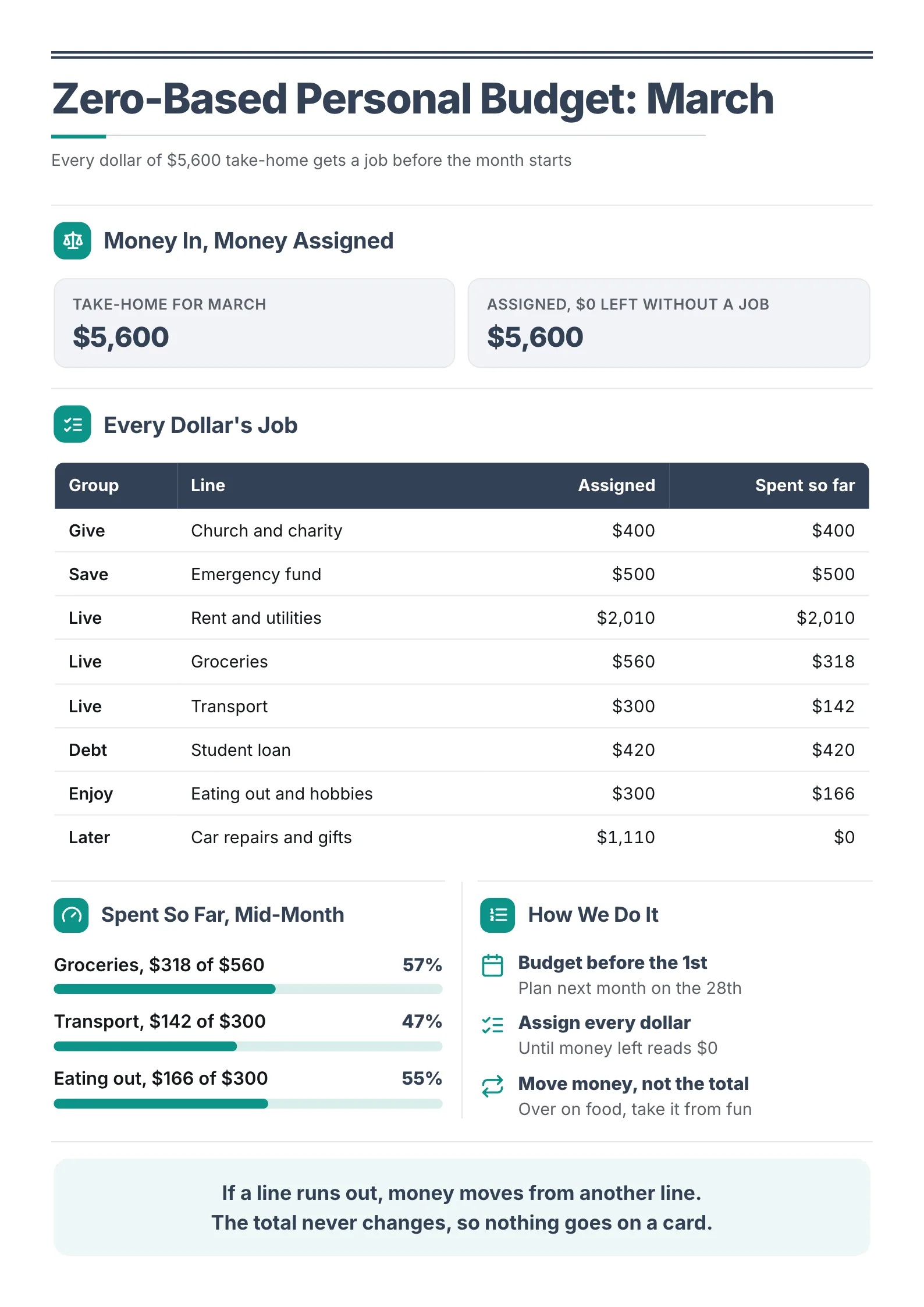 Personal Budget: Zero-Based MonthlyEdit for free(opens in a new tab)
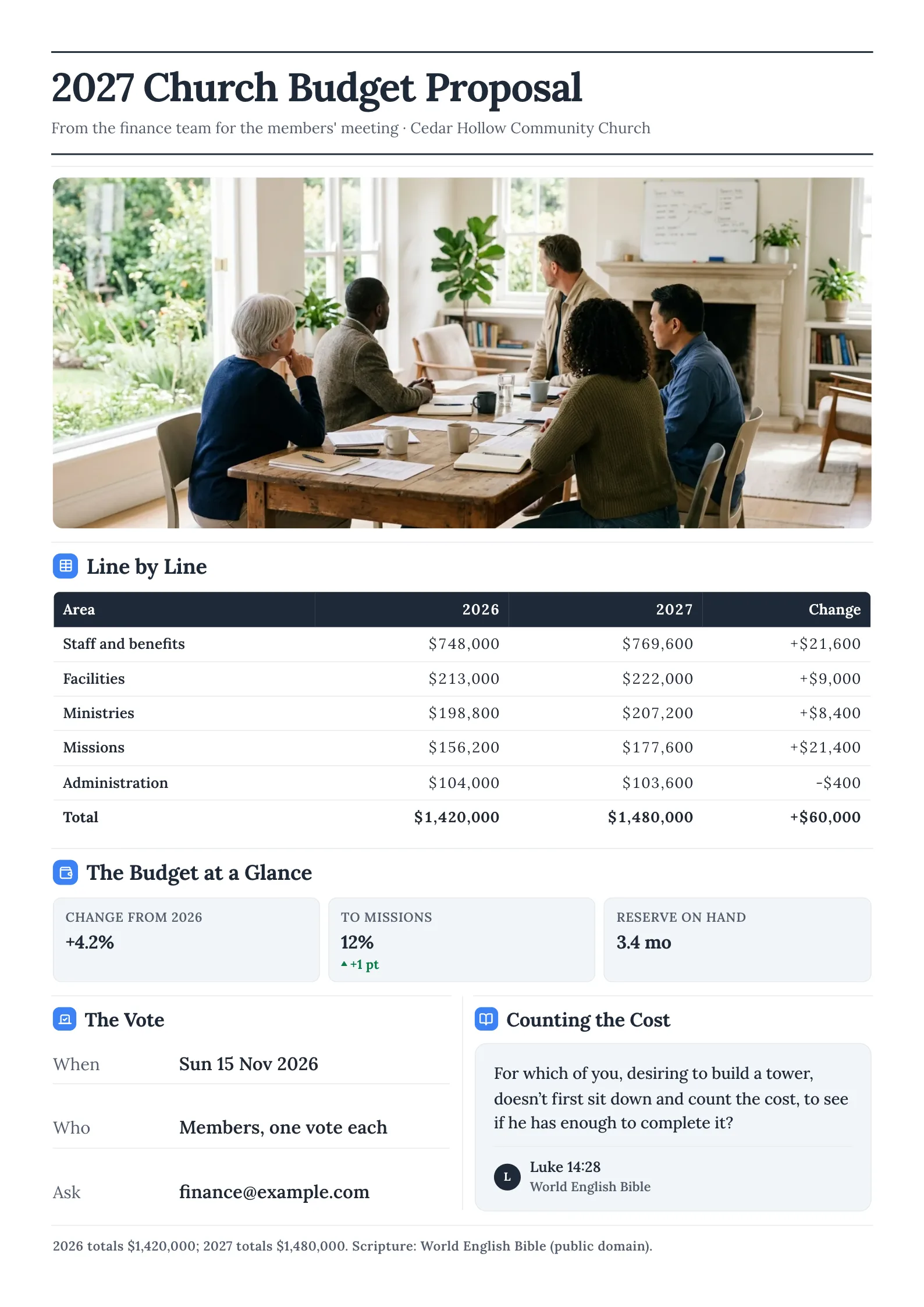 Church Budget ProposalEdit for free(opens in a new tab)
So start where the Consumer Financial Protection Bureau starts. Its guide on how to create a budget and stick with it comes down to four steps, and each one fills a part of your page. It is an older post that the Bureau has archived, but the steps still hold.
Four steps that fill the page
| The CFPB's step | Where it goes on your sheet |
|---|---|
| Where does my money come from? | The total at the top, with the month in the title |
| Where does my money go? | The categories, with a table or a donut |
| What are my bills, and when are they due? | A short "coming up" list with dates |
| Create your working budget | Spent against plan, and what's left |
The Bureau calls the second step "the heaviest lift". If logging a whole month sounds like too much, it suggests looking at one week of receipts first. That's good advice for a first draft. One honest week beats a month of guesses.
Its third step is the easy one to skip. If you run short at the end of the month, the Bureau says, the timing of your bills and your income may not match. The money can add up and still arrive too late. A dated list of bills next to your total shows that problem before it costs you a late fee.
Choose how you'll split the money
The 50/30/20 budget
Take-home pay splits into 50% for needs, 30% for wants and 20% for savings and debt. Elizabeth Warren and Amelia Warren Tyagi made this split popular in their book All Your Worth. You track three groups, so it's the easiest to keep up. A donut with three slices is all the chart you need.
The zero-based budget
Every dollar of income gets a job, until income minus spending equals zero. It takes longer each month, and you'll know where everything went. The table does the work here, with a last line that should read $0.
A category budget for an event or project
You start from an approved total and split it into categories. Keep a buffer for surprises as its own line. Ten percent is a common starting guess, and a job with a lot of unknowns may want more.
Five budgets, filled in
Each of these opens as a template in MakeOnepagers, ready for your numbers.
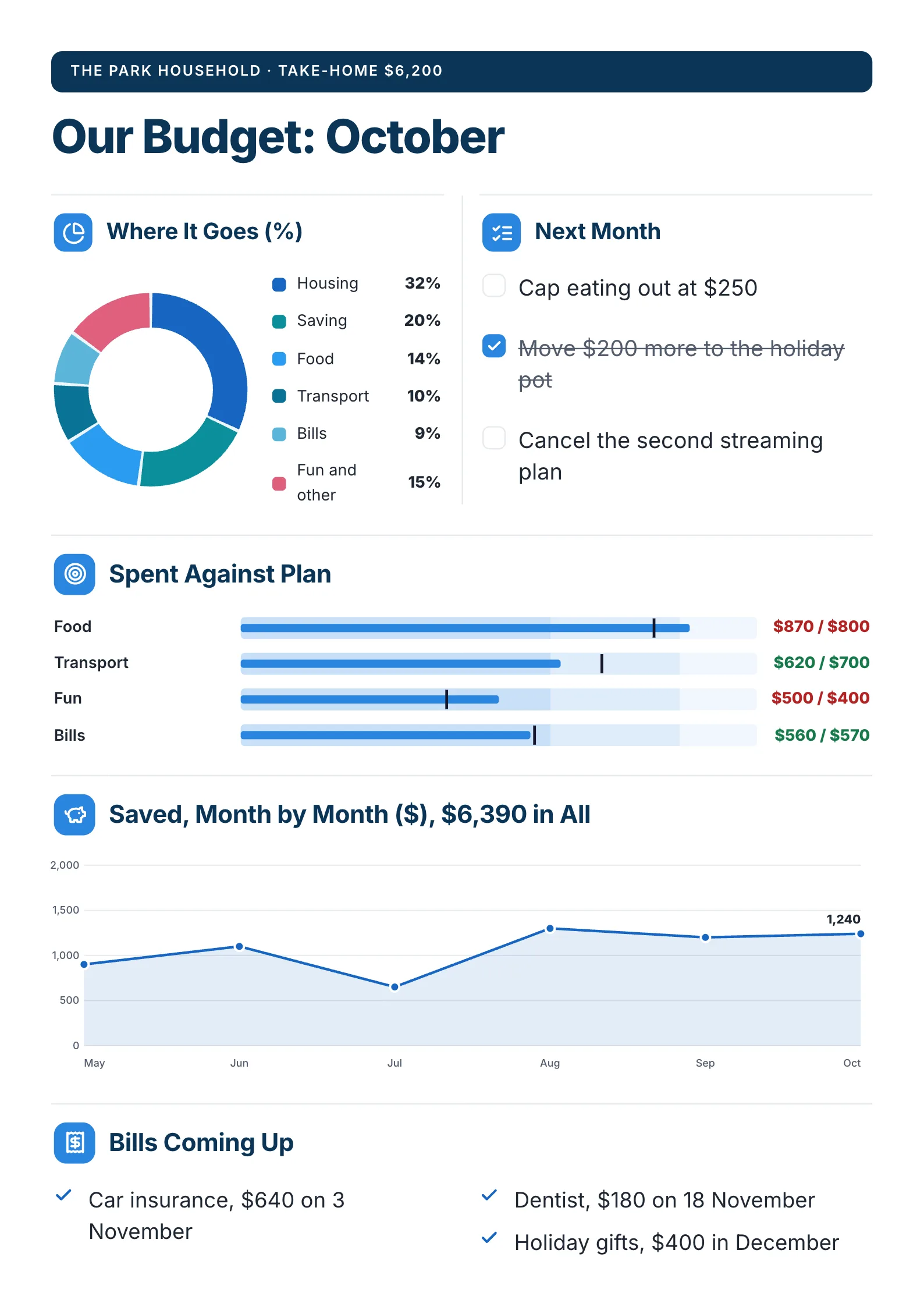
A household's October
 Edit this template
Where the money went comes first, and next month's changes sit right beside it. Food and fun have run over plan, and the bullet charts make that plain. The bills list keeps the next few weeks in view. Our personal budget template post has more of these, and the family budget template post covers bigger households.
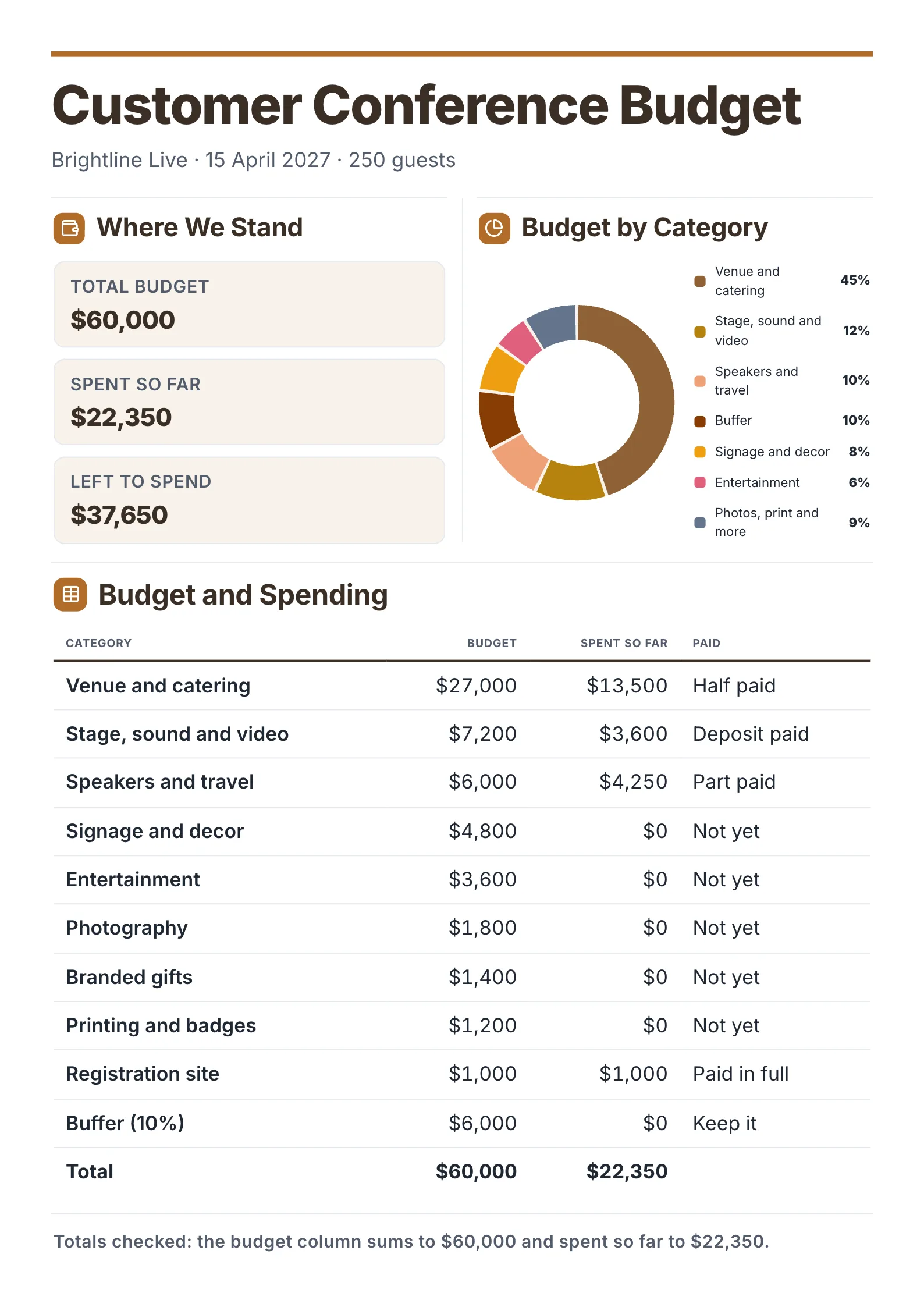
A 250-guest conference
 Edit this template
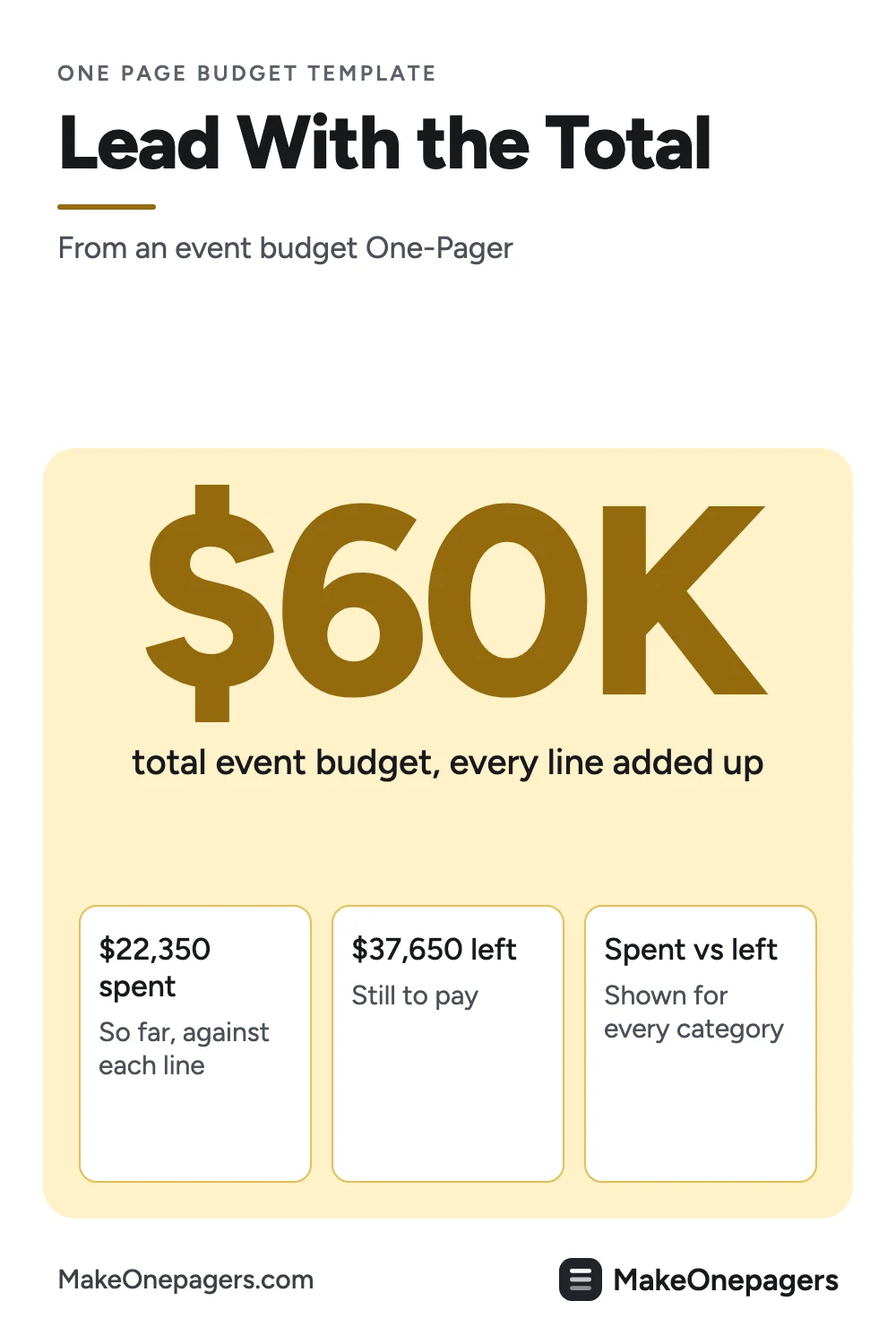
The top row answers the only question the organizer gets asked: $60,000 total, $22,350 spent, $37,650 left. A "Paid" column in the table shows which deposits have gone out.
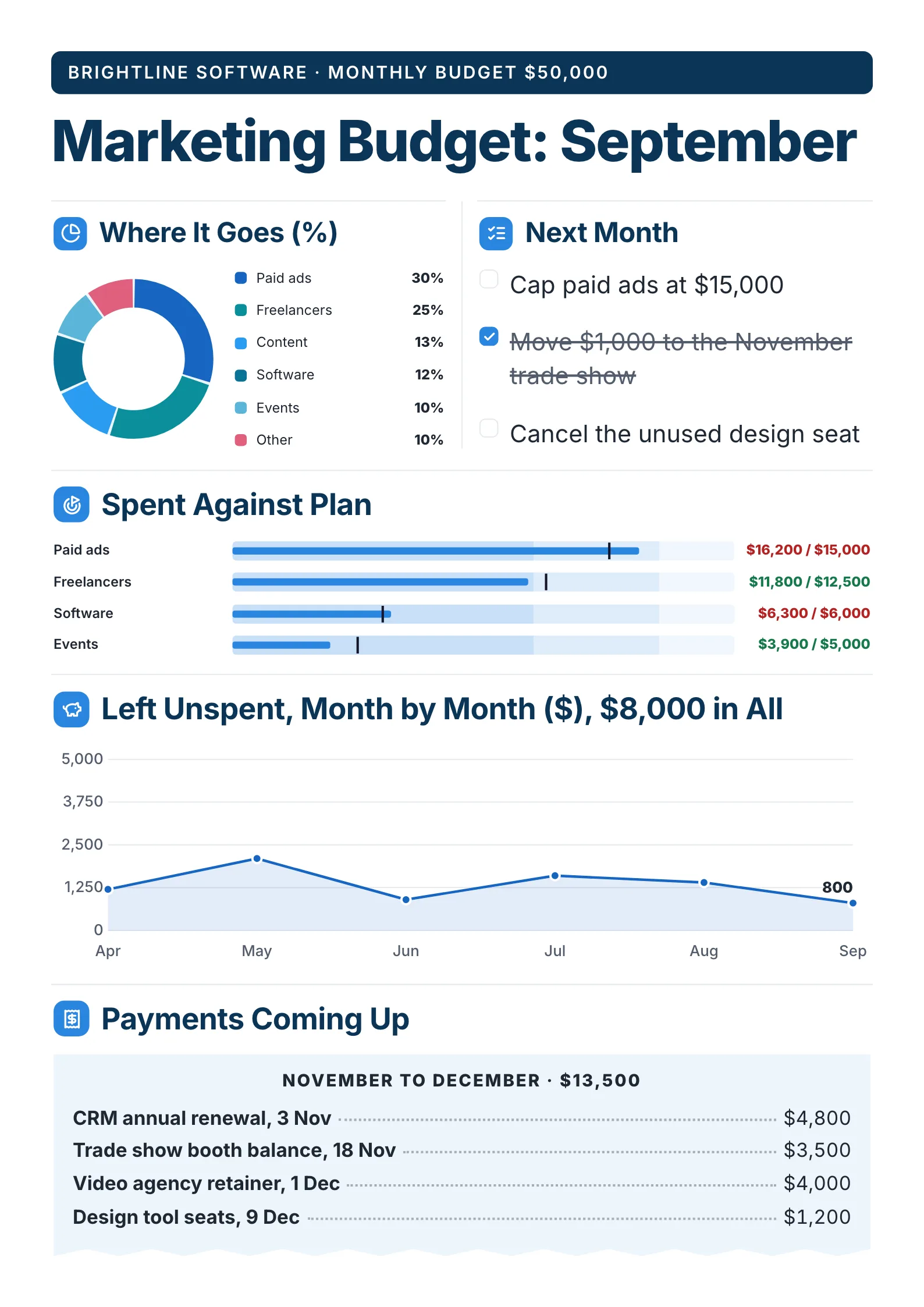
A marketing team's month
 Edit this template
Paid ads ran over, so the first change for next month caps them. Upcoming payments sit in their own dated block, the same idea as a dated bill list, for a business.
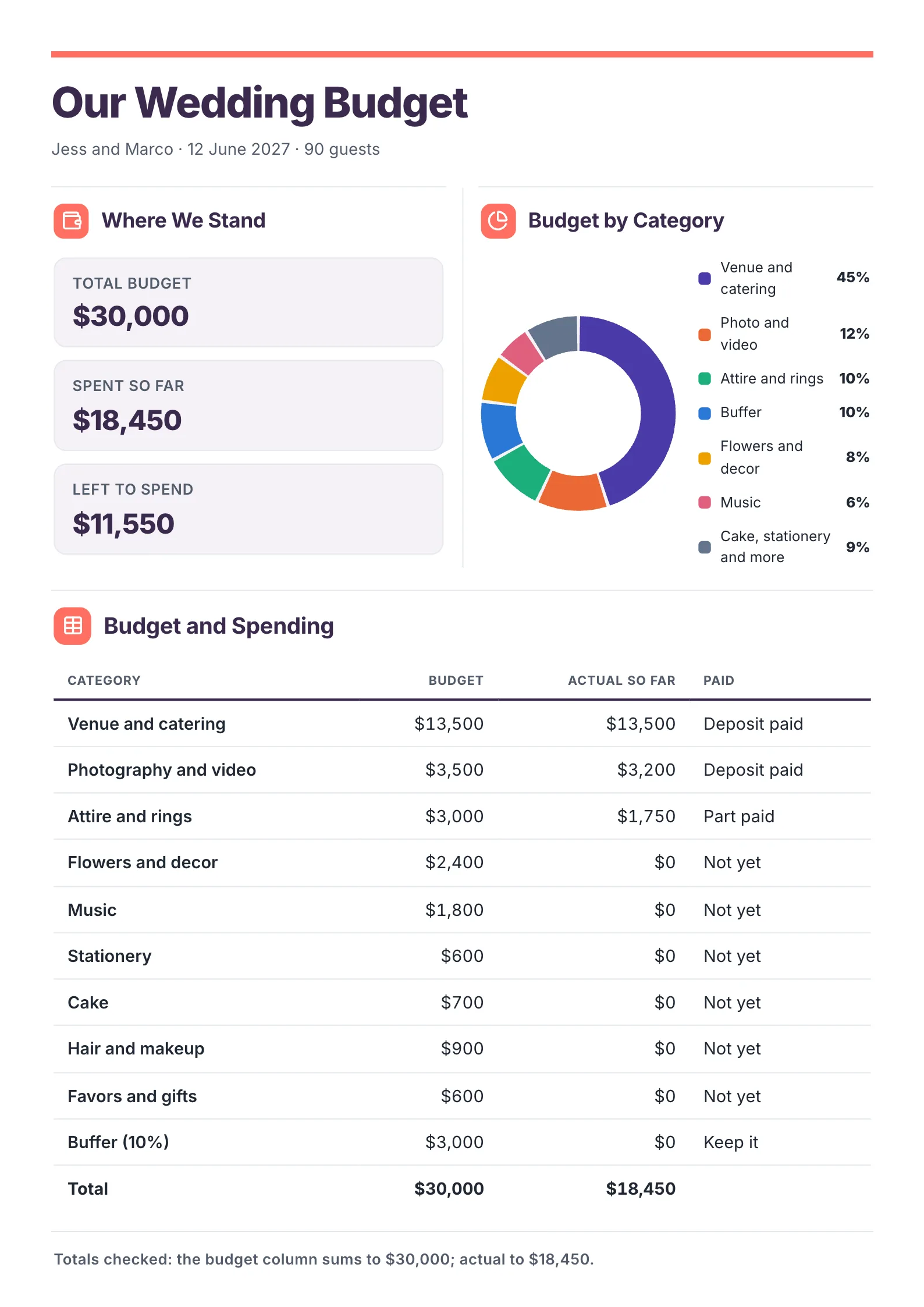
A wedding for 90 guests
 Edit this template
Weddings run on deposits, so the table tracks what's paid and what's still owed. The buffer has its own slice of the donut. The footer confirms the columns add up, which may save an argument later.
A school district's year
 Edit this template
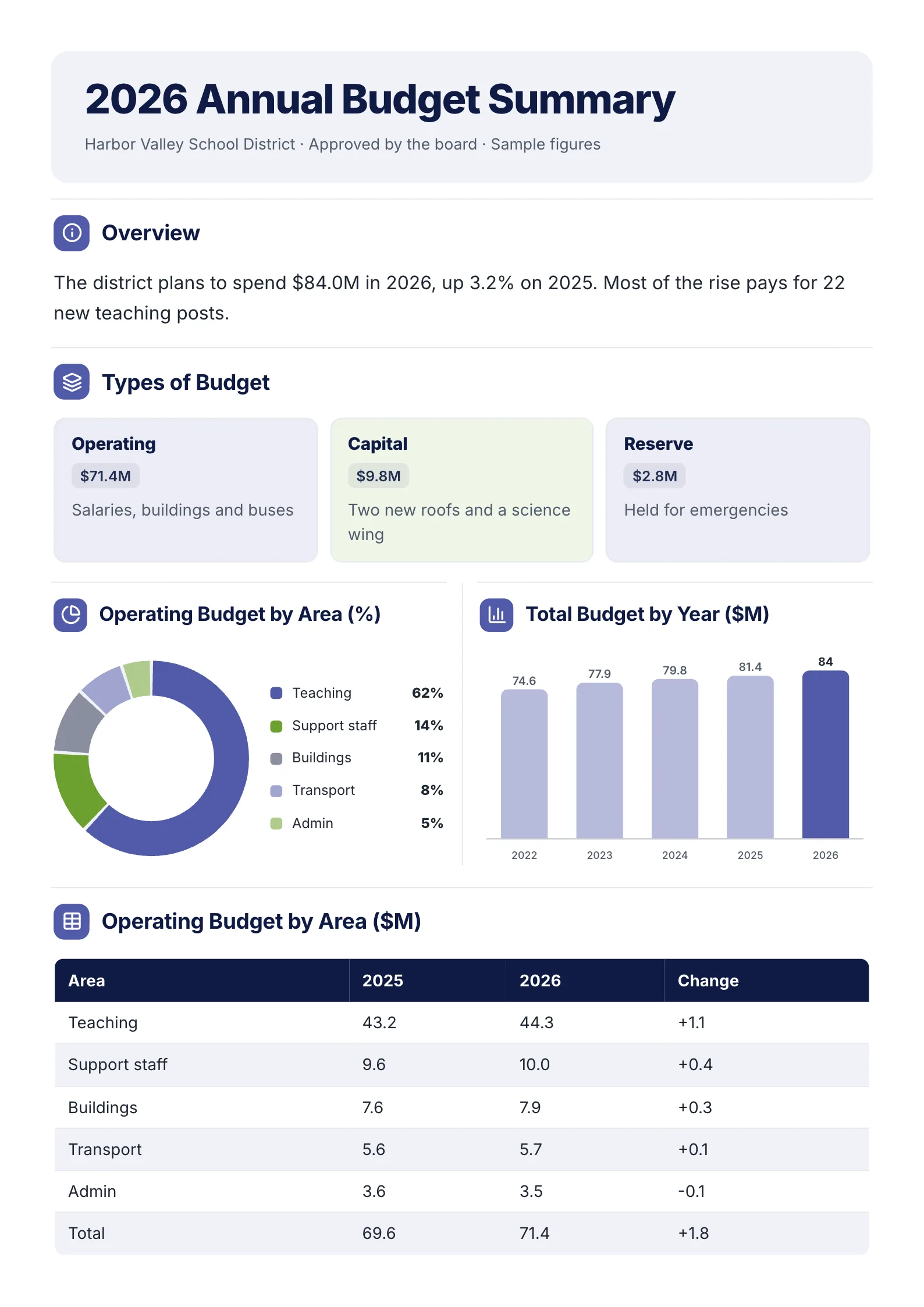
A public budget has to explain itself to people outside the office. Two sentences say what's changing and why. Operating, capital and reserve money get a card each, and five years of bars show the trend. Our budget summary template guide has more of this kind.
Which layout fits your money
| You're budgeting for | Lead with |
|---|---|
| A household's month | Where it goes, and what changes next month |
| A freelancer's uneven income | A base month, and what to do in a good month |
| An event or wedding | Total, spent and left |
| A team or department | Spent against plan |
| A proposal that needs approval | The ask, and what it buys |
| A grant | Spent against the award, line by line |
Need to explain why the numbers moved? The budget variance report template puts budget and actual side by side with the reasons.
How to stop it spilling onto page two
A budget grows a second page when it tries to be a ledger too. Keep the transactions in your bank app or a spreadsheet. The sheet only carries the categories.
- Five to eight categories. Fold anything with one or two purchases a month into "Other".
- Whole dollars. Cents widen the table and tell your reader nothing.
- One chart. A donut for where it goes, or bars for spent against plan.
- Notes in the footer. One line is enough: "Budget column sums to $30,000."
The Bureau also advises you to update your budget when your job or your habits change. Add a small "Updated" date in the corner, so everyone knows which version they're holding.
Make your one page budget
Keep tracking in Excel or Google Sheets if that's working. The trouble starts when a partner or a board has to read it. In MakeOnepagers, your figures redraw the donut and the table as you type. Totals already in a spreadsheet can go straight into the free AI One-Pager generator.
Frequently asked questions
What should a simple one page budget include?
The period, the total, five to eight categories with budget and actual spending, what's left, and the bills coming up. Add two or three changes for next month if you'll use it again.
What is the 50/30/20 budget rule?
It splits take-home pay into 50% for needs, 30% for wants and 20% for savings and debt payments.
How often should I update my budget?
Weekly is a good place to start at home, since overspending shows up before the month ends. Events and projects are easier to update after each payment.
Can I use a one page budget for a business?
Yes. A team snapshot works the same way: total, spent against plan by category, and what changes next. For approval, use a budget proposal instead.
Is there a free one page budget template?
Yes. The budgets in our template gallery open free in the editor. Change any category or number, then download a PDF.
Add up last month first. Then the budget closest to yours is quick to fill in.




