One Page Brief Template: 6 Kinds of Brief, With Free Examples
A free one page brief template for executive, policy, creative, solution and legislative briefs. See what each reader needs first, with 5 examples to edit.


Your reader is busy, and they want three things: what you need, why it matters now and what happens next. A one page brief template holds that for one decision or one job, whether it goes to an executive, a council, a designer, a buyer or a lawmaker. Start from a free one pager template.
One‑Pager examples
Real One-Pagers made with MakeOnepagers. Open any one to edit it as your own.
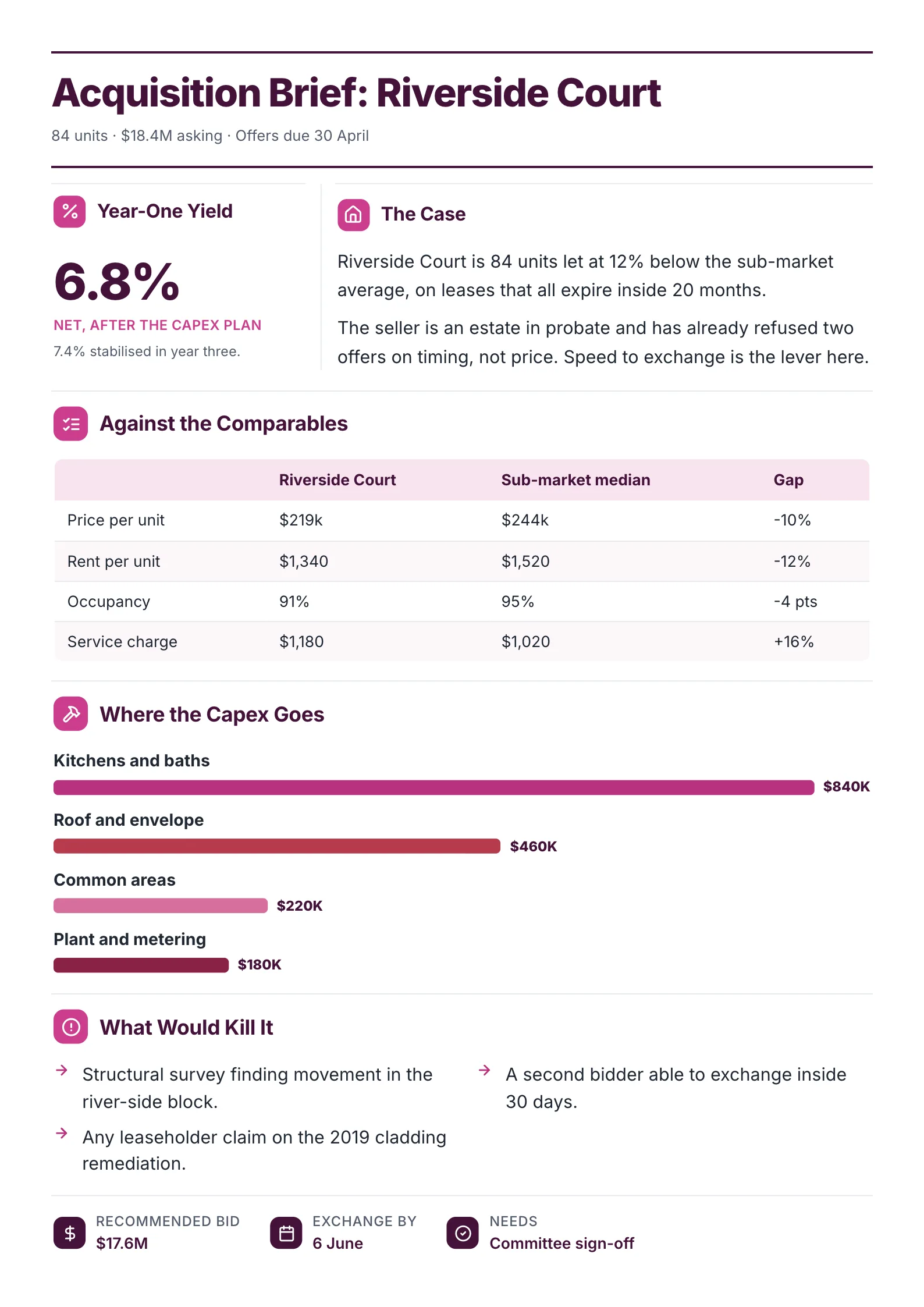 Property Acquisition BriefEdit for free(opens in a new tab)
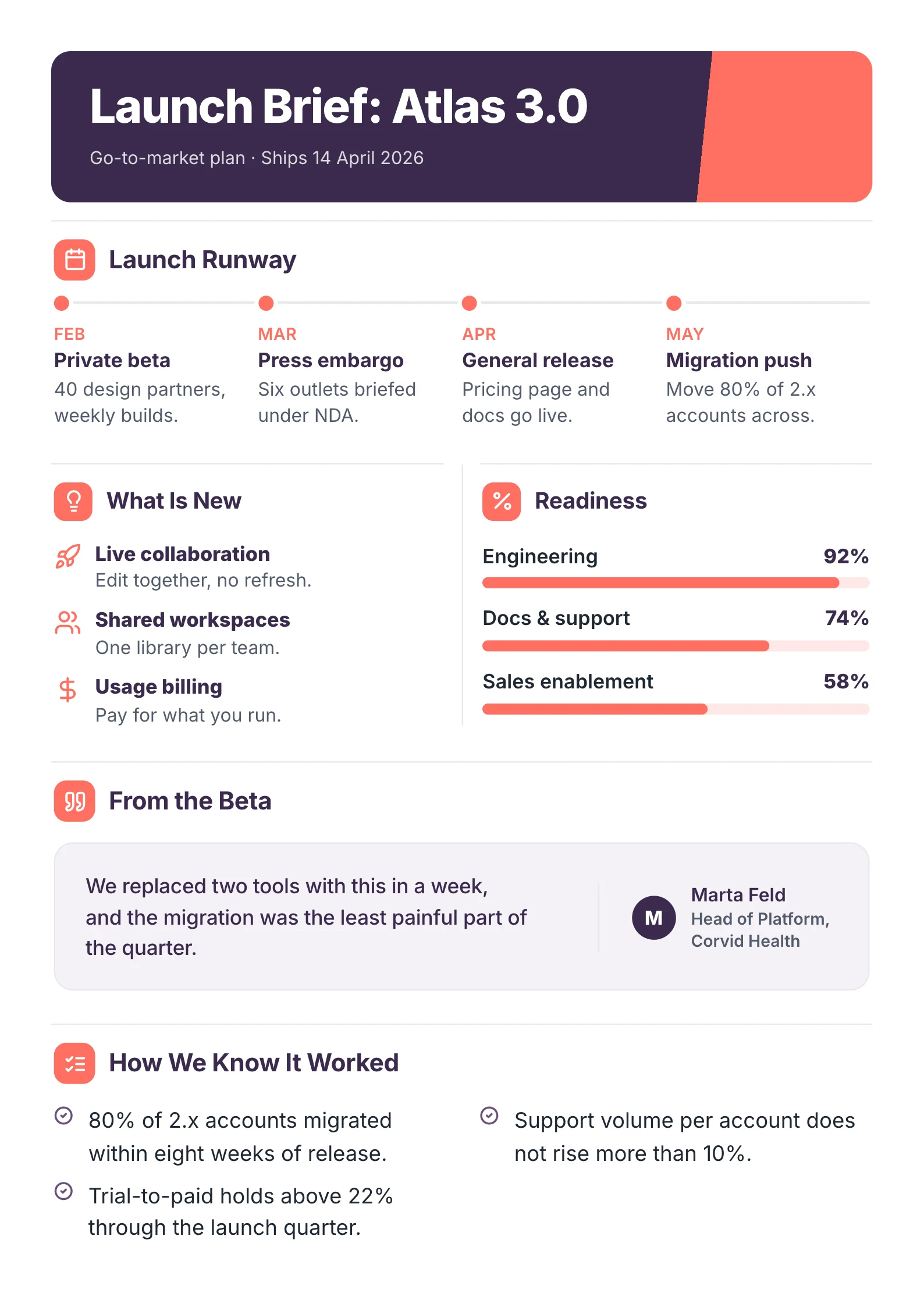 Product Launch BriefEdit for free(opens in a new tab)
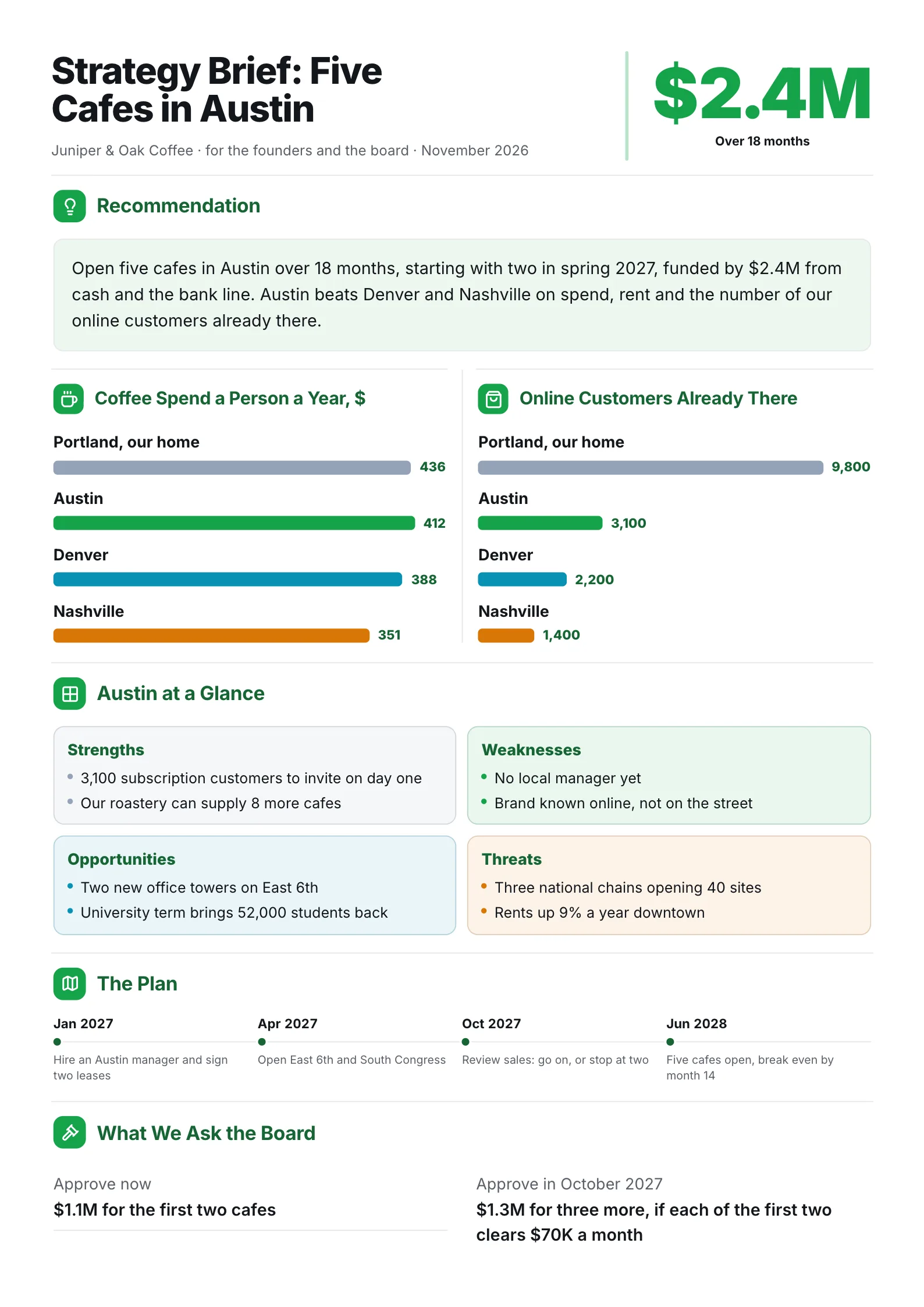 Executive Brief: Market Entry StrategyEdit for free(opens in a new tab)
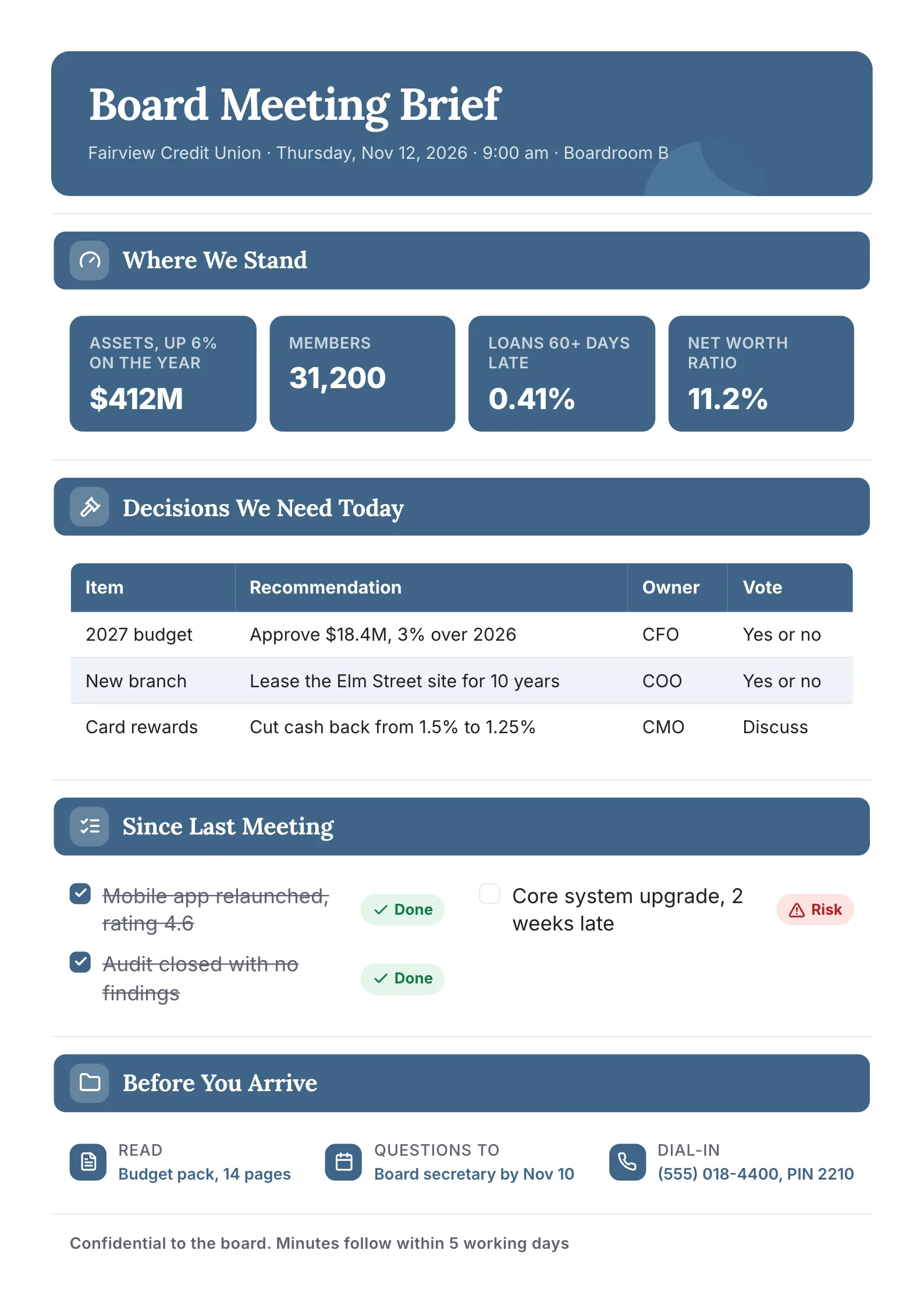 Board Meeting BriefEdit for free(opens in a new tab)
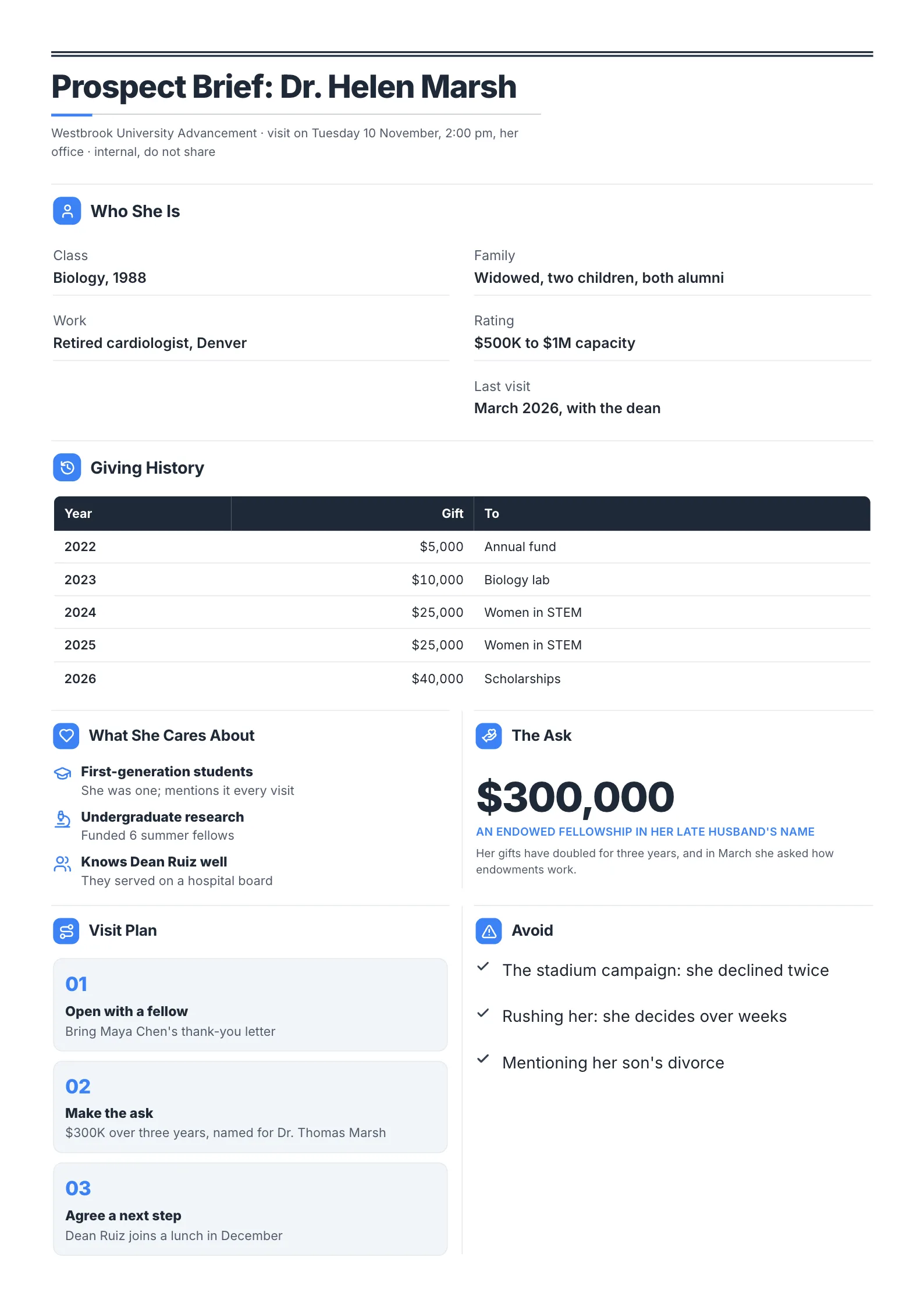 Donor Prospect BriefEdit for free(opens in a new tab)
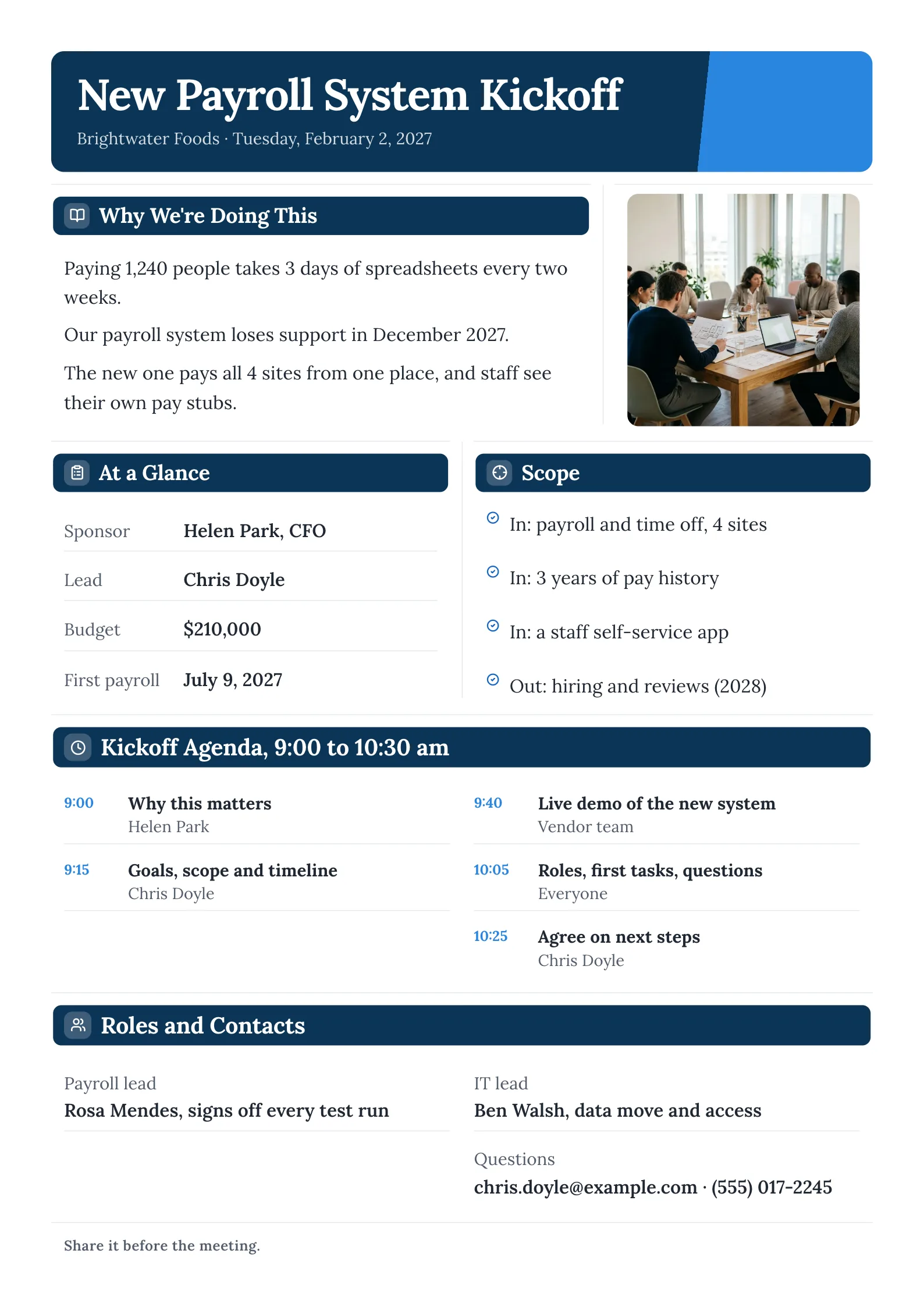 Project Kickoff BriefEdit for free(opens in a new tab)
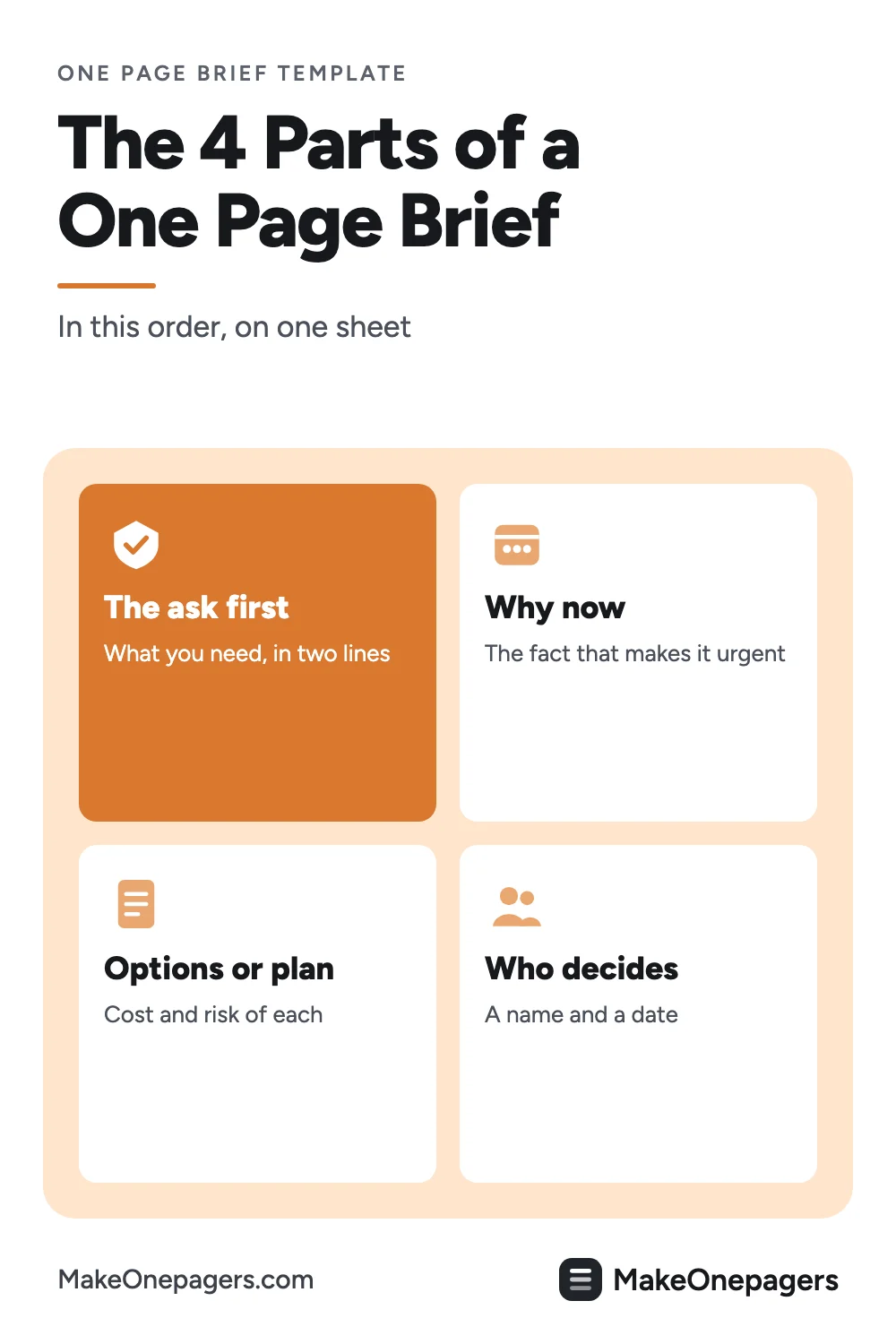
Policy people have thought hardest about this format, and their advice travels well. Canada's International Development Research Centre, in its guide on how to write a policy brief, allows up to 1,500 words or two pages. One page is stricter still, so its other rules matter more.
Three rules worth stealing
One topic. IDRC wants your brief "clear, succinct" and focused on a single topic. If you have two asks on one sheet, you probably have two briefs.
Write it fresh. Its guide says to draft a new, purpose-driven brief instead of summarizing or cutting down an existing report. This is the mistake behind most bad briefs: a shortened report still runs in the report's order, with background first and your point last. Write your purpose down before you start, and check each line against it.
Answer the questions before they're asked. The University of North Carolina Writing Center's policy brief handout suggests thinking through your audience's most pressing questions and answering them in advance. For a one-pager, that usually means cost, risk and who else supports it.
Who reads it decides how it opens
| Kind of brief | Written for | The first line says | It must also cover |
|---|---|---|---|
| Executive | A leader who must decide | "I need you to approve..." | Options, cost, risk, a deadline |
| Policy | An official or council | "We recommend..." | Evidence, cost, risks |
| Legislative | A lawmaker or committee | "Vote yes on..." | What the bill does, who it helps, cost |
| Creative | A designer or agency | "We need a..." | Audience, rules, budget, dates |
| Solution | A buyer comparing products | The problem, in numbers | How it works, proof, a demo offer |
| Project, donor or board | A team or a funder | "The goal of this meeting is..." | The facts, the plan, the next step |
IDRC makes the same point about audience: researchers may want the evidence, and a government official may care more about brevity and the impact of the policy.
Write it in this order
Start with the ask. "Approve six support agents for Q1." "Vote yes on SB 92." For a creative brief, state the job: "A new logo that works on a van and a phone screen." Put it in a callout so nobody can miss it.
Give one or two reasons it can't wait. You might use a rising number, a deadline or the cost of doing nothing. If your trend is the argument, a chart can make it faster than a sentence.
Lay out the choice or the plan. If you need a decision, give two or three options, with the cost and risk of each, and say which you recommend. A creative brief gets deliverables and rules. A solution brief gets three or four steps.
Close with who decides and by when. Add a name to call. A brief with no date tends to wait.
Keep your page to about 120 to 250 words on a Letter or A4 sheet. If you pass 300, look for a second brief hiding inside the first.
Five briefs to start from
These open as templates in MakeOnepagers, so you can swap in your own ask.
Asking a COO for headcount
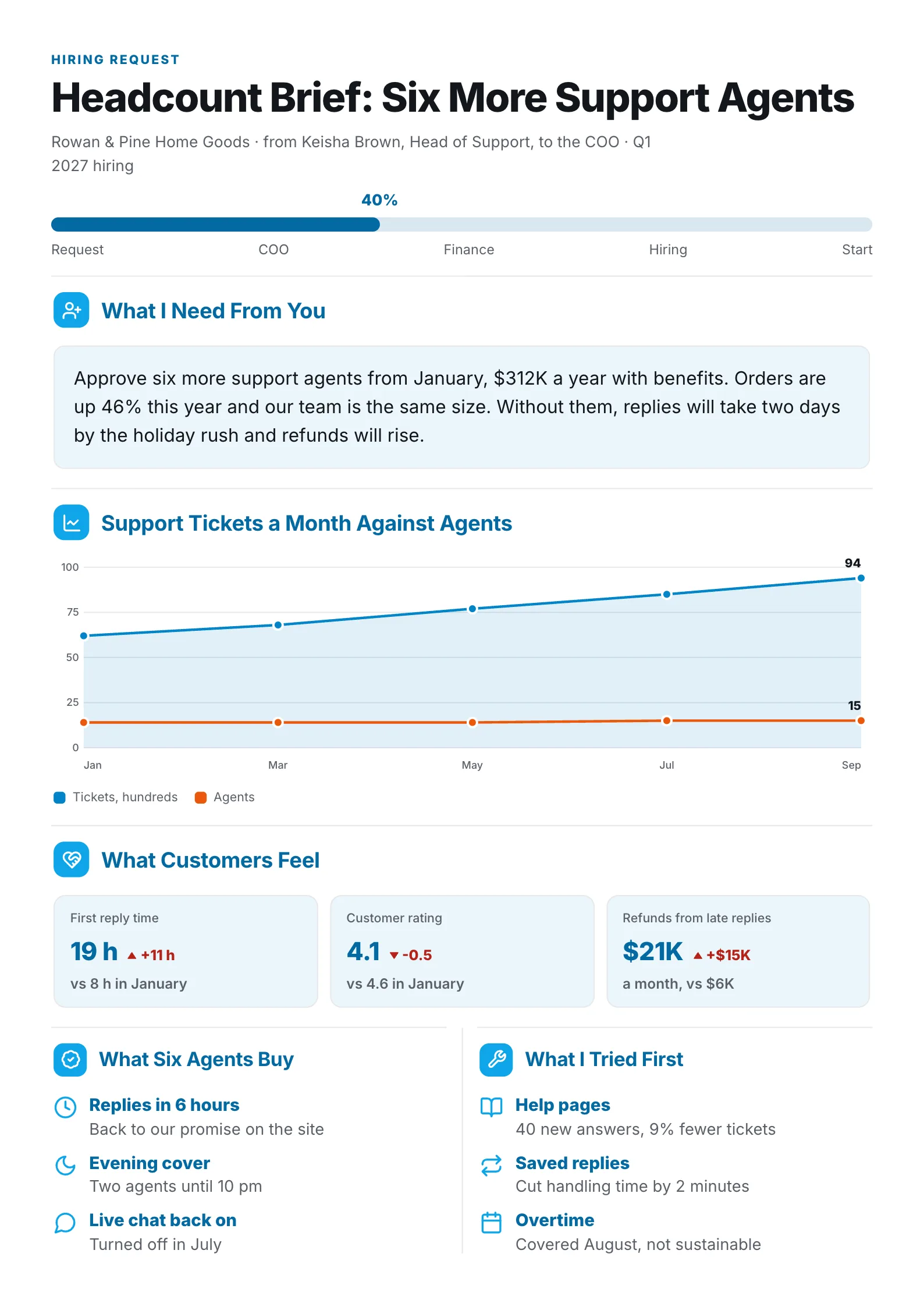 Edit this template
The request sits in a callout at the top. One line chart, tickets rising while the team stays flat, makes most of the case. The last block, "What I tried first", answers what an executive asks before adding people. Our executive brief template guide has more.
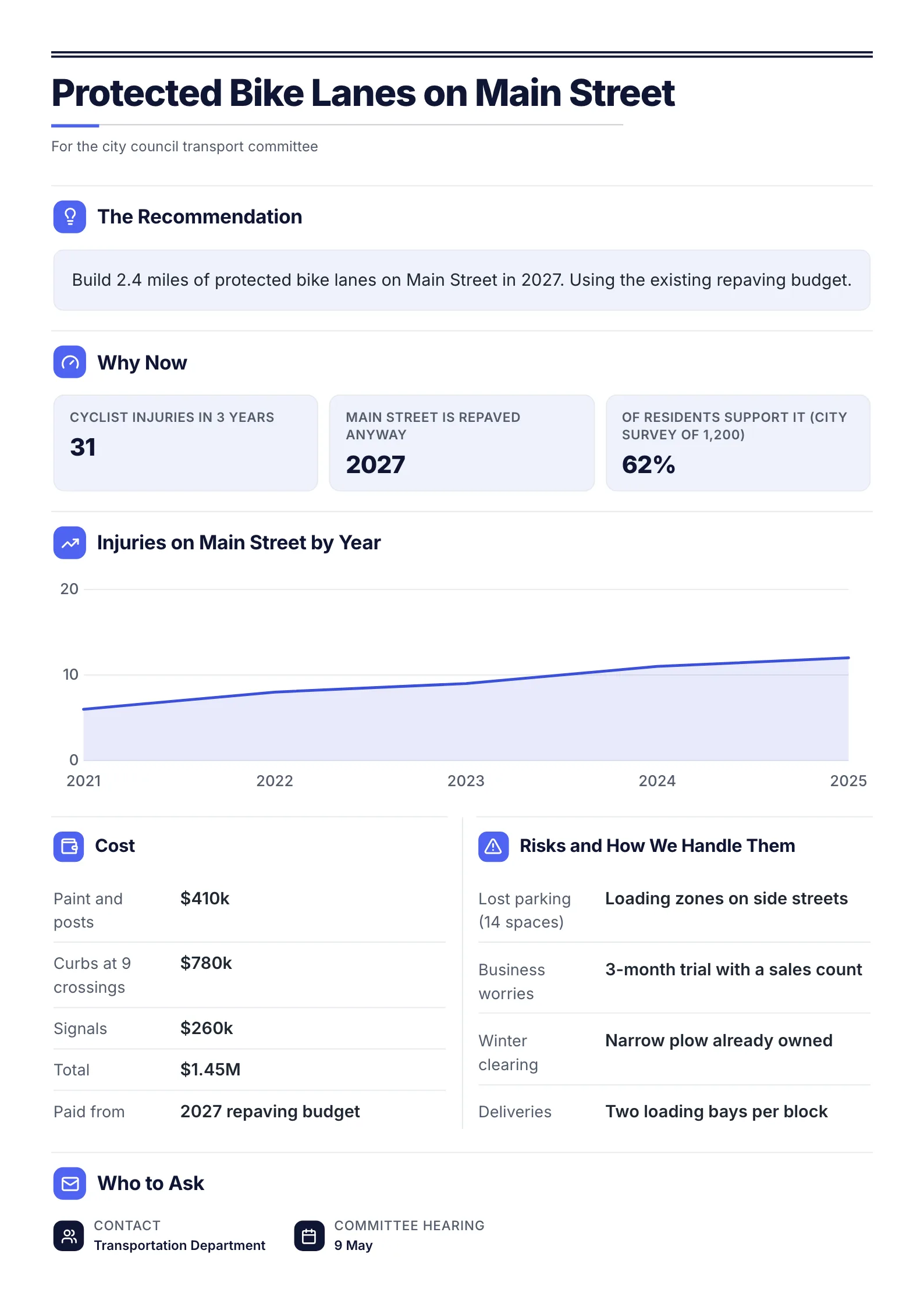
Asking a city council for bike lanes
 Edit this template
The recommendation comes first, then three numbers on why now. The risks block names each objection beside its answer, which can save a round of questions at the meeting. The policy brief template post goes deeper.
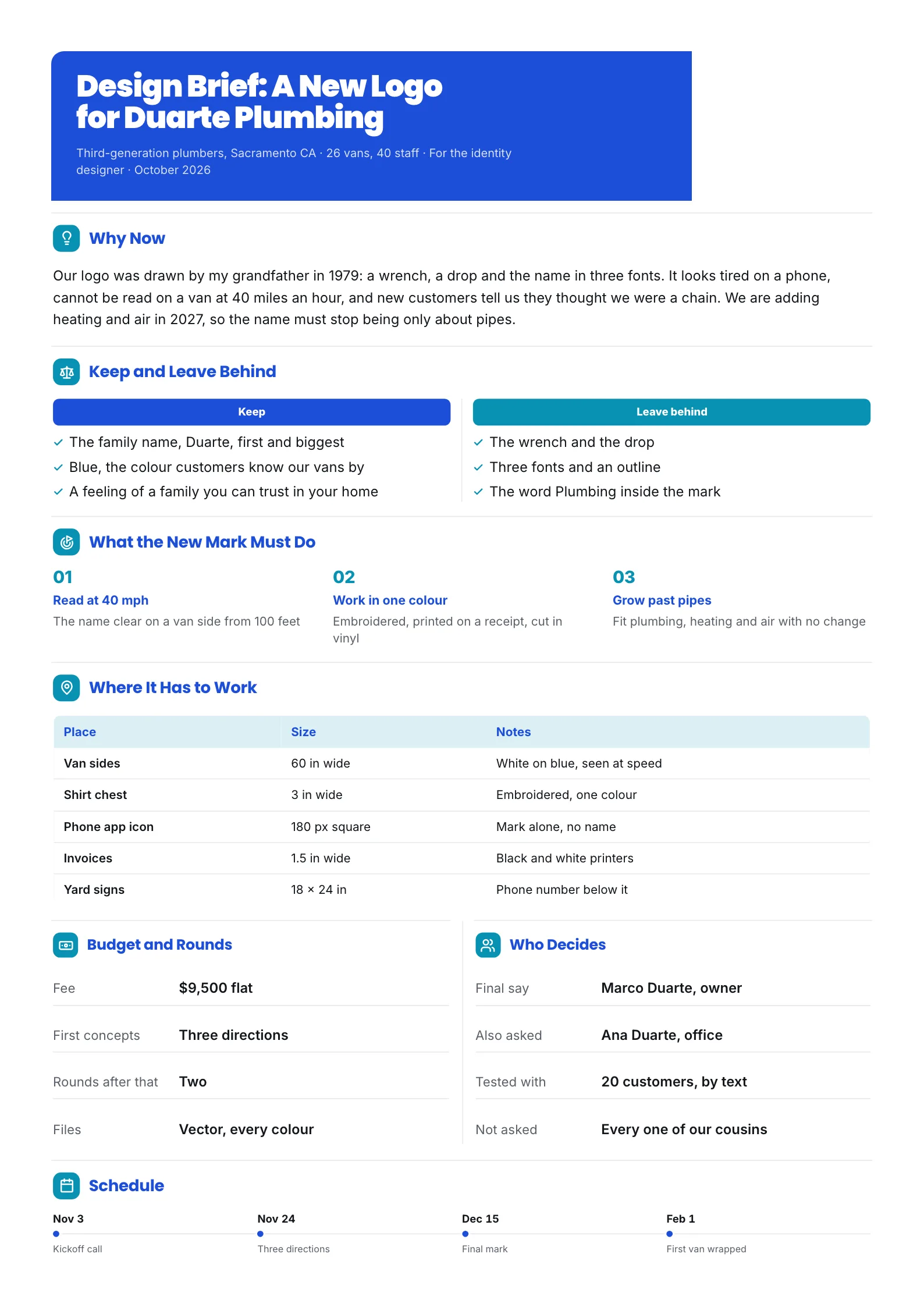
Hiring a logo designer
 Edit this template
A designer needs the job, the limits and the dates. "Keep" and "leave behind" get a column each, and a table lists every place the logo must work. Naming who decides helps stop endless rounds of edits. More in the creative brief template guide.
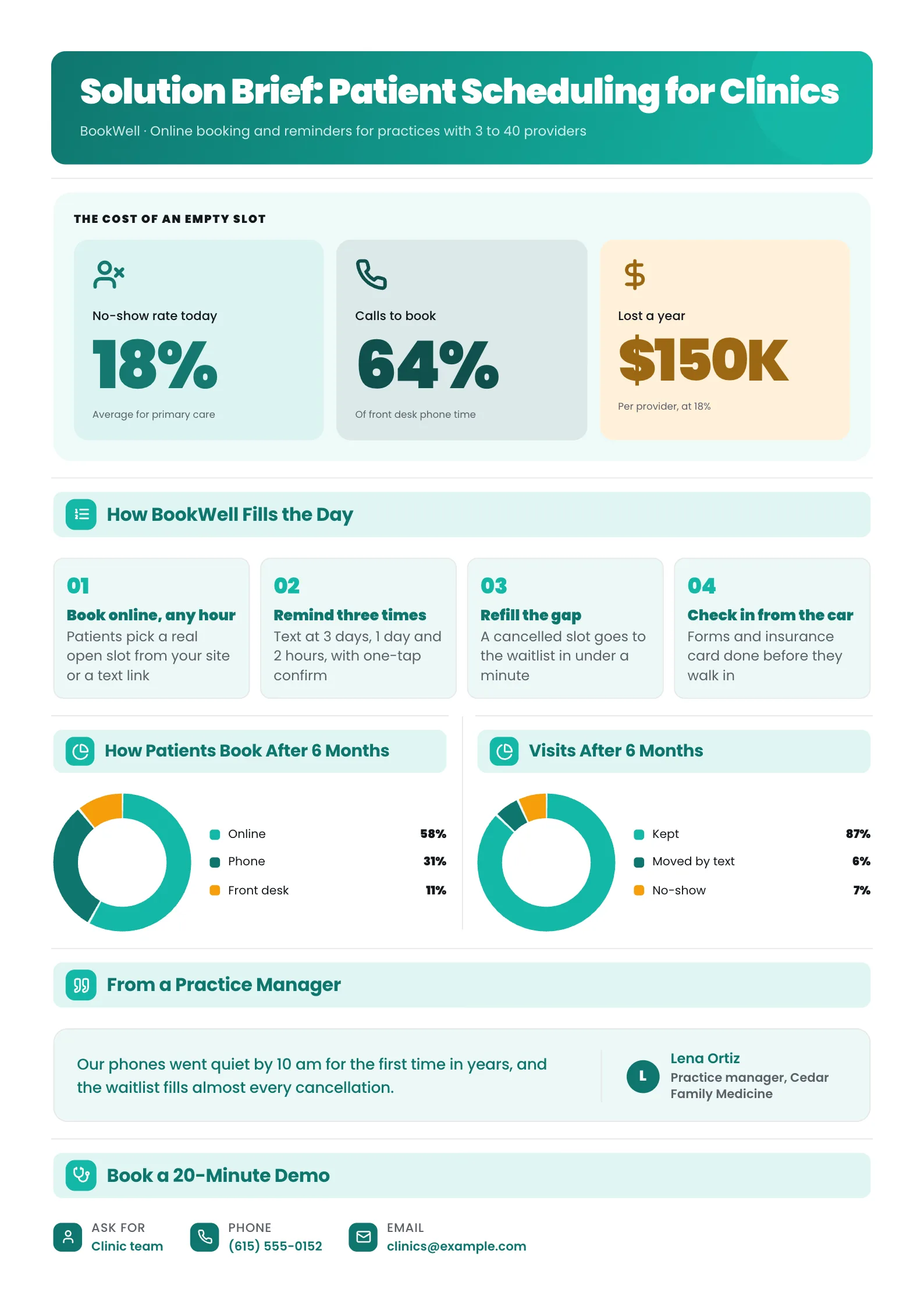
Selling scheduling software to clinics
 Edit this template
A buyer comparing tools starts with what an empty appointment costs, then sees one clinic's results six months in. The close is a 20-minute demo, a small thing to say yes to. The solution brief template post has more.
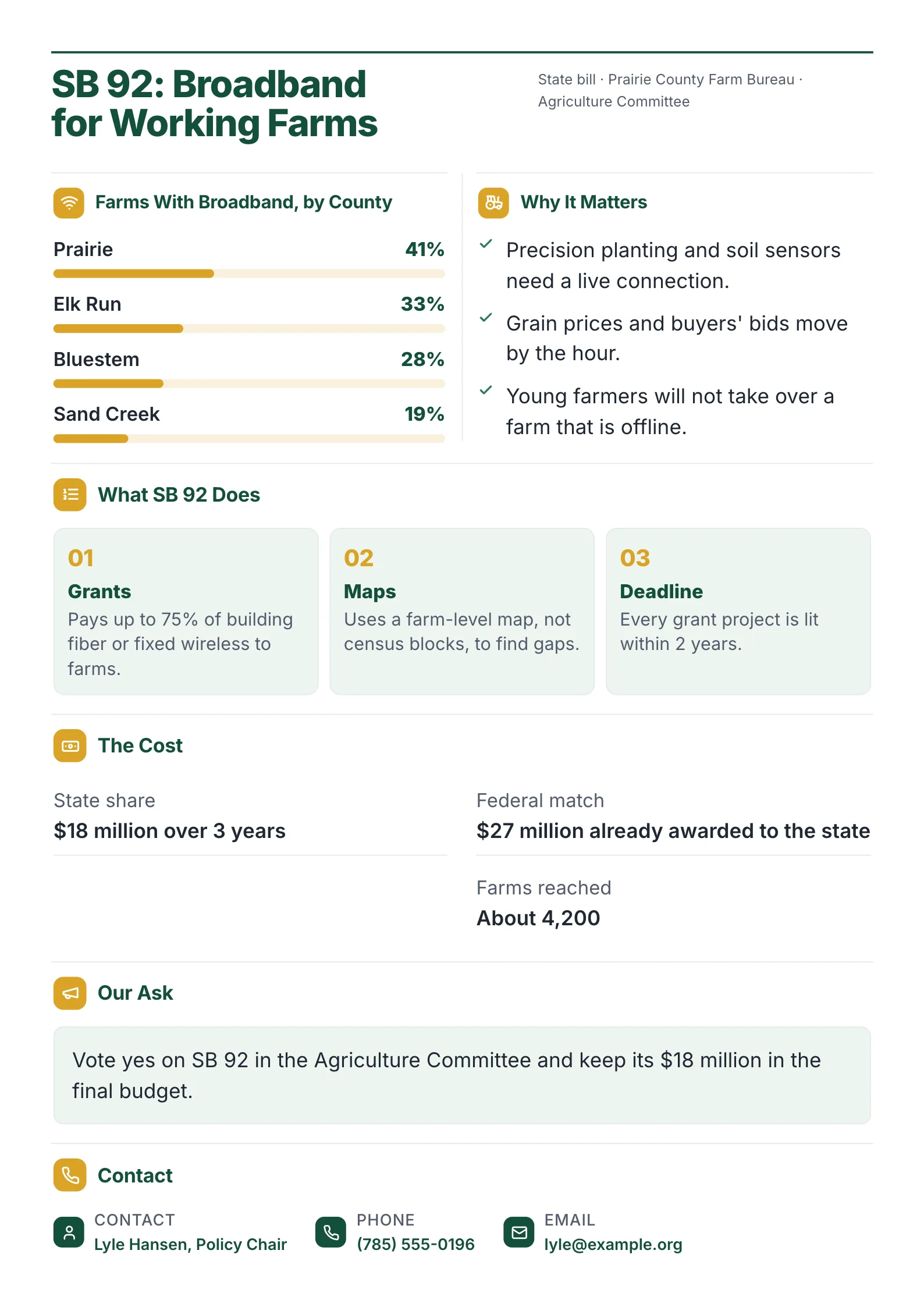
Backing a farm broadband bill
 Edit this template
The bill is in the title, the gap is shown county by county, and three numbered points say what the bill does. The ask takes one line. See the legislative one pager guide.
Read it once before you send it
- Can someone tell what you want from the first two lines?
- Would your background change the answer? If it wouldn't, cut it.
- Have you given the cost as a number, and said what it covers?
- Have you recommended an option, so it's clear where you stand?
- Is there a date and a name at the bottom?
Make your one page brief
Plain text in Word or Google Docs is a perfectly good brief. Add a callout and a chart, and page two appears. MakeOnepagers sets those blocks for you and holds the page to one sheet. If the brief sits on a long report, get a draft from the free AI One-Pager generator, then rewrite it around your ask. For a page that sits on top of a report, see the executive summary One-Pager guide.
Frequently asked questions
What is a one page brief?
A short document that asks a reader for one decision or gives a team one job. The ask comes first, the reasons second and the next step last.
What are the types of briefs?
The common kinds are executive, policy, legislative, creative and solution briefs, plus project, issue, donor and board briefs.
What is the difference between a brief and an executive summary?
An executive summary sums up a longer document. A brief stands alone and asks for one decision or one piece of work, so it should still make sense if nobody opens the report.
Is there a free one page brief template in Word?
You can build one in Word with a callout box and a table. A MakeOnepagers template opens free in the browser and downloads as a PDF.
Write your ask as one sentence. If it holds up, a brief template can carry the rest.




