Project Timeline vs Gantt Chart: Who Reads Each One, From 10 Public Documents
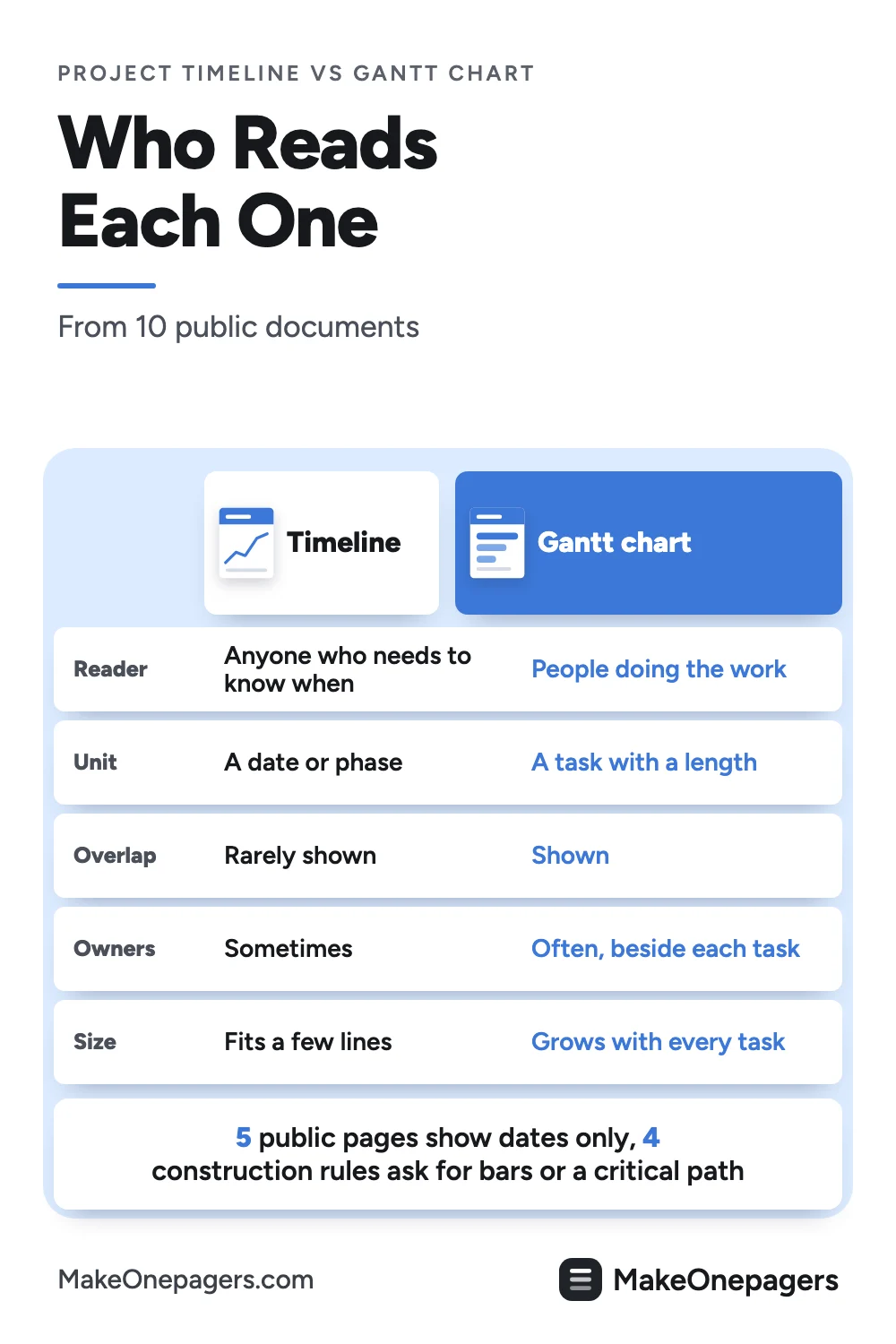
Project timeline vs Gantt chart, read from 10 public documents: 5 public pages show dates only, while 4 construction rules ask for bars or a critical path.

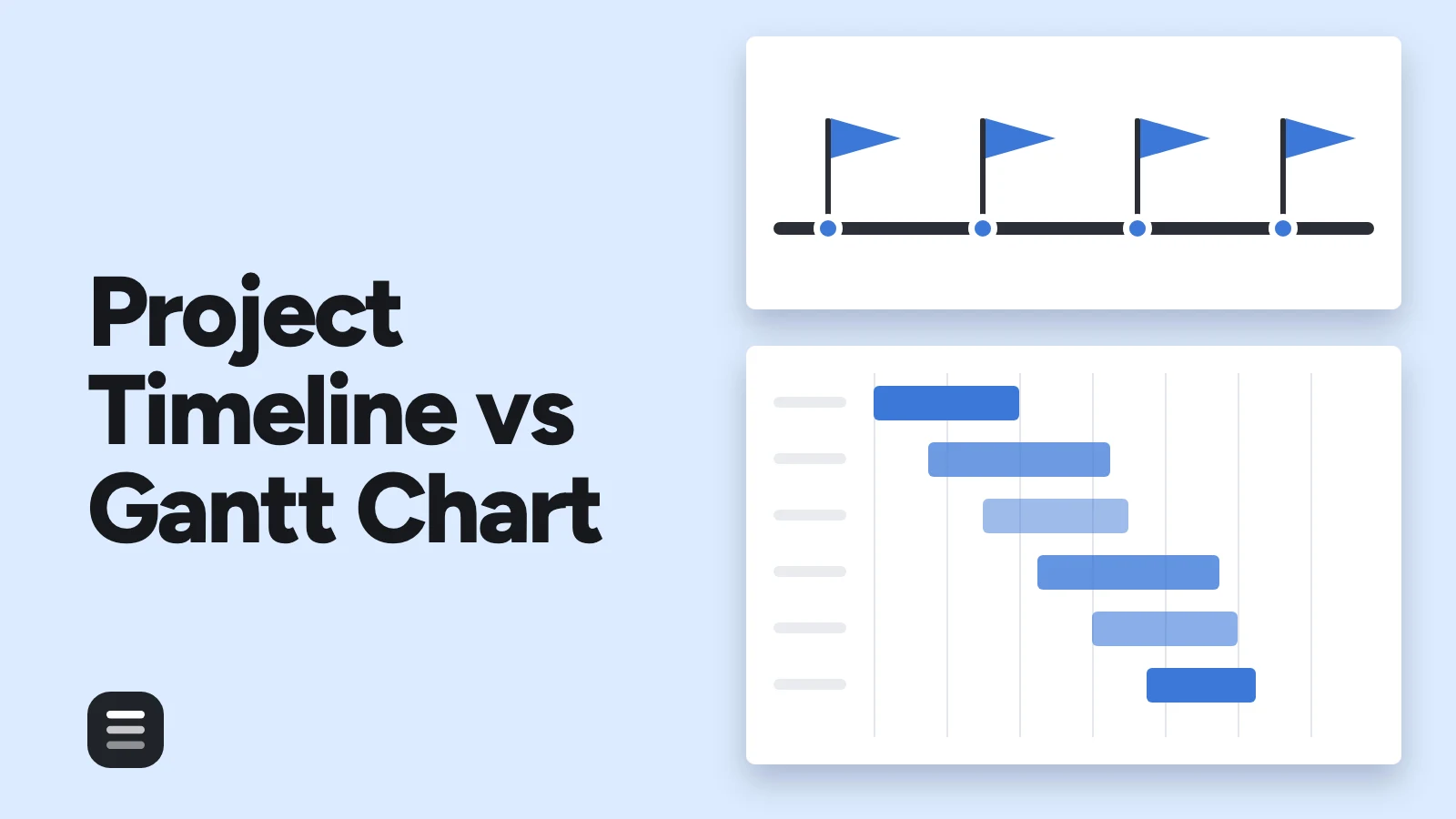
Use a project timeline for the dates that matter and a Gantt chart when you need every task as a bar on a calendar, with overlap and length in view. Every Gantt chart is a kind of timeline, but most timelines aren't Gantt charts. The better question in the project timeline vs Gantt chart choice is who's going to read it. Start from a free one pager template.
One‑Pager examples
Real One-Pagers made with MakeOnepagers. Open any one to edit it as your own.
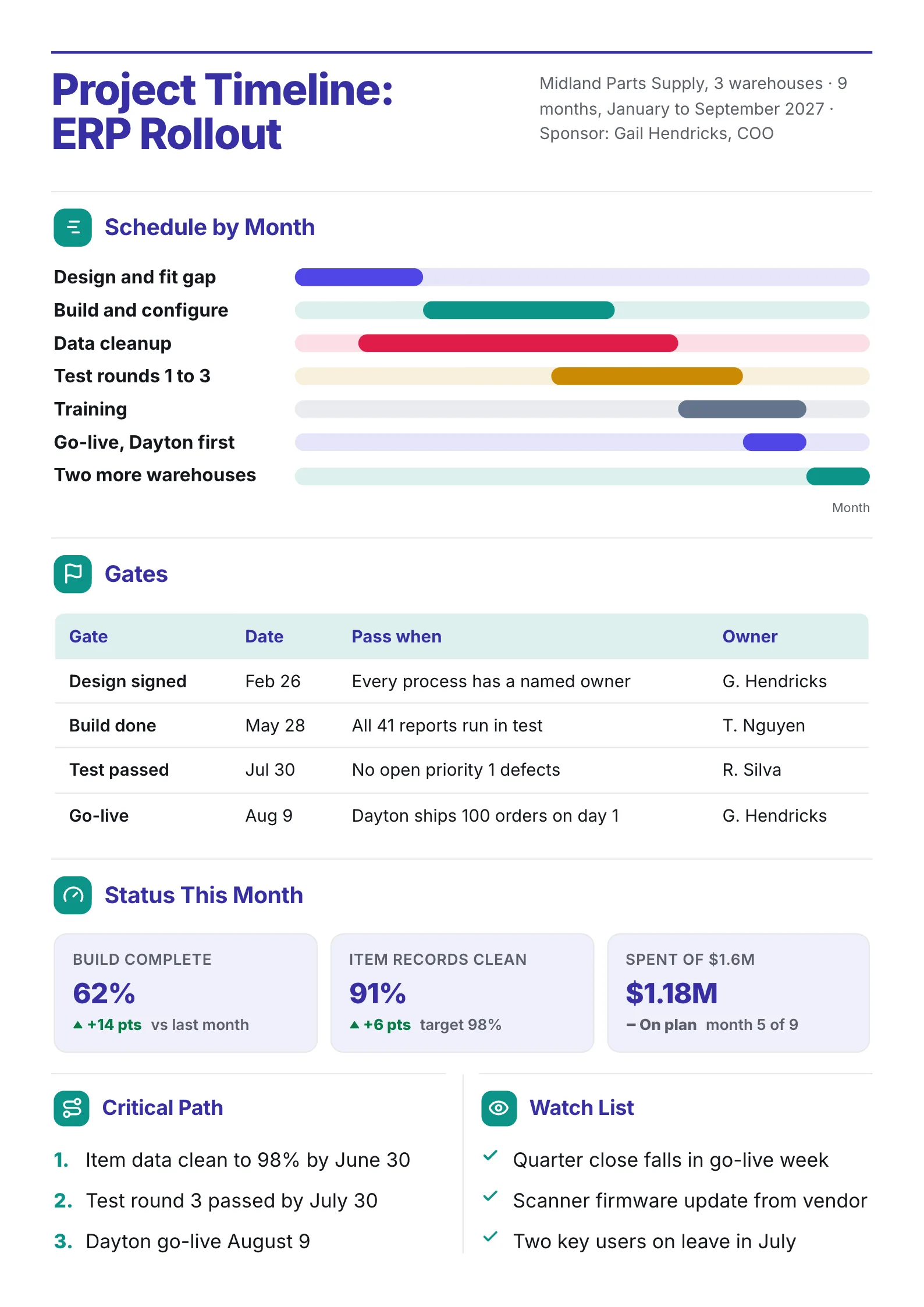 Project Timeline: ERP RolloutEdit for free(opens in a new tab)
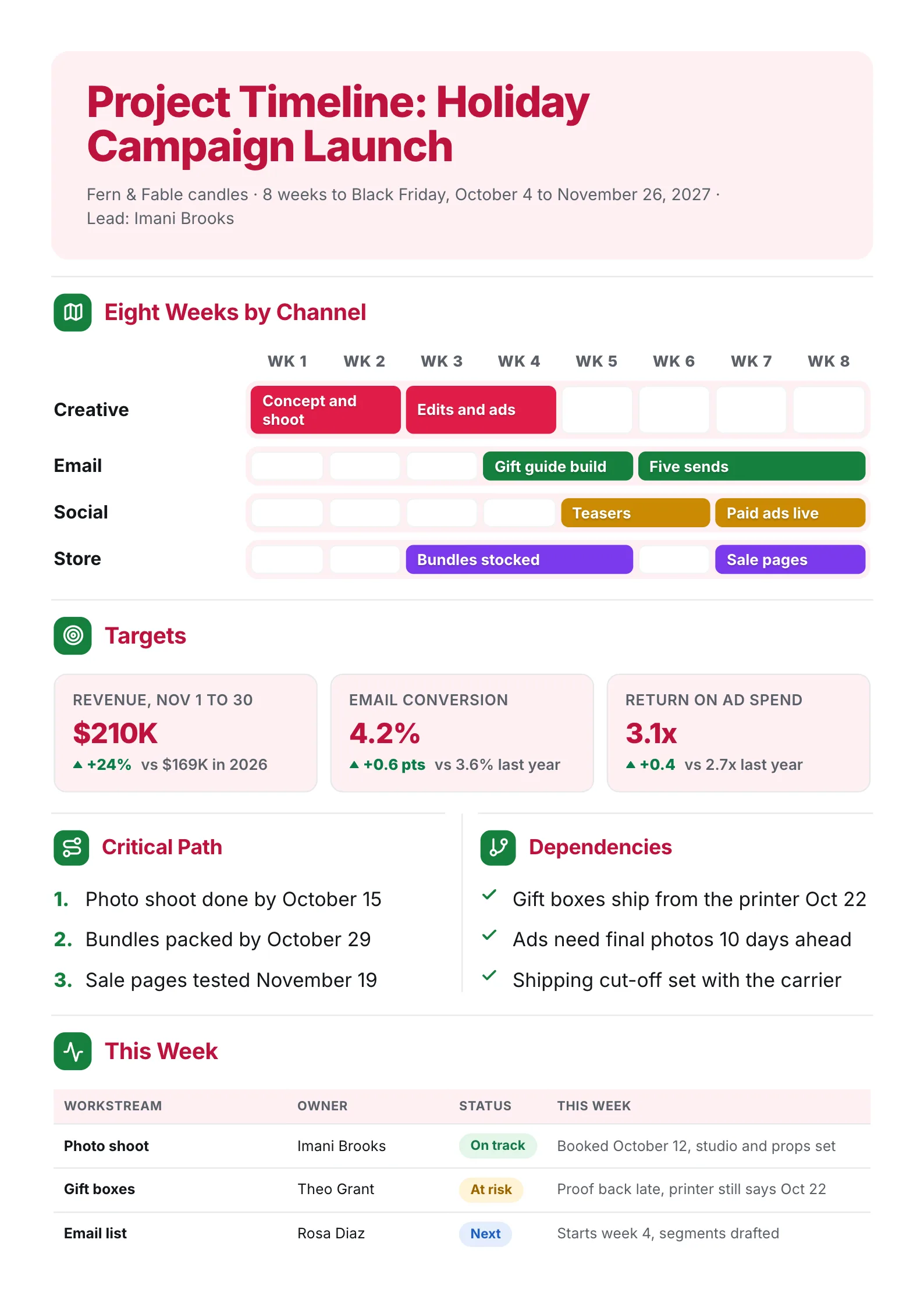 Project Timeline: Holiday Campaign LaunchEdit for free(opens in a new tab)
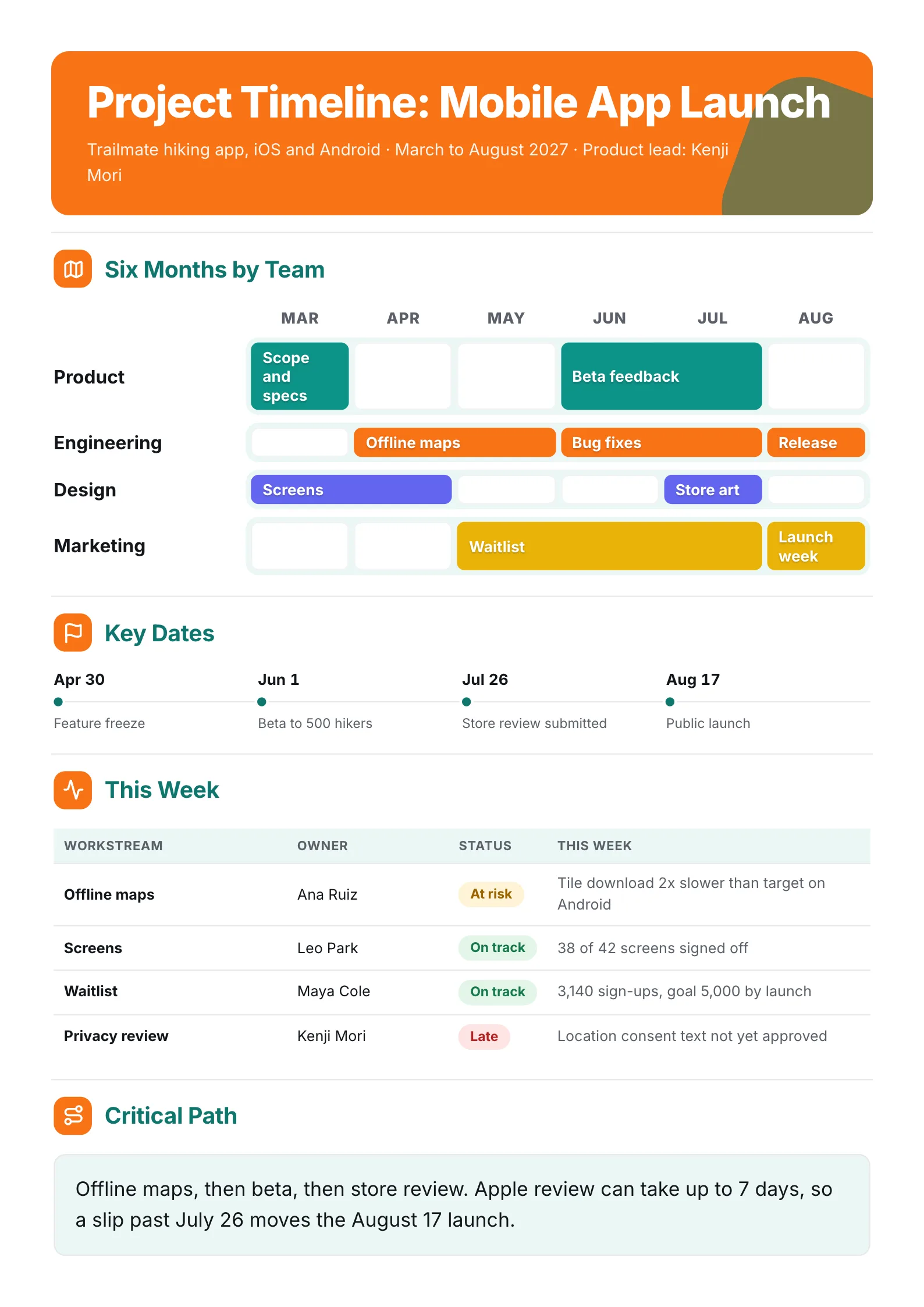 Project Timeline: Mobile App LaunchEdit for free(opens in a new tab)
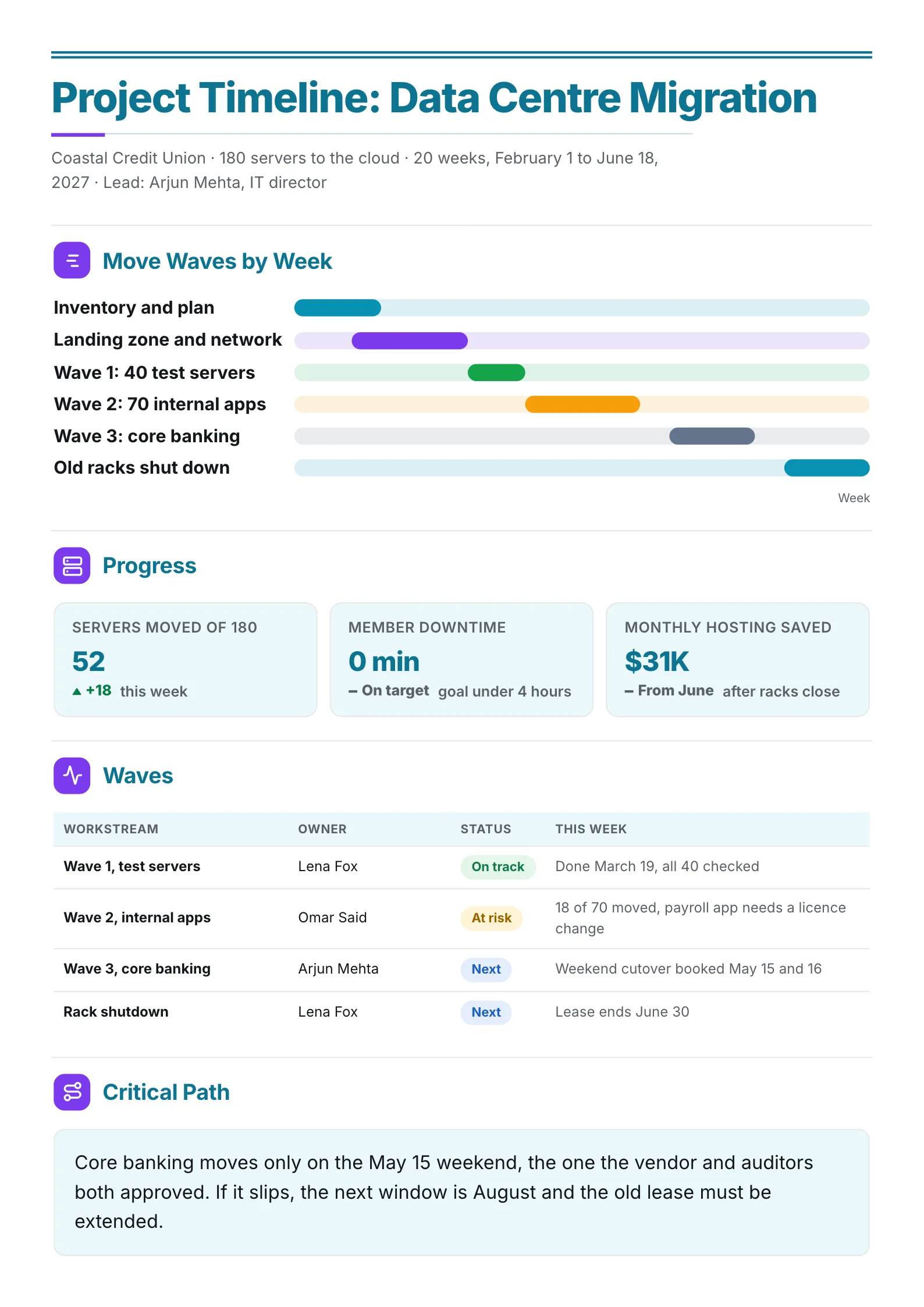 Project Timeline: Data Centre MigrationEdit for free(opens in a new tab)
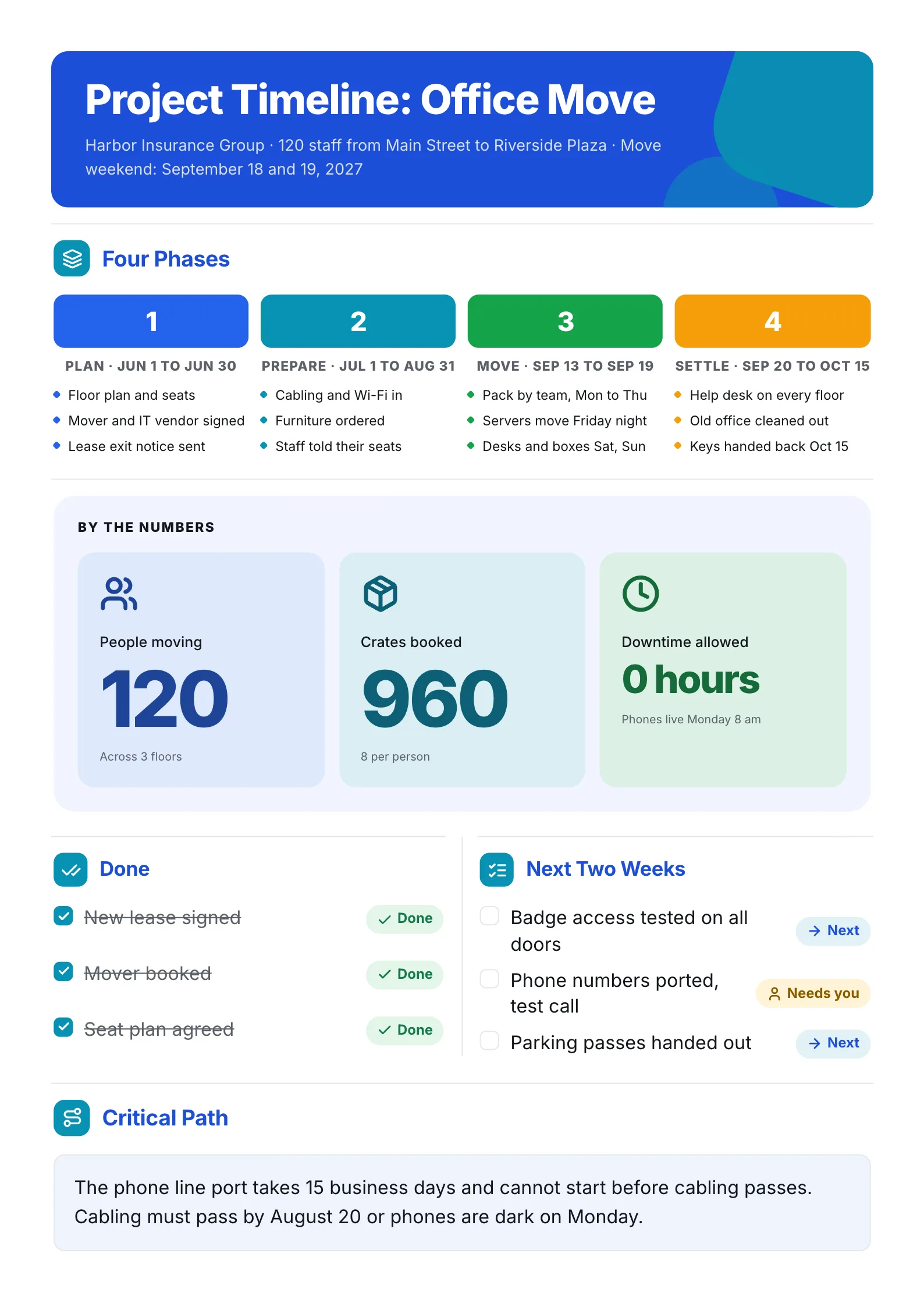 Project Timeline: Office MoveEdit for free(opens in a new tab)
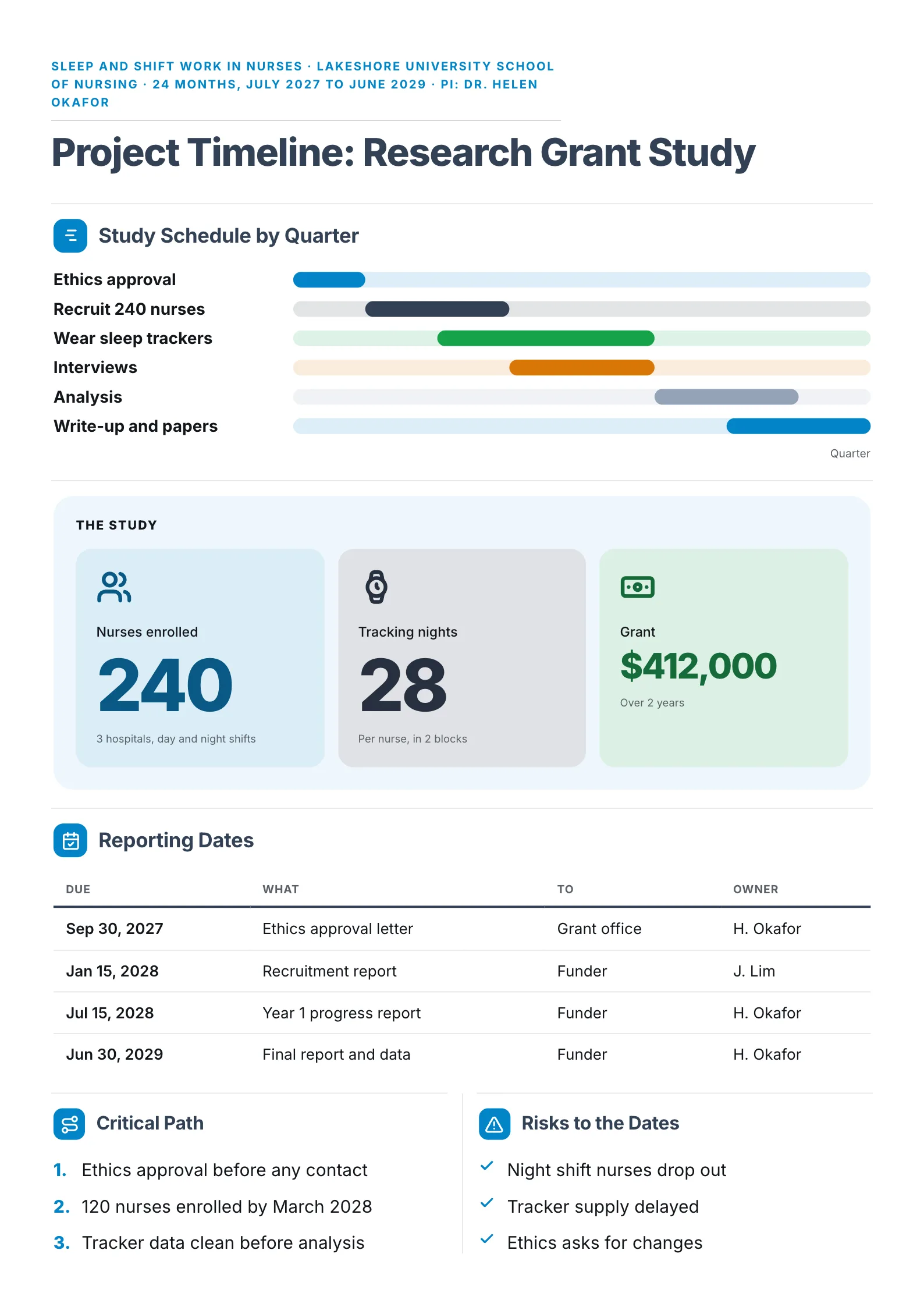 Project Timeline: Research Grant StudyEdit for free(opens in a new tab)
Public documents make that clear. We read 10 of them, and the five written for the public give dates with no task bars. The four written for contractors ask for bars or something stricter. Six sample One-Pagers then run from one extreme to the other, so you can place your project.
The difference in one table
| Project timeline | Gantt chart | |
|---|---|---|
| Reader | Anyone who needs to know when | People doing or managing the work |
| Unit | A date or phase | A task with a start and a length |
| Shows overlap | Rarely | Yes |
| Shows owners | Sometimes | Often, beside each task |
| Size | Fits a few lines | Grows with every task |
A University of Nebraska-Lincoln guide describes the Gantt layout well: tasks on the left and schedule bars on the right. Its sample adds a task owner column, a three-year quarterly grid and milestones inside the task list.
What the public gets: dates and a warning
These five pages tell neighbors, drivers and staff when something will happen, which may be all your readers need too. None of them shows a task bar.
| Public document | What it gives you |
|---|---|
| Connecticut DOT, Route 200 bridge | Start on October 8, 2026, finish on November 19, 2027 |
| South Dakota DOT, Highway 79 bridge | A start date and an overall completion date of October 31, 2025 |
| Minnesota DOT, Blatnik Bridge FAQ | Design and construction phases by year, a 4 to 5 year closure, and a note that the timeline could change |
| Washington DOT, US 395 connection | "Summer 2027 - Early 2030s," plus a status, a funding figure and a hotline |
| UC Riverside capital projects schedule | One row per project with phase, next milestone, start and projected finish by month |
UC Riverside is the closest to a working document, and it still uses text columns in place of bars. If your readers need only a next step and a finish, you can stop there too.
What contractors get: bars or a critical path
Construction rules take the opposite view, because money and deadlines depend on the detail.
| Schedule rule | What it requires |
|---|---|
| TxDOT manual | A bar chart by default, or a critical path schedule when the plans say so, updated monthly by the 20th |
| Indiana DOT provision | A critical path schedule in place of the bar graph, on contracts that use this provision |
| Caltrans 2024 specifications, section 8-1.02 | A baseline within 15 days of contract approval and an update by the 24th of each month |
| Brunswick County, North Carolina, Specification 006 | A detailed bar chart or critical path schedule, due in 10 or 30 days depending on contract size |
Brunswick County shows how seriously this gets taken: no request for payment is processed until the county accepts the schedule. You may not hold that kind of power on your project, but the idea carries over: your schedule works best when somebody has to sign off on it.
Indiana also defines a term you'll meet on Gantt charts. Its critical path is the longest chain of activities, the one that sets the finish date. Delay anything on that chain and your finish date moves.
Six samples, from pure timeline to full Gantt
All six are samples made with MakeOnepagers, with invented names. You'll notice that one page can mix the two forms.
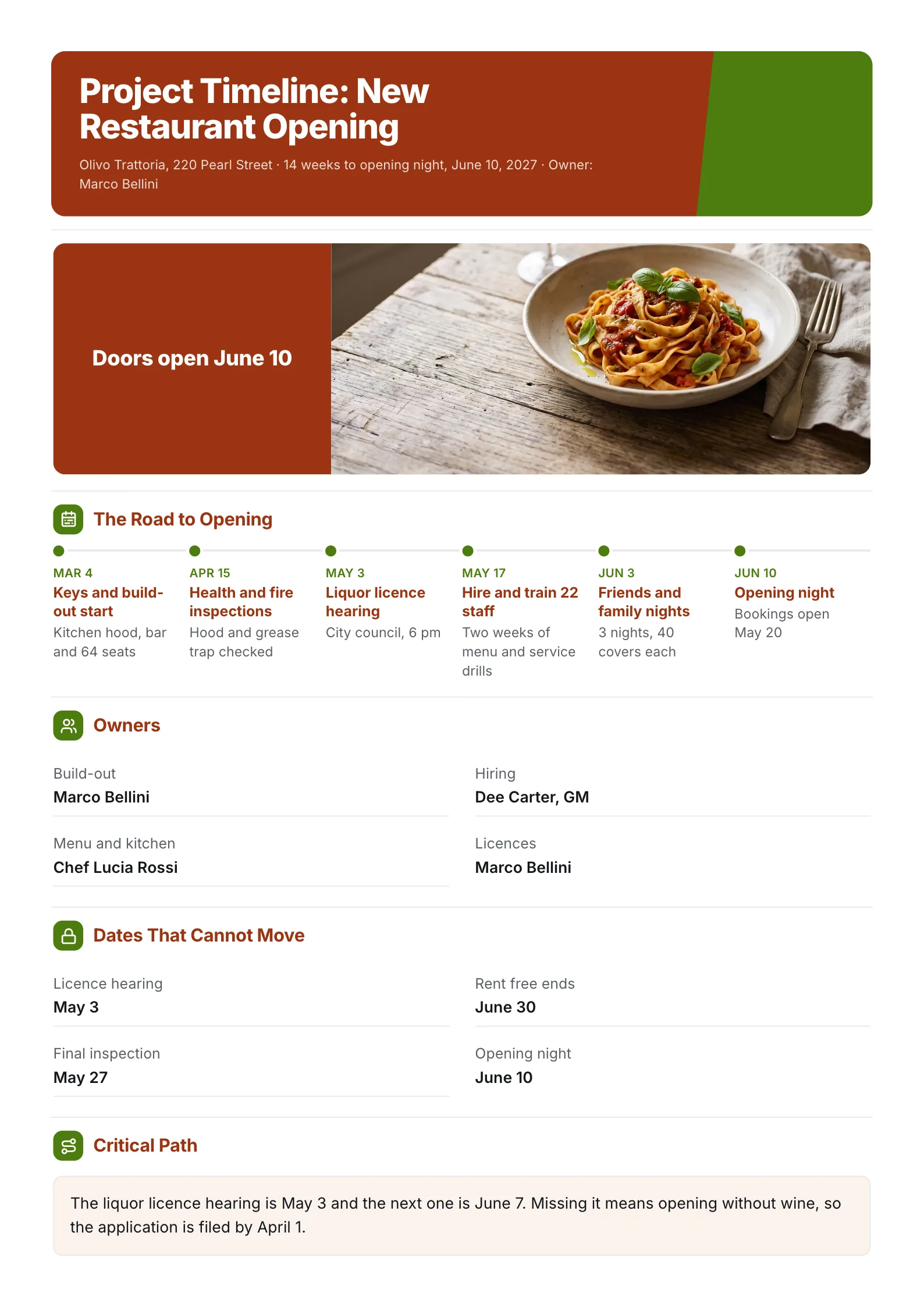
A restaurant opening: all dates, no bars
Olivo Trattoria's owners, inspectors and staff need six dates between March 4 and opening night on June 10. A line of dates suits them. The liquor license hearing on May 3 gets its own warning, because the next one isn't until June 7.
 Edit this template
A photo and one big date do what a grid of bars couldn't for a family of owners.
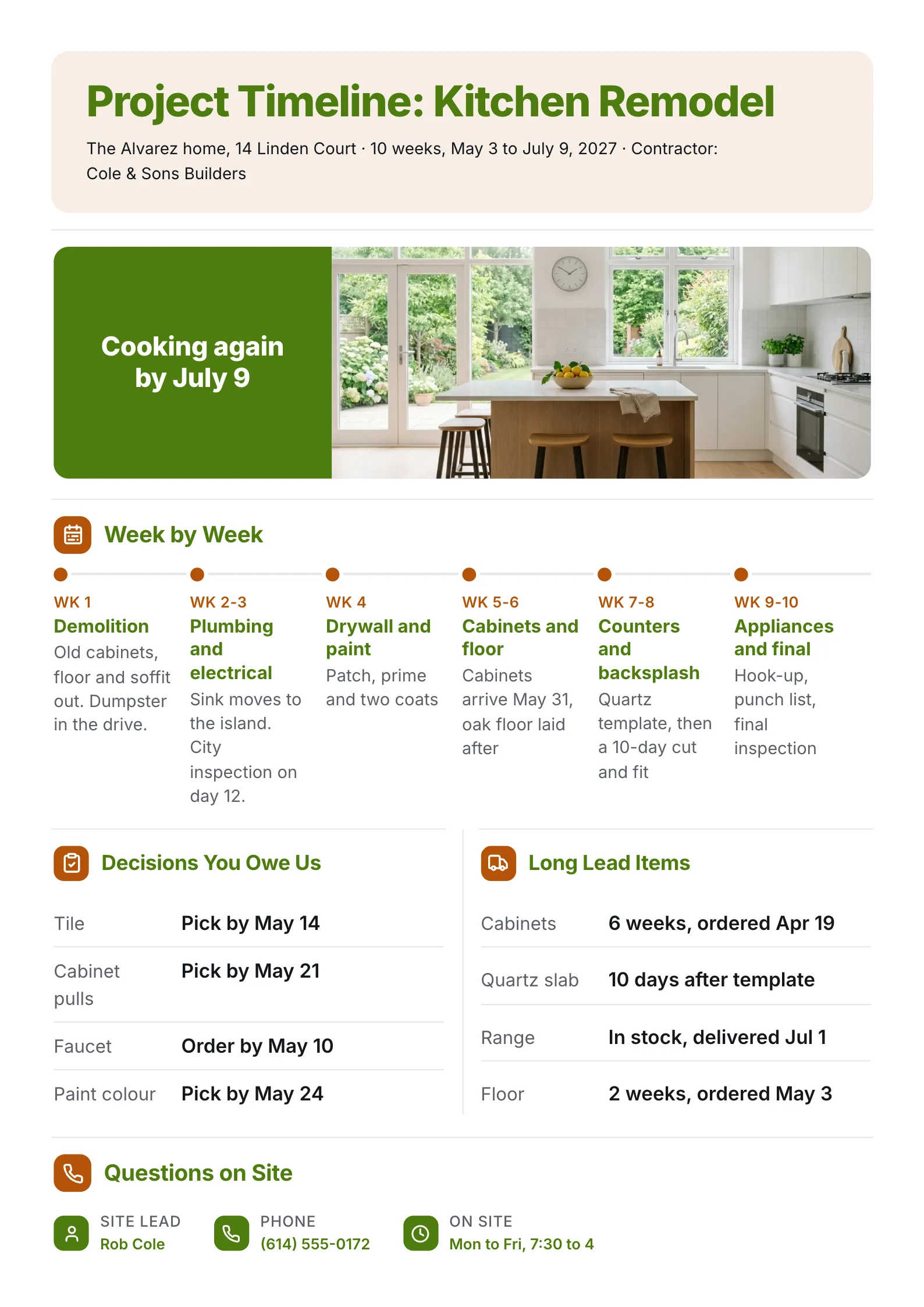
A kitchen remodel: weeks in a list, no bars
The Alvarez family wants to know what happens each week and when their own choices are due, like tile by May 14. Overlapping trades are the contractor's worry, so a list of weeks does the job.
 Edit this template
"Decisions You Owe Us" gives each choice a date, so a late pick can't surprise anyone.
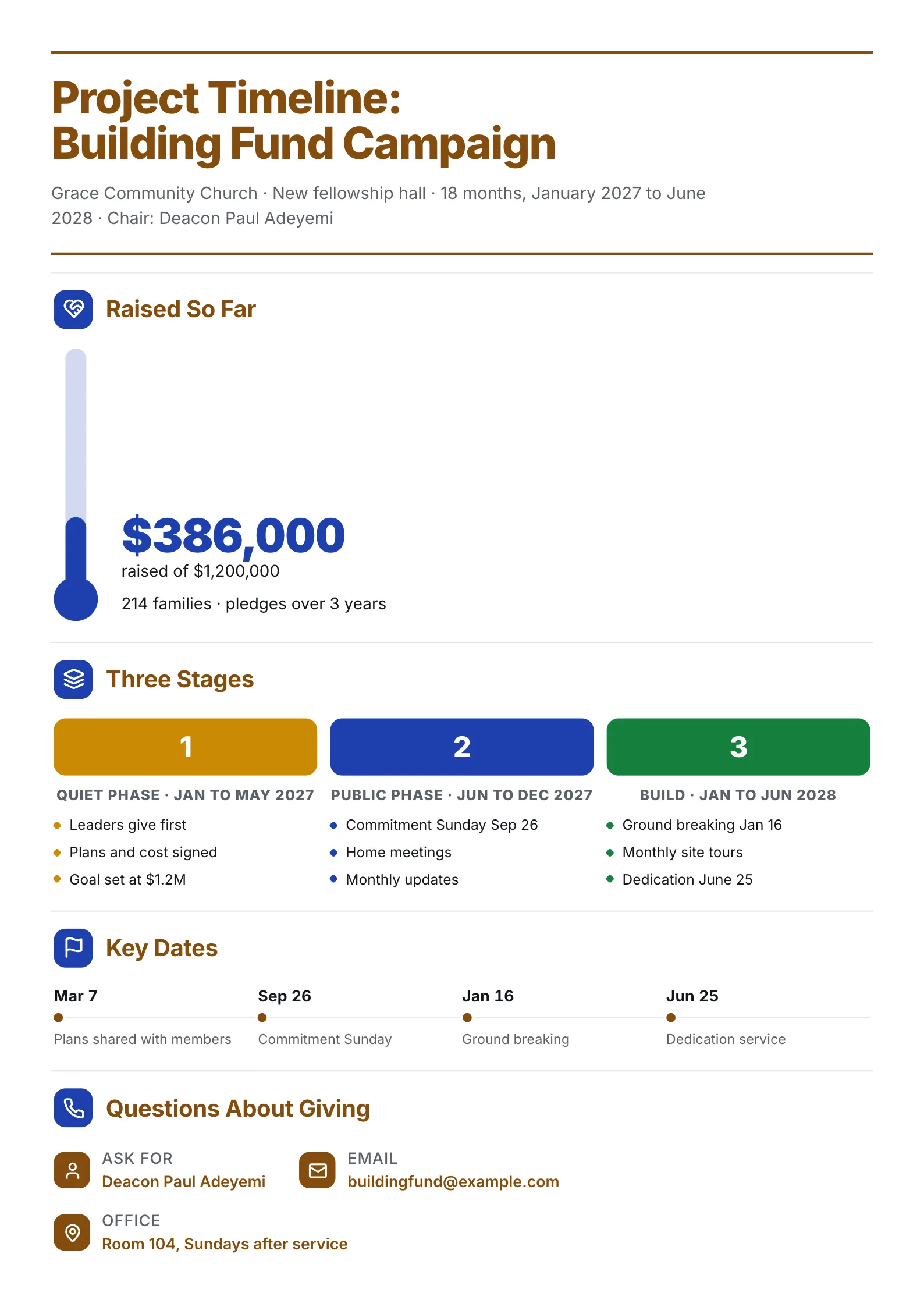
A building fund: stages for a congregation
Nobody at Grace Community Church needs to see which tasks overlap over 18 months. Members want three stages, four key dates and how close the fund is to $1.2 million.
 Edit this template
Three stages and four dates are as much as most members will remember.
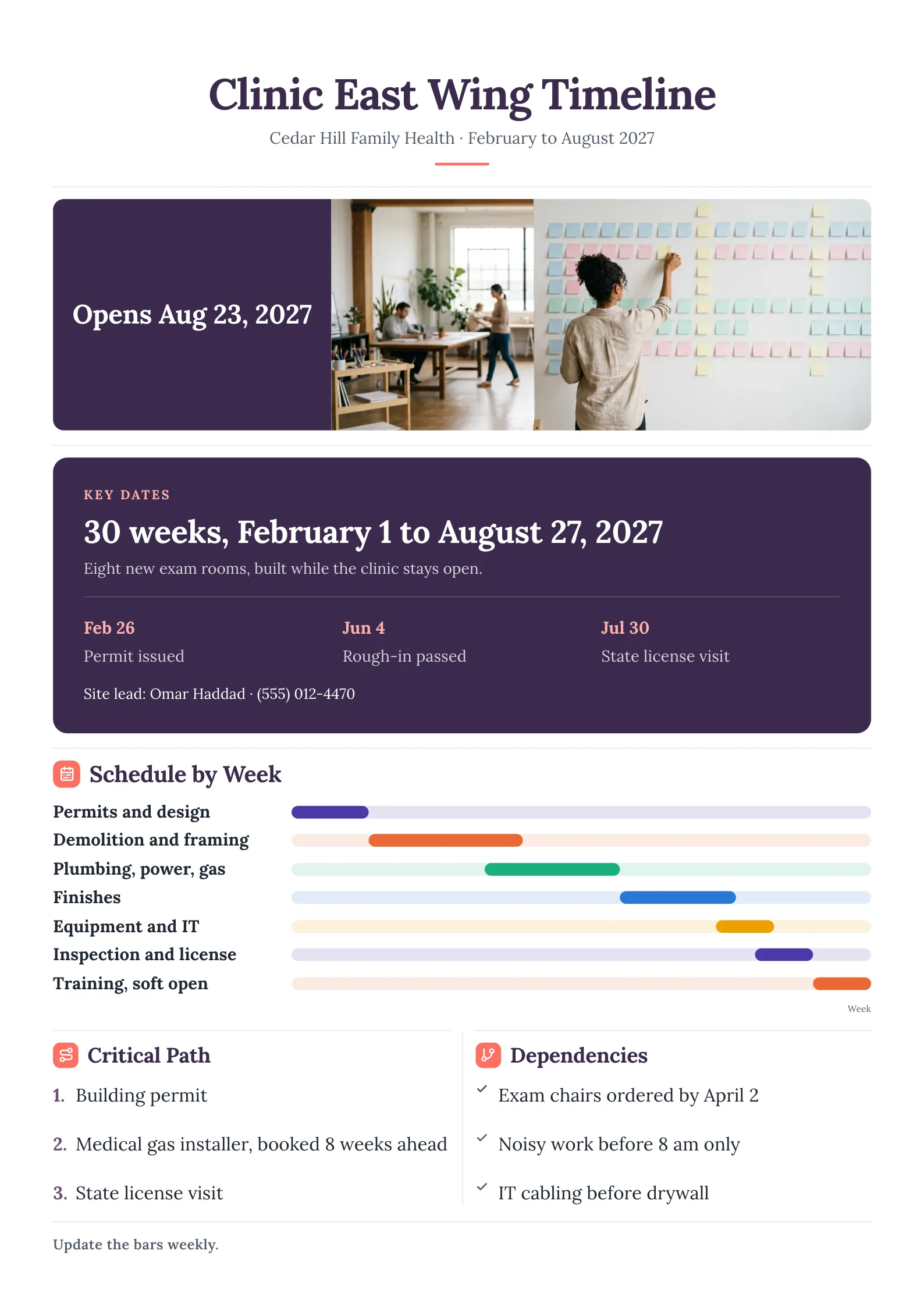
A clinic build: a date card on top of bars
The Clinic East Wing sheet serves two readers. Staff and patients can read the opening date and three key dates in the dark card, while the site team uses seven task bars across 30 weeks underneath.
 Edit this template
If you have mixed readers, this split saves you from making two documents.
A podcast season: bars that show the squeeze
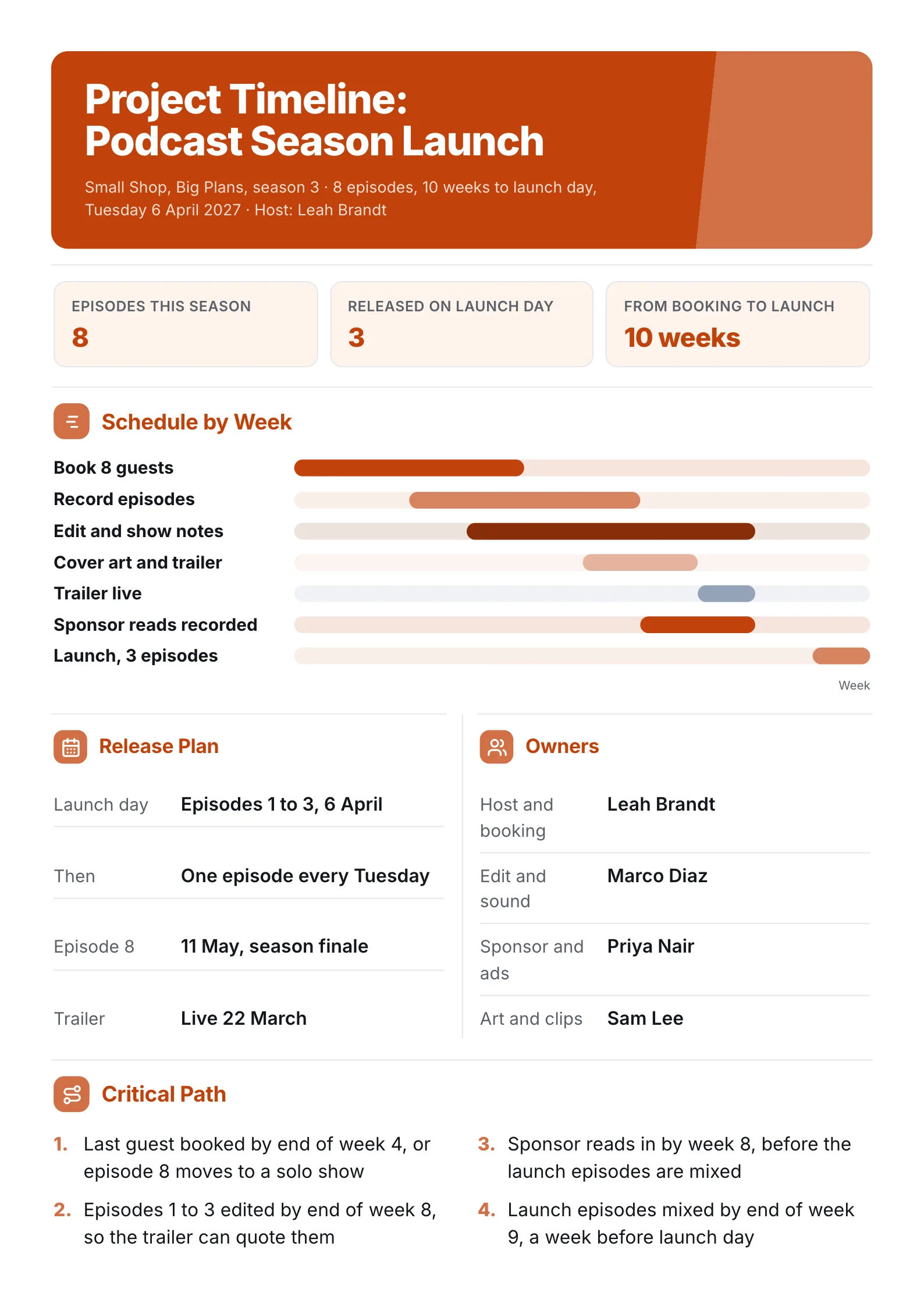
Booking, recording and editing overlap across 10 weeks, and a list of dates would hide that. Four people own the work, so Small Shop, Big Plans needs the bars.
 Edit this template
Each critical path line says what slips: miss the last booking and episode 8 becomes a solo show.
A gala: the fullest version
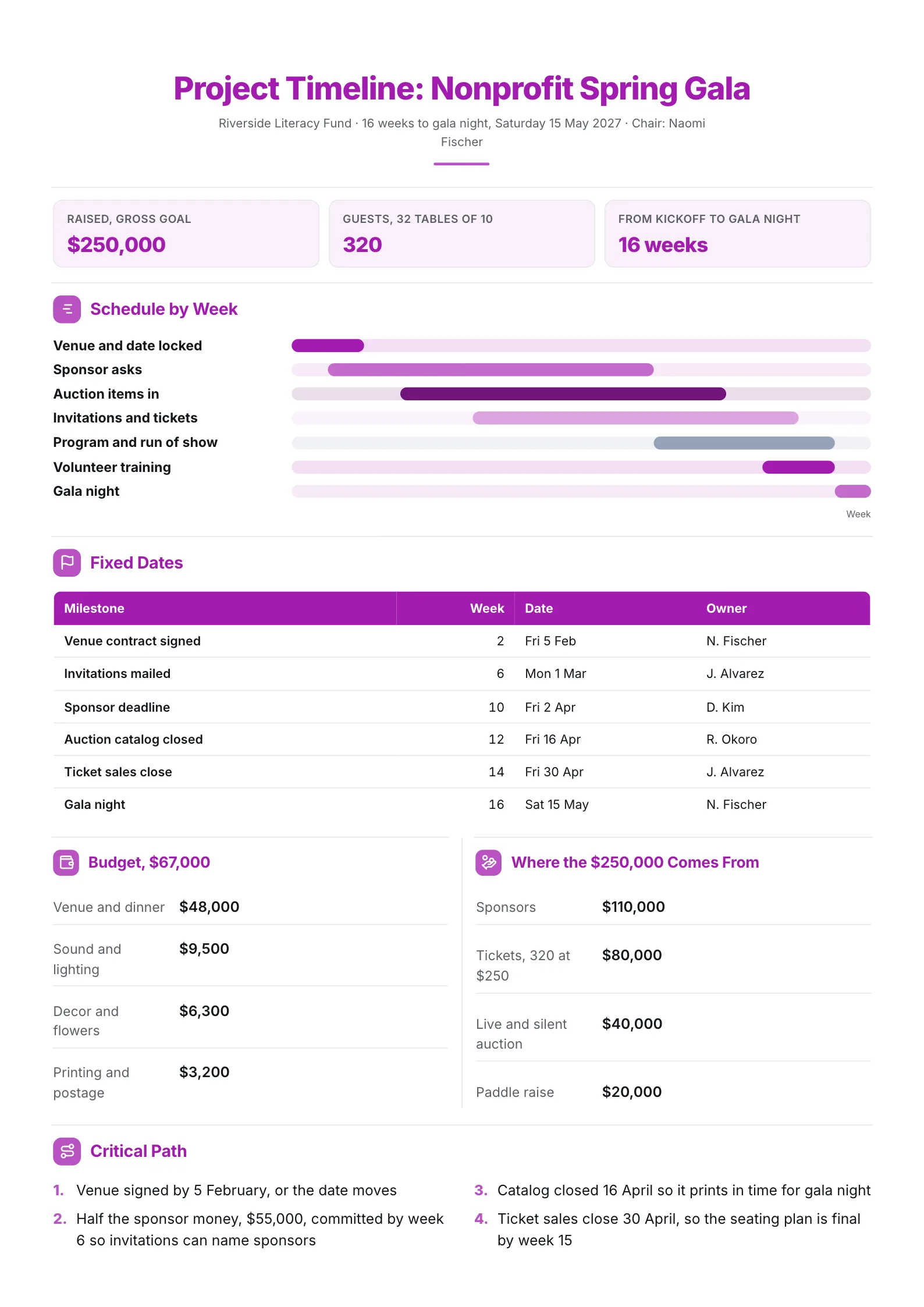
Riverside Literacy Fund's gala has seven task bars, six fixed dates with owners, a budget and a goal by source. This is about as much as a Gantt chart can carry on one page.
 Edit this template
Half the sponsor money has to be in by week 6, so invitations can name the sponsors.
How to choose for your project
Answer these in order, and stop at the first yes.
- Are your readers outside the work? Use a timeline with key dates.
- Do your tasks run mostly one after another? A timeline with phases is enough.
- Do tasks overlap, or does one person's delay hold up another? Use a Gantt chart.
- Is a contract involved? Read it first, because it may require a critical path schedule, and neither of these sheets would meet that.
- Do you have both kinds of readers? Put key dates on top and bars below, like the clinic.
Ask who's reading before you draw a bar
Name the reader you expect to open your schedule most often, then ask what they'd do with it this week. If the answer is "plan around a date," give them a project timeline. If it's "start the next task," give them the bars.
Frequently asked questions
Is a Gantt chart a timeline?
Yes, it's a timeline with a task on each row and a bar for each task's length. A simple project timeline usually shows only dates or phases.
Can you turn a project timeline into a Gantt chart?
Yes. List the tasks behind each date, give each a start and a length, then draw a bar for each on a shared calendar. Our guide on how to write a project timeline covers the dates you'd start from.
When is a Gantt chart too much?
It's too much when your reader only asks when the work ends. A long Gantt chart also goes stale quickly unless you update it every month or so, which is why TxDOT and Caltrans set monthly deadlines.
What's the difference between a Gantt chart and a critical path schedule?
A Gantt chart is a picture of tasks over time. A critical path schedule also records which task depends on which, so it can work out the chain that sets your finish date. For more layouts, see these project timeline examples.




