Base Your Project Report Template on a Federal Grant Form
Many federal research grants report on one form, and this free project report template copies its order of goals, progress, changes and next steps.

Since fiscal year 2013, several federal research agencies have asked the projects they fund to report on one form, the Research Performance Progress Report, or RPPR. We read it on October 27, 2026. It has 1 required section with 5 questions, plus 6 optional sections, and its order suits almost any project: the goals first, what got done against each one, what changed or went wrong, and what comes next. A project report template built on it keeps that order every time, and the office move report further down shows it as a One-Pager. Start from a free one pager template.
One‑Pager examples
Real One-Pagers made with MakeOnepagers. Open any one to edit it as your own.
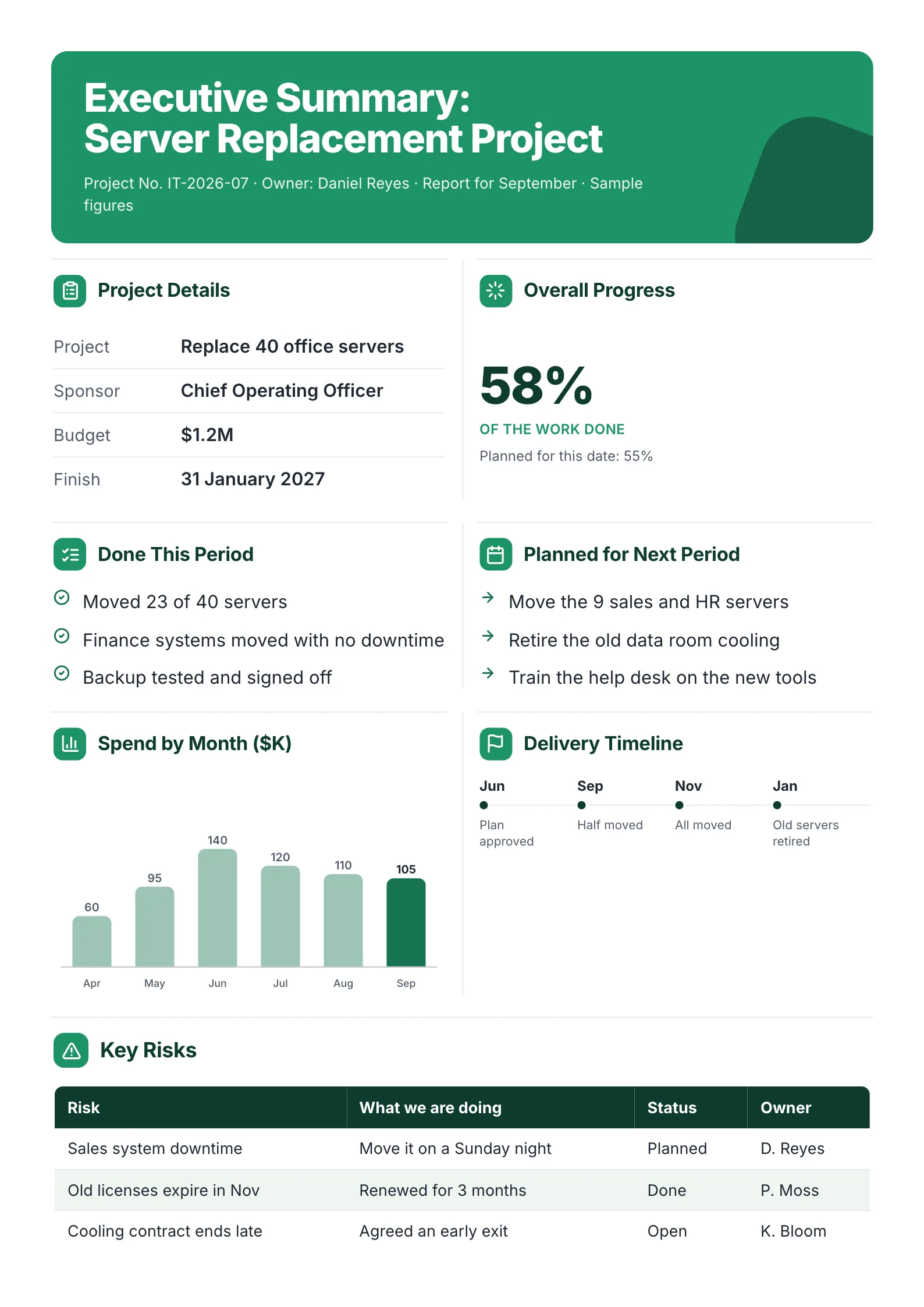 Executive Summary of a Project ReportEdit for free(opens in a new tab)
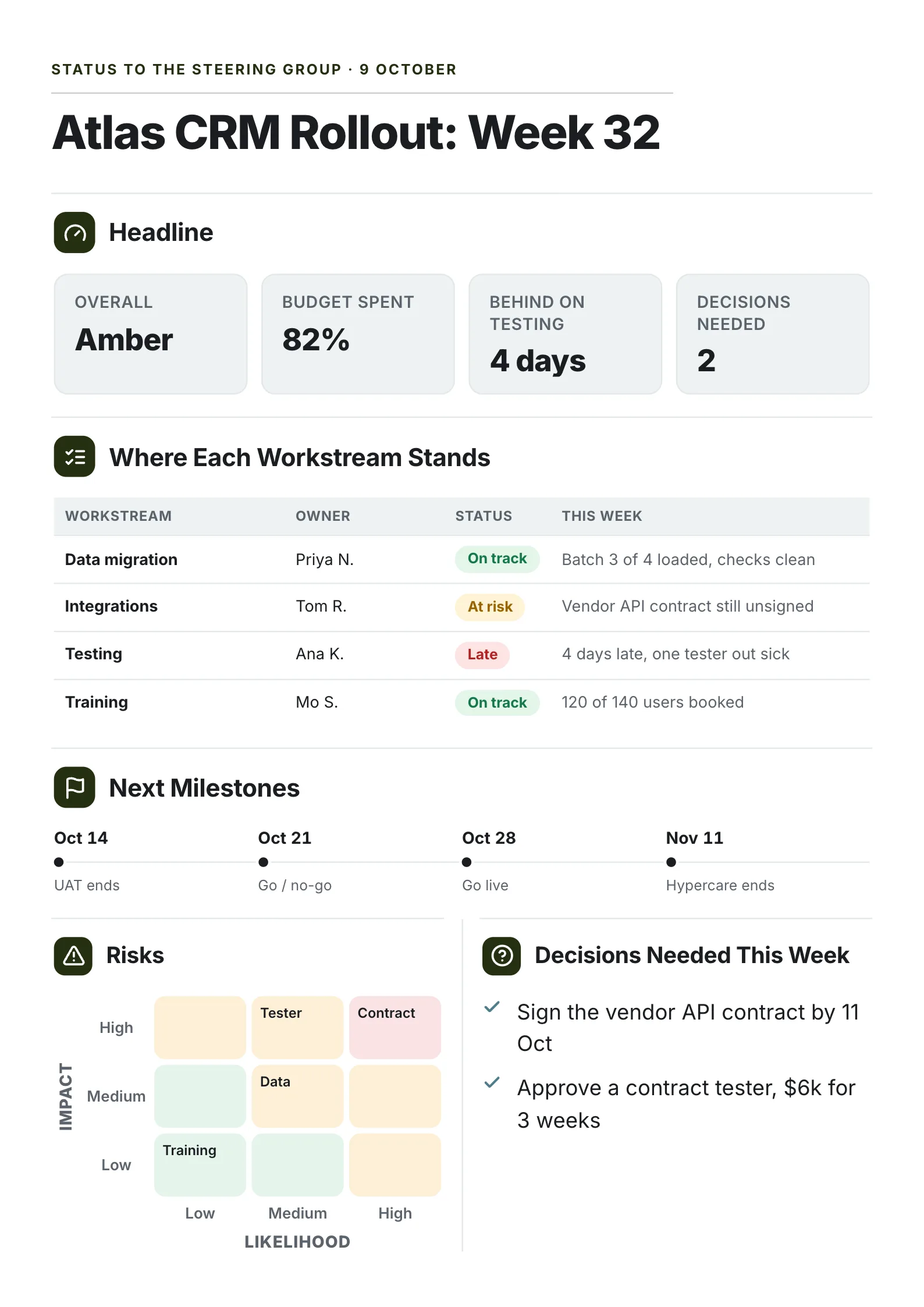 Project Status ReportEdit for free(opens in a new tab)
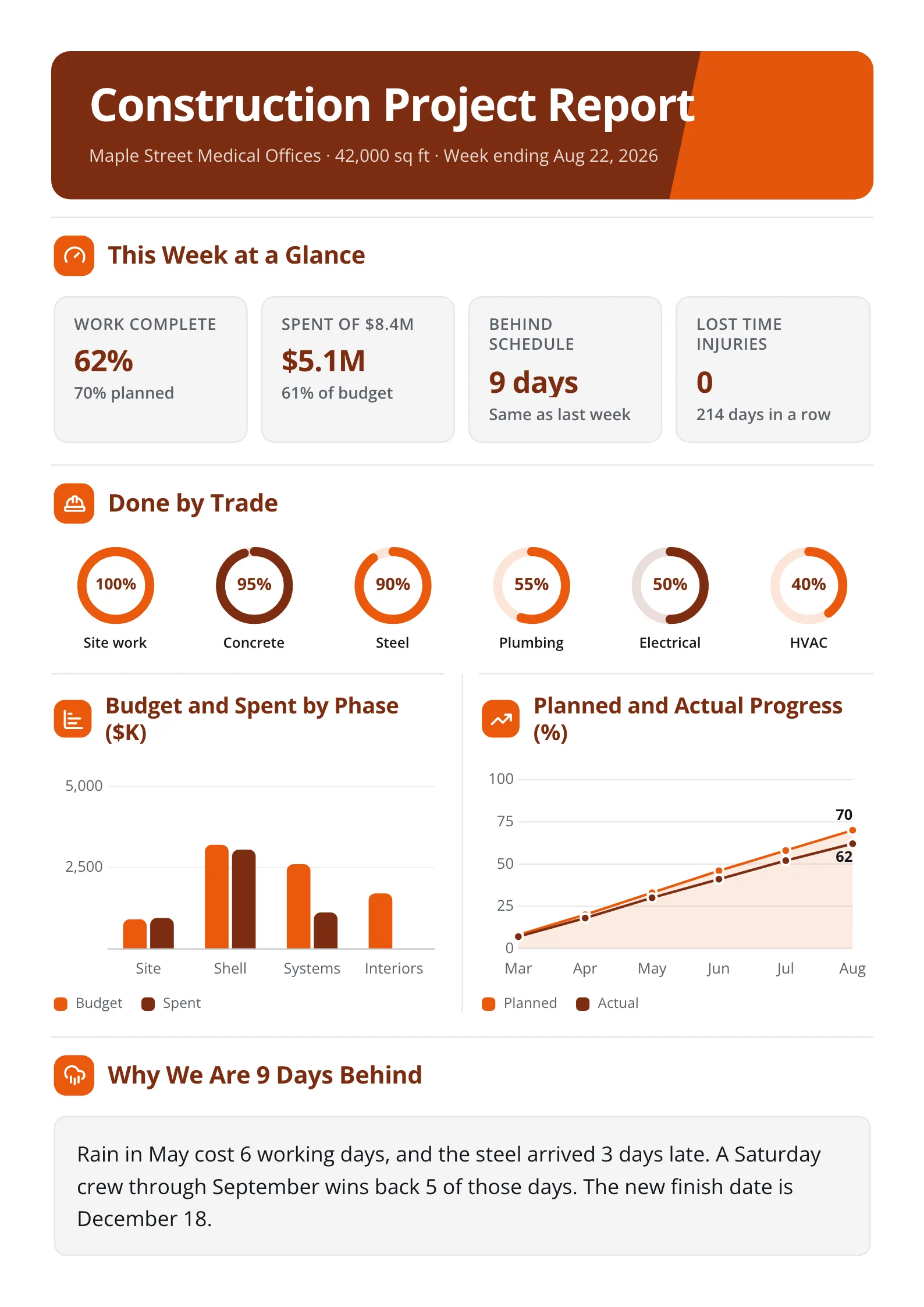 Construction Project ReportEdit for free(opens in a new tab)
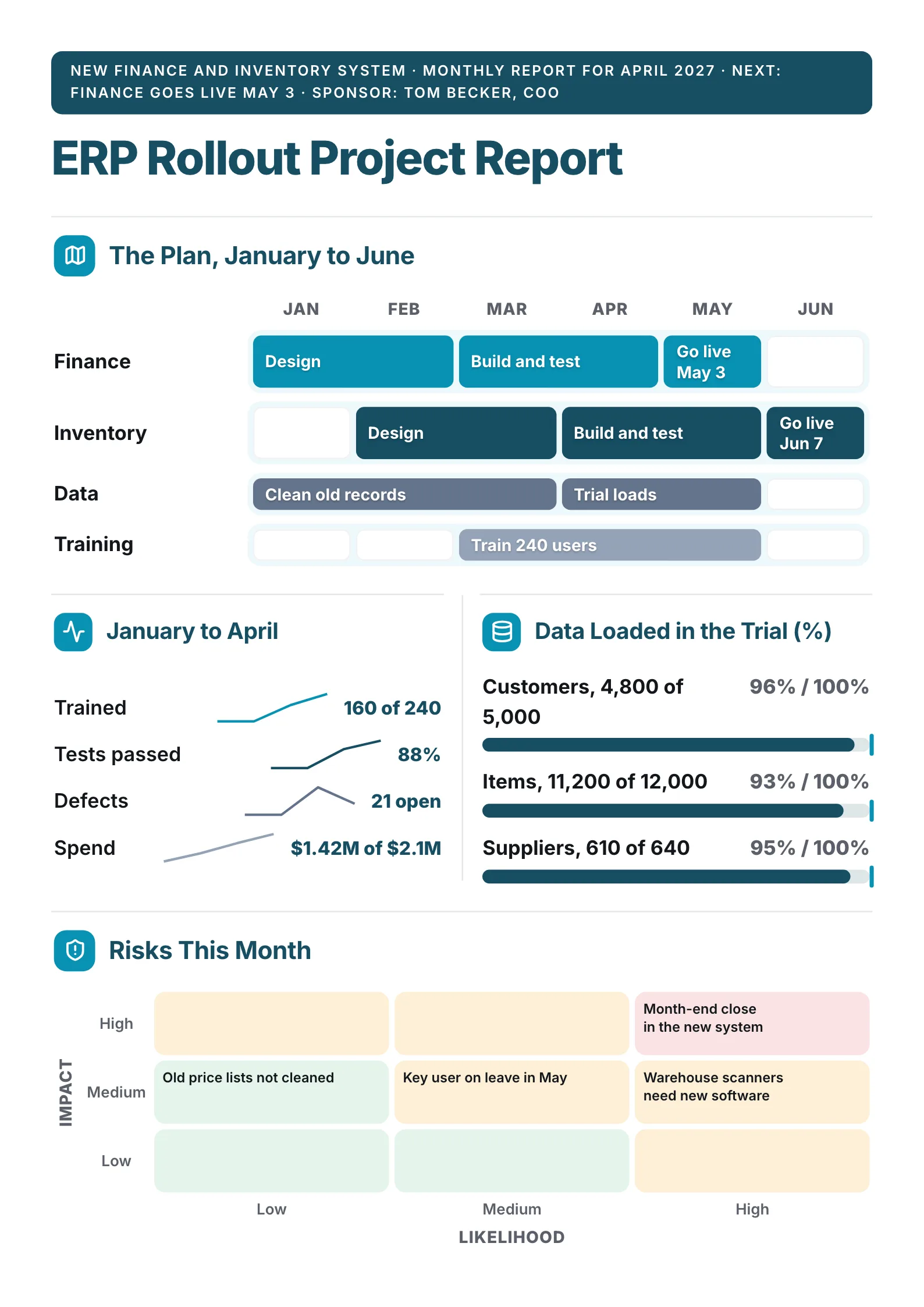 ERP Rollout Project ReportEdit for free(opens in a new tab)
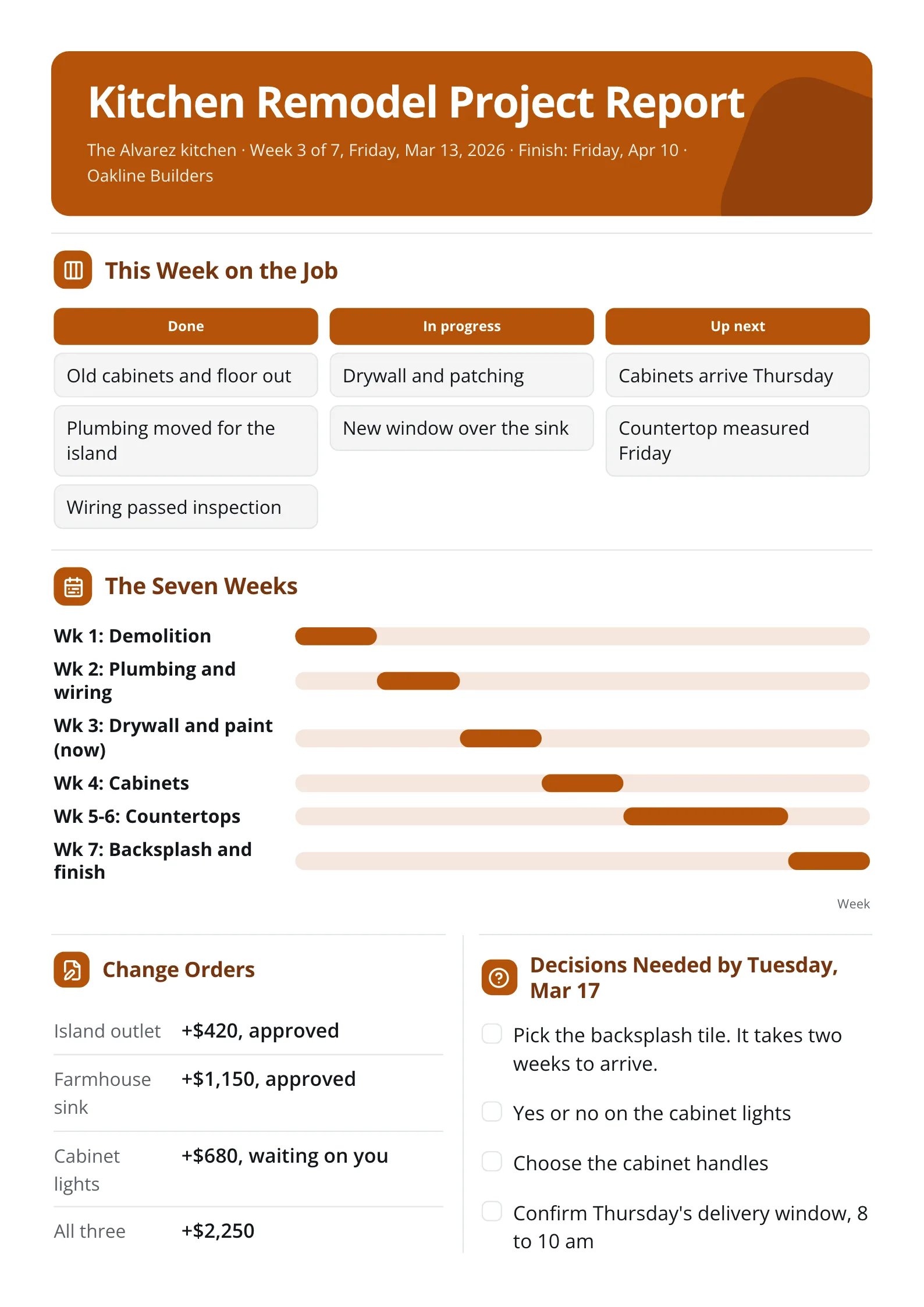 Kitchen Remodel Project ReportEdit for free(opens in a new tab)
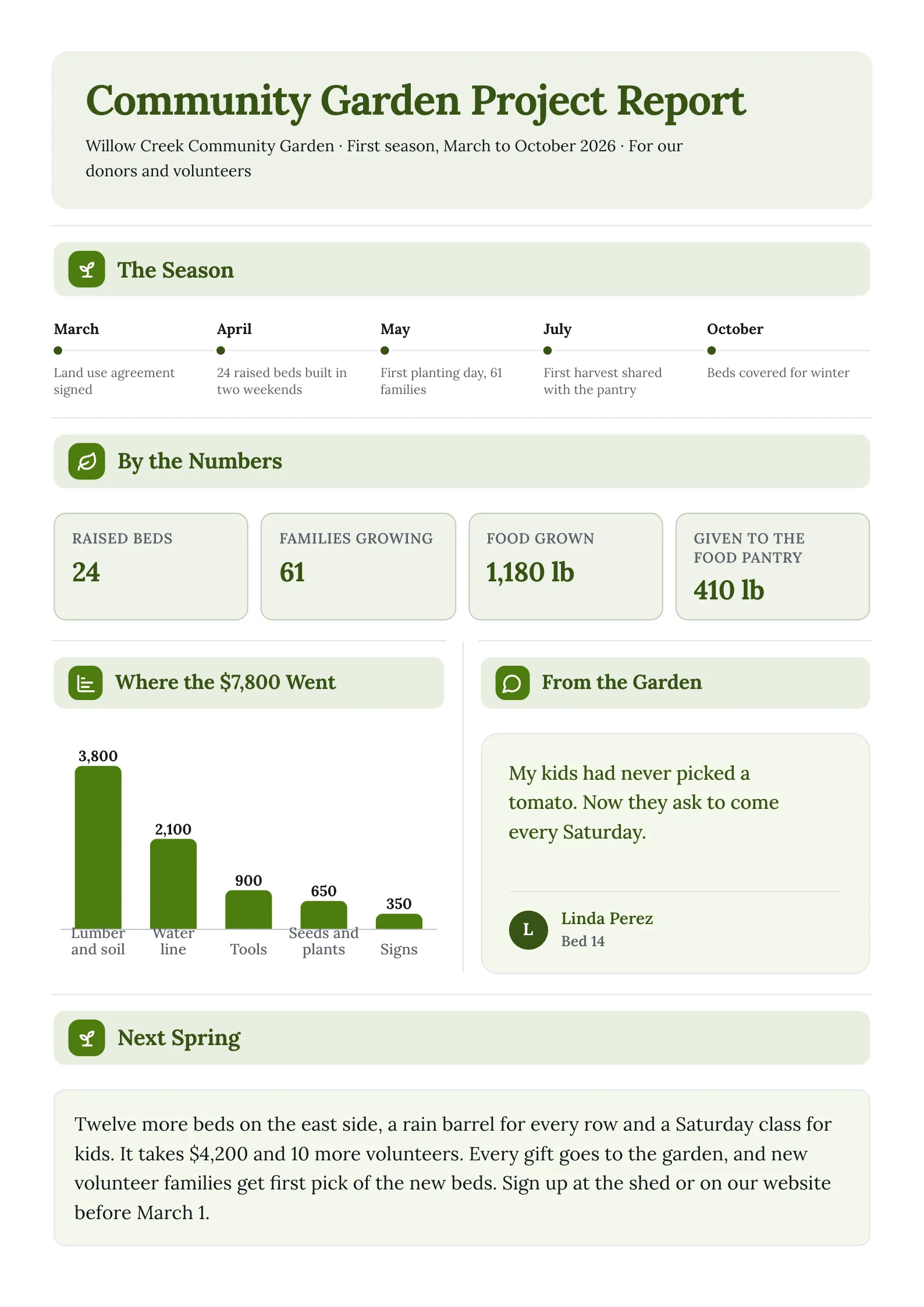 Community Garden Project ReportEdit for free(opens in a new tab)
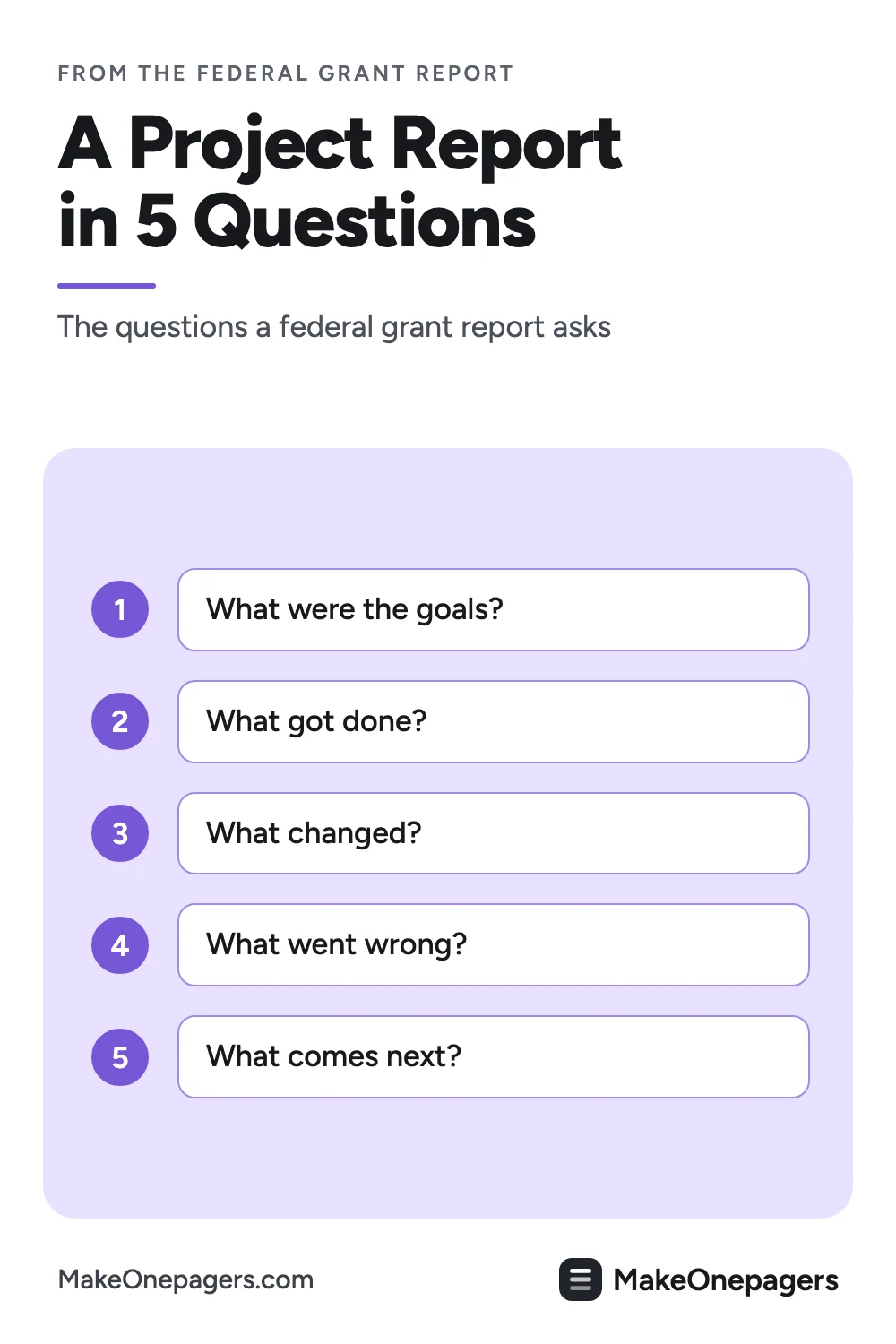
Every report pictured here is a MakeOnepagers template. Open the office move report, type in your own goals and numbers, and save it as a PDF.
Who reads a project report, and how often
A project report tells the people around a project how it is going against what it set out to do. You might write one for a sponsor, a client, a board or a funder. Some go out each month or quarter, and others come only once, at the very end, when the work is handed over and the last bill is paid.
A status report is the short, frequent kind. It tells the team if the work is on track this week. A project report steps back further. It covers goals, results, changes and lessons. For the weekly kind, see the project status report template.
The federal RPPR: 1 required section and 5 questions
The RPPR came out of a working group under the National Science and Technology Council, which wanted federal research awards handled more alike from one agency to the next. It is now used for reports during a project and for the final one.
Only one section is required. It is called Accomplishments, and it opens with two short questions: "What was done? What was learned?" Then it asks five things:
- What were the major goals and objectives of this project?
- What was accomplished under these goals?
- What opportunities for training and professional development has the project provided?
- How were the results disseminated to communities of interest?
- What do you plan to do during the next reporting period?
Questions 1, 2 and 5 work for almost any project. Questions 3 and 4 are about research, so a business project can usually drop them. Agencies are told to ask only the questions that fit the award, and you can do the same.
What the 6 optional sections add
| RPPR section and its question | Use it when |
|---|---|
| Products: What has the project produced? | You shipped something |
| Participants: Who has been involved? | Partners did some work |
| Impact: What was the impact of the project? | Results reach beyond it |
| Changes/Problems: what changed, what went wrong, the fix | Almost always |
| Special reporting: items the funder asked for | Your contract names them |
| Budget: budget data for review | Money is part of it |
Changes/Problems is the section most worth copying. The RPPR splits it into parts. Each change in approach comes with its reason, each problem or delay with the plan to fix it, and any change that moved the spending gets its own line.
3 habits worth copying from the RPPR
Keep the goals the same in every report
The RPPR tells you to list the goals "as stated in the approved application". It expects them to stay put from one report to the next. That gives your reader a fixed yardstick. If the goals do change, it goes in Changes, with the reason.
Show percent complete against each target date
If your plan had milestones or target dates, the RPPR asks you to "show actual completion dates or the percentage of completion". A line such as "Whole team moved by November 15, 70% done" says more than a paragraph.
Write "Nothing to report" when it is true
If there is nothing to say on an item, the RPPR asks for the words "Nothing to Report". NSF's copy of the format asks for it 17 times. It tells the reader you checked, and it stops you padding a section to fill space.
A free project report template, in the RPPR's order
 Edit this template
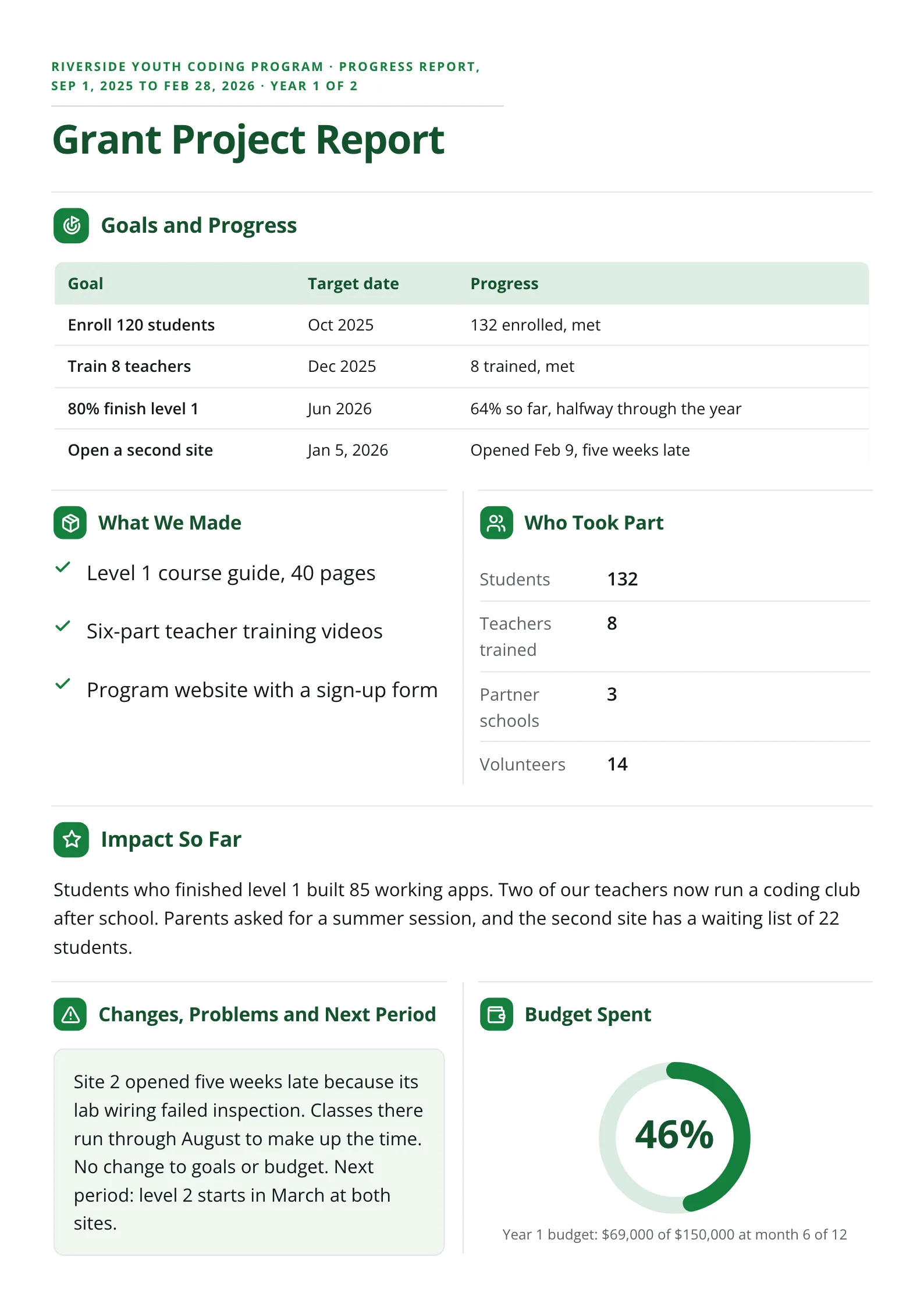
This grant report runs in the RPPR's own order. Each goal sits beside its target date and its progress. One goal shows it opened five weeks late, and the changes box says why.
| Part | What to write |
|---|---|
| Header | Project name, reporting period, who wrote it, interim or final |
| Goals | The same 2 to 4 goals every time, each with a target date |
| Progress | Percent complete or the date each goal was met |
| Done this period | Results, each tied to a goal |
| What we learned | One or two findings you didn't know before |
| Changes | What you changed in the plan, and why |
| Problems | Each problem or delay, its owner and the fix |
| Budget | Spent, planned and left, with any change that moved it |
| Products | What you shipped or handed over, if anything |
| Next period | What you will do next, goal by goal |
If you have room for only five parts, keep the goals with progress, what you did, changes and problems, budget and next steps.
A sample project report: an office move
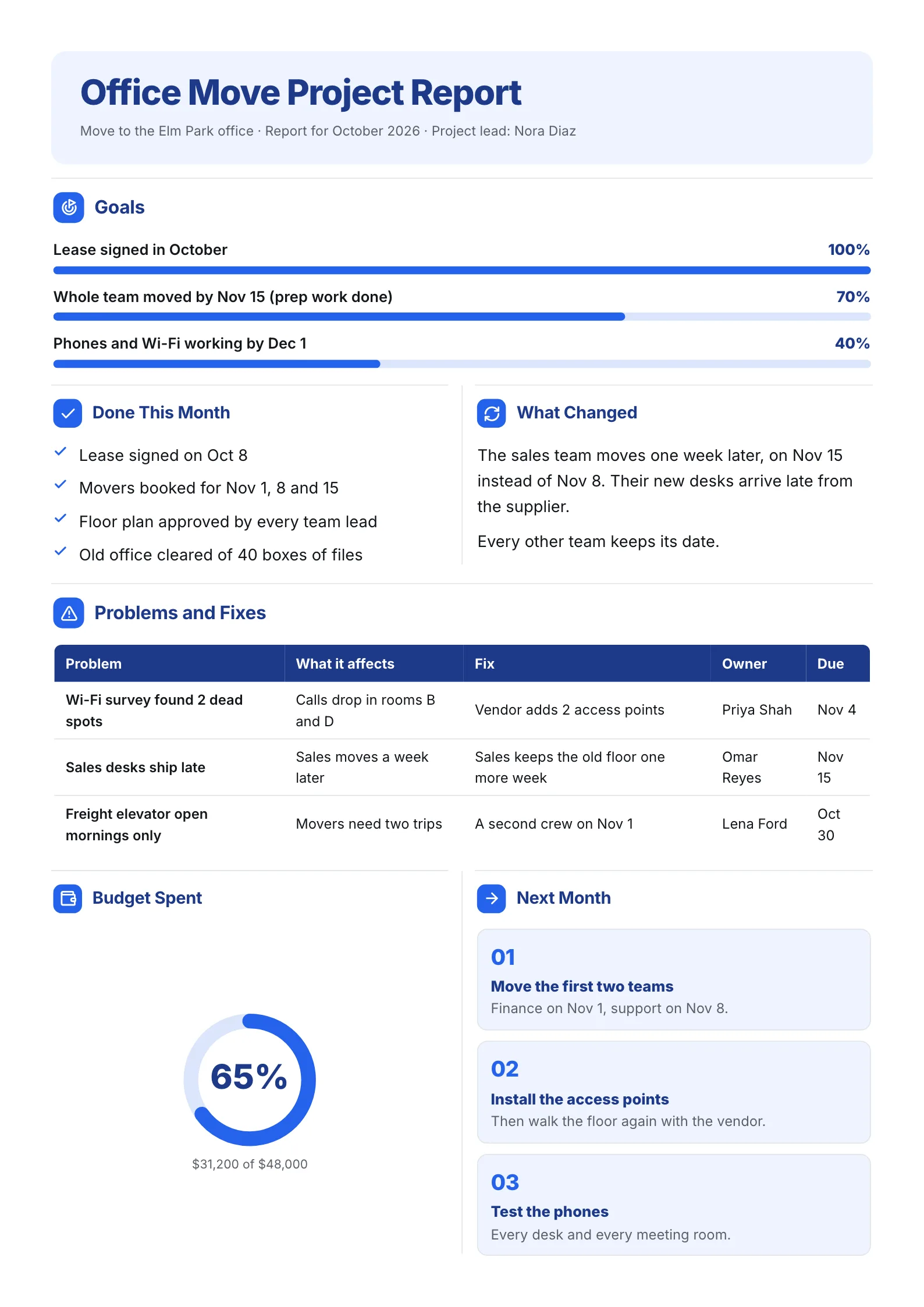
Here is a One-Pager report for an office move, written at the end of October. The people, dates, percentages and dollar figures on it are made up.
 Edit this template
- Goal: lease signed in October. 100%, signed on October 8.
- Goal: whole team moved by November 15. 70%, with the prep work done.
- Goal: phones and Wi-Fi working by December 1. 40%.
- Done this month: lease signed, movers booked for November 1, 8 and 15, floor plan approved by every team lead, and 40 boxes of files cleared from the old office.
- What changed: the sales team moves on November 15 instead of November 8, because its new desks arrive late. Every other team keeps its date.
- Problems and fixes: the Wi-Fi survey found 2 dead spots, so the vendor adds 2 access points by November 4 (owner Priya Shah). Sales keeps the old floor one more week (Omar Reyes). The freight elevator opens mornings only, so a second moving crew comes on November 1 (Lena Ford).
- Budget: $31,200 spent of $48,000, or 65%.
- Next month: move finance on November 1 and support on November 8, install the access points, then test the phones at every desk and meeting room.
The goals sit at the top with their progress, so your reader knows where you stand before reading further. Every problem has an owner and a date. With the What changed box beside it, that covers the RPPR's Changes/Problems section.
Which project report do you need?
| Report and a template to start from | What it shows | When |
|---|---|---|
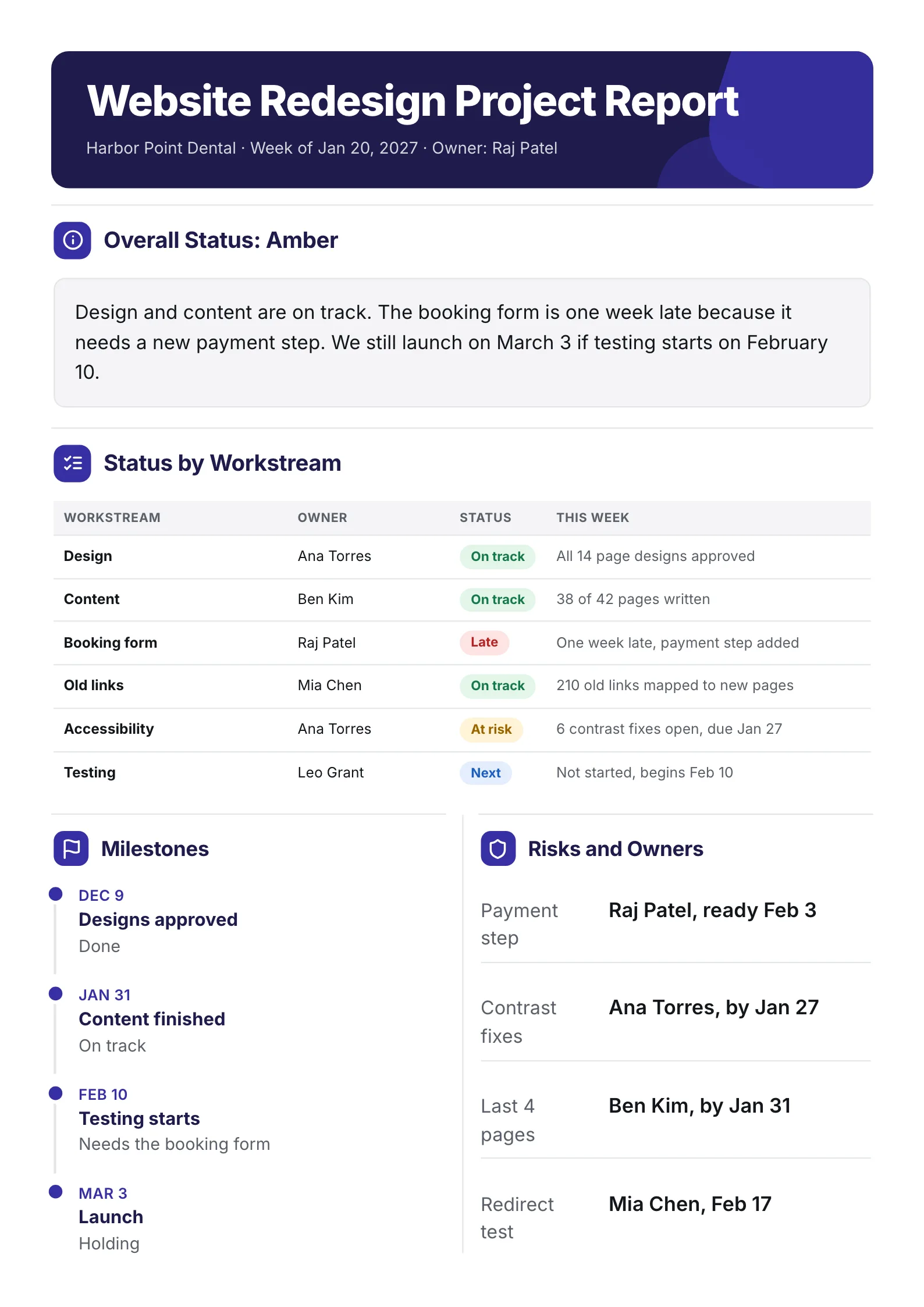
| Status report | A one-line headline, each workstream's status, the next milestones and the risks | Weekly |
| Stoplight or RAG status report | An overall status, then each workstream marked red, amber or green (blue if it hasn't started), so the late ones stand out before anyone reads | Weekly or at each status meeting |
| Monthly project summary report, for a sponsor or client | Four numbers up top, progress by workstream and the issues with owners | Monthly |
| Project dashboard | A few tiles for every project at once: how many are on track, at risk or late, and spend against budget | Monthly or each quarter |
| Executive summary of a project report | Progress, what comes next, spend and key risks, so a leader can judge it without the full report | On request |
| Project budget variance | Each budget line against the forecast, with the reason each one moved | Monthly, when spending is the question |
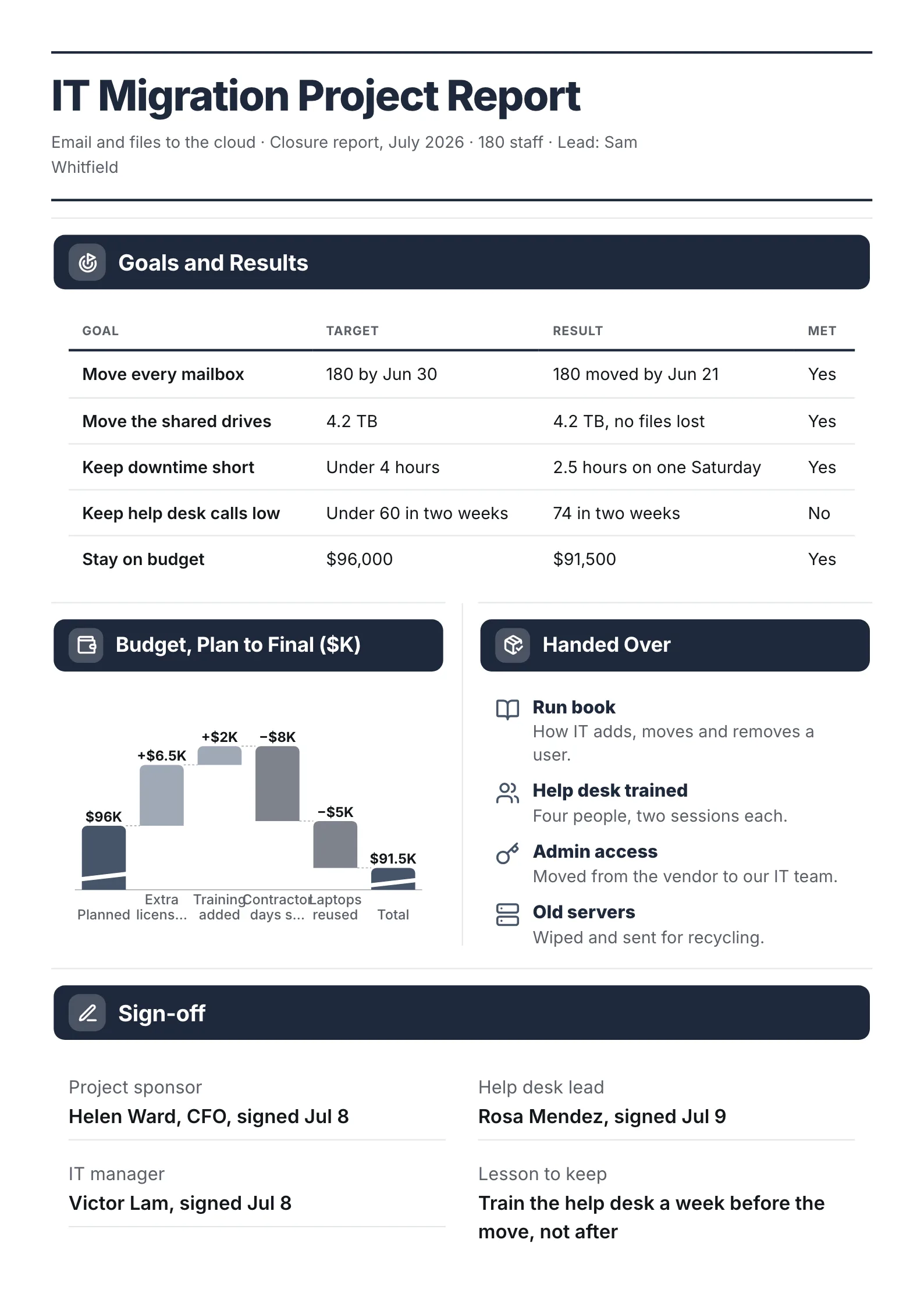
| Final or closure report | Each goal against its result, the budget from plan to final, what was handed over and who signed off. The closeout summary adds planned against actual finish dates and the lessons for next time | Once, at the end |
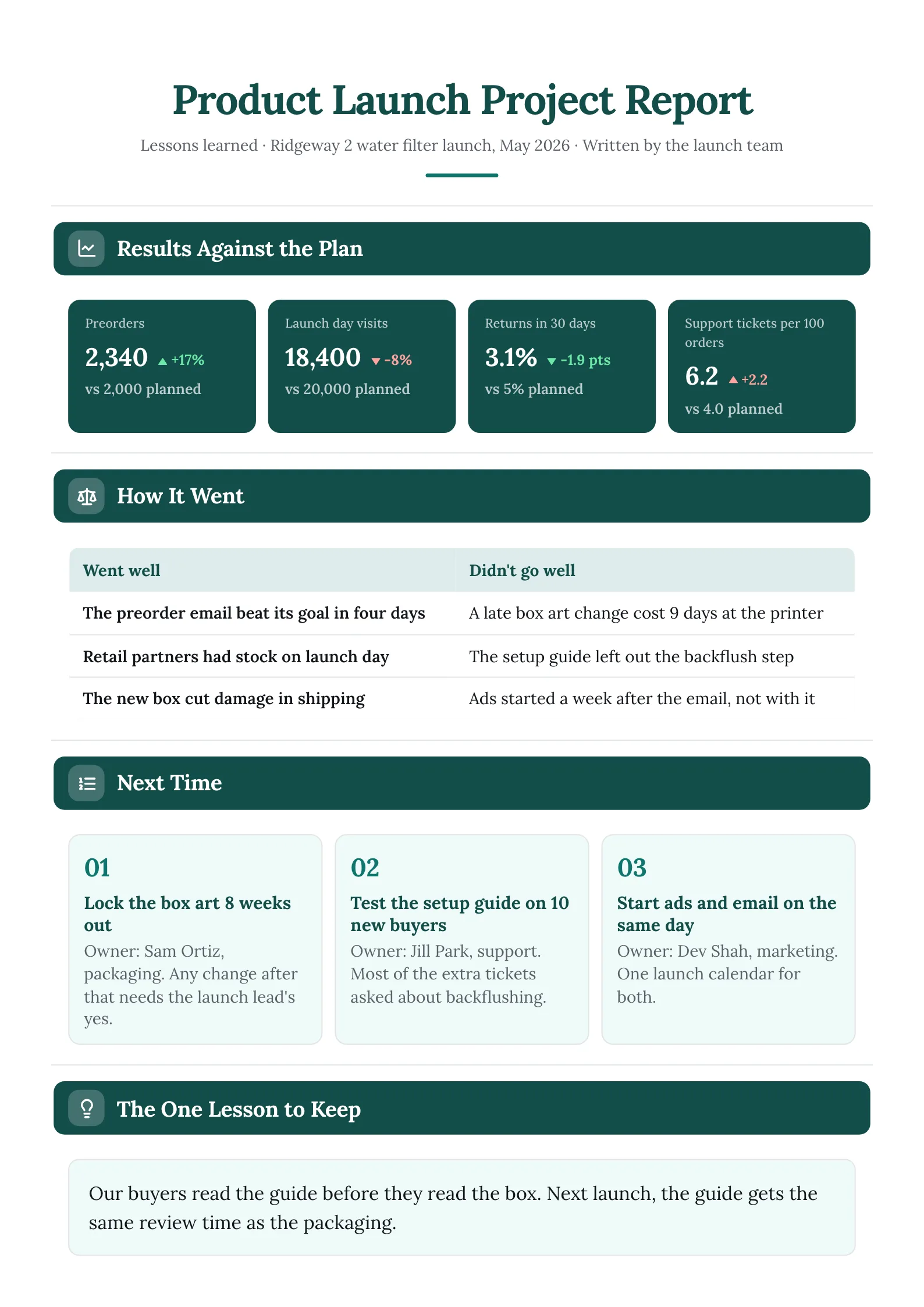
| Postmortem or lessons learned | What went well, what to change, and an owner for each change. After an outage, use the incident post mortem | Within a week of the end, or of an incident |
 Edit this template
 Edit this template
 Edit this template
Most of the same parts show up in all eight. What changes is how far back you look, how often you send it and how much detail the reader wants. A stoplight report and a dashboard trade detail for speed. A closure report and a lessons learned report look back over the whole project, which is where the RPPR's final report sits too. For a report on progress against a plan, our progress report template has five more examples. Already have long notes? Drop them into the free AI One-Pager generator and you get them back as one designed One-Pager you can edit.
Start your project report
Pick a project report template and put your goals at the top with their target dates. Then fill in what got done and what changed. Your next report is the same One-Pager with new numbers. To see five finished ones scored against a state checklist, read our project report examples.
Frequently asked questions
How do you write a project report?
Copy your last report so the goals stay put, then update each goal with percent done or the date it was met. Tie every result to a goal, write each change and problem with its fix and owner, update the budget, and say what comes next. Write "Nothing to report" wherever nothing is new. The federal RPPR builds its one required section around the goals, what was done and what comes next.
Is there a project report template in Word?
Yes, many sites offer Word and Excel versions. They suit long reports and task lists. For a report a sponsor reads in a minute, a designed One-Pager is quicker to scan, and you can still download it as a PDF.
How can I create a project report for free?
Open a free template on MakeOnepagers, fill in your goals, progress and next steps, and download the PDF.
What goes in a final project report?
The same parts, looking back over the whole project. Say whether each goal was met and when. Add what the project produced and the final budget. Then list what you would do differently.




