BlogGuide
Project Status Report Template: What 6 Published Guides Include, and Miss
A free project status report template built from 6 published guides we compared part by part, and 4 examples: steering group, sponsor, public, board.

By MakeOnepagers Team
Updated · 8 min read
A project status report template gives every update on a project the same parts: the overall status, what got done, what happens next, the schedule and budget, the risks and issues, and the decision you need from the reader. We read the parts list in 6 published guides to project status reports that rank for this search on 12 October 2026, and counted which parts each one names. The table below is the result, then a free template built from it and four examples for four different readers.
One‑Pager examples
Real One-Pagers made with MakeOnepagers. Open any one to edit it as your own.
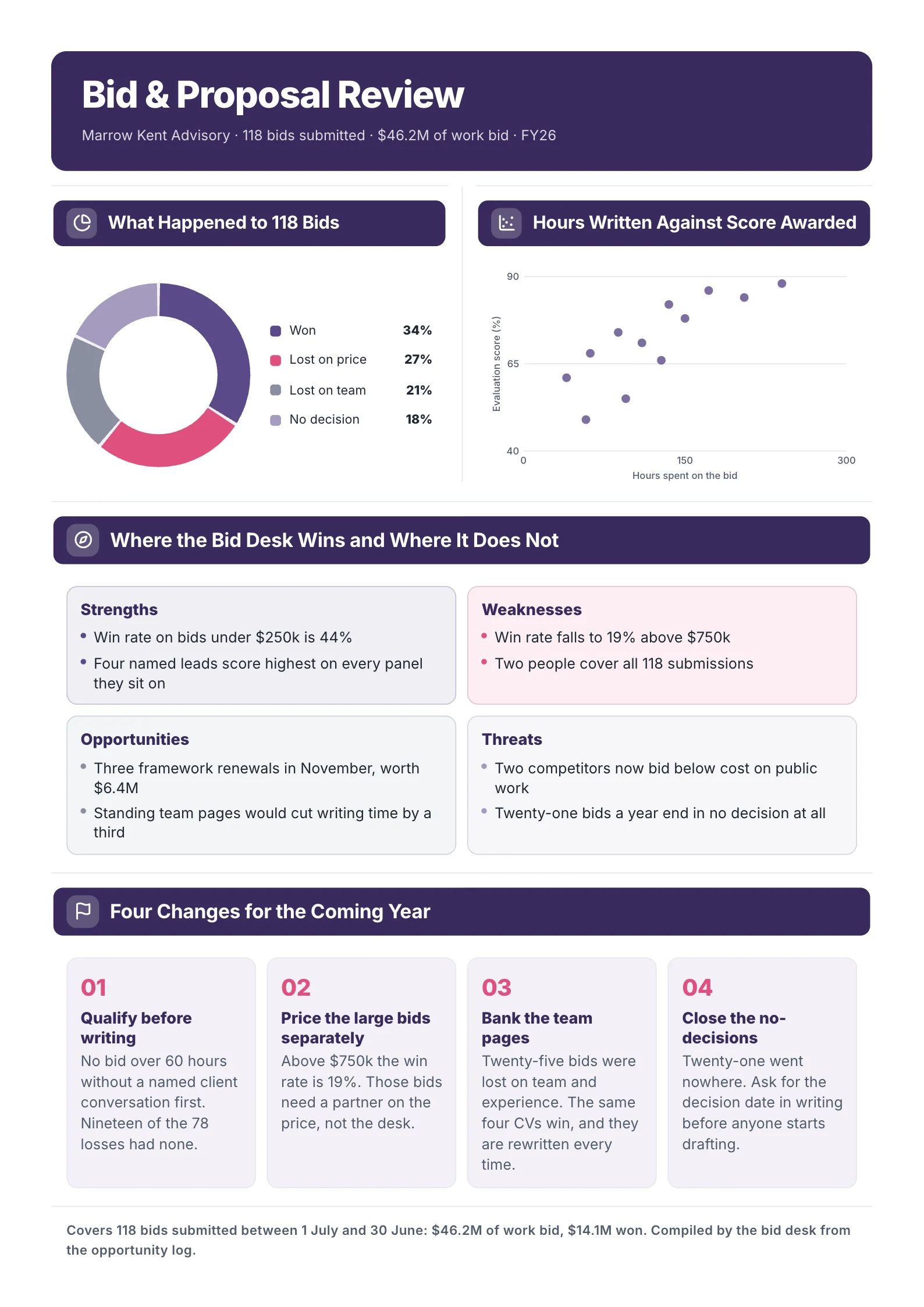
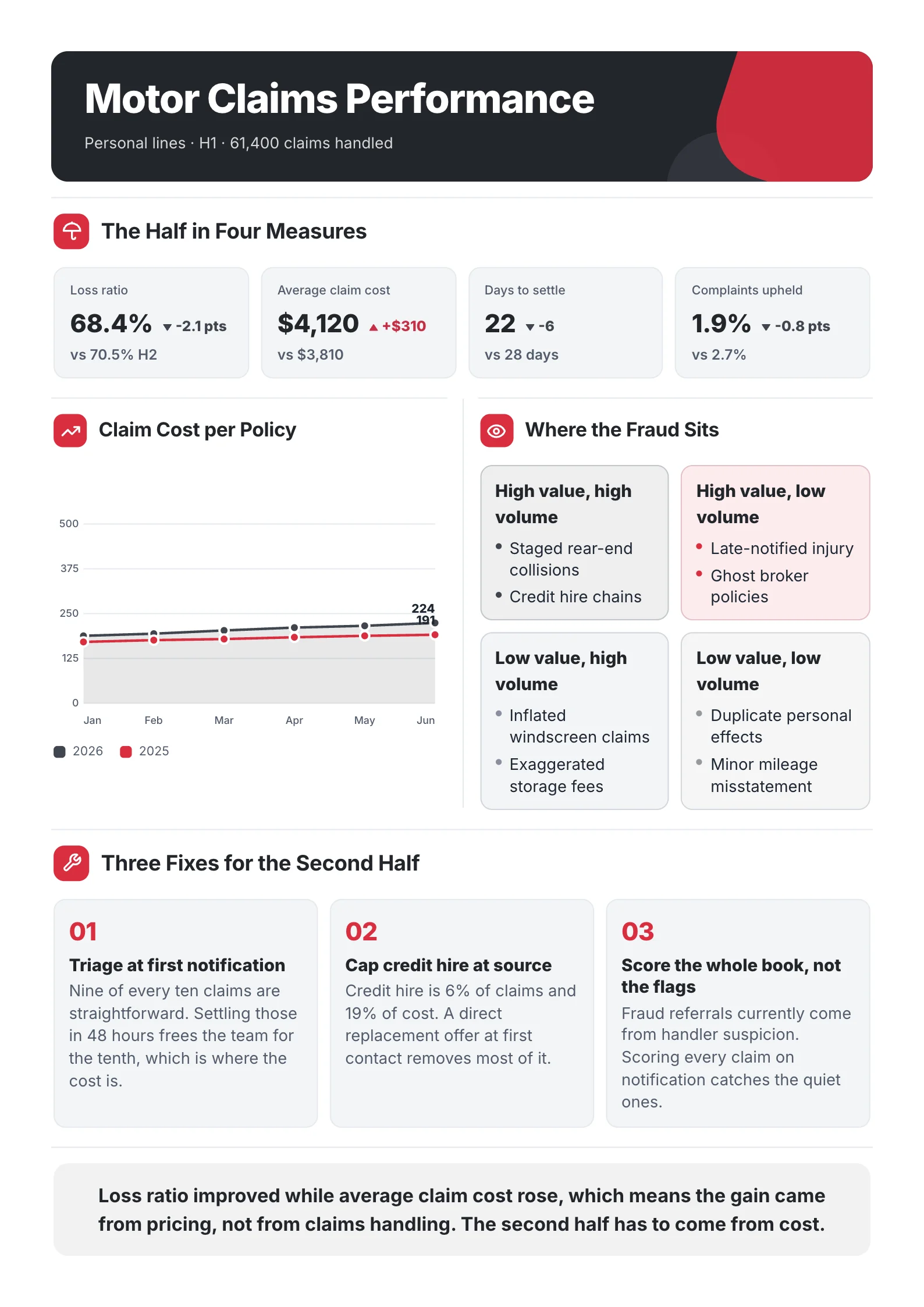
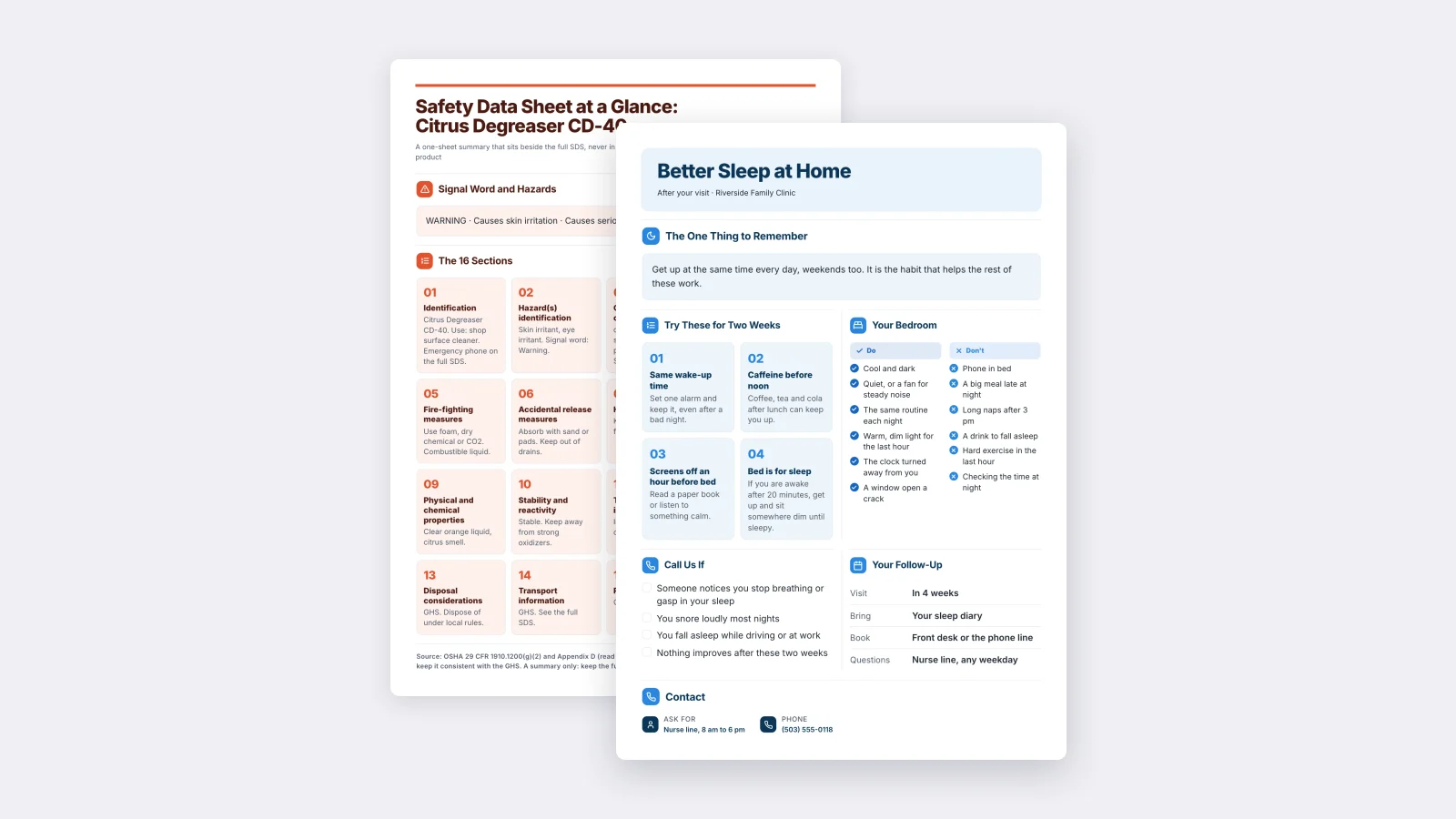
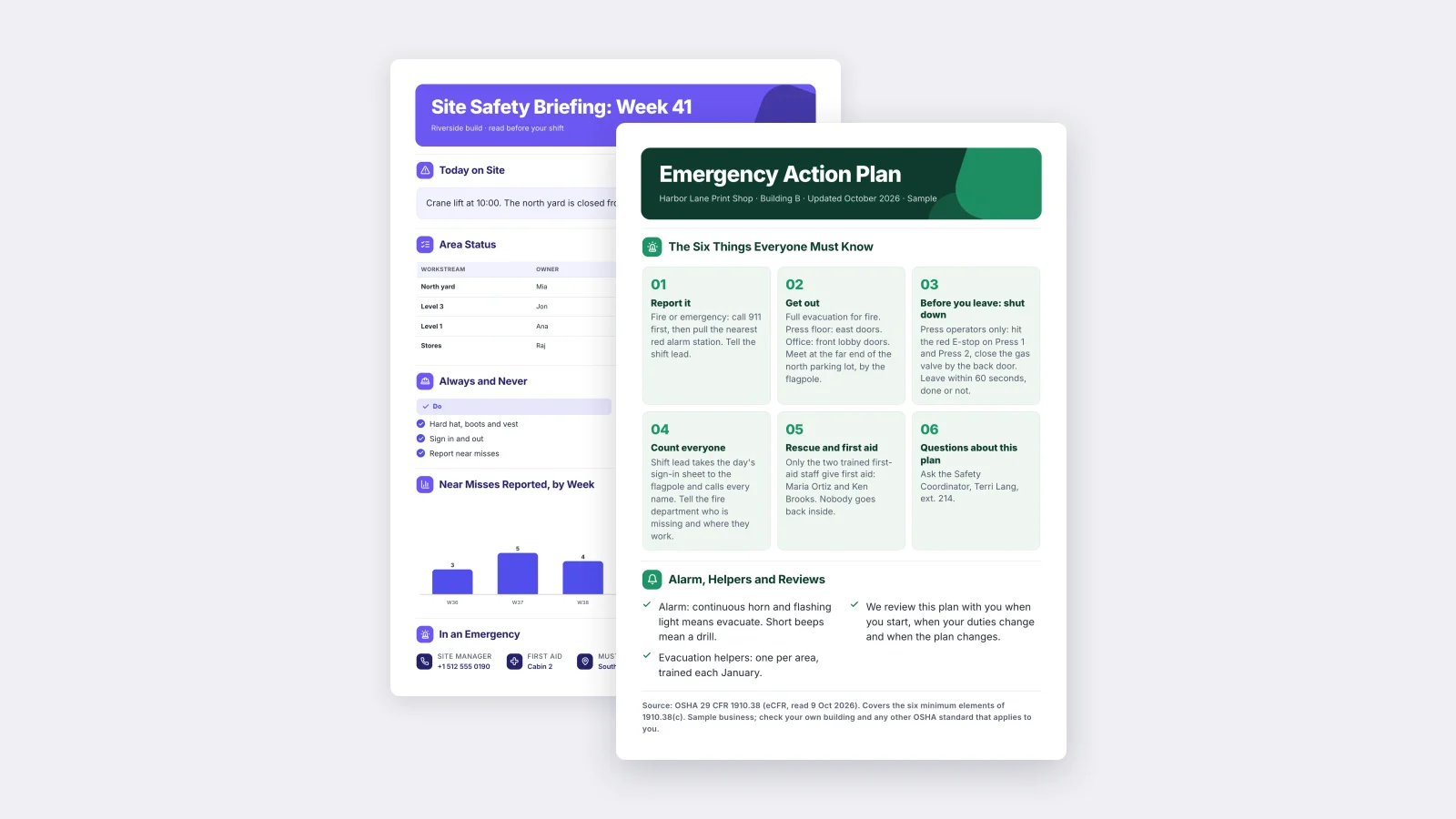
 Project Status ReportEdit for free(opens in a new tab)
 Executive Summary of a Project ReportEdit for free(opens in a new tab)
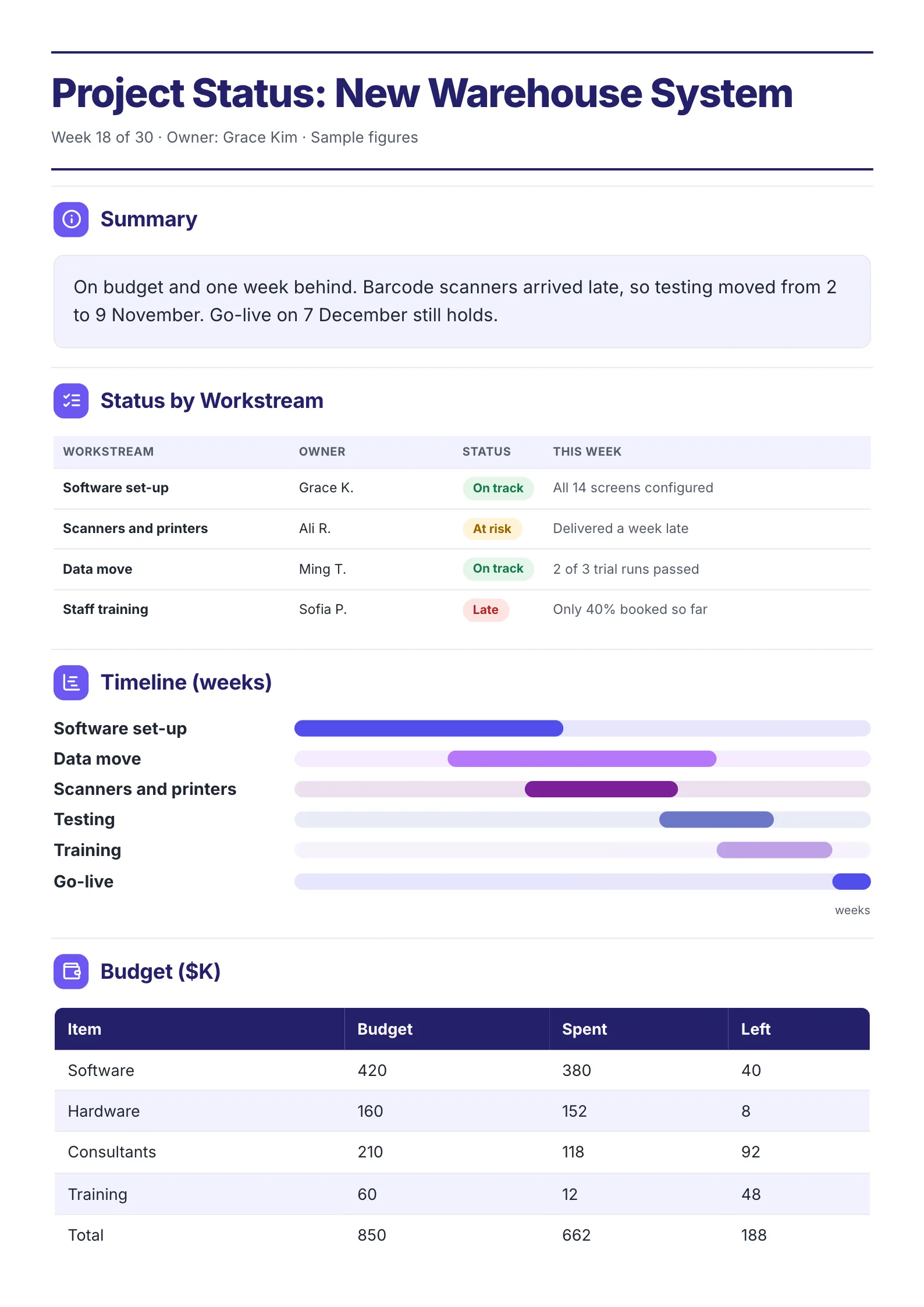 Project Status SummaryEdit for free(opens in a new tab)
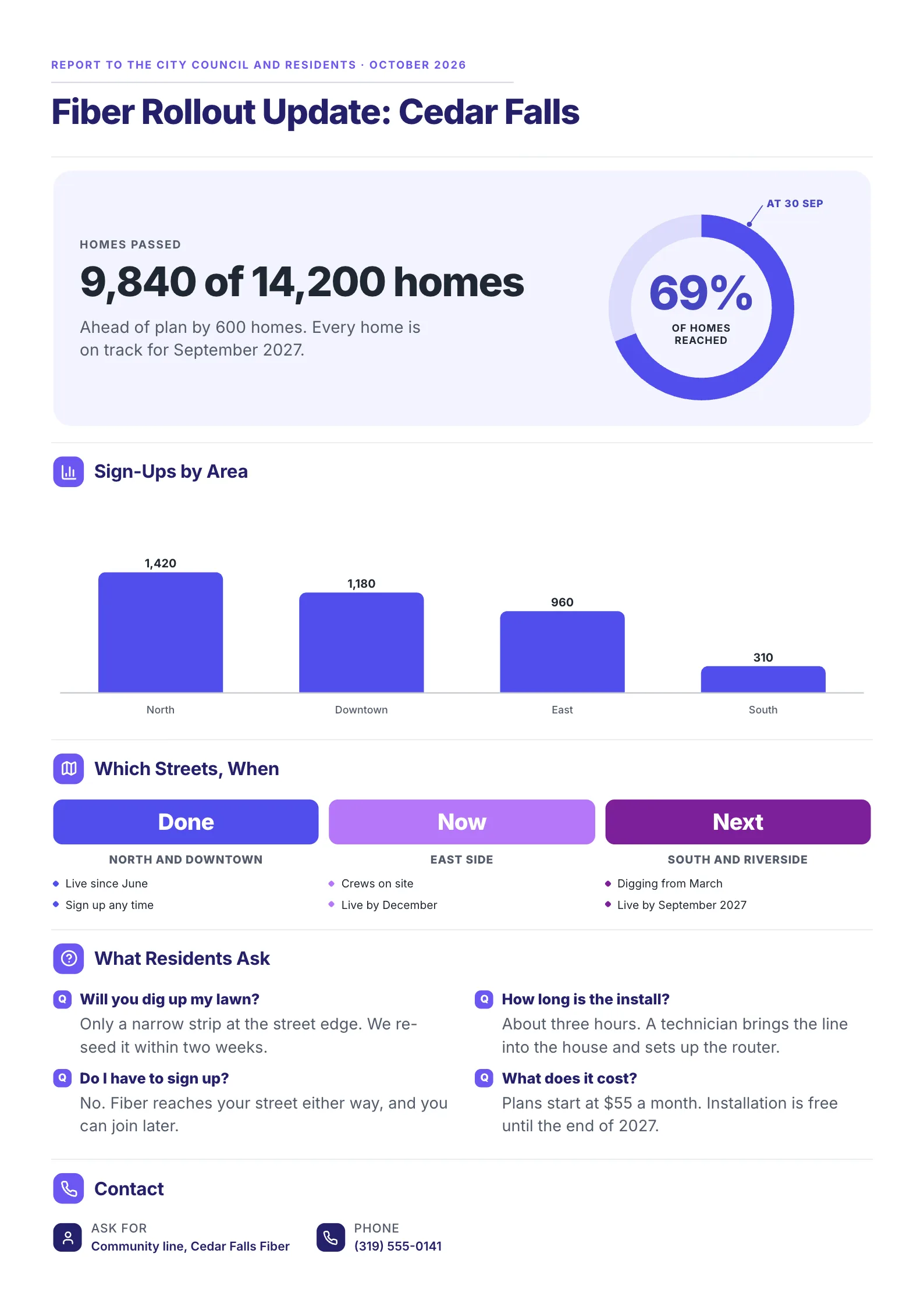 Fiber Rollout UpdateEdit for free(opens in a new tab)
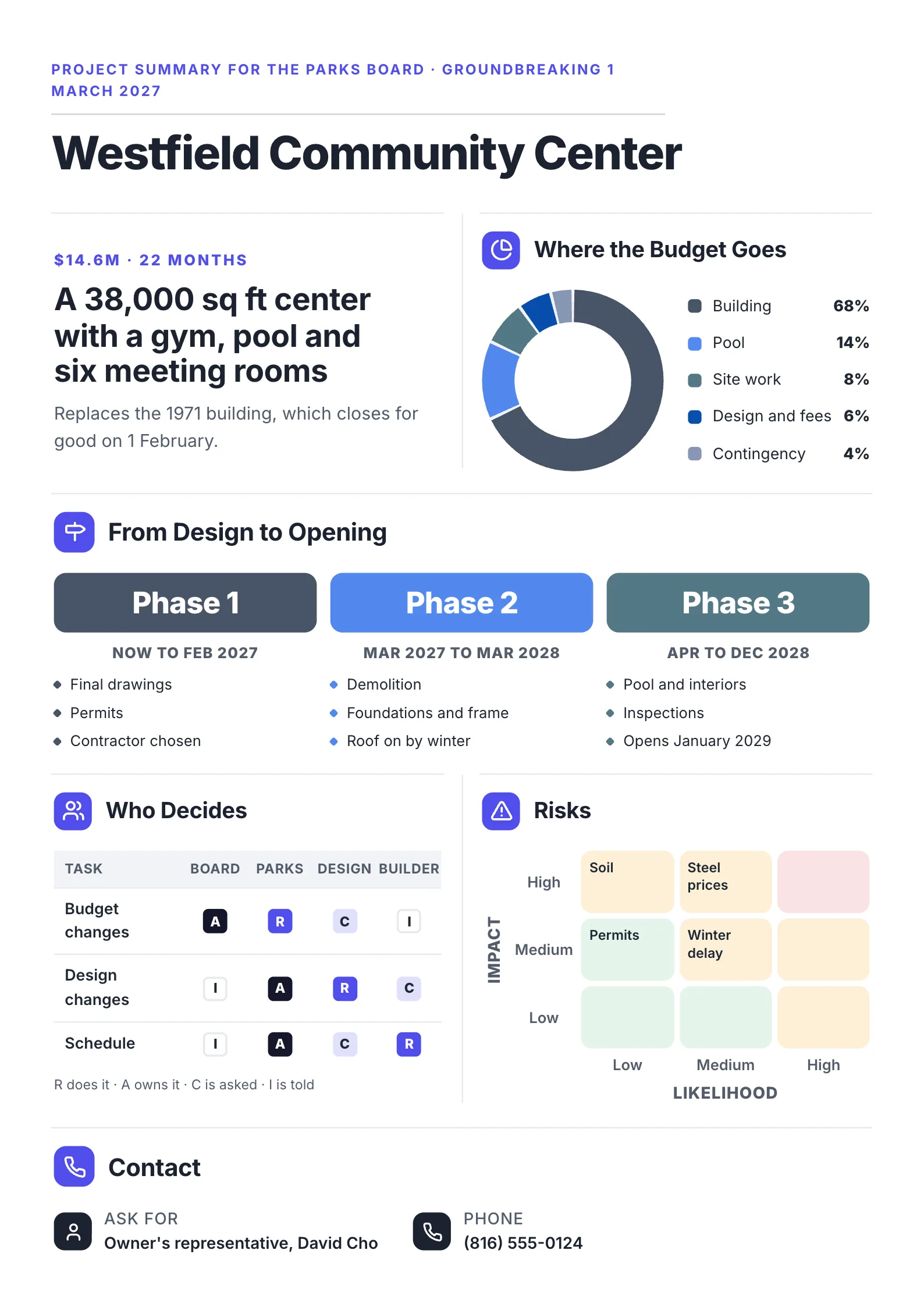 Construction Project One-PagerEdit for free(opens in a new tab)
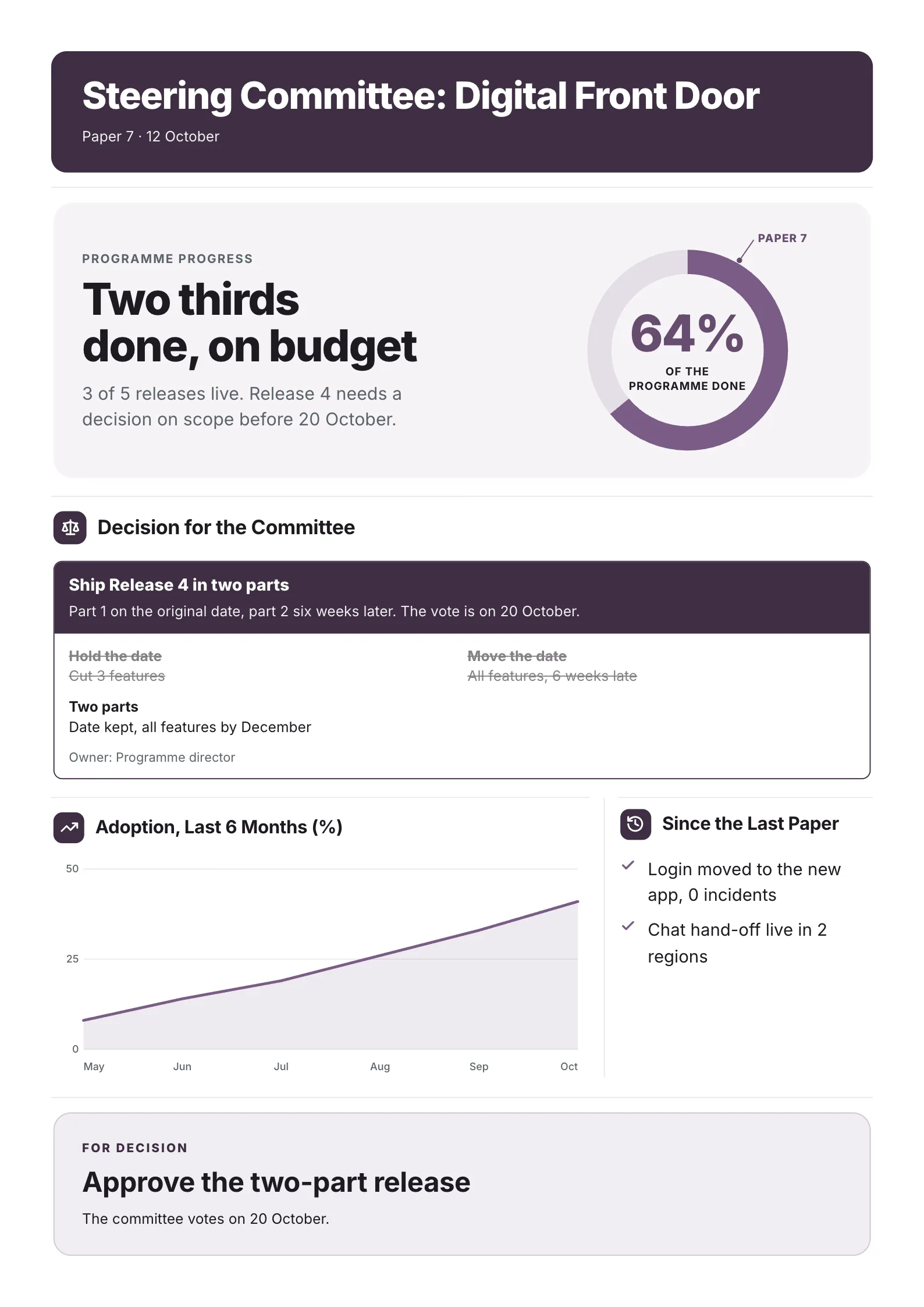 Steering Committee PaperEdit for free(opens in a new tab)
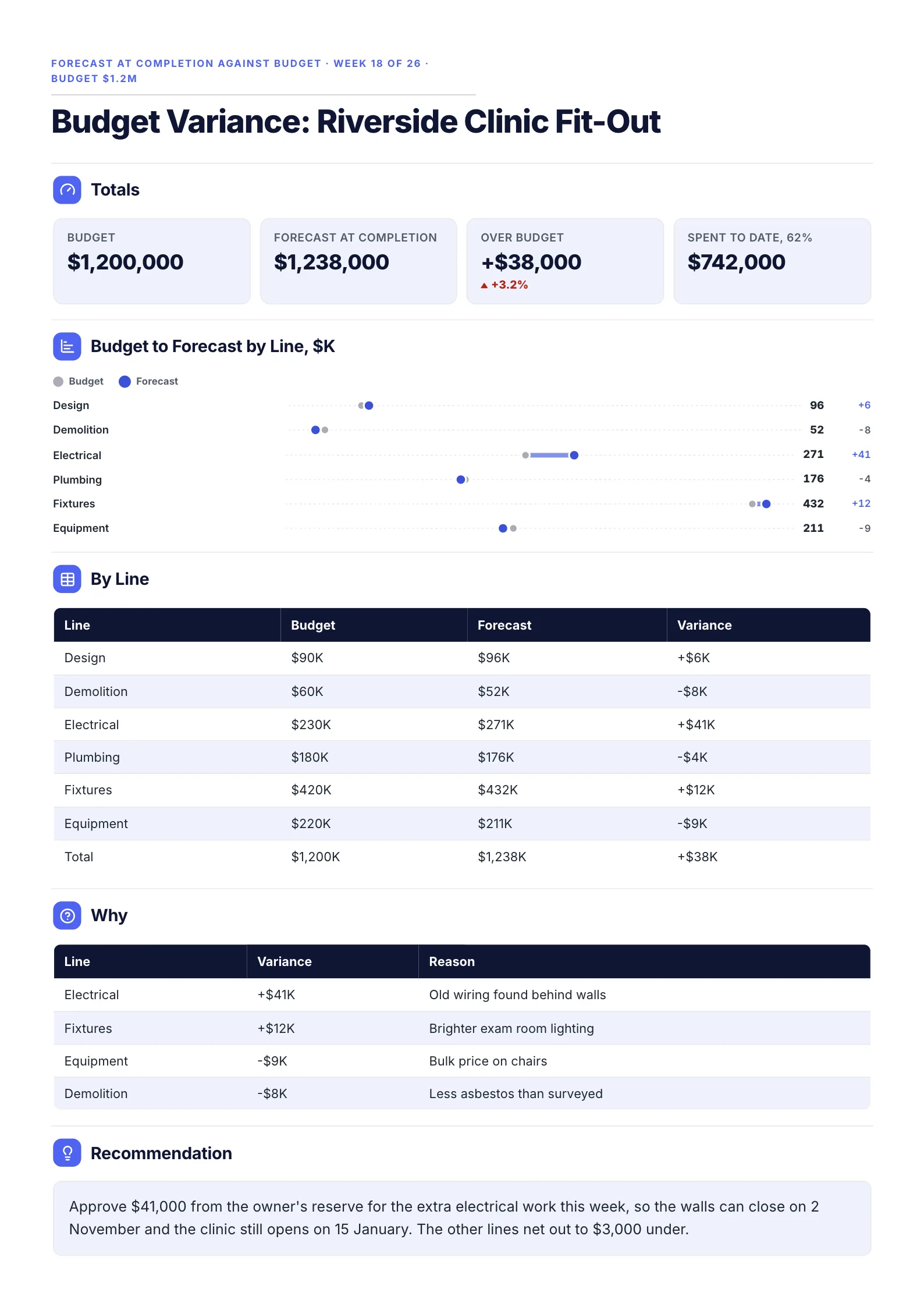 Project Budget Variance ReportEdit for free(opens in a new tab)
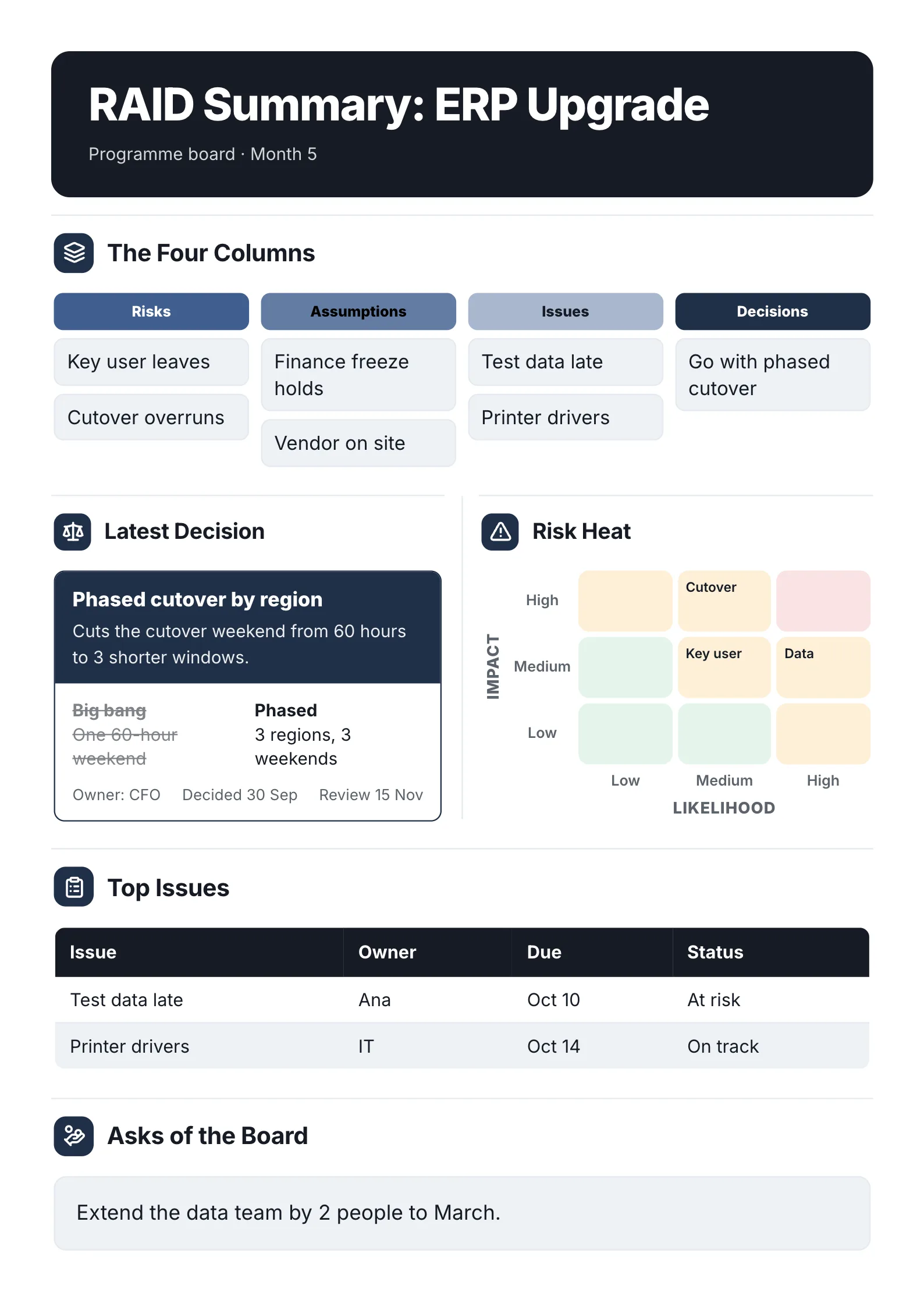 RAID Log SummaryEdit for free(opens in a new tab)
Every example was made with MakeOnepagers. The projects and figures are samples, and each opens as a template you can edit for free.
What is a project status report?
A project status report is a regular update that tells the people around a project whether it is on track and what they need to know or do. It goes to sponsors, steering groups, clients, boards and sometimes the public, weekly, monthly or at each milestone.
A weekly report to your own manager is one kind. This page covers the full range. For the Friday update to a team lead, see the weekly status report template.
What 6 published guides put in a project status report
We read 6 guides that rank for "project status report template" on 12 October 2026: five from makers of project or business software and one from a project management reference site. Each lists the parts a status report should have. We counted a part only when the guide's own list names it.
| Part of the report | Guides that name it |
|---|---|
| Issues and blockers | 6 of 6 |
| Work completed this period | 5 of 6 |
| Work planned for next period | 5 of 6 |
| Risks | 5 of 6 |
| Project details and the reporting period | 4 of 6 |
| Milestones and schedule | 4 of 6 |
| Budget | 4 of 6 |
| An executive summary | 3 of 6 |
| An overall status, such as red, amber or green | 2 of 6 |
| The decision or help you need from the reader | 2 of 6 |
| Key metrics | 2 of 6 |
| Scope changes | 2 of 6 |
Two things stand out:
- Every guide agrees on the problems. Issues and blockers appear in all 6, risks in 5.
- Most leave out the ask. Only 2 of 6 name a section for the decision or help the project needs, and only 2 put an overall status at the top. Those are the two parts a busy reader acts on.
So the template below keeps the parts most guides agree on and moves the status and the ask to the top.
A free project status report template
| Part | What to write |
|---|---|
| Title and period | The project and the reporting period: Server Replacement Project, report for September |
| Overall status | One word and a color: on track, at risk or late |
| Headline numbers | 2 to 4: percent done against plan, budget spent, days ahead or behind, decisions needed |
| The decision you need | What, from whom, by when, and what happens if it waits |
| Done this period | 3 to 5 results, not activities |
| Planned for next period | 3 items, each with an owner |
| Milestones | The next 3 or 4, with dates |
| Budget | Spent, planned and left |
| Risks and issues | Each with an owner and what is being done |
| Contact | Who to ask |
If you only have room for five parts, keep the status, the numbers, the decision, done and next.
4 project status report examples
1. Project status report for a steering group
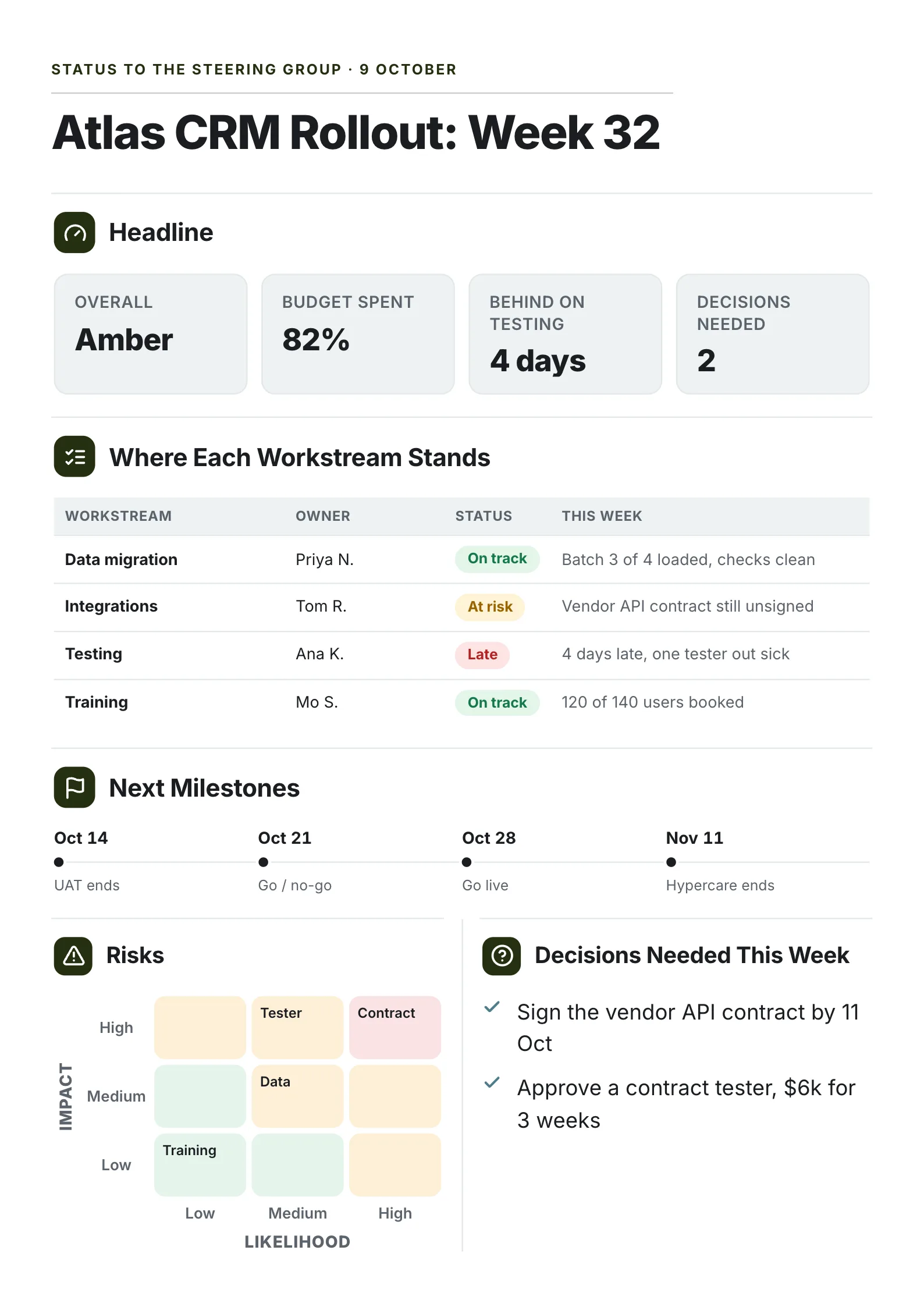 Edit this template
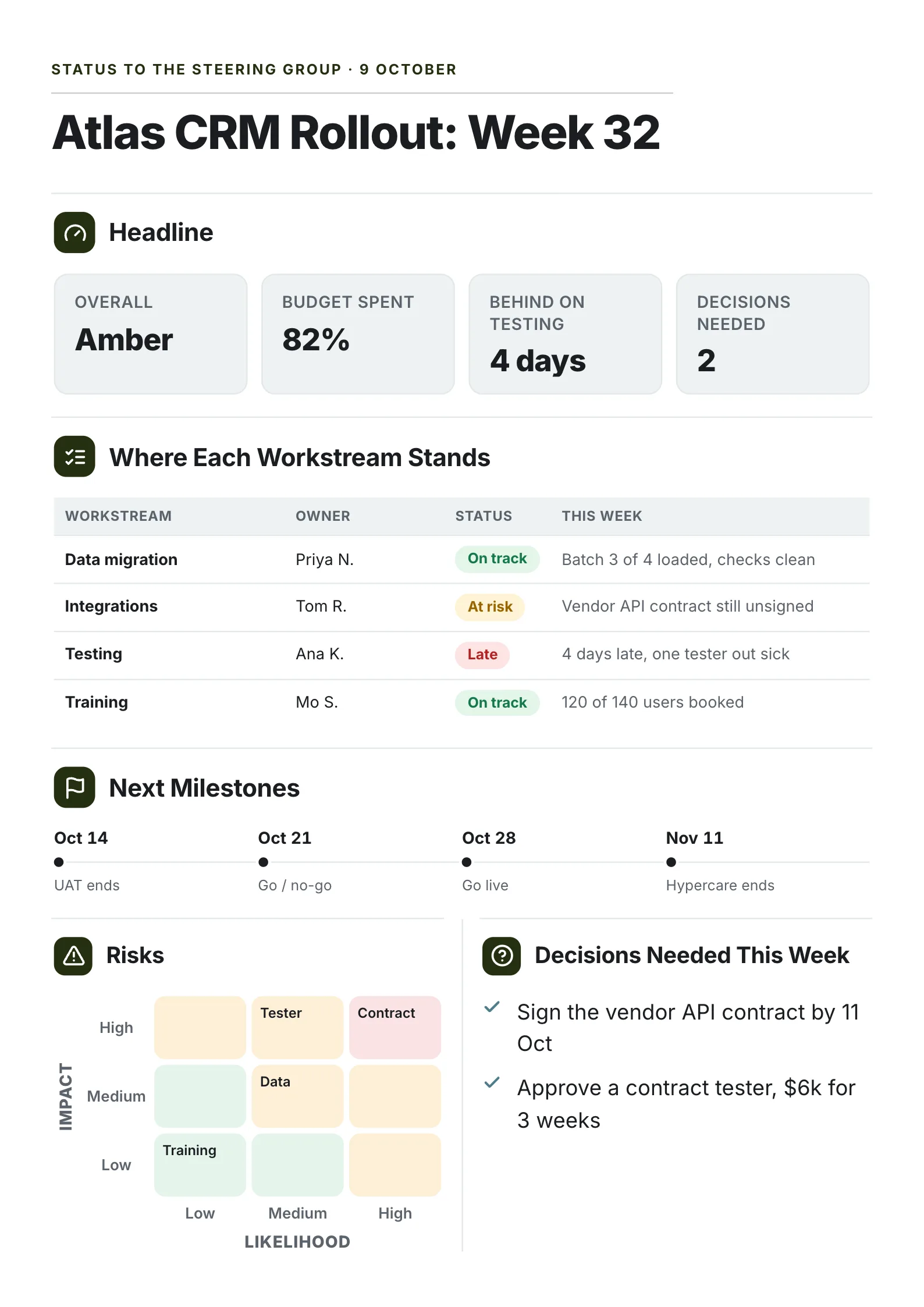
A CRM rollout reported to its steering group in week 32, with two decisions on the table.
What to copy:
- The ask is a headline number. "Decisions needed: 2" sits beside overall status, budget and delay, so the group knows there is work for them before they read a line.
- Each workstream gets an owner, a status and a reason. "Late: 4 days late, one tester out sick."
- Both decisions carry a date or a price. "Sign the vendor API contract by 11 Oct." "Approve a contract tester, $6k for 3 weeks."
Open it: project status report template.
2. Executive summary of a project report for a sponsor
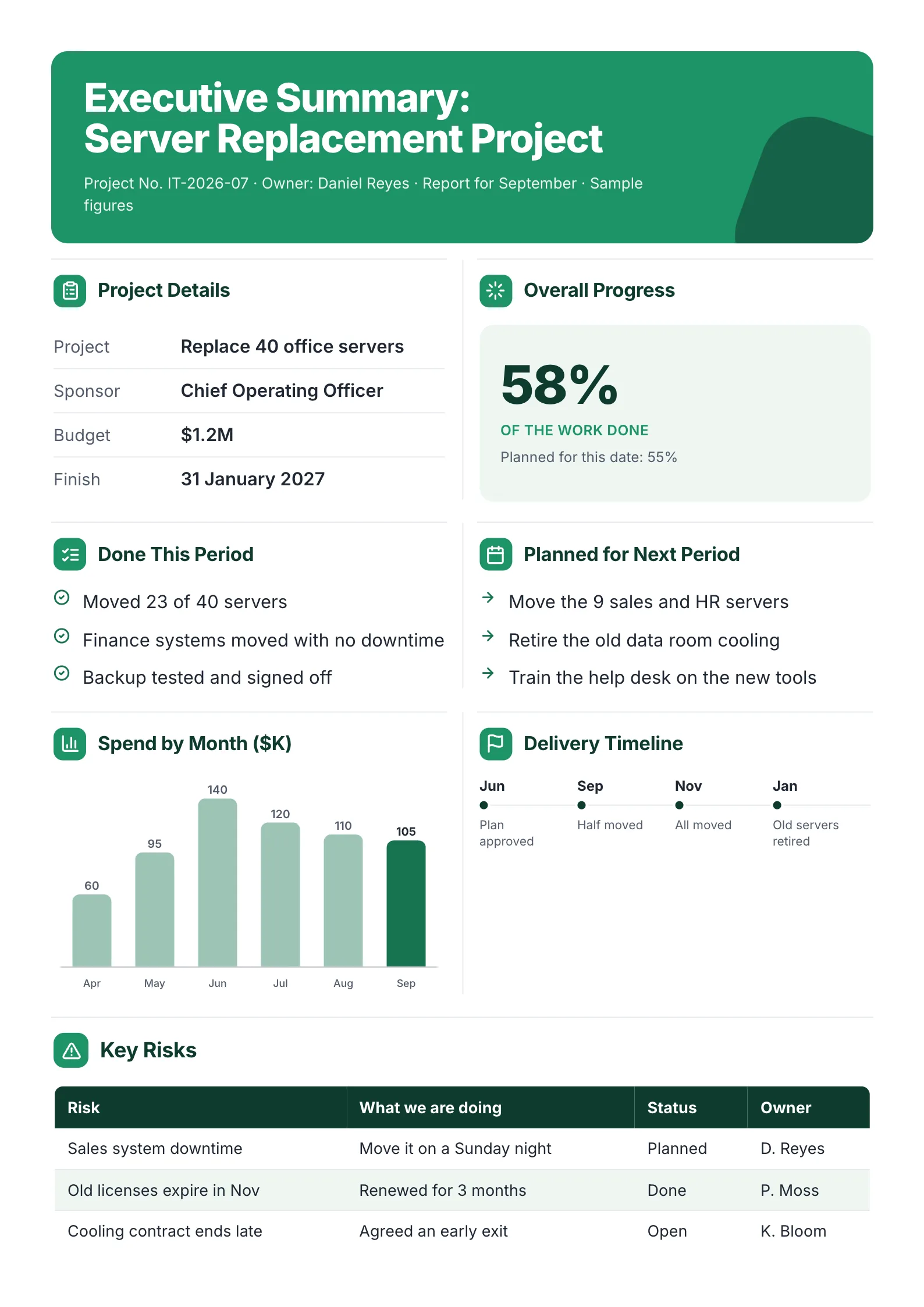 Edit this template
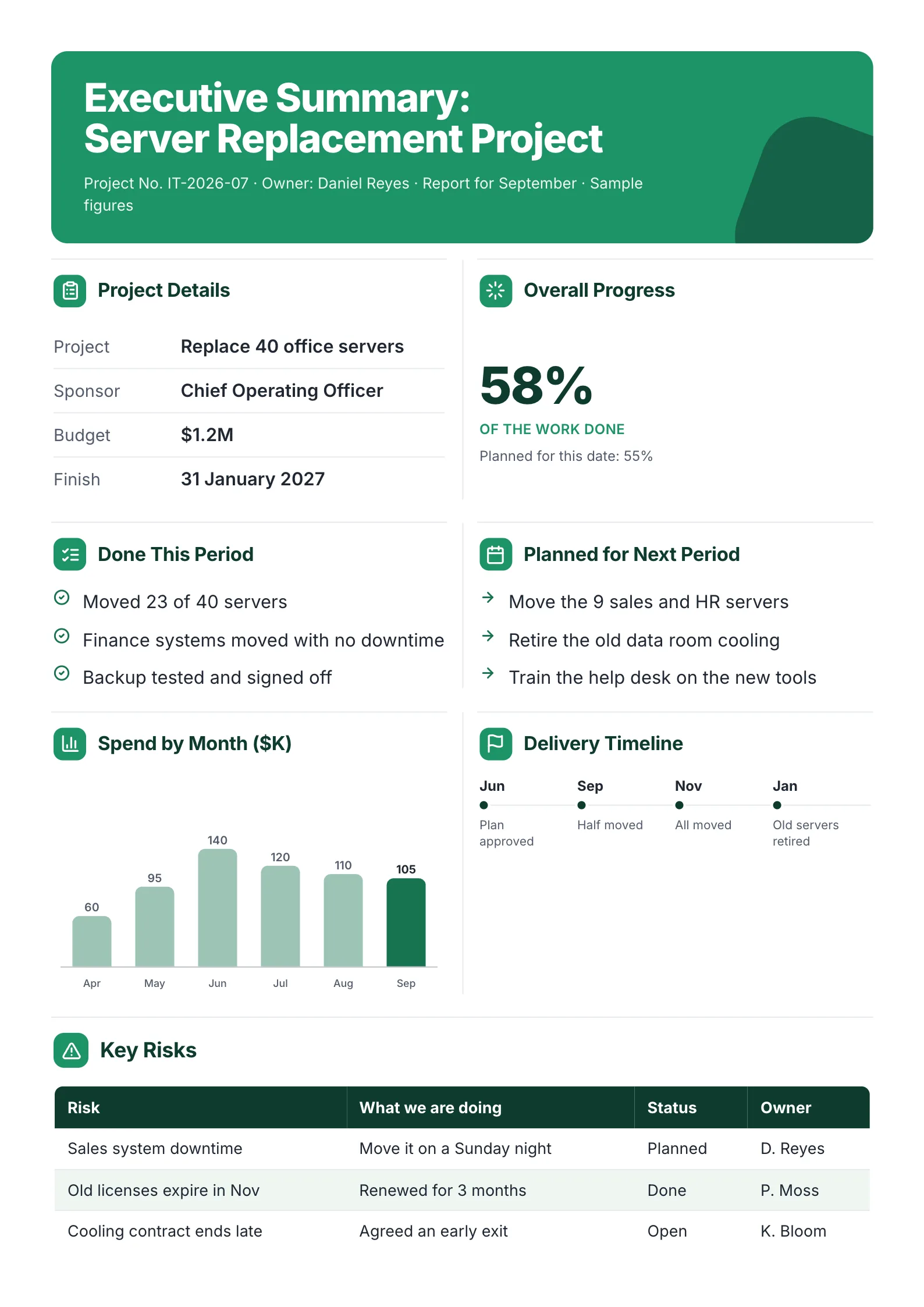
A monthly report to a sponsor: one big progress number, then done, next, spend and risks.
What to copy:
- Progress against plan, not progress alone. "58% of the work done. Planned for this date: 55%." The second number is what makes the first one mean something.
- Done and next side by side, three items each: "Moved 23 of 40 servers", then "Move the 9 sales and HR servers".
- Risks with what is being done about them, a status and an owner: "Old licenses expire in Nov. Renewed for 3 months. Done."
Open it: executive summary of a project report template.
3. Project status update for the public
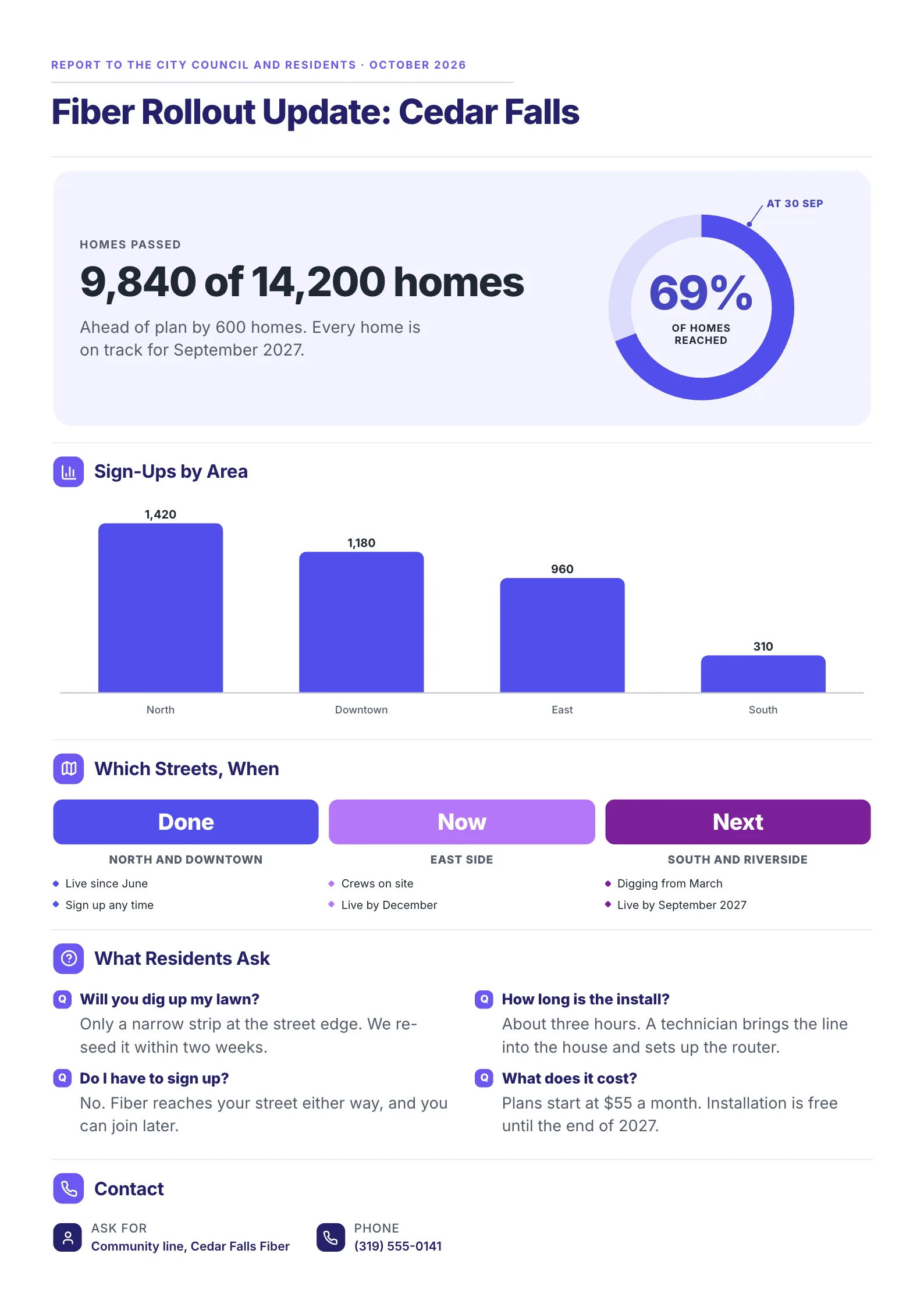 Edit this template
A status report written for residents, not managers: the same parts in their words.
What to copy:
- One headline figure with the plan beside it. "9,840 of 14,200 homes. Ahead of plan by 600 homes."
- Done, now and next by area, which is how a resident thinks: is my street done?
- The questions people actually ask, answered on the page: "Will you dig up my lawn?"
Open it: fiber rollout update template.
4. Project summary for a board, before work starts
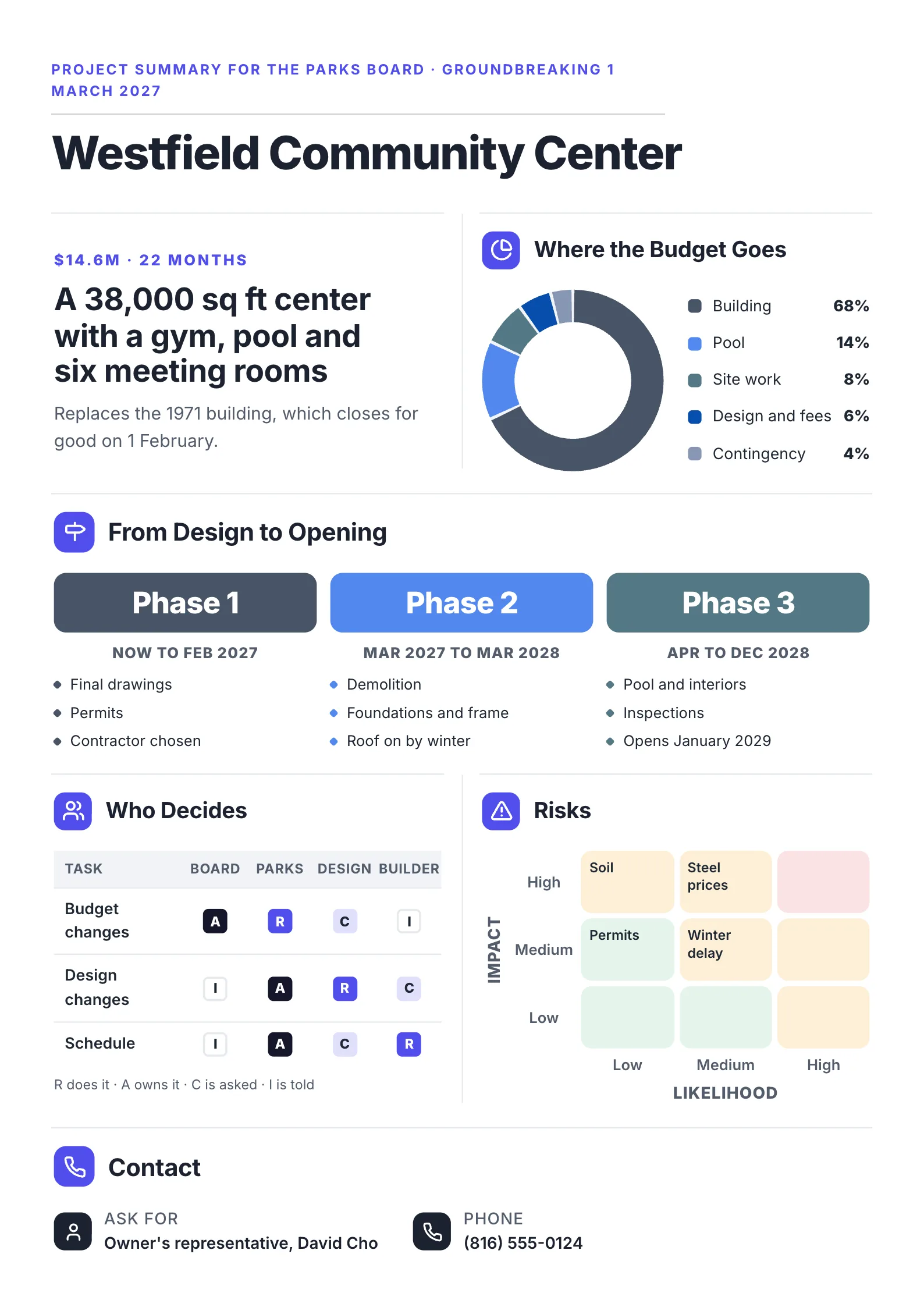 Edit this template
A building project reported to the board that approves it, with who decides what.
What to copy:
- Size and cost in the first line: "$14.6M · 22 months", then what is being built.
- A who-decides table for budget, design and schedule changes, so a change never stalls waiting for the wrong person.
- Phases with dates and three items each, from final drawings to "Opens January 2029".
Open it: construction project template.
Weekly, monthly or milestone: how often to send a status report
| Cadence | Best for | What changes in the template |
|---|---|---|
| Weekly | The project team and the manager above it | Done and next are short; budget may be monthly only |
| Monthly | Sponsors, clients and steering groups | Spend by month and progress against plan matter most |
| At each milestone or phase | Boards, funders and the public | Fewer details, more on what the milestone means |
Send it on the same day each period. A report that arrives when expected gets read.
How to write a project status report in 6 steps
- Copy last period's report. The shape stays, only the facts change.
- Set the overall status first, honestly. At risk this month is better than late next month.
- Write the decision you need, or "no decision needed this period".
- Move last period's "next" items to "done", or say why not.
- Update the milestones, budget and risks, each with an owner.
- Read it as the reader would. Can they tell in ten seconds whether to worry and what to do?
Have notes or a long report already? Drop them into the free AI One-Pager generator and get them back as one designed One-Pager.
Project status report mistakes
| Mistake | Fix |
|---|---|
| Green every period until it turns red | Report risks while there is still time to fix them |
| Activities instead of results | "Vendor contract signed", not "met with vendor" |
| Progress with no plan beside it | "58% done, 55% planned" |
| A risk or issue with no owner | Name one person for each |
| No ask | Put the decision at the top, with a date and the cost of waiting |
| The same report for every reader | Keep the parts, change the words: a board, a sponsor and residents read differently |
Make your project status report
Open the free project status report template, change the words and numbers, and put the decision you need at the top. Or drop this period's notes into the free AI One-Pager generator and get a finished One-Pager back.
Frequently asked questions
What should be included in a project status report?
The overall status, the reporting period, 2 to 4 headline numbers, the decision you need, work done this period, work planned for next, milestones, budget, risks and issues with owners, and a contact. In the 6 guides we compared, issues appeared in all 6, while the decision you need appeared in only 2.
What is the difference between a status report and a progress report?
They are often used for the same thing. A progress report usually focuses on work done against the plan, while a status report also covers health, risks, budget and decisions. Most templates cover both.
How long should a project status report be?
One page for most readers. Put the status, numbers and ask at the top, and link to the detail in the project tool or plan for anyone who needs more.
What does RAG status mean in a project report?
Red, amber, green: a quick signal of whether the project is late or blocked (red), at risk (amber) or on track (green). Write the word as well as the color, because colors disappear when a report is printed in black and white.
Is there a project status report template in Excel or Word?
Yes, many template sites offer Excel and Word versions, which suit tracking many tasks. For the report you send to a sponsor, board or client, a designed One-Pager is faster to read: edit one free on MakeOnepagers and download it as a PDF.