Project Report Examples: 5 Reports Scored Against a State DOT Checklist
Five project report examples, from a construction site to a garden, each scored on the six elements Washington's DOT asks for in a monthly report.

A project report tells the people paying for a project where it stands. It covers scope, schedule and budget, what got done, what comes next, and what might go wrong. The five project report examples below come from very different jobs: a medical office build, a software rollout, a home kitchen, a clinic fit-out and a neighborhood garden. Start from a free one pager template.
One‑Pager examples
Real One-Pagers made with MakeOnepagers. Open any one to edit it as your own.
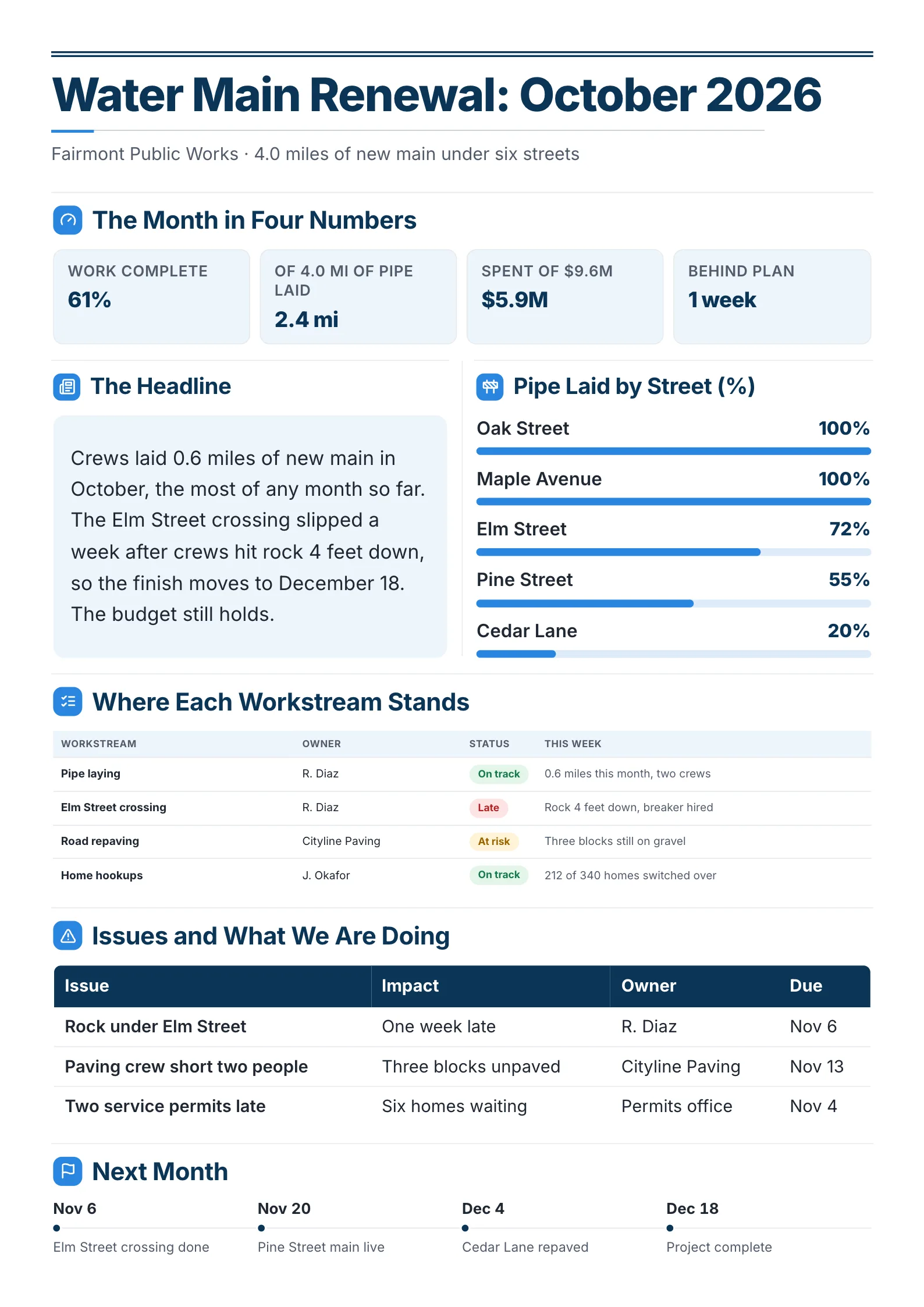 Monthly Project Summary ReportEdit for free(opens in a new tab)
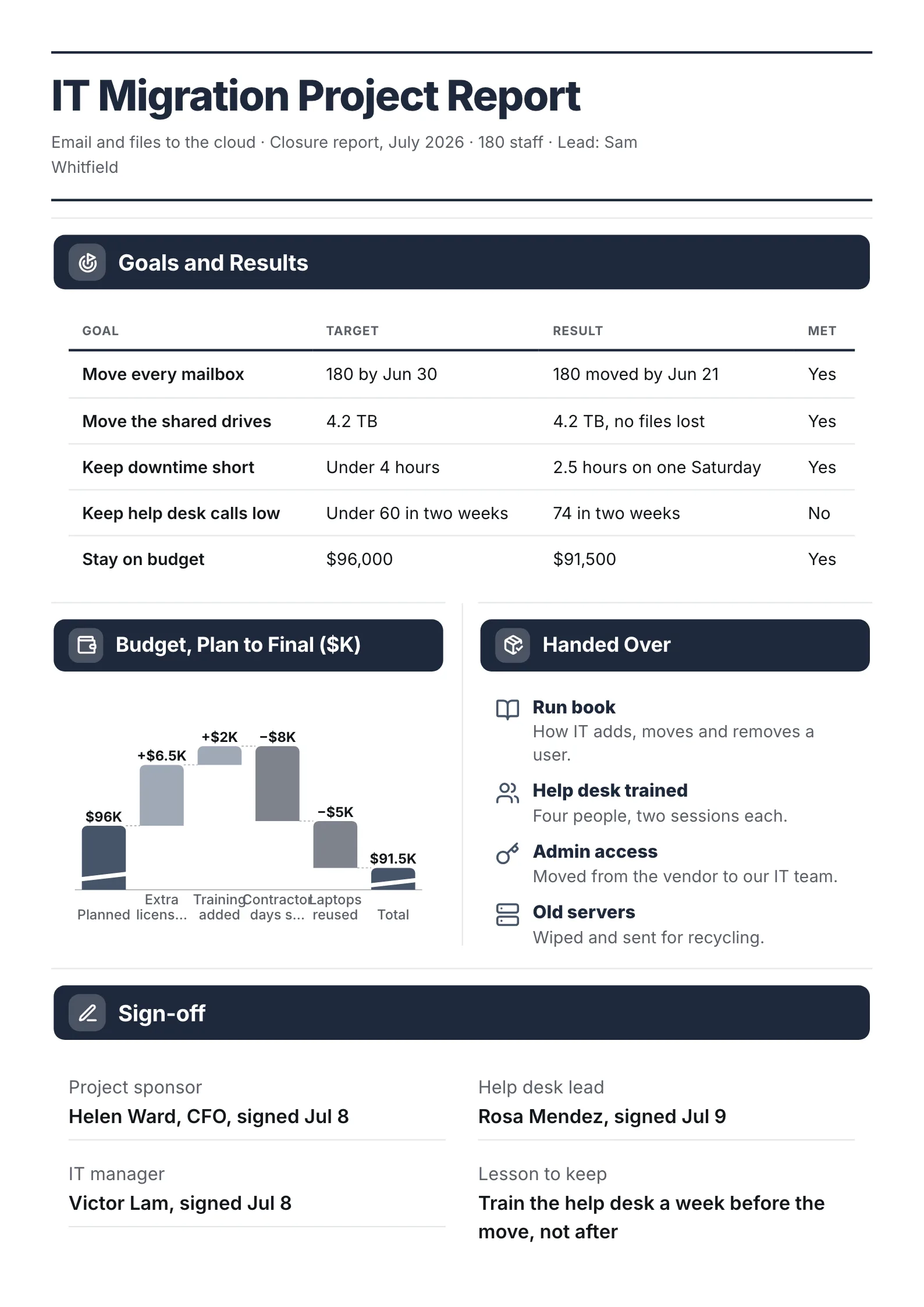 IT Migration Project ReportEdit for free(opens in a new tab)
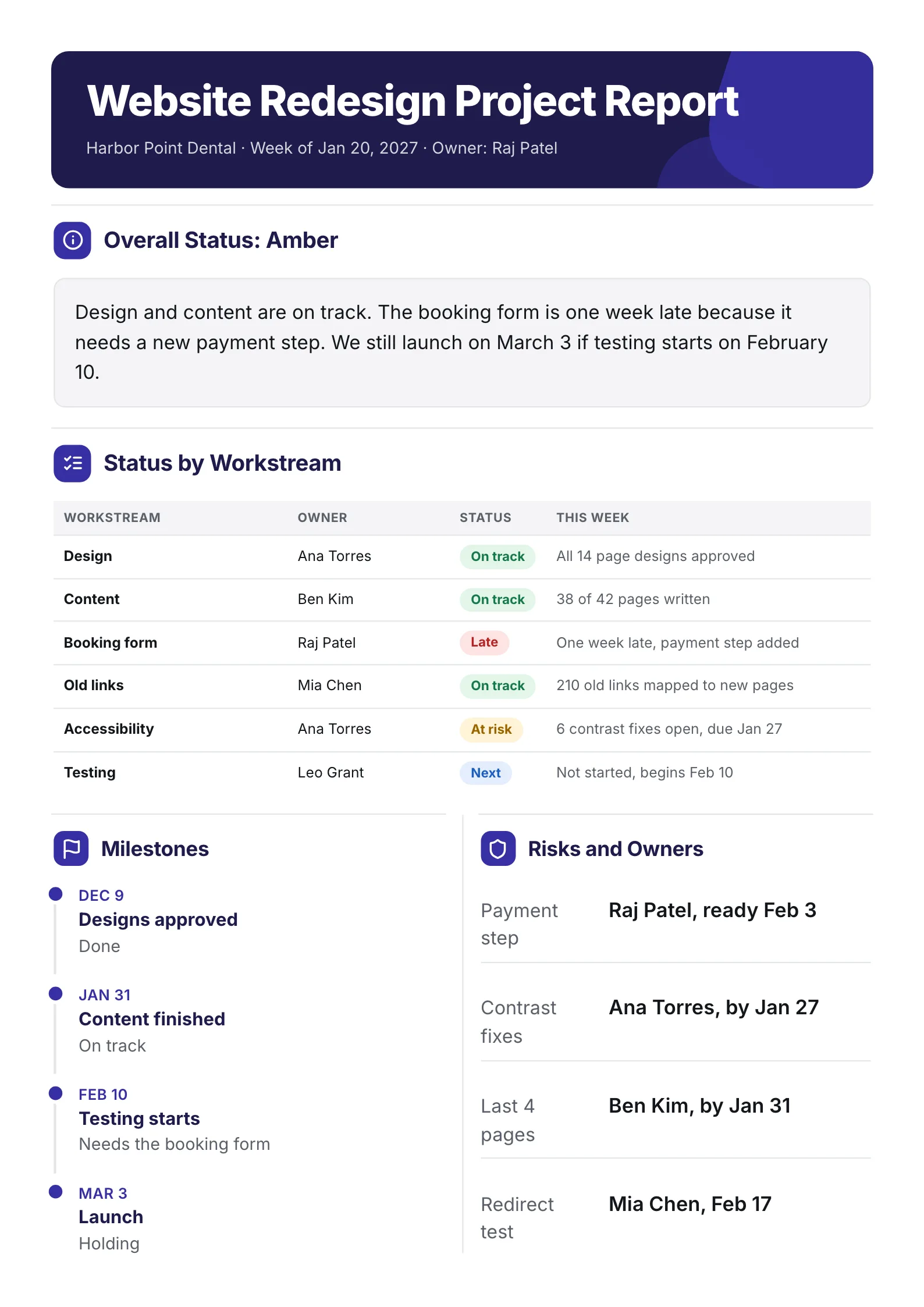 Website Redesign Project ReportEdit for free(opens in a new tab)
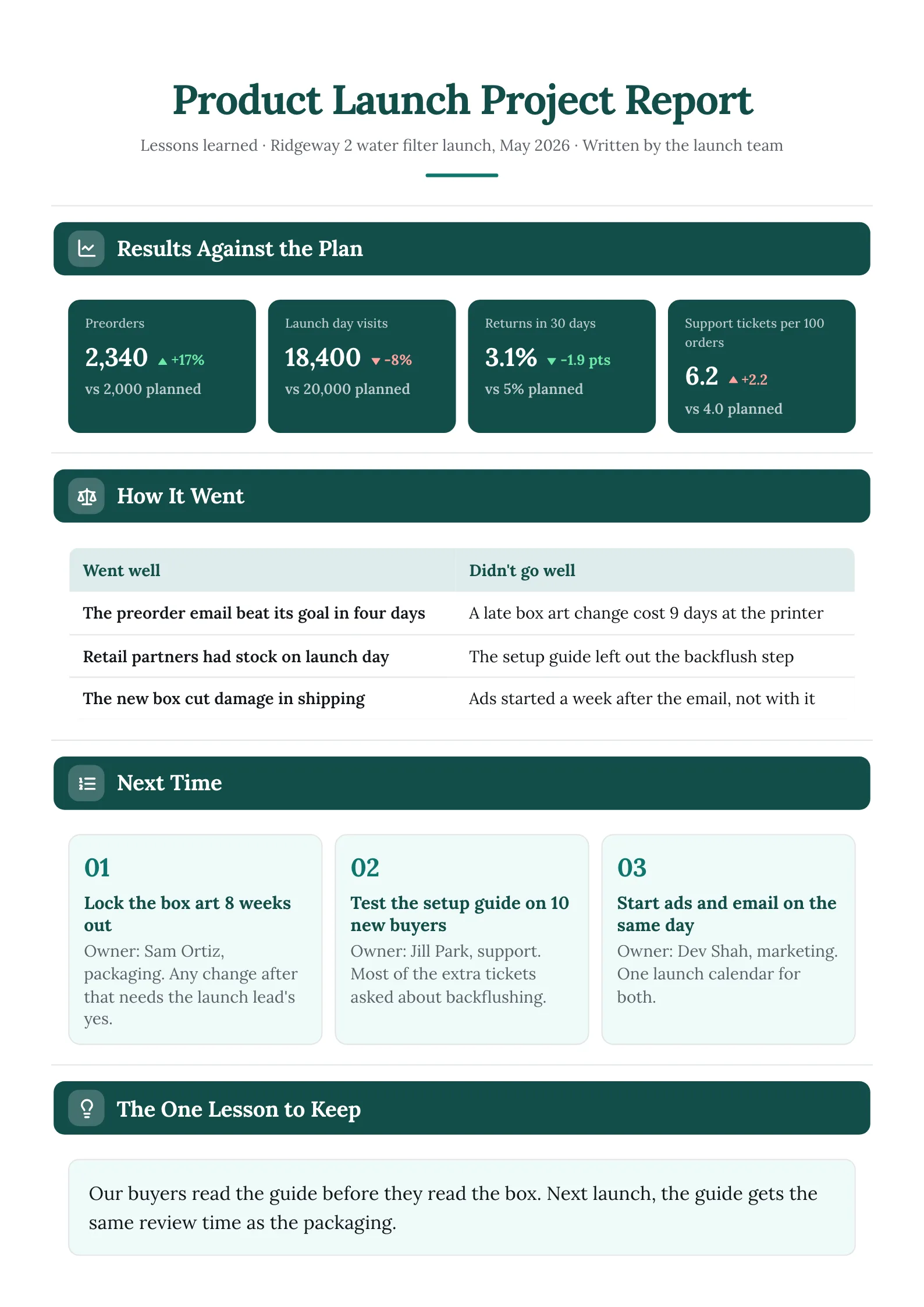 Product Launch Project ReportEdit for free(opens in a new tab)
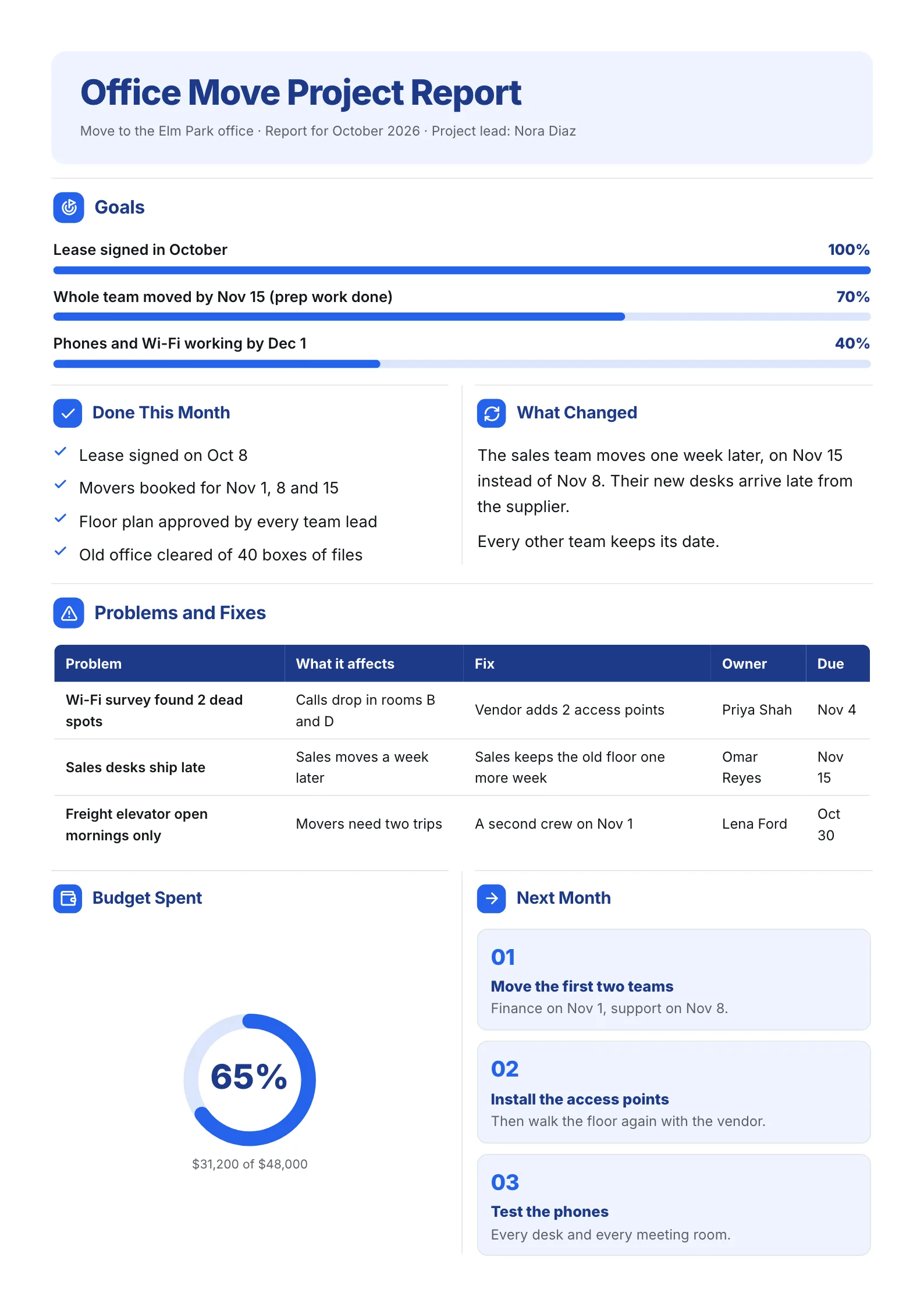 Office Move Project ReportEdit for free(opens in a new tab)
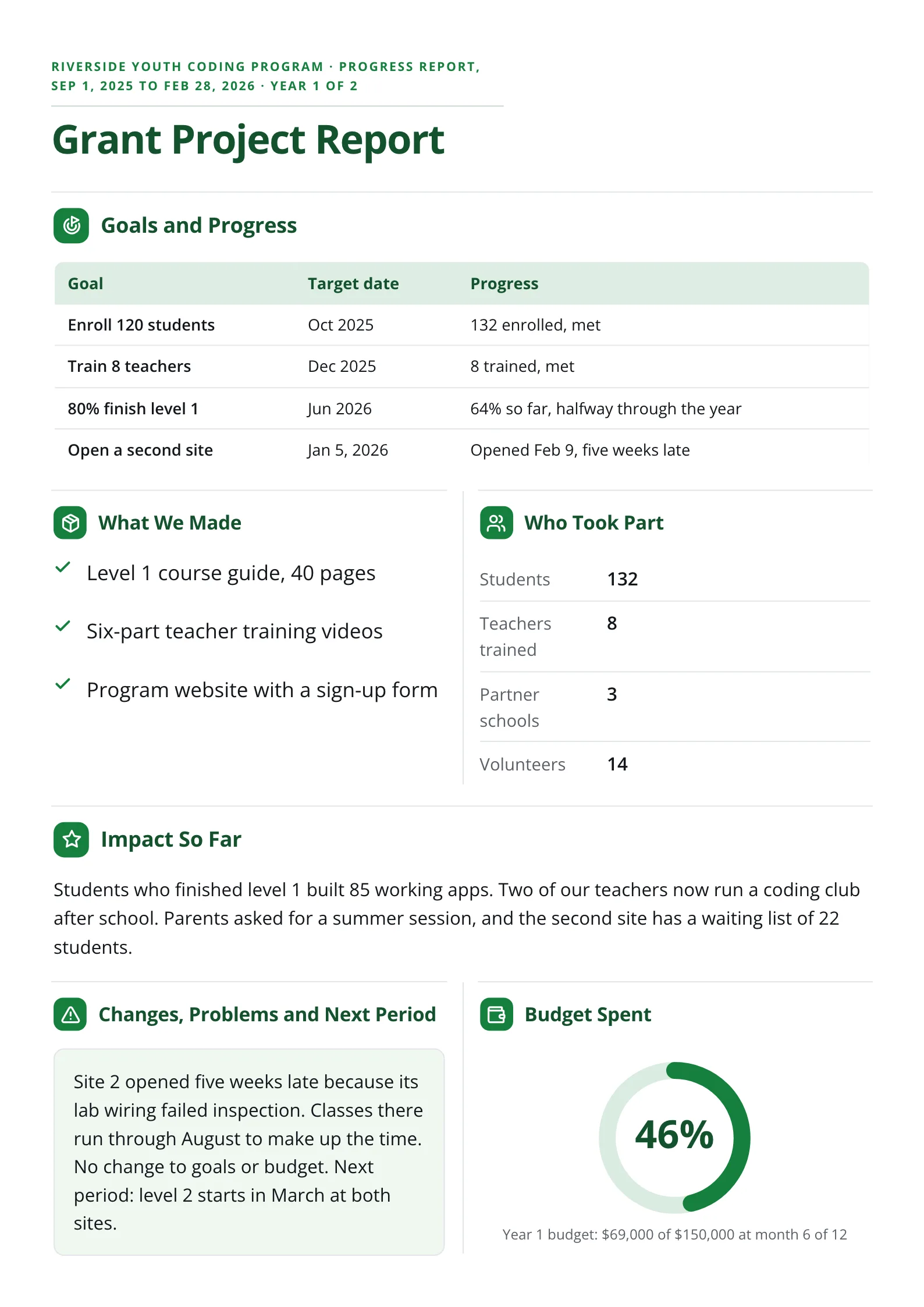 Grant Project ReportEdit for free(opens in a new tab)
To judge them fairly, we needed a yardstick that nobody at MakeOnepagers wrote. So we used the one Washington State's transportation department gives the offices and consultants who report to its project managers. You'll see each example scored against it, and you can score your own report the same way. Every company, family and figure in the five samples is invented.
The six elements Washington's DOT asks for
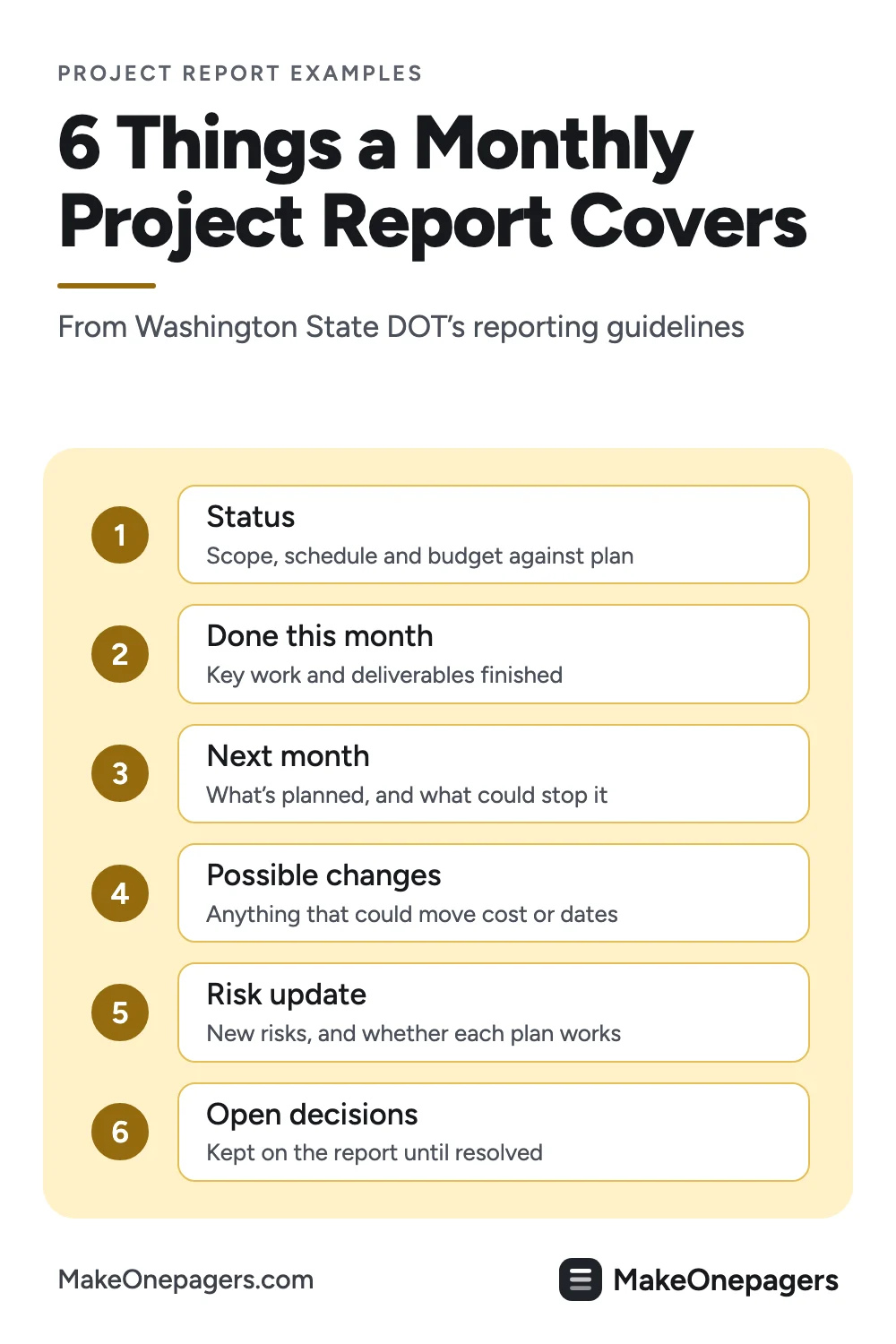
Washington's state transportation department (WSDOT) publishes Progress Reporting Guidelines for the monthly reports its specialty offices and consultants send to project managers. The document is 2 pages long and took effect July 1, 2008. We read it on November 12, 2026. It lists six elements each monthly progress report should cover, in this order.
| # | Element | What WSDOT wants in it |
|---|---|---|
| 1 | Overall status: scope, schedule and budget | Confirm nothing changed, or name the change, its impact and the reason. For budget, actual cost against plan and an up-to-date estimate at completion |
| 2 | Accomplishments for the month | Key work and deliverables finished |
| 3 | Upcoming activities | What's planned for next month, plus anything that could stop it |
| 4 | Potential changes | Changes that might hit scope, schedule or budget |
| 5 | Risk update | New risks, updates on known ones, and whether each plan is working |
| 6 | Issues and pending decisions | Open problems and decisions, updated until resolved |
Two of those lines are easy to skip. Element 1 asks for an estimate at completion, the cost you now expect at the end, along with what you've spent. Element 6 asks you to keep each issue on the report until it's resolved, so a problem can't quietly drop off between months.
Your own reports probably don't go to a state agency, and you don't need its format. Still, the six elements are the questions a sponsor, client or board will ask you in the meeting anyway.
A weekly site report for a construction owner
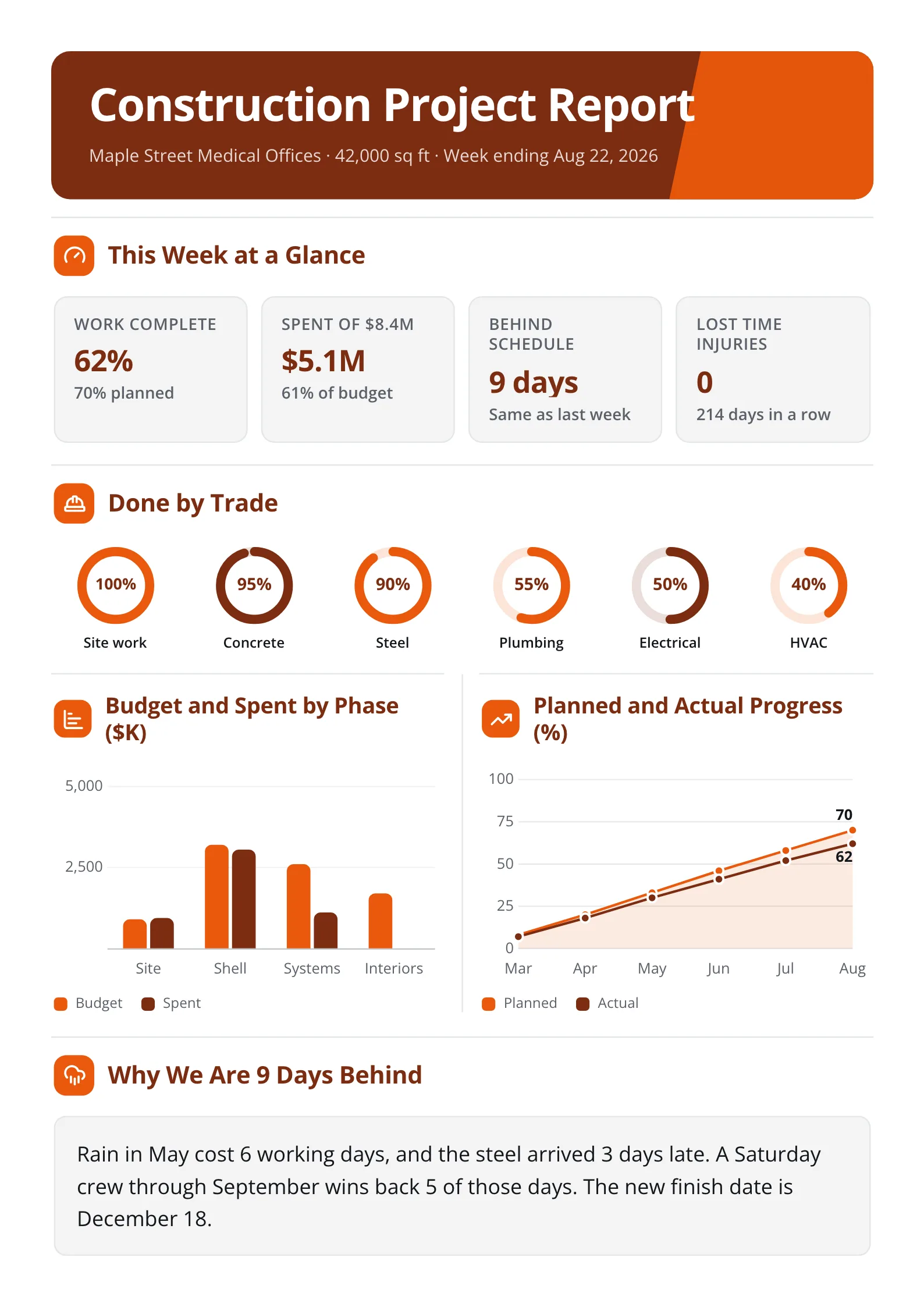
Maple Street Medical Offices is a 42,000-square-foot build, and this report covers the week ending August 22, 2026. The top row gives the owner four numbers. Work is 62% complete against 70% planned. The job has spent $5.1 million of $8.4 million, 61% of the budget. It's 9 days behind, the same as last week, and the crew has gone 214 days in a row without a lost time injury.
A ring for each trade shows how far along it is. Site work is done, concrete is at 95% and steel at 90%, while plumbing, electrical and HVAC trail at 40% to 55%. Then a short box explains the delay in three sentences. Rain in May cost 6 working days and the steel arrived 3 days late. A Saturday crew through September wins back 5 of those days, and the new finish date is December 18.
 Edit this template
The delay box is three sentences long, and the owner needs nothing more on the delay.
How it scores. Status, accomplishments and the schedule change are all there, and the Saturday crew is its only look ahead. There's no named risk list and no decision for the owner. On a site that's the weak spot. If your report goes to an owner, add one line on the next risk, such as an inspection date.
A monthly report on a software rollout
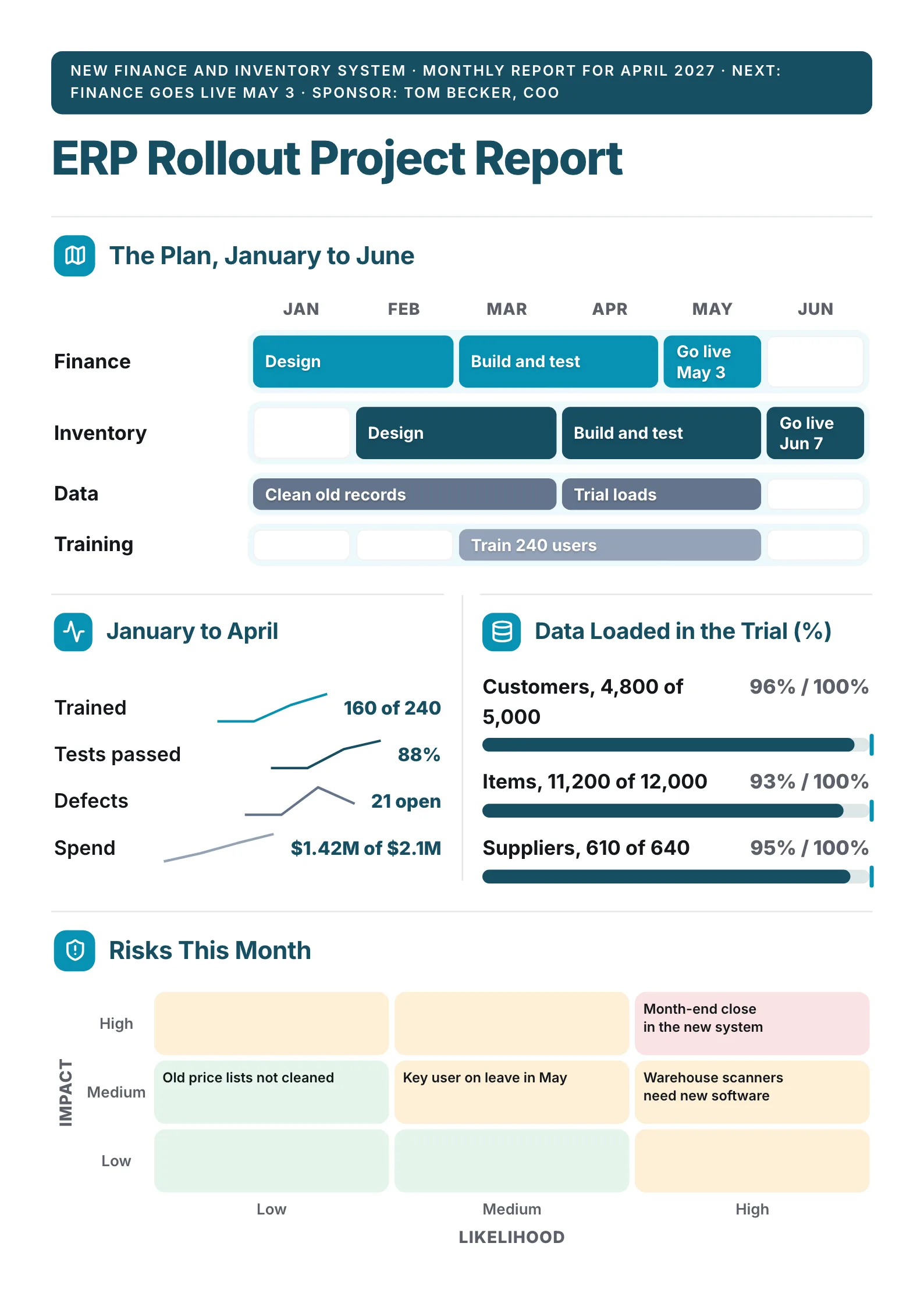
This ERP rollout report covers April 2027 for a new finance and inventory system, and it goes to Tom Becker, the COO. Its header names the next milestone, finance going live May 3. A plan from January to June shows four streams: finance, inventory, data and training. Inventory follows finance and goes live June 7.
The middle of the report tracks January to April in four trend lines. You'll see 160 of 240 users trained, 88% of tests passed, 21 defects open and $1.42 million spent of $2.1 million. A second panel shows the trial data load. Customer records sit at 96%, items at 93% and suppliers at 95%.
The bottom third is a risk grid, likelihood against impact. The month-end close in the new system sits in the top corner, high on both. Warehouse scanners needing new software, a key user on leave in May and old price lists that haven't been cleaned sit lower.
 Edit this template
The risk grid puts the one risk that matters most in the top corner.
How it scores. This is the strongest of the five on elements 3 and 5. Its trend lines show progress since January, but no line says what was finished in April, and there's no named decision for the COO. If you report to an executive, add one line saying what you need from them by when.
A weekly update a homeowner can follow
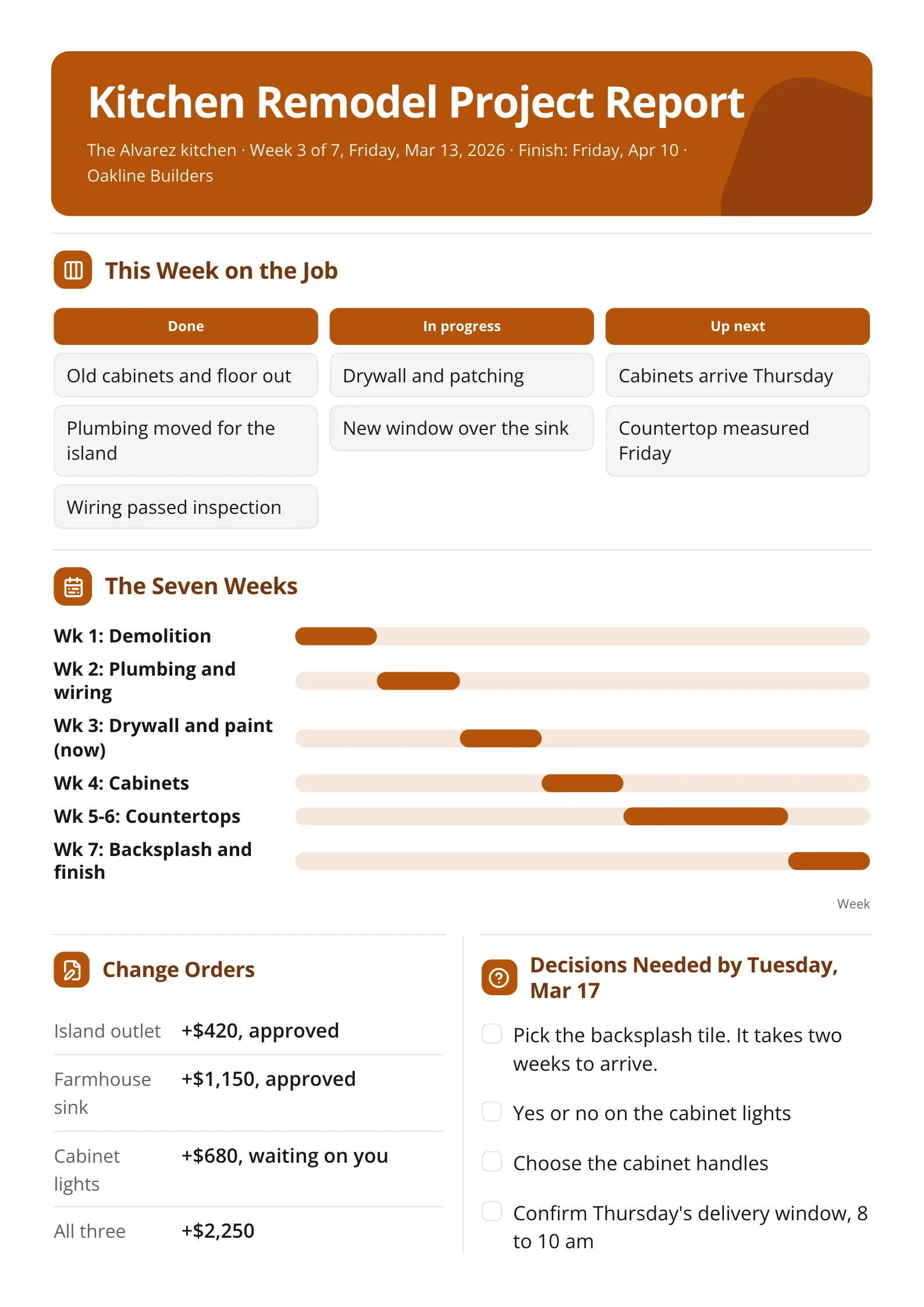
Oakline Builders sends the Alvarez family this report in week 3 of a 7-week kitchen remodel, dated Friday, March 13. It keeps to one simple chart and talks like a contractor on the phone. Three short lists cover the week at a glance. They show what's done, what's in progress and what's up next. The old cabinets and floor are out, the plumbing moved for the island and the wiring passed inspection.
A strip of the seven weeks shows the job is in drywall and paint. Then come the parts a homeowner reads twice. The change orders list an island outlet at $420 and a farmhouse sink at $1,150, both approved. Cabinet lights at $680 still wait on the family, for $2,250 across all three. Four decisions are due by Tuesday, March 17. The first is the backsplash tile, which takes two weeks to arrive.
 Edit this template
All four decisions share one deadline, and the tile line says why it can't wait.
How it scores. This one wins on elements 4 and 6. Change orders are WSDOT's "potential changes", and the decision list is its "pending decisions". It shows no budget total or risk list. If your client pays a fixed price, that's fine. If not, add the running total.
A budget variance report on a clinic fit-out
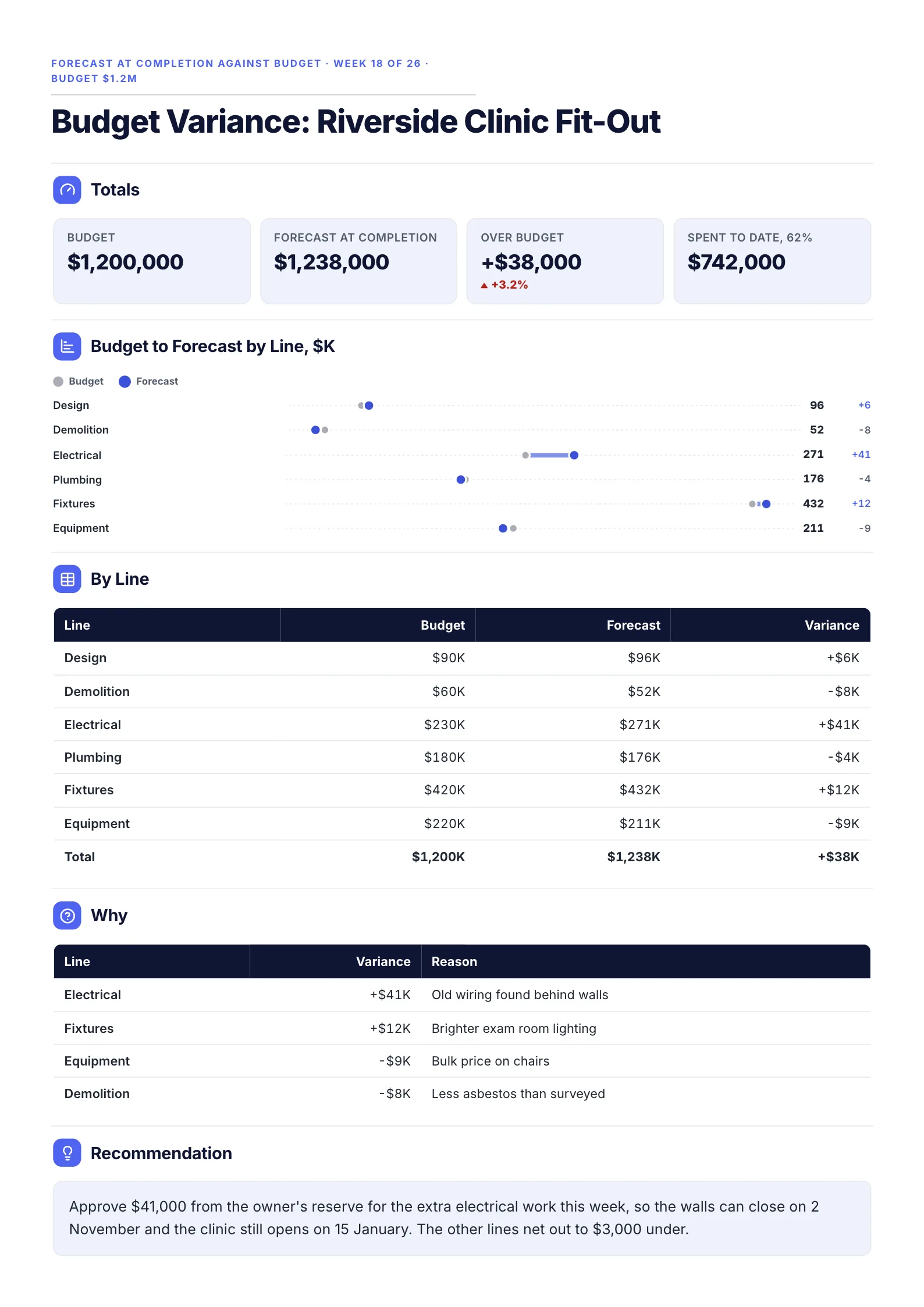
Some project reports only answer one question: will it cost more than we planned? This one covers the Riverside Clinic fit-out in week 18 of 26. The budget is $1,200,000. The forecast at completion is $1,238,000, which puts the job $38,000 over, or 3.2%. So far $742,000 is spent, 62% of the budget.
A table shows budget against forecast for six lines, and a Why table gives a reason for each big gap. Electrical runs $41,000 over because old wiring turned up behind the walls. Fixtures run $12,000 over for brighter exam room lighting. Equipment and demolition come in under, thanks to a bulk price on chairs and less asbestos than surveyed.
The recommendation does the rest. Approve $41,000 from the owner's reserve this week, so the walls close November 2 and the clinic still opens January 15.
 Edit this template
The forecast at completion is the number WSDOT asks for, and the reason table explains it line by line.
How it scores. This report covers the budget half of element 1 more fully than any other here, down to the estimate at completion WSDOT asks for. The $38,000 overrun is its potential change (element 4), and it ends on a decision (element 6). It says nothing about work finished, and its only dates depend on the approval. So you send it along with your status report, and your reader gets both views.
A closing report for donors and volunteers
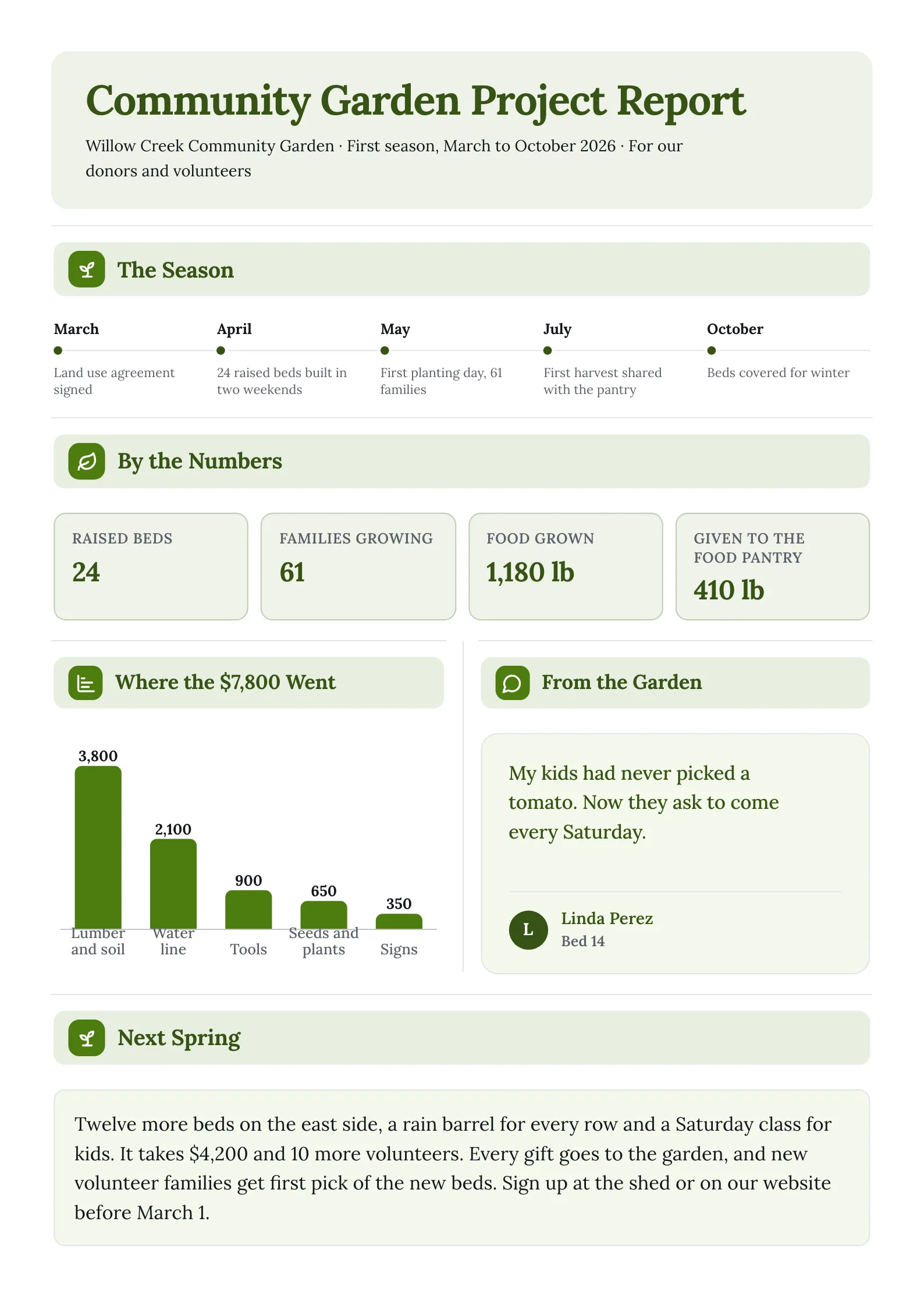
Willow Creek Community Garden wrote this report after its first season, March to October 2026. It goes to donors and volunteers, so it tells a story. A row of five months runs from the signed land agreement in March to beds covered for winter in October.
Four numbers sum up the season. You'll read 24 raised beds, 61 families, 1,180 pounds of food grown and 410 pounds given to the food pantry. A bar chart shows where the $7,800 went, with lumber and soil the largest share at $3,800. One gardener's words, from bed 14, sit beside the chart.
The Next Spring box makes the ask. Twelve more beds, a rain barrel for every row and a Saturday class for kids need $4,200 and 10 more volunteers, and it asks people to sign up before March 1.
 Edit this template
The Next Spring box names the money, the volunteers and the sign-up date.
How it scores. A closing report has no next month, so element 3 becomes the Next Spring plan. It covers what got done better than any other here. There's no risk line, which is the usual gap in a report written to thank people.
The scorecard: which elements each example covers
Here are the five examples side by side. "Yes" means the report has a section or line that answers that element.
| WSDOT element | Construction | ERP rollout | Kitchen remodel | Budget variance | Garden closing |
|---|---|---|---|---|---|
| 1. Scope, schedule, budget | Schedule and budget | Schedule and budget | Schedule only | Budget, with forecast | Spending only |
| 2. Accomplishments | Yes | Partly | Yes | No | Yes |
| 3. Upcoming activities | Partly | Yes | Yes | No | Yes |
| 4. Potential changes | Schedule change | No | Yes | Yes | No |
| 5. Risk update | No | Yes | No | No | No |
| 6. Issues and decisions | No | No | Yes | Yes | The ask |
You won't find a report here that scores six out of six. Each one leaves out what its writer expected the reader to skip, and that guess is sometimes wrong. The construction owner still needs a risk line. A homeowner wants decisions and costs, and can skip a risk grid. A COO wants risk before it becomes a missed go-live. Use the table to spot your own gap before your reader does, then fix it in your next report.
How to pick the right example for your project
First, picture the person who opens your report and the choice they make after reading it.
- Your reader pays the bills and approves changes: follow the budget variance report. Lead with the forecast at completion and end with the amount you need approved.
- Your reader runs the company: follow the ERP report. Put the next go-live date in the header and the top risk where it can't be missed.
- Your reader isn't in the trade: follow the kitchen report. Use plain lists, and give every decision a date.
- Your reader is on site or close to it: follow the construction report. Show percent done by trade and explain any delay with a cause, a fix and a date.
- Your project is over: follow the garden report. Count the results, show where the money went and make one ask.
The project report template post builds a layout on a federal grant form, if you'd rather start from a blank structure. You'll find more project reports further down, from an IT migration to an office move.
Score your next report before you send it
Pull up your latest project report and run your eye down WSDOT's six elements. Mark each one yes or no, the way the scorecard does. Then add the one line your reader would ask about first, whether that's a risk, a decision or a new finish date. You can open every report above in MakeOnepagers and swap in your project's own numbers.
Frequently asked questions
What is a project report example?
It's a finished, filled-in report you can copy. A good one shows where scope, schedule and budget stand against plan, what got done and what comes next. Each of the five reports above fits on a One-Pager, so yours can too.
What should a project report include?
WSDOT's guidelines list six elements. You need status on scope, schedule and budget, what got done, what's next, potential changes, a risk update and open decisions. Short reports drop one to three, depending on the reader, as the scorecard shows.
What's the difference between a status report and a progress report?
A status report gives a snapshot of where the project stands today, often weekly. A progress report covers a set period, like your last month, and compares it with the plan. WSDOT's monthly progress report asks for both: current status first, then the month's work.
How long should a project report be?
A One-Pager covers most of your weekly and monthly reports. Each of the five examples above fits on a One-Pager. If you need more detail, put your summary first and move the backup to an attachment.
How do I write a project report for school?
Many teachers want a longer format with an introduction, method, results and conclusion. Check your course's guide first. The one-page summary still helps, though, as a cover page that tells your reader the result before the detail.




