One Page Timeline Template: Free Timelines for Projects, Events and History
Free one page timeline templates for projects, moves, research, weddings and history: how to pick a layout and show the dates that can't slip, with 5 examples.

How long does your schedule run, and how many things happen at once? Those two answers choose your layout. A one page timeline template then holds what happens, in what order and by when, for a project, a move, a wedding day or the history of something. Start from a free one pager template.
One‑Pager examples
Real One-Pagers made with MakeOnepagers. Open any one to edit it as your own.
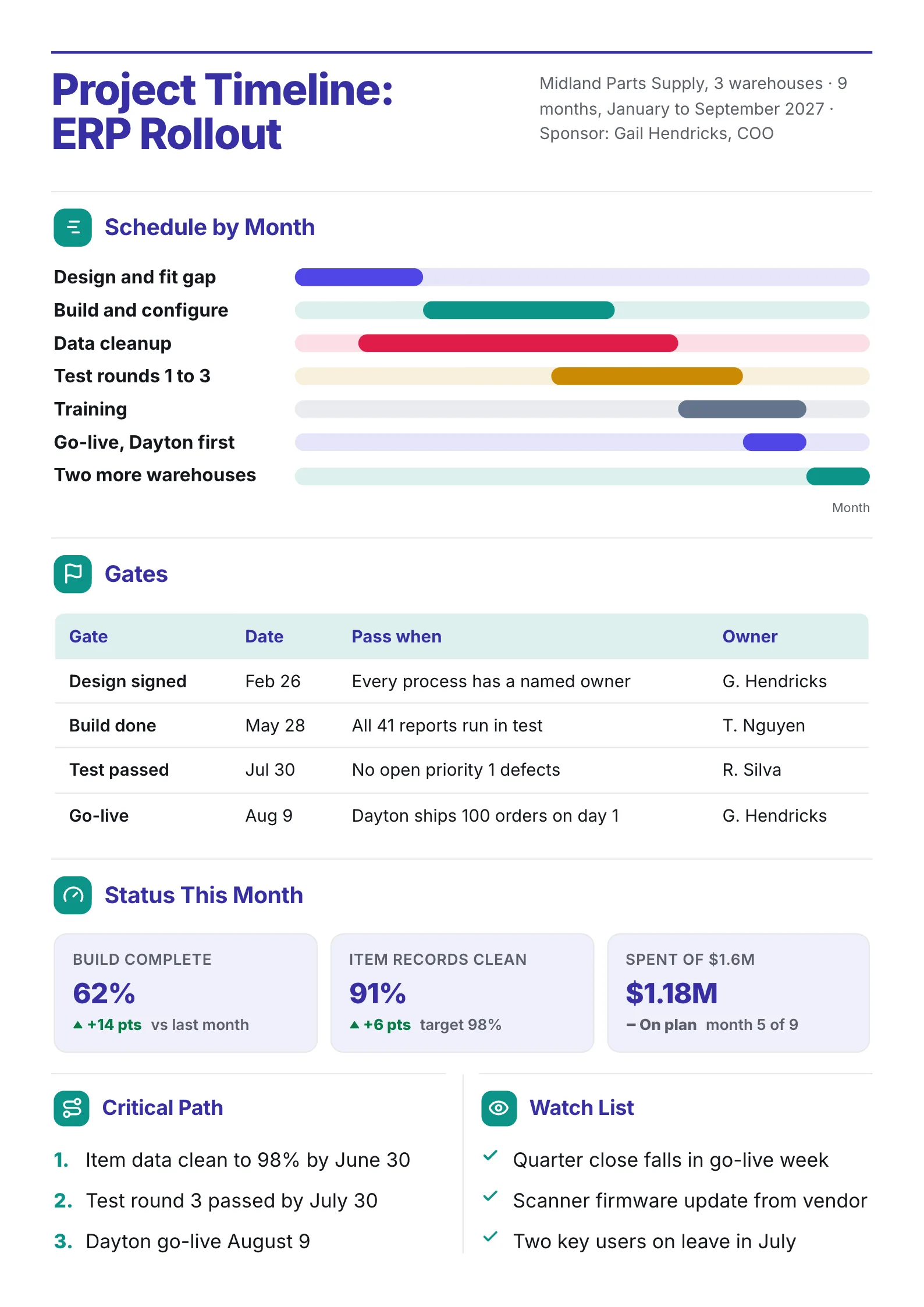 Project Timeline: ERP RolloutEdit for free(opens in a new tab)
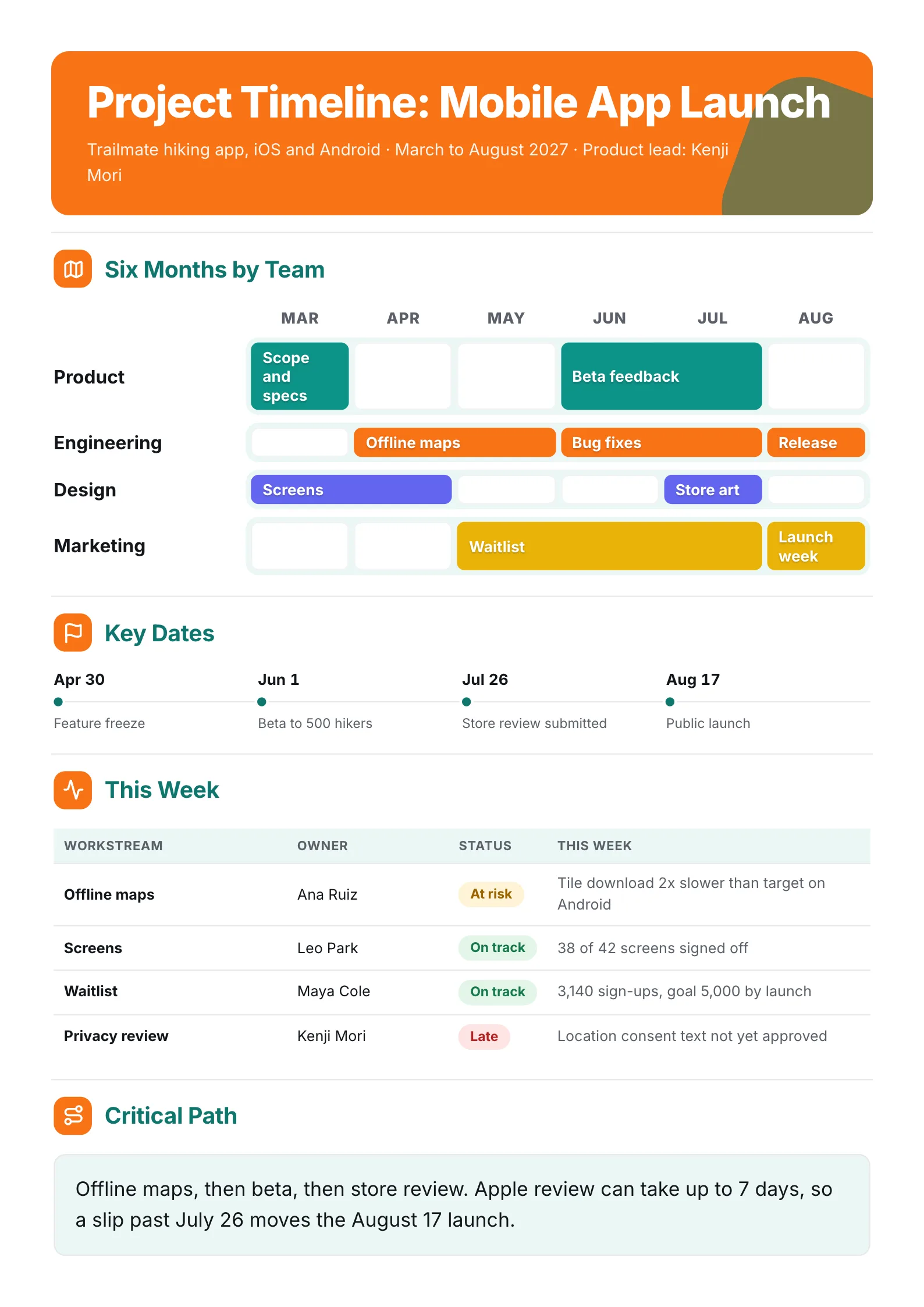 Project Timeline: Mobile App LaunchEdit for free(opens in a new tab)
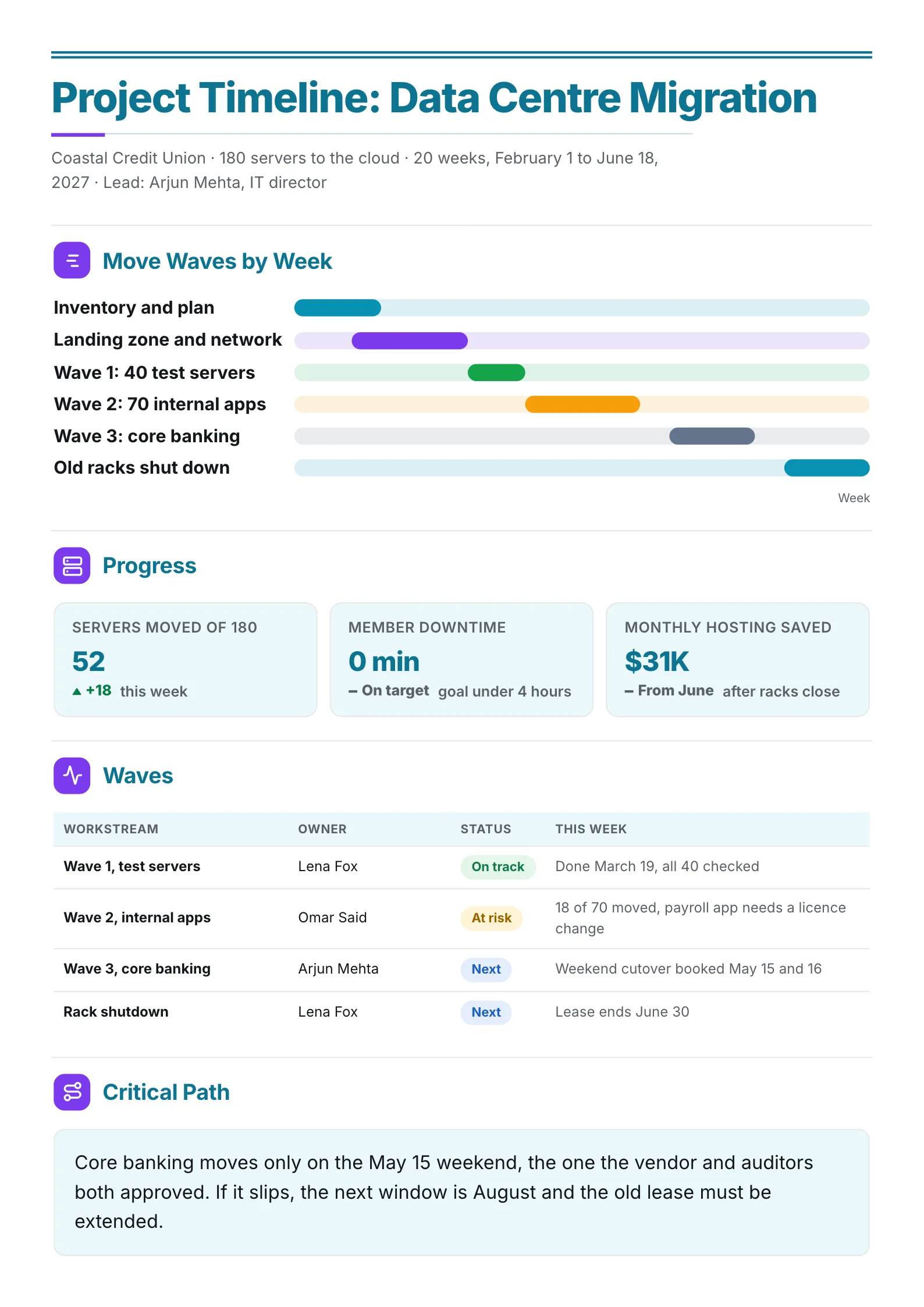 Project Timeline: Data Centre MigrationEdit for free(opens in a new tab)
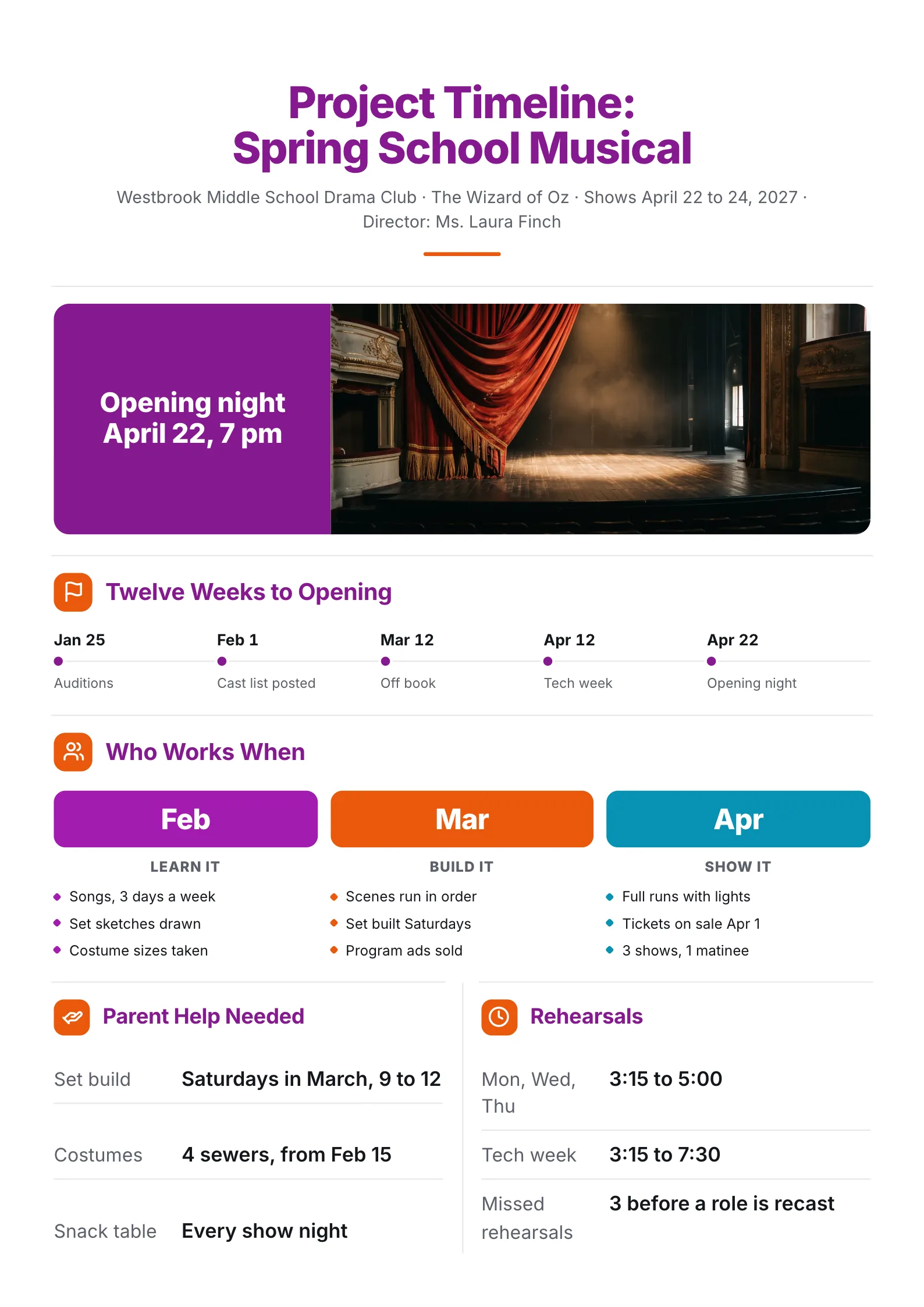 Project Timeline: Spring School MusicalEdit for free(opens in a new tab)
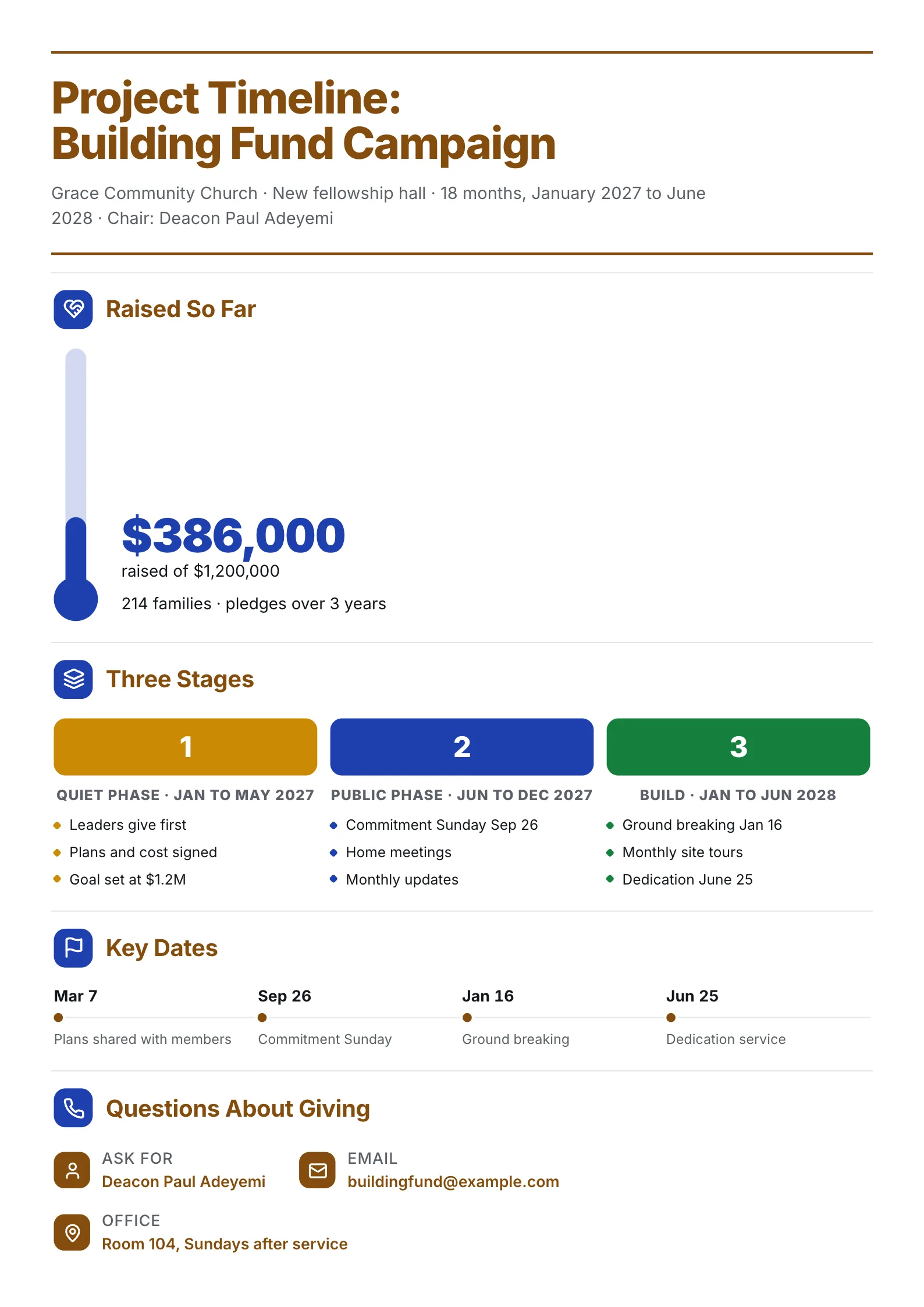 Project Timeline: Church Building Fund CampaignEdit for free(opens in a new tab)
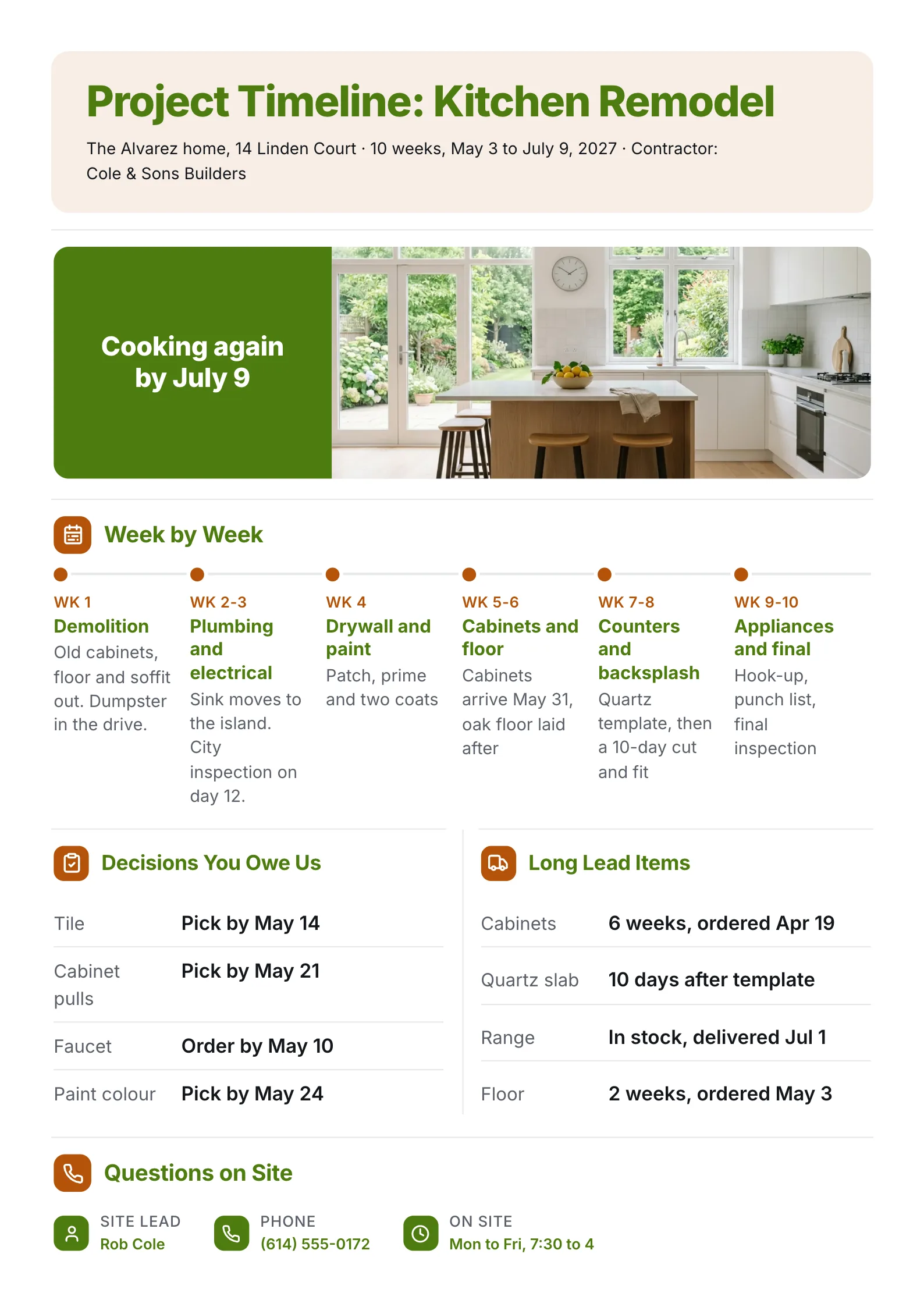 Project Timeline: Kitchen RemodelEdit for free(opens in a new tab)
| If | Use | Time unit | How it reads |
|---|---|---|---|
| Tasks overlap | Gantt chart | Weeks or quarters | Bars across the top of the calendar |
| The work moves in clear stages | Phases | Weeks or months | 3 or 4 blocks with dates and tasks |
| Teams work side by side | Roadmap by team | Weeks | A row per team |
| One thing follows another | Dated list | Years or months | A line with a note at each stop |
| It all happens in one day | Hour by hour | Hours | Times down the side |
The block most timelines are missing
Your chart shows every date at the same volume. Your reader needs to know which ones can sink the rest.
The U.S. Government Accountability Office audits federal project schedules, and its Schedule Assessment Guide sets out ten best practices. Number six is the one to borrow. It defines the critical path as "the path of longest duration through the sequence of activities". That path sets your earliest possible finish, and it shows what happens when any activity on it slips.
You don't need scheduling software for a one-pager. Ask one question of each task: if this runs a week late, does the end date move? The ones where it does go in a short block under your chart, each with a line on why it matters. "Phone line port takes 15 business days and can't start before cabling passes" tells your reader exactly what to watch.
Two more of GAO's practices fit on a small sheet:
- Put your tasks in order, and link them. If a task must finish before another starts, your page should show it. GAO asks for activities to be "logically sequenced".
- Update from real progress. Its ninth practice calls for updates based on actual progress and logic. If your schedule still shows the original plan, you no longer have a forecast.
Five timelines to borrow from
All five open as templates in MakeOnepagers.
Gantt chart: a clinic's new wing
 Edit this template
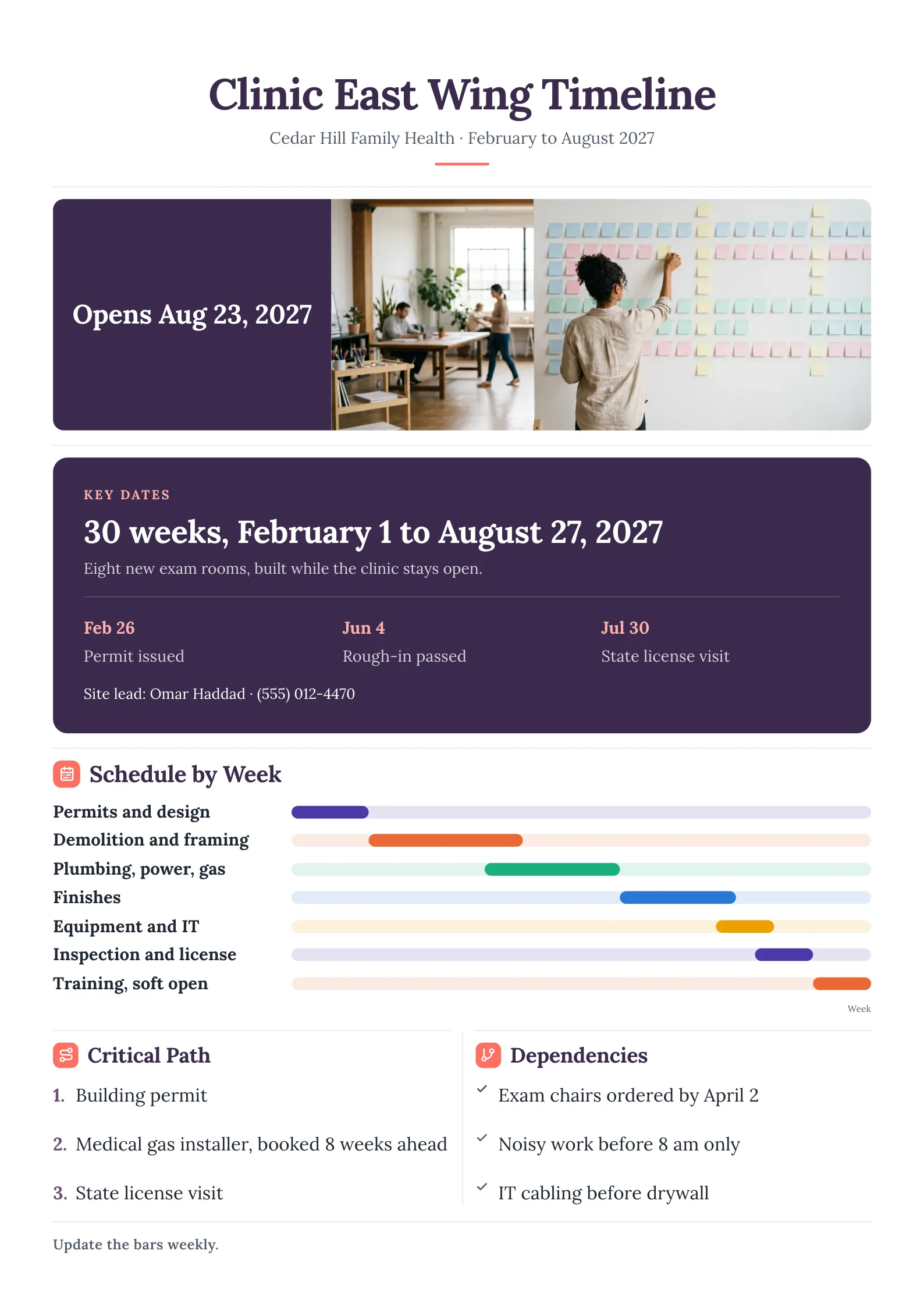
Thirty weeks and seven stages, from permits to the soft open. Before you reach the chart, you see three dates: the permit, the rough-in and the state license visit. The critical path and dependencies sit side by side at the foot. For more project schedules, see the project timeline template guide.
Phases: an office move
 Edit this template
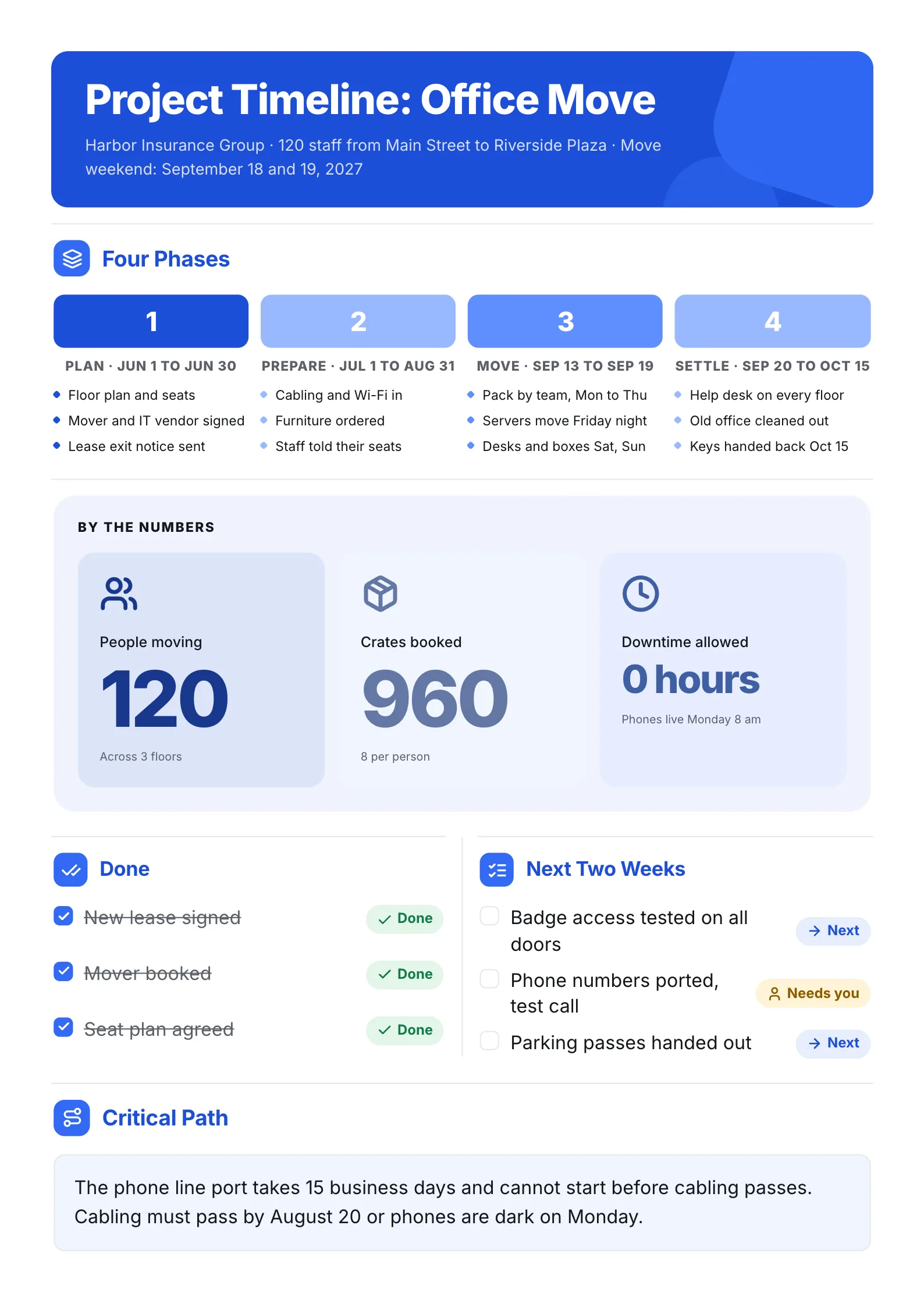
When you move an office, the stages are clear, so four blocks run from plan to settle, each with dates and three tasks. Big numbers give the size of the job: 120 people, 960 crates, 0 hours of downtime. A callout at the bottom names the one date that would leave phones dark on Monday.
Hour by hour: a wedding day
 Edit this template
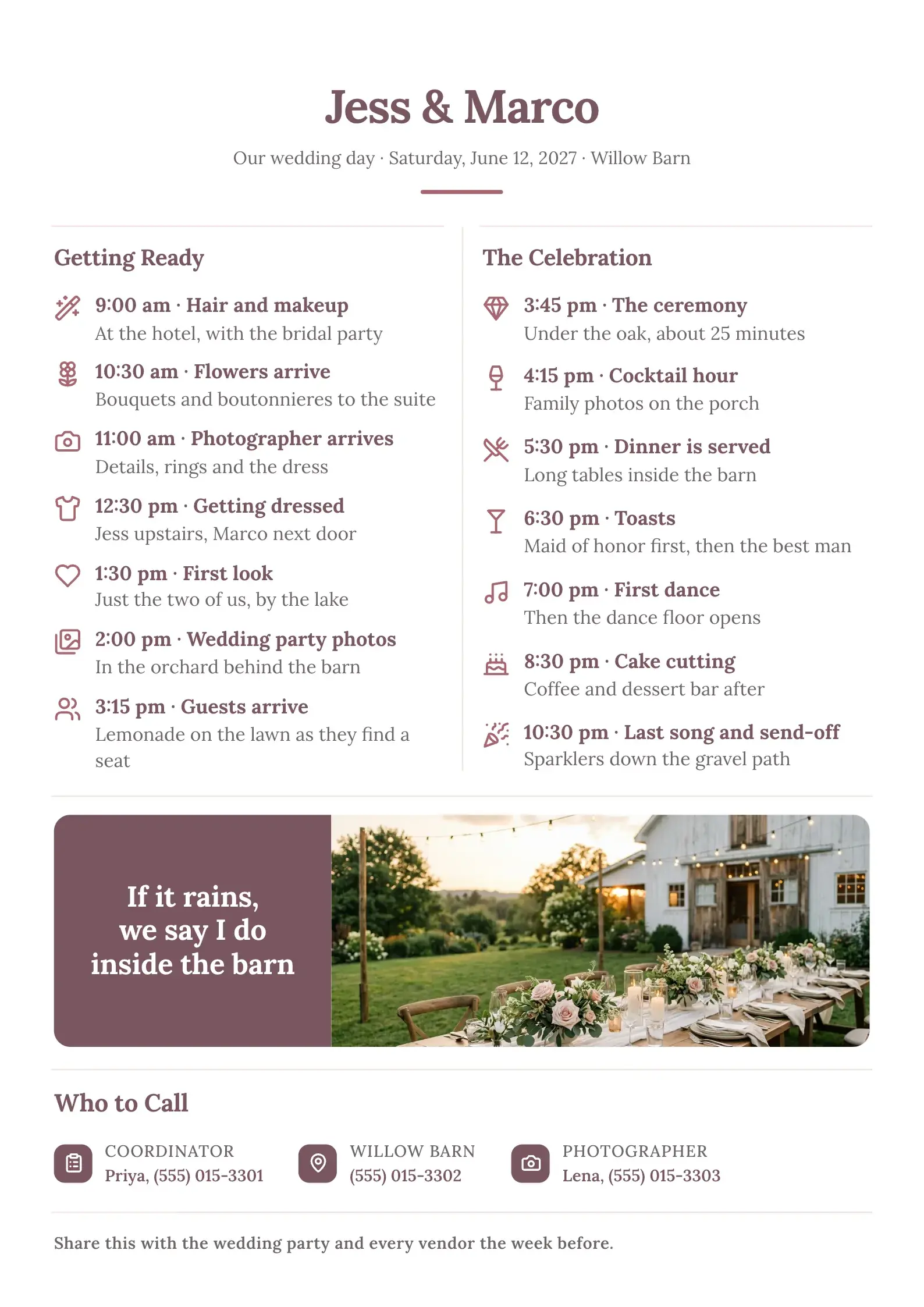
The day splits into getting ready and the celebration, with a time and a short note for each moment. The photo caption covers the rain plan, and three phone numbers tell vendors who to call. The wedding day timeline template post has more designs.
Gantt by quarter: a two-year study
 Edit this template
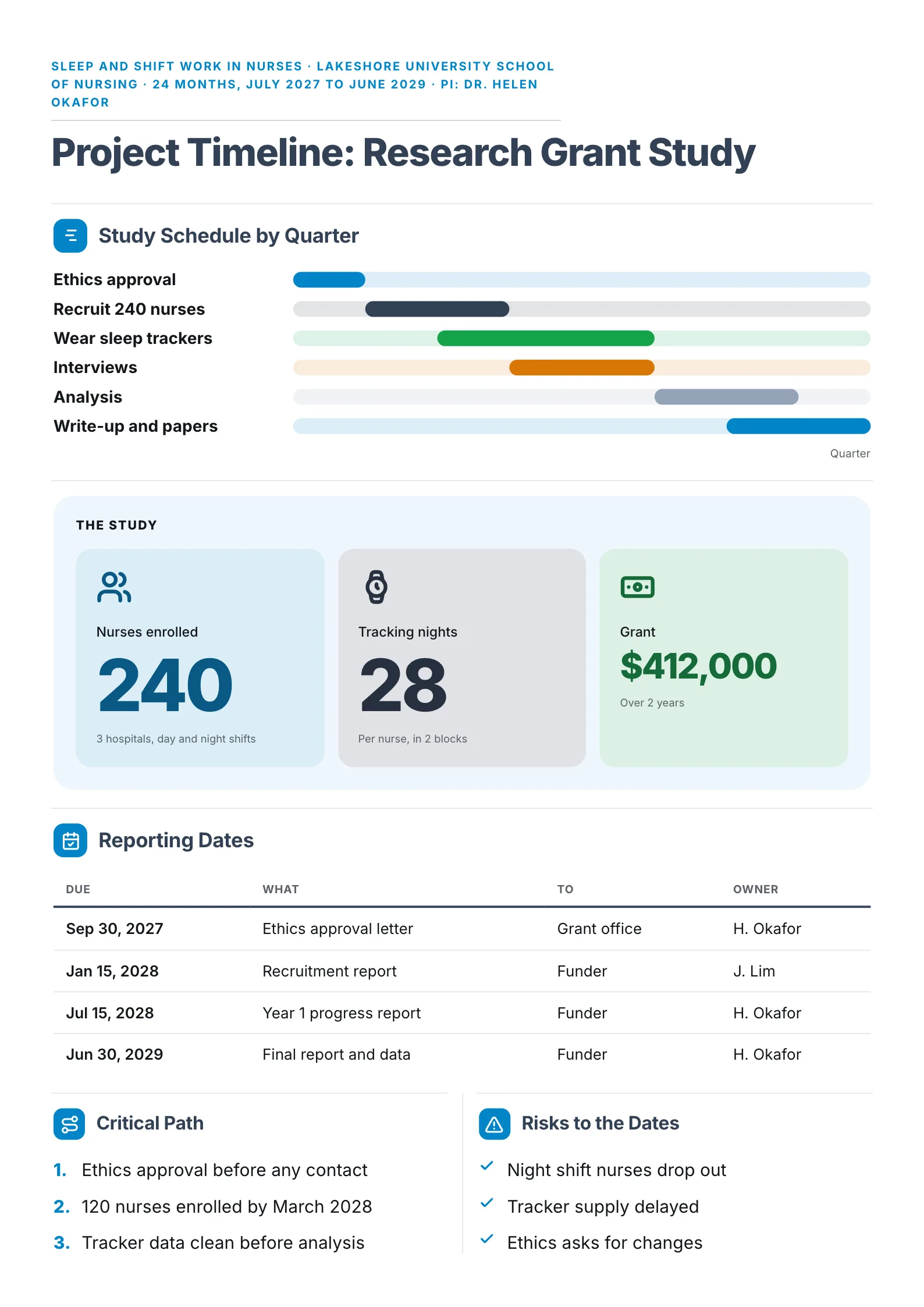
Twenty-four months is too long for weekly bars, so this one counts in quarters, from ethics approval to the papers. A table lists every report the funder expects, with an owner beside each. If a grant office will read it, that table answers its first question.
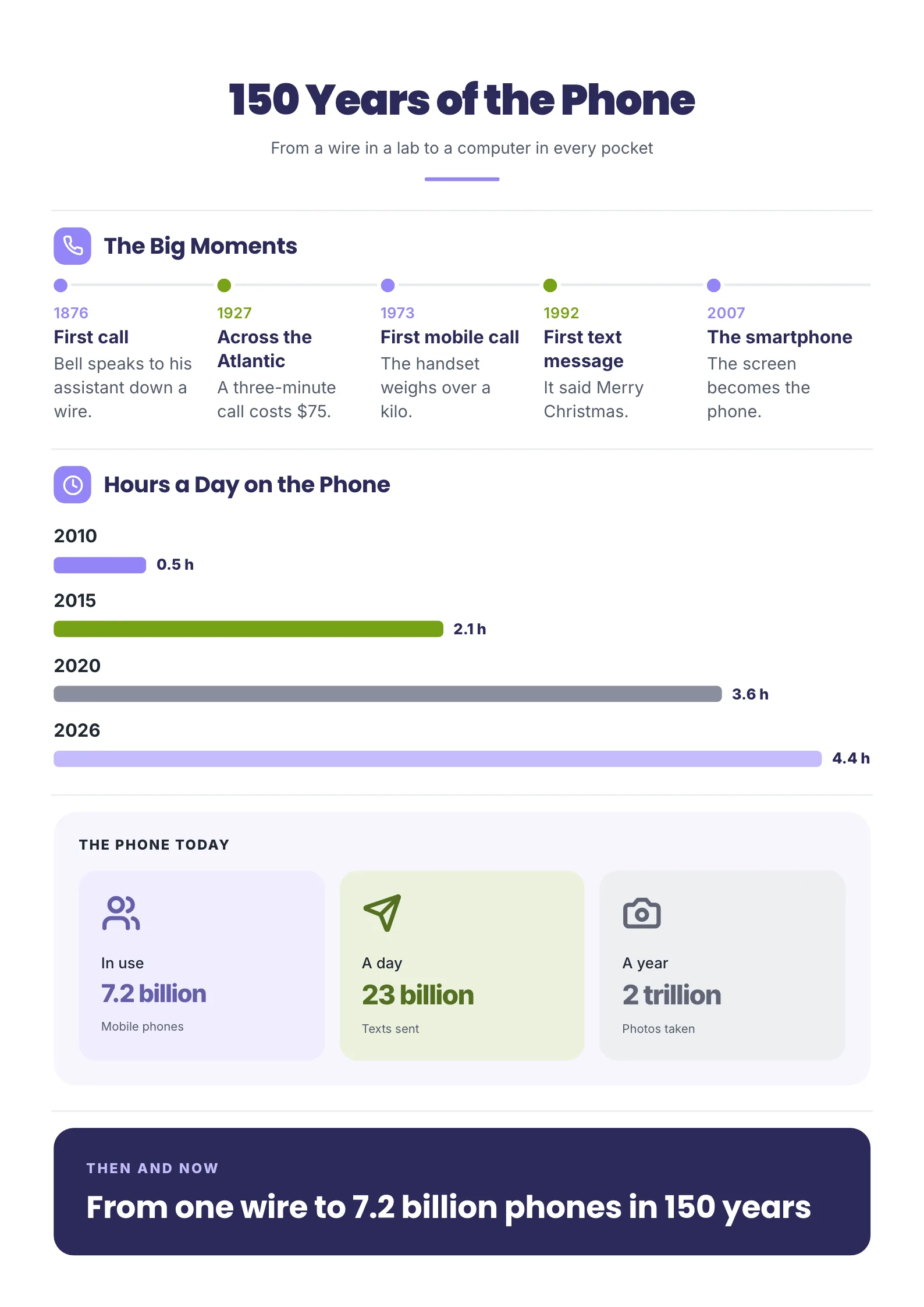
Dated list: 150 years of the phone
 Edit this template
When you tell a history, you don't need bars. Five moments get a date and a short note, and a small chart with three big numbers shows where things stand now. The same shape suits a school project or the story of a company.
Build yours in five moves
- Choose the unit that fits your sheet. Hours for a day, weeks for a few months, quarters for years.
- Group your work into 5 to 8 rows. "Plumbing, power and gas" is one row. You can keep the detail in your full plan.
- Mark today. Color the week or phase you're in, so your reader sees at once where things stand.
- Pull out 2 to 4 critical dates. Give each one an owner.
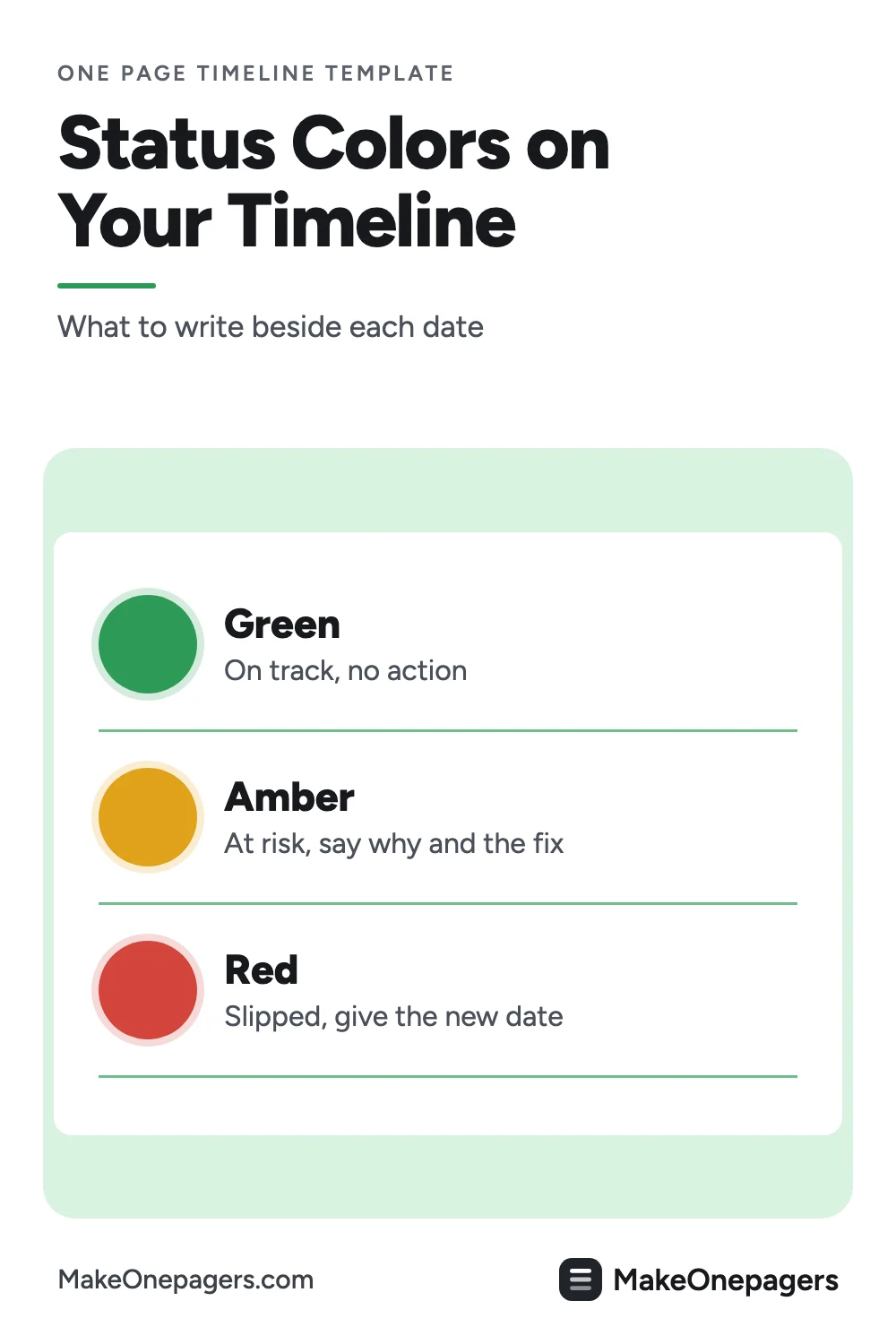
- Close with your status and a name. Say what you've done, what's next and who to call. Green, amber and red work well if you'll share it weekly.
Keeping it honest
Pick one day a week to update it, and print "Updated" with the date in the footer. If a critical date slips, say so at the top in one line, with the new date and the reason. Your team can plan around a slip it knows about.
GAO's tenth practice is to keep a baseline, a record of the original plan. On one page, that can be a single line: "Opening was March 3, now March 17." You show the change and the current date together.
When your timeline turns into a weekly report, the project status report template guide shows how to add progress, risks and decisions. For where a product is headed, the one page roadmap fits better. For publishing, try the content calendar template.
Make your one page timeline
Excel, Word and PowerPoint can all draw a timeline, though nudging bars onto the right dates eats an afternoon. In MakeOnepagers you type tasks and dates, and the Gantt, phases, roadmap or dated list follows. A long project plan can go through the free AI One-Pager generator for a first draft.
Frequently asked questions
What should a one page timeline include?
A title, the dates, the schedule itself, 2 to 4 critical dates, what's done and next, and who to call.
What is a critical path?
The longest chain of linked tasks in a project. It sets the earliest date you can finish, so a delay on any task in that chain moves the end date.
What's the difference between a timeline and a roadmap?
A timeline shows dates for planned work. A roadmap shows where a product or team is headed, usually by quarter, with looser dates.
Can I make a one page timeline in Word or Excel?
Yes. Excel suits a Gantt chart and Word suits a dated list. A MakeOnepagers template comes with the layout and the one-sheet fit set.
Is there a free one page timeline template?
Yes. Find the Gantt and phase layouts in our template gallery, edit them in your browser and save a PDF.
List your dates, count what overlaps, then choose your layout.




