Newsletter Ideas Taken From 6 Real Newsletters
Newsletter ideas from 6 real issues by a PTA, a city, a church, a rescue, a senior center and a library, with the sections each one actually ran.

Staring at a blank issue again? Look at what other editors print when they face the same empty page you do. Start from a free one pager template.
One‑Pager examples
Real One-Pagers made with MakeOnepagers. Open any one to edit it as your own.
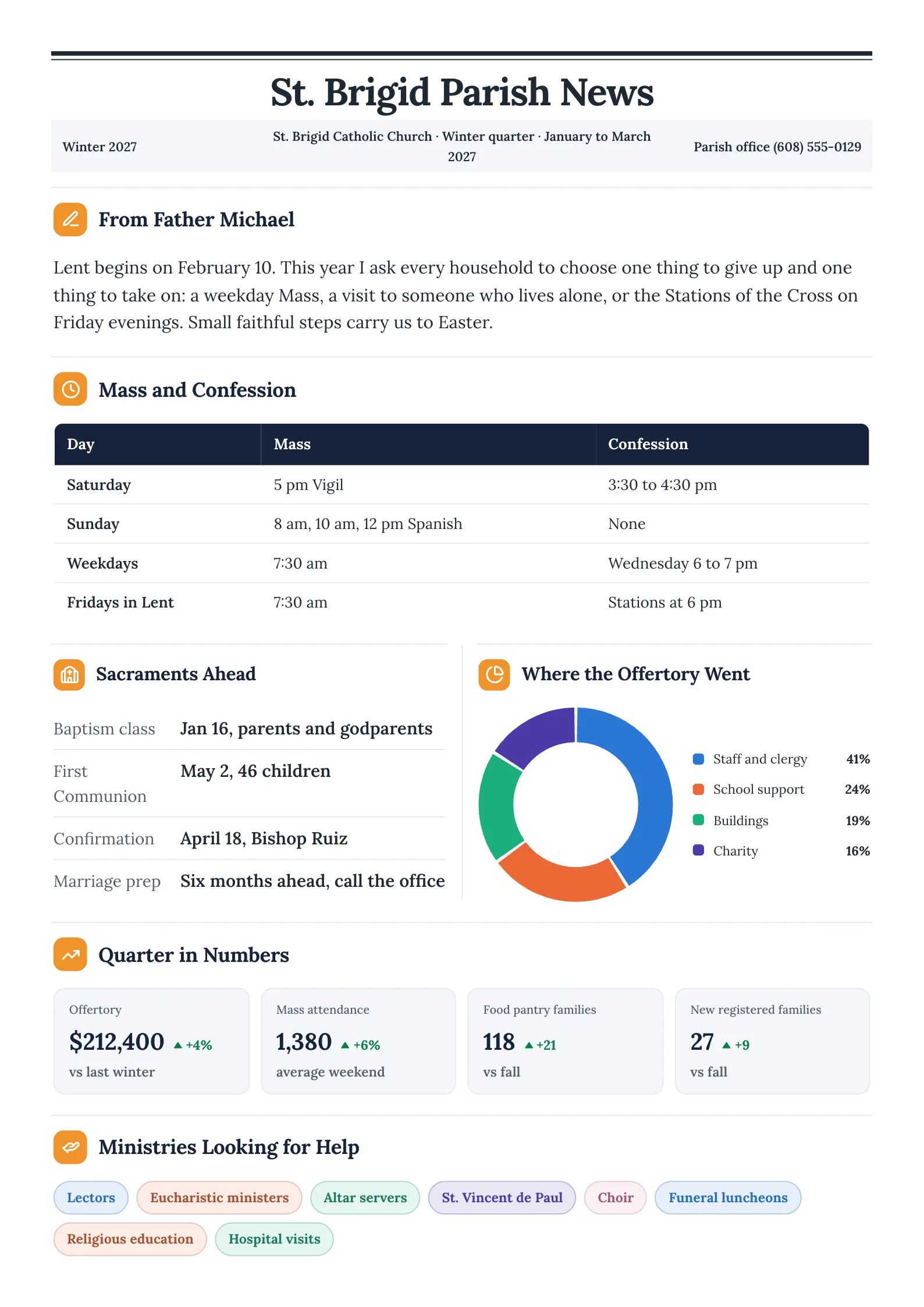 Church Newsletter: Catholic Parish QuarterlyEdit for free(opens in a new tab)
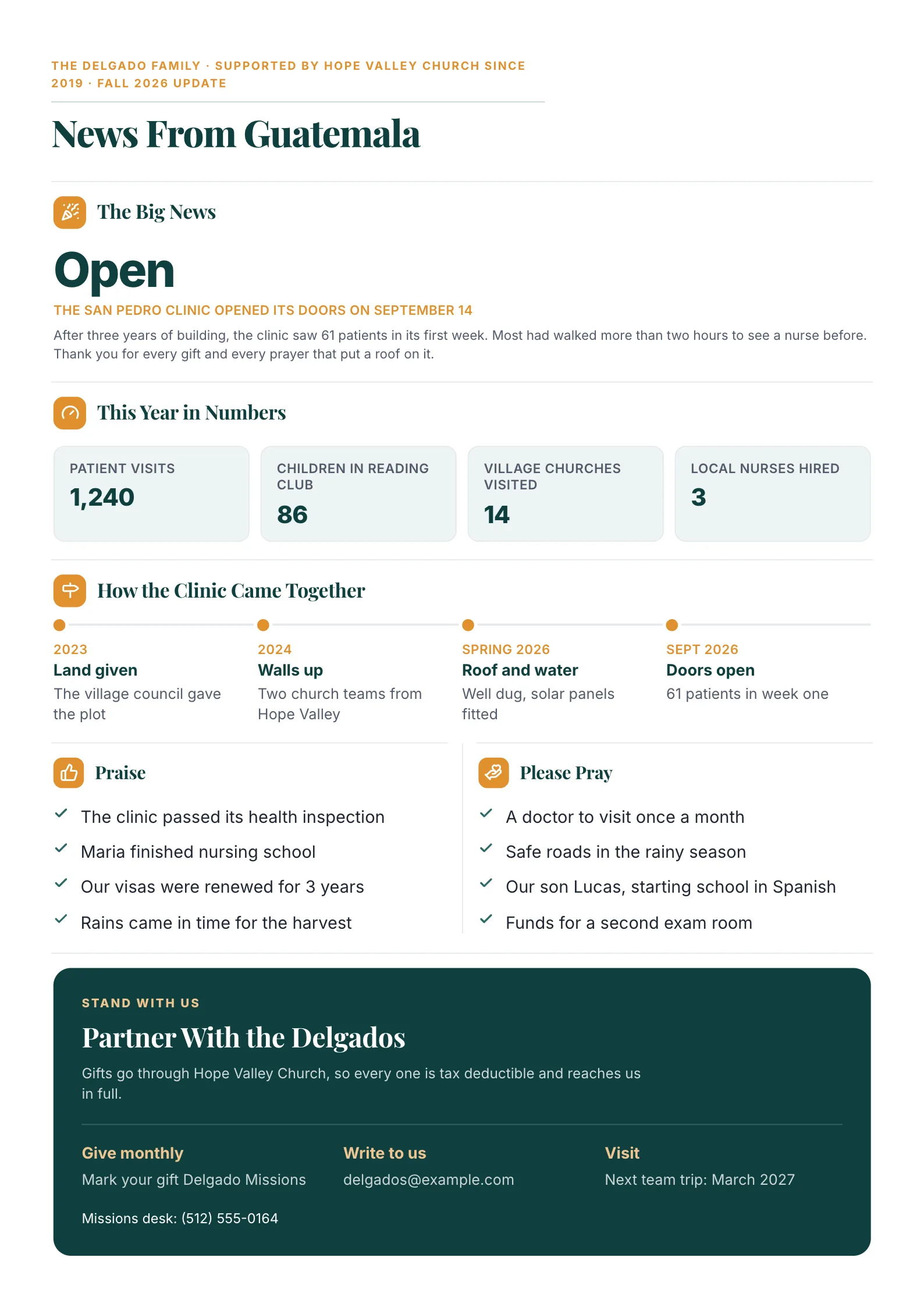 Church Newsletter: Missions UpdateEdit for free(opens in a new tab)
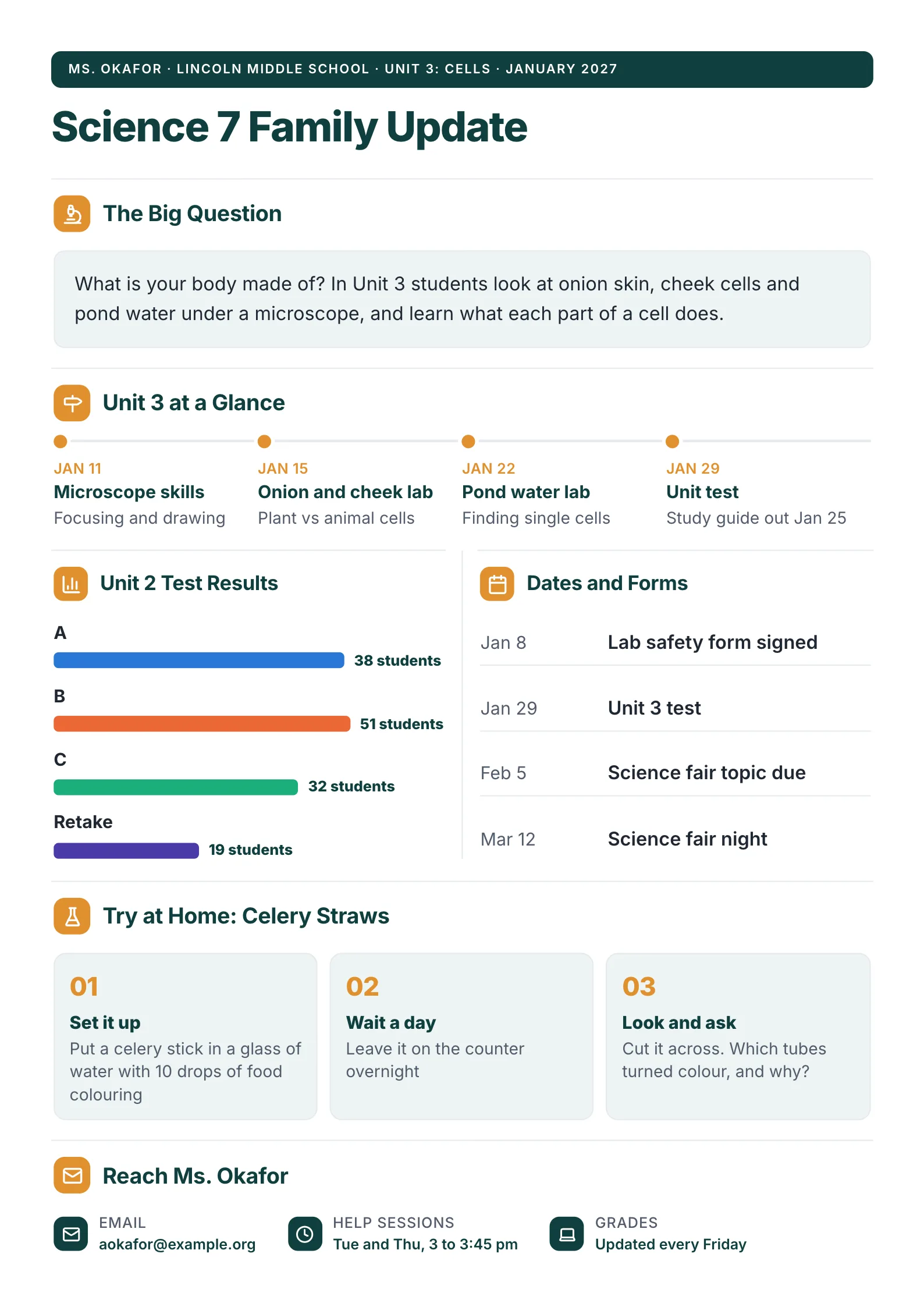 Teacher Newsletter: Middle School ScienceEdit for free(opens in a new tab)
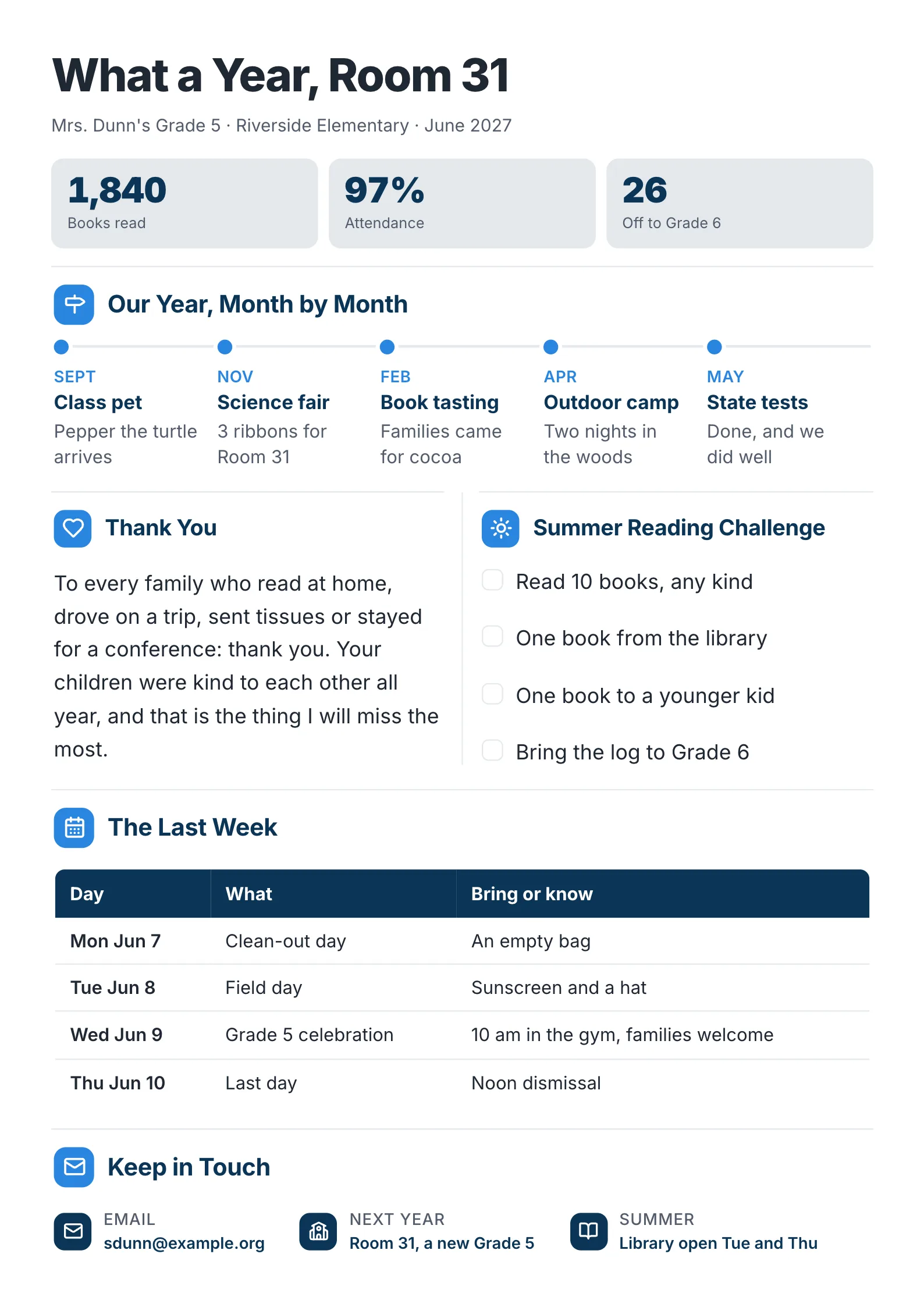 Teacher Newsletter: End of YearEdit for free(opens in a new tab)
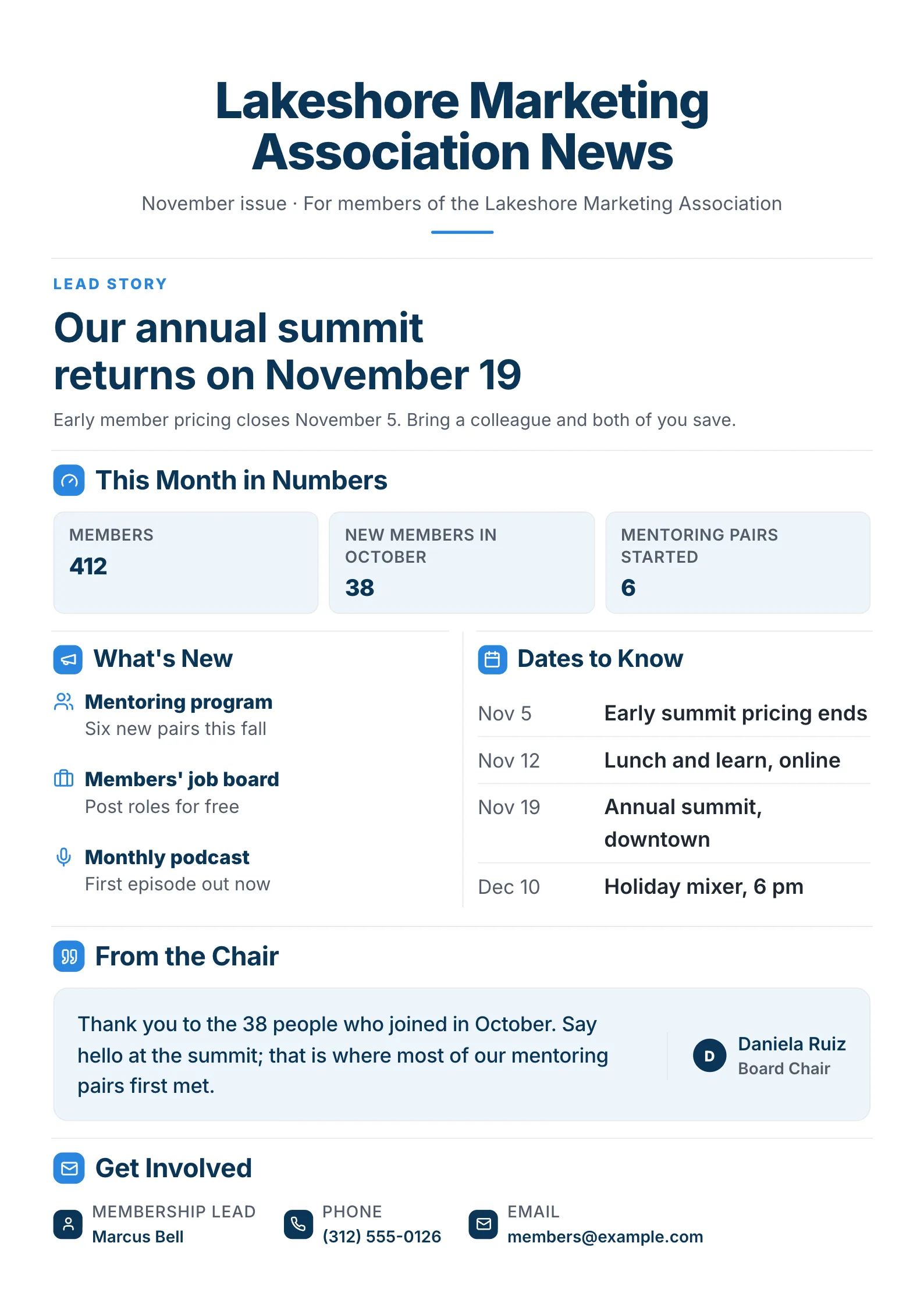 Member NewsletterEdit for free(opens in a new tab)
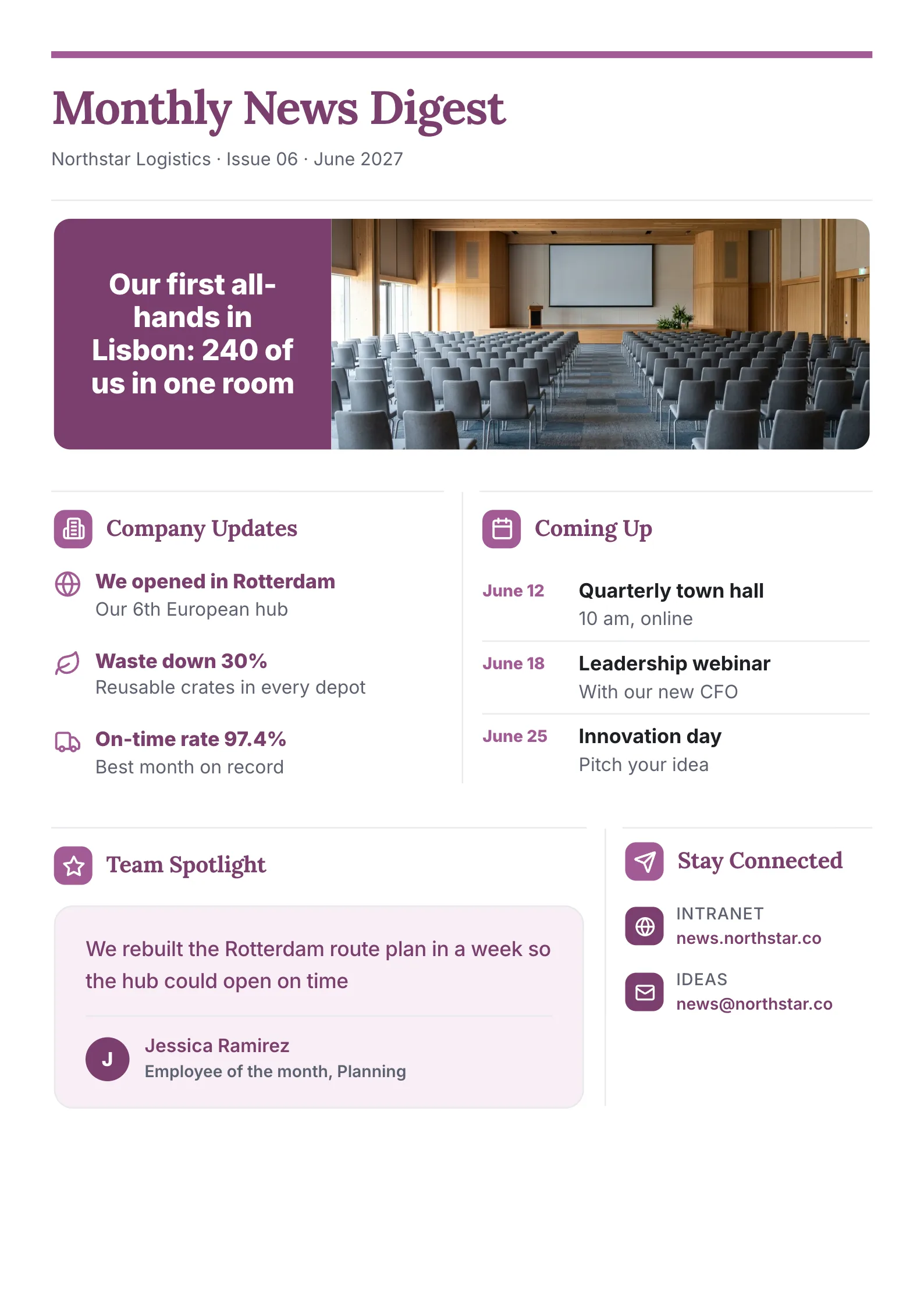 Staff Newsletter One-PagerEdit for free(opens in a new tab)
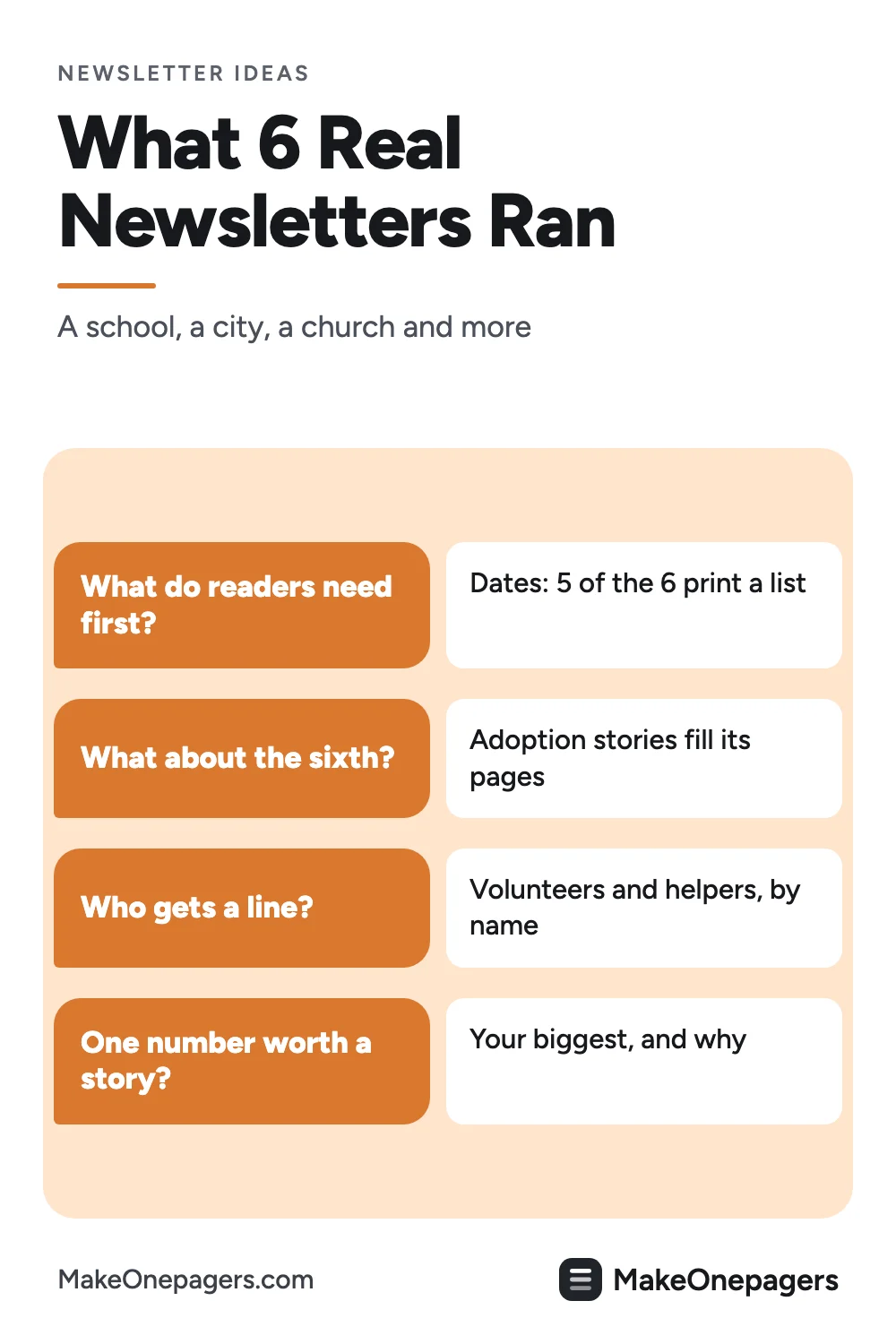
We studied 6 newsletters that a PTA, a small city, a church, an animal rescue, a county senior center and a public library put online this year. Five of the 6 print a list of dates. The sixth, PAW Shakes, comes out twice a year and fills its pages with adoption stories instead. Every idea below comes from something one of them actually ran, and each one you can picture comes with a sample from MakeOnepagers that uses invented names and numbers.
The 6 newsletters behind these ideas
| Newsletter | Who sends it | What it gave us |
|---|---|---|
| Clarksville Middle School PTA, September 2026 | A school PTA in Maryland | Events, a volunteer ask and a contest deadline |
| Mountain Lake November News, 2026 | A Minnesota city and its utilities | Closed days and the snow emergency rules |
| Christ Covenant Senior Adults, November 2026 | A church's senior adults ministry | A life story column and a priced lunch |
| PAW Shakes, Spring 2026 | An animal rescue in Maryland | Adoption stories and a thank-you list |
| Carver Senior Center, November 2026 | A Loudoun County senior center | A weather line and a monthly discussion lunch |
| Spies Public Library, Summer 2026 | A public library in Michigan | A page of usage numbers and a patron spotlight |
The PTA and the city each fit a month into 2 pages, and Christ Covenant runs 16.
Idea 1: Print the dates people can act on
A date on its own doesn't get anyone out the door. Christ Covenant gives its November 6 luncheon a social time of 11:45, lunch at 12:00, the menu, the speaker, a $7 price and a sign-up link. Its Christmas Dinner says as many as 200 people come each year, costs $18 and asks you to register by November 15.
The PTA does the same in three short lines per event. Its restaurant night even tells you the restaurant gives back 25% of what you spend between 4 and 8 p.m.
So give each item a day, a time, a price and the way to say yes. If your reader has to email you to find one of those, the item isn't finished yet.
 Edit this template
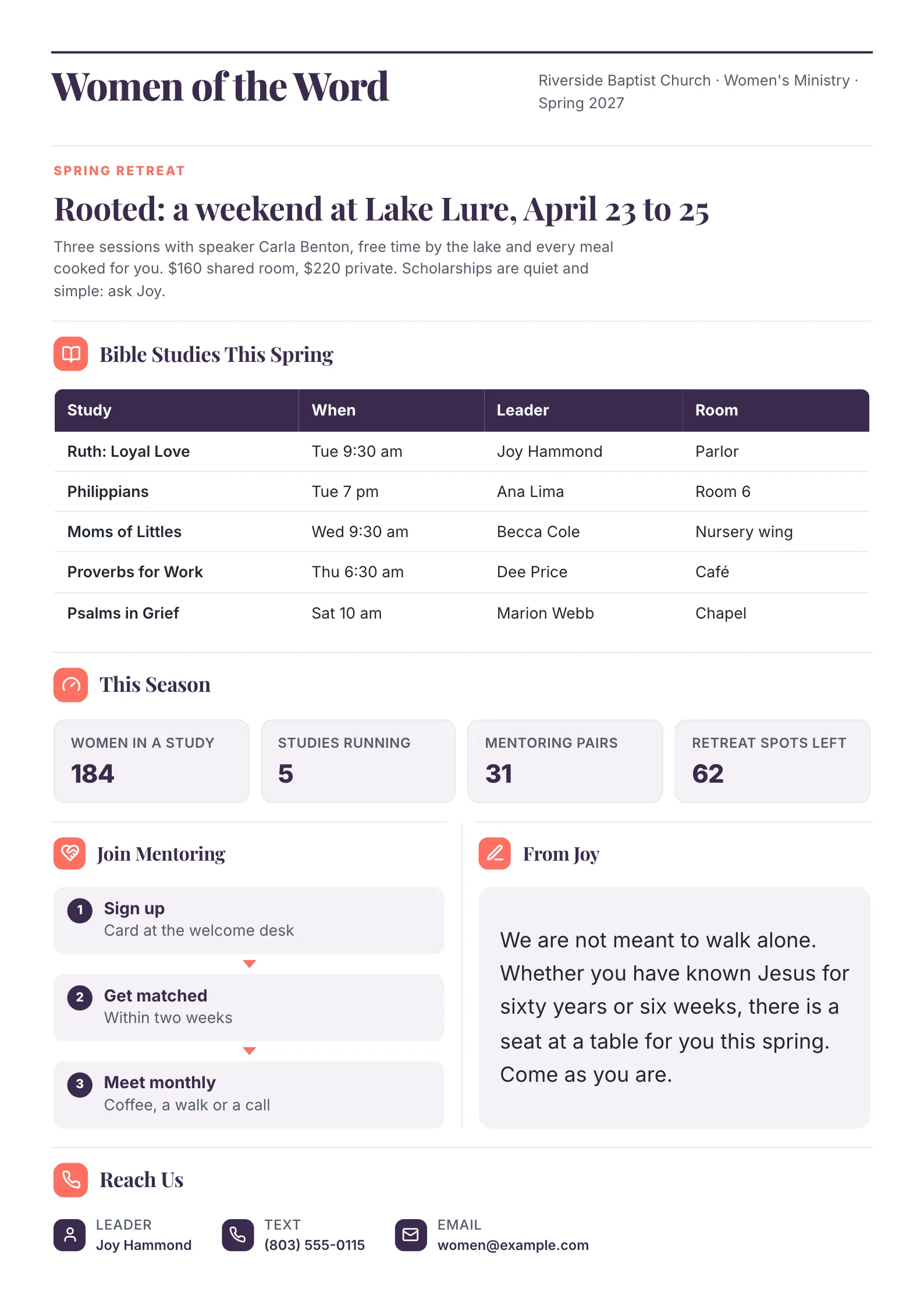
Each of the five studies gets a day, a time and a title, so a reader can pick one without asking anyone.
The women's ministry church newsletter also prints both retreat prices, $160 shared and $220 private.
Idea 2: Thank people by name
PAW Shakes closes with a thank-you list that names each veterinary practice, trainer and pet store that helped this year, one by one. Carver's advisory board thanks a local auto shop for lending its lot at the town tag sale, and thanks Sue for a new banner.
A named thank-you costs you one line. The person you thank will probably show it to someone, and your other readers learn what kind of help you need.
 Edit this template
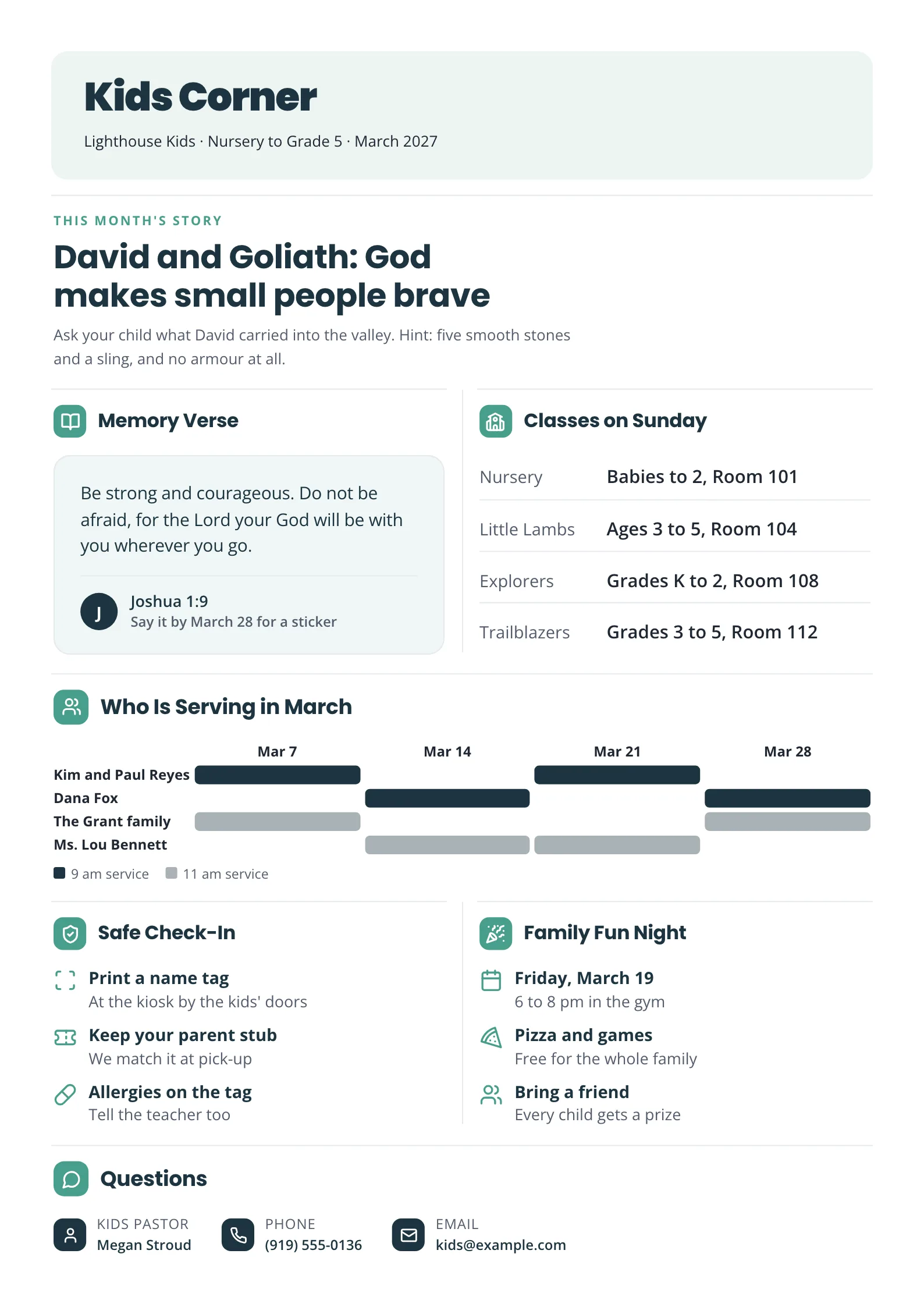
Its "Who Is Serving in March" block names every volunteer, from Kim and Paul Reyes to Ms. Lou Bennett.
You can borrow that whole layout from the children's ministry church newsletter, which gives the people serving that month a block of their own.
Idea 3: Ask for an exact number of volunteers
"We need help" is easy to skip. The PTA asks for six volunteers for its October 9 after-school recess social, says no experience is necessary, and adds "You are never volunteering alone." That last line answers a worry many first-time volunteers have.
Put the number, the date and the length of the shift in your ask. When your readers see that only six people are needed, they can picture being one of them.
 Edit this template
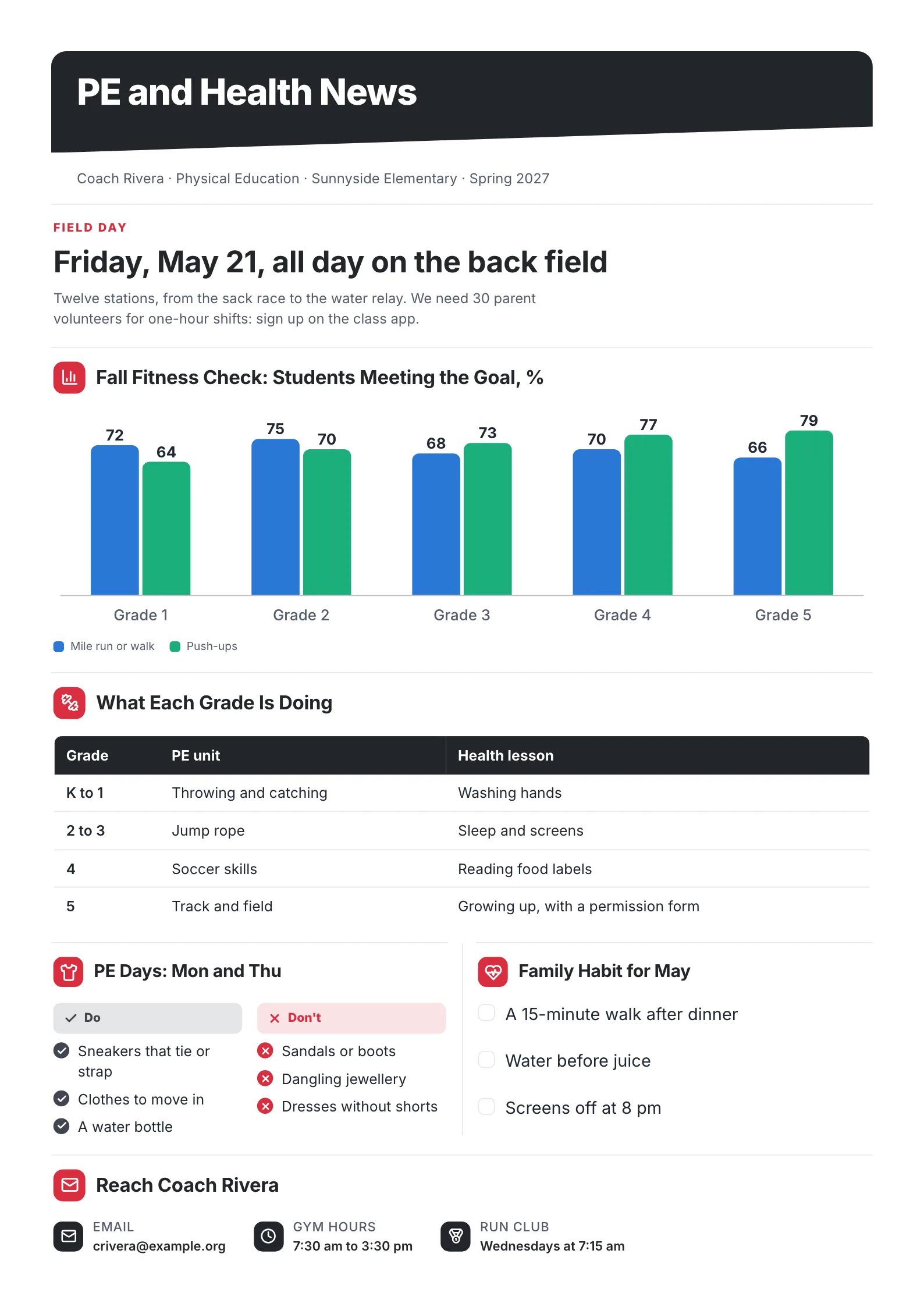
Coach Rivera asks for 30 parent volunteers in one-hour shifts across 12 field day stations.
The PE and health teacher newsletter puts that ask at the top, ahead of the fitness chart.
Idea 4: Tell your milestone through one story
PAW passed 6,000 adoptions in its 30th year, and it didn't stop at the total. It told you who number 6,000 was, a cat named Sephie. The same issue follows Rasputin, a kitten who weighed 0.86 pounds at 3 weeks old.
A big total tells your reader you've been busy. One name tells them why it matters, and they'll remember the name long after the total.
 Edit this template
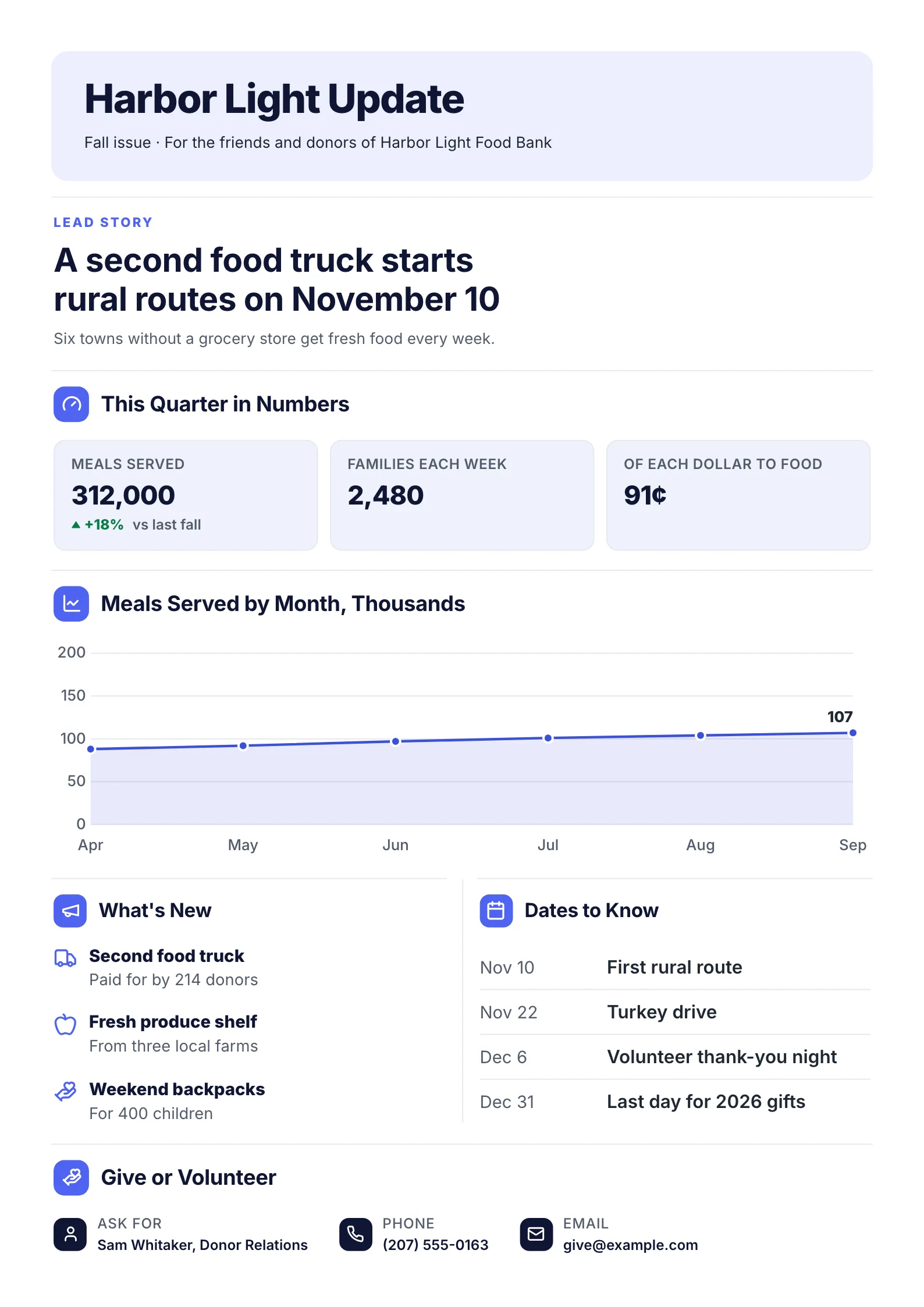
Harbor Light leads with one change, a second truck that brings fresh food to six towns with no grocery store.
The donor newsletter then credits the 214 donors who paid for that truck.
Idea 5: Give your numbers their own box
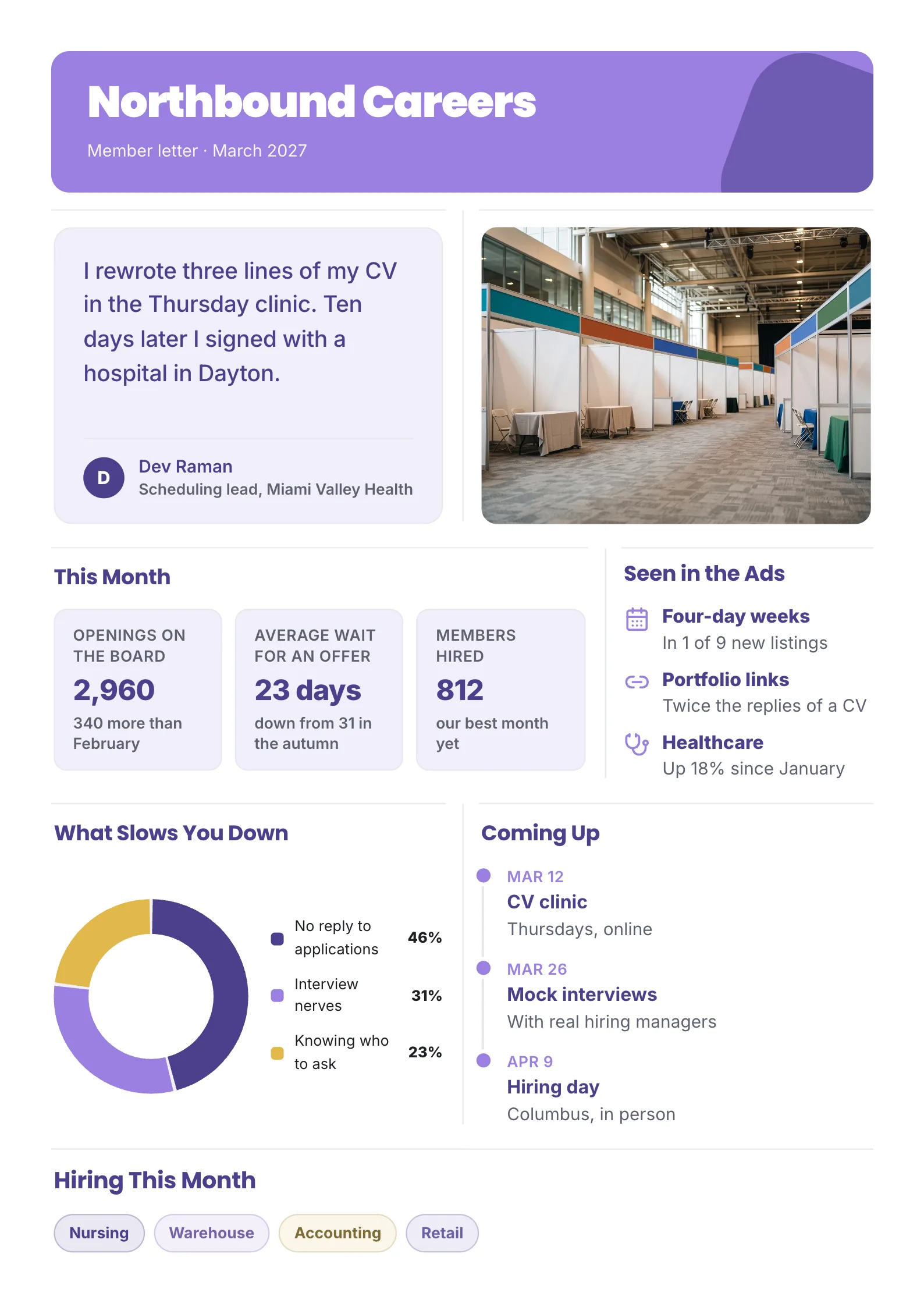
Spies Public Library heads one page "Our shelves tell a story. So do the stats." For April and May 2026 it lists 6,379 visitors, 73 new library cards, 6,388 items checked out, 22 programs and $2,533 in donations.
Pick the five numbers your readers would ask you about, and show the same five every issue. That way they can see the change without you having to explain it.
 Edit this template
Three numbers sit at the top, so a member knows how the month went before reading a word.
The community newsletter follows them with what members said slows them down, which gives the next issue its topic.
Idea 6: Repeat the one rule people forget
Mountain Lake gives real space to its snow emergency rules. An emergency declared before 9 p.m. starts at midnight. Cars still on the street after that are ticketed and towed, plowing starts after 3 a.m., and the alert goes out on the local radio station. Carver prints its weather line and reminds you the center doesn't follow school closings.
Every group has a rule like this, the one that costs your reader money or a wasted trip when they forget it. Print yours every season it applies, even if you ran it last year.
Idea 7: Start a column readers collect
Christ Covenant runs "One Senior's Life Story" in each issue, and the stories now fill a binder of well over 100 that sells for $10. The same issue carries a book review sent in by a reader and a short history of a hymn. Carver's monthly discussion lunch works the same way, with a new question each month.
A column gives you a slot you already know how to fill. Your readers who liked last month's will look for the next one.
How many ideas fit in one issue?
For a one-page issue, four is plenty. Here's a mix that covers what these six do best:
- One story with a name in it, up top.
- One dated list with times, prices and how to sign up.
- One ask with a number.
- One thank-you or one rule people forget.
Save the rest for next month. If you want to see finished issues side by side, these newsletter examples show full pages, and how to write a newsletter walks you through the writing. Want the four on one printable sheet? Start from a one page newsletter template.
Fill your next issue
Pick two or three of these ideas and start from one of the One-Pager templates, or describe your issue to the AI One-Pager generator and edit what it gives you. Then swap in your own dates, names and numbers.
Frequently asked questions
How do you come up with newsletter ideas every month?
Look at three places before you write. Check your calendar for the next 60 days, the photos you took last month and the questions people asked you. Each one usually gives you a section, and a recurring column fills a fourth.
What do you put in a newsletter when nothing happened?
Run a story, a spotlight or your numbers. PAW Shakes prints no events calendar at all and still fills 8 pages with adoption stories and thanks. Spies gives a full section to one staff member and two patrons.
What newsletter ideas work for seniors?
Give phone numbers, prices and sign-up deadlines in plain sight. Carver lists who to call for meals and bus pickups, and Christ Covenant prints every November birthday by name, 28 of them.
Should a newsletter ask for money?
Yes, if you say what the money does. The PTA asks for memberships near the top of page 1. Spies tells readers it needs a 20% funding match to finish Linda's Garden, so a gift of any size has a clear job.
How far ahead should a newsletter list dates?
Cover the coming month, plus any deadline that falls later. Christ Covenant lists a December 11 dinner in its November issue because registration closes November 15. Mountain Lake gives a December 31 deadline for next year's tree program.




