Which Timeline Format to Use, and How Exact to Make the Dates
A timeline format for any project: a dated list, a week-by-week chart, stages or waves, plus how state transportation agencies show dates they can't yet promise.

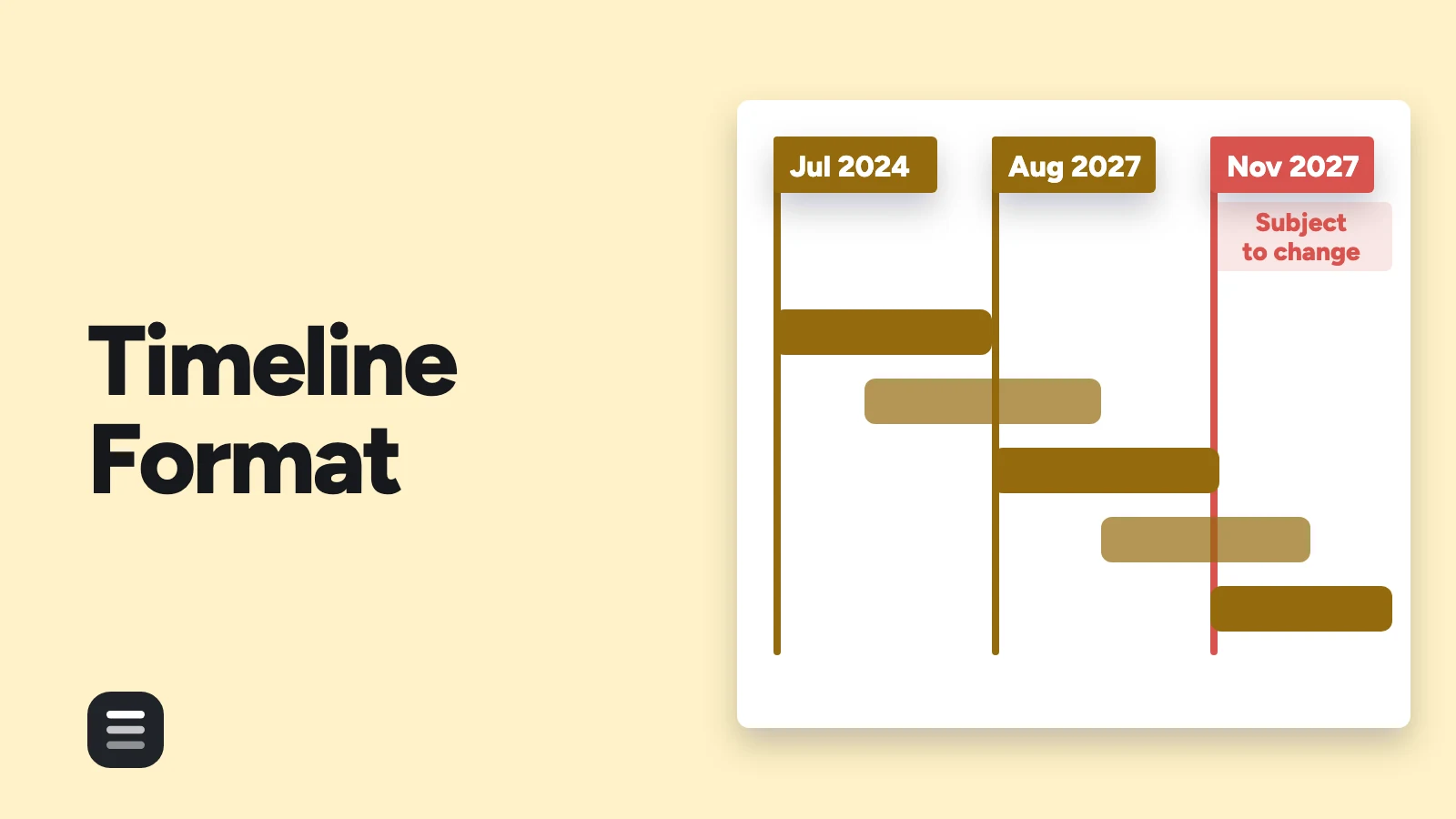
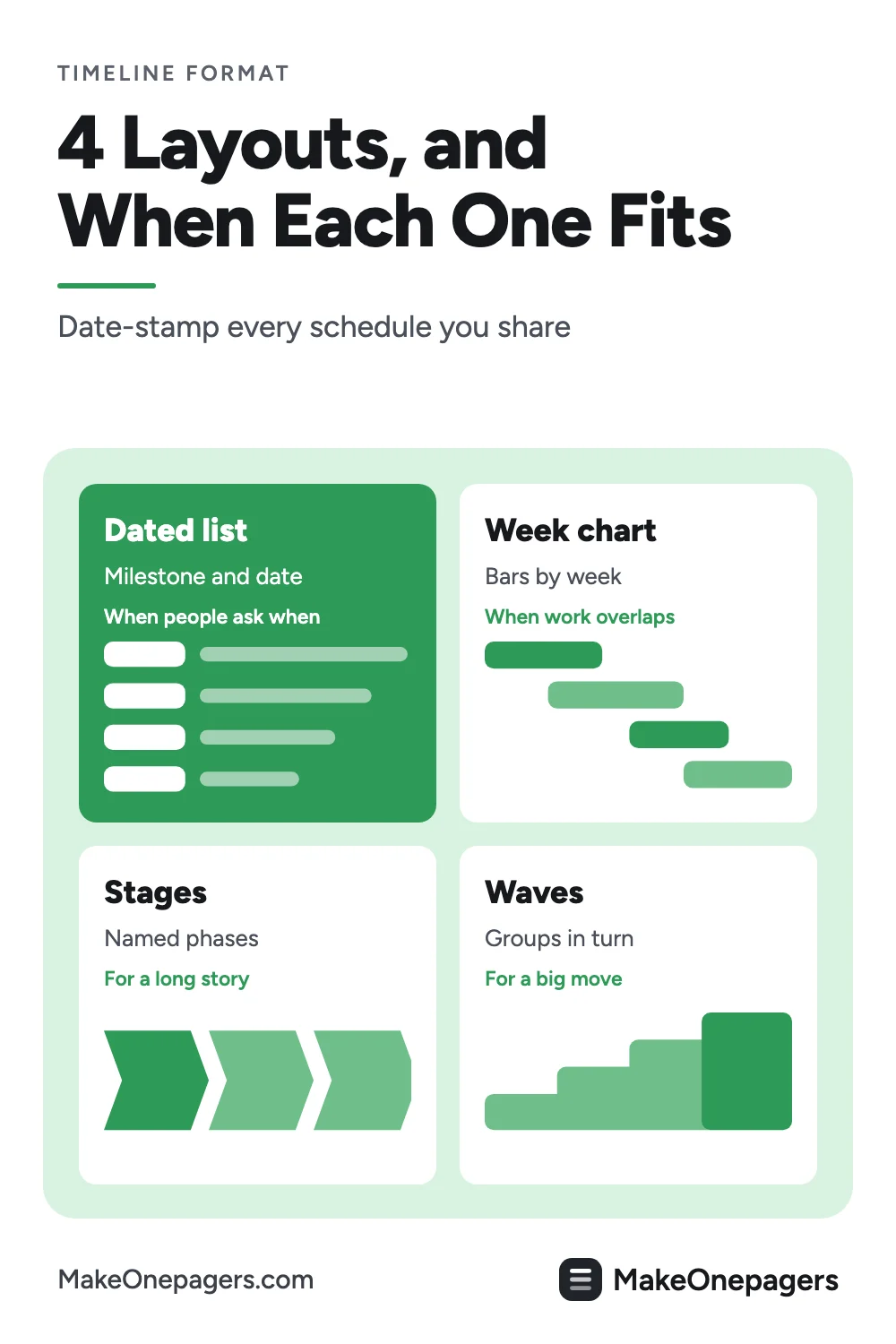
The question people bring to your schedule should pick your timeline format. A dated list tells them when. A week-by-week chart shows what overlaps. Stages explain a long effort, and waves track a big move in pieces. Start from a free one pager template.
One‑Pager examples
Real One-Pagers made with MakeOnepagers. Open any one to edit it as your own.
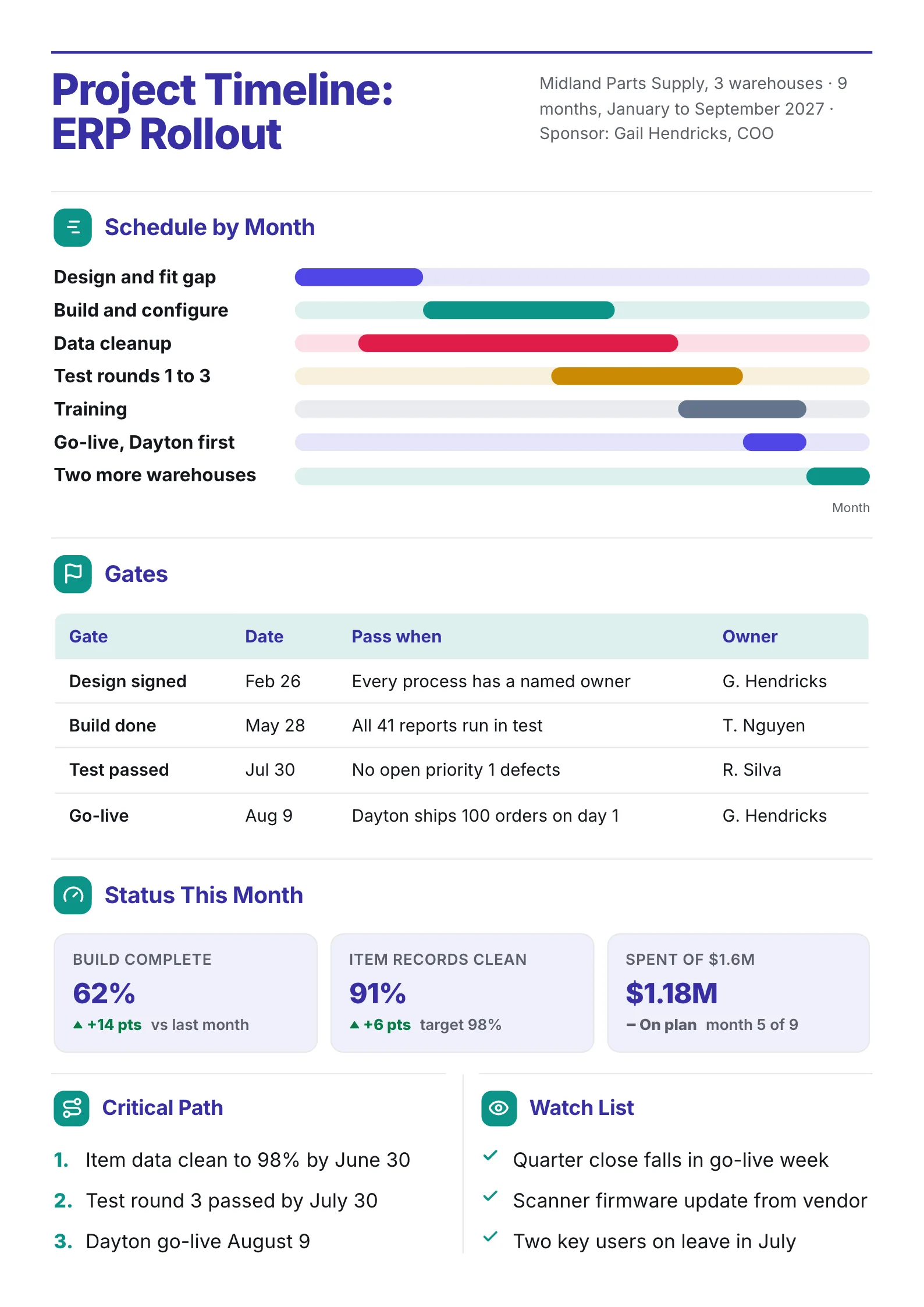 Project Timeline: ERP RolloutEdit for free(opens in a new tab)
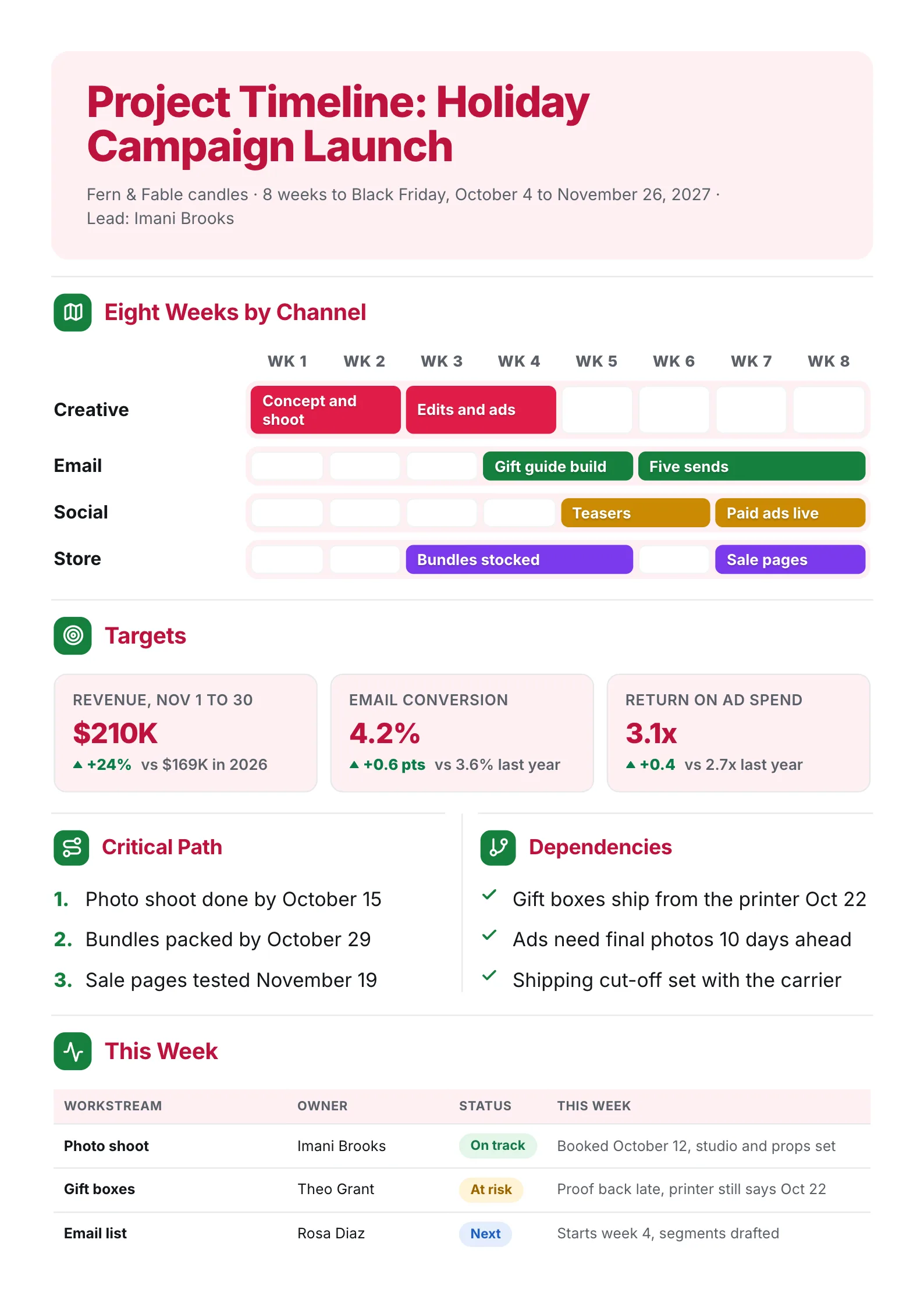 Project Timeline: Holiday Campaign LaunchEdit for free(opens in a new tab)
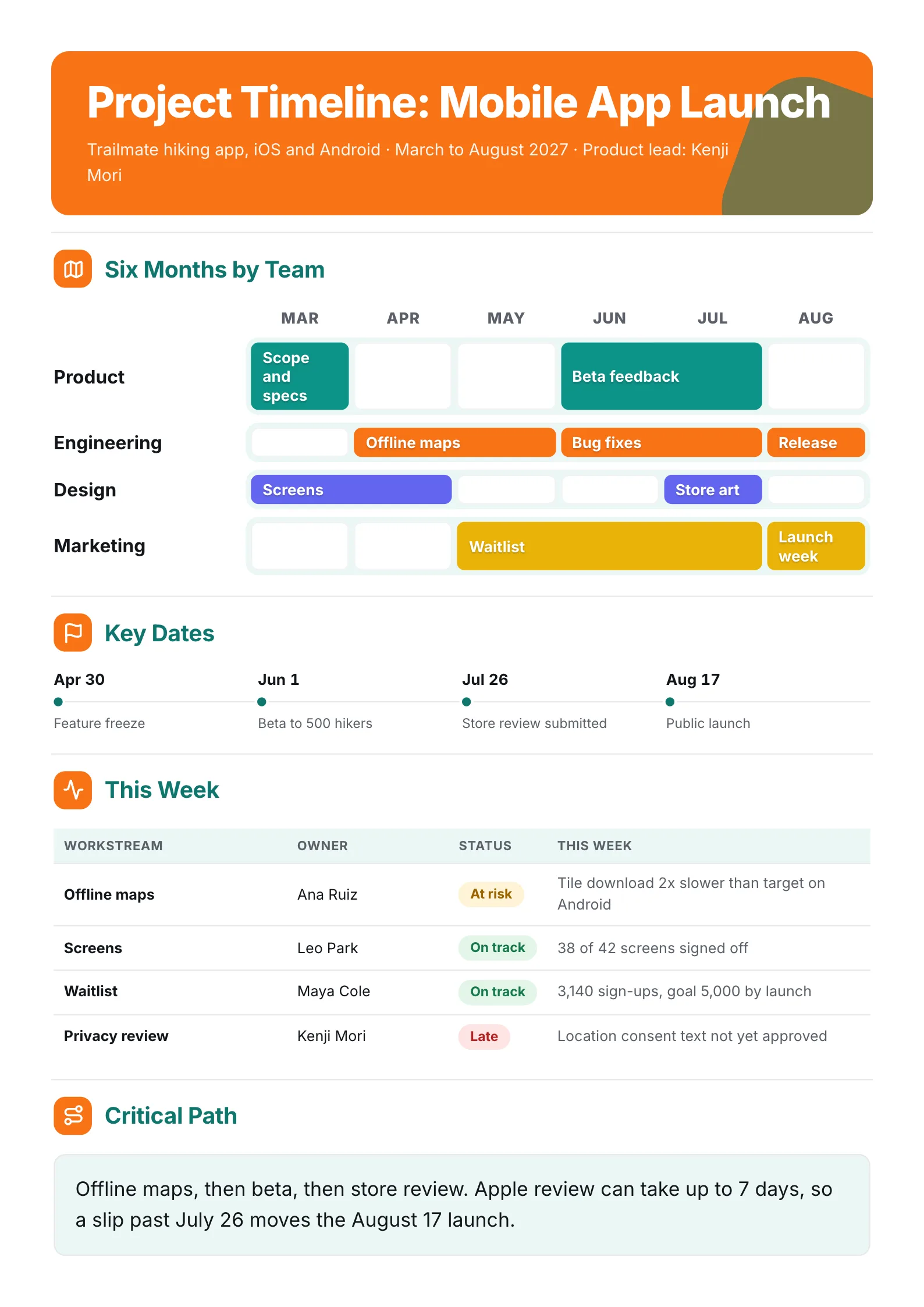 Project Timeline: Mobile App LaunchEdit for free(opens in a new tab)
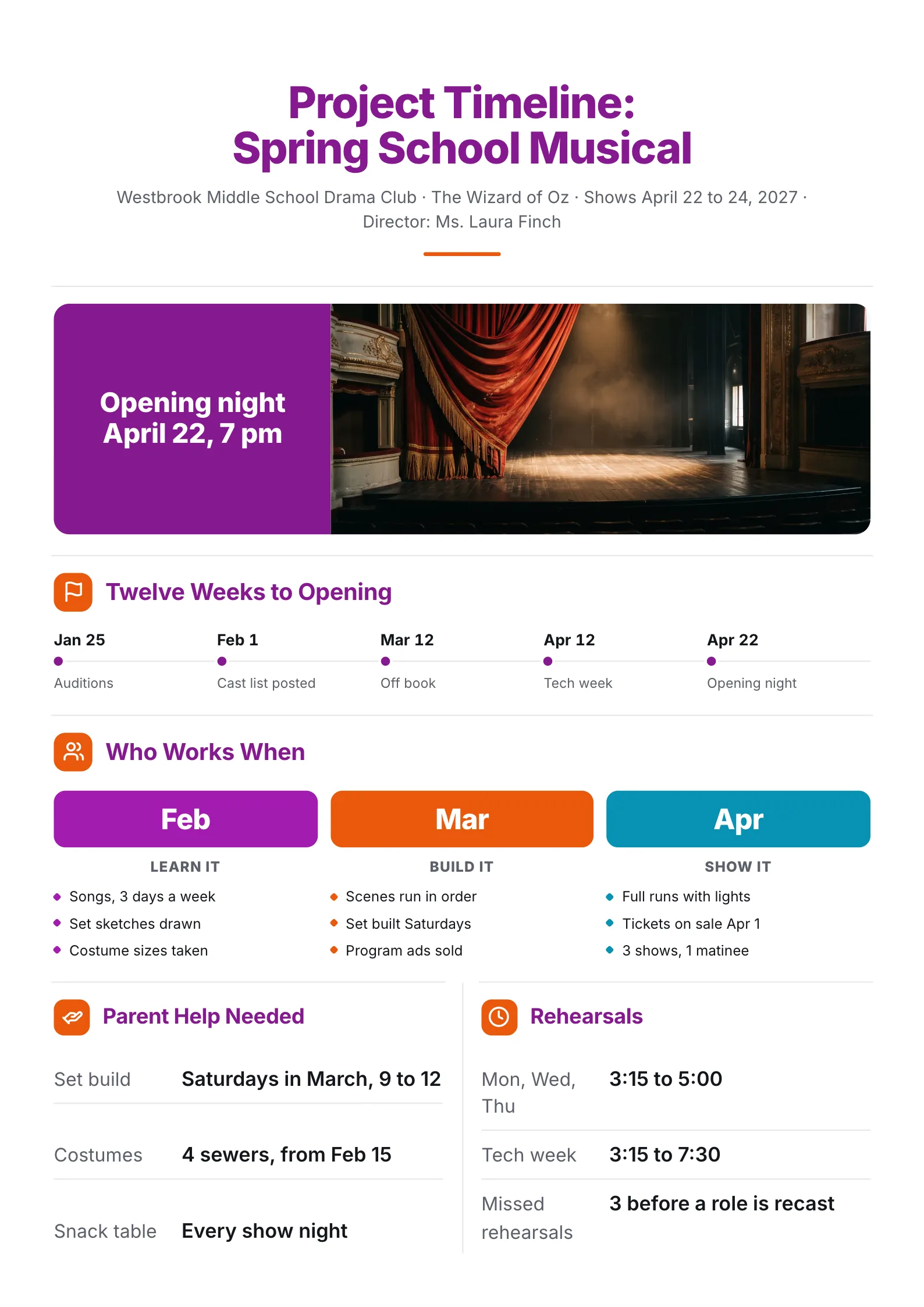 Project Timeline: Spring School MusicalEdit for free(opens in a new tab)
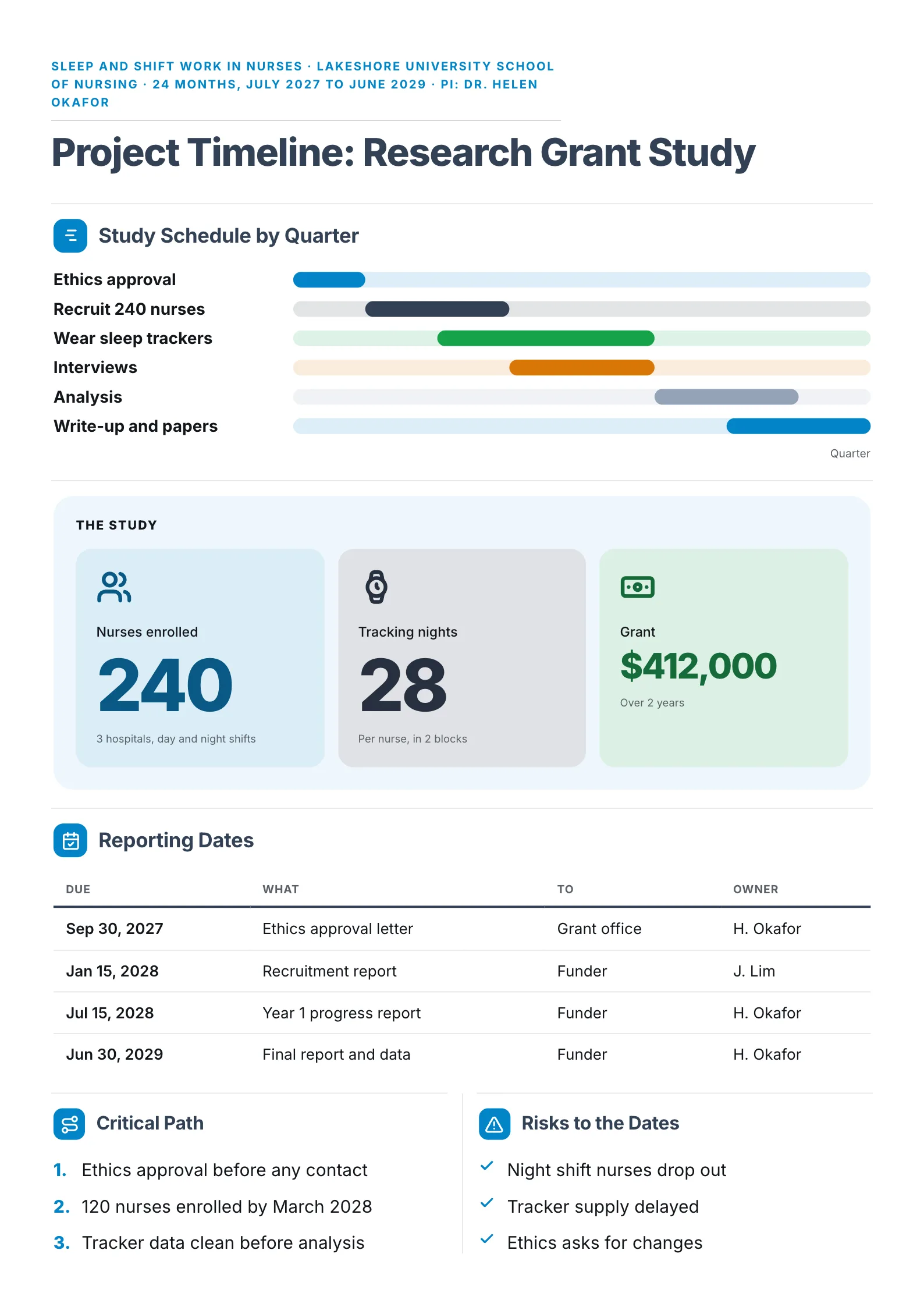 Project Timeline: Research Grant StudyEdit for free(opens in a new tab)
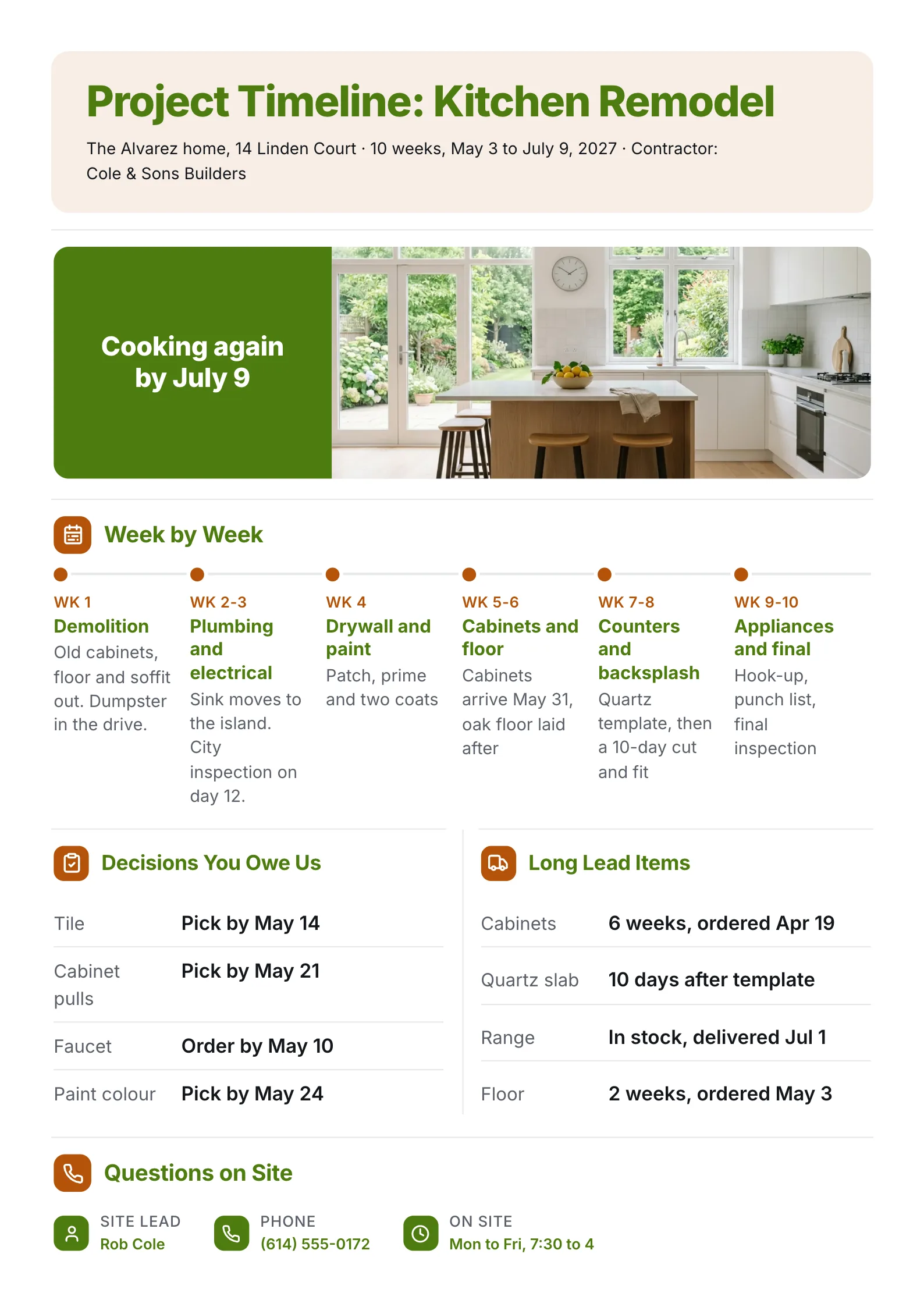 Project Timeline: Kitchen RemodelEdit for free(opens in a new tab)
For a real starting point, we read a schedule from an agency that publishes them for the public: the New Jersey Department of Transportation. Five samples from MakeOnepagers follow, and their projects and dates are made up.
Layout 1: The dated list
New Jersey's page for its I-80 rockfall project is about as plain as a timeline can get, and it does the job.
| Milestone | Date |
|---|---|
| Complete Environmental Documents | July 2024 |
| Secure Permits | February 2027 |
| Final Design Completion | June 2027 |
| Award Contract | August 2027 |
| Construction Start | November 2027 |
| Construction Complete | October 2031 |
That's NJDOT's project schedule, "as of June 2023."
Six rows cover a project that takes years. Use this when your readers only need to know when things happen, like neighbors, donors or a board. Notice also that its stamp is more than three years old on the day we read it, so check that yours gets updated.
Layout 2: The week-by-week chart
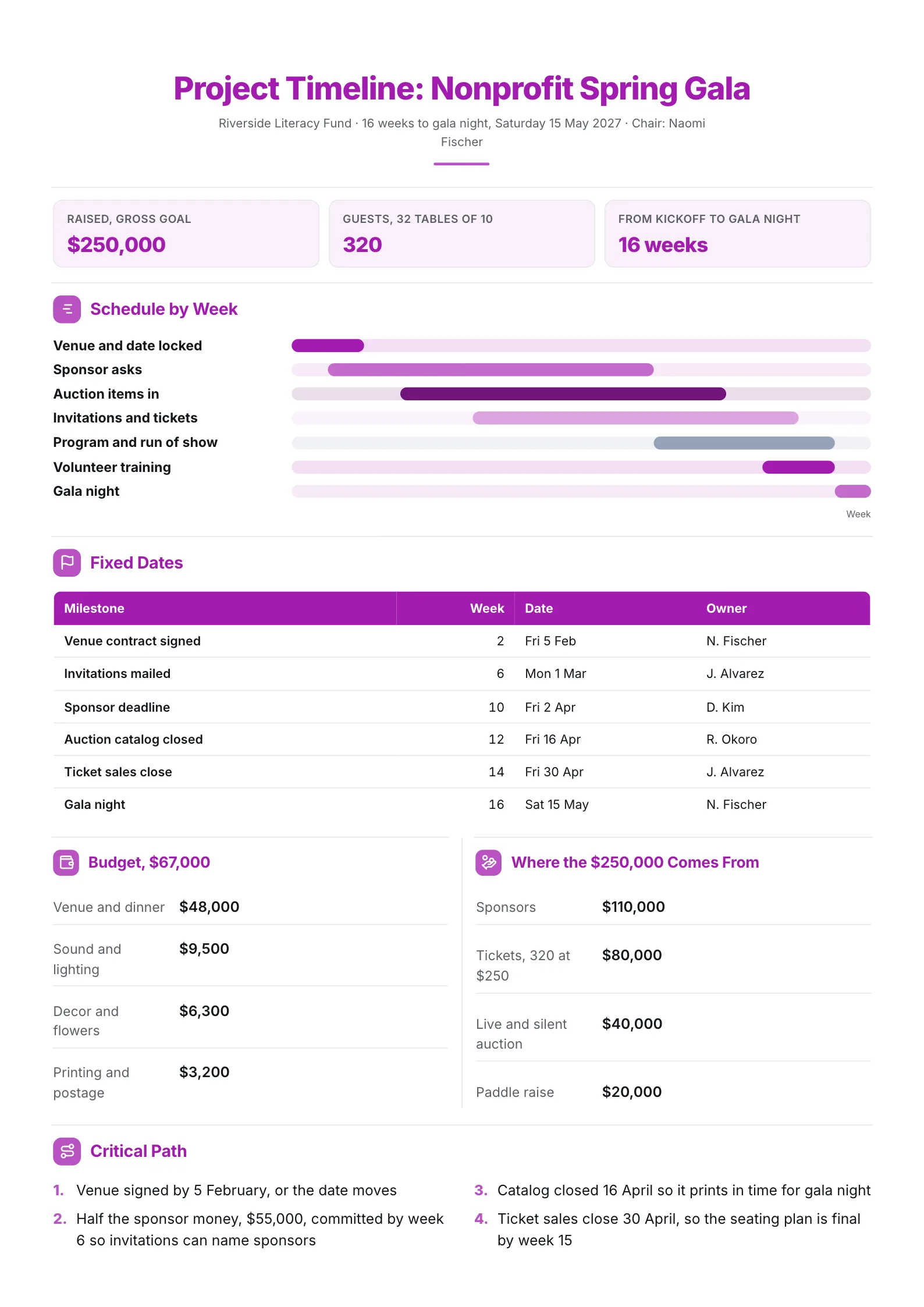
Bars by week show which jobs run at once, and that's where projects tend to get stuck. Pair your chart with a table of fixed dates, each with an owner.
 Edit this template
Bars show the overlap, and the table underneath gives each hard deadline a name.
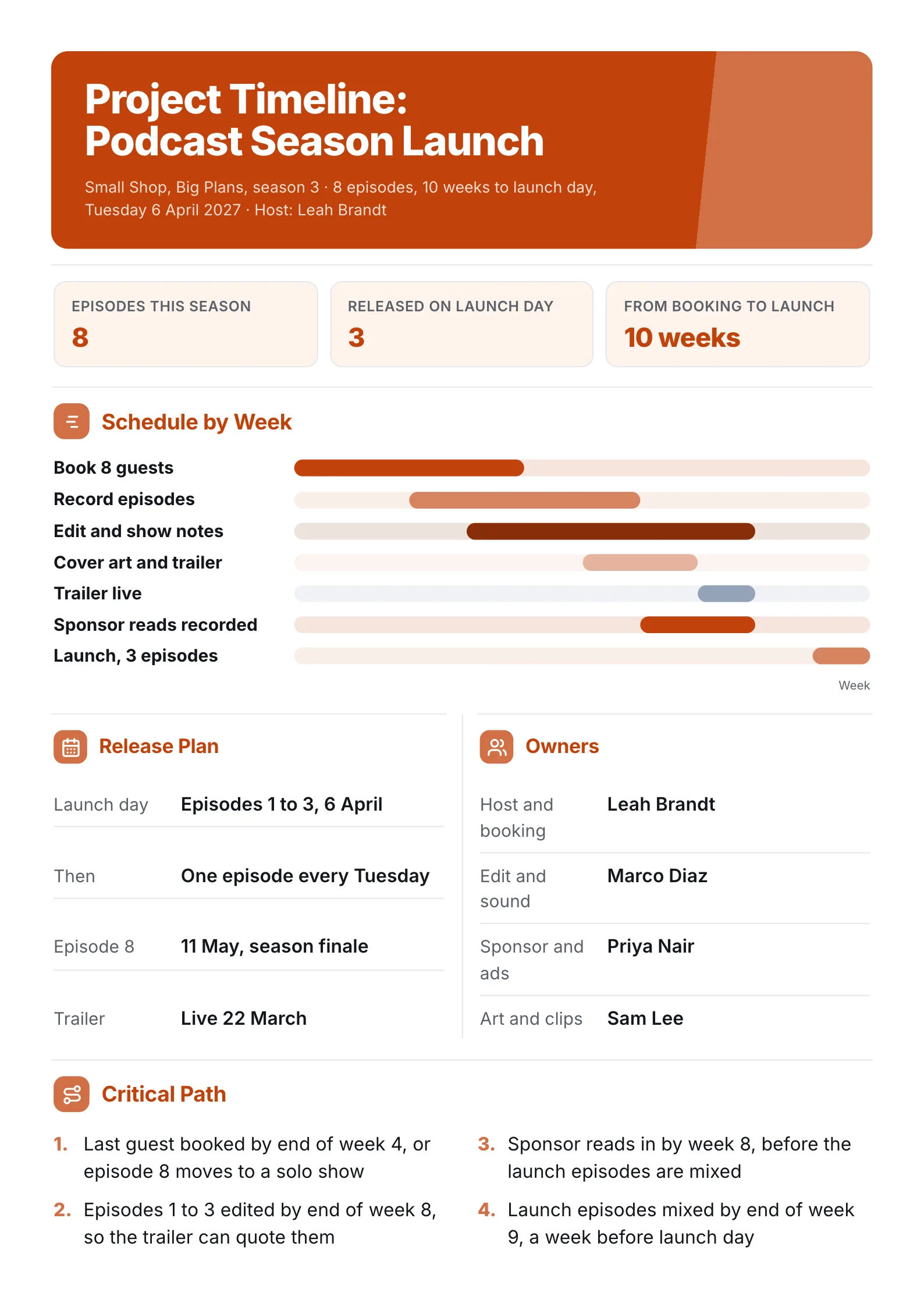
Keep your chart to about seven or eight rows, and group anything beyond that under a few headings.
 Edit this template
A separate release plan covers what happens after launch day, one episode every Tuesday to the May 11 finale.
Layout 3: Stages
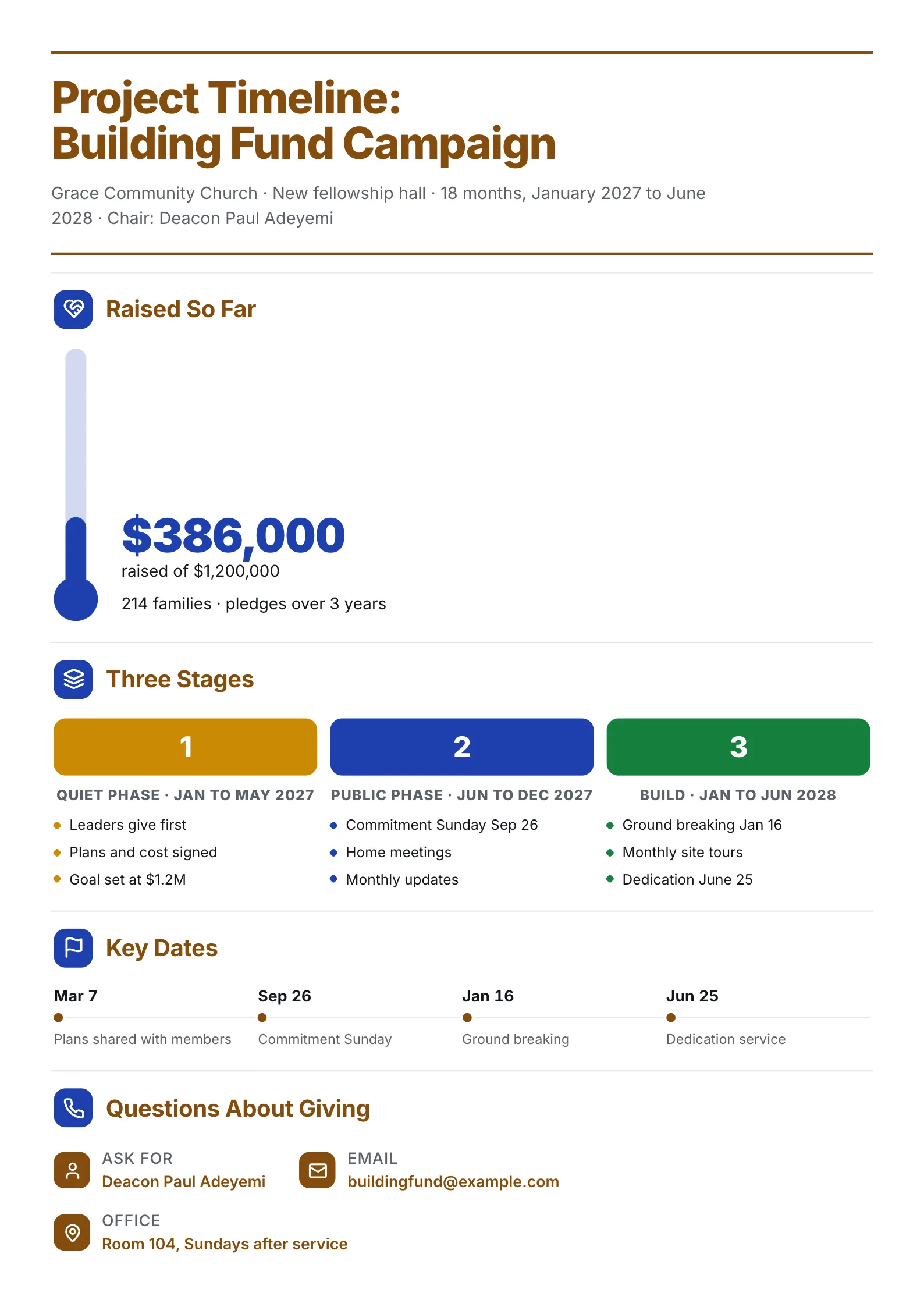
For long efforts, a stage tells people where they are and what's next. Weeks would be noise over a year and a half.
 Edit this template
Three stages tell the story, and four key dates are what members actually put on a calendar.
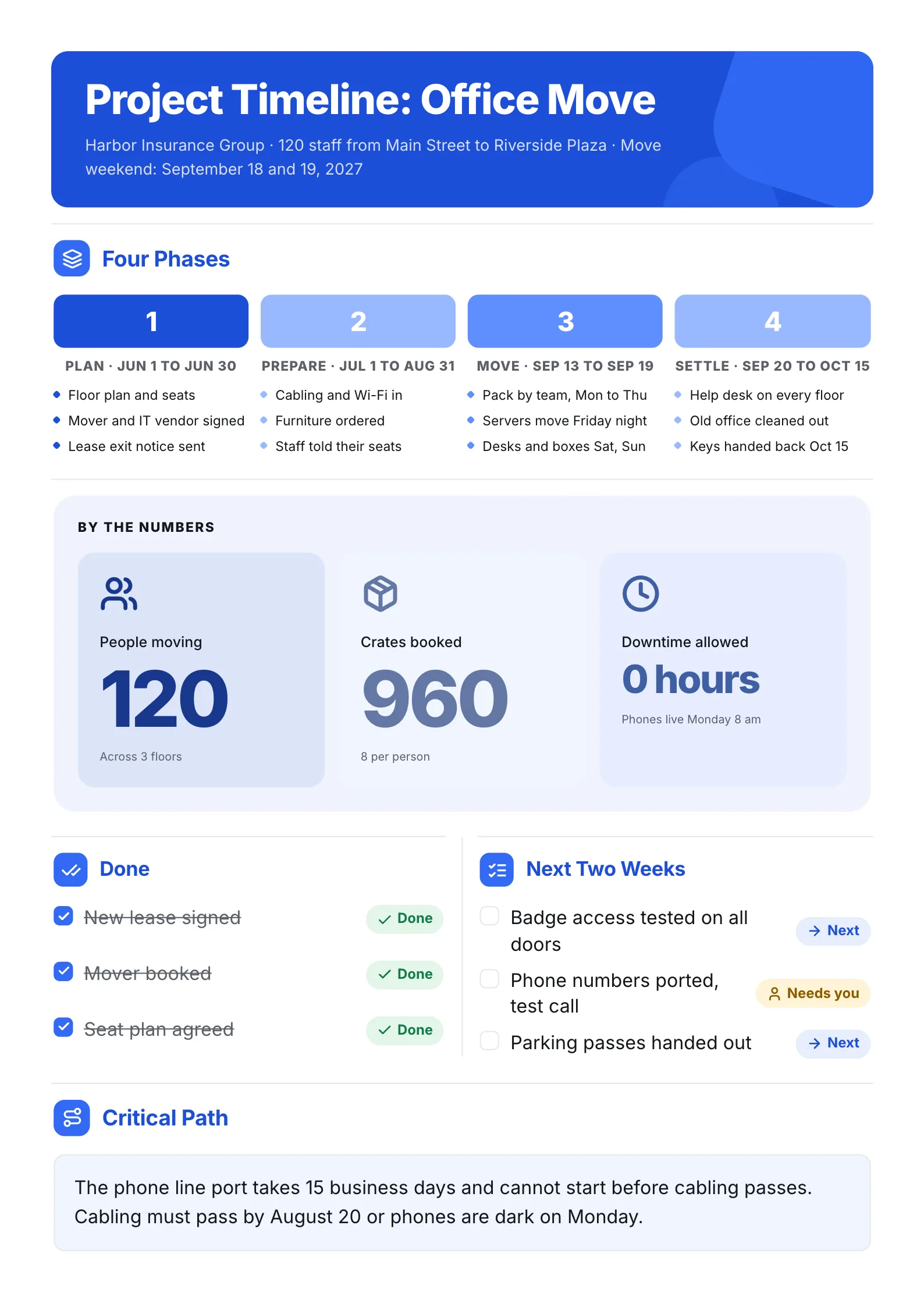
A job of a few months can use stages too, with a short list under each one.
 Edit this template
The critical path note says why one date matters: cabling must pass by August 20 "or phones are dark on Monday."
Layout 4: Waves
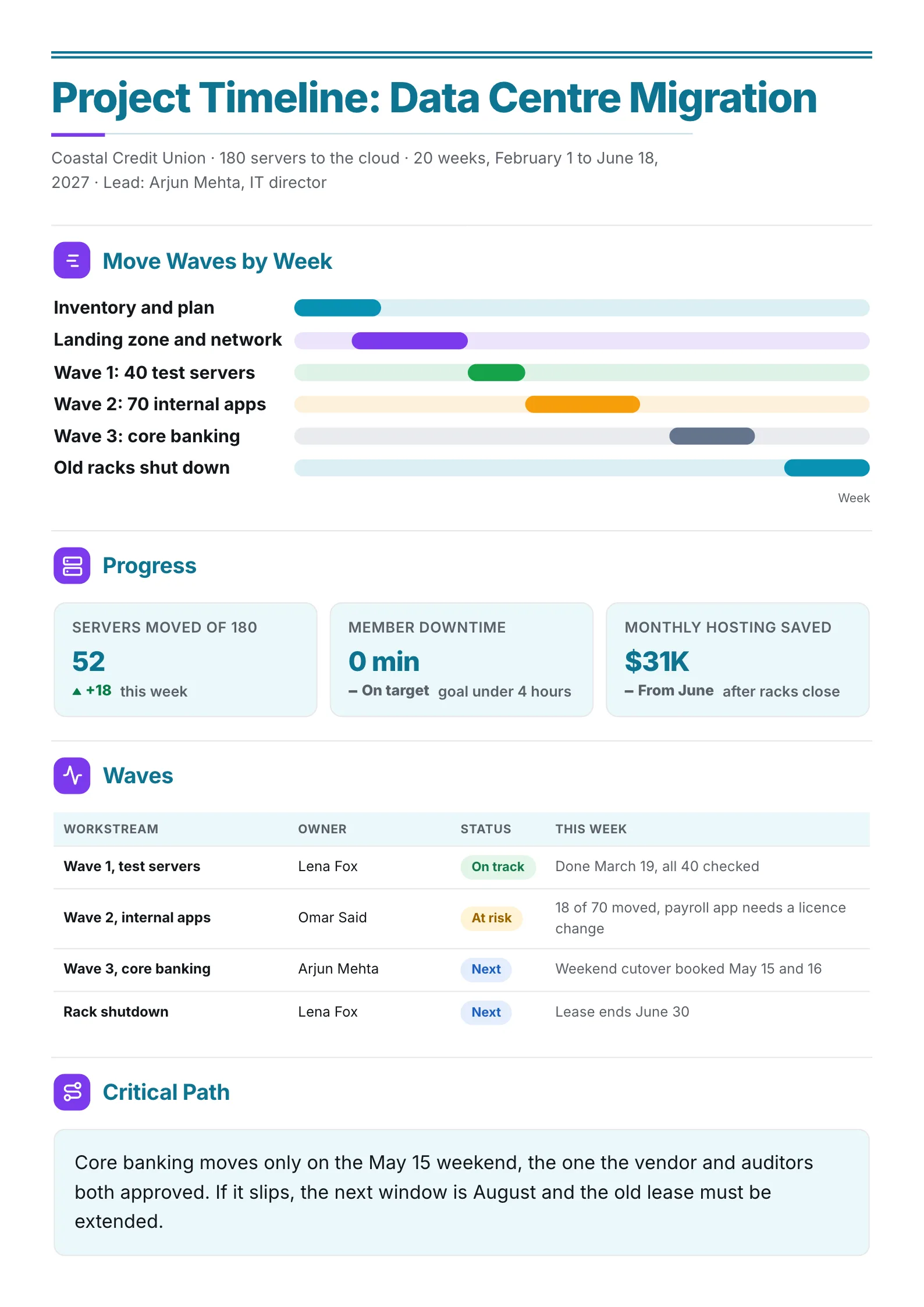
Moving something big in batches calls for tracking each batch and its status. Progress numbers sit well at the top, since they're what your bosses will ask about first.
 Edit this template
Each wave has a named lead and a color, and amber comes with a reason: "payroll app needs a license change."
How exact should your dates be?
Three state agencies show the three levels you can choose from.
| How firm the date is | How to write it | Real example |
|---|---|---|
| Work is about to start | Exact day | Connecticut's Route 200 bridge advisory, October 8, 2026 |
| Each step is planned | Month | New Jersey's I-80 schedule above, down to October 2031 |
| The end is still open | A season or a range | Washington's US 395 connection, "Summer 2027 - Early 2030s" |
The choice follows how sure you are, and the calendar alone won't settle it. New Jersey names a month five years away, and Washington gives a span of several years for its own end date. Pair New Jersey's kind of precision with its "subject to change" note, and don't promise a day you can't back up.
Format rules for any timeline
- Add an "as of" date and a note that the schedule may change.
- Show your end date in the title or subtitle.
- Name one owner for each fixed date.
- Pick one direction, and don't mix top-to-bottom with left-to-right.
- Mark what's done, so people can find today quickly.
To work back from your end date, see how to write a project timeline, and for more projects, see project timeline examples.
Frequently asked questions
Should a timeline be horizontal or vertical?
Horizontal suits a slide or a printed page with bars. Vertical suits phones and long lists of dates, since readers just scroll down.
Which tool should you use to make a timeline?
Use whatever your readers can open. A spreadsheet handles a working chart, while a PDF keeps your layout fixed when you share it.
How many milestones should a timeline have?
New Jersey covers a multi-year project in six rows. Start there, and add one only when someone needs to act on it.




