BlogGuide
Project Brief Template: 7 Published Guides Compared, Part by Part
A free project brief template built from 7 published guides we compared part by part, and 4 examples: an internal project, a launch, a trip, a funder.

By MakeOnepagers Team
Updated · 10 min read
A project brief template gives the first short document of a project the same parts every time: why the project exists, what it has to achieve and how you will measure it, what is in and out of scope, who does what, the key dates, the budget and the risks. We read the parts list in 7 published guides to project briefs that rank for this search on 12 October 2026 and counted which parts each one names. Below: the count, a free template built from it, four examples for four kinds of project, and how a brief differs from a charter, a creative brief and a plan.
One‑Pager examples
Real One-Pagers made with MakeOnepagers. Open any one to edit it as your own.
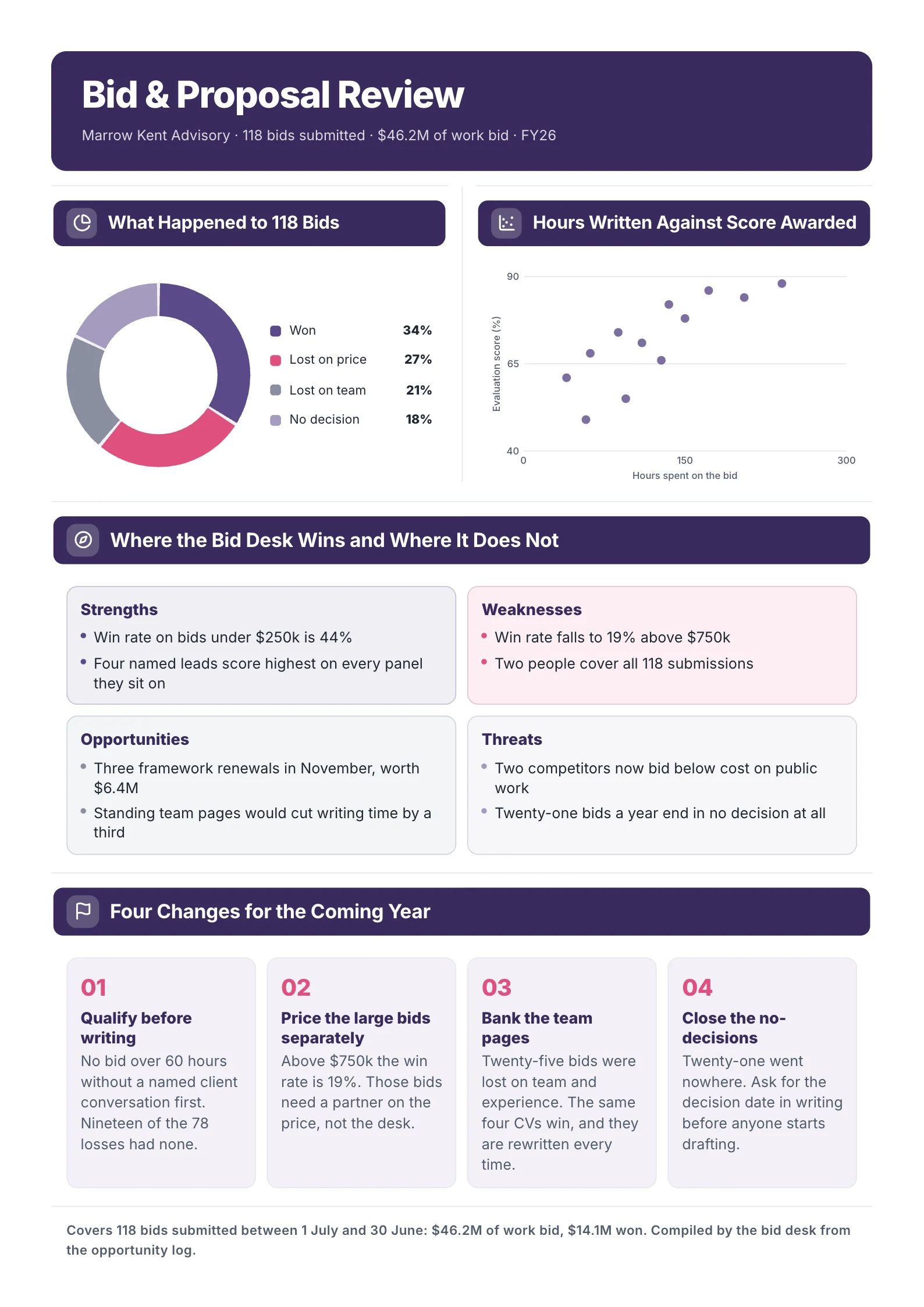
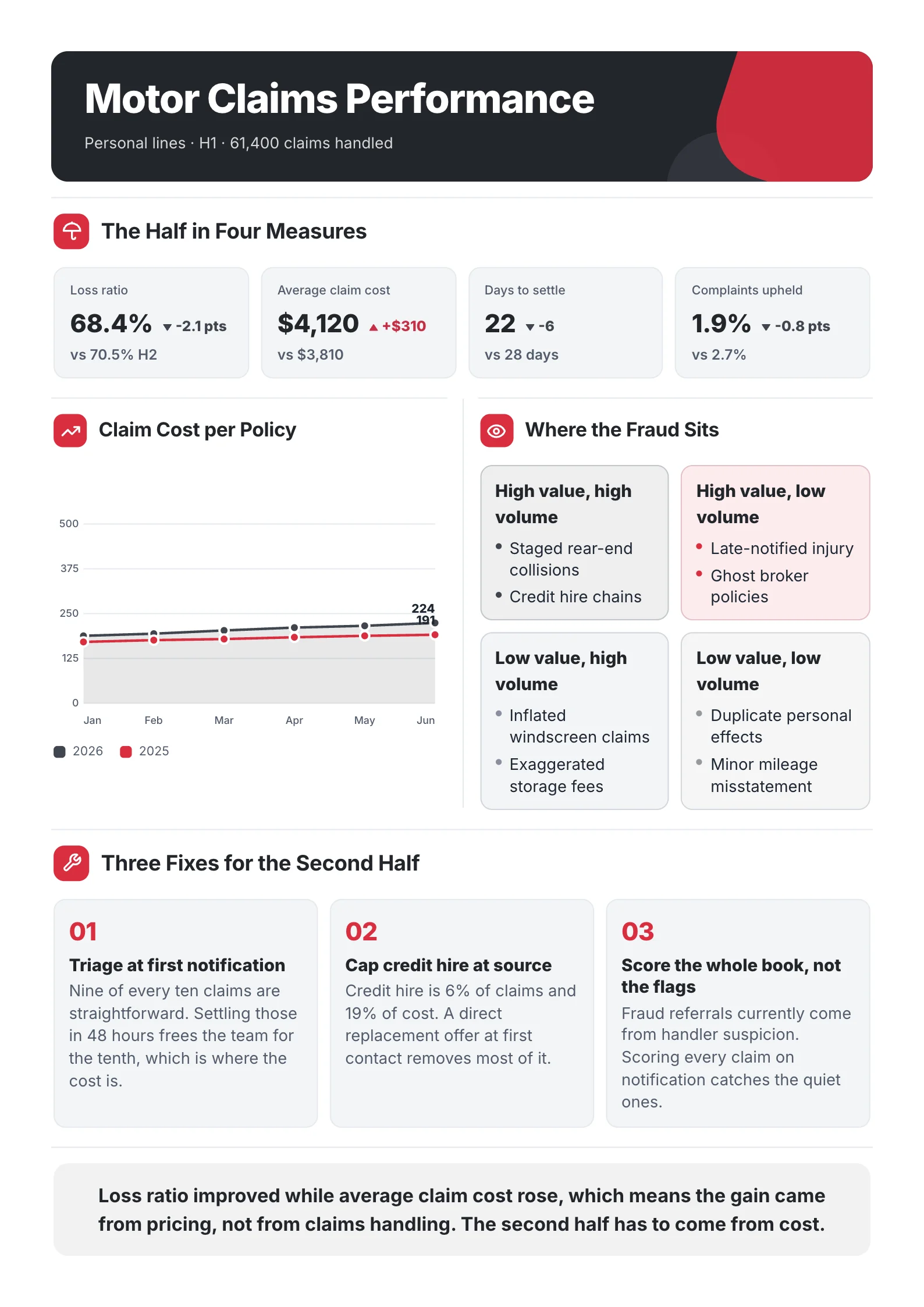
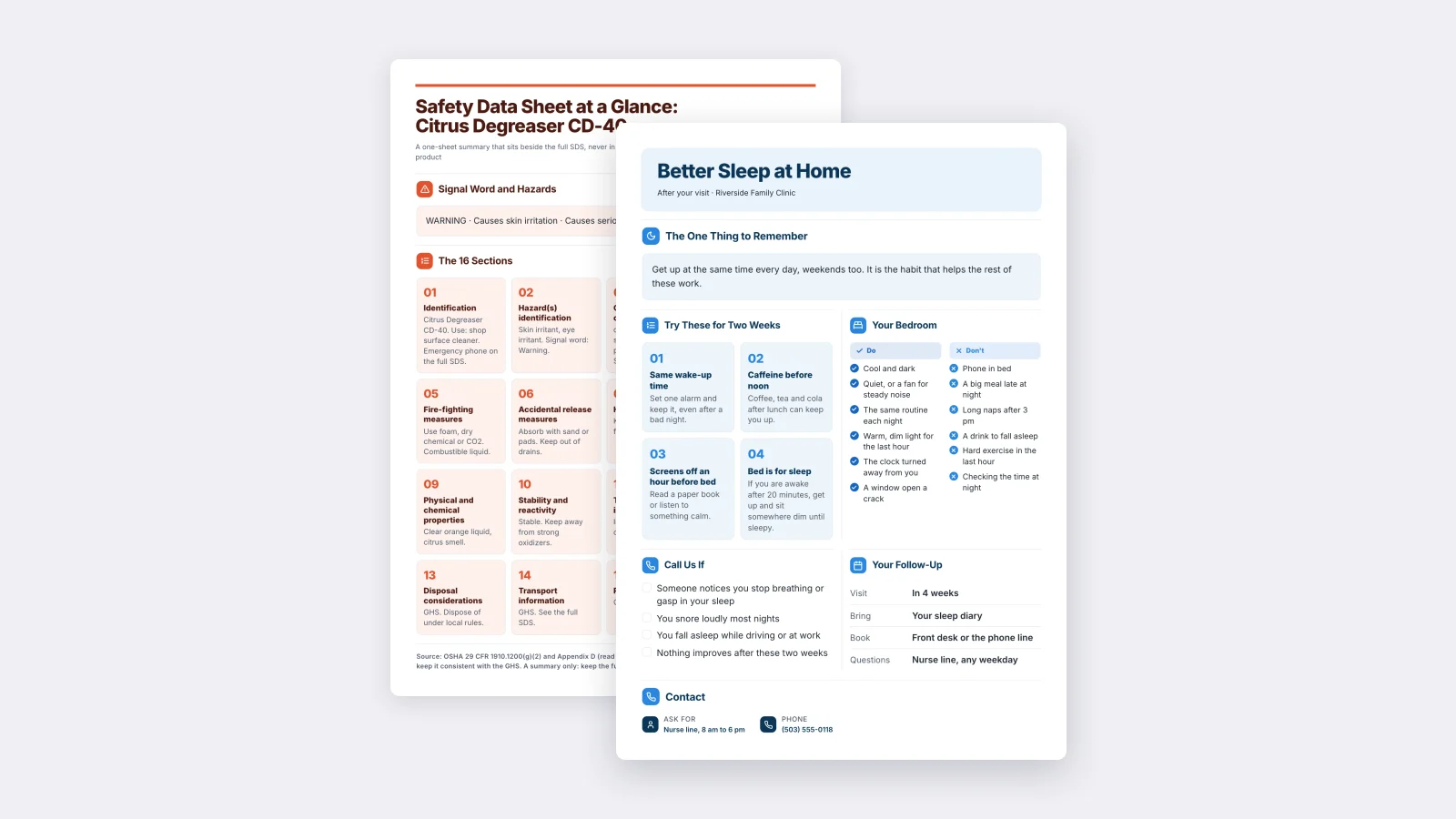
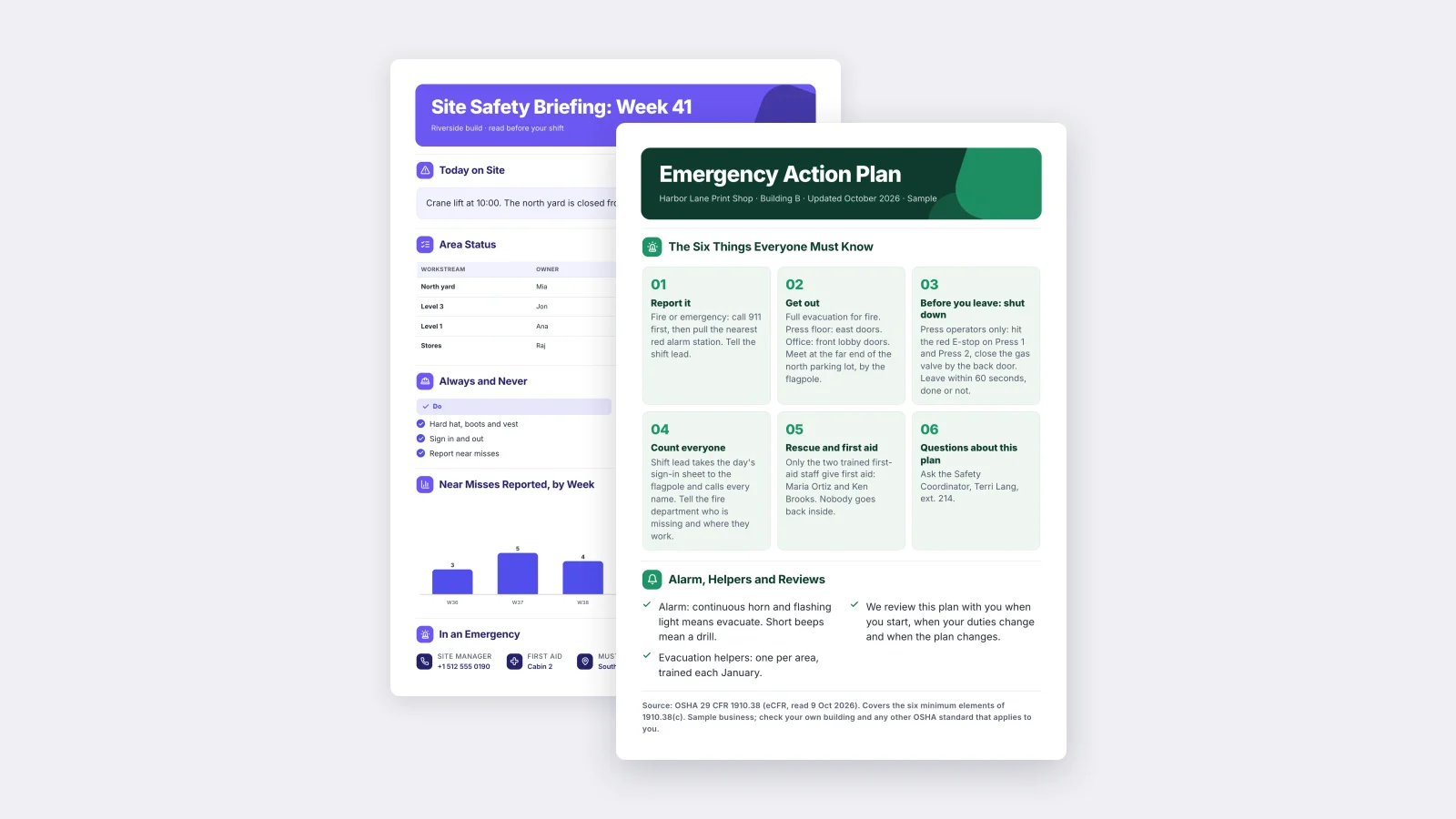
 Project CharterEdit for free(opens in a new tab)
 Product Launch BriefEdit for free(opens in a new tab)
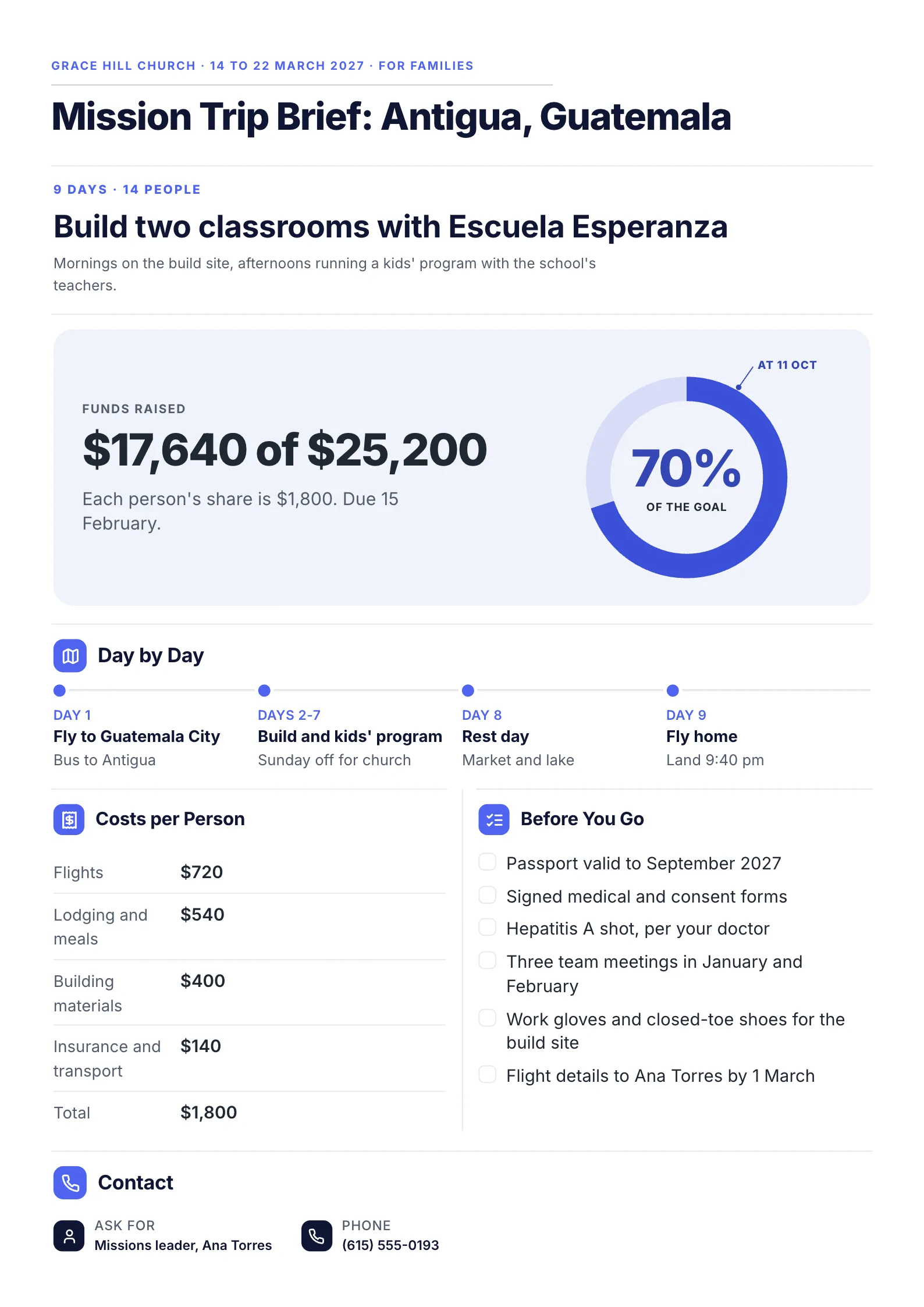 Mission Trip BriefEdit for free(opens in a new tab)
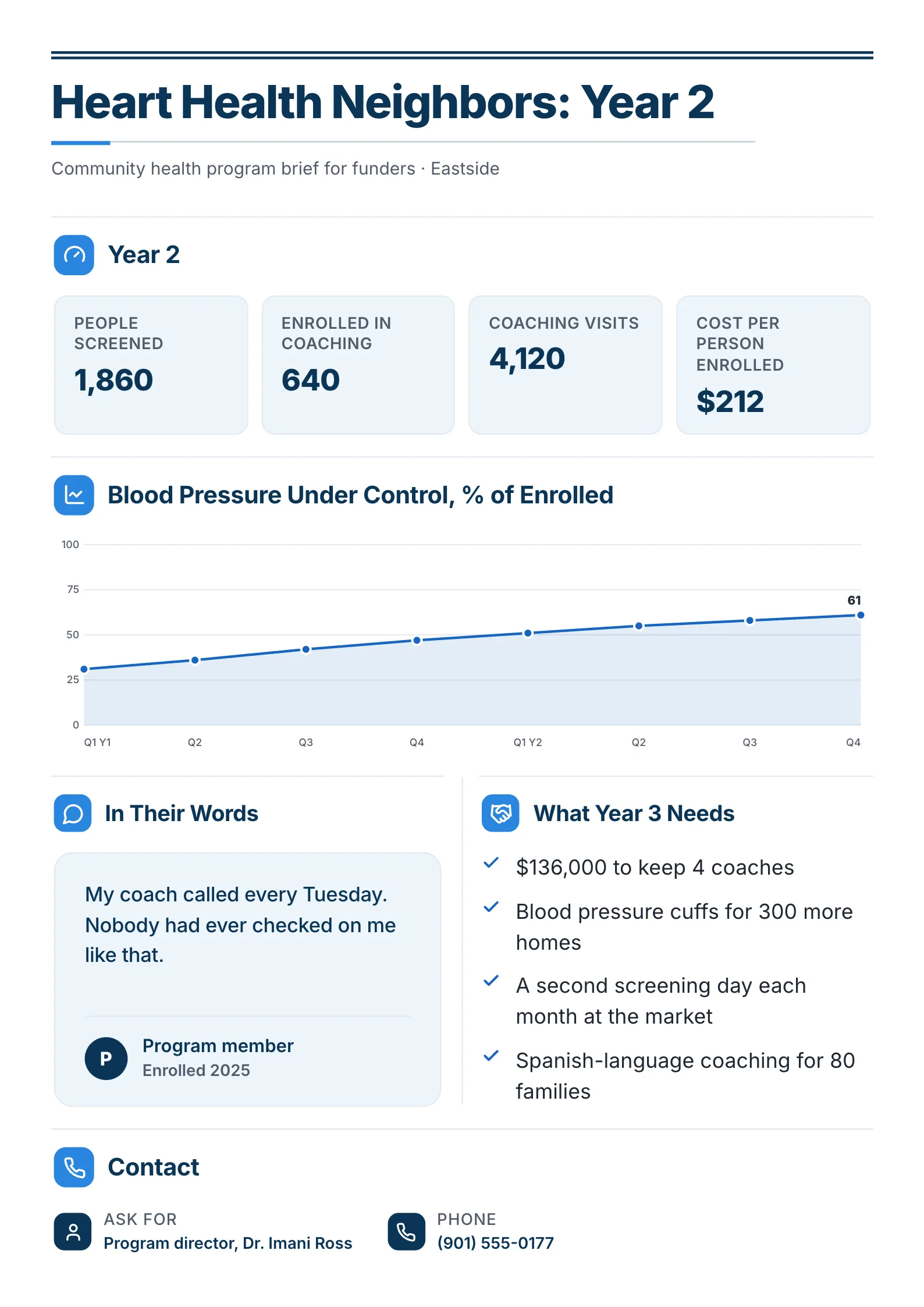 Community Health Program BriefEdit for free(opens in a new tab)
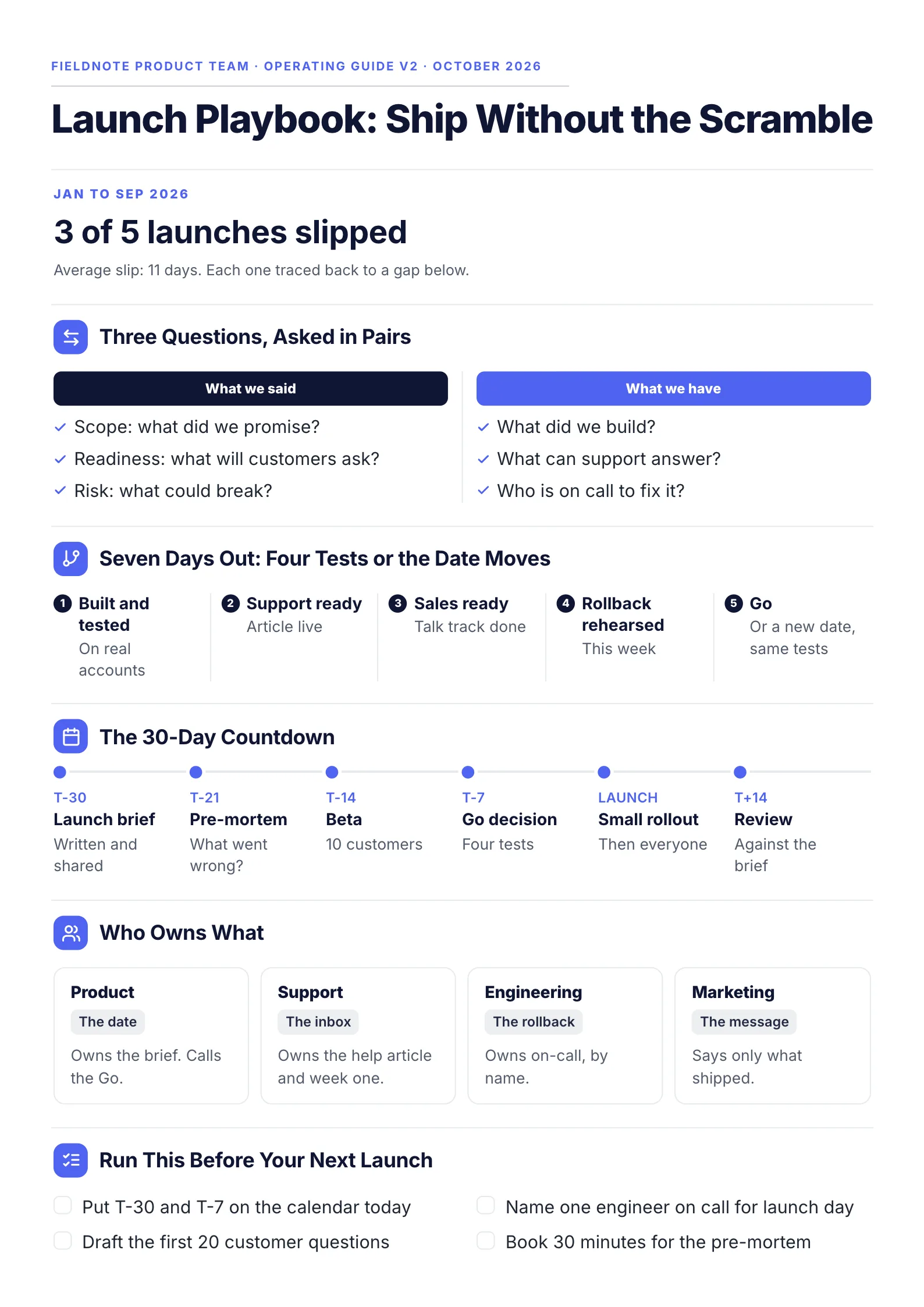 Product Launch PlaybookEdit for free(opens in a new tab)
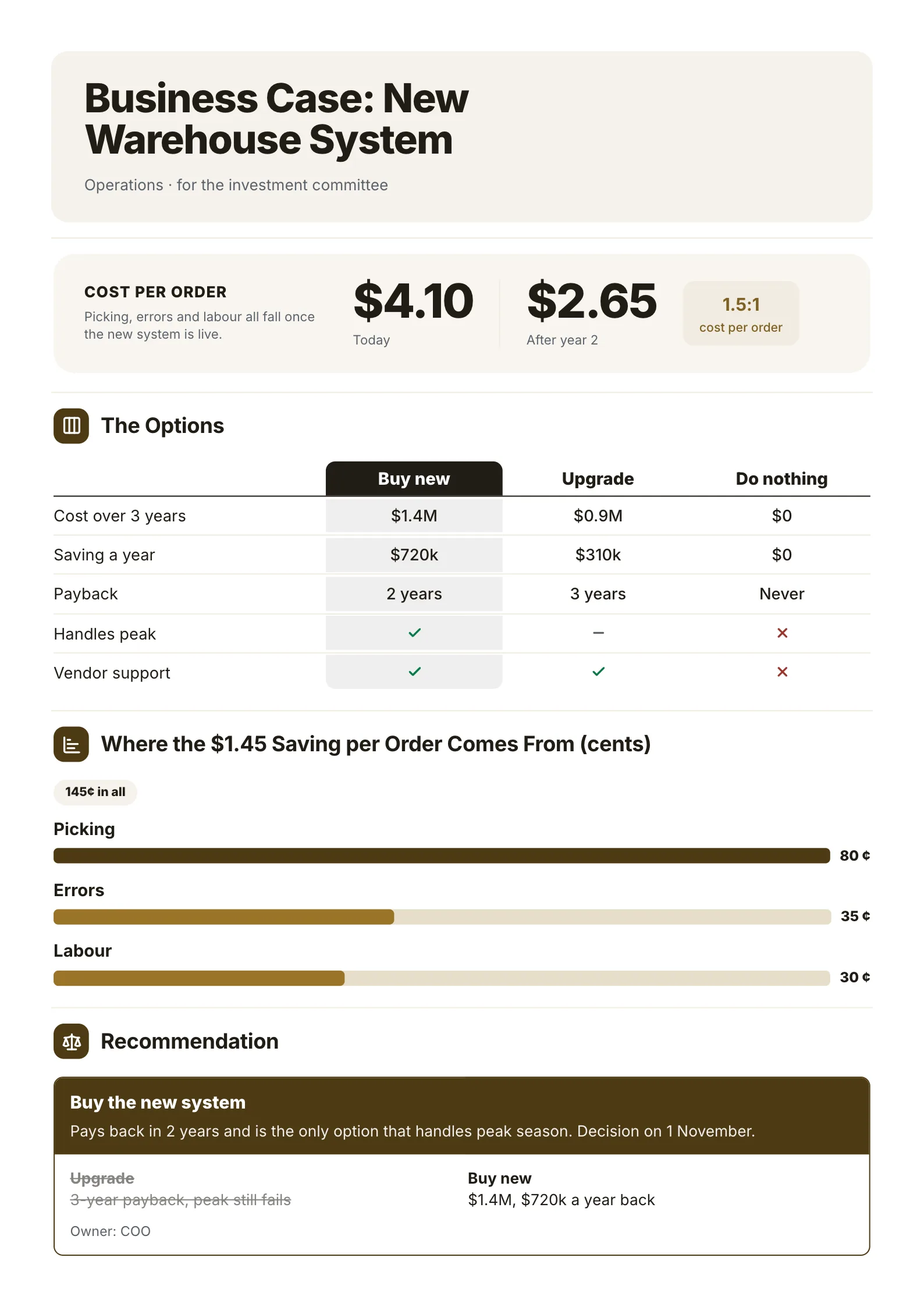 Business CaseEdit for free(opens in a new tab)
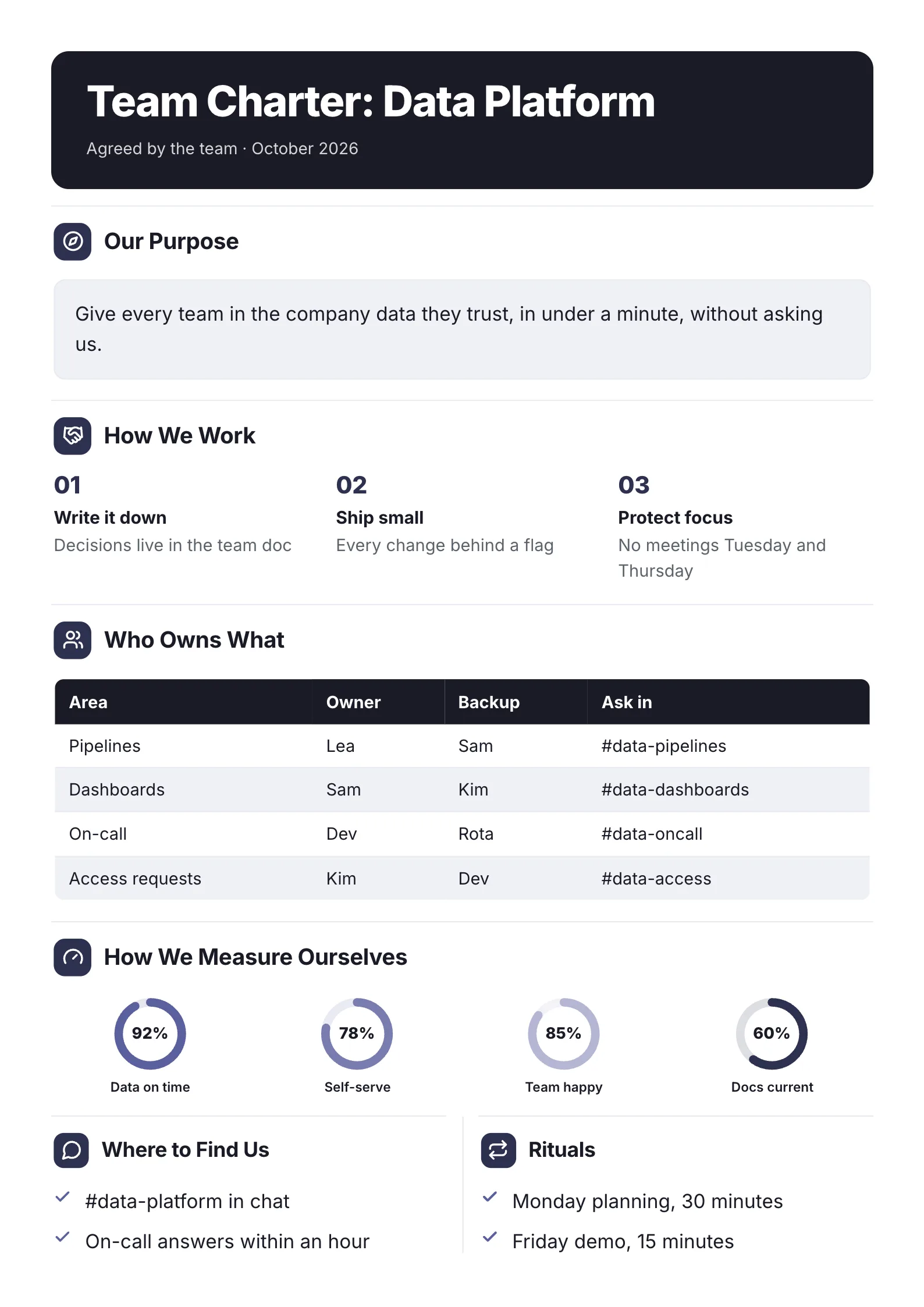 Team CharterEdit for free(opens in a new tab)
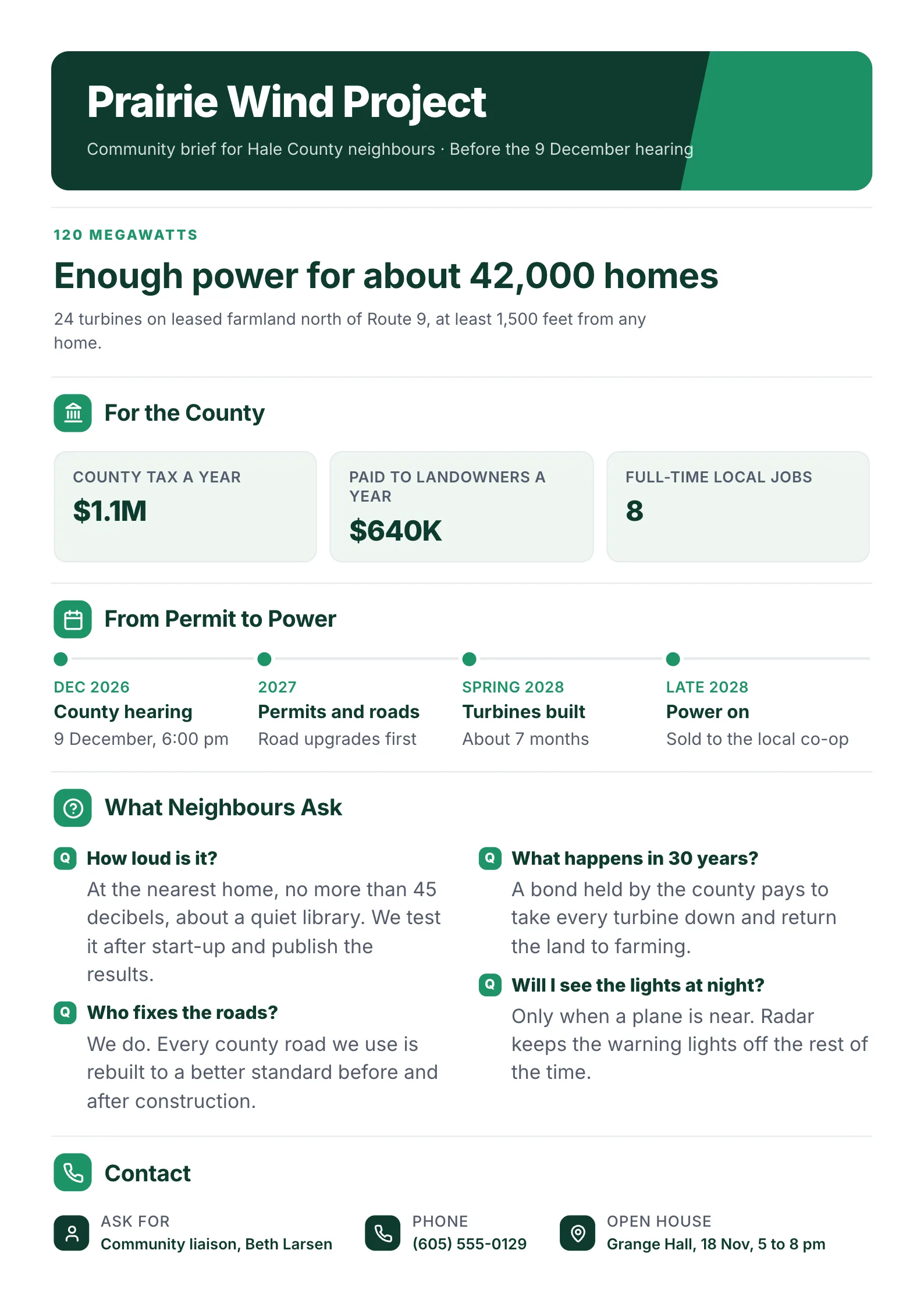 Wind Farm Community BriefEdit for free(opens in a new tab)
Every example was made with MakeOnepagers. The projects and figures are samples, and each opens as a template you can edit for free.
What is a project brief?
A project brief is a short summary of a project, written at the start, that gets everyone to agree on what the project is before work or money is committed. It goes to the sponsor, the team, the client or the board, and it is usually one or two pages.
It answers five questions in plain words:
- Why are we doing this, and why now?
- What will be different when we are done, and how will we measure it?
- What is in and out of the work?
- Who owns it, and who has to agree?
- When are the key dates, and what will it cost?
If someone outside the project can read your brief in two minutes and answer all five, it is doing its job.
What 7 published guides put in a project brief
We read 7 guides that rank for "project brief template" on 12 October 2026: six from makers of project, design or agency software and one from a project management methodology wiki. Each lists the parts a project brief should have. We counted a part only when the guide's own list of parts names it, including parts it marks as optional.
| Part of the brief | Guides that name it |
|---|---|
| Background or overview: the problem and why now | 7 of 7 |
| Goals or objectives | 7 of 7 |
| Timeline and milestones | 6 of 7 |
| Stakeholders, team and roles | 6 of 7 |
| How success is measured | 5 of 7 |
| Scope: what is in and out | 4 of 7 |
| Budget and resources | 4 of 7 |
| Risks | 4 of 7 |
| Constraints and assumptions | 4 of 7 |
| Deliverables | 3 of 7 |
| Target audience or users | 3 of 7 |
| An outline business case | 1 of 7 |
| The approval or decision the brief asks for | 0 of 7 |
Three things stand out:
- Every guide agrees on the why and the what. Background and goals appear in all 7. Timeline and roles in 6.
- Scope is weaker than you would expect. Only 4 of 7 name what is in and out, yet scope is the first thing a project argues about later.
- None names the ask. A brief exists to get a yes: to start, to fund, to staff. Two guides mention sign-off elsewhere, one as a step and one as a role in its template, but no parts list gives the decision its own line.
So the template below keeps the parts most guides agree on, puts scope and success measures in their own boxes, and adds one line the others leave out: what you need the reader to approve, and by when.
A free project brief template
| Part | What to write |
|---|---|
| Title, owner and date | The project, who owns it and the version: Customer Portal v2, owned by Lea Park, v1, 2 September |
| Why we are doing this | Two sentences: the problem, with a number, and what the project changes |
| Goals and how we will measure them | 2 or 3 goals, each with a measure and a target: support calls down 33% |
| In scope and out of scope | Two short lists. The out list matters as much as the in list |
| Deliverables | What will exist at the end, each with an owner |
| Who does what | The owner, the sponsor and the teams, or a small RACI table |
| Key dates | 4 or 5 milestones, from approval to launch |
| Budget and resources | The total and the people or tools it needs |
| Risks and assumptions | 2 or 3, each with what you will do about it |
| The decision needed | What, from whom, by when |
| Contact | Who to ask |
If you only have room for six parts, keep the why, the goals with their measures, scope in and out, who does what, the key dates and the decision needed.
4 project brief examples
1. A project brief for an internal project, before kickoff
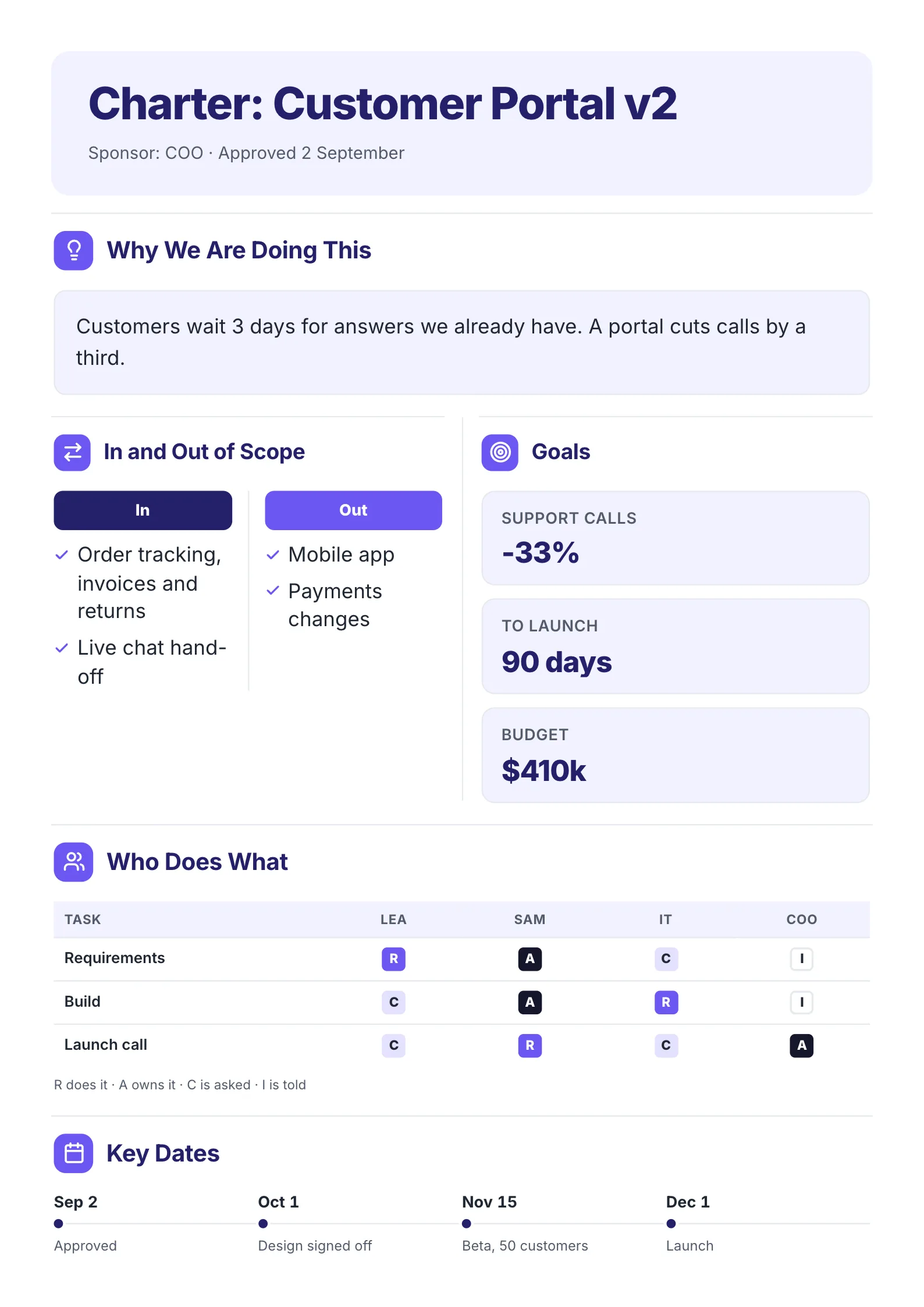 Edit this template
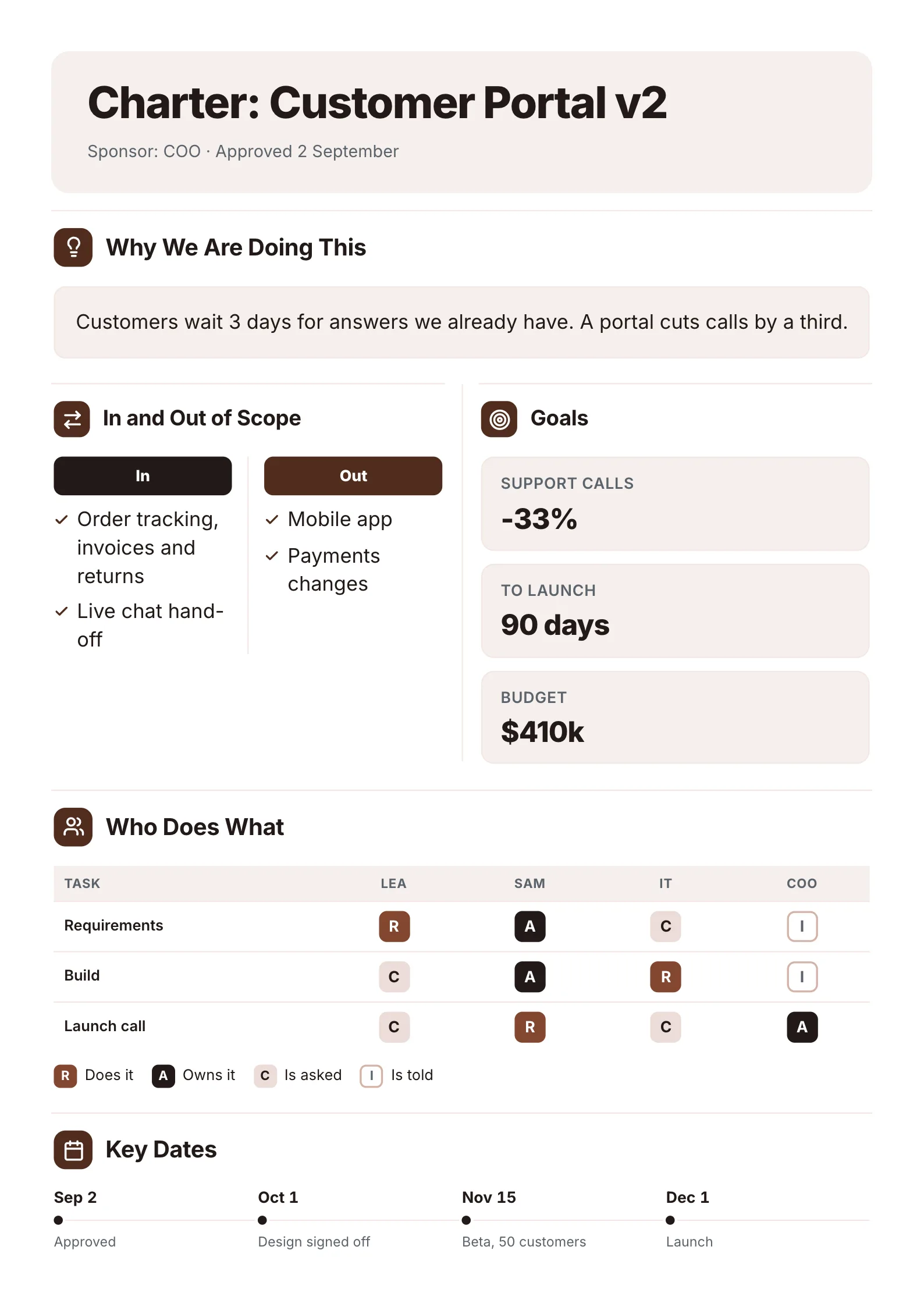
A customer portal project on one page: the reason, the boundaries, the goals and the dates.
What to copy:
- The why fits in two sentences, with a number. "Customers wait 3 days for answers we already have. A portal cuts calls by a third."
- Out of scope is written down. "Mobile app" and "Payments changes" are out, so nobody can assume they are coming.
- Three goals, three numbers: support calls down 33%, 90 days to launch, a $410k budget.
- Four dates, starting with the approval: approved 2 September, design signed off 1 October, a beta with 50 customers on 15 November, launch on 1 December.
Open it: project charter template.
2. A launch brief for a product release
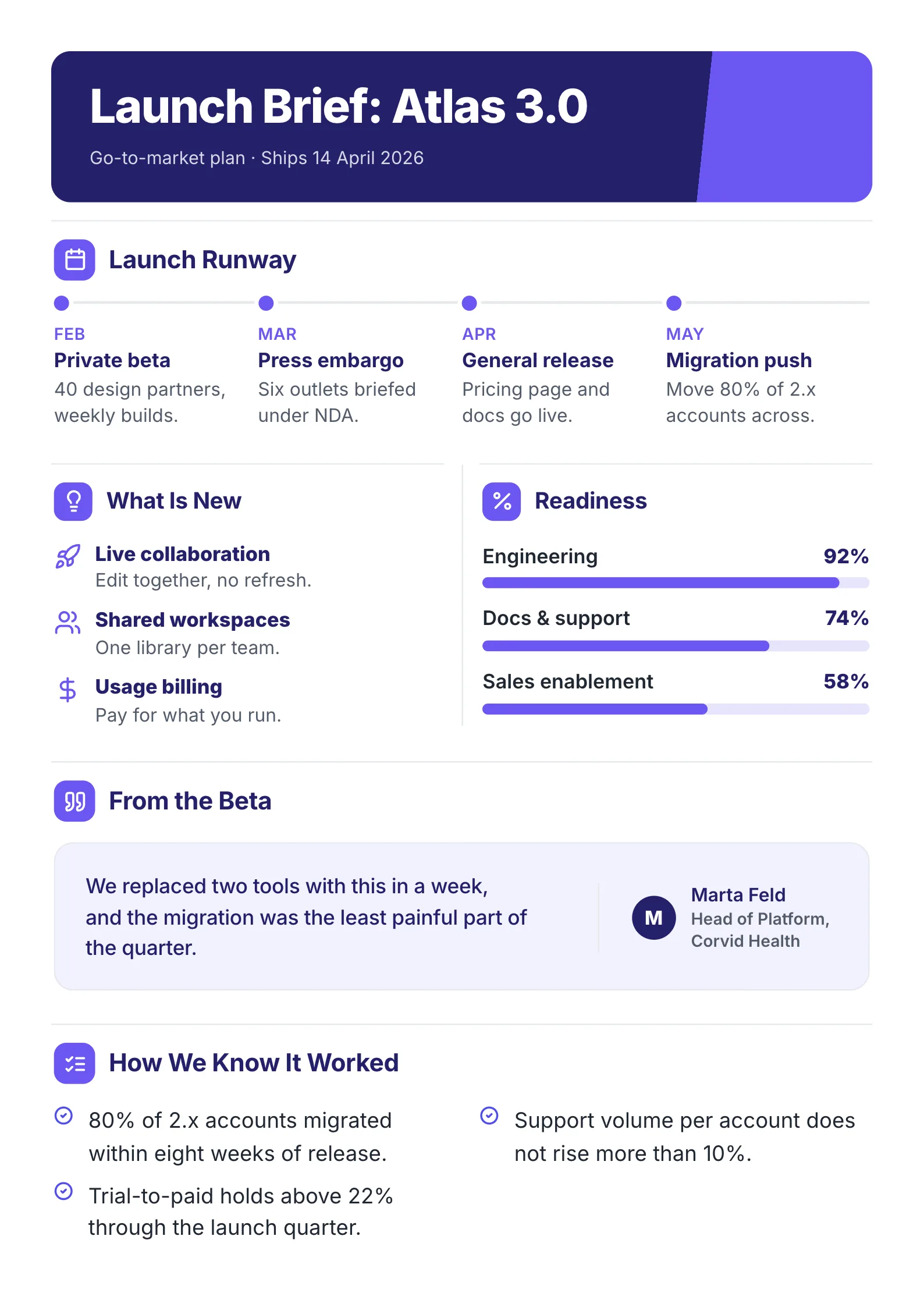 Edit this template
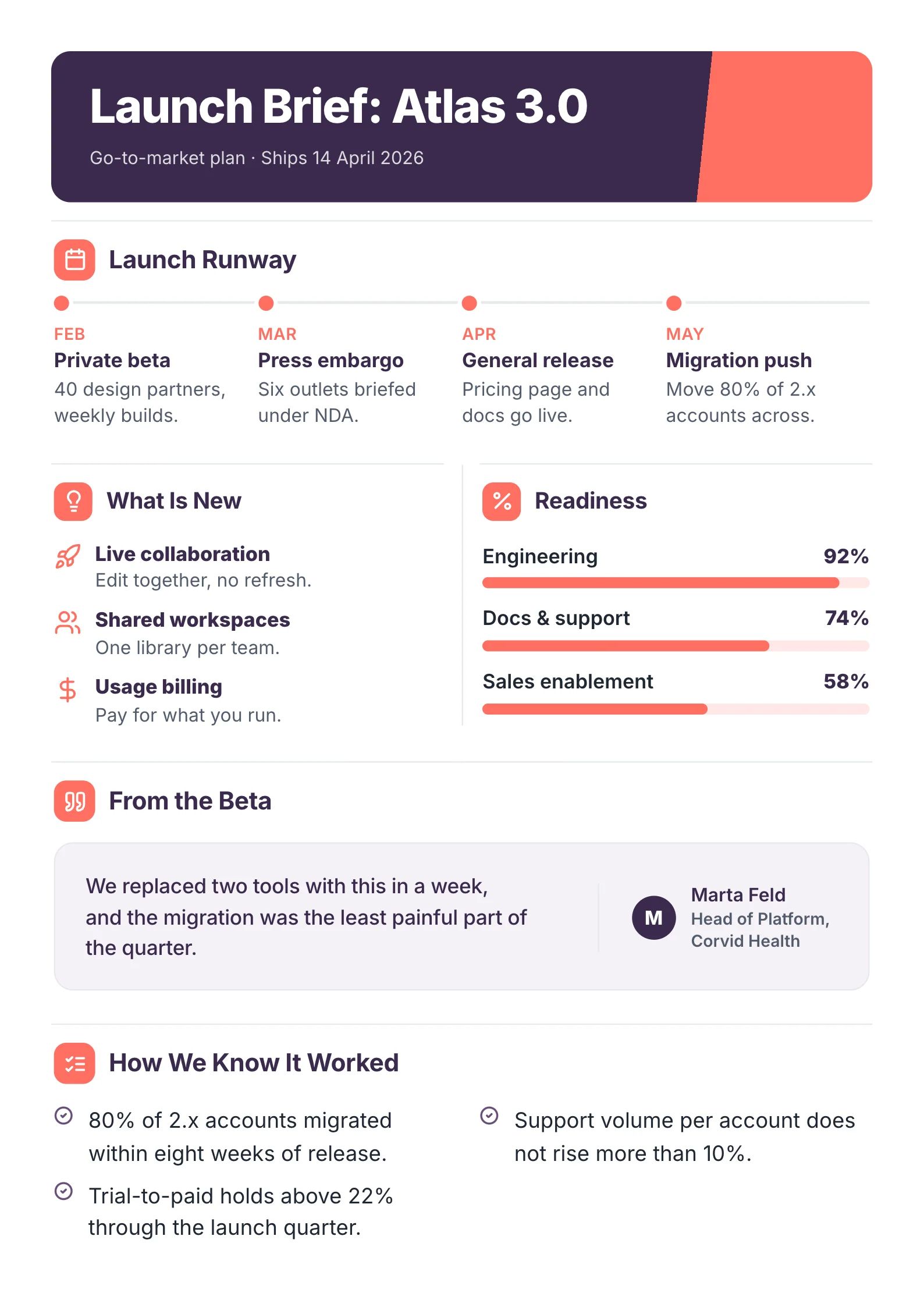
A software release brief: what ships, when, how ready each team is and what success looks like.
What to copy:
- The ship date is in the subtitle, so it is the first fact anyone reads.
- Readiness by team, as a percentage: engineering 92%, docs and support 74%, sales enablement 58%. The weakest number is the one the meeting will be about.
- Success is written before the launch, not after. "80% of 2.x accounts migrated within eight weeks of release." "Support volume per account does not rise more than 10%."
Open it: launch brief template.
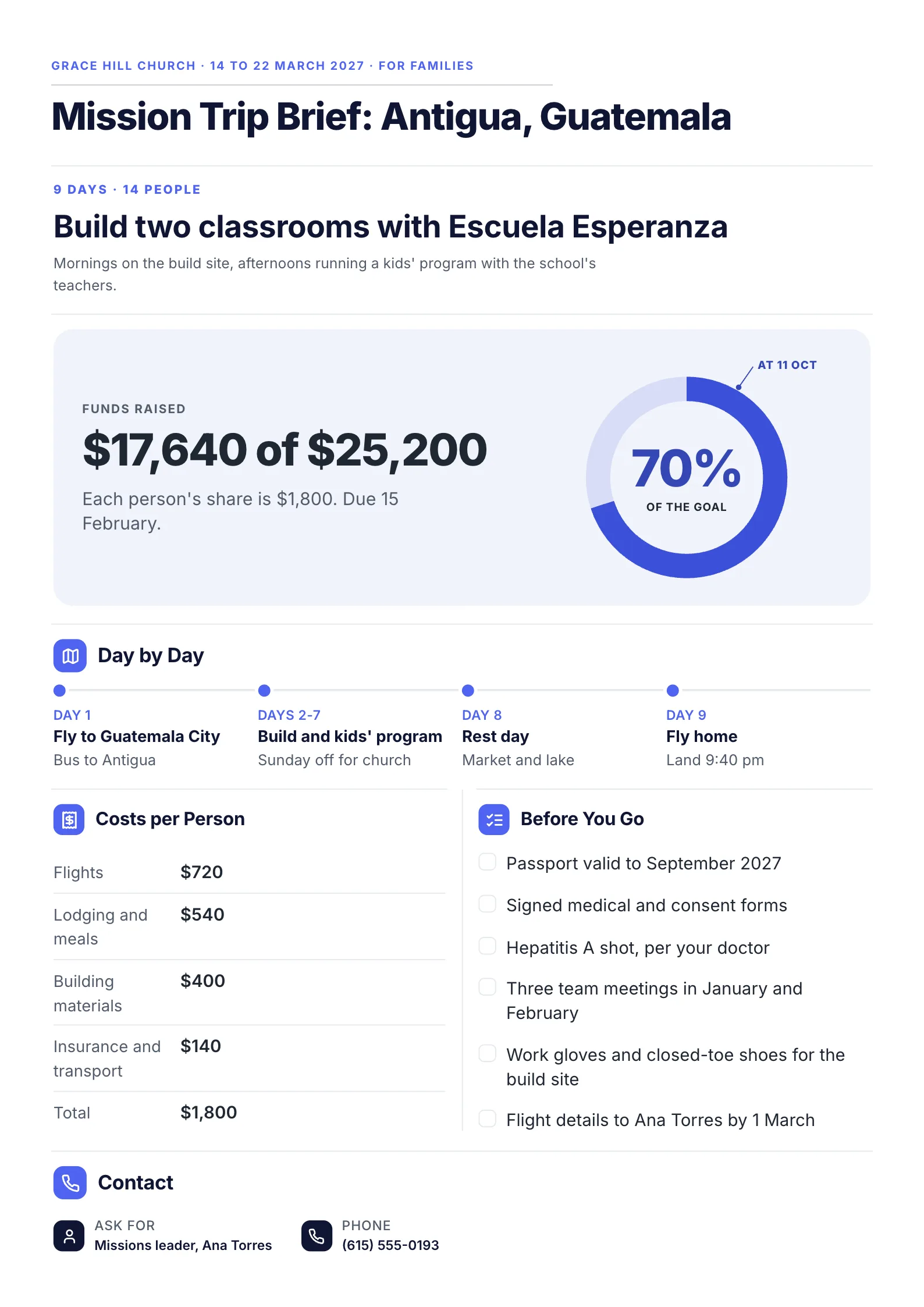
3. A project brief for volunteers and families
 Edit this template
A project brief for people who are not project managers: a church trip to build two classrooms.
What to copy:
- The goal is one plain sentence: "Build two classrooms with Escuela Esperanza."
- The budget is shown as progress: "$17,640 of $25,200", 70% of the goal, with each person's share of $1,800 and its due date.
- The tasks are a checklist people can tick: passport, signed forms, the team meetings, work gloves and flight details by 1 March.
Open it: mission trip brief template.
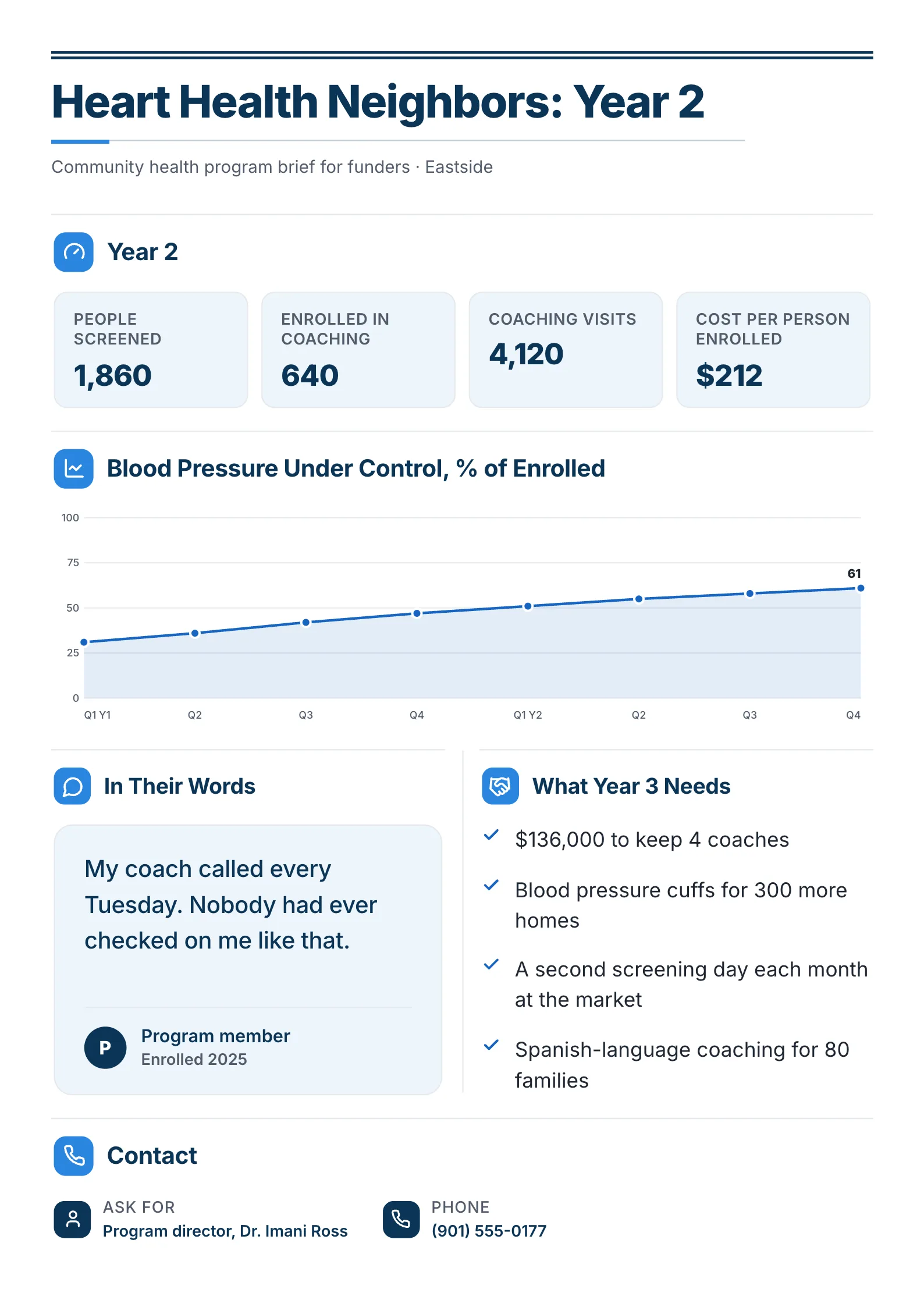
4. A program brief for funders
 Edit this template
A brief that asks for the next stage of a project: year 3 of a community health program.
What to copy:
- Four headline numbers, including the cost per person: 1,860 screened, 640 enrolled, 4,120 coaching visits, $212 per person enrolled.
- One chart for the one result that matters: blood pressure under control, rising to 61% of people enrolled.
- The ask has its own box. "What Year 3 Needs" opens with "$136,000 to keep 4 coaches". This is the line the 7 guides leave out.
Open it: community health program brief template.
Project brief vs project charter, creative brief and project plan
These four get mixed up because they all come early. The difference is what each one is for.
| Document | What it does | When |
|---|---|---|
| Project brief | Gets agreement on what the project is, so it can start or be funded | Before the work starts |
| Project charter | Formally authorizes the project and names the manager's authority | At approval, often from the brief |
| Creative brief | Tells a designer, writer or agency what to make: audience, message, tone | At the start of a creative job |
| Project plan | Sets out every task, dependency and date needed to deliver | After approval |
In small teams the brief and the charter are often the same one page, as in example 1. A project proposal is different again: it argues for a project to someone who has not agreed to it yet, often a client or funder.
Who writes a project brief, and when
The project owner or project manager usually writes it, after talking to the sponsor and the people who asked for the project. The sponsor, the team leads who will do the work and anyone who controls the budget should read it before it is final.
Write it as soon as someone asks for the project and before anyone books time or spends money. Then update it when the scope changes. A brief that still describes last month's project misleads everyone who reads it.
How to write a project brief in 7 steps
- Talk to whoever asked for the project. Write down the problem in their words, and the number that shows it.
- Write the why in two sentences. If it takes a paragraph, the project is not clear yet.
- Set 2 or 3 goals, each with a measure and a target. "Faster support" is a wish. "Support calls down 33% in 90 days" is a goal.
- List what is out of scope, not just what is in. Every item you leave out now is an argument you will not have later.
- Name one owner, the sponsor and the teams, and who decides what.
- Add the key dates, the budget and the top risks, each risk with what you will do about it.
- End with the decision you need, from whom and by when, then share it and ask for that decision.
Have notes from a kickoff call or a long request email? Drop them into the free AI One-Pager generator and get them back as one designed One-Pager.
Project brief mistakes
| Mistake | Fix |
|---|---|
| Goals with no measure | Give each goal a number and a date |
| No out-of-scope list | Write down what the project will not do |
| A long background, a short everything else | Two sentences of why, then the parts people act on |
| "The team" as the owner | Name one person |
| No ask | End with the decision you need, from whom and by when |
| Written once and never updated | Change the brief when the scope changes, and date each version |
Make your project brief
Open the free project charter template, replace the sample project with yours, and add the decision you need at the bottom. Or paste the request that started the project into the free AI One-Pager generator and get a finished brief back. For more one-page project documents, see one-pager project examples.
Frequently asked questions
What should be included in a project brief?
The background and why now, 2 or 3 goals with how you will measure them, what is in and out of scope, deliverables, who does what, key dates, the budget, the main risks and the decision you need. In the 7 guides we compared, background and goals appeared in all 7, while none gave the decision its own line.
How long should a project brief be?
One page for most projects, two at most. It summarizes; the plan holds the detail. If a reader cannot find the goals and the dates in under a minute, it is too long.
What is the difference between a project brief and a project charter?
A brief describes the project so people can agree on it. A charter formally authorizes it and gives the project manager authority. In many small teams one document does both.
Who approves a project brief?
Usually the sponsor, or whoever owns the budget. Write their name and the date you need an answer on the brief itself, so the approval does not wait on a meeting nobody booked.
Is there a project brief template in Word or Google Docs?
Yes, many template sites offer Word and Google Docs versions. For a brief you hand to a sponsor, a client or volunteers, a designed One-Pager is faster to read: edit one free on MakeOnepagers and download it as a PDF.