BlogGuide
Profit and Loss Template: Free One-Page P&L for Small Business
A free one-page profit and loss template for a small business, every line from revenue to net profit, a worked quarter for a cafe and the margins to watch.

By MakeOnepagers Team
Updated · 7 min read

A profit and loss template lays out a business's income and costs for a month, a quarter or a year, and shows what is left at each step down to the bottom line. It is the report most small business owners look at first, and the one a lender, a partner or a buyer will ask for. The detailed version lives in your accounting software. The version people read fits on one page: the main lines, last period or the budget beside each, the three margins and a sentence on what changed. Below are the lines every P&L needs, a free profit and loss template you can copy, a worked quarter for a cafe and the mistakes that make a P&L hard to trust.
One‑Pager examples
Real One-Pagers made with MakeOnepagers. Open any one to edit it as your own.
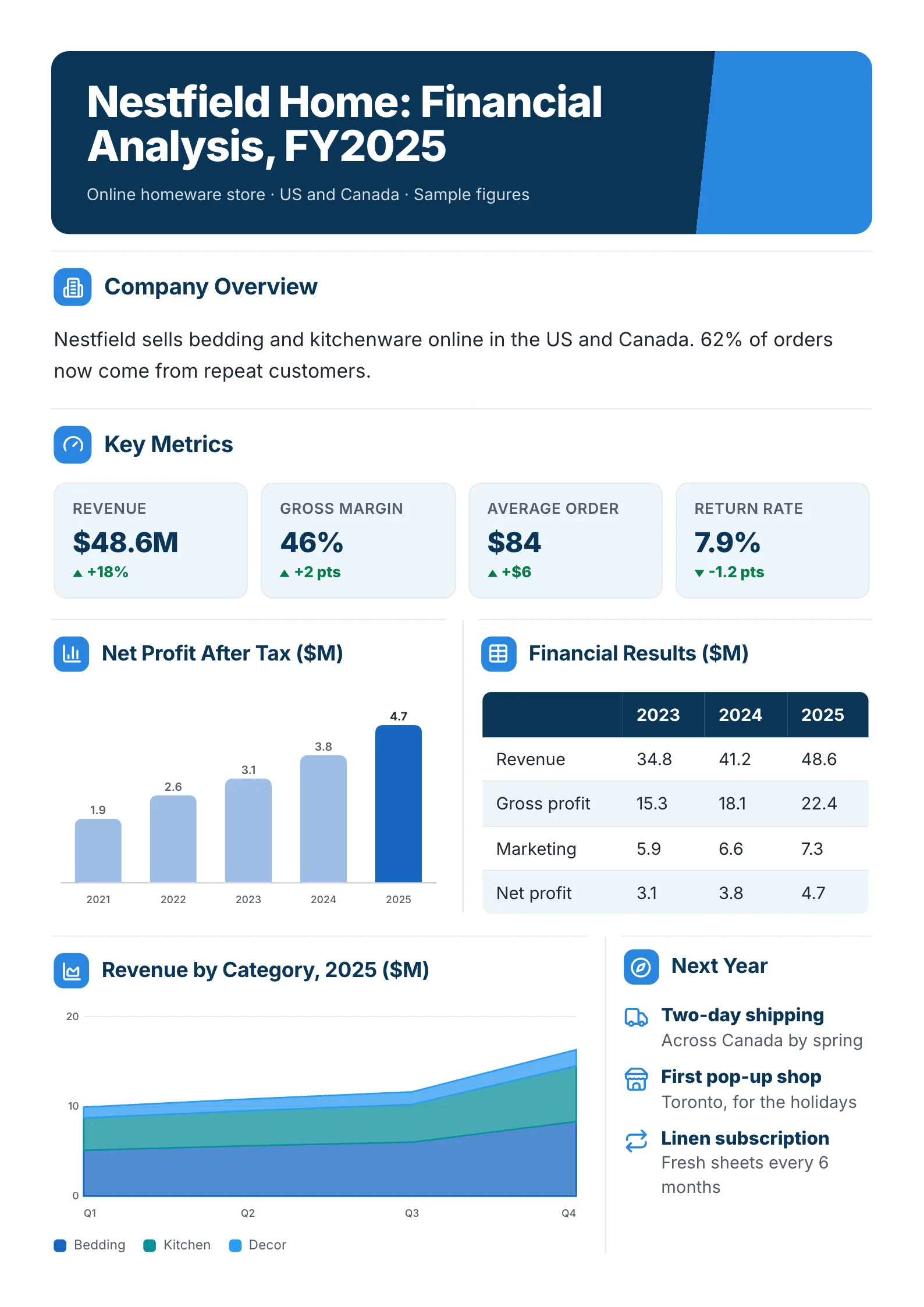 E-Commerce Financial AnalysisEdit for free(opens in a new tab)
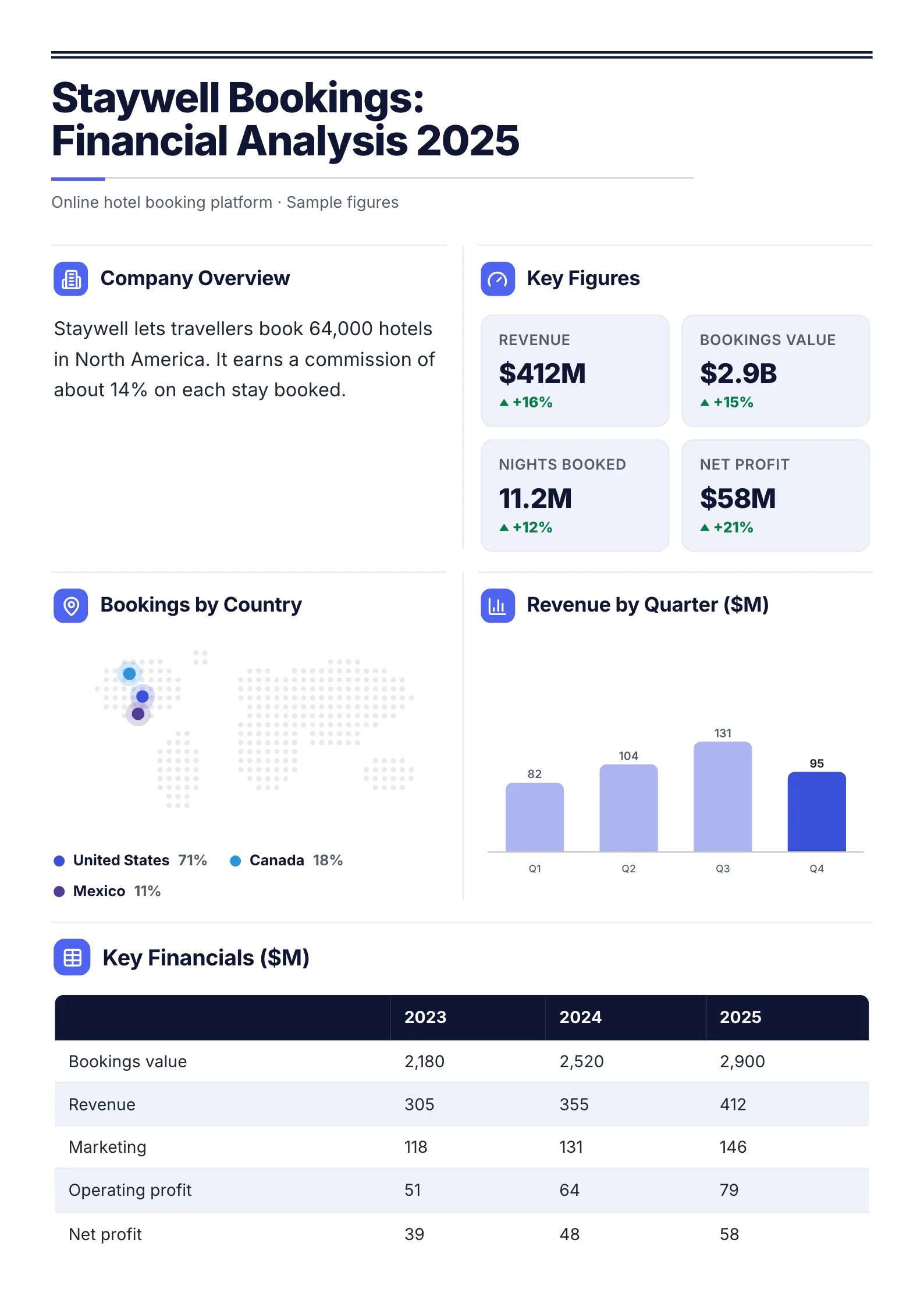 Booking Company Financial AnalysisEdit for free(opens in a new tab)
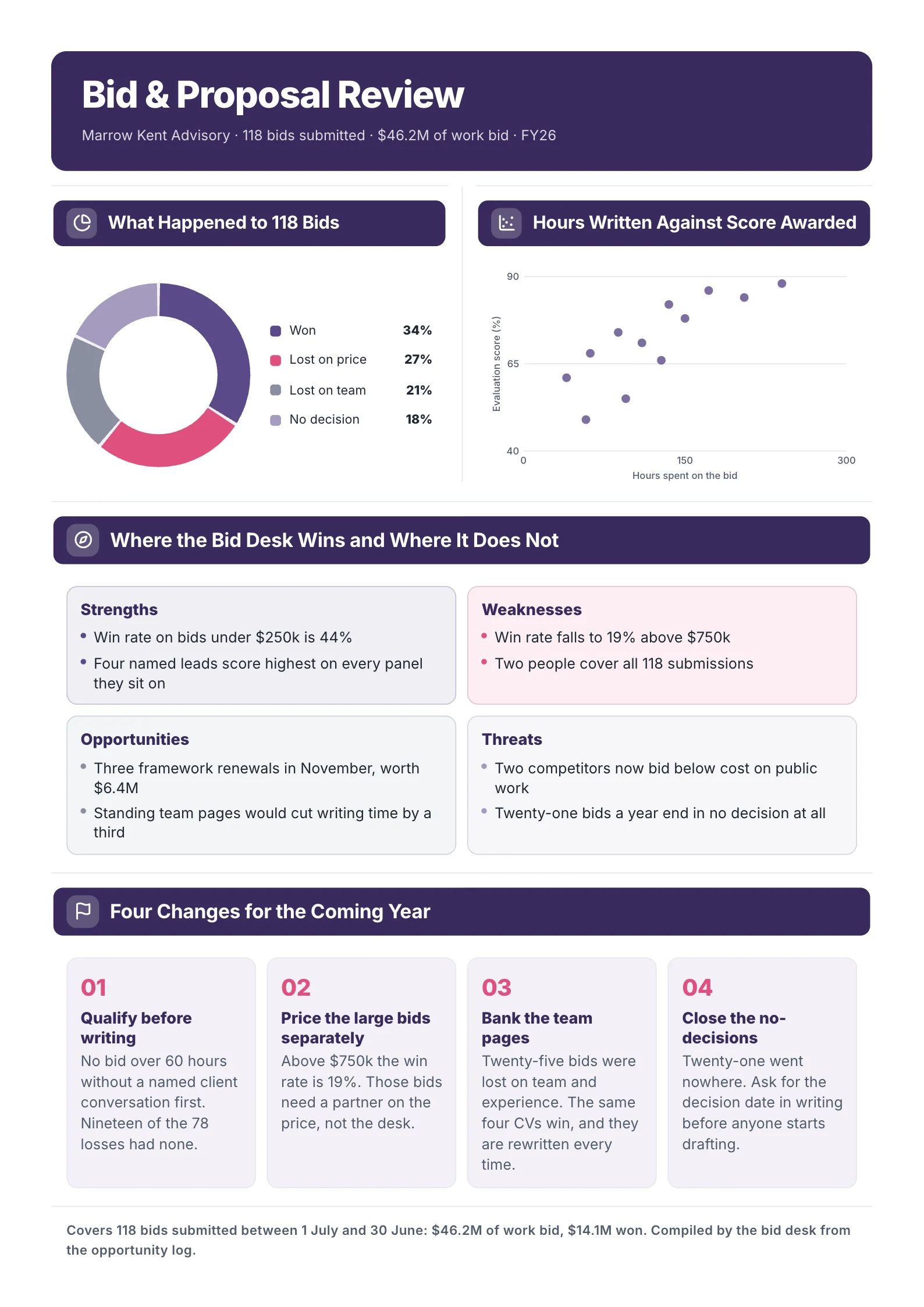
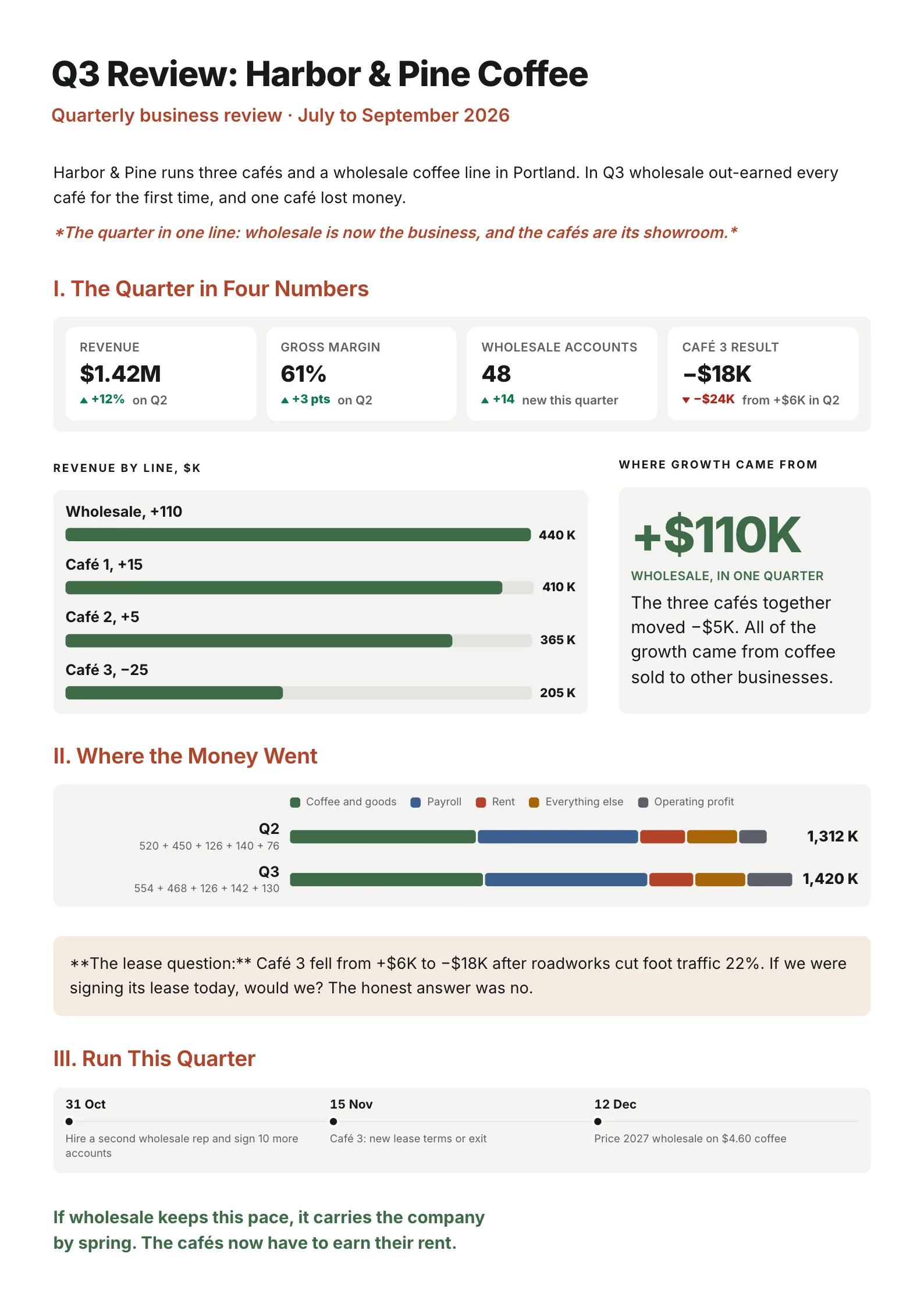 Quarter in ReviewEdit for free(opens in a new tab)
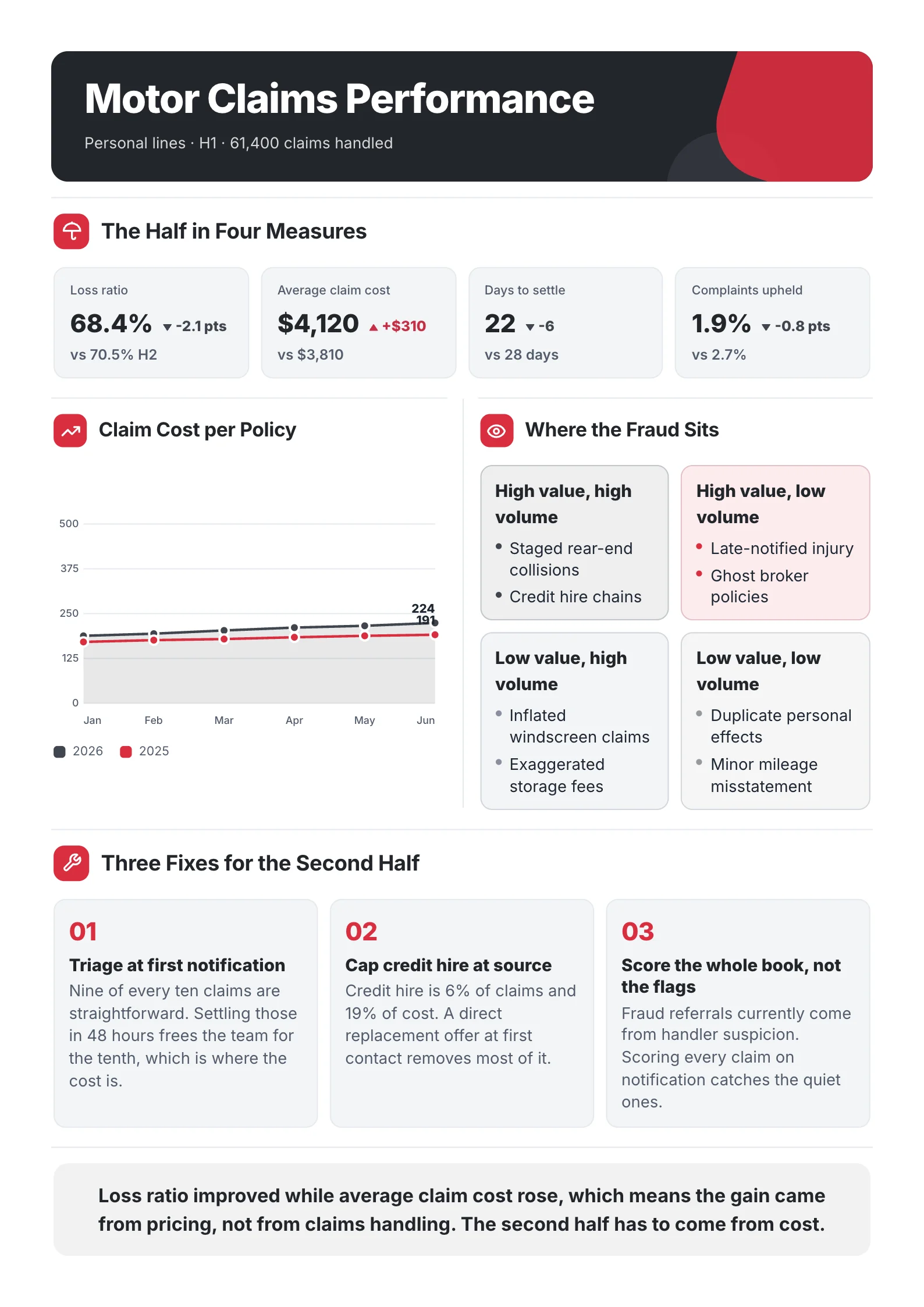
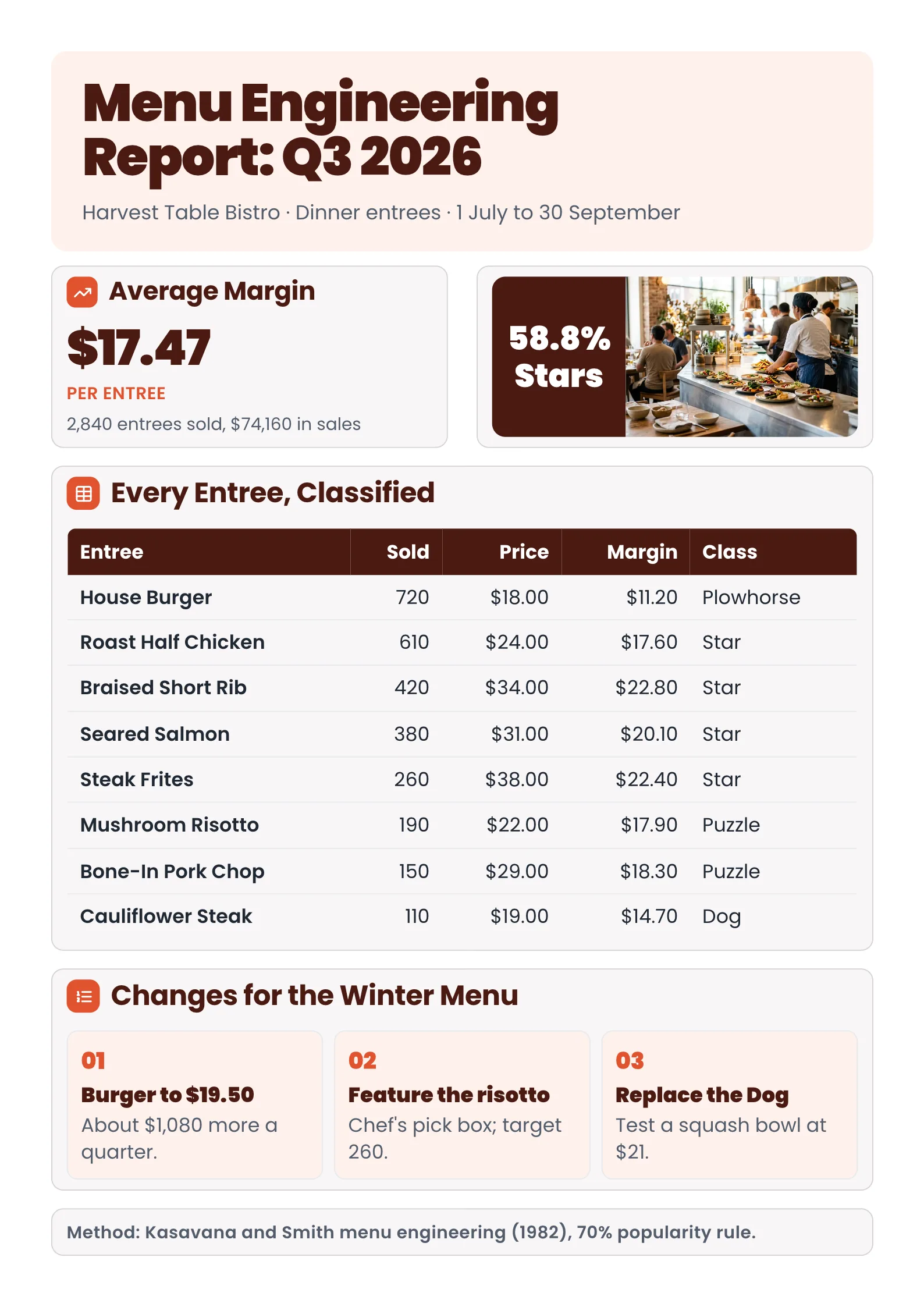 Restaurant Menu Engineering ReportEdit for free(opens in a new tab)
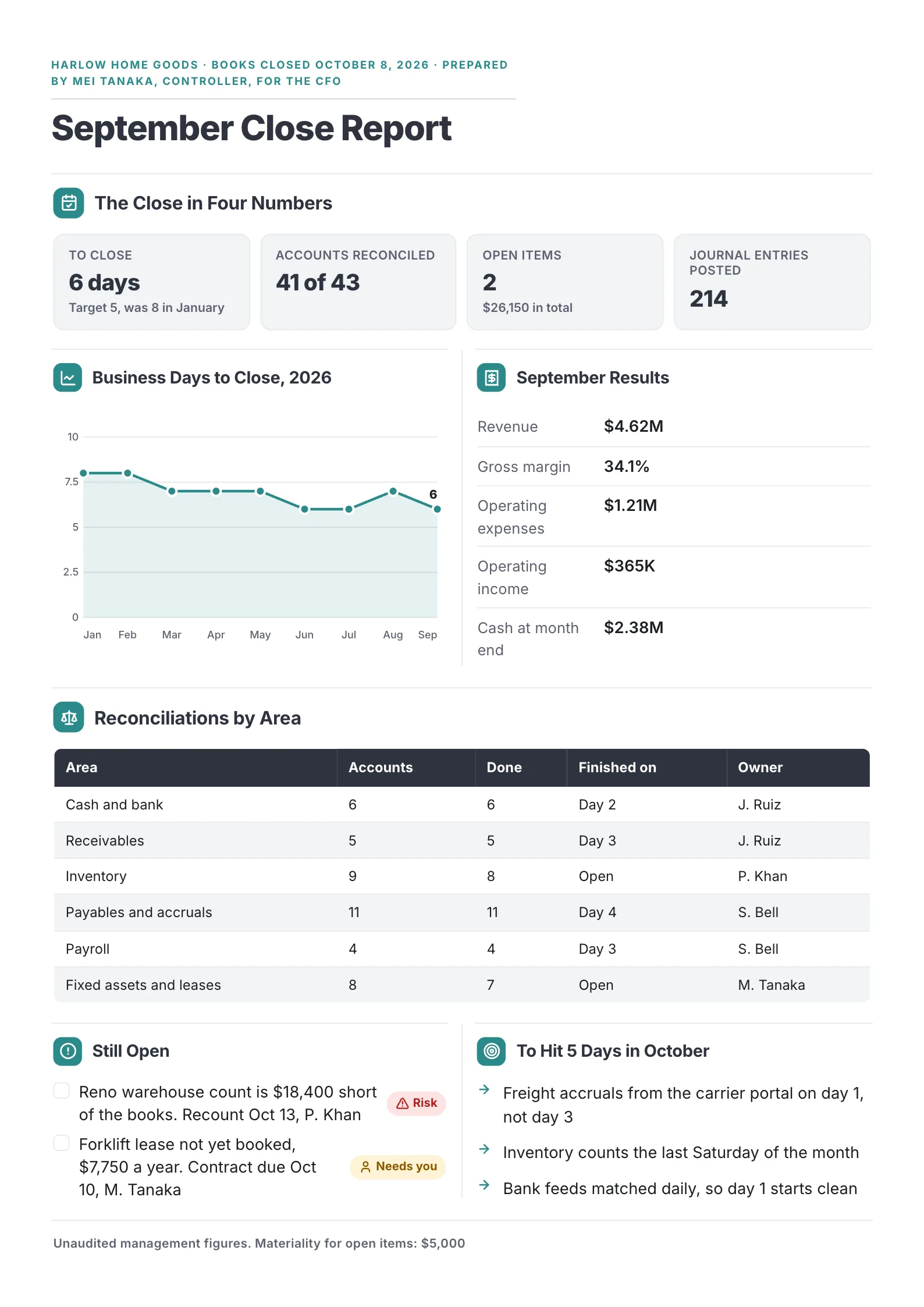 Month-End Close ReportEdit for free(opens in a new tab)
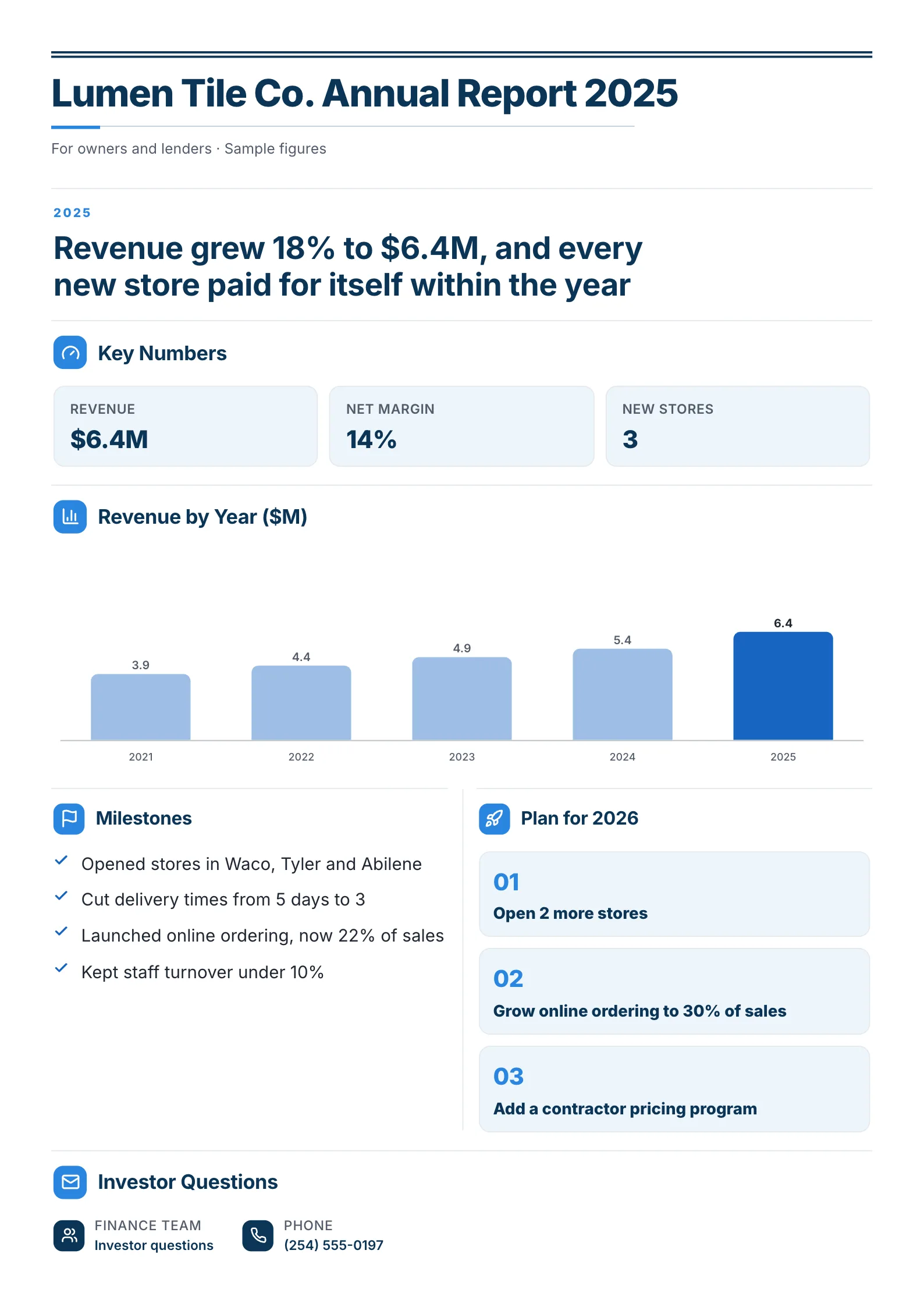 Annual Report One-PagerEdit for free(opens in a new tab)
Every example was made with MakeOnepagers. Each one opens as a template you can edit for free: every word, chart and color.
What is a profit and loss statement?
A profit and loss statement, also called a P&L or an income statement, shows how much a business earned and spent over a period, and whether it made a profit or a loss. It is one of the three main financial statements, alongside the balance sheet (what you own and owe on one day) and the cash flow statement (how cash moved).
A P&L counts income when it is earned and costs when they are incurred, not when money changes hands. That is why a business can show a profit on its P&L and still be short of cash, and why the P&L and the cash flow statement are best read together.
The lines of a profit and loss statement
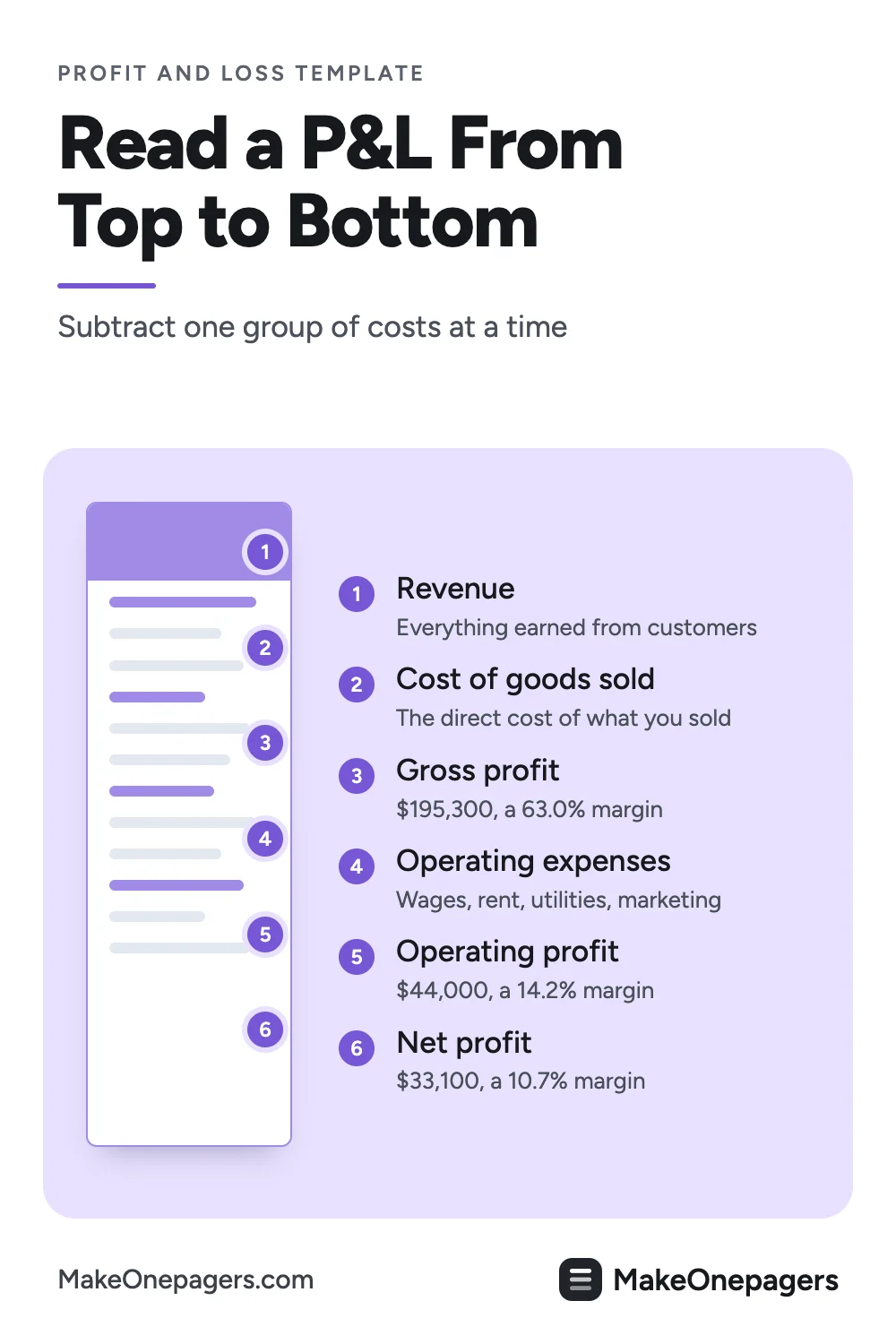
A P&L reads from top to bottom, subtracting one group of costs at a time:
- Revenue, also called sales or turnover. Everything the business earned from customers in the period.
- Cost of goods sold (COGS). The direct cost of what you sold: ingredients, stock, materials, direct labour where it applies.
- Gross profit = revenue minus COGS.
- Operating expenses: wages not in COGS, rent, utilities, marketing, insurance, software, repairs, depreciation.
- Operating profit, also called EBIT = gross profit minus operating expenses.
- Interest on loans.
- Profit before tax = operating profit minus interest.
- Tax on profit.
- Net profit, the bottom line = profit before tax minus tax.
The three margins turn those lines into percentages you can compare over time and with similar businesses:
- Gross margin = gross profit ÷ revenue
- Operating margin = operating profit ÷ revenue
- Net margin = net profit ÷ revenue
A free profit and loss template
Copy this into a document, or open one of the examples further down and edit it.
| Line | This period | Last period or budget | Change |
|---|---|---|---|
| Revenue | |||
| Cost of goods sold | |||
| Gross profit (and gross margin) | |||
| Wages | |||
| Rent | |||
| Utilities | |||
| Marketing | |||
| Other operating costs | |||
| Operating profit (and operating margin) | |||
| Interest | |||
| Profit before tax | |||
| Tax | |||
| Net profit (and net margin) | |||
| What changed | One or two sentences |
Five to eight lines of operating costs is enough on one page. Group the rest into "other".
A worked example: a cafe's quarter
The figures below are an example, made up for this guide so every step can be checked. Use your own from your accounting software.
| Line | Q3 | Share of revenue |
|---|---|---|
| Revenue | $310,000 | 100% |
| Cost of goods sold | $114,700 | 37.0% |
| Gross profit | $195,300 | 63.0% |
| Wages | $98,000 | |
| Rent | $27,000 | |
| Utilities | $8,400 | |
| Marketing | $6,200 | |
| Other operating costs | $11,700 | |
| Operating expenses | $151,300 | |
| Operating profit | $44,000 | 14.2% |
| Interest | $2,100 | |
| Profit before tax | $41,900 | |
| Tax (estimated) | $8,800 | |
| Net profit | $33,100 | 10.7% |
The arithmetic: $310,000 minus $114,700 is $195,300 gross profit. Operating expenses add up to $151,300, so operating profit is $195,300 minus $151,300, which is $44,000. Take off $2,100 of interest for $41,900 before tax, and an estimated $8,800 of tax for $33,100 net profit.
The margins: gross $195,300 ÷ $310,000 = 63.0%. Operating $44,000 ÷ $310,000 = 14.2%. Net $33,100 ÷ $310,000 = 10.7%.
On its own, this P&L says the cafe made a profit. Beside last quarter or the budget, it would say much more: whether ingredient costs are eating into the gross margin, whether wages are growing faster than sales, whether the marketing spend paid for itself. That comparison is the reason to put the P&L on one page.
A P&L in a quarterly review
 Edit this template
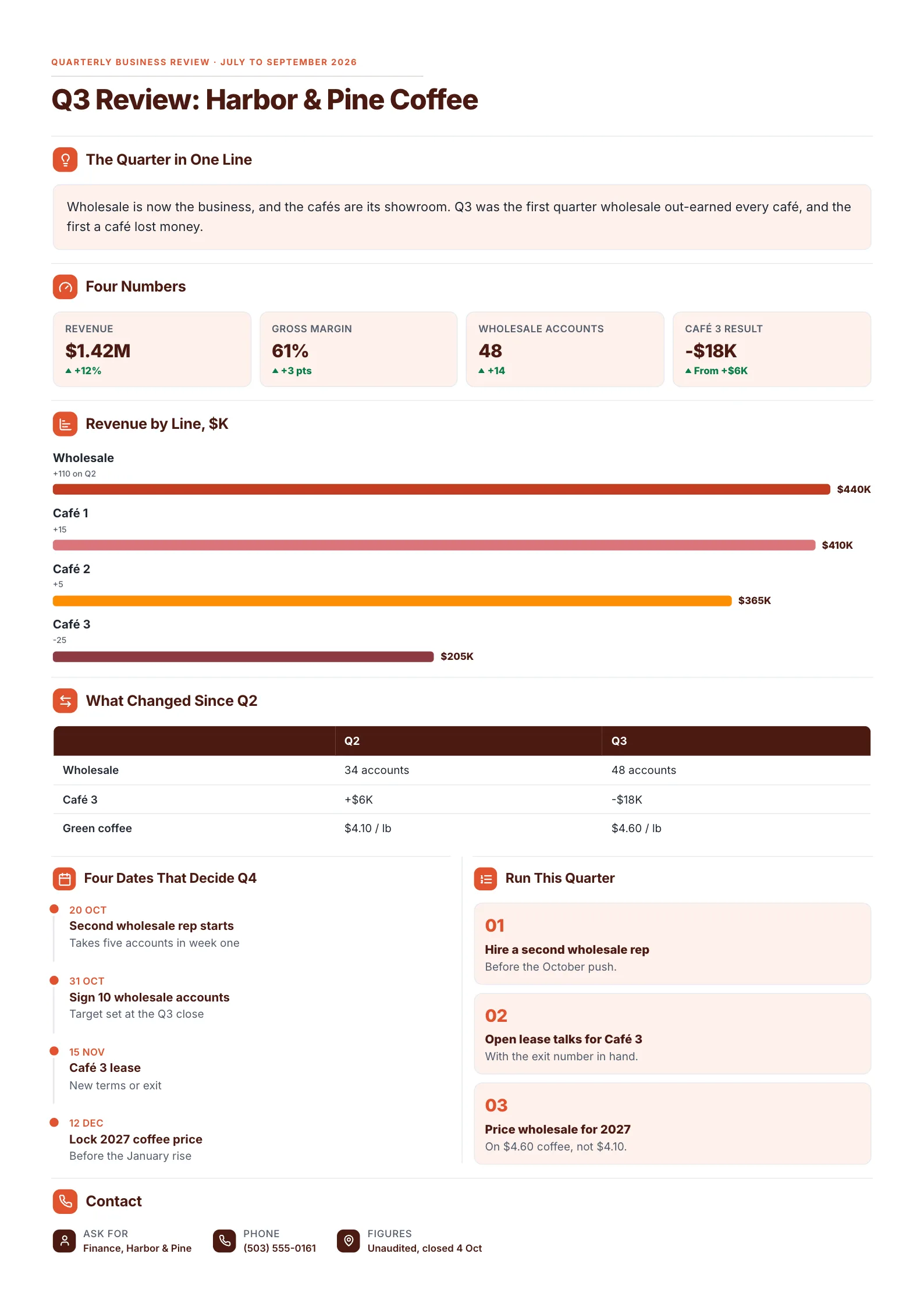
A sample business with unaudited sample figures, showing how the P&L's headline lines feed a quarterly review.
A profit and loss statement rarely travels alone. In a quarterly review it gives the headline numbers, here revenue of $1.42M up 12% and a gross margin of 61%, up 3 points. Then the review breaks the P&L down by line of business, which is where the real finding sits: wholesale grew to $440K while one cafe lost $18K. The full P&L stays in the appendix. The review says what it means.
What to copy:
- Revenue and gross margin as headline numbers, each with its change.
- Profit by line of business, so a loss in one part is not hidden by the total.
- Dates and actions that follow: a lease to renegotiate, a price to set.
Edit for free: cafe quarterly review template.
Other profit and loss examples
- Month-end close report: the monthly P&L with what closed, what is late and what changed.
- Restaurant menu engineering report: margin dish by dish, for food businesses that want to lift gross profit.
- Annual report: the year's P&L headline beside the story of the year.
How to make a profit and loss statement in 6 steps
- Choose the period: a month for running the business, a quarter or year for lenders and partners.
- Export revenue and costs from your accounting software for that period.
- Split costs into cost of goods sold and operating expenses.
- Subtract down the page: gross profit, operating profit, profit before tax, net profit.
- Work out the three margins.
- Put last period or the budget beside every line, and write one or two sentences on what changed.
If your accountant sends the P&L as a PDF, the free AI One-Pager generator reads a PDF, Word or PowerPoint file and gives it back as a designed One-Pager, with the figures pulled from your file. Check every total against the original before you share it.
Profit and loss mistakes
- No comparison. A single period's P&L cannot show a trend. Add last period, last year or the budget.
- Owner's money mixed in. Personal spending through the business distorts every margin.
- Costs in the wrong place. Ingredients counted as operating costs make the gross margin look better than it is.
- One-off items hidden. A one-time repair or grant should be named, so nobody mistakes it for the new normal.
- Profit read as cash. Customers who have not paid yet still count as revenue. Read the cash flow statement too.
Make your profit and loss summary
Open the free cafe quarterly review template and put in your own P&L headlines, or drop your accountant's P&L into the free AI One-Pager generator and get a finished one-page summary back.
Frequently asked questions
What should a profit and loss statement include?
Revenue, cost of goods sold, gross profit, operating expenses, operating profit, interest, tax and net profit, with the margins and a comparison to an earlier period or the budget.
What is the difference between a P&L and a balance sheet?
A P&L covers a period and shows whether the business made a profit. A balance sheet is a snapshot of one day and shows what the business owns, what it owes and the owners' share.
How often should a small business do a profit and loss statement?
Monthly for running the business, so problems show up early. Quarterly and yearly versions are used for lenders, partners and tax.
Is there a profit and loss template in Google Sheets or Excel?
Most spreadsheet tools and accounting apps include one. Use it to build the numbers, then present the result on one page for the people who need to read it.