How to Write a Resource Plan With a Backup for Every Empty Role
Three government resource plans all list roles and head counts. Only Washington's sets a trigger for every empty role and lists 5 ways to cover it.

Who do you need, how many of them, and when? A resource plan answers that for every month of a project. You list each role, lay the need out by month, put it beside the people you really have and write down the gap. Then you say how you'll close it. Start from a free one pager template.
One‑Pager examples
Real One-Pagers made with MakeOnepagers. Open any one to edit it as your own.
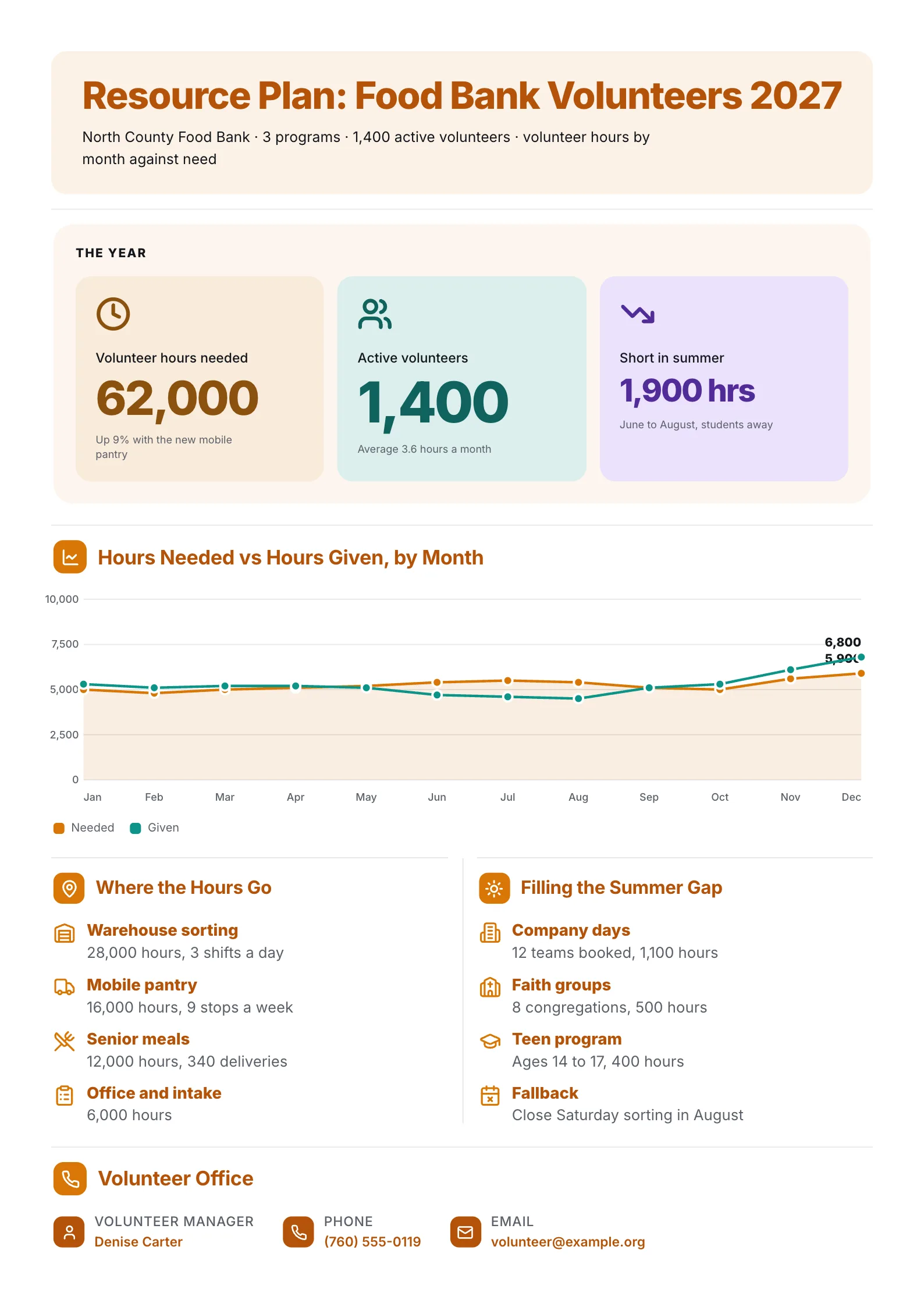 Resource Plan: Nonprofit VolunteersEdit for free(opens in a new tab)
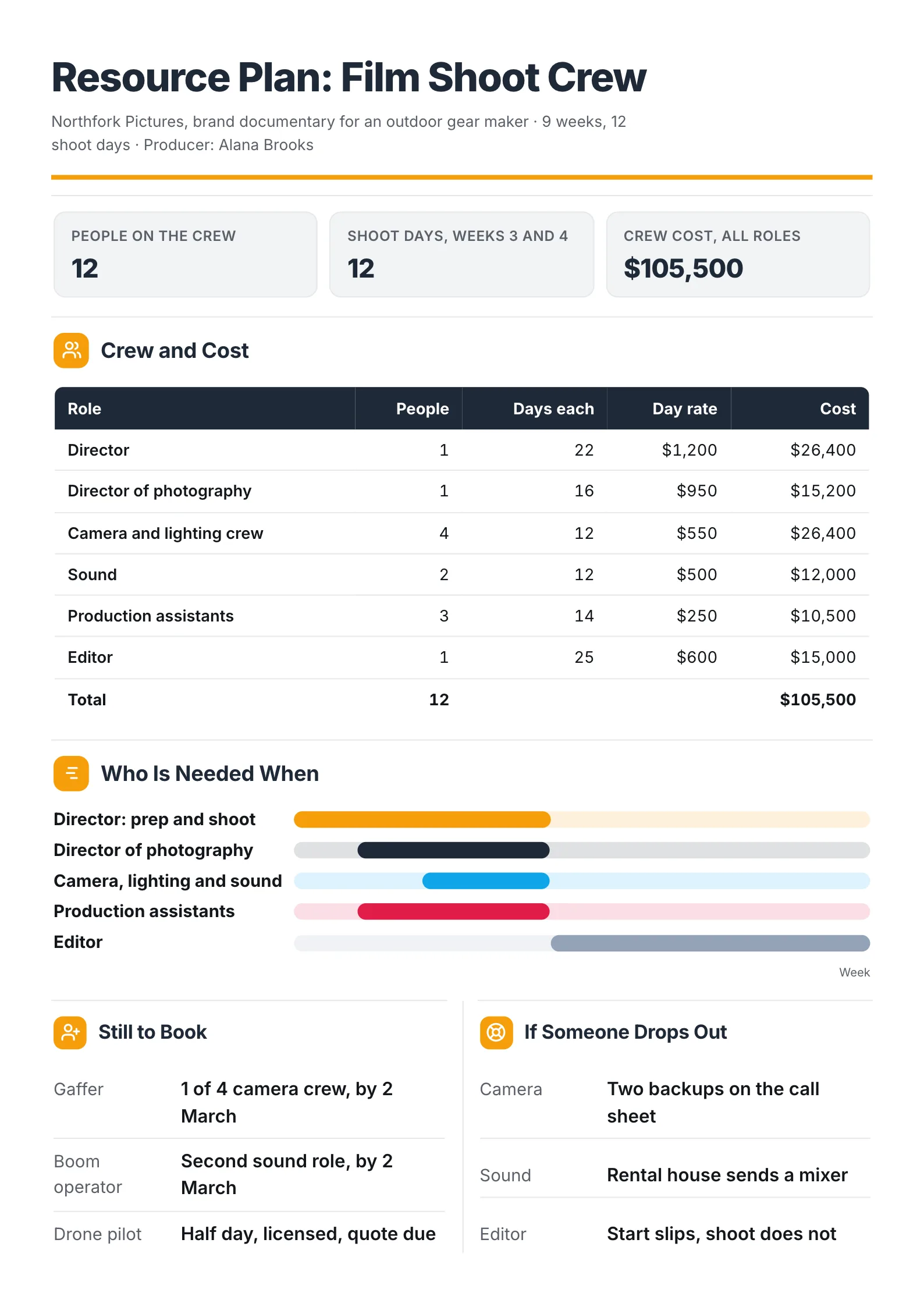 Resource Plan: Film Shoot CrewEdit for free(opens in a new tab)
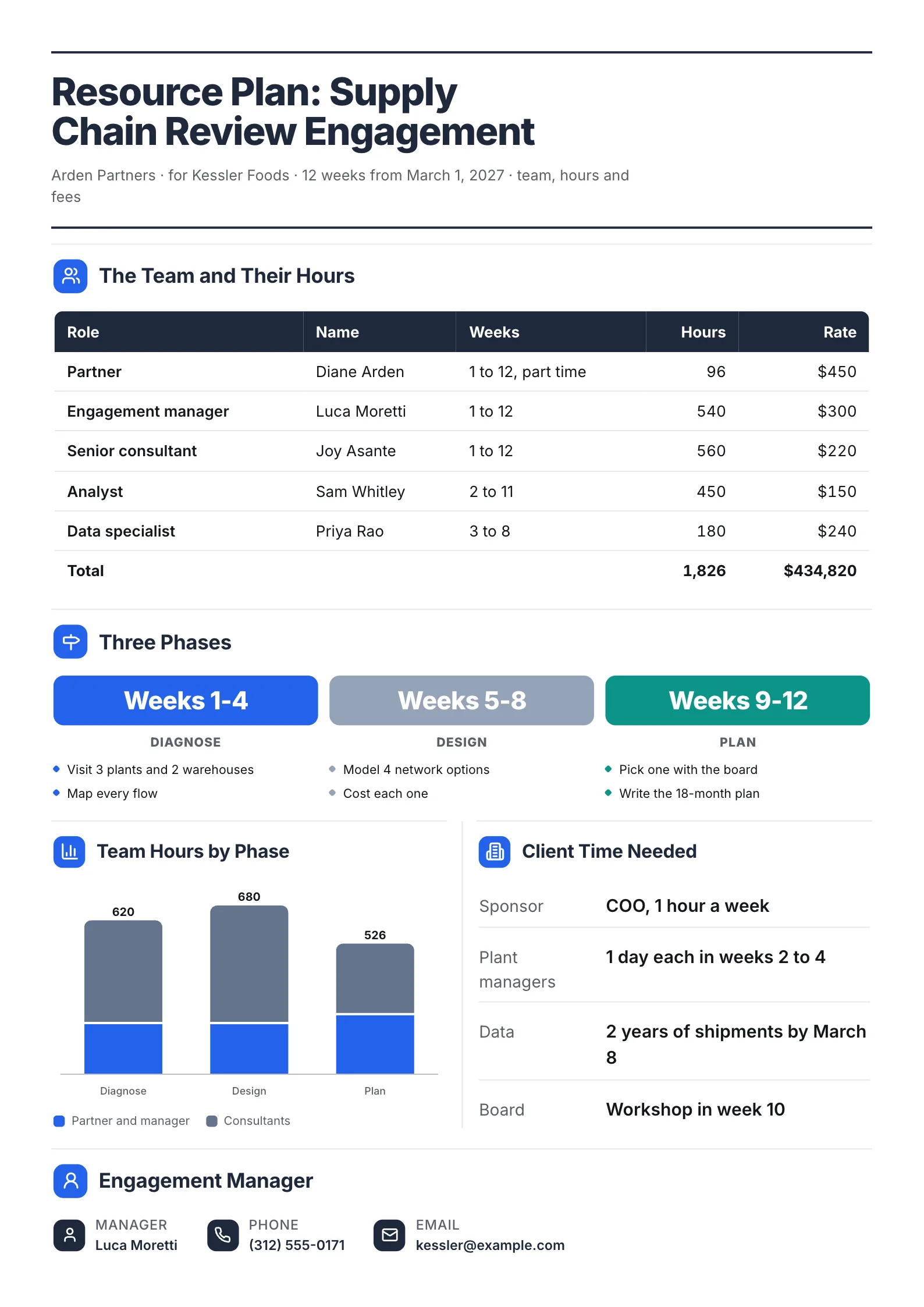 Resource Plan: Consulting EngagementEdit for free(opens in a new tab)
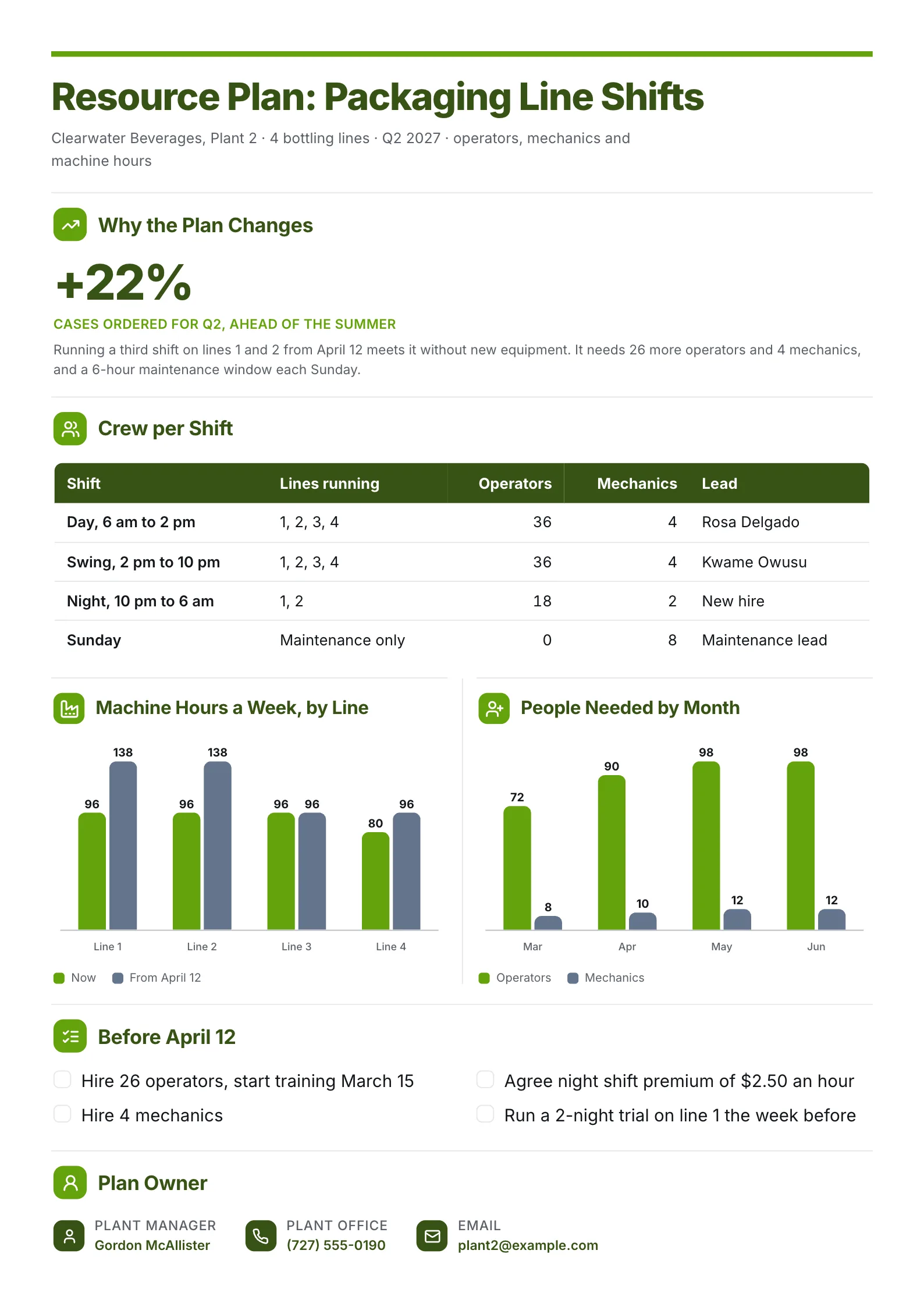 Resource Plan: Manufacturing ShiftsEdit for free(opens in a new tab)
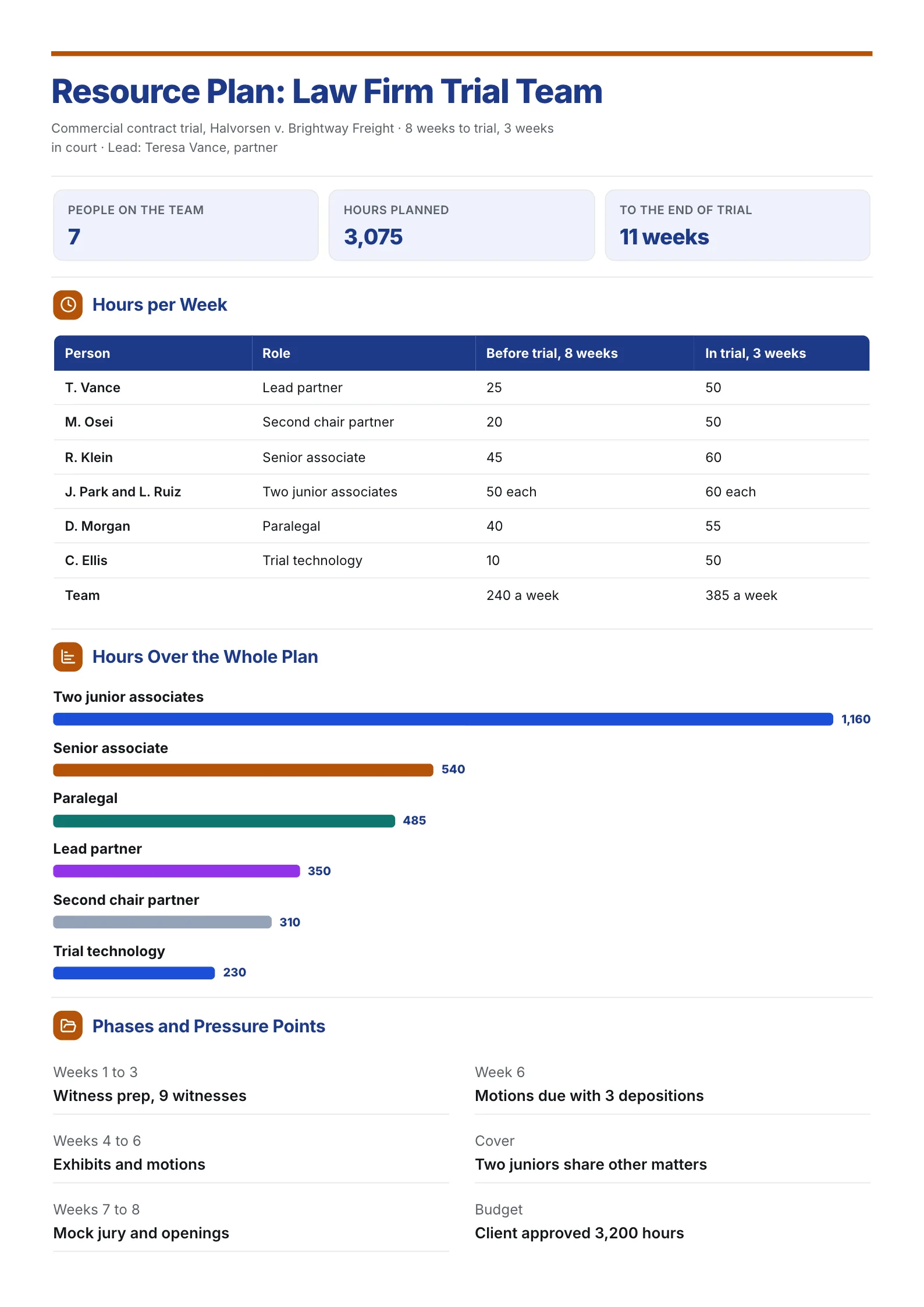 Resource Plan: Law Firm Trial TeamEdit for free(opens in a new tab)
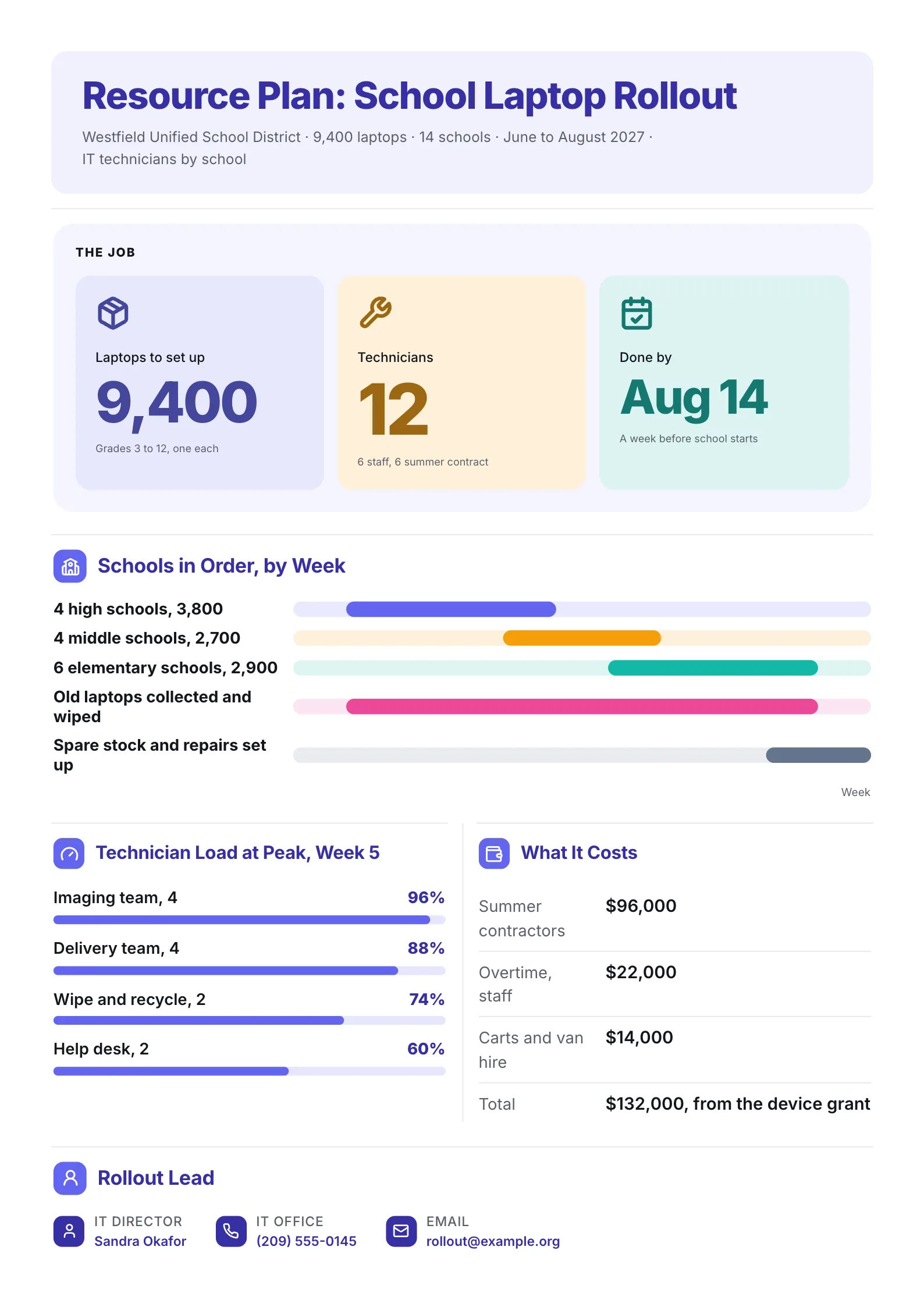 Resource Plan: IT RolloutEdit for free(opens in a new tab)
We read 3 free resource management plans used on real government projects. One is a template from Washington State's technology agency, WaTech. One comes from the US General Services Administration's M3 Playbook. The third is a 68-page sample from a California Franchise Tax Board project. All 3 list roles and head counts. Two lay the need out over time. California assigns a backup person to each key role. Only Washington's lists five ways to cover a role you can't hire for, with a trigger that tells you when to switch.
Roles and head count, in full-time units
Start with the work and turn it into roles. Write each role on its own line and a few words on what it does. Then write how many people it needs. Count part-time help as a fraction, so a designer at half time is 0.5.
The WaTech template asks for exactly this in its staffing estimate table. Each row names the role, what it does, the phase and the dates you need it. The GSA template goes one level up and asks for the number of full-time staff in each part of the team, such as project control or change management.
Keep the list to the roles that change the plan. One office manager who isn't on the project stays off the list. Equipment and budget matter too, but give them their own table so your people plan stays easy to read.
The month grid: six columns and a max
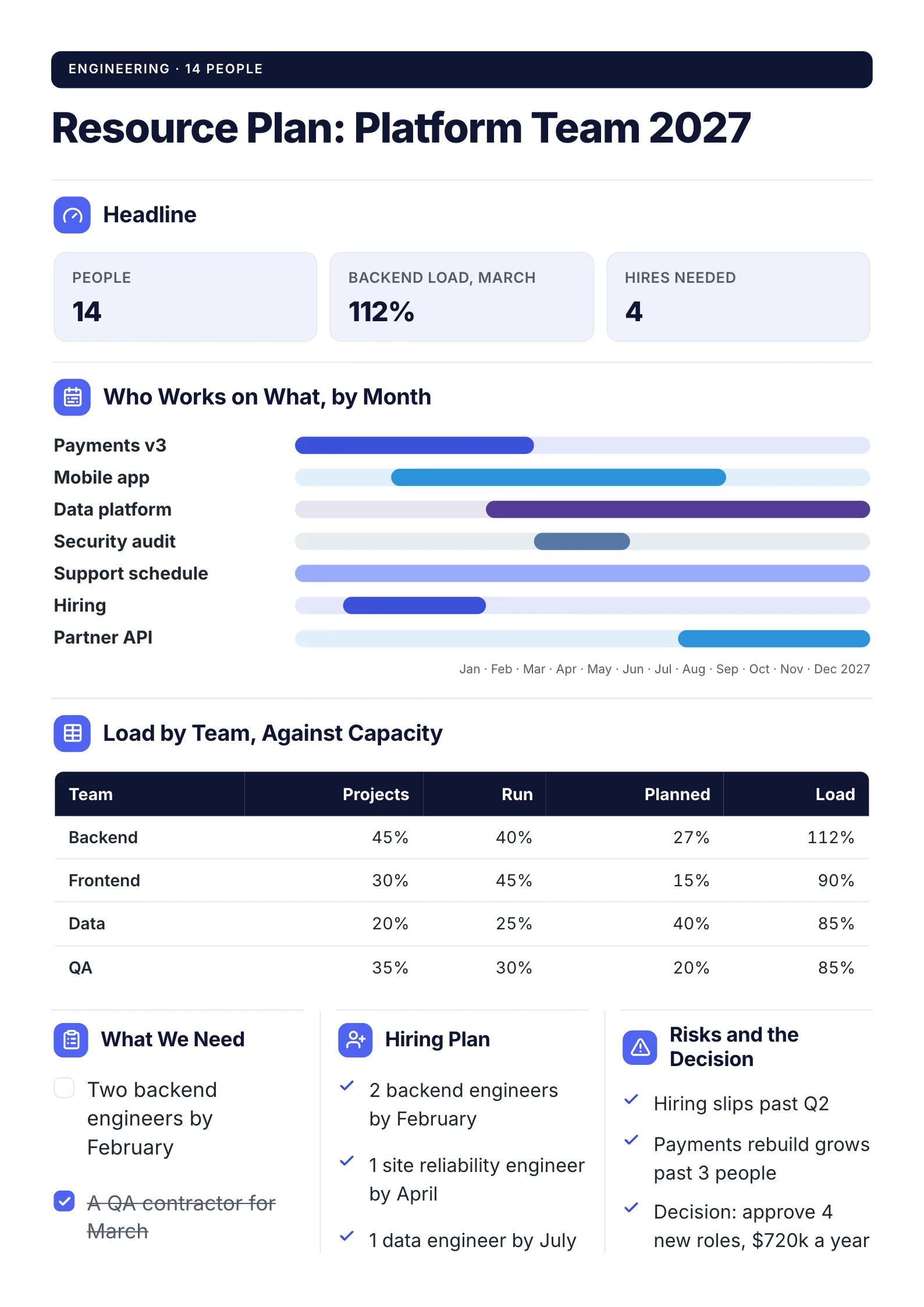
A head count for the whole project hides your crunch. You might need 4 backend engineers in March and 1 in August. So spread each role across a timeline.
WaTech's capacity table gives every role six month columns, then a max need column. The guidance calls it a 6-month look ahead and asks you to keep refining it. The California sample does the same job at a larger scale. Its staffing plan shows the number of people needed by job class and by time. It gets revised every six months as the next six months of tasks are planned in more detail.
You can copy that rhythm. Plan the next six months in detail, sketch the rest by quarter and redo it twice a year.
 Edit this template
Sample names and figures. Backend load reads 112% for March in the top row, which is why the two backend hires are due by February.
Available and difference: the column your manager reads first
Now add a column for the people you have today. WaTech's table puts an available column next to the six months and ends with a difference column. That last column is the one your manager reads first. Take the max need away from what's available, so a positive number means spare capacity. A negative one means you're short.
Be honest about availability. Take out planned leave, training weeks and time people spend on other work. If your designer is on two projects, they're 0.5 on yours.
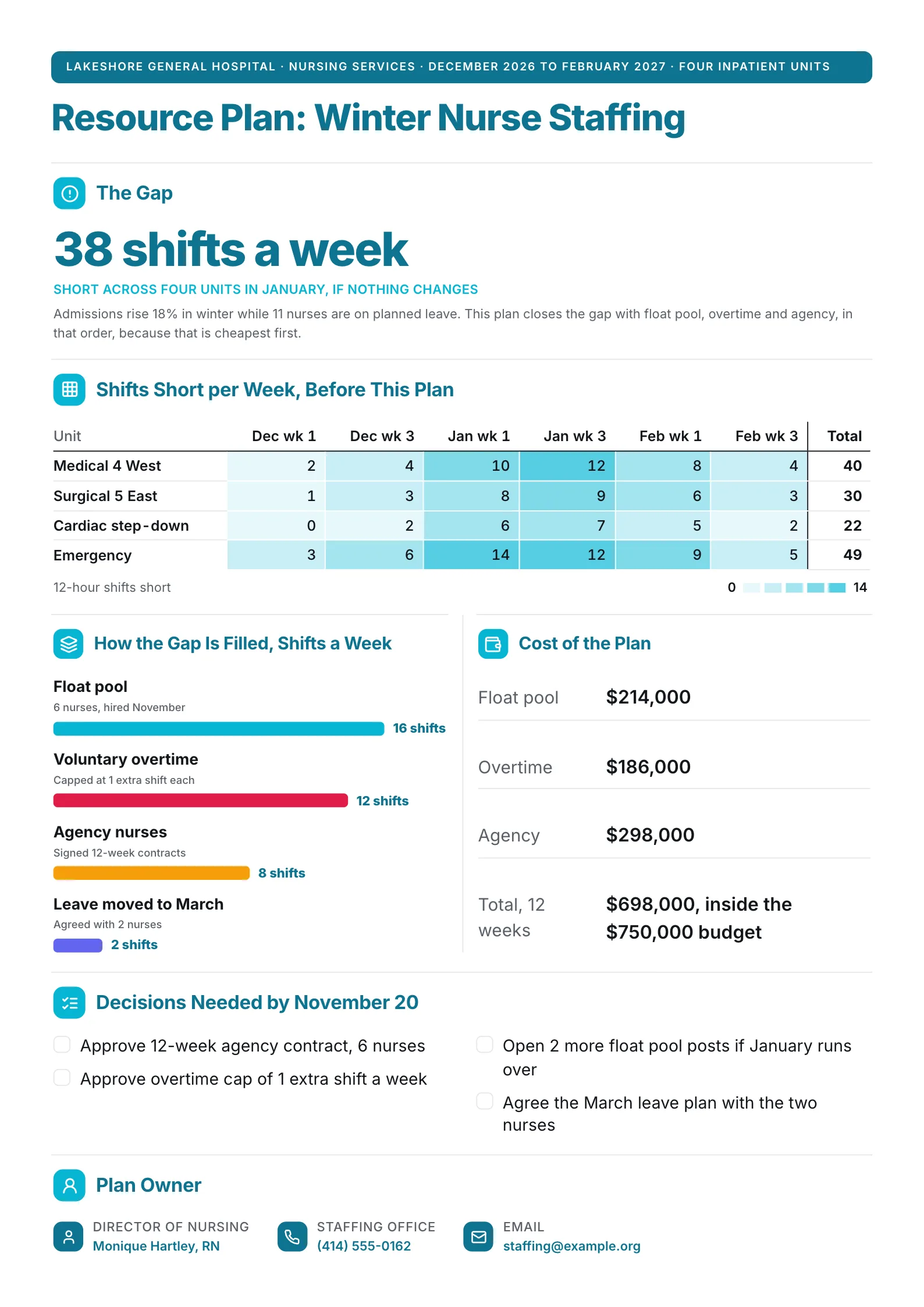
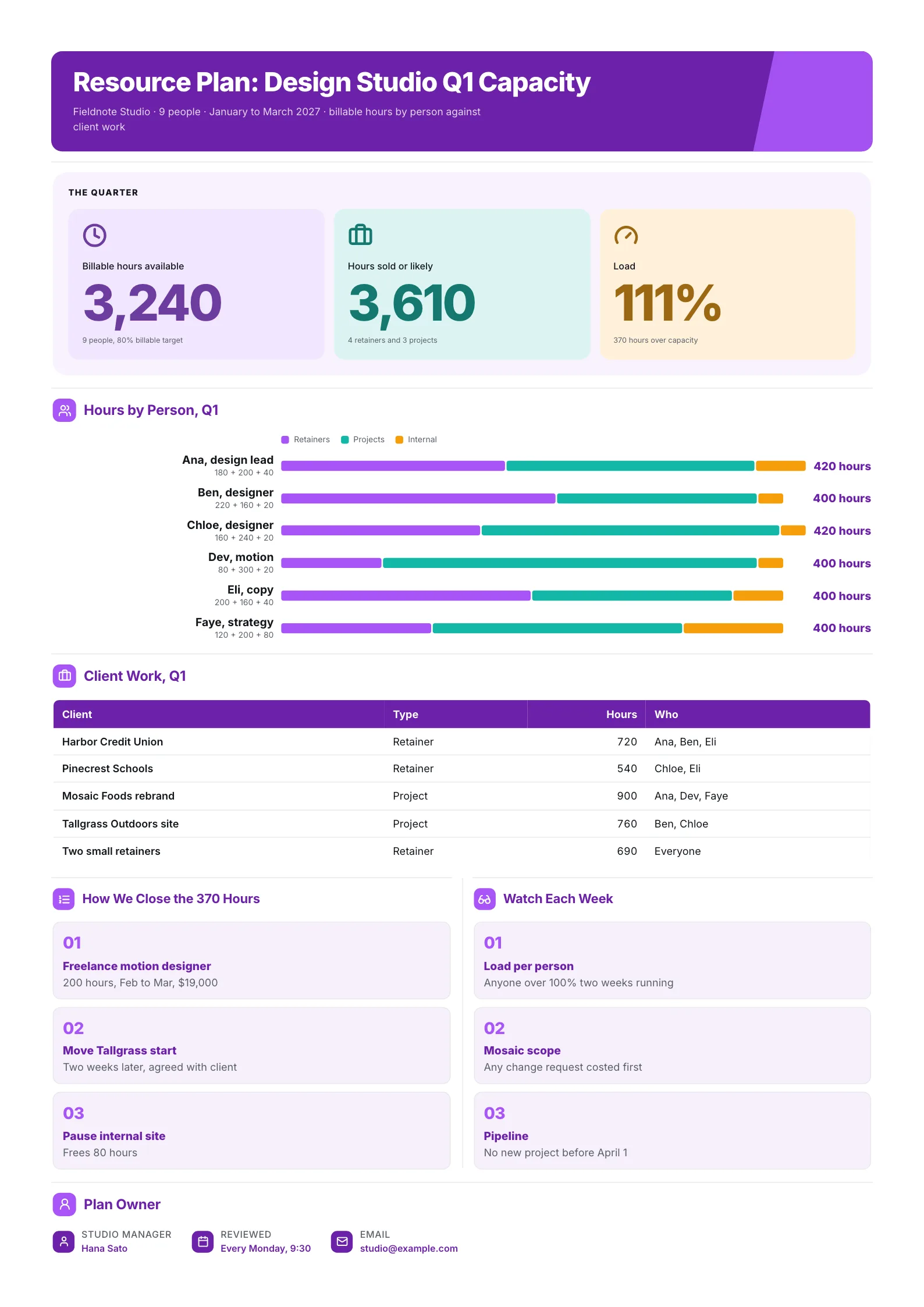
Write the gap in the unit your readers will use. A hospital thinks in shifts. An agency thinks in billable hours.
 Edit this template
Sample names and figures. The gap is in 12-hour shifts per week, the unit a charge nurse plans with.
 Edit this template
Sample names and figures. The 370-hour overload sits at the top, so the reader sees the gap before the detail.
Required and desired skills
Two people with the same title can't always swap, and your plan should show it. So for each role, write the skills it needs. WaTech's skills table has a required line and a desired line for every role, which keeps the must-haves apart from the nice-to-haves.
The GSA template asks for the same thing, plus a training plan when someone on staff needs to grow into the role. That's a quiet way to close a gap without hiring. A QA lead who could cover security testing after a two-week course goes in the plan with the course date.
The target date and the trigger
Each plan we read covers part of this, and none covers all of it. The GSA template asks you to mark each role as filled by acting staff, filled by permanent staff or vacant. Then it asks for a target date for each gap, or the training date that closes a skills gap.
WaTech adds the part we liked best, a list of backup moves for when you can't hire someone on staff in time. In plain words, you can:
- absorb the work until a hire starts;
- borrow staff from elsewhere in the agency for a while;
- bring in contractors through a contract you already have;
- grow someone in house, with contract staff teaching them the skills;
- ask another team or agency to cover the role.
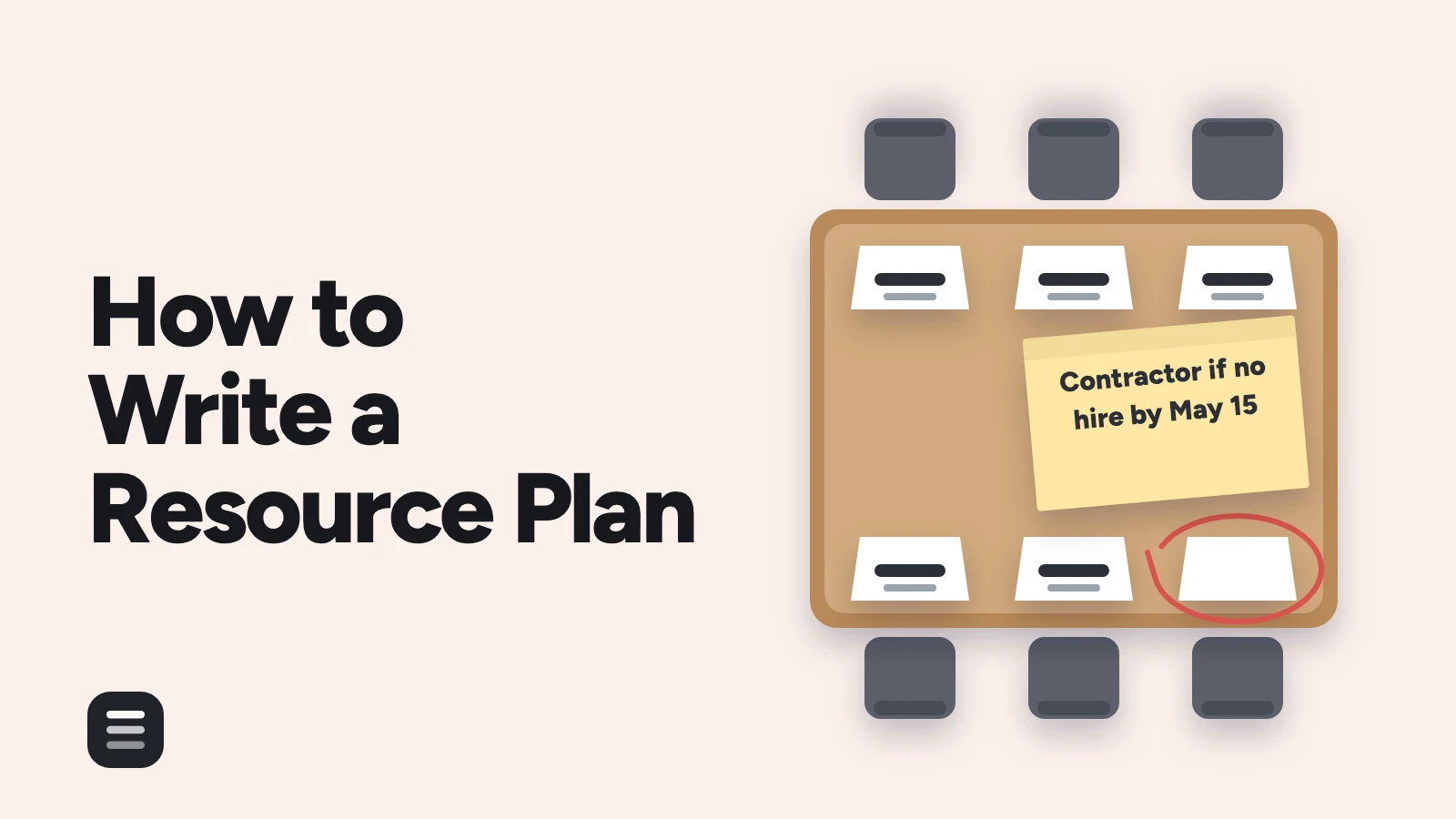
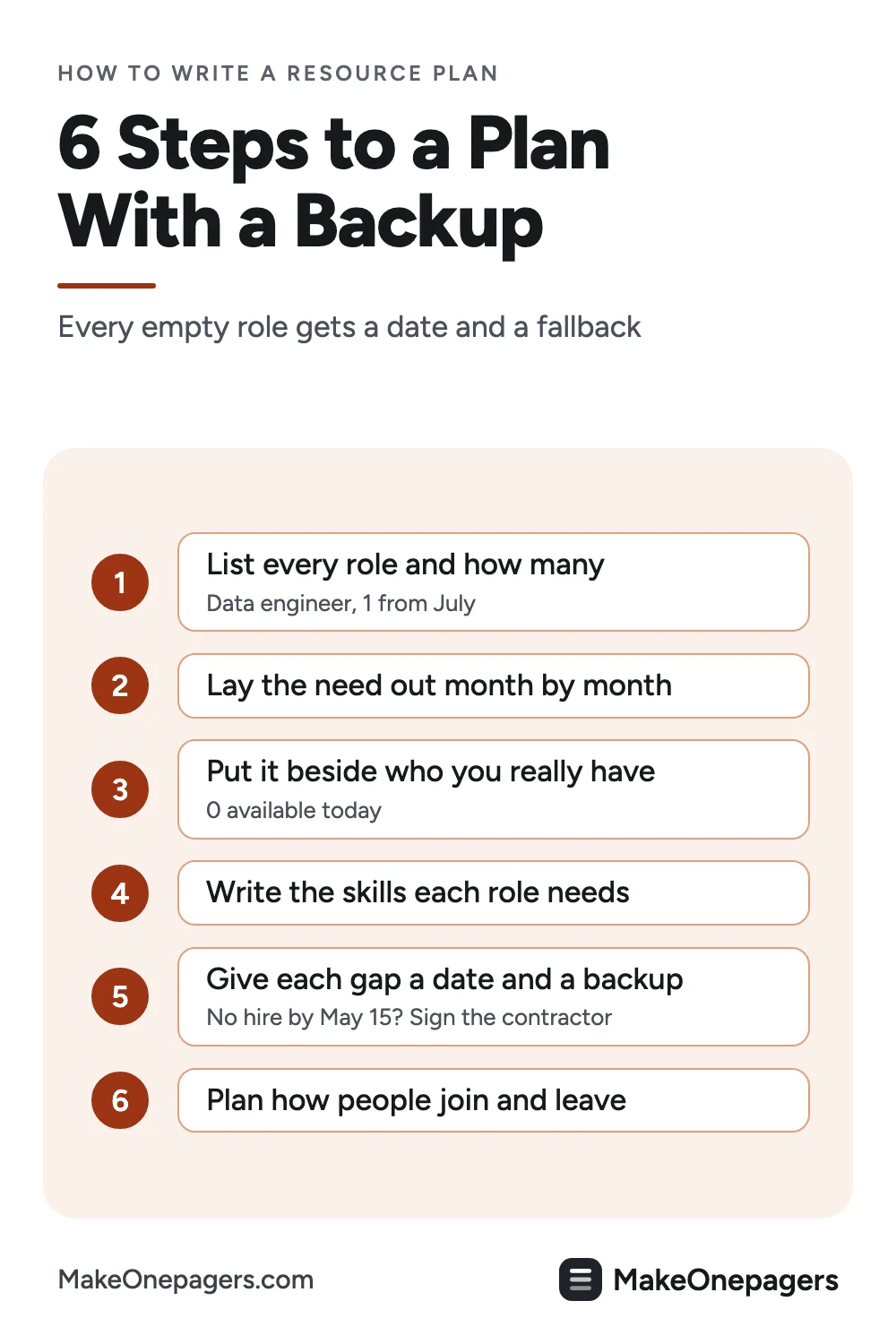
It also asks you to set a trigger for every vacant role. That's the event that tells you to stop waiting and switch to the backup. For example, if the data engineer isn't hired by May 15, you sign the contractor.
 Edit this template
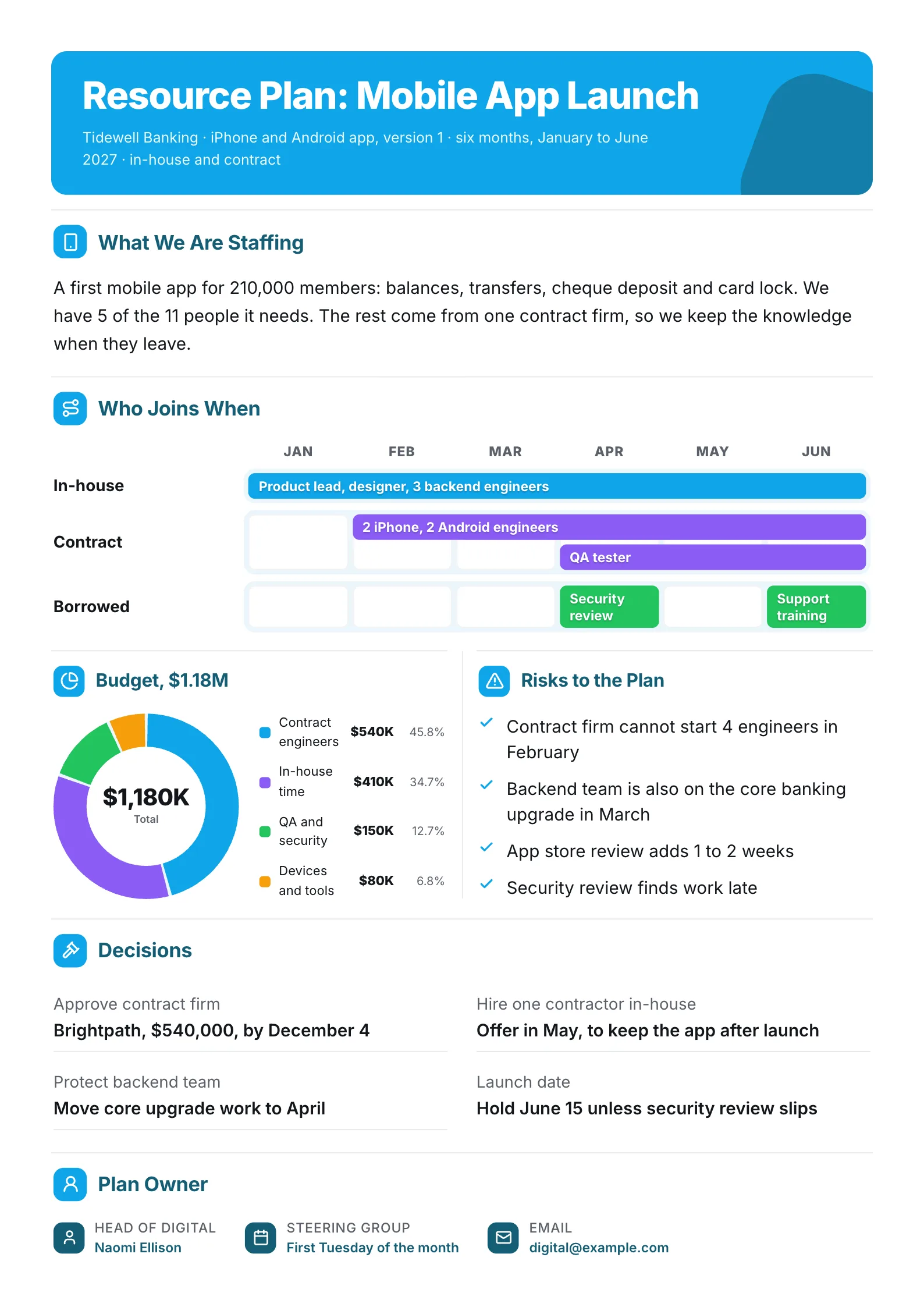
Sample names and figures. Each row is in-house, contract or borrowed help, so the reader sees which month each part of the team arrives.
Take a data engineer you need from July. Most plans stop at the first column. Yours should carry the second.
| Field | Role list only | With the gap and backup |
|---|---|---|
| Role | Data engineer, 1 | Data engineer, 1 from July |
| Available | Not listed | 0 today |
| Gap | Not listed | Short 1 from July |
| Plan | Hire | Post the job by April 1, hire by May 15 |
| Backup | None | If no hire by May 15, sign the contractor |
With the second column filled in, nobody has to ask what happens if the hire runs late. Your manager can see the May 15 trigger and the contractor waiting behind it.
Roll on, roll off
A new hire who arrives on March 1 isn't useful on March 1. Every template we read has a section for bringing people on. The California sample heads it "Roll On Staff." That covers approval, security checks, badges, system access and an orientation on the project's goals and milestones. It calls the last steps rolling staff off and replacing staff.
WaTech asks for the same thing in both directions. When someone leaves early, it wants a short transition plan that covers their daily duties, their access and the desk notes the next person needs.
So add the ramp-up time to your timeline. If training takes two weeks, the start date is two weeks before you need the person working alone.
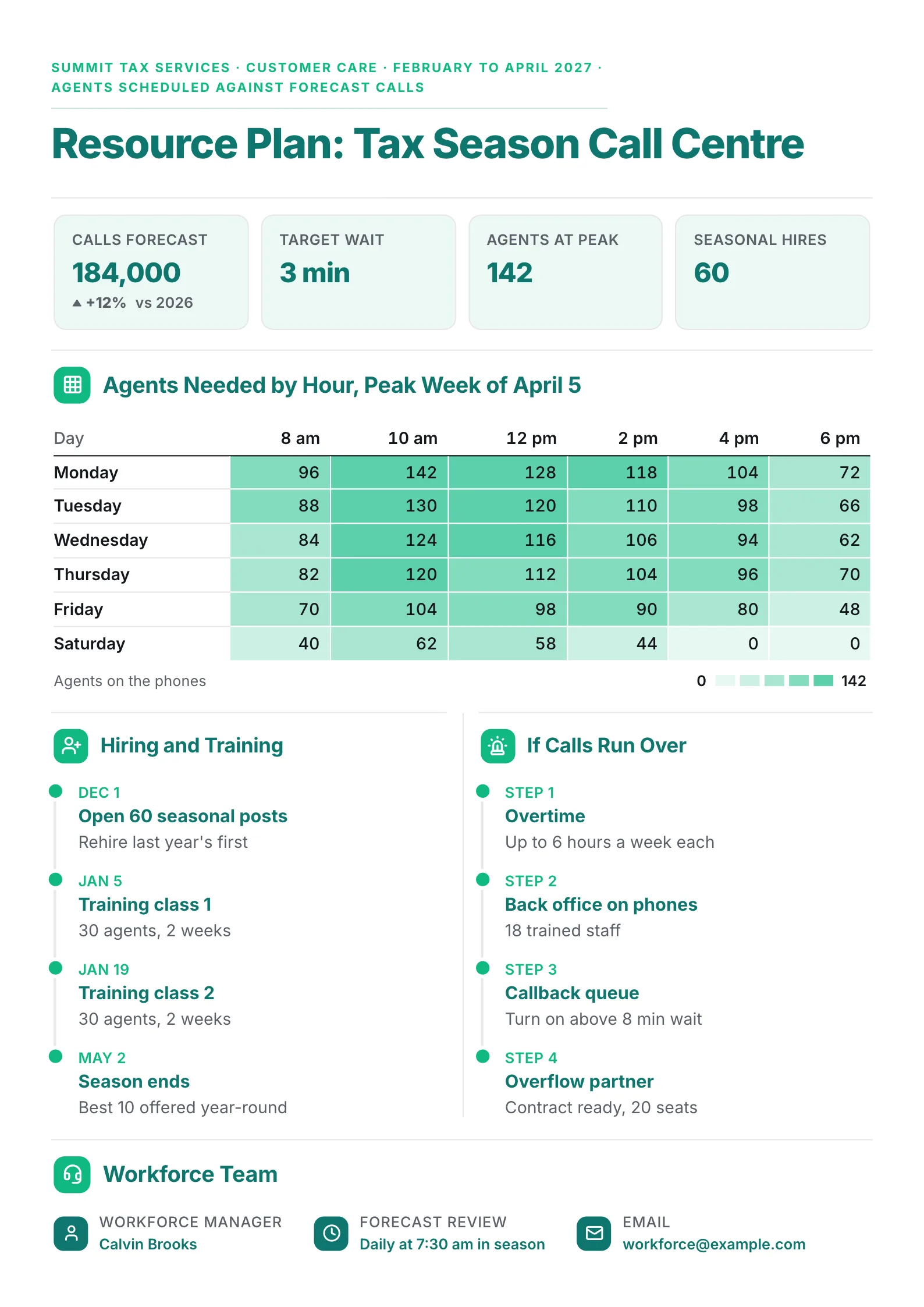 Edit this template
Sample names and figures. The 60 posts open December 1, and the two training classes start January 5 and January 19, so every new agent is trained by early February.
Which of the 3 plans asks for each field
| What the plan asks for | WaTech template | GSA M3 template | California FTB sample |
|---|---|---|---|
| Each role and how many people it needs | Yes | Yes, in full-time staff per team | Yes, by job class |
| The need laid out over time | Yes, month 1 to month 6 | No | Yes, revised every six months |
| Need beside who is available | Yes, with a difference column | No | Yes, planned against actual staff by month |
| Skills each role needs | Yes, required and desired | Yes | Yes |
| A filled, acting or vacant flag on each role | No | Yes | No |
| A target date for each gap | A start date per role | Yes | A need date per state role |
| Backup moves for a role you can't fill | Yes, five of them, with a trigger | No | A named backup for key roles |
| Steps to bring people on and off | Yes | Yes | Yes |
Source: MakeOnepagers read of 3 government resource management plans, October 30, 2026. Each one is linked below.
Rows five to seven are where most resource plans go thin. You can list roles in ten minutes. The part your manager needs is the gap, the date and the backup move.
| Plan | Pages or size | Who made it |
|---|---|---|
| Resource Management Plan Template v1.0 | Word template | Washington Technology Solutions (WaTech) |
| M3 Playbook Resource Management Plan Template | Word template | US General Services Administration |
| EDR Project HR Management Plan sample | 68 pages | California Franchise Tax Board, hosted by the California Department of Technology |
All three were downloaded on October 30, 2026. The two Word templates are blank forms, so the counts above come from their headings and instructions, and the California sample is filled in.
Fit the grid, the gap and the decision on one page
The plans we read run from a short template to a 68-page sample. Most of your readers, though, only need the grid and your next hiring decision. Put those on one page and link the detail.
Each MakeOnepagers resource plan design starts with a month grid, a chart of load against capacity and a hiring box. Your roles and dates are the only thing you type. To start from a finished plan instead, open our resource plan template post. For the project dates that drive the staffing, our project timeline template post shows how to lay them out.
Start with next month's crunch
List your roles, spread them over the next six months and add a column for who you have. Circle every negative number. Then give each one a fill date and a backup trigger. Open a resource plan design in MakeOnepagers, drop in your grid and send it to whoever signs off on the hires.
Frequently asked questions
What goes in a resource plan?
Each role, how many people it needs and when, who you have now and the gap. A good one adds the skills each role needs, a target date for each gap and a backup move if the hire runs late.
Is a resource plan the same as a staffing plan?
Close. The California sample keeps its staffing plan as one part of a larger plan, the table of people needed by job class and time. A resource plan wraps that table with how you'll find, train and release people.
How far ahead should a resource plan look?
WaTech's template asks for a 6-month look ahead, and the California sample is revised every six months. Six months in detail is a sound default for most teams.
Who should approve a resource plan?
Whoever owns the budget for the people. The GSA template has a sign-off box where the reviewer marks the plan accepted, accepted pending changes or not accepted.




