How to Write a Content Calendar Your Team Can Keep Up
Four university social media guides set posting rules from once a month to 8 times a day. Here's how to write a content calendar your team can keep.

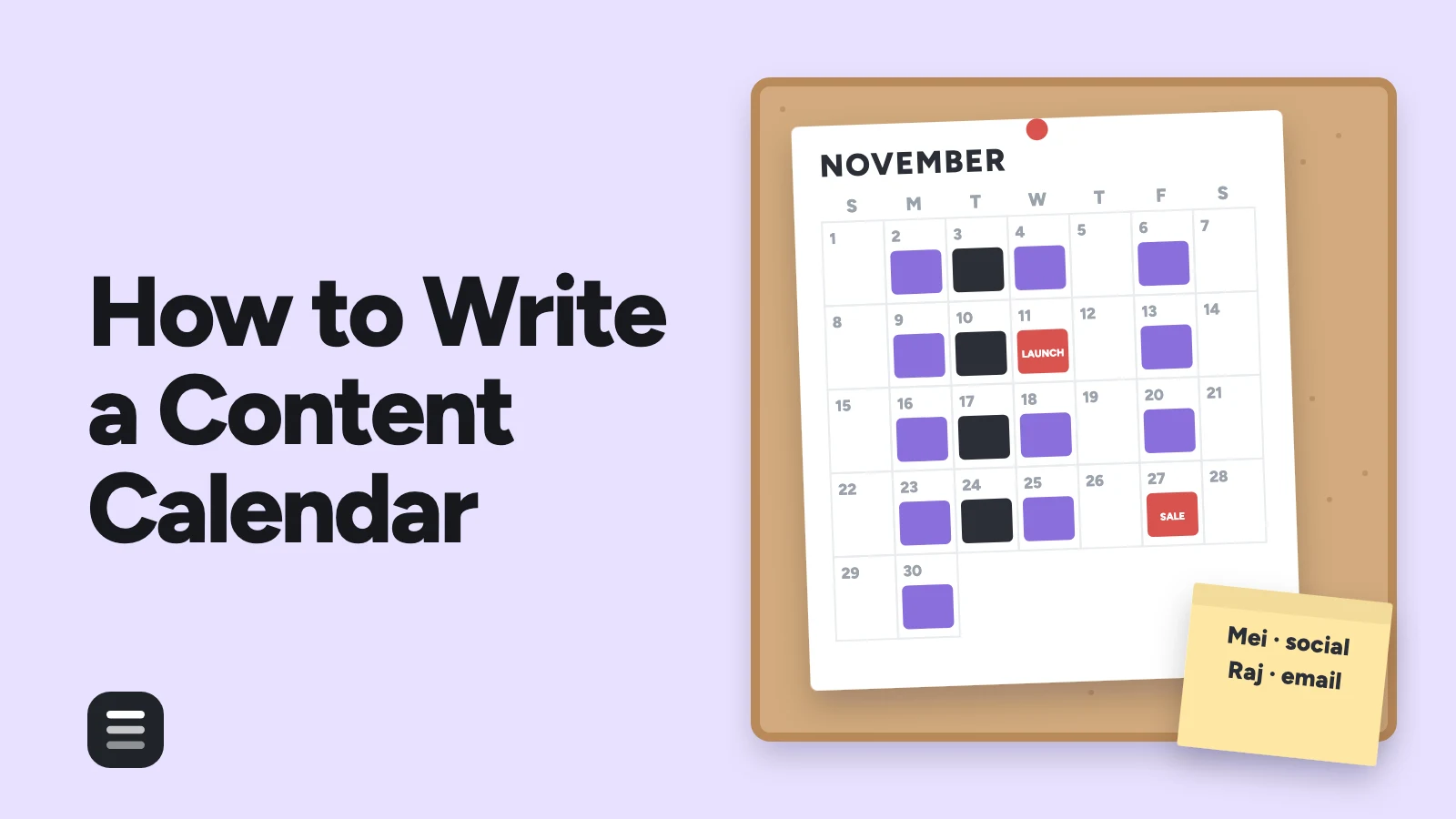
Every content calendar is built on one honest number, how often your team can really post. Once you know that, you set a pace for each channel and put the fixed dates in first. Then you fill the weeks with themes and give every post an owner. The calendar's job is to make sure each post goes out on the day you planned. Start from a free one pager template.
One‑Pager examples
Real One-Pagers made with MakeOnepagers. Open any one to edit it as your own.
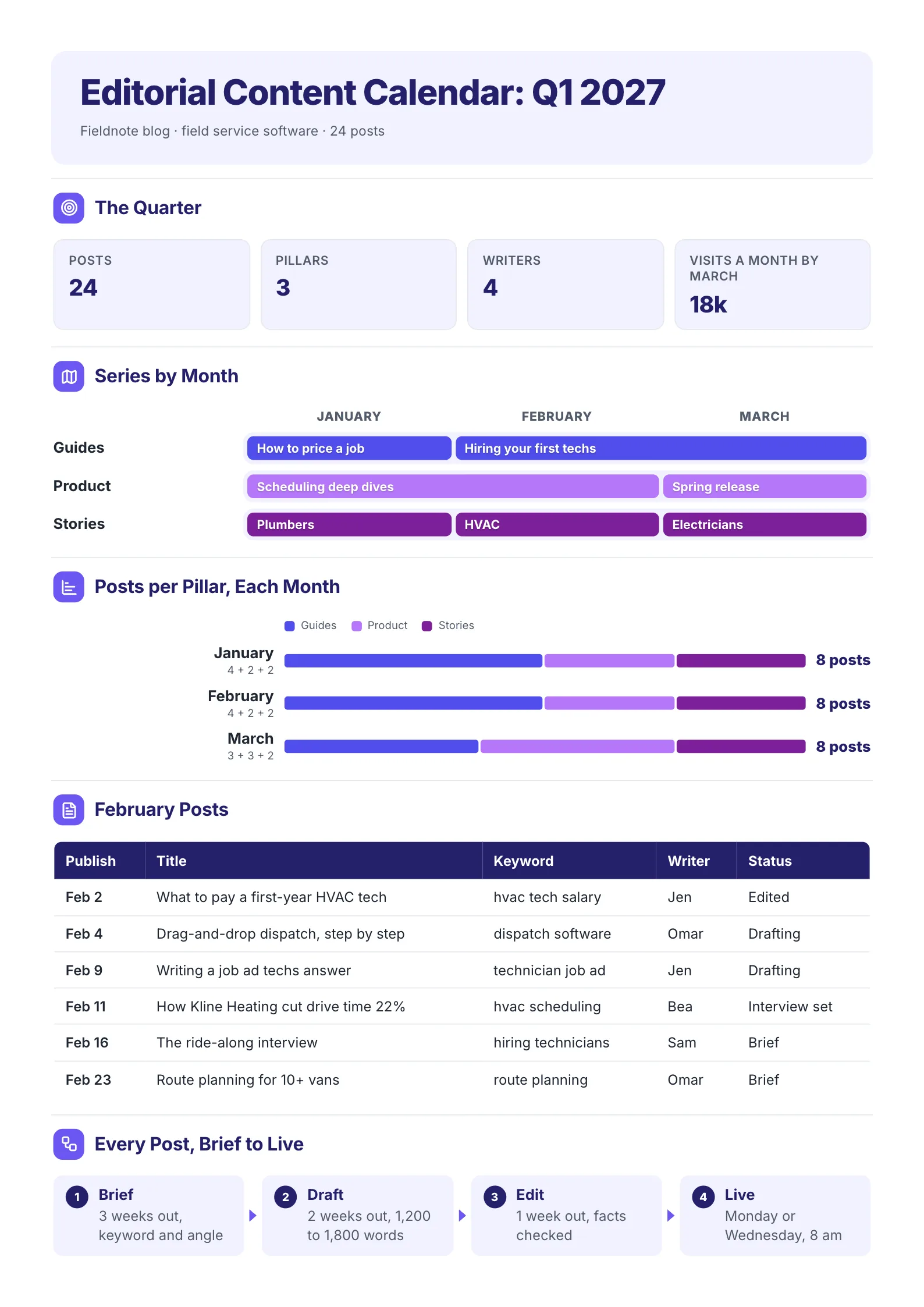 Editorial Content CalendarEdit for free(opens in a new tab)
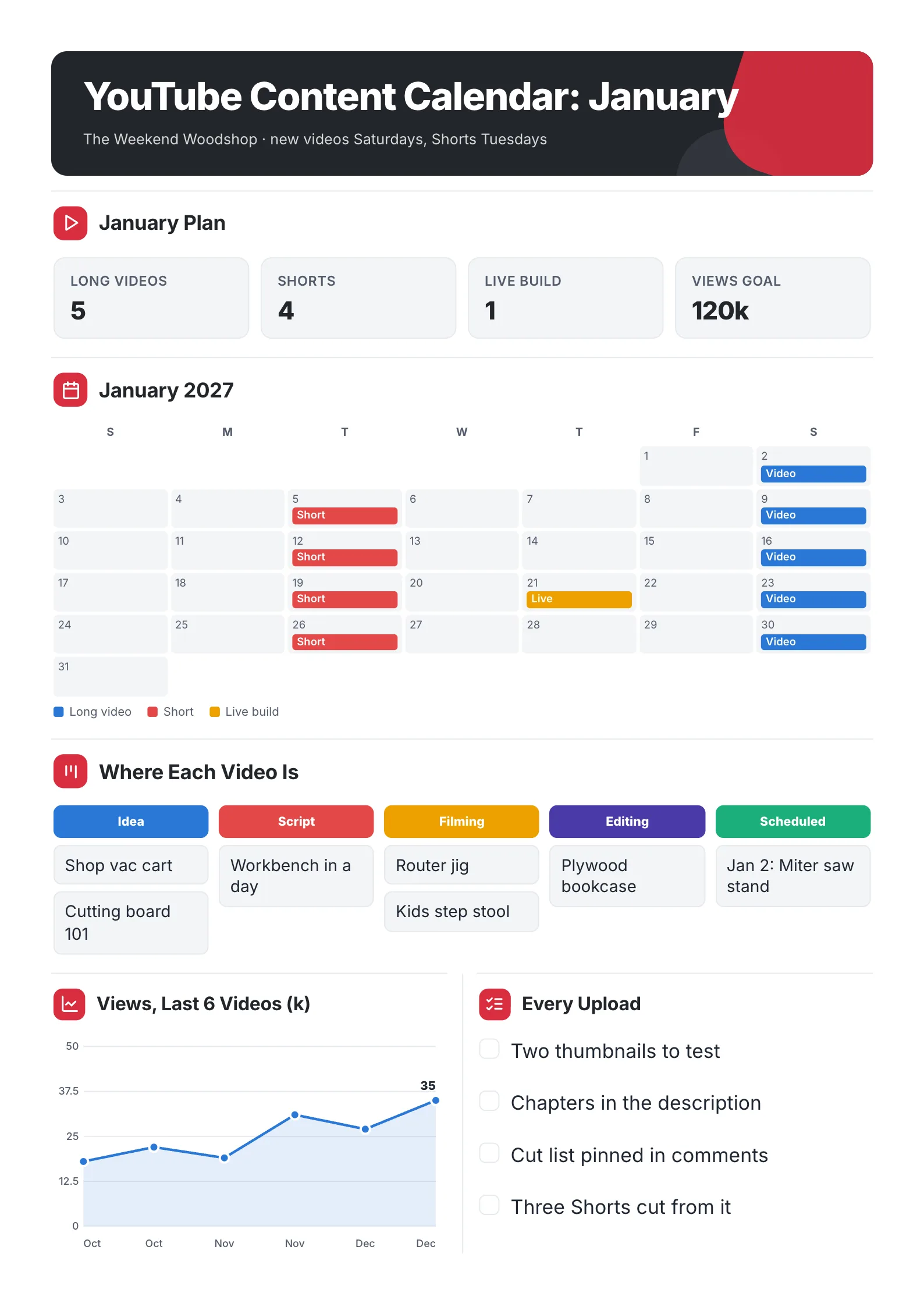 YouTube Content CalendarEdit for free(opens in a new tab)
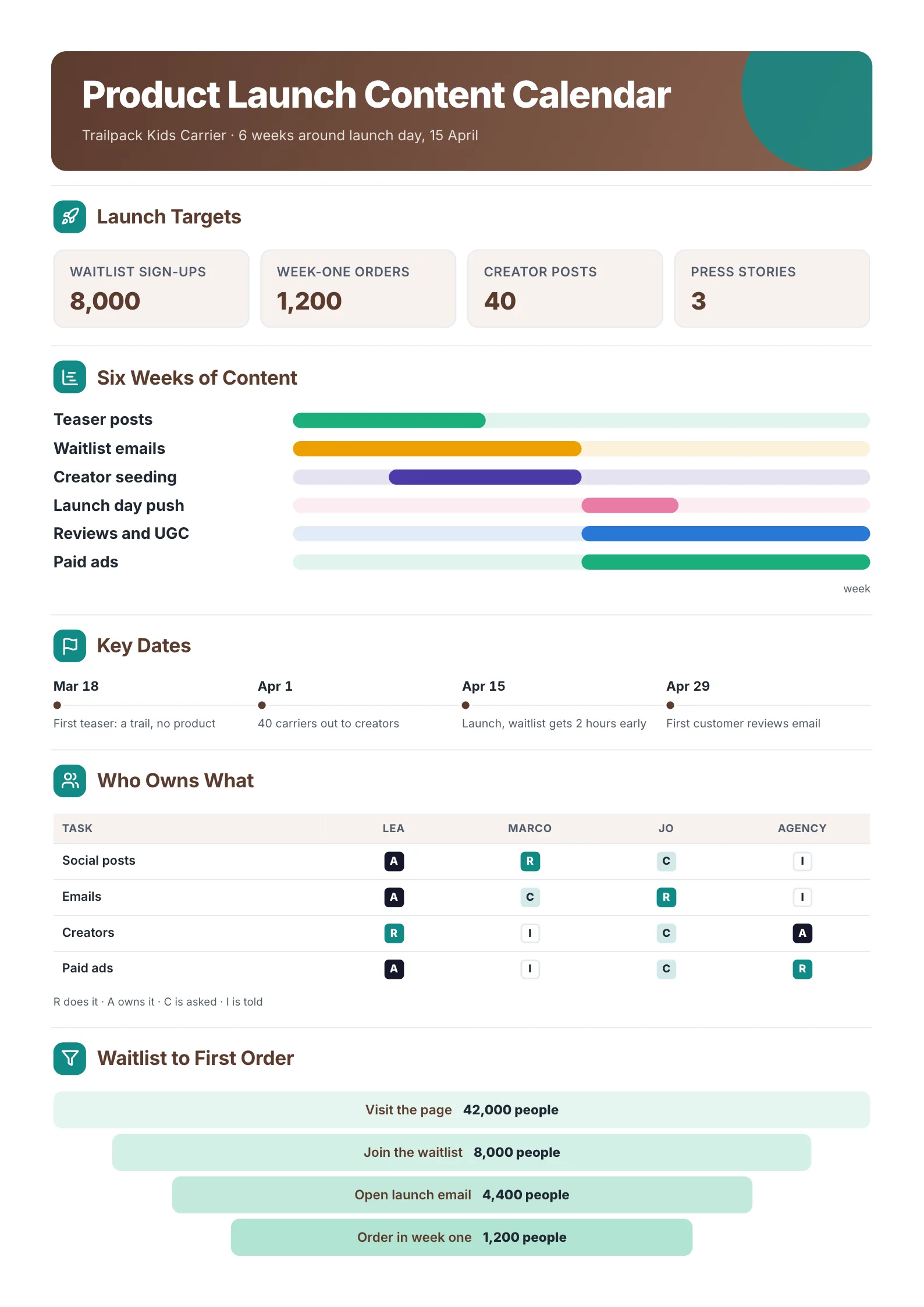 Product Launch Content CalendarEdit for free(opens in a new tab)
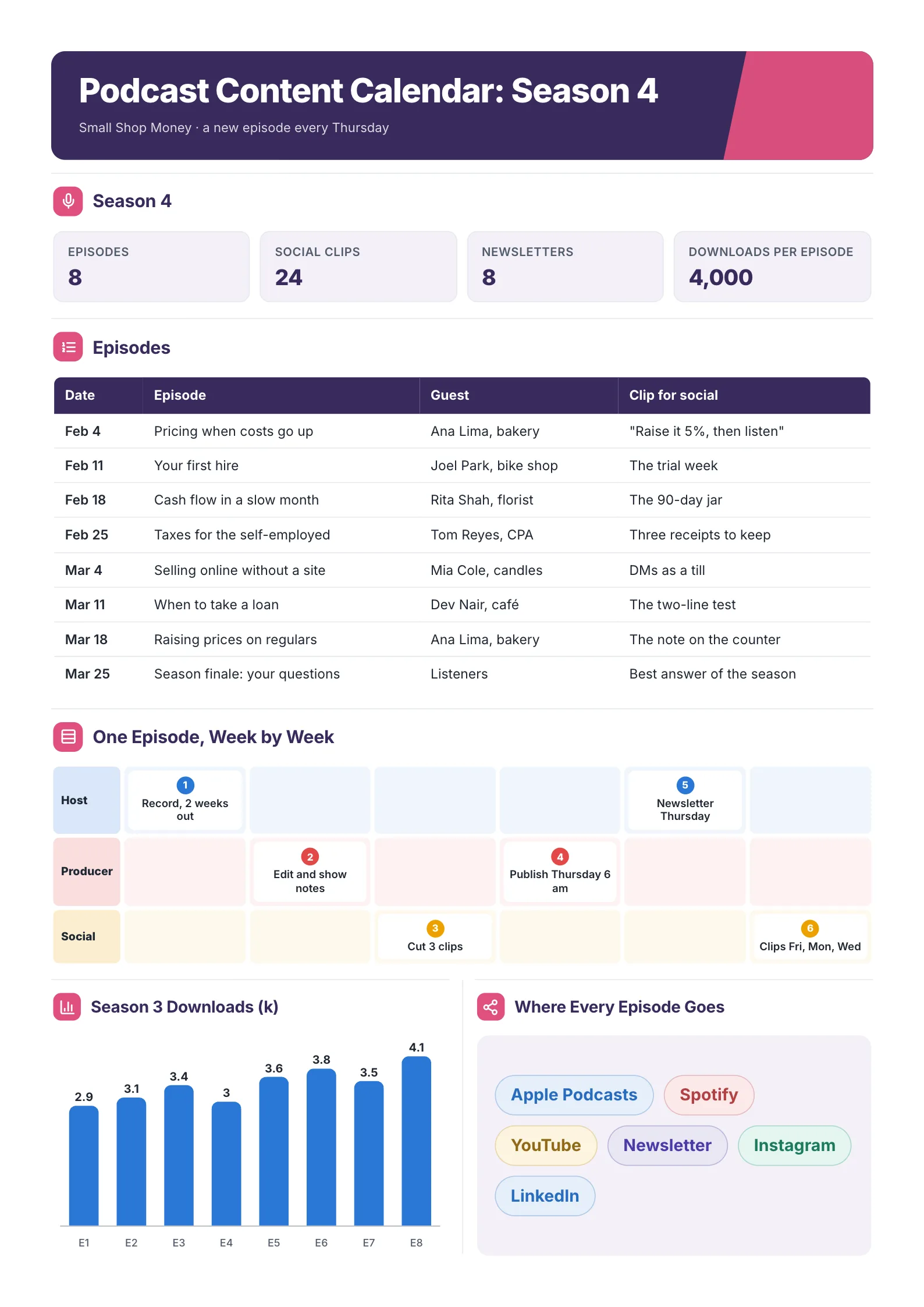 Podcast Content CalendarEdit for free(opens in a new tab)
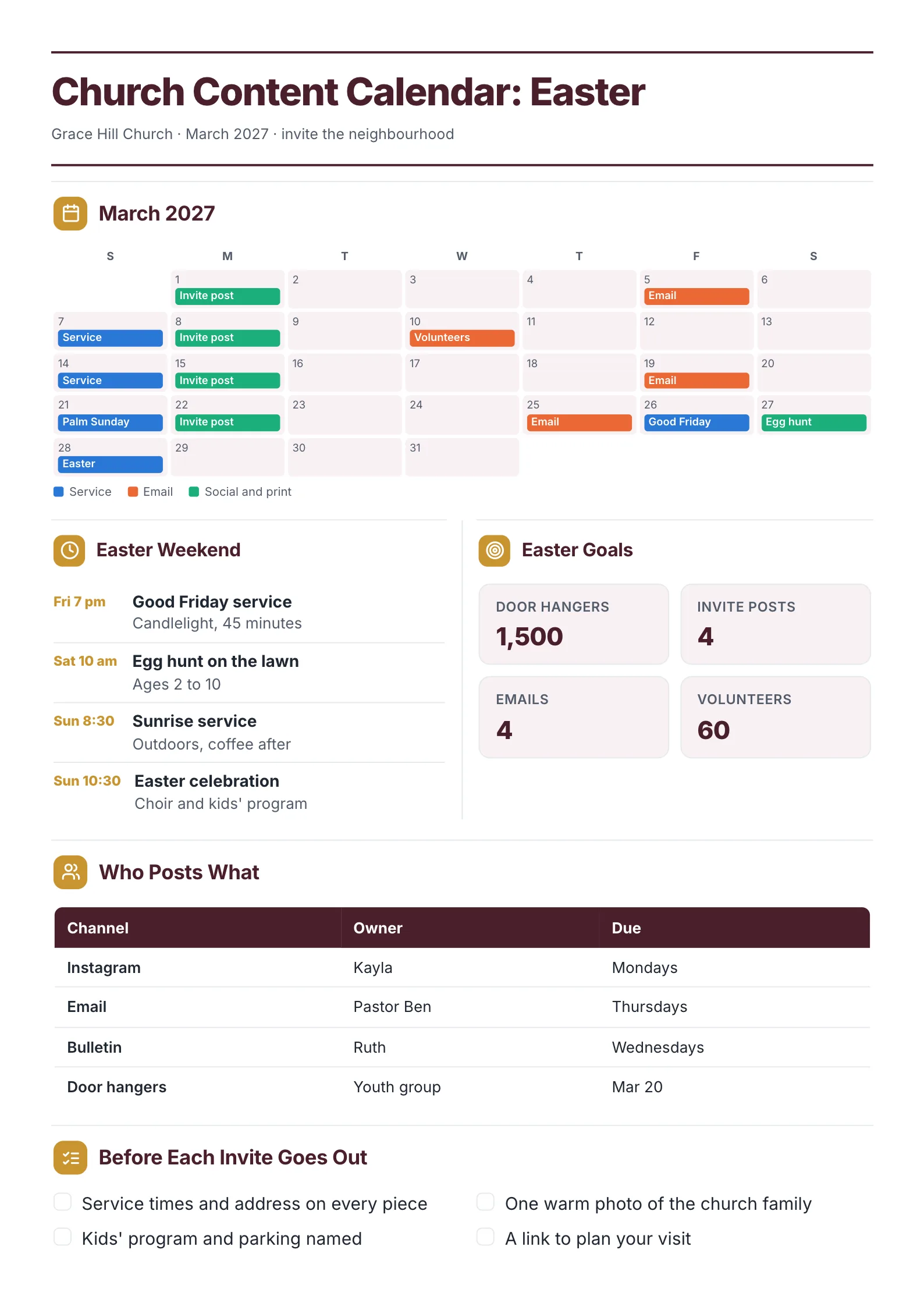 Church Content CalendarEdit for free(opens in a new tab)
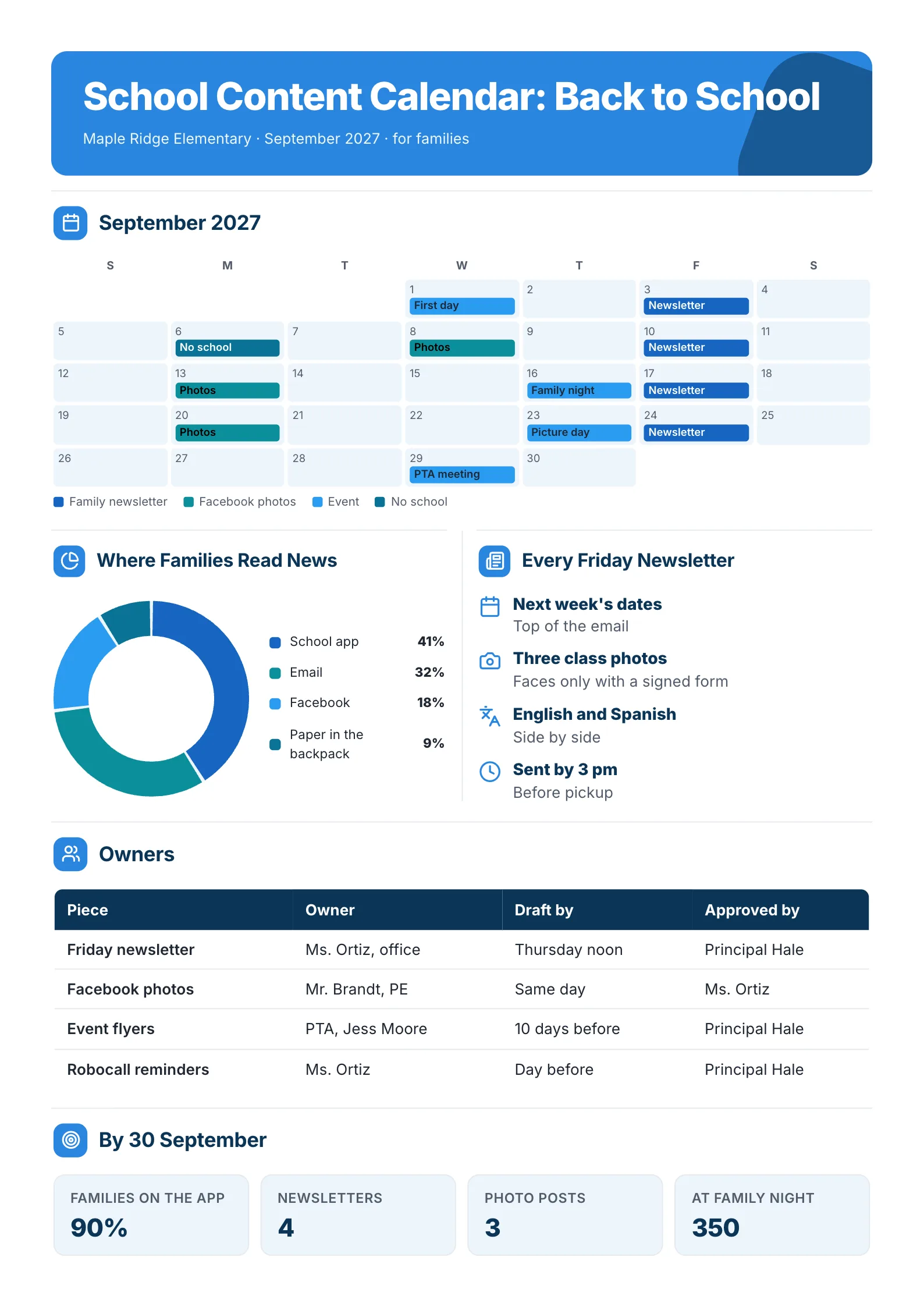 School Content CalendarEdit for free(opens in a new tab)
Universities run dozens of official accounts, so many write rules for them. We read the social media guides from Doane University, Southern Connecticut State, Shenandoah and Drexel. All 4 tell their teams how often to post or to set a schedule. The rules run from once a month on a Facebook group to as many as 8 posts a day on X. Doane even asks for a six-month content calendar before it will set up a new account.
Step 1: Set your pace from who can make the work
Drexel's guide puts it simply. It recommends a content calendar that sets a posting schedule based on your team's capacity to produce and publish content consistently. Shenandoah adds a harder line. If you don't have enough content to post regularly, delete or deactivate the account.
So start with your people. Count the hours each week you can spend making posts, emails or videos. Then pick a pace per channel that fits. If one person has four hours a week, three posts on two channels might be your ceiling. Write the pace at the top of your calendar, like "Instagram 3 a week, email every Tuesday."
Here is how far apart the two guides with numbers for each channel land.
| Channel | Doane | Southern Connecticut State |
|---|---|---|
| X or Twitter | 1 to 8 a day | At least 5 a day |
| Facebook page | 1 to 4 a day | 3 to 10 a week |
| Facebook group | At least 1 a month | Not listed |
| 1 a week to 2 a day | 2 to 5 a week | |
| 1 a week to 2 a day | No minimum or maximum | |
| TikTok | 1 a week to 2 a day | Not listed |
| YouTube | 1 a month to 2 a day | Not listed |
Source: MakeOnepagers read of 4 university social media guides, October 30, 2026. Each one is linked at the end of this post. Shenandoah sets one rule for every platform, at least twice a week and no more than 2 to 3 posts a day. Drexel sets no number and asks teams to build a schedule they can keep up.
The numbers don't agree, so pick the pace your team can hold for three months.
Step 2: Put the fixed dates in first
Before you plan a single post, fill in the dates you can't move. That means launches, sales, holidays, events and deadlines. Drexel says calendars help you spot chances for content around a time of year, a holiday or a day of recognition.
Mark each one, then work backward. A launch on November 11 might need a teaser a week before and a reminder the day before. A sale on Black Friday needs its email written and approved well ahead. Once these are in, you'll see the empty weeks.
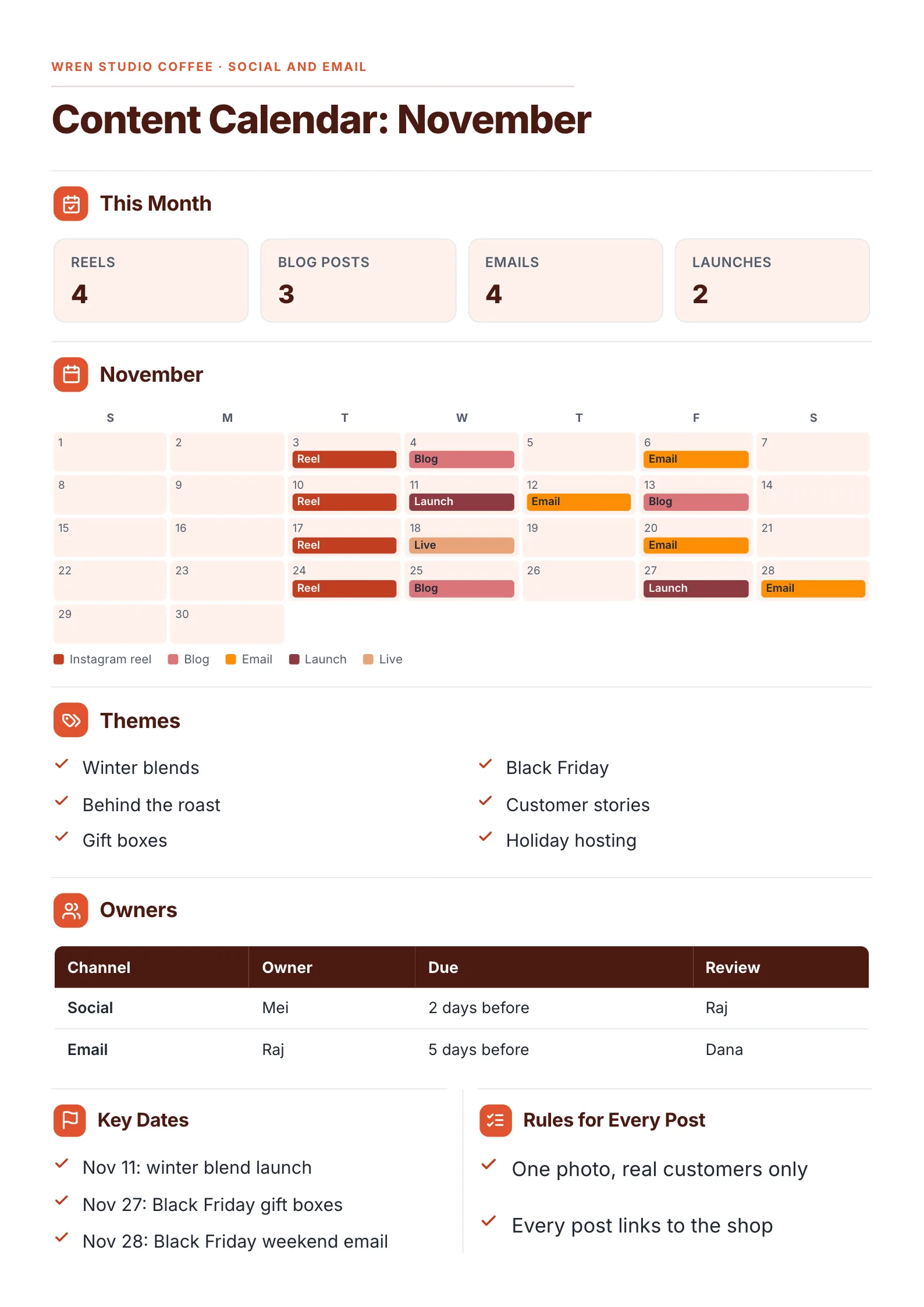 Edit this template
Sample names and figures. The key dates sit in their own box, and the month grid fills in around them.
Step 3: Pick a theme for each week
A blank grid is hard to start. Weekly themes make it easier. Pick one theme for each week that ties back to your key dates. Then every post that week has a starting point.
You can also set a theme by day. A founder posting on LinkedIn three times a week might use Monday for a lesson, Wednesday for a client result and Friday for an opinion. That kind of pattern means you only have to come up with the topic, because the format is already set.
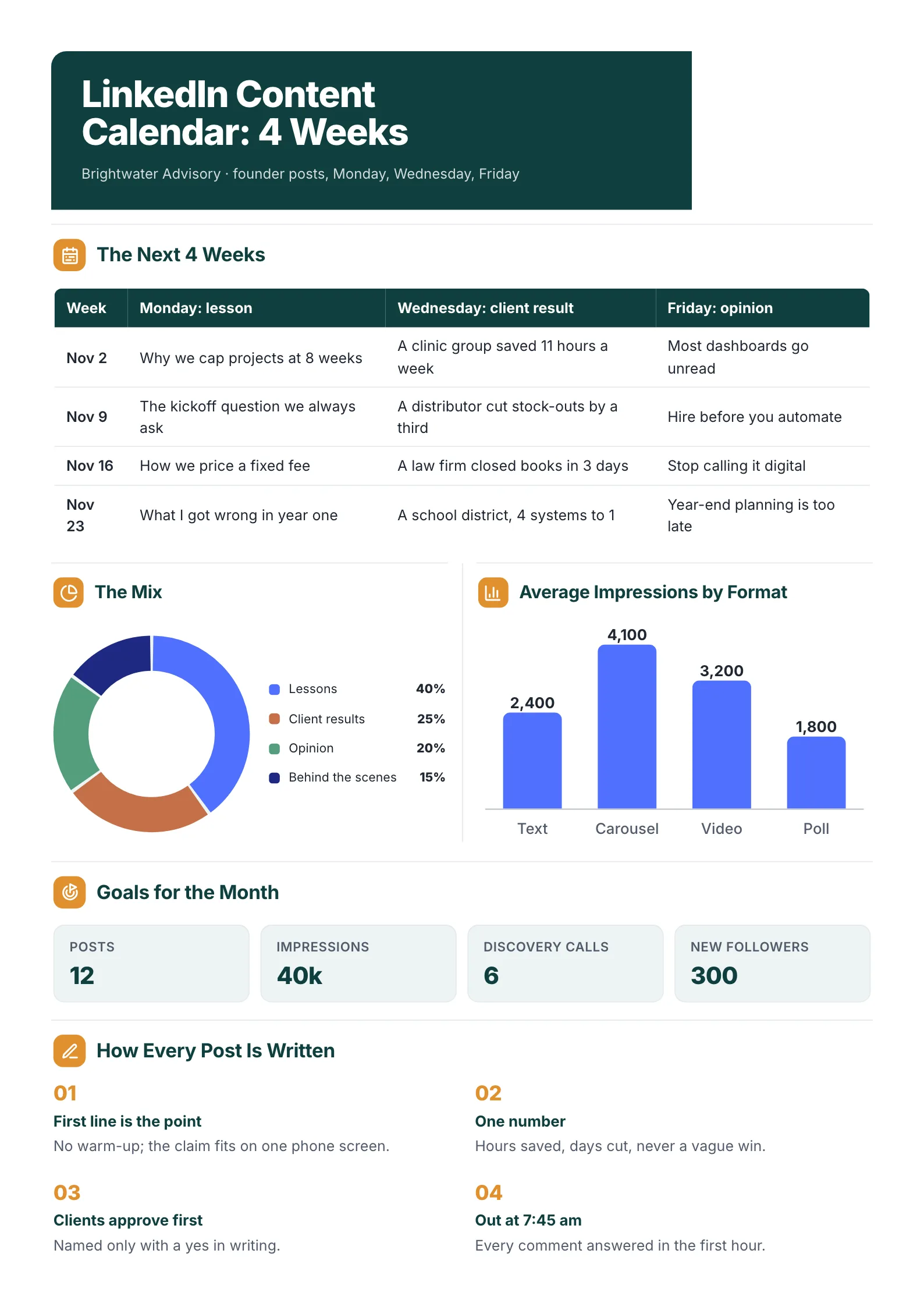 Edit this template
Sample names and figures. Each weekday has its own job, so writing a post means filling in one topic.
Step 4: Give every post an owner, a due date and a review day
For each item on your calendar, write who makes it, when the draft is due and who reviews it. Do the reviews early. A social post might need review two days before it goes live, and an email five days before.
Plan what each post needs, too. Doane's guide lists what each channel's posts should carry. A post on X needs a hashtag, link or photo. A YouTube video needs a detailed description, a title and keywords. Add a column for this on your calendar so the person making the post knows what to deliver.
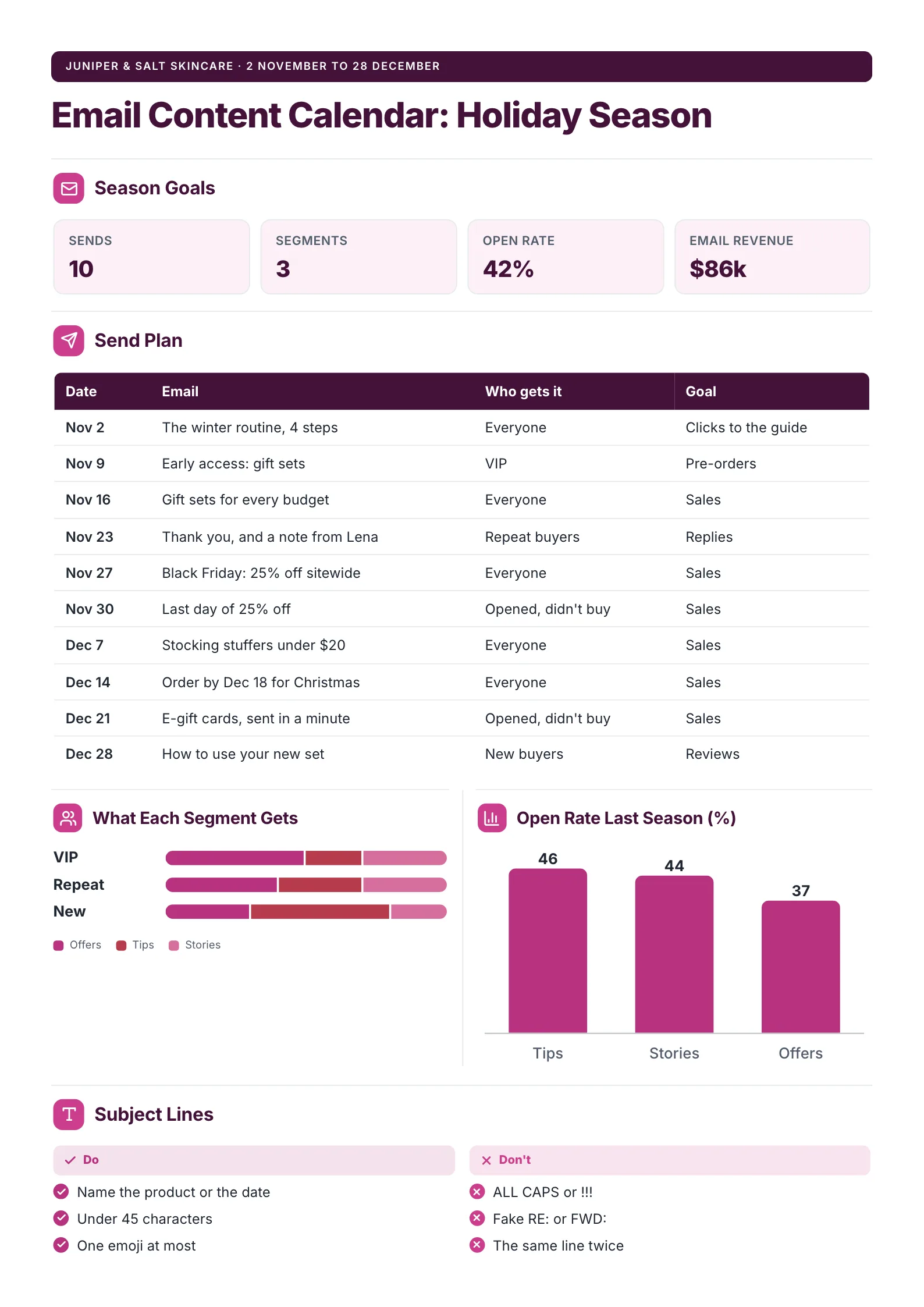 Edit this template
Sample names and figures. Each send names who gets it and what it's meant to do, so nothing goes to everyone by default.
Step 5: Fill the weeks with a mix of posts
Now fill the open slots between your key dates. Mix your post types so the feed doesn't feel like one long ad. Southern Connecticut State's guide reminds teams to focus more on the quality of each post than the number.
A simple mix works. Teach something, show a real person or customer, share a result and make an offer. Keep the selling posts near your key dates and the helpful ones in between. A story that runs over several weeks needs its arc written first, like the need, one person's story, what a gift does and the last push.
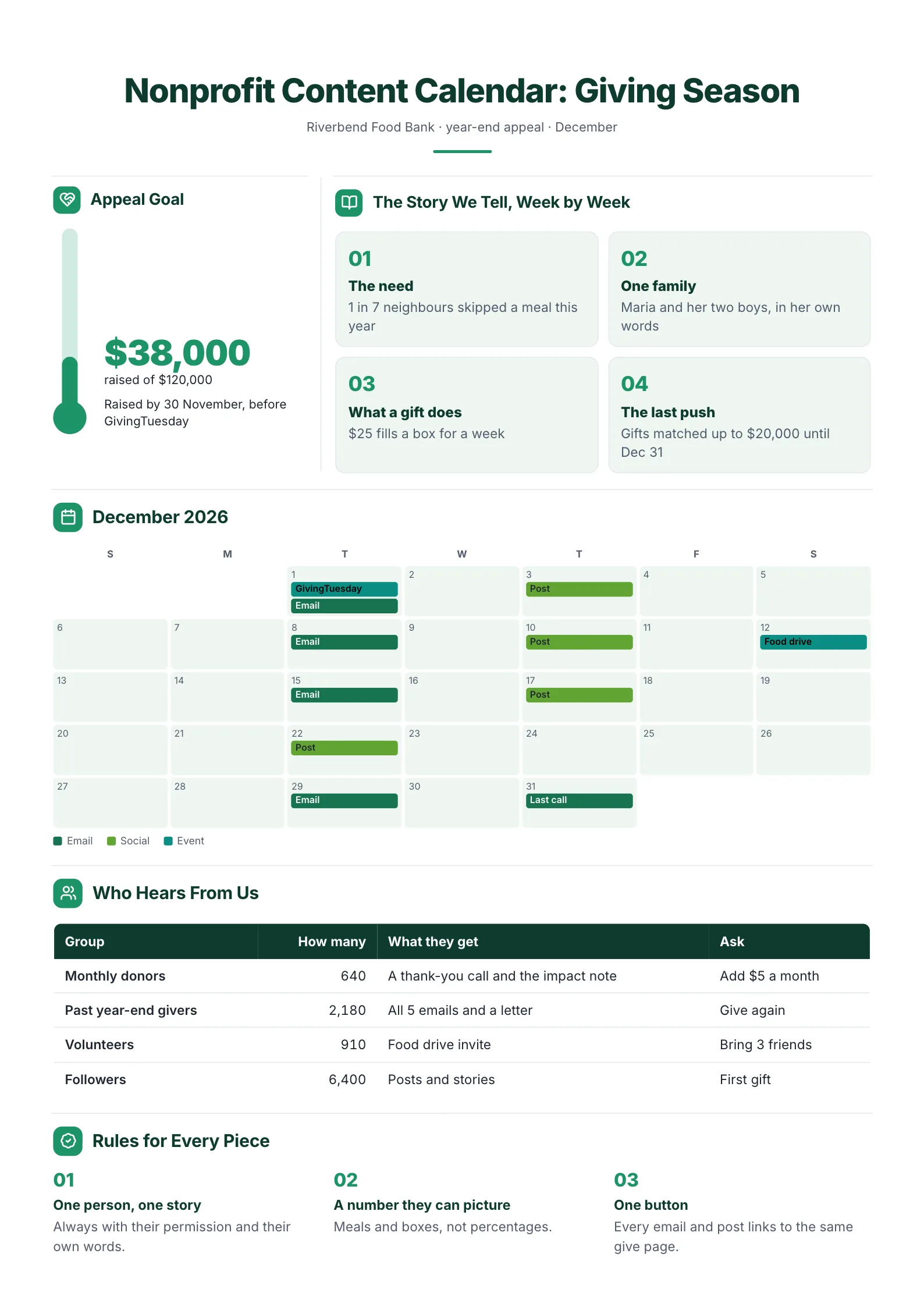 Edit this template
Sample names and figures. The story runs in four weeks, and every email and post knows which week's part it tells.
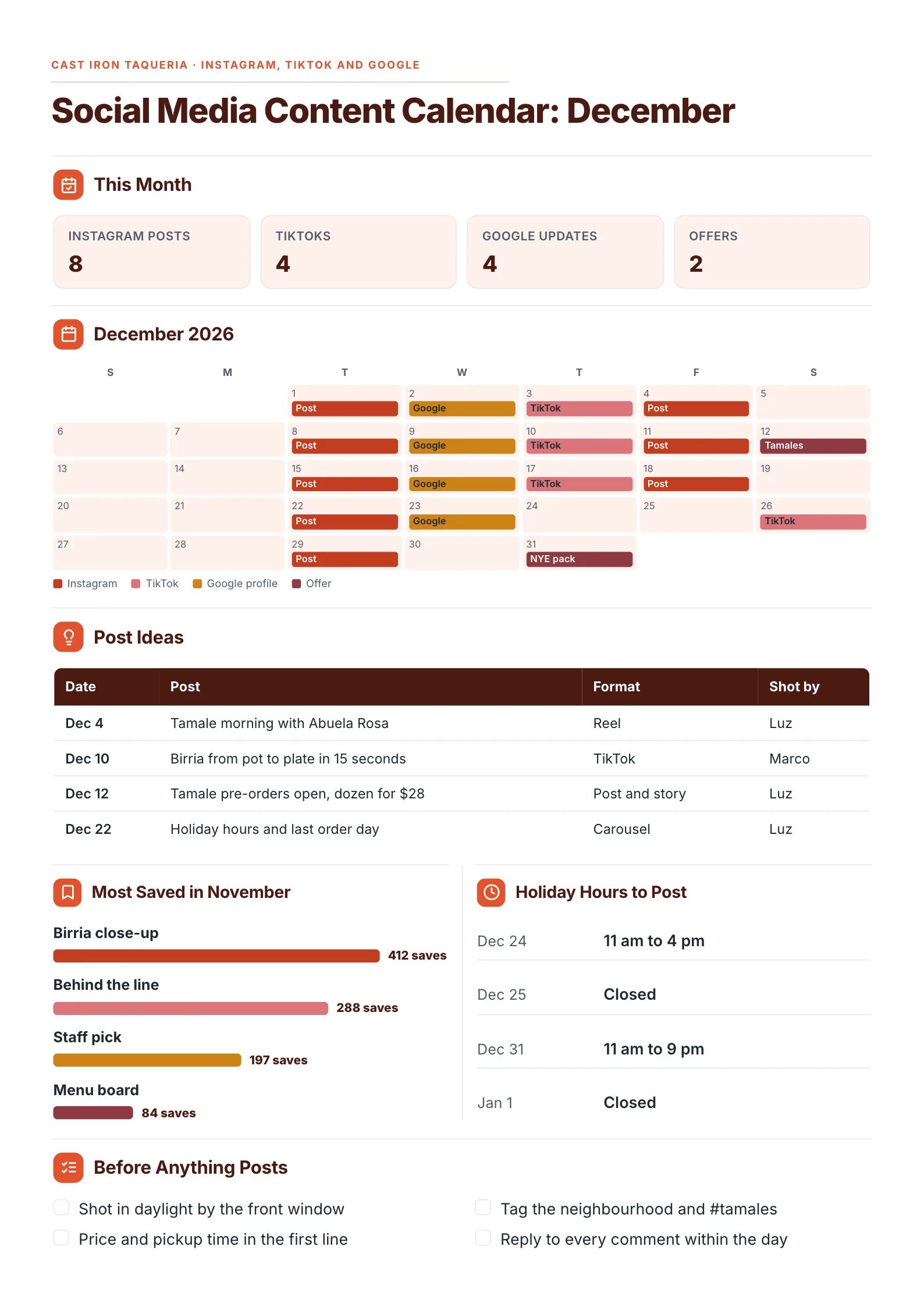 Edit this template
Sample names and figures. A "shot by" column names who takes each photo or video, which is the step small teams forget.
Step 6: Plan for time off and review what worked
Doane's guide asks every account owner to name a backup for when they're away and to share the login with them. It also asks you to monitor every day and answer comments right away. Shenandoah says posting should continue over weekends and breaks.
So add a backup name to your calendar and schedule ahead before any time off. Then check once a month what worked. Look at which posts got saved, shared or clicked. Do more of what worked next month and cut what didn't.
The columns every row needs
Each post on your calendar is one row. Give every row the same columns so anyone on the team can pick it up. You need the publish date, the channel, the theme, a working title, the format, the owner, the draft due date, the reviewer and the review date. Add a column for what the post must carry, like Doane's hashtag or link on X, and one for the status.
Keep the calendar where the whole team already works. A shared spreadsheet is enough for most small teams. Pick one home for it and link to it from your team chat, so nobody plans from an old copy.
Fit a month of posts on one page
A month fits well on one page. Put your pace and key dates at the top, the month grid in the middle and owners and review days at the bottom. If you plan longer, like Doane's six months, keep one page per month and a one-line summary of each on the first page.
A content calendar design in MakeOnepagers gives you the month grid, a key dates box and an owners table on one sheet. Fill in your posts and it's ready to share. Our content calendar template post has more filled-in calendars to borrow from. Our newsletter guide plans the email side, one issue at a time.
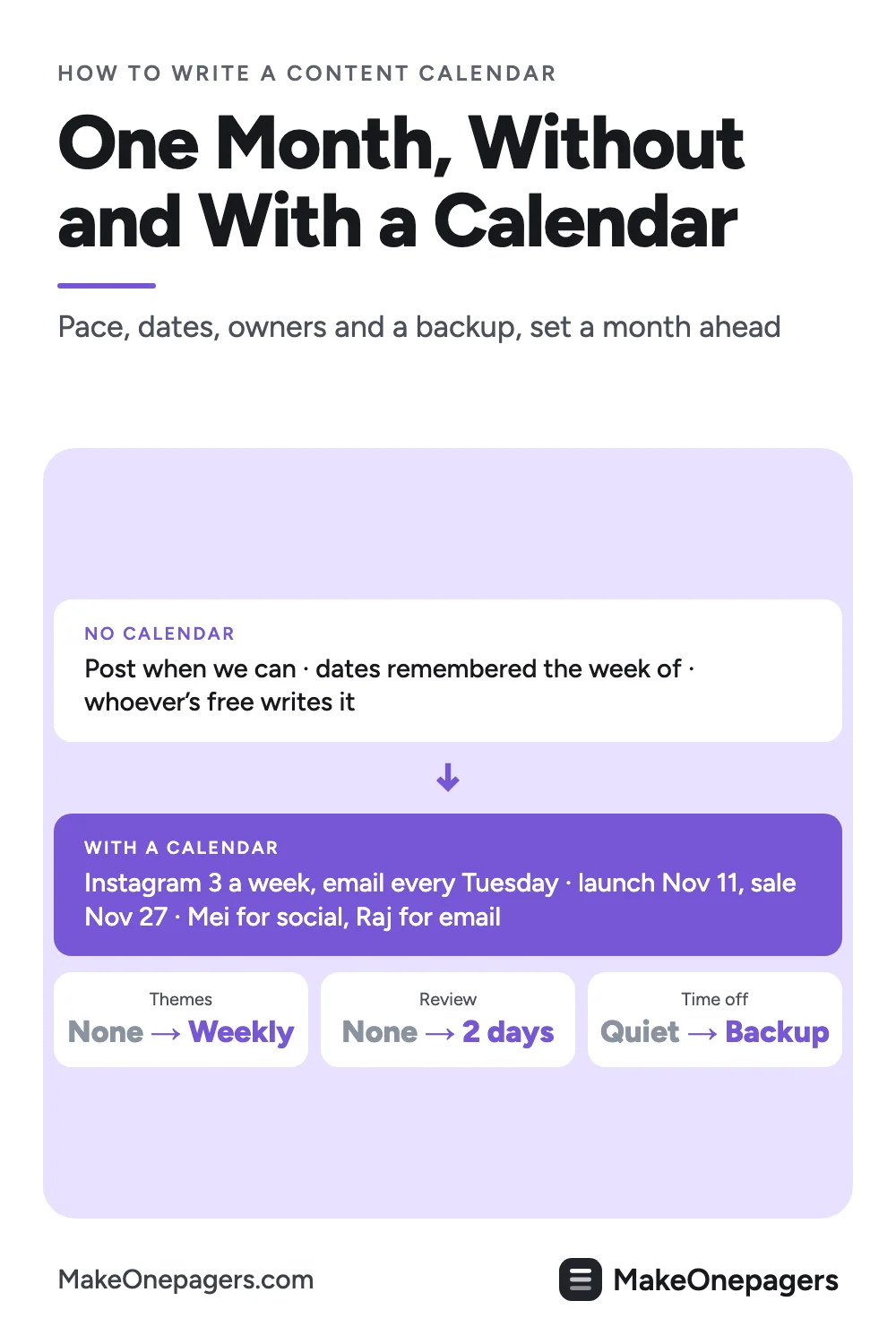
A month with no calendar, and with one
Here's the same made-up month for a small shop, once as most teams run it and once with the calendar in place.
| Part of the month | No calendar | With a calendar |
|---|---|---|
| Pace | Post when we can | Instagram 3 a week, email every Tuesday |
| Key dates | Remembered the week of | Launch Nov 11, sale Nov 27, both in the grid |
| Topics | Decided that morning | One theme a week, set a month ahead |
| Owner | Whoever's free | Mei for social, Raj for email |
| Review | None | Social 2 days before, email 5 days before |
| Time off | Account goes quiet | Backup named, posts scheduled |
Look at the last row. When someone is out sick, the plan on the right keeps posting and the one on the left goes quiet.
The Doane, Southern Connecticut, Shenandoah and Drexel guides
| Guide | What it sets | Who made it |
|---|---|---|
| Doane Social Media Guide | Minimum and maximum posts for 7 channels, a six-month calendar for new accounts | Doane University, 2024 |
| Social Media Guidelines for University Departments, draft | Suggested posts per platform | Southern Connecticut State University |
| Social Media Guidelines | No more than once an hour, at least twice a week per platform | Shenandoah University |
| Social Media Best Practices | A content calendar based on your team's capacity | Drexel University |
We read all four on October 30, 2026. Southern Connecticut's file name marks it as a draft, so check it again before you quote its numbers.
Plan next month before the 1st
Count the hours your team has and set a pace per channel. Put next month's key dates in first. Pick weekly themes, then give every post an owner and a review day. Share the grid from MakeOnepagers with the whole team before the 1st, so everyone plans from the same copy.
Frequently asked questions
What should a content calendar include?
Your pace for each channel, key dates, a theme for each week, each post's date and channel, its owner, its due date and its review day. Add a backup person for time off.
How far ahead should I plan a content calendar?
A month in detail is a good start for most teams. Doane asks for six months before it opens a new account, which works if your key dates are known well ahead.
How often should I post on social media?
As often as your team can keep up with good posts. The four guides we read set very different numbers, from once a month to 8 times a day. Start with a pace you can keep for a full quarter, then adjust.
Is a content calendar the same as an editorial calendar?
They overlap. An editorial calendar often means articles and blog posts. A content calendar usually covers every channel, from social posts to email and video.




