Content Calendar Checklist: 10 Checks From 11 Public Social Media Guides
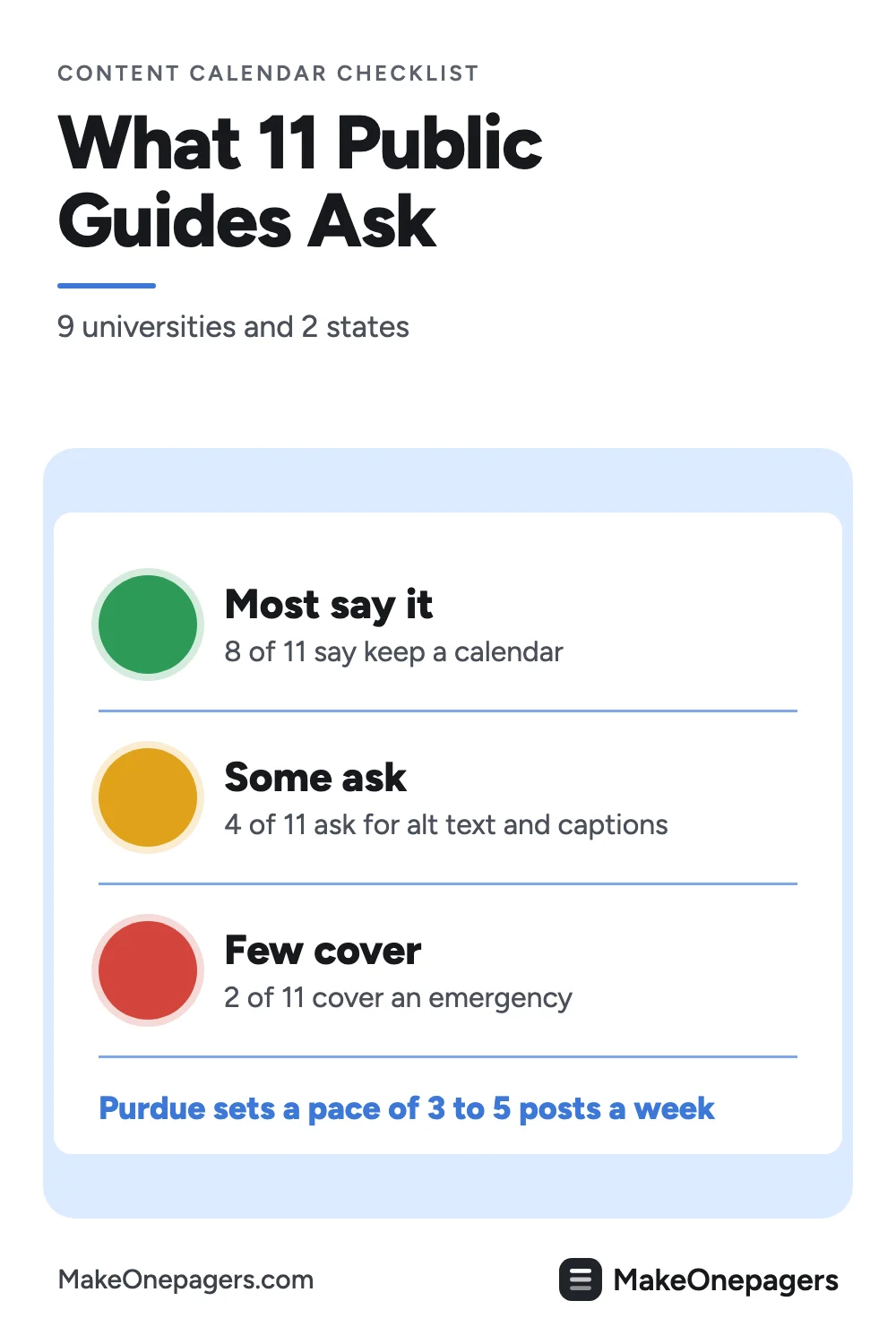
A content calendar checklist built from 11 university and state social media guides: 8 say keep a calendar, 4 give a posting pace, 2 cover an emergency.

A content calendar checklist tells you what a month of posts needs before it goes live. We read 11 public social media guides that schools and state governments wrote for their own staff, and counted what each one asks for. 8 of the 11 say to keep a content calendar. Only 4 give a posting pace as a number, and only 2 cover an emergency. Just one, Florida, says to pause planned posts. Start from a free one pager template.
One‑Pager examples
Real One-Pagers made with MakeOnepagers. Open any one to edit it as your own.
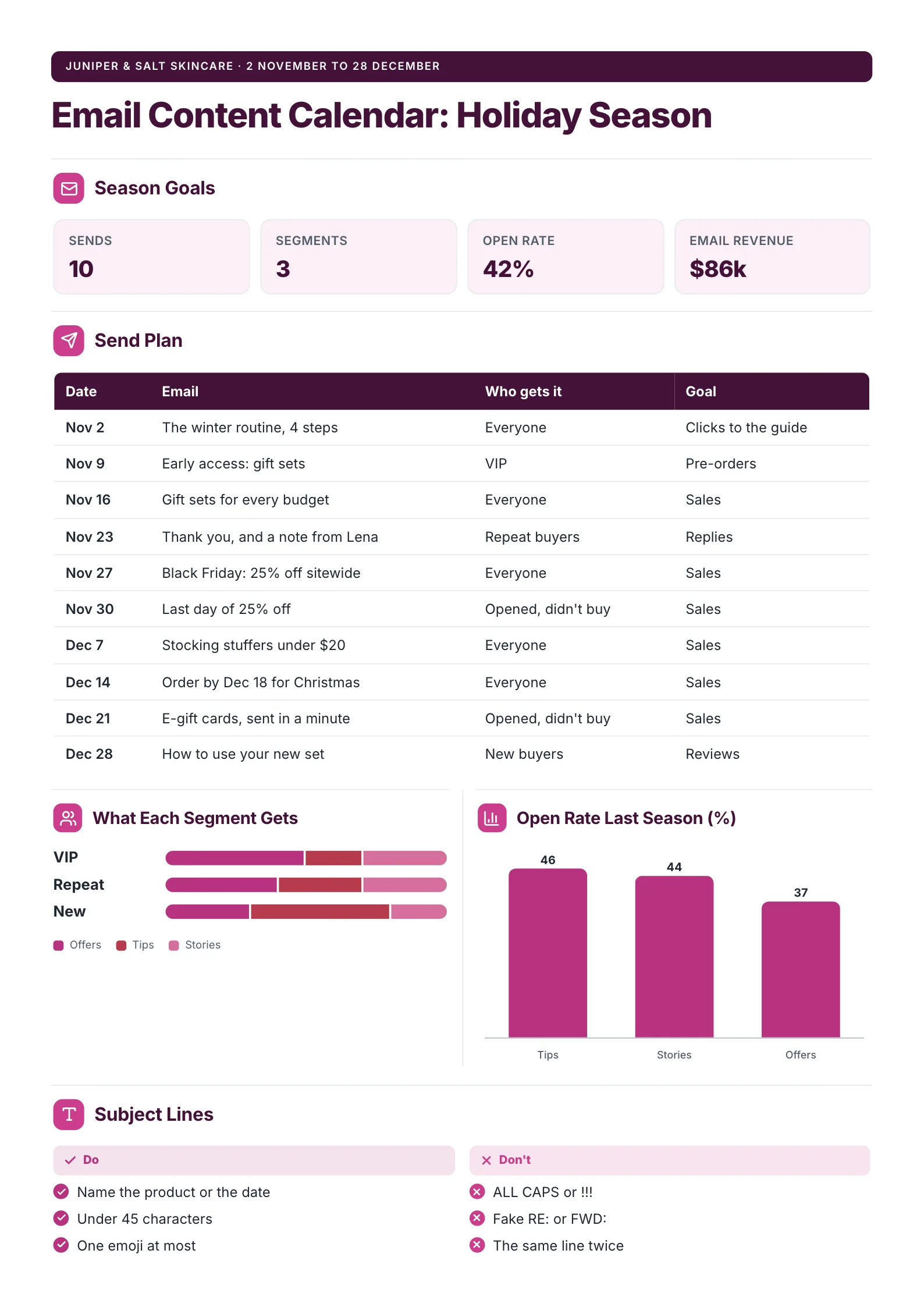 Email Content CalendarEdit for free(opens in a new tab)
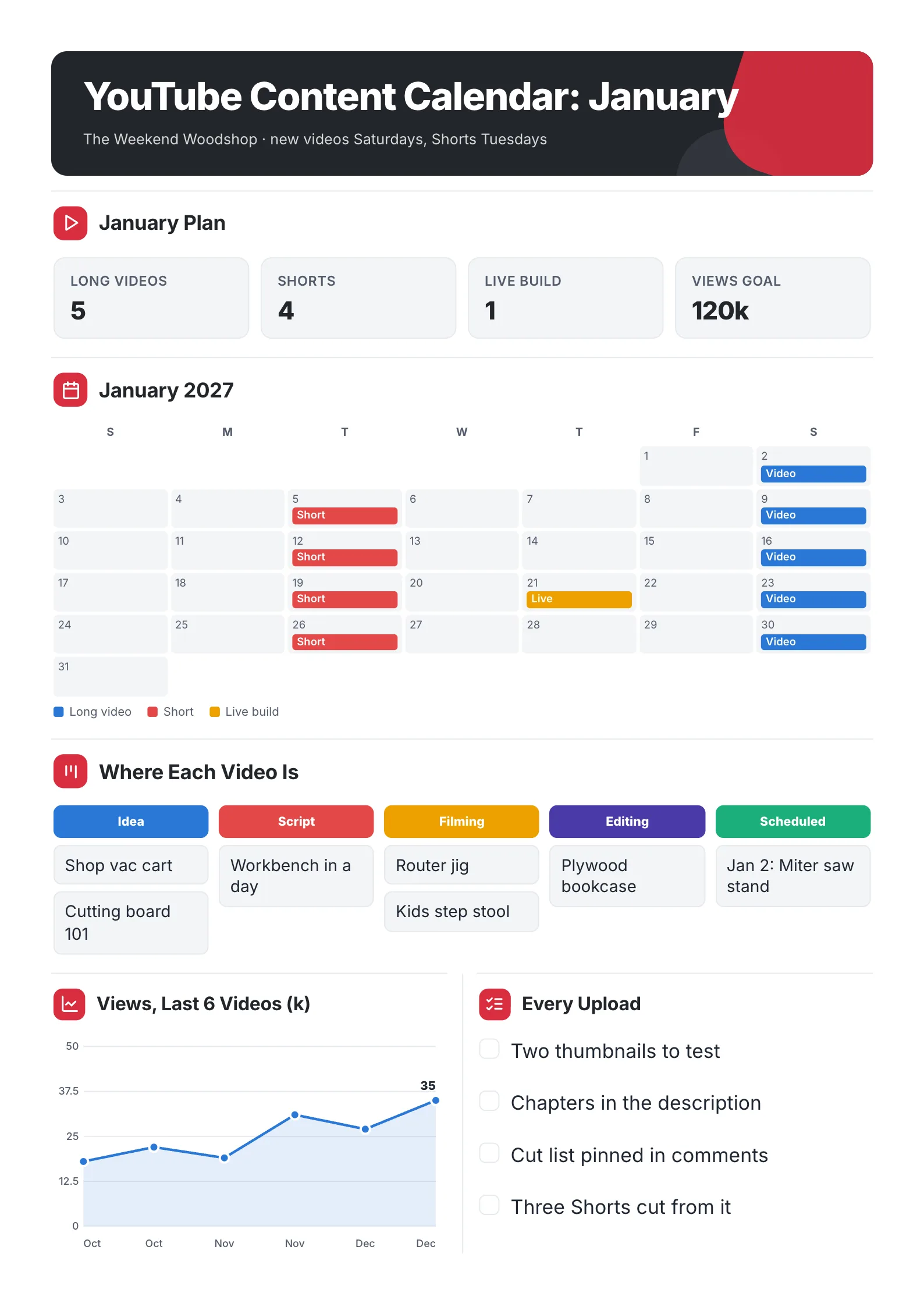 YouTube Content CalendarEdit for free(opens in a new tab)
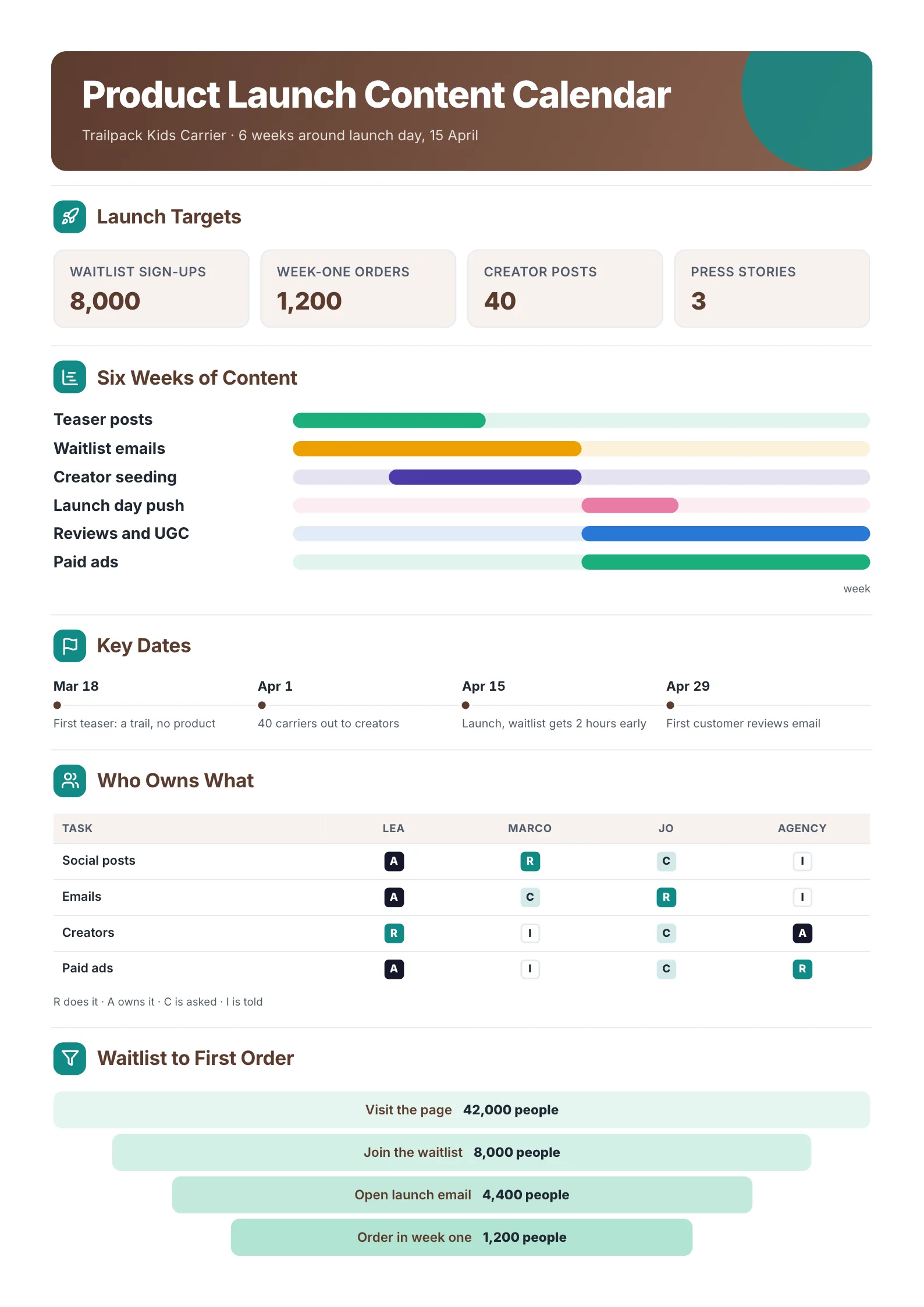 Product Launch Content CalendarEdit for free(opens in a new tab)
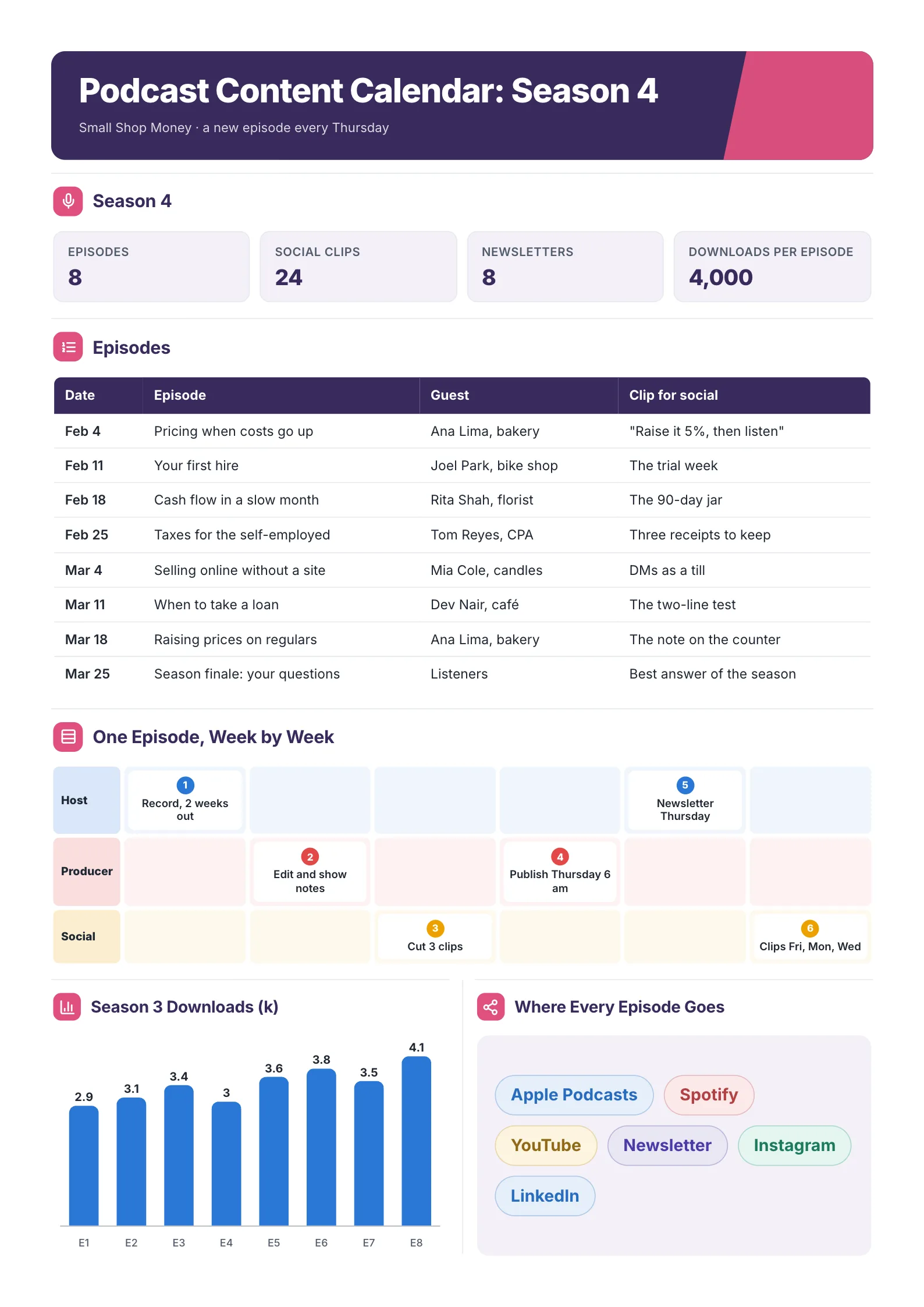 Podcast Content CalendarEdit for free(opens in a new tab)
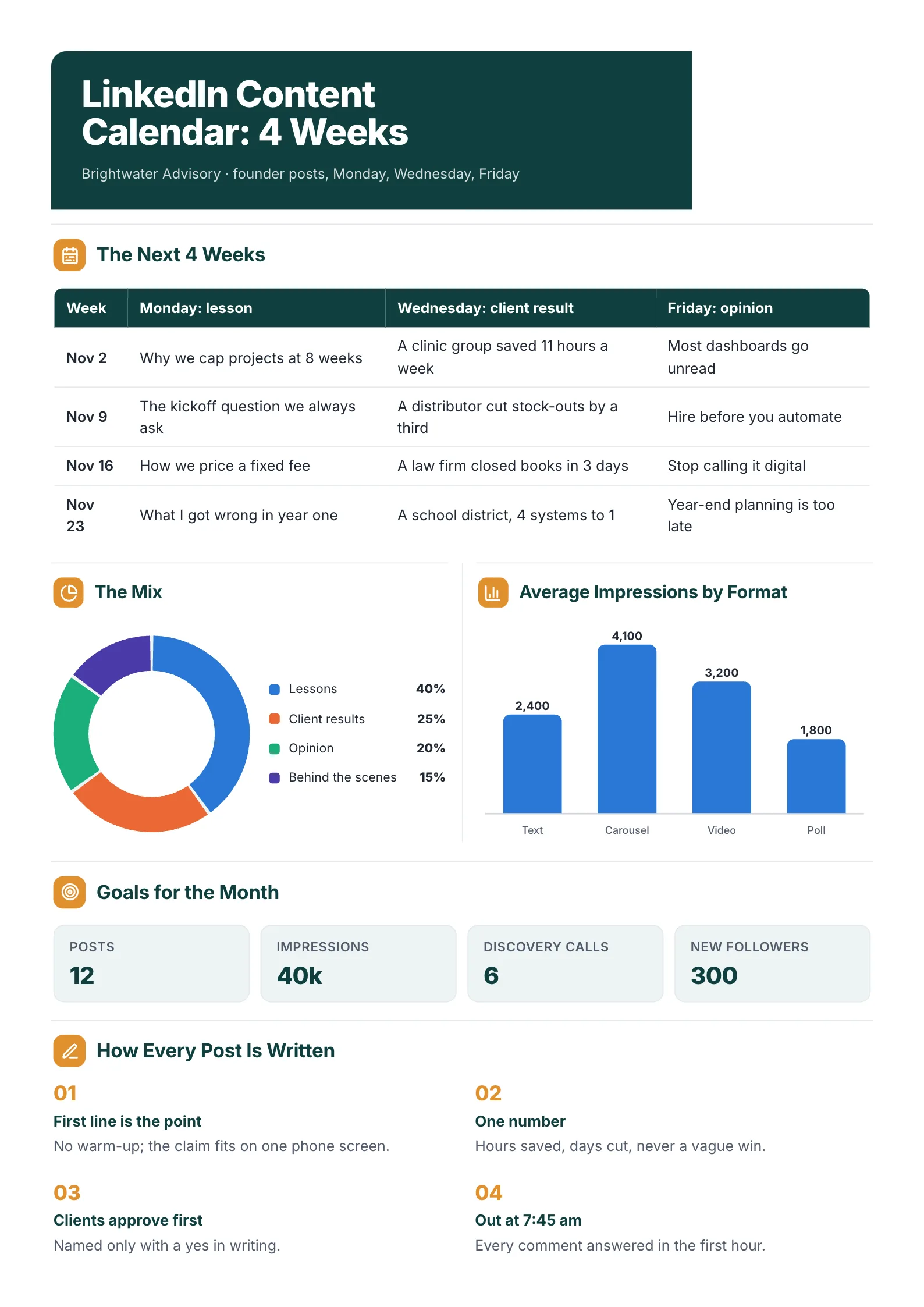 LinkedIn Content CalendarEdit for free(opens in a new tab)
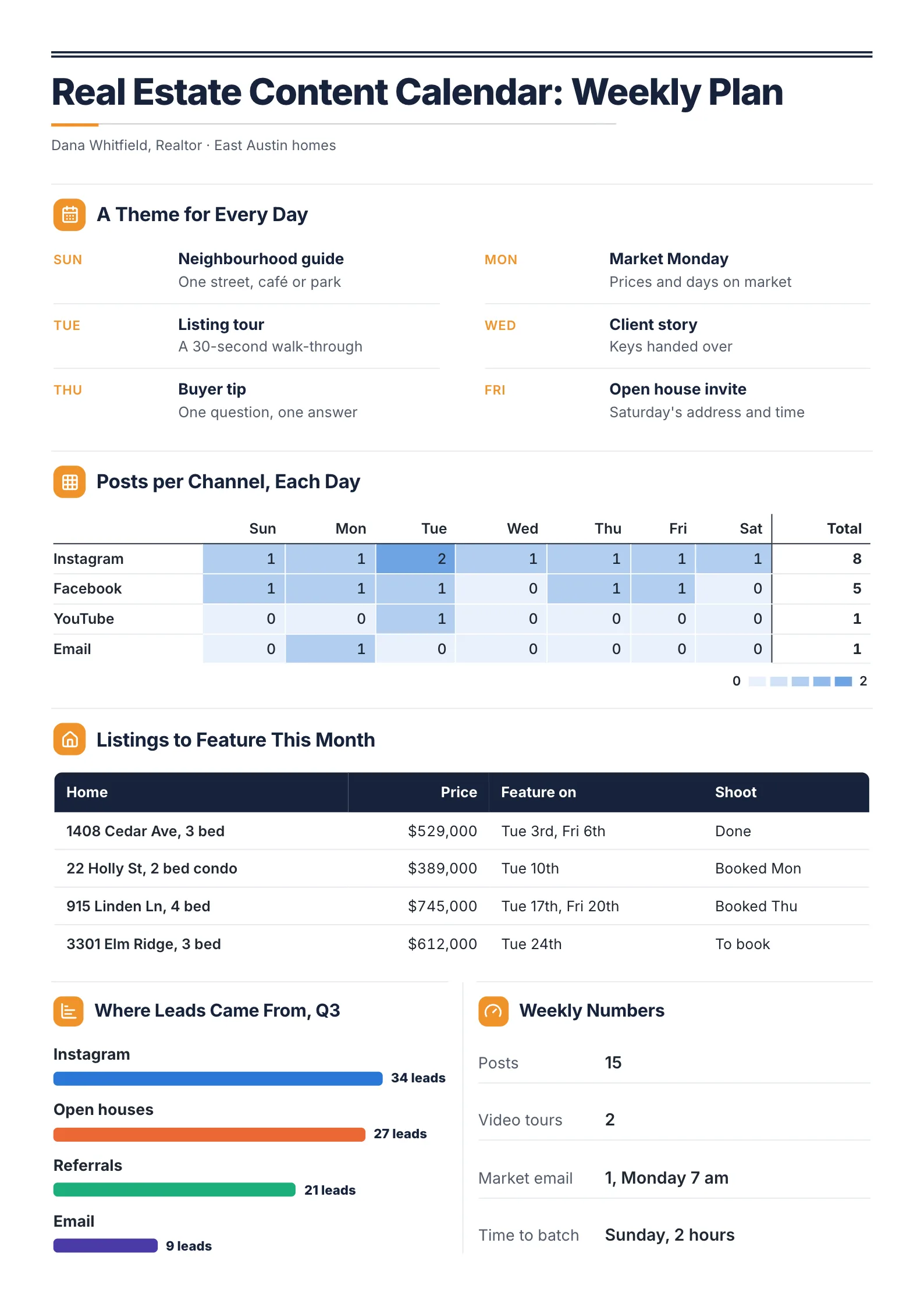 Real Estate Content CalendarEdit for free(opens in a new tab)
Below are the 10 checks those guides add up to, each with the guides behind it. Use them on your next month before the 1st.
The 11 guides we read
Nine come from universities and colleges, written for the people who run department accounts. Two come from state governments.
| Guide | Who wrote it | Calendar? | Posting pace |
|---|---|---|---|
| Monmouth University social media guide | University brand office | Yes, three months | 15 to 20 potential posts a month |
| Purdue College of Liberal Arts guidelines | College digital media | Yes, weekly | 3 to 5 posts a week |
| Cal State San Marcos guidelines | University Communications | A plan, no calendar named | At least 1 to 2 a week |
| University of Florida best practices | Strategic Communications and Marketing | Yes | "You don't need to post daily" |
| UA Little Rock best practices | University Communications | Yes, a semester or year | Facebook "at least several times a week" |
| Tulane general best practices | University Communications | Yes | "At least a few times per week" |
| Cal State Fullerton social media page | University brand | Yes | No number |
| Midwestern State University guidelines | Marketing and Public Information | Yes, three months ready | No number |
| Azusa Pacific University tips | University social media team | Yes, 3 to 4 weeks ahead | 2 to 3 a week |
| Washington State guidelines (2010) | Office of the Governor | No | No number |
| Indiana guidelines (2014) | IN.gov Governance Council | No | No number |
The two state guides are mostly about policy, records and passwords. Neither mentions a calendar. Every university guide except Cal State San Marcos does.
The checklist
1. You have a calendar at all
8 of 11 guides ask for one. Tulane says a calendar "allows you to determine content gaps, content opportunities, and posting frequency." The University of Florida adds that "even a simple Word document or Excel spreadsheet works well." If your plan lives in your head, write it down first.
2. It reaches a set distance ahead
5 guides set a window, and the windows vary:
- Purdue: a weekly calendar you build and keep up.
- Azusa Pacific: 3 to 4 weeks in advance, "or more if possible."
- Monmouth: a three-month calendar of 15 to 20 potential posts a month.
- Midwestern State: at least three months of content ready before you start a new account.
- UA Little Rock: a calendar for the whole semester or year.
Pick the shortest window you can always fill. Then add the long view for dates only.
3. The fixed dates go in first
4 guides tell you to start from dates you can't move. UA Little Rock lists your department's events, deadlines and university-wide events. Florida adds national and social media holidays and recurring events. Fullerton names "planned messages/events/deadlines," and Purdue says to take the university calendar into consideration. Put these on the page before any post idea.
4. Every row has the same fields
Tulane is the only guide that lists them. "A good content calendar will include dates, platforms, key message, visual assets, and copy." Florida's shorter version is what will be posted, when, and where. If a row is missing its picture or its words, it isn't ready.
5. Your pace is a number you can keep
Only 4 guides give one. Purdue sets a minimum of 3 posts a week and a maximum of 5, and says "Don't exceed two posts on the same day." Azusa Pacific asks for 2 to 3 a week in the school year and at least one a week over breaks. Monmouth plans 15 to 20 posts a month. Cal State San Marcos says at least 1 to 2 a week, and warns that accounts inactive for several months can be removed from its directory.
The guides also disagree on timing. Azusa Pacific says to post on weekdays from 8 a.m. to 6 p.m. UA Little Rock says its Facebook page gets the most engagement in the afternoons and evenings, and weekend posts can work well. Check your own insights before you copy anyone's times.
6. Alt text and captions sit in each row
Monmouth, Cal State San Marcos, Florida and Tulane ask for both, so 4 guides in all. Monmouth says any text on an image must also be in its alt text. Florida warns that you can't add alt text to X or Threads after posting, and that Facebook and LinkedIn captions can't be edited once a post is live. Tulane notes most videos are watched with the sound off. So write the alt text and captions in the calendar row, next to the copy.
7. Two people can get into every account
5 guides want a backup. Cal State San Marcos asks for two administrators on every account request, and Florida makes a backup social manager a required field. Monmouth suggests at least one student and one faculty member or administrator with access. Fullerton asks, "Do you have back-ups in place?" Midwestern State wants multiple administrators. Indiana's state guide adds that passwords should change when an administrator leaves.
8. You know who answers comments, and how fast
7 guides cover replies. UA Little Rock says to check the account on evenings and weekends, and if you can't answer right away, to reply with something like "I am looking into this and will get back to you soon." Fullerton says to agree with your supervisor on when you can reply directly. Washington's state guide asks, "Who will be authorized to respond?" Put a name on the calendar for each week's replies.
9. Someone reads the post before it goes out
Only 2 guides say this. UA Little Rock says to check your facts and review spelling and grammar before posting. Azusa Pacific says that if you're unsure a post fits, run it by a few people first, and if you're still unsure, "err on the side of not posting." Add a review day to every row, a day or two before the publish date.
10. You know when to pause the schedule
Only 2 guides cover a bad day, and only Florida mentions your planned posts. Florida says that in an emergency you should "pause posting, adjust messaging, and reschedule planned content as needed." Fullerton says to call Strategic Communications when you're unsure how to handle a situation, and to contact campus police immediately if there is a safety concern. Scheduled posts keep going out on their own, so write down who can stop them and where they're scheduled.
Five calendars that pass these checks
Each calendar below is a sample from MakeOnepagers, made for an invented business or group. Each one shows a check from the list in action.
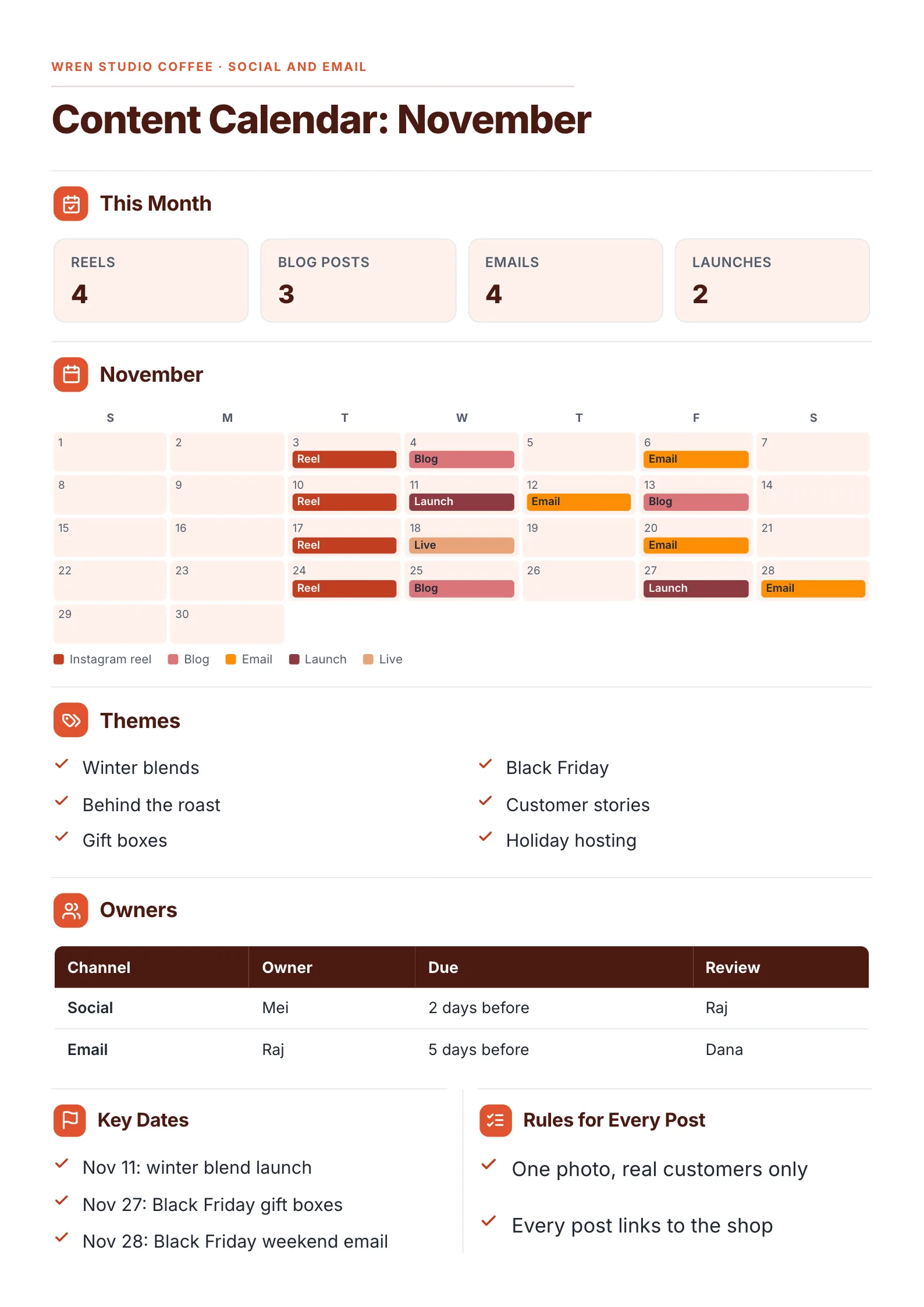
A coffee shop's month, with owners and review days
 Edit this template
This content calendar for Wren Studio Coffee passes checks 3 and 9. Its key dates come first: the winter blend launch on Nov 11, Black Friday gift boxes on Nov 27 and the weekend email on Nov 28. Its owners table gives each channel a reviewer. Mei's social posts are due 2 days before and go to Raj, and Raj's emails are due 5 days before and go to Dana.
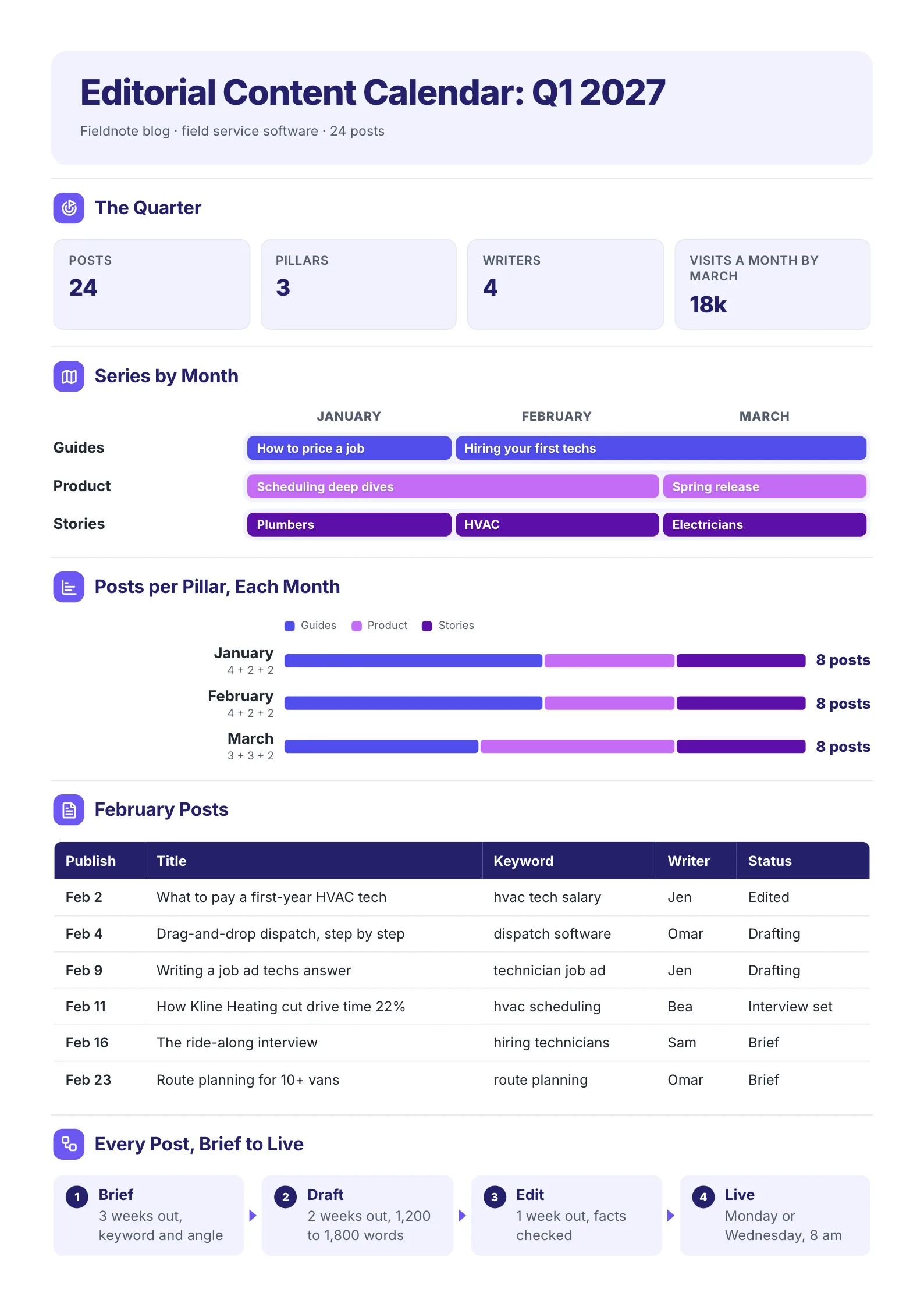
A blog plan where every row has the same fields
 Edit this template
The editorial content calendar passes check 4. Every February post has a publish date, title, keyword, writer and status. Its timeline passes check 2 as well: a brief 3 weeks out, a draft of 1,200 to 1,800 words 2 weeks out, an edit with facts checked 1 week out, then live on Monday or Wednesday at 8 am.
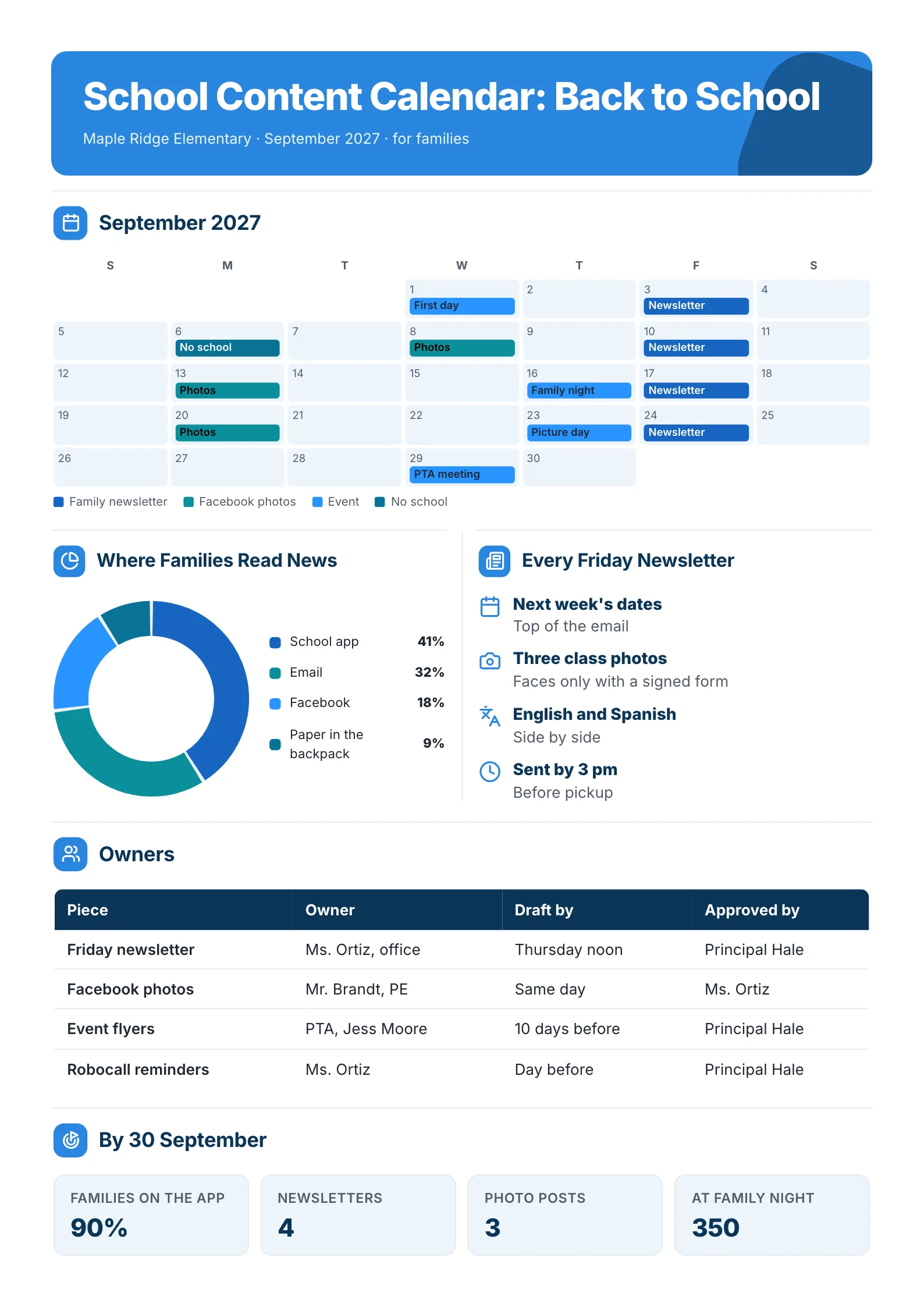
A school's newsletter with a draft day and an approver
 Edit this template
This school content calendar passes check 9 the way a school office would. Each piece has an owner, a "draft by" time and an approver, so the office's Friday newsletter has a Thursday noon deadline and Principal Hale signs off on it. Its photo rule is short. Faces appear only with a signed form.
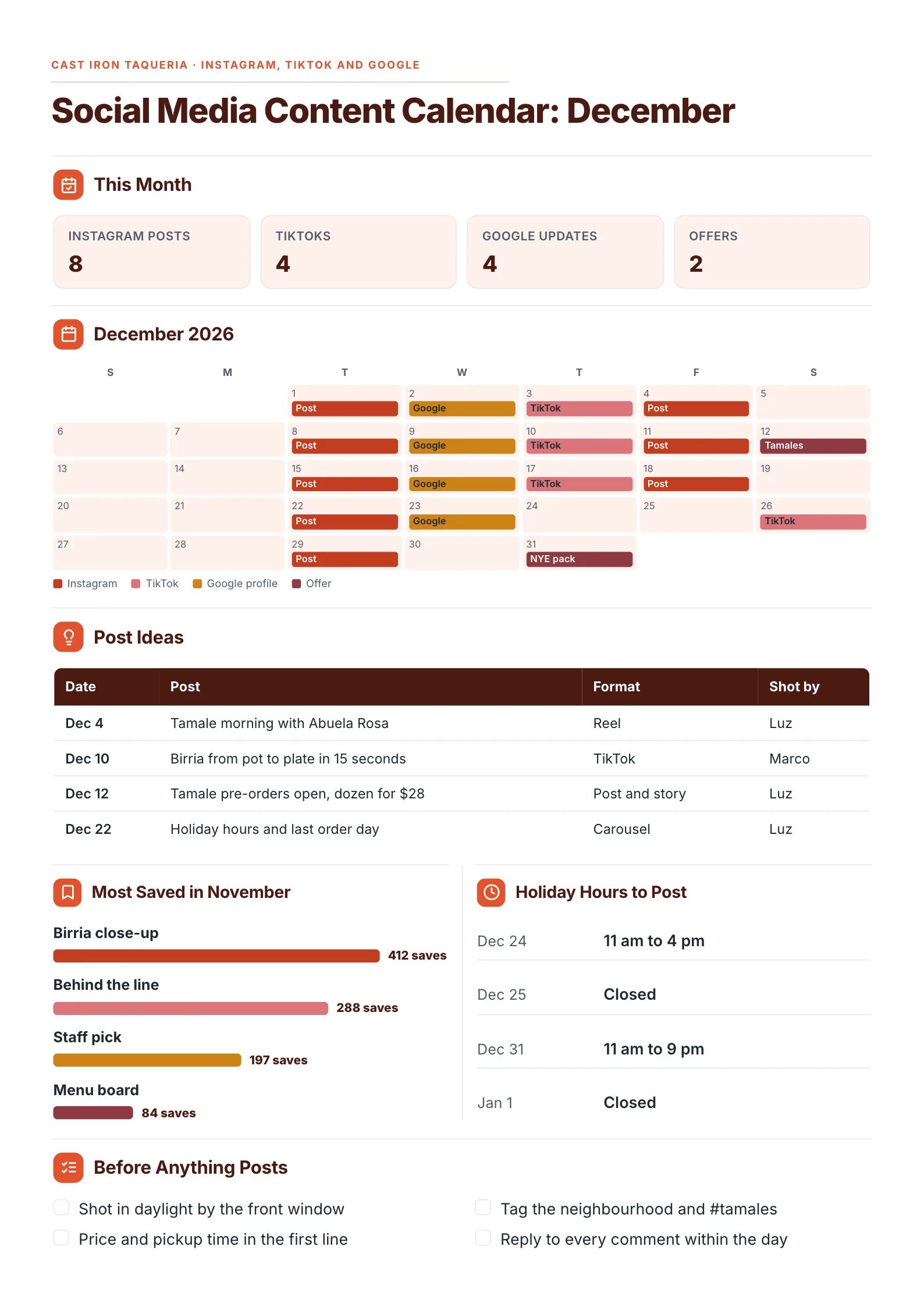
A restaurant's posting rules and holiday hours
 Edit this template
The restaurant social media content calendar for Cast Iron Taqueria puts its holiday hours on the page (check 3): 11 am to 4 pm on Dec 24, closed on Dec 25, 11 am to 9 pm on Dec 31 and closed on Jan 1. Its "Before Anything Posts" list is a pre-publish check in four lines, ending with "Reply to every comment within the day" (check 8).
A nonprofit appeal with rules for every piece
 Edit this template
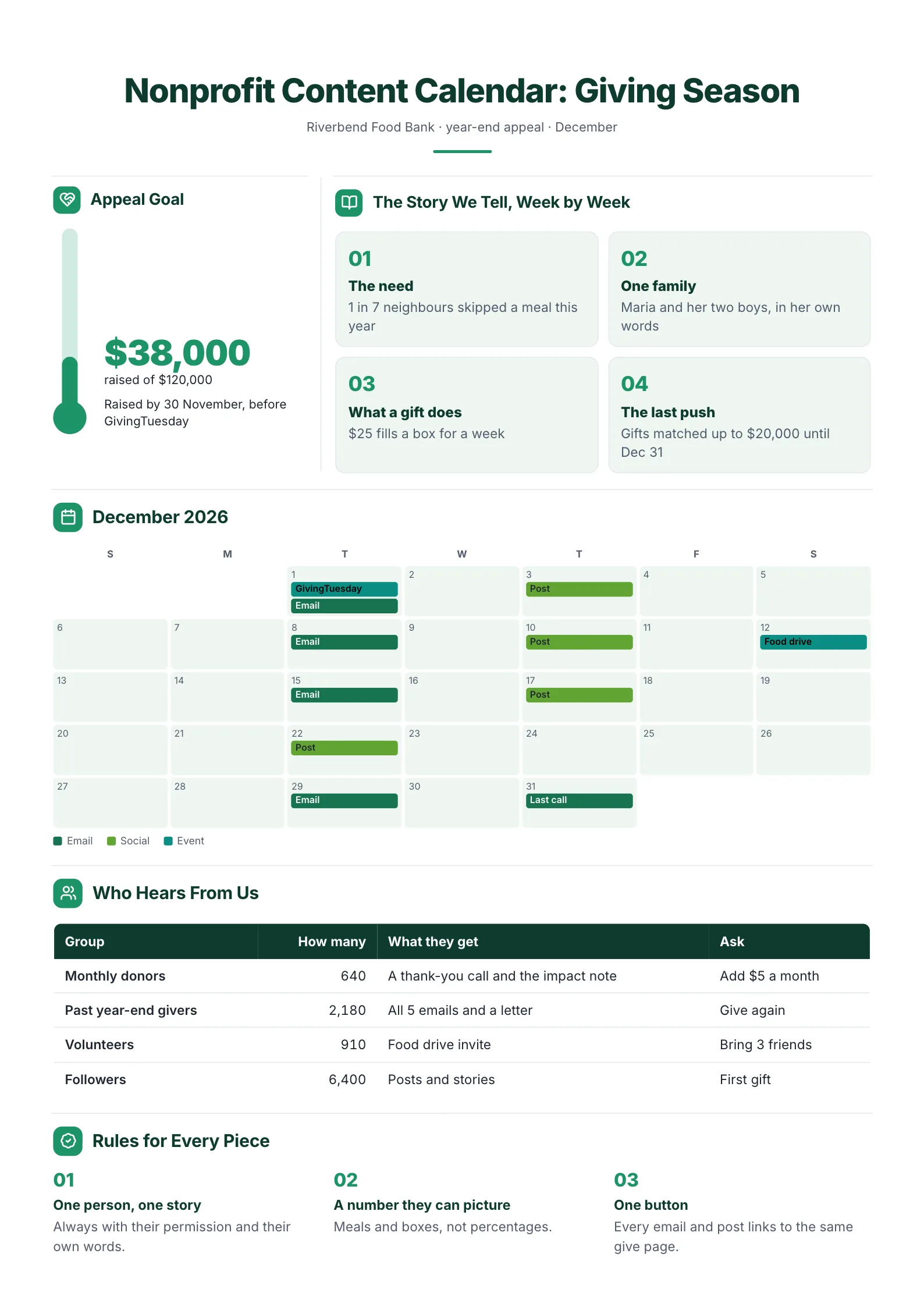
This nonprofit content calendar for Riverbend Food Bank writes its review rules into the plan. Every story features one person, "always with their permission and their own words." Every email and post links to the same give page. Those lines make check 9 quick for whoever reads the post last.
Run the checklist on next month
Copy the 10 checks into the margin of your calendar and tick them before the 1st. The five that most guides skip (a pace number, alt text and captions, a second person with access, a review before posting, an emergency plan) are the ones to look at first.
For the columns each row needs, read how to write a content calendar. For calendars by channel, from daily posts to a podcast season, browse our content calendar examples.
Build your calendar on one page
Open a MakeOnepagers content calendar, put your fixed dates in first, and add an owner and a review day to each row. Already have a list of post ideas in a doc? Paste it into the free AI One-Pager generator and turn it into a month you can check.
Frequently asked questions
What belongs on a content calendar checklist?
Start with the 10 checks above. The ones most often skipped are a posting pace you can keep, alt text and captions in each row, a second person with access, a review before posting and an emergency plan.
How many posts a week do university guides recommend?
Purdue's College of Liberal Arts says 3 to 5 a week. Azusa Pacific says 2 to 3 during the school year, and Cal State San Marcos says at least 1 to 2.
Should alt text go in the content calendar?
Yes. Florida's guide warns that alt text can't be added to X or Threads after a post is live, so write it in the row next to the copy.
Who should have access to a brand's social accounts?
At least two people. Cal State San Marcos asks for two administrators on every account, and Florida requires a named backup manager.
What happens to scheduled posts during an emergency?
Florida's guide says to pause posting, adjust messaging and reschedule planned content. Note in your calendar where posts are scheduled and who can stop them.




