Sprint Review Questions the Scrum Guide Stopped Listing
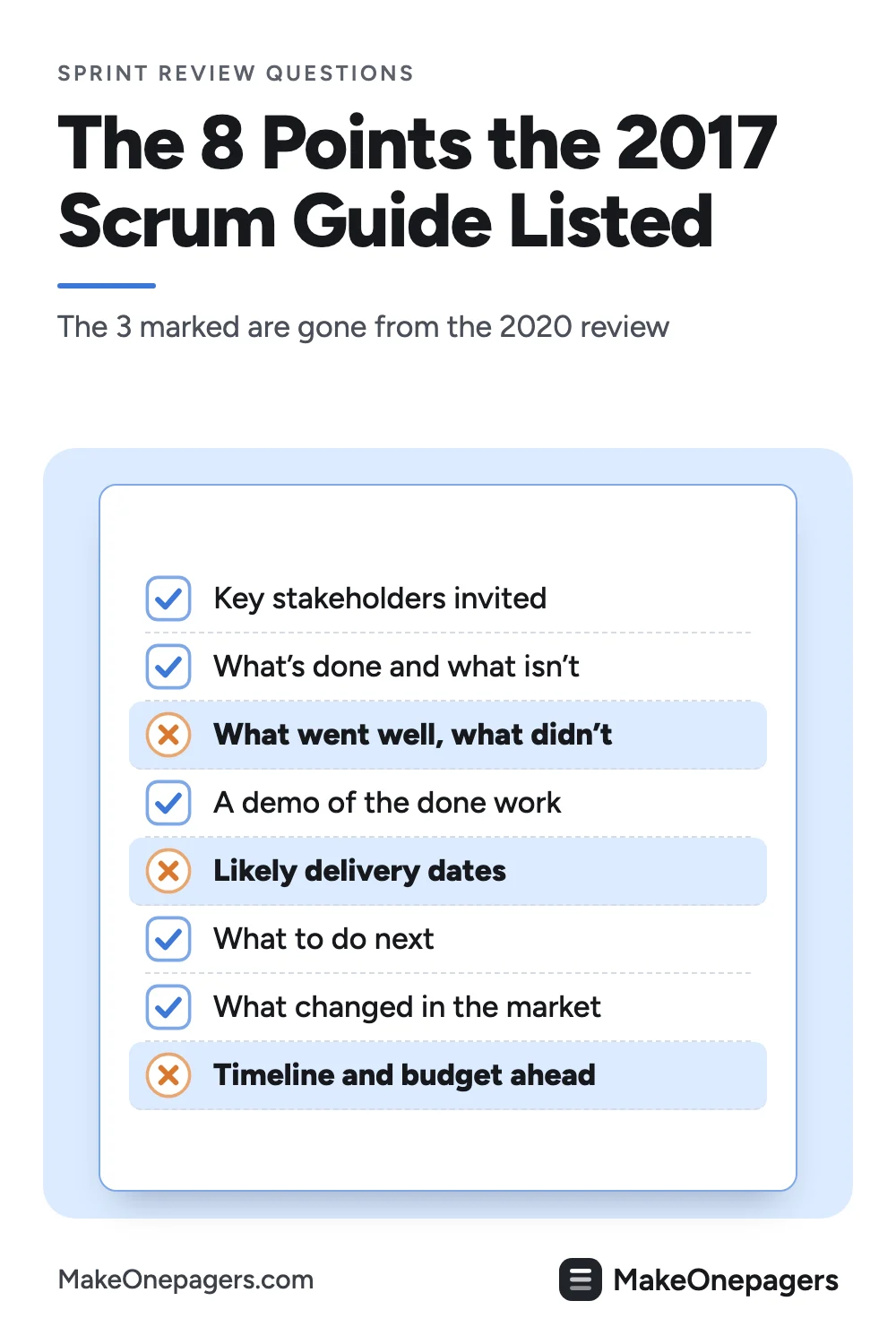
Sprint review questions from the 2017 and 2020 Scrum Guides: the old guide listed 8 things to cover, and 3 are gone from the new one. Ask all of them.

Some of the most useful sprint review questions you can ask come from an old version of the Scrum Guide. In 2017 the guide gave the sprint review about 340 words and a list of 8 things the meeting covers. The 2020 rewrite cut that to about 130 words and dropped the list. Three of the 8 points don't appear in the new section at all. Start from a free one pager template.
One‑Pager examples
Real One-Pagers made with MakeOnepagers. Open any one to edit it as your own.
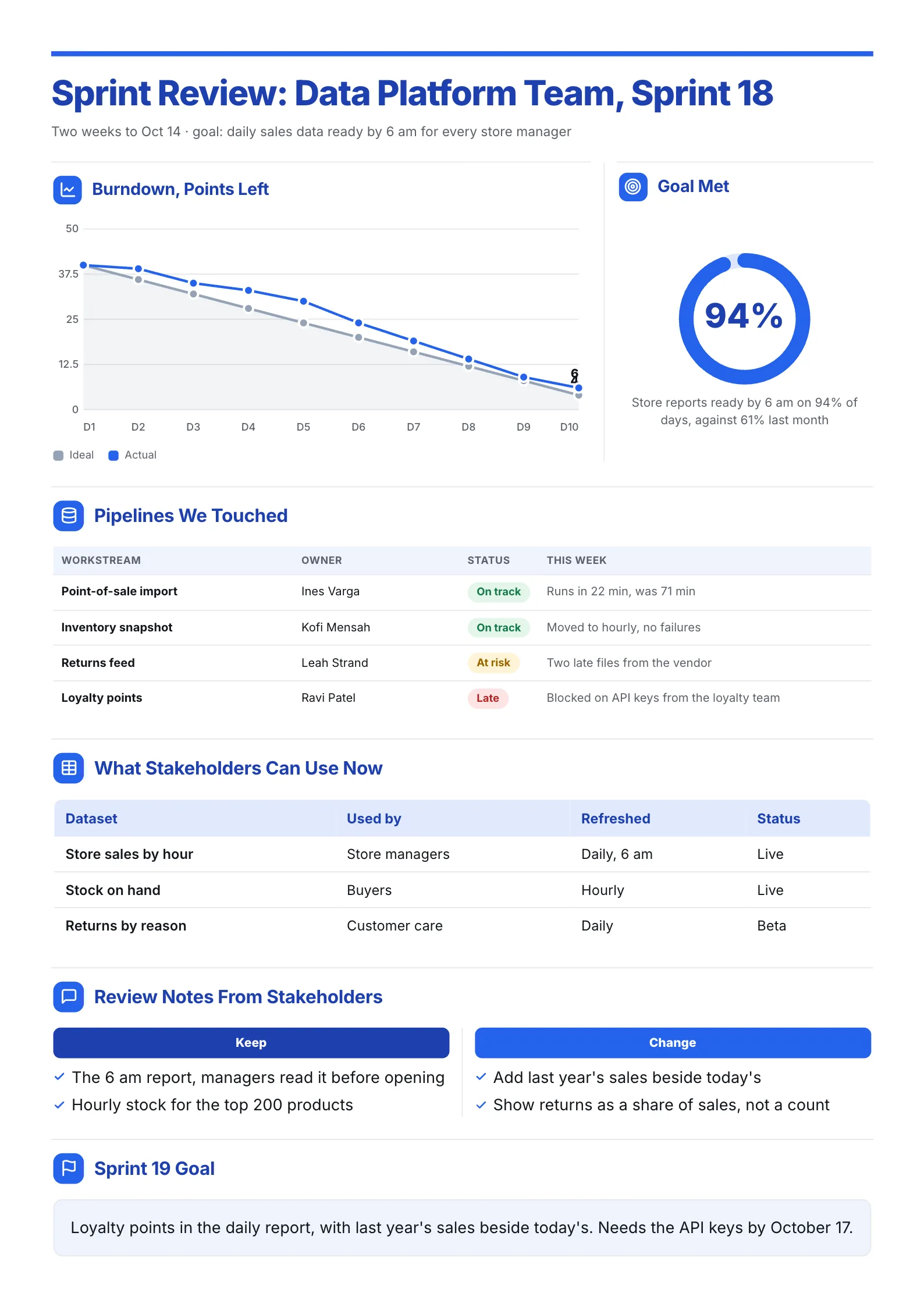 Data Team Sprint ReviewEdit for free(opens in a new tab)
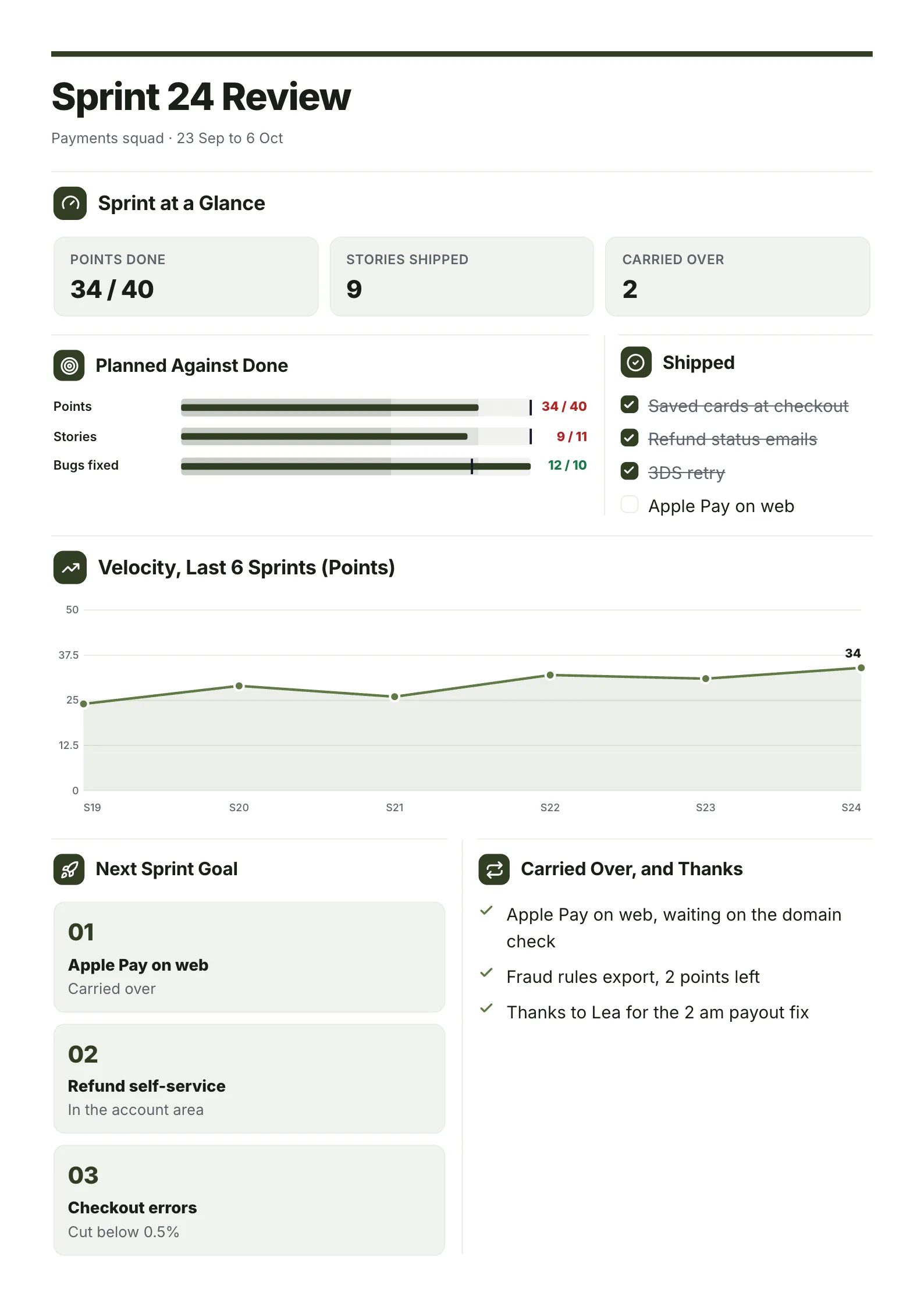 Sprint ReviewEdit for free(opens in a new tab)
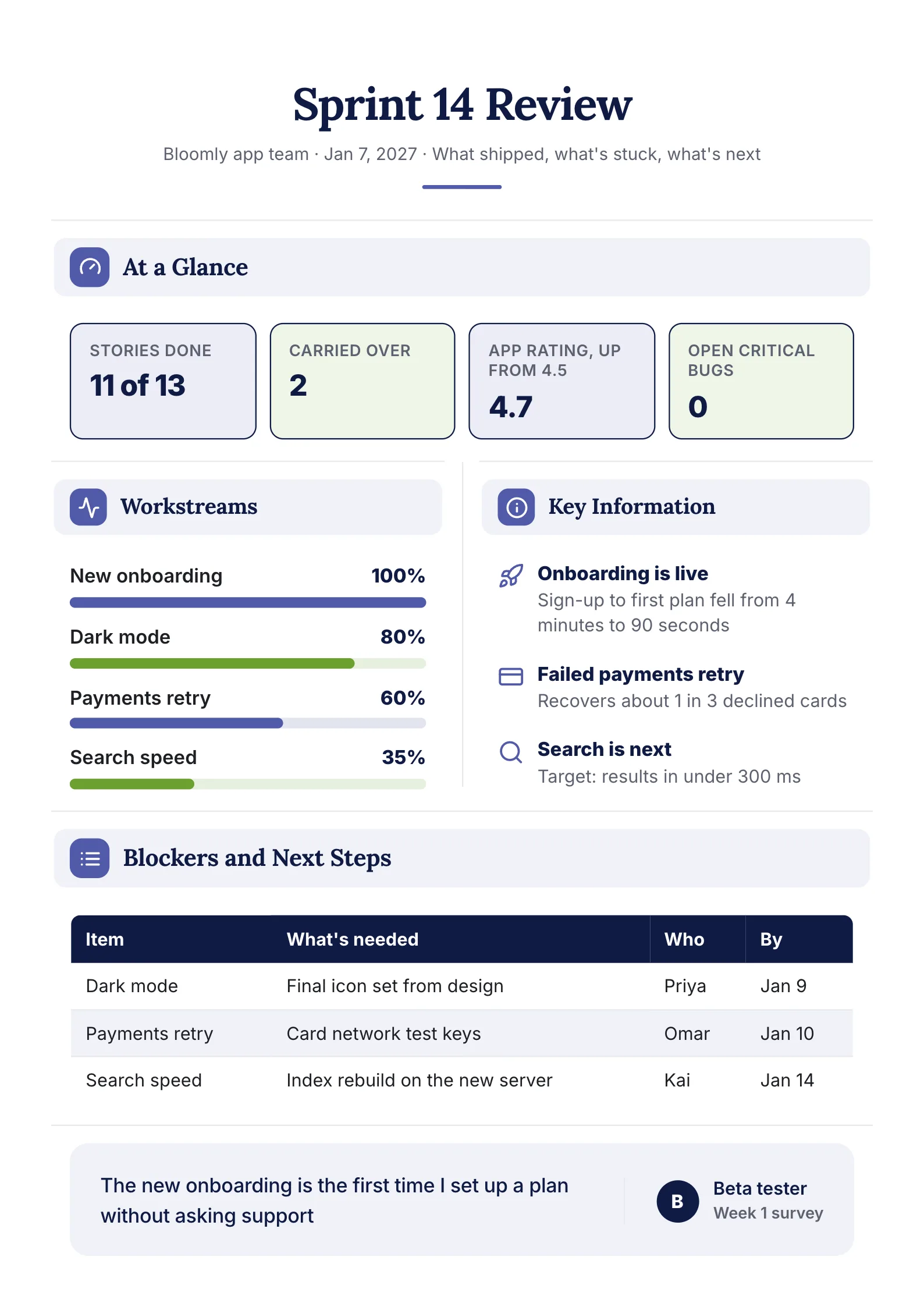 Sprint Review with WorkstreamsEdit for free(opens in a new tab)
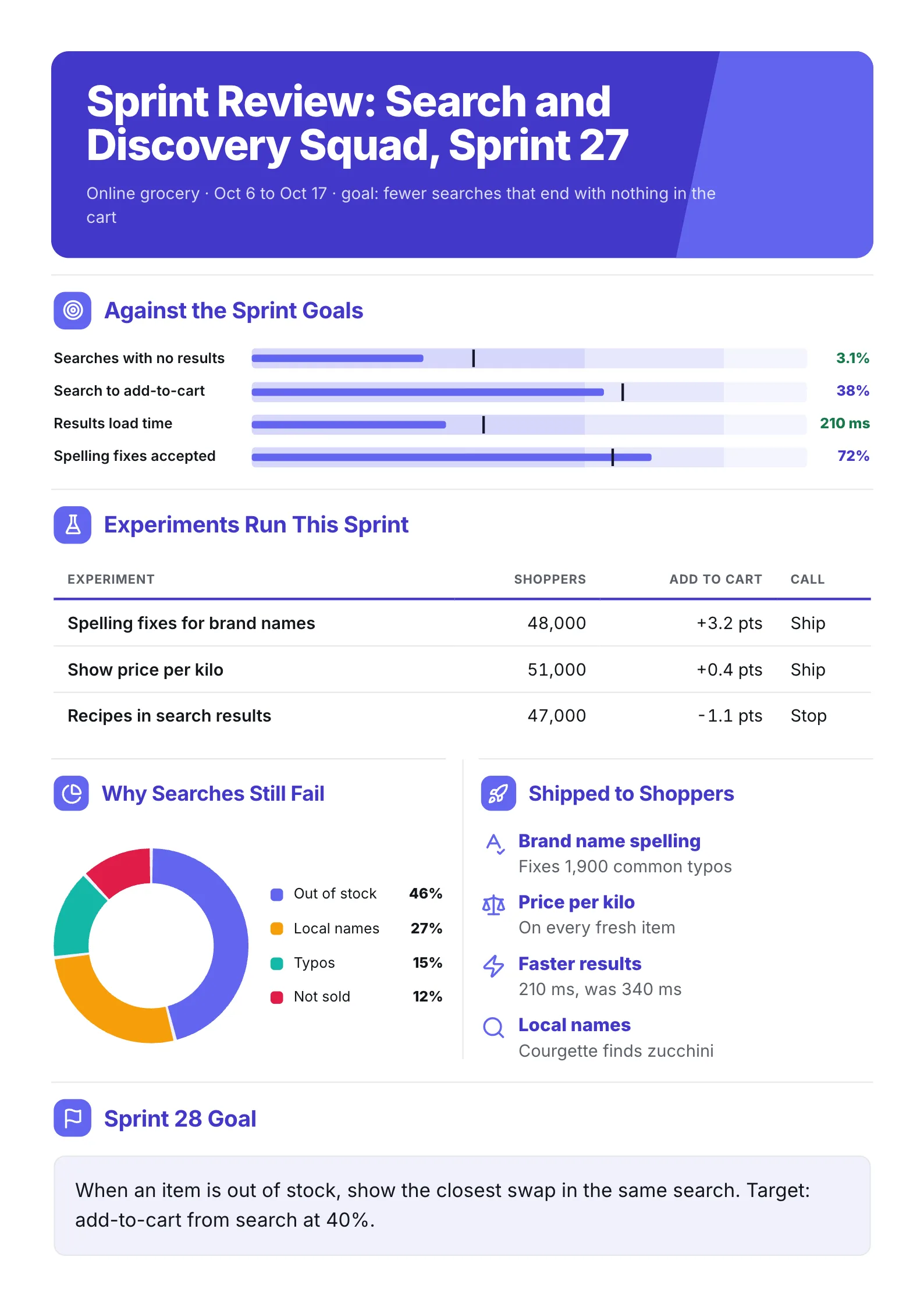 Product Squad Sprint ReviewEdit for free(opens in a new tab)
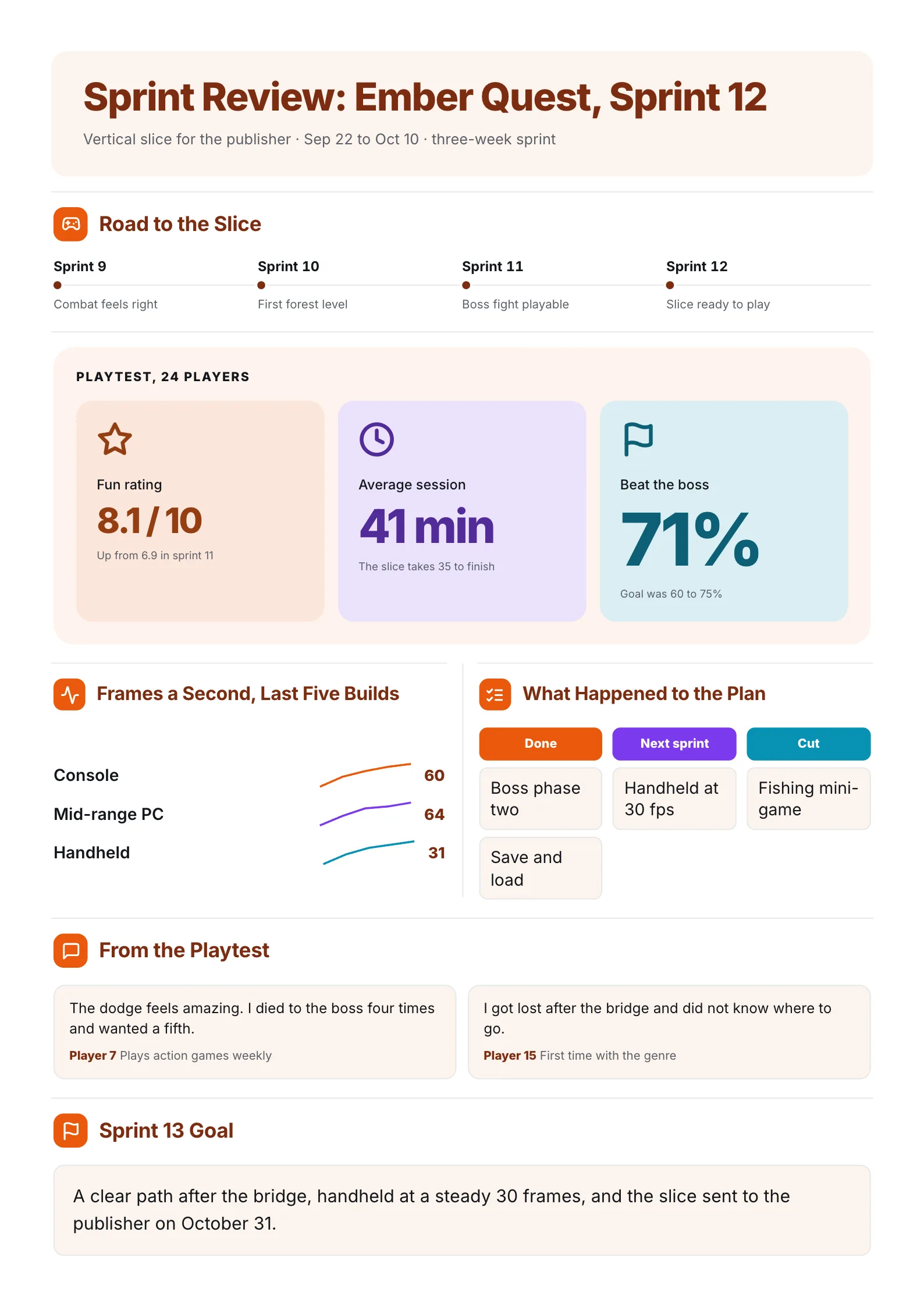 Game Development Sprint ReviewEdit for free(opens in a new tab)
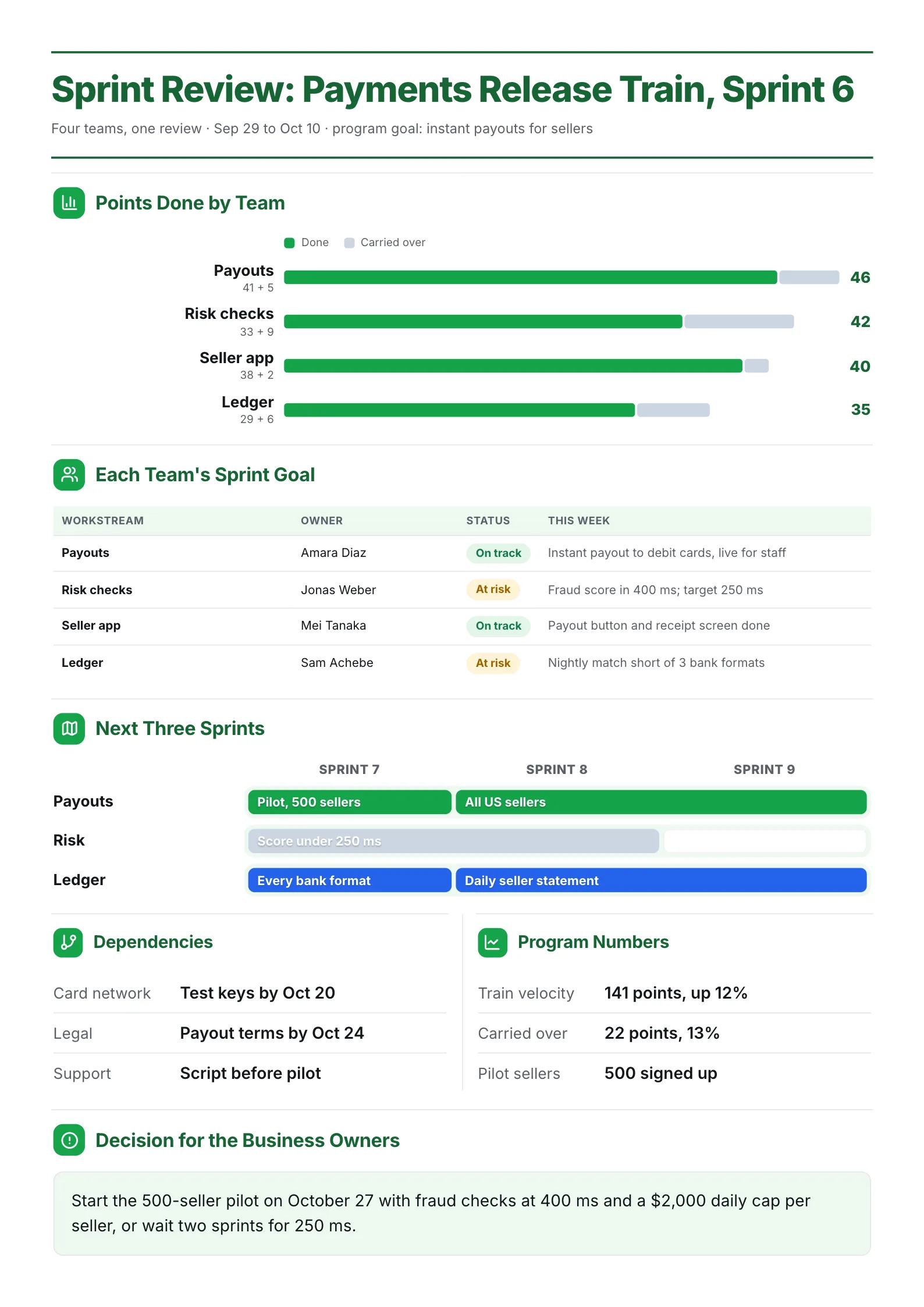 Multi-Team Sprint ReviewEdit for free(opens in a new tab)
We read both sections line by line and turned every point into a question you can ask out loud. You'll see which questions your current guide still asks, which ones it left out, and where they went. Use the full set and your review will end with real decisions your team can act on.
What changed between the 2017 and 2020 guides
Both guides come from Ken Schwaber and Jeff Sutherland, and you can download each one free on scrumguides.org. The 2017 one is 19 pages and the 2020 one is 14. The sprint review section shrank more than the guide did, as you can see below.
| 2017 list item | Question it gives you | In the 2020 section? |
|---|---|---|
| Key stakeholders invited by the Product Owner | Who needs to see this, and are they here? | Yes, "key stakeholders" |
| What's "Done" and what isn't | Which items meet the Definition of Done? | Partly, as "what was accomplished"; the Done rule sits in the Increment section |
| What went well, problems and how they were solved | What got in our way, and how did we fix it? | Moved to the retrospective |
| Demo of the Done work, answering questions | Can we see it working? | Yes, the team "presents the results" |
| The backlog as it stands, with likely dates | Given our pace, when will this likely land? | Backlog yes, dates no |
| The whole group decides what to do next | What should the next sprint take on? | Yes |
| How the market or use of the product changed | What changed outside the team? | Yes, "what has changed in their environment" |
| Timeline, budget and capabilities for the next release | Is the next release still on time and on budget? | No |
Source: sprint review sections of the 2017 and 2020 Scrum Guides, read October 30, 2026.
The 2020 guide adds the Product Goal and hardens the 2017 warning. Progress toward the Product Goal gets discussed, and the review is a "working session," with a warning that the Scrum Team "should avoid limiting it to a presentation." Both point the same way. Your review is for deciding things with the people who pay for your product.
Questions to ask about the work itself
Start with what your team finished. These questions keep your meeting honest.
Which items meet the Definition of Done? The 2020 guide is strict about this one, in its section on the Increment. Work that isn't Done "cannot be released or even presented at the Sprint Review." So read out what's finished and what isn't before anyone touches a keyboard. A half-built feature in a demo gets mistaken for a finished one.
Can we see it working? Show the real product, on a real phone or screen, the way your users will meet it. The 2017 list said the team demonstrates the work "and answers questions about the Increment." Leave time for those questions, because they're where stakeholders tell you what they actually need.
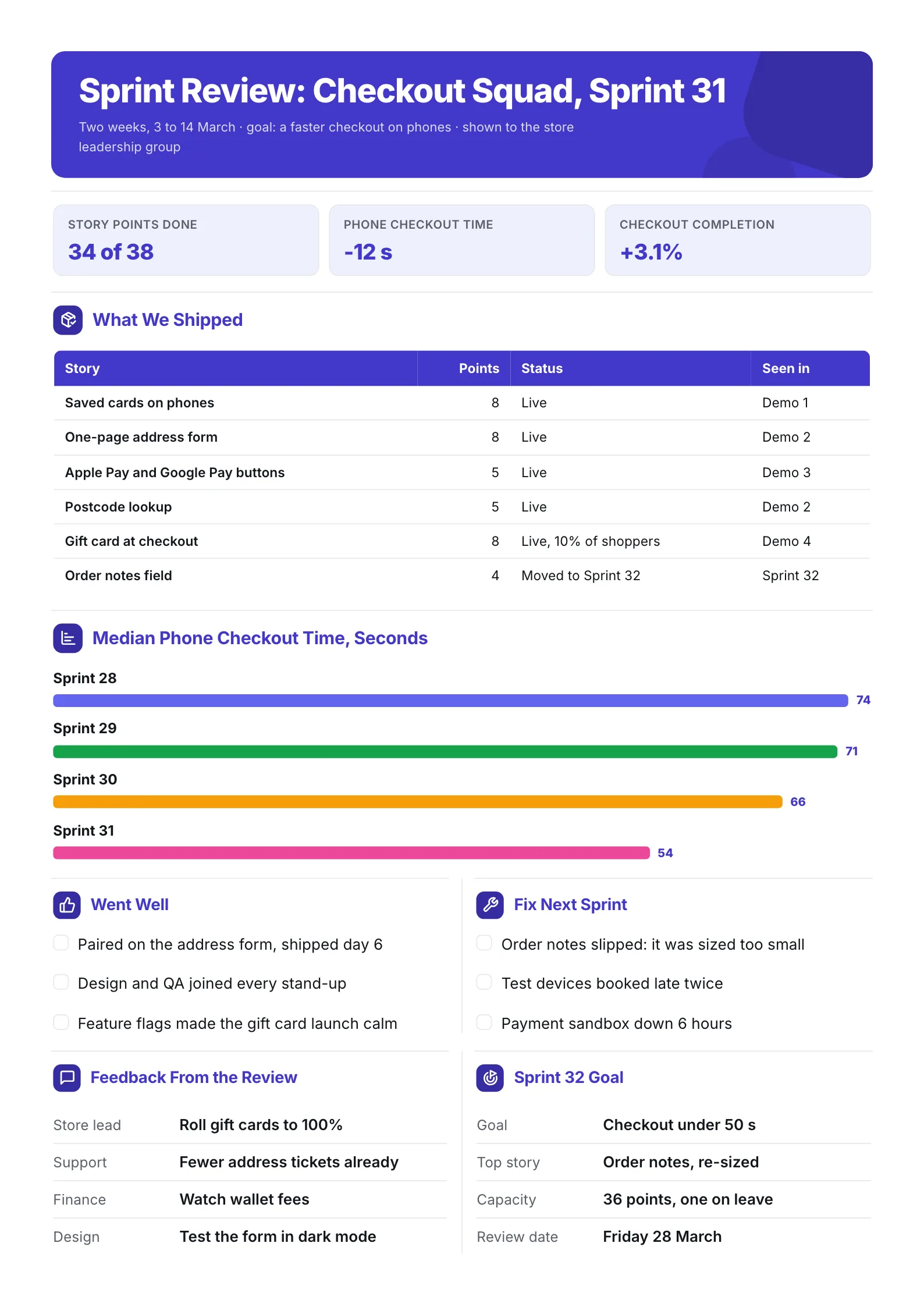
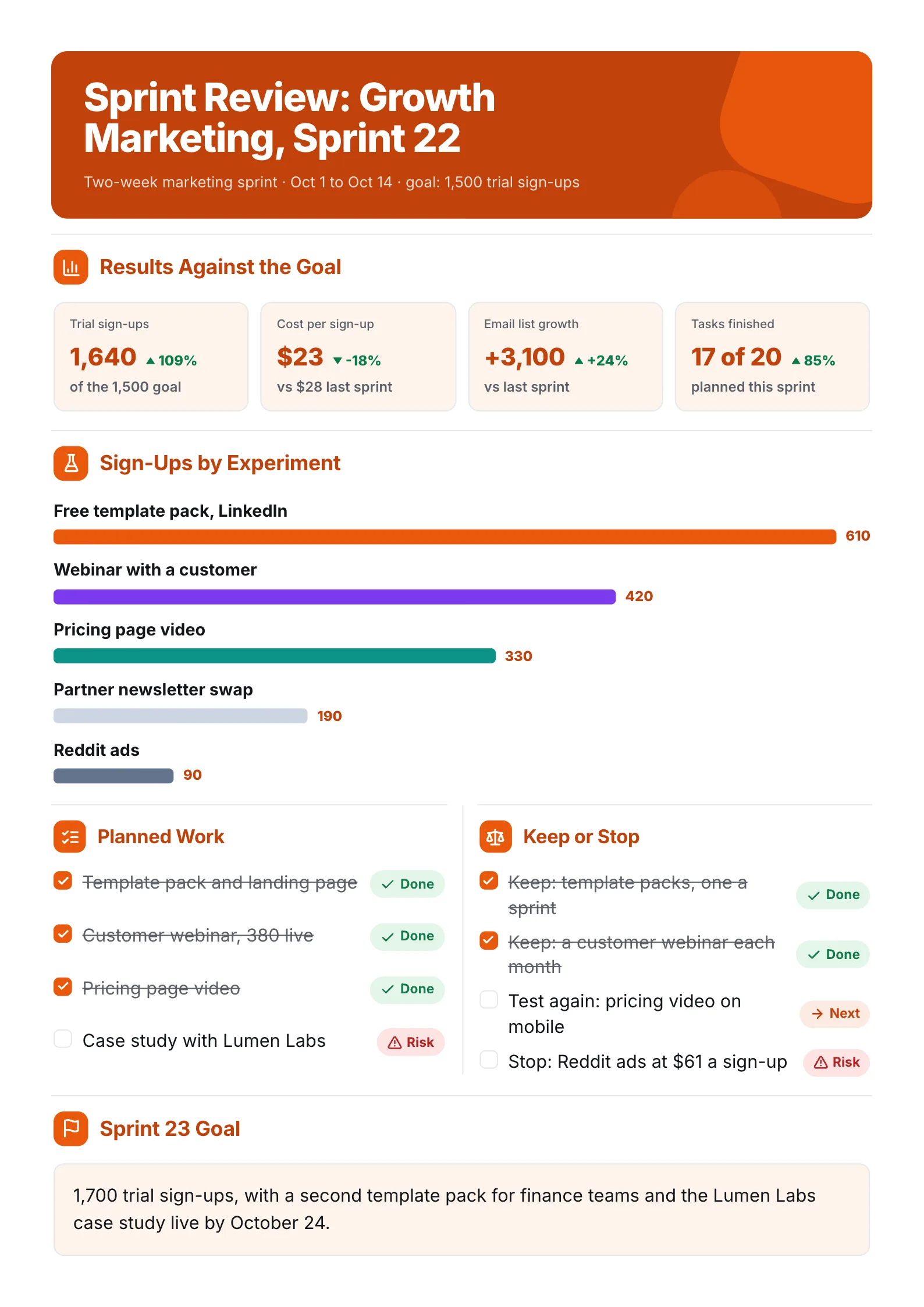
How close did we get to the sprint goal? Give the number your stakeholders care about. A checkout team might say median phone checkout fell 12 seconds. A marketing team might say it beat its sign-up goal by 140.
 Edit this template
Sample names and figures. Feedback From the Review records four answers from the room, from rolling gift cards to 100% to watching wallet fees.
Questions to ask about what got in the way
This is the point the 2020 guide moved. The 2017 list had the team discuss "what went well during the Sprint, what problems it ran into, and how those problems were solved." In 2020 nearly the same words show up in the Sprint Retrospective, the private team meeting that comes after the review, now ending "how those problems were (or were not) solved."
That move makes sense for the team's own habits, like who pairs with whom. But your stakeholders still need the problems that touch them. Ask these two in the review.
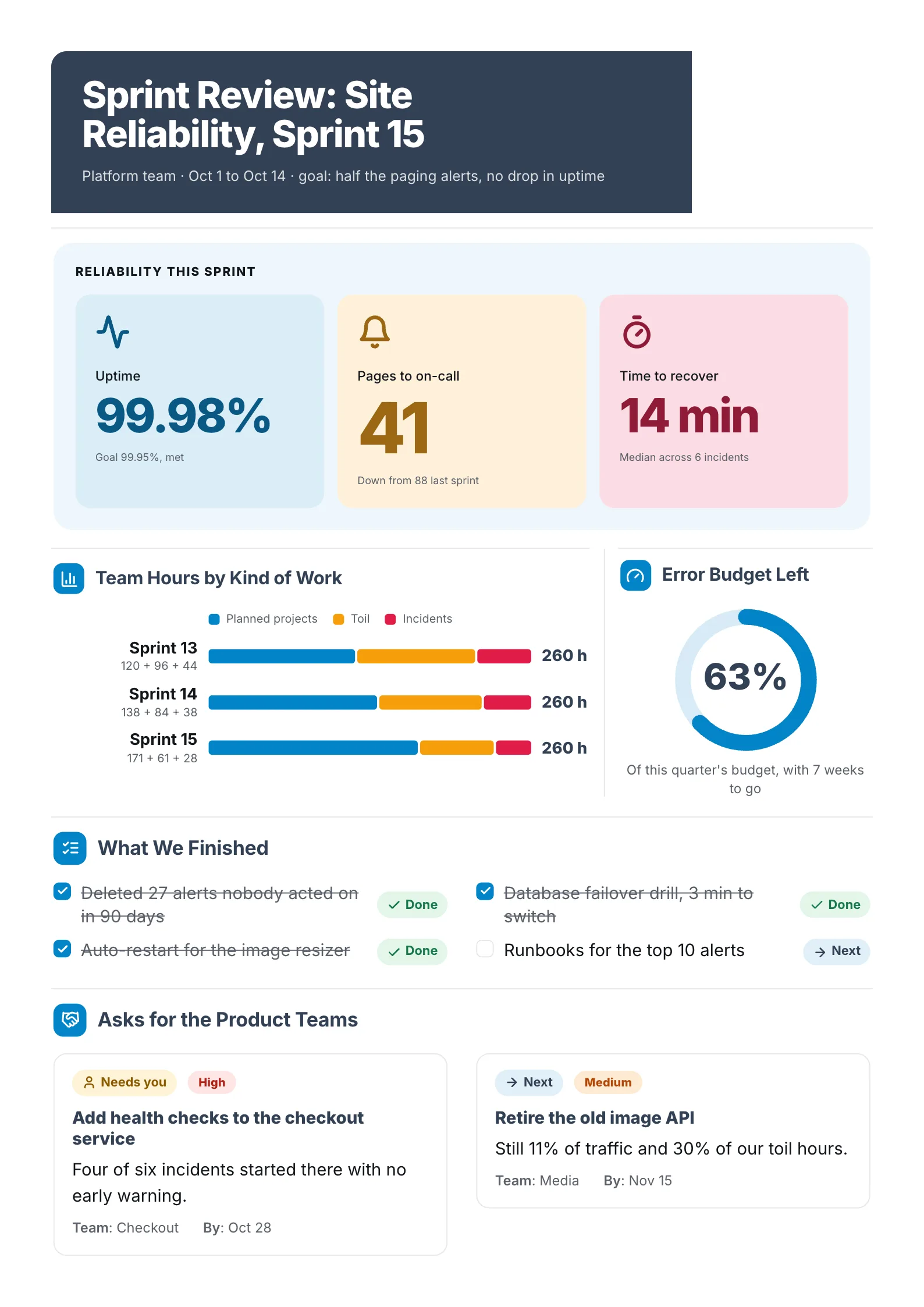
What slowed us down that someone in this room can fix? A sandbox that was down for 6 hours, test devices booked late, or keys from another team that never came. Name the blocker and the person in your room who can clear it.
What did we learn that changes the plan? A fix that turned out bigger than sized, or a test result that surprised you. Say it here, so the backlog conversation that follows starts from the truth.
 Edit this template
Sample names and figures. Asks for the Product Teams names the checkout team and October 28 for the health checks behind four of six incidents.
Questions to ask about what's next
This is the half of your meeting that most reviews rush, and the half the 2020 guide cares about most.
What changed outside the team since we planned? A competitor shipped something, a regulation moved or a big customer churned. The 2017 guide asked how "the marketplace or potential use of the product might have changed what is the most valuable thing to do next." The 2020 guide keeps this as "what has changed in their environment."
Should the order of the backlog change? The output of the review, in both guides, is a backlog that may look different when you leave. Your Product Owner should come out with a new top three, and you should know why it changed.
What should the next sprint take on? Get a draft sprint goal out of the room. The 2017 guide calls the review "valuable input to subsequent Sprint Planning," so whatever your stakeholders agree here saves you an argument there.
Did this sprint move us toward the Product Goal? This is the 2020 guide's own addition. The team presents its results "and progress toward the Product Goal is discussed." Name the goal, say what this sprint added to it, and say what still stands between you and it.
 Edit this template
Sample names and figures. Keep or Stop turns the review into four decisions, including stopping Reddit ads at $61 a sign-up.
The questions the 2020 guide dropped
Two of the 2017 points have no home in the new guide. Your stakeholders will still ask them, so plan your answers before you walk in.
When will this likely be ready? The 2017 Product Owner "projects likely target and delivery dates based on progress to date." The 2020 guide mentions forecasting tools like burn-downs elsewhere, but it no longer asks for a date in the review. Give one anyway, as a range, and say what it depends on.
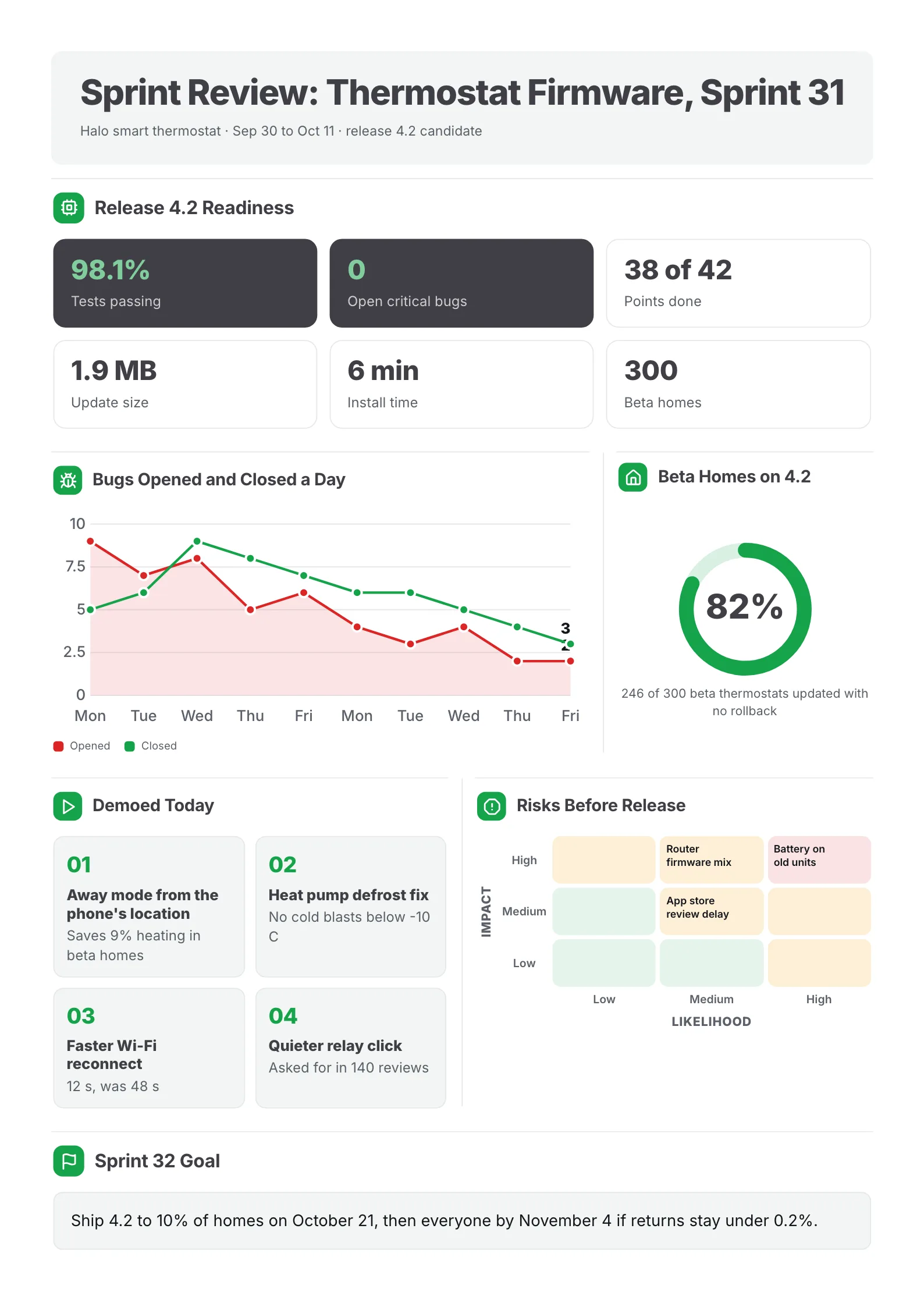
Is the next release still on time and on budget? The old list ended with a "review of the timeline, budget, potential capabilities, and marketplace for the next anticipated releases." A firmware team waiting on an app store review, or a game studio with a publisher date, can't skip this. Put the release date and the risks to it on your review page.
 Edit this template
Sample names and figures. Risks Before Release plots three things that could move the date, from batteries on old units to an app store review delay.
Questions stakeholders should ask the team
Your review works better when the guests come with questions too. Send these with the invite.
- What can I use today that I couldn't use two weeks ago?
- What did you build that you'd like my feedback on?
- What do you need from my team before the next review?
- Which item near the top of the backlog matters least to you?
The last one is the most useful. It gives your Product Owner permission to move something down.
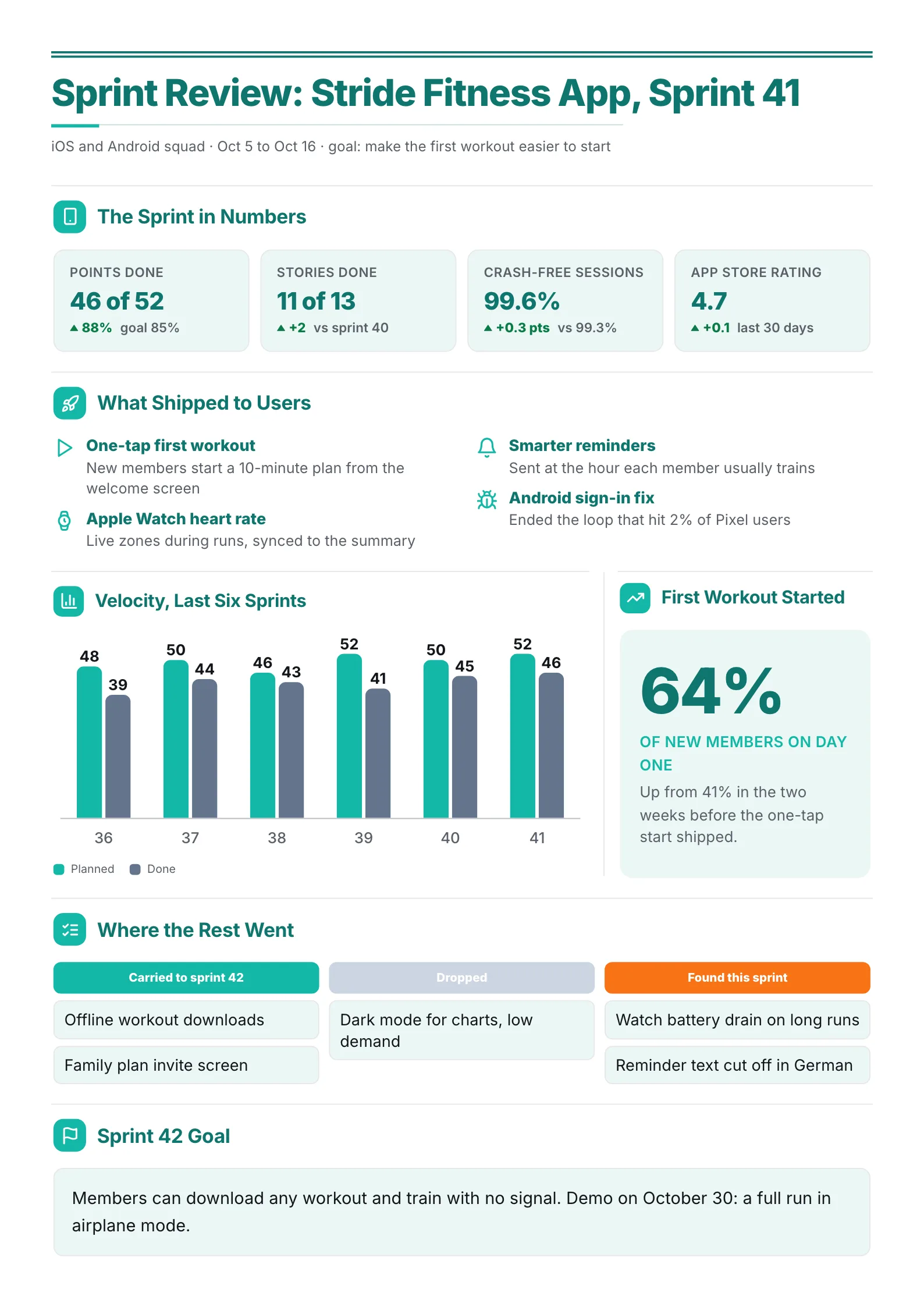 Edit this template
Sample names and figures. Where the Rest Went shows what was carried to sprint 42, what was dropped and what was found during the sprint.
How long the review should take
Both guides cap the meeting at four hours for a one-month sprint and say it's "usually shorter" for shorter sprints. For your two-week sprint, plan on two hours at most. One hour is plenty for a single team that brings one page.
Split your time about evenly between the work and the next steps. If your demo eats the whole slot, the decisions get made later in a hallway, without the people who should be part of them.
Bring the dropped questions back
Put three old questions back on the agenda for your coming review. Ask what got in the way, when the work will likely land, and whether the next release is still on budget. Then open a sprint review design in MakeOnepagers and give each one its own box, so the answers are on the page when your stakeholders walk in.
Frequently asked questions
What questions should be asked in a sprint review?
Ask what's Done, ask to see it working, ask what got in the way that stakeholders can fix, ask what changed outside the team, and ask how the backlog order should change. Add a likely date for the next release, which the 2020 guide no longer lists but your stakeholders will want.
What is the difference between a sprint review and a retrospective?
The review looks at the product with your stakeholders and changes the backlog. The retrospective is the team alone, looking at how it worked. The 2020 guide moved "what went well" and "what problems it encountered" from the review into the retrospective.
Who attends a sprint review?
Your Scrum Team and the key stakeholders the Product Owner invites. That usually means the people who use the product, fund it or support it. Both guides name stakeholders as attendees.
Is the sprint review just a demo?
No. The 2020 guide calls it a working session and says to avoid limiting it to a presentation. A demo opens the meeting, and the decisions about what comes next are what it's for.
For the page itself, see our sprint review template post. It sits well beside a project status report when leaders want the dates more than the demo.




