Pricing Sheet Examples: 5 Real-World Price Sheets, Filled In
Five pricing sheet examples, filled in: car detailing, a funeral home, IT support, lawn care and custom cakes, plus the fee rule every price should pass.

Search for pricing sheet examples and you mostly get two things: galleries of pretty price lists with "Service 1, $00" in every row, and roundups of software pricing pages. Neither shows you what a real service business writes in each row, or which lines get it into trouble. Below are five filled price sheets built on MakeOnepagers. Under every sheet: its strong points, its thin spot, and the one line worth stealing.
One‑Pager examples
Real One-Pagers made with MakeOnepagers. Open any one to edit it as your own.
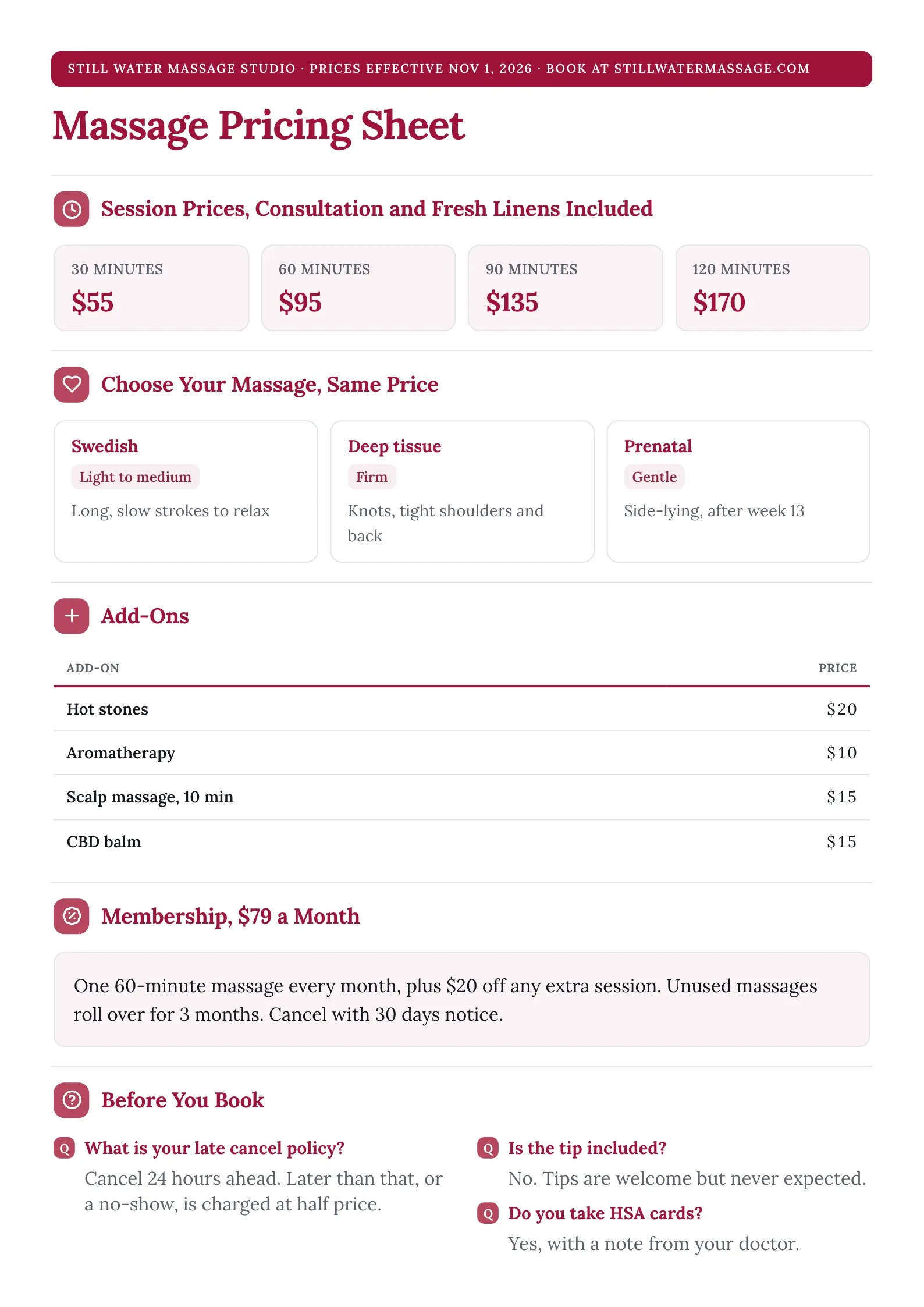 Massage Pricing SheetEdit for free(opens in a new tab)
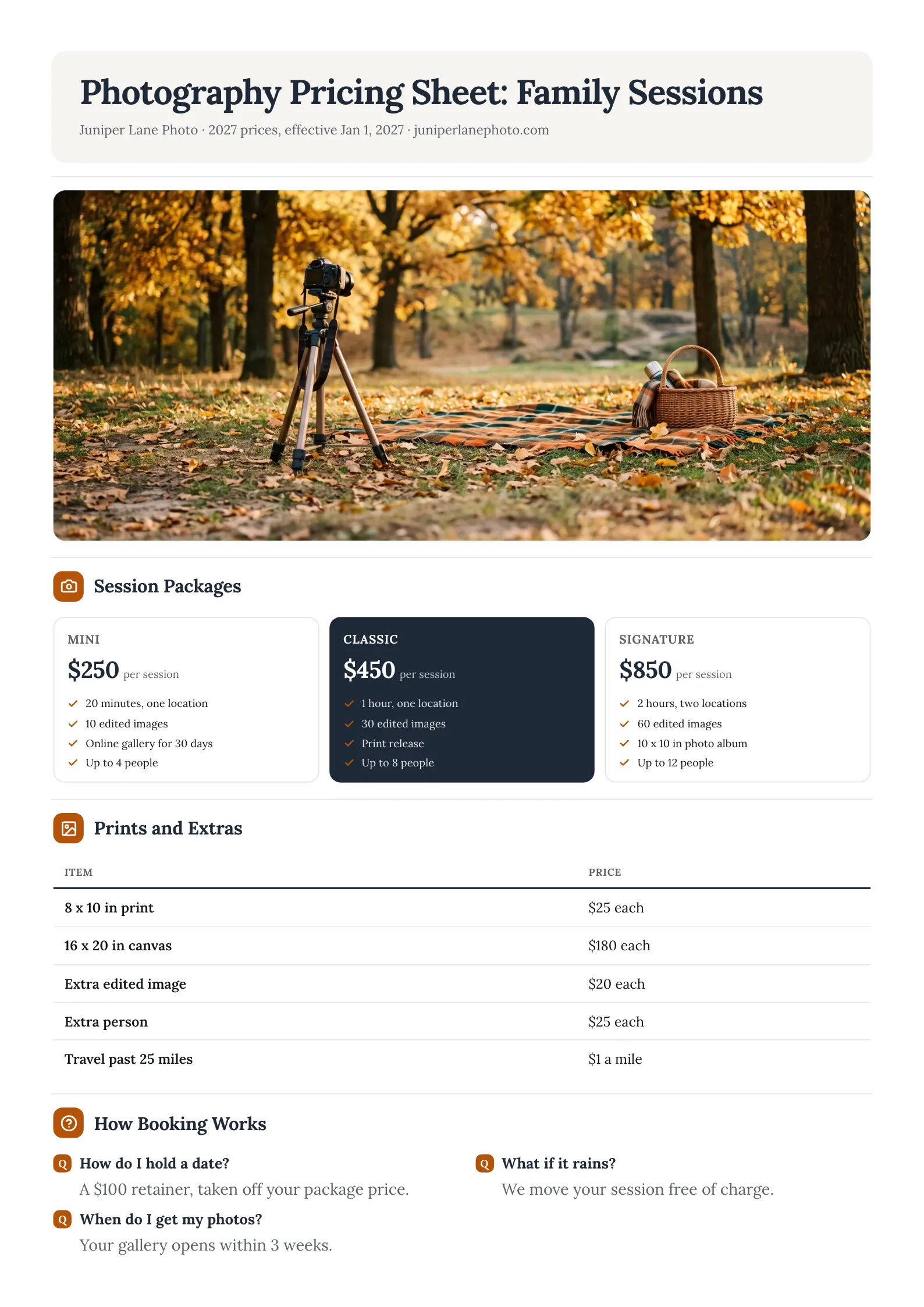 Photography Pricing Sheet: Family SessionsEdit for free(opens in a new tab)
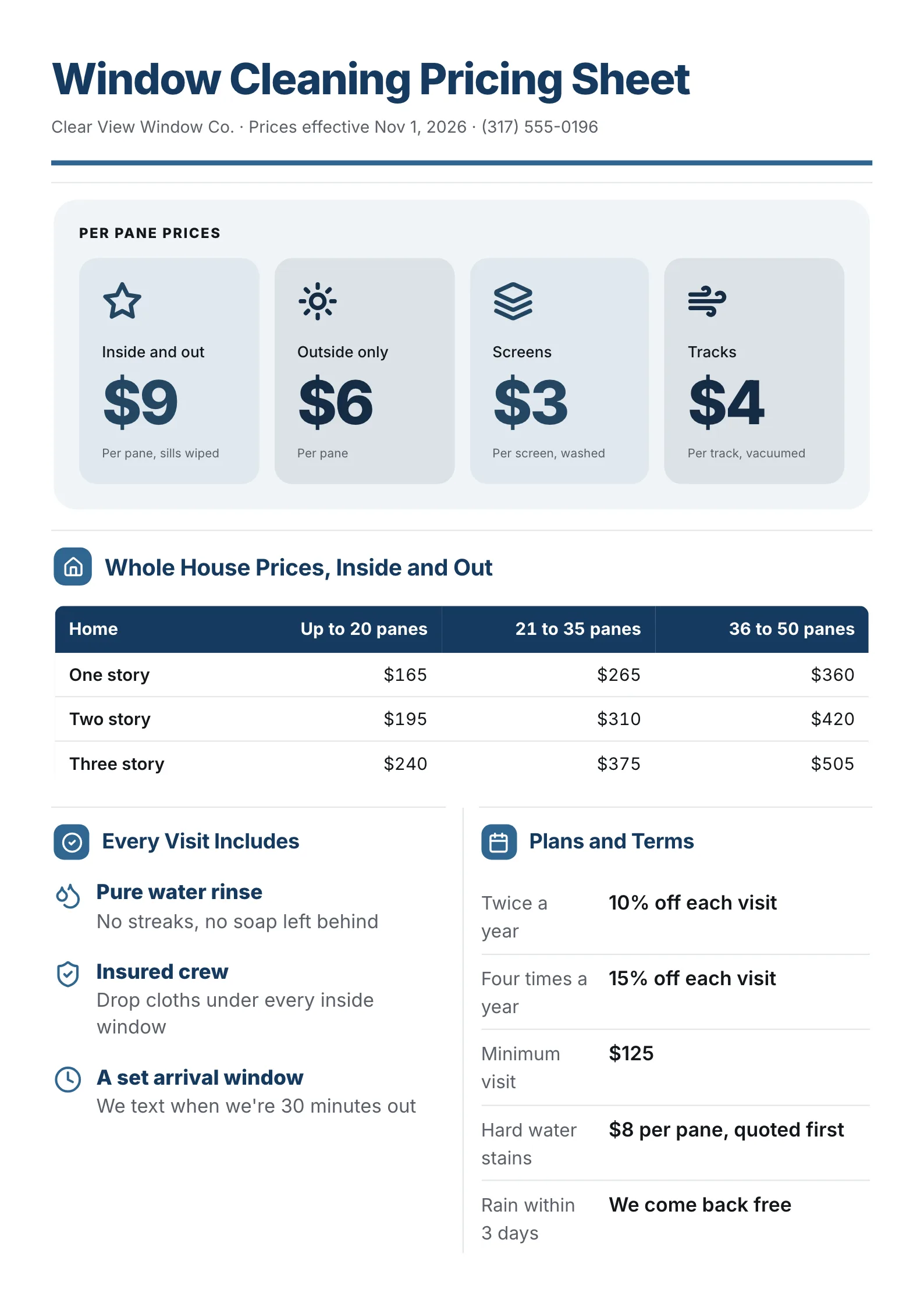 Window Cleaning Pricing SheetEdit for free(opens in a new tab)
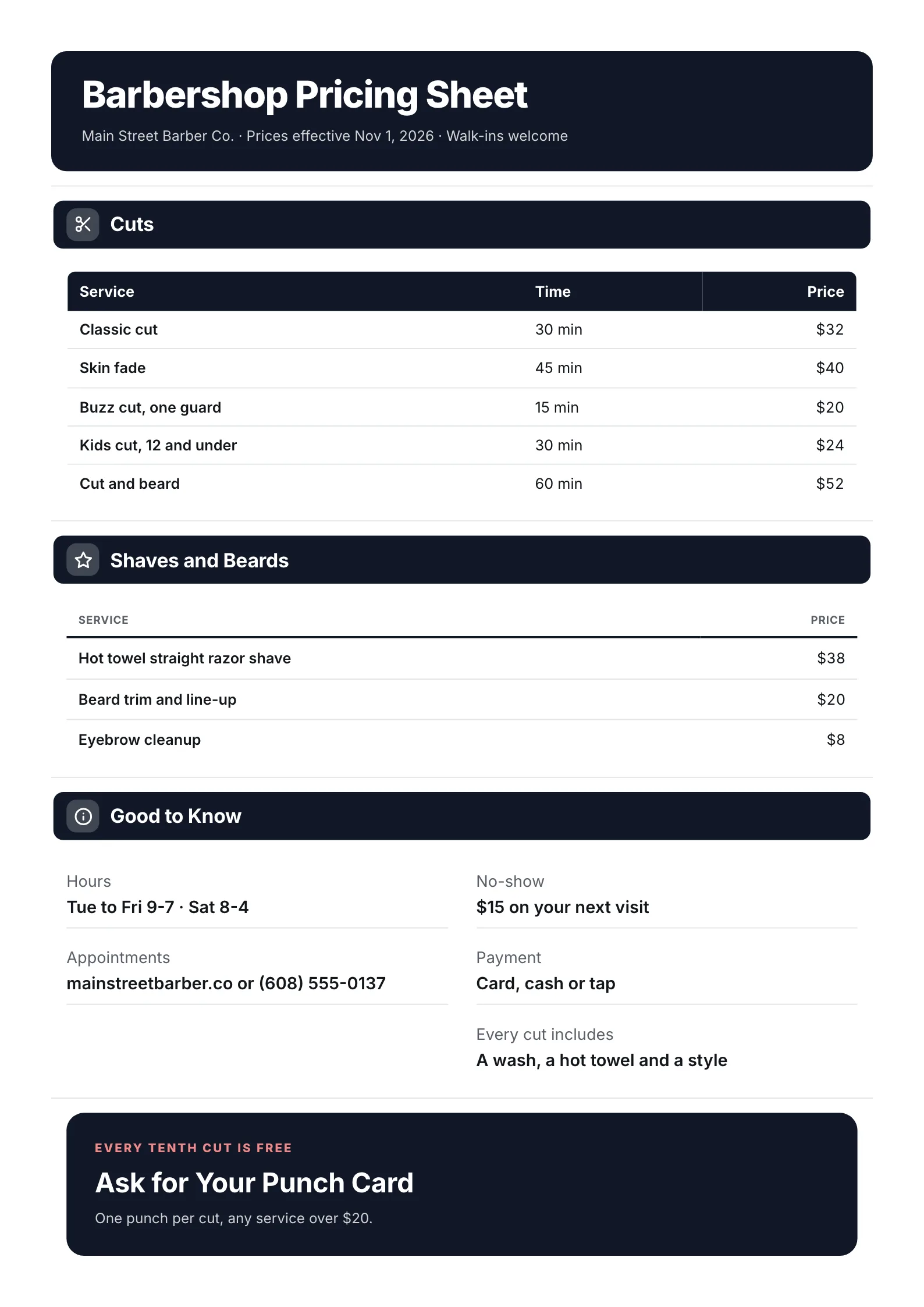 Barbershop Pricing SheetEdit for free(opens in a new tab)
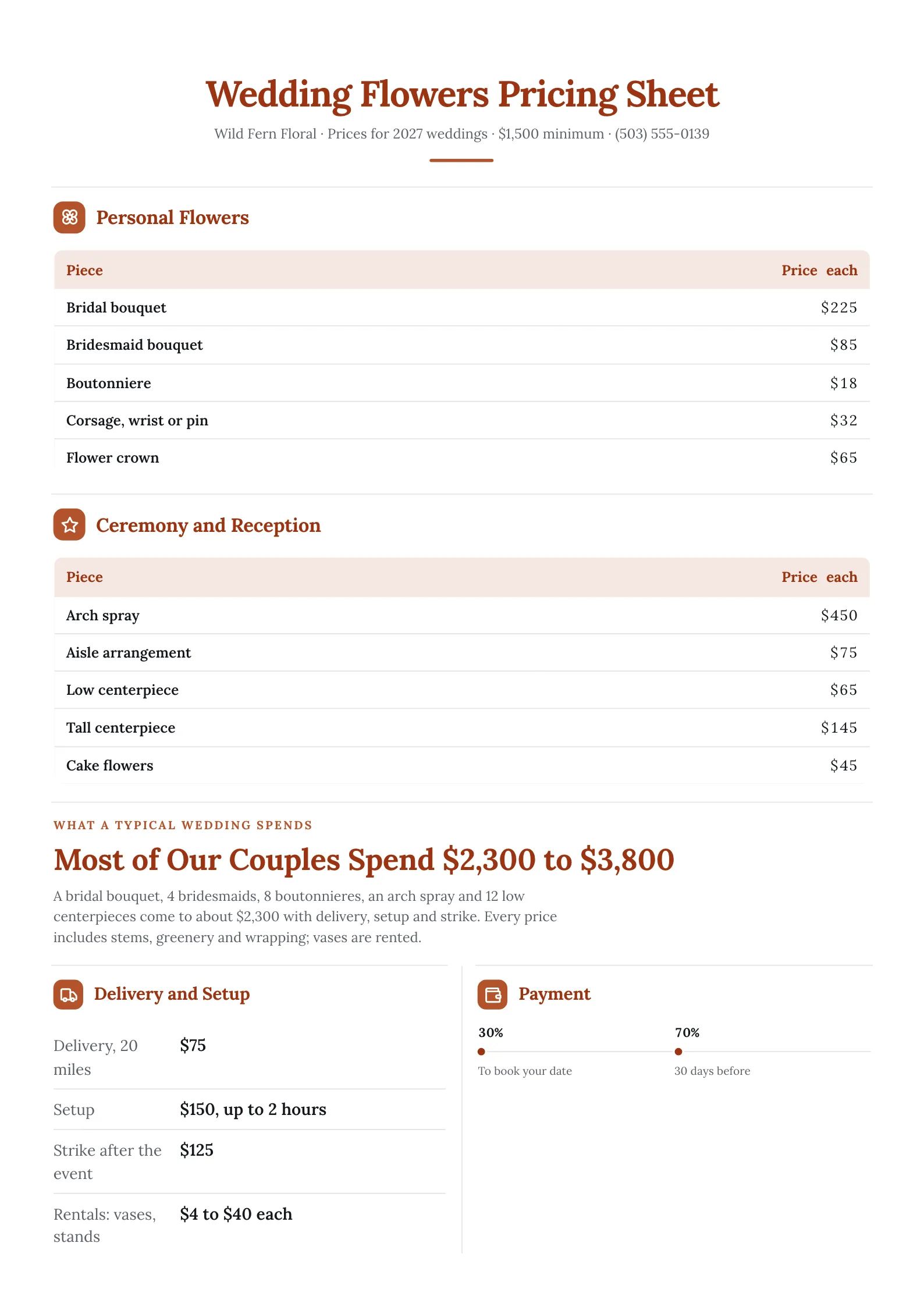 Wedding Flowers Pricing SheetEdit for free(opens in a new tab)
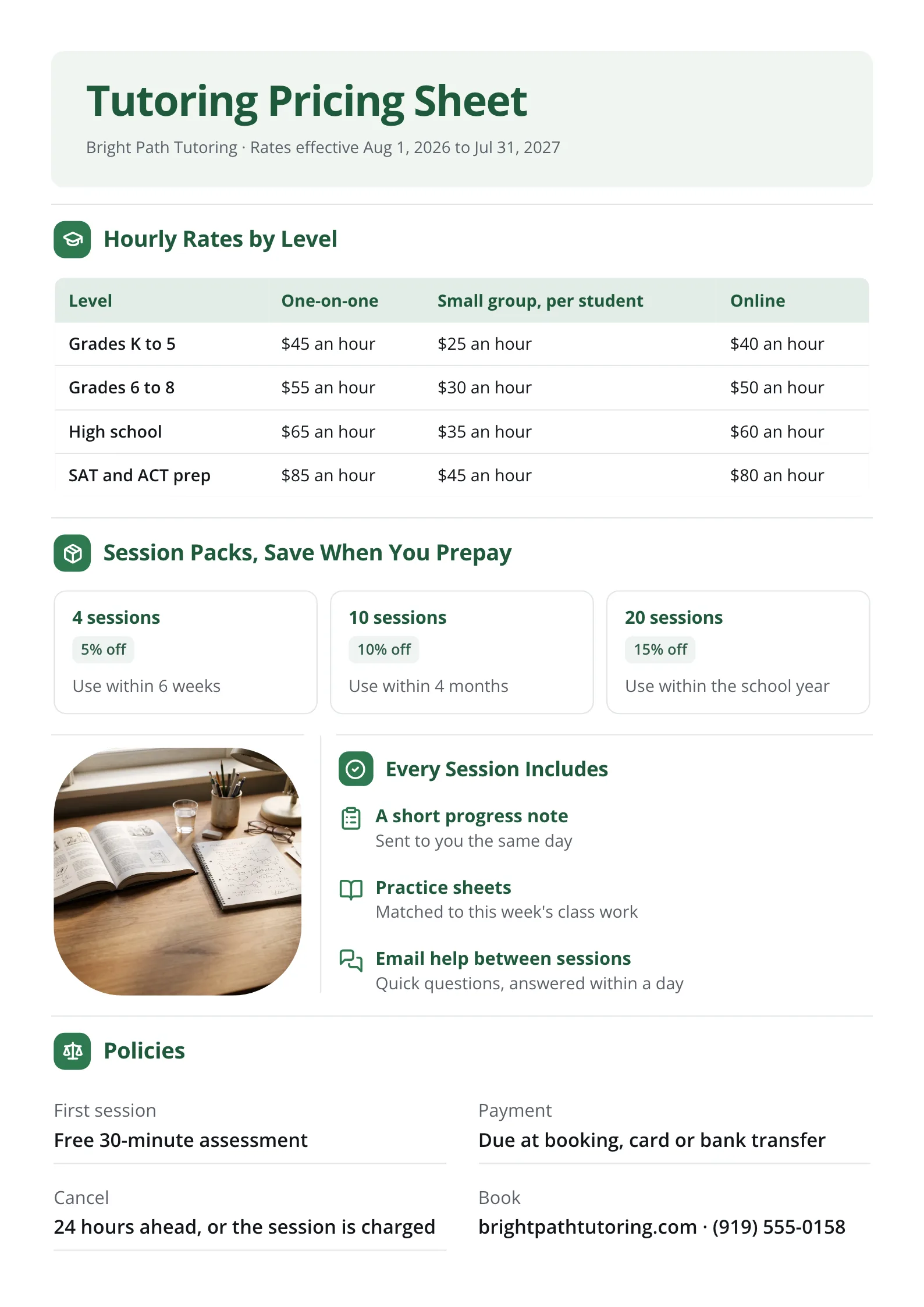 Tutoring Pricing SheetEdit for free(opens in a new tab)
The businesses, phone numbers and prices are made up. Copy the structure and the habits, then put in your own numbers.
The 5 parts a customer reads on any price sheet
A pricing sheet lists what you sell and what each thing costs, on one sheet a customer can scan in under a minute. The strong ones below share five parts.
| Part | The question it answers | What it looks like on the sheet |
|---|---|---|
| 1. A unit on every price | $40 for what? | "per visit", "per user a month", "serves 16 to 20" |
| 2. What's included | What do I get for that? | A row, a column or a short list under the price |
| 3. Extras, priced | What could make it cost more? | An add-ons box with a price on each line |
| 4. A date | Is this still the price? | "Prices effective Nov 1, 2026" under the title |
| 5. No surprise fees | Is that the whole price? | Every charge the customer can't avoid sits inside the listed price |
How the five sheets below stack up on those parts: A ✓ marks a part the sheet has in full; Partial marks a part it only half covers.
| Example | Unit | Included | Extras | Date | No surprise fees |
|---|---|---|---|---|---|
| Car detailing | ✓ | ✓ | ✓ | ✓ | ✓ |
| Funeral home | ✓ | ✓ | ✓ | ✓ | ✓ (its own federal rule) |
| IT support | ✓ | ✓ | ✓ | ✓ | Partial |
| Lawn care | ✓ | ✓ | Partial | ✓ | ✓ |
| Custom cake | ✓ | ✓ | ✓ | ✓ | ✓ |
The first four parts are craft. The fifth is the one that can cost you a customer's trust, and in some states it's the law. We'll come back to it after the examples.
Pricing sheet examples by trade
Car detailing: three packages, priced by the size of the car
 Edit this template
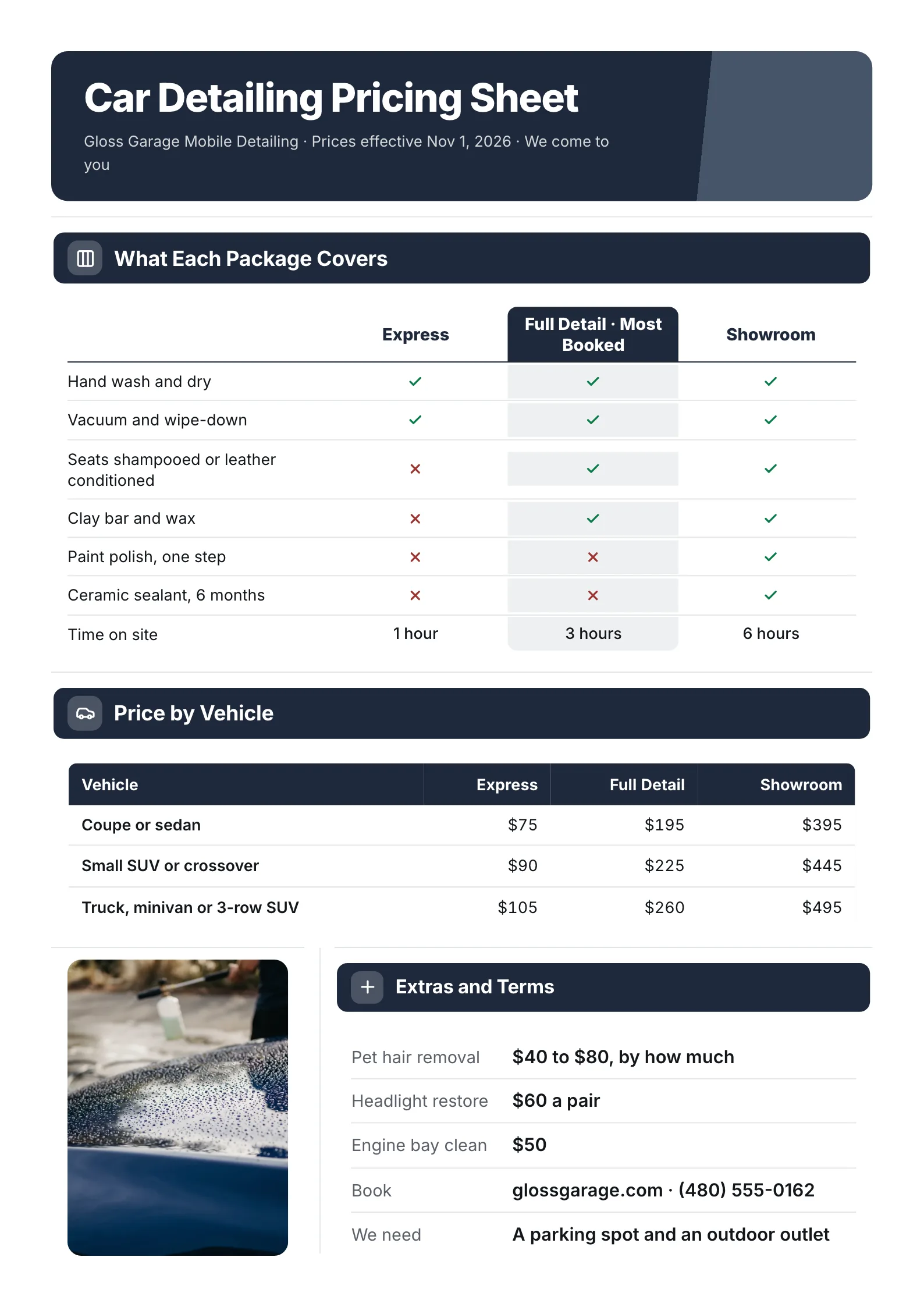
The car detailing pricing sheet solves the problem every detailer has: a sedan and a three-row SUV are not the same job. So it splits the sheet in two. The top grid shows what each package covers, with ticks and crosses on six rows plus time on site, from hand wash to a six-month ceramic sealant. The table under it gives the price for each package on each of three vehicle sizes, from $75 for an Express on a sedan to $495 for a Showroom on a truck.
That split means a customer finds their price in two moves: pick a package, find their car. The "Time on site" row (1 hour, 3 hours, 6 hours) answers the question everyone asks next, and it quietly explains why Showroom costs five times as much as Express.
The extras box prices every add-on, and pet hair removal is a range, "$40 to $80, by how much", which is honest about a job you can't price until you see the seats. The last line is a terms line most detailers forget: a mobile detail needs a parking spot and an outdoor outlet. Writing it on the sheet saves a wasted trip.
Funeral home: the price sheet a federal rule writes for you
 Edit this template
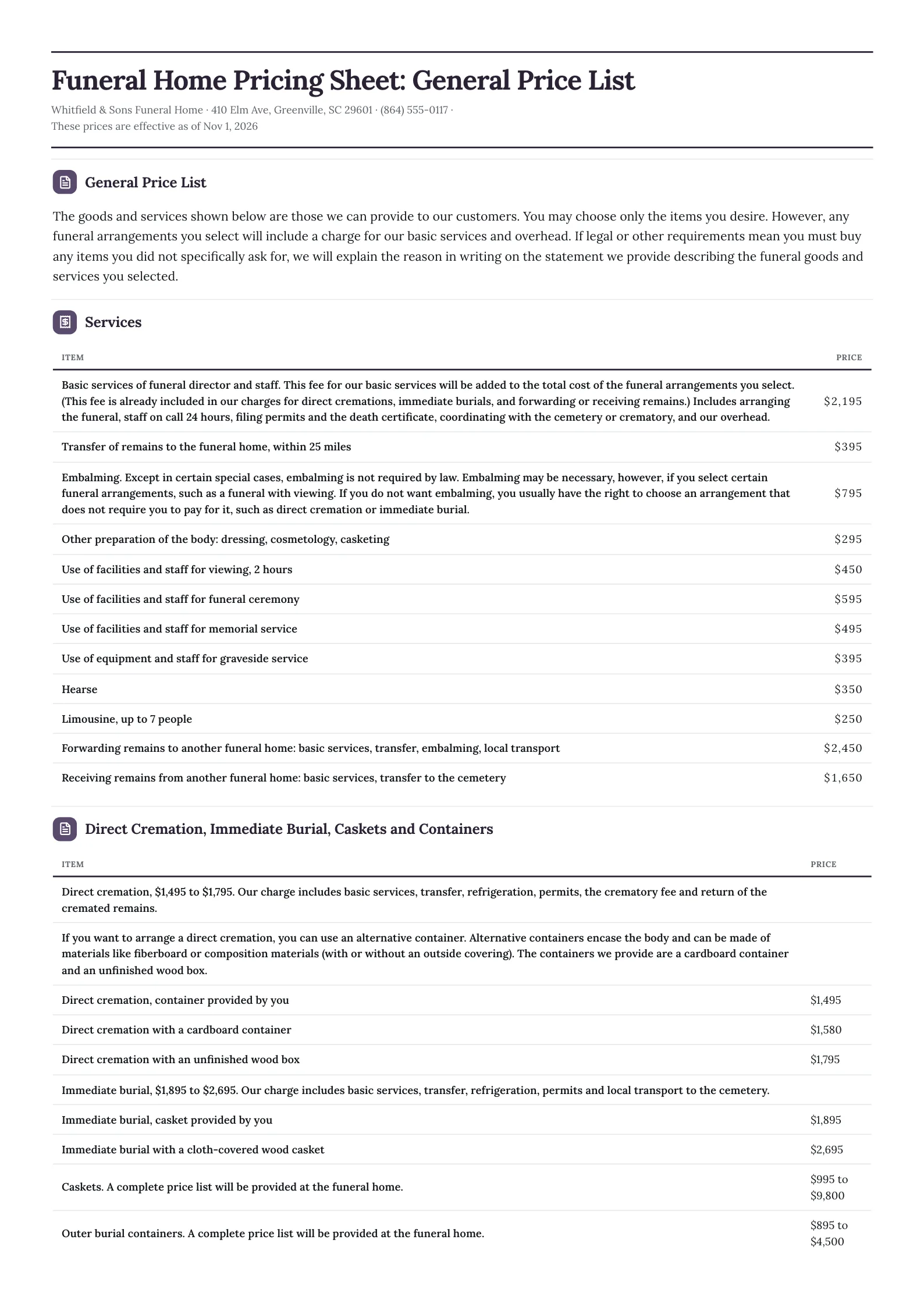
The funeral home pricing sheet is a General Price List, and in the US its shape is set by the Federal Trade Commission's Funeral Rule, 16 CFR 453.2. It's the clearest example of a rule-built price sheet you can find, which is why it's worth reading even if you sell something else.
Look at its first row. The basic services fee, $2,195, is the one charge a family can't decline, and the rule doesn't let the home bury it. Section 453.2(b)(4)(iii)(C)(1) requires, when the charge can't be declined, the statement "This fee for our basic services will be added to the total cost of the funeral arrangements you select." Our sheet prints it word for word, and lists what the fee covers right beside it: arranging the funeral, staff on call 24 hours, permits and the death certificate.
The other habit worth copying is the bundle line. "Direct cremation, $1,495 to $1,795. Our charge includes basic services, transfer, refrigeration, permits, the crematory fee and return of the cremated remains." One price, then everything inside it, then the three container choices that set where in the range you land. Caskets and outer burial containers are shown as ranges with a note that the full list is at the funeral home, which the rule allows because those have their own price lists.
IT support: monthly plans, and the one-time fee beside them
 Edit this template
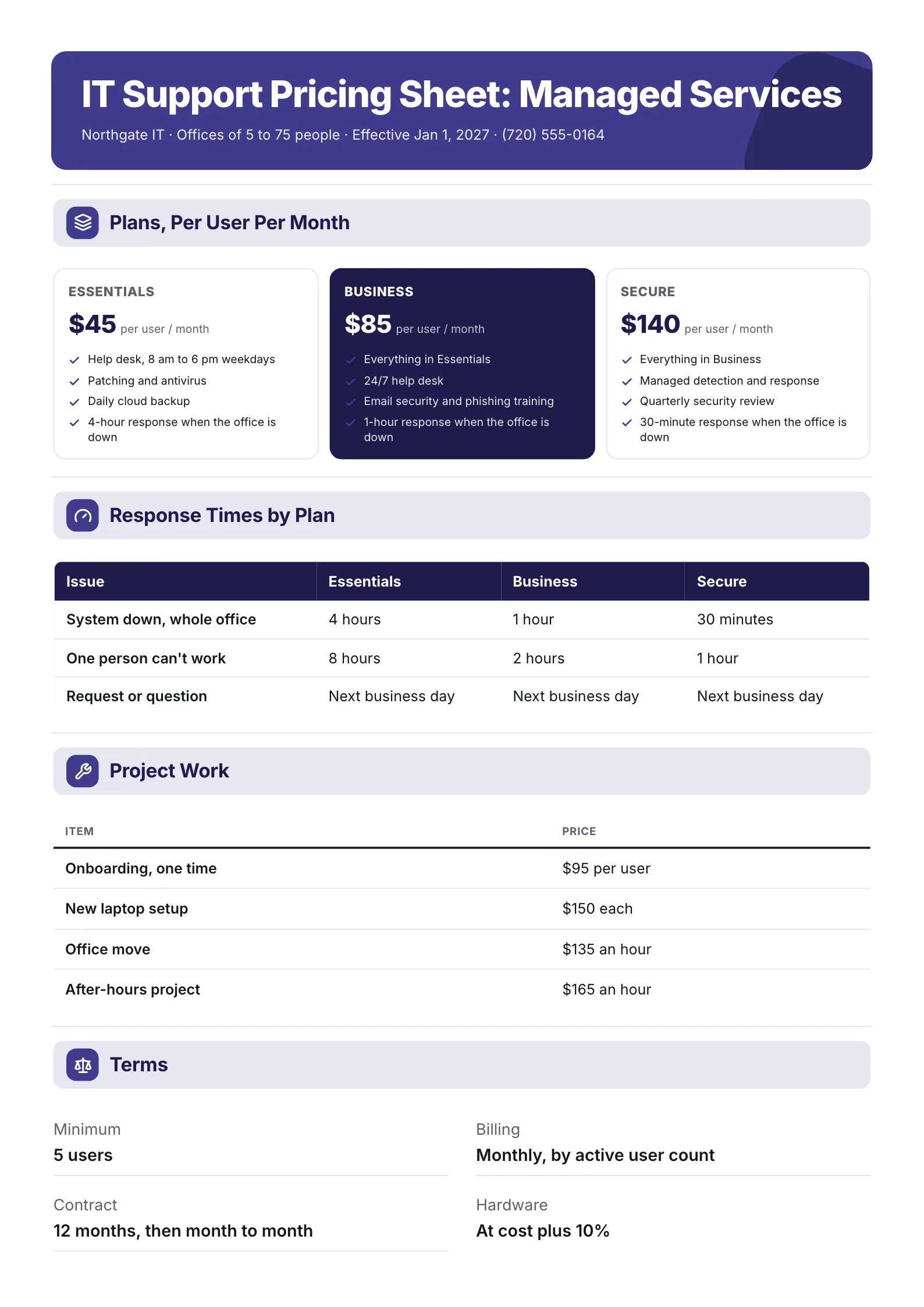
The IT support pricing sheet sells three plans at $45, $85 and $140 per user per month. The unit, "per user / month", sits right next to each price, and the response times table turns vague promises into numbers: when the whole office is down, Essentials answers within 4 hours, Business within 1 hour, Secure within 30 minutes. That table does more selling than any feature list.
Here's where it's thin. A 10-person office that picks Business reads $85 and thinks $850 a month. But the project work table adds onboarding at $95 per user, one time. So the first month is really $850 plus $950, or $1,800. The fee is on the sheet, which is good, but it's two sections below the plan price, under "Project Work", where a buyer skimming plans will miss it.
The fix is one line under the plans: "New clients: one-time onboarding, $95 per user." The terms box does this well already. It states the 5-user minimum, the 12-month contract and "hardware at cost plus 10%" in plain words, so nothing in it surprises anyone later.
Lawn care: per visit, by lot size, for the whole season
 Edit this template
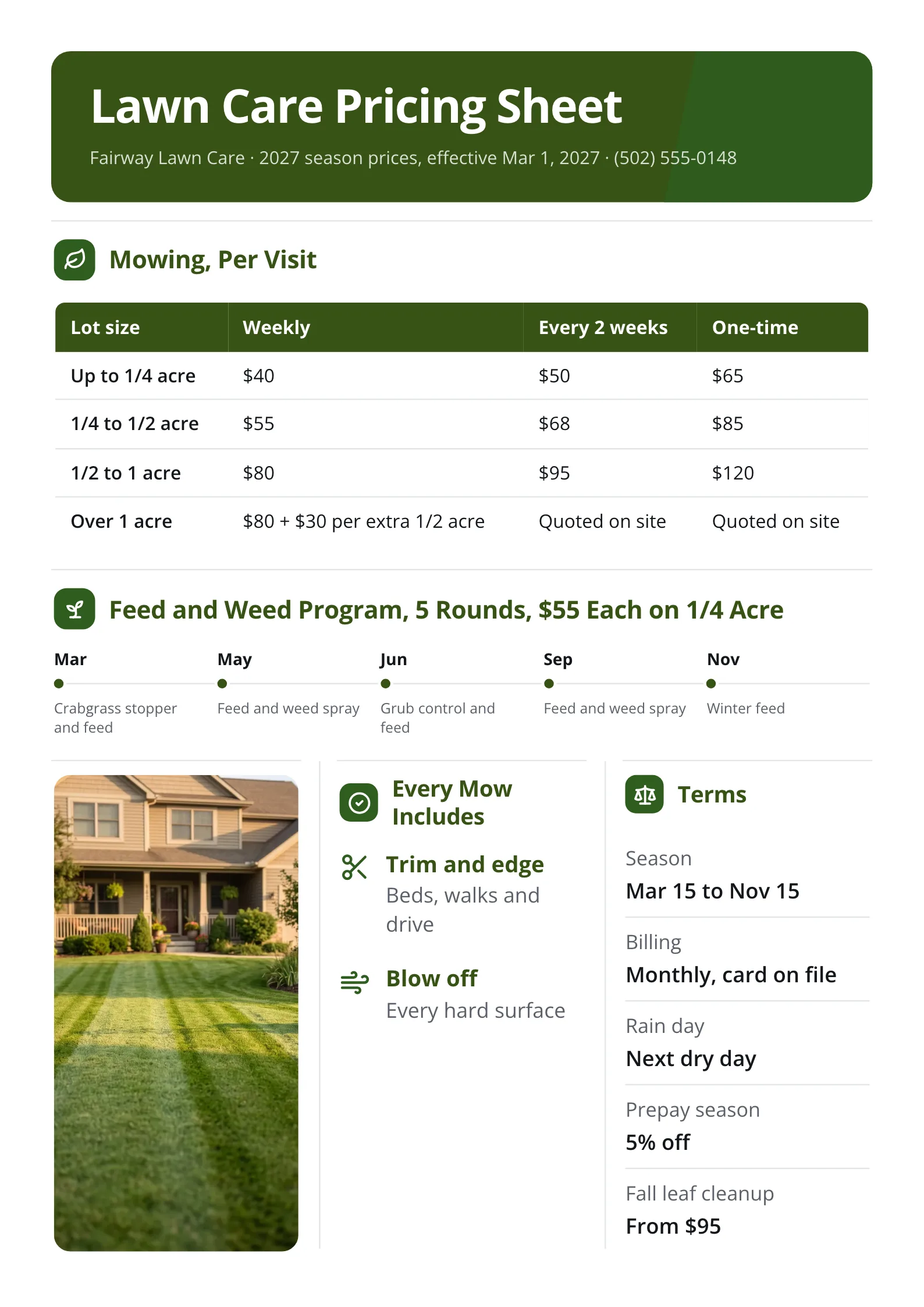
The lawn care pricing sheet gets the unit right twice. Mowing is priced per visit, by lot size and by how often you book: a quarter acre is $40 weekly, $50 every two weeks and $65 as a one-off. Customers see at a glance that booking weekly is the cheapest price per cut, which is exactly what the business wants them to see.
The best line on it is the bottom row of that table: "Over 1 acre, $80 + $30 per extra 1/2 acre". That's a formula, not a "call for quote", so a customer with a 2-acre lot can work out $140 a visit on their own. The other two columns for big lots do say "Quoted on site", which is fair for a big lot you haven't seen.
Where it's lighter: the extras. Fall leaf cleanup is "From $95", with no unit or size behind it. A "from" price is fine when the job truly varies, but say what moves it: "From $95 on a quarter acre, by the number of bags" tells the customer why their quote came in at $160.
Custom cake: a price per size, and how many it serves
 Edit this template
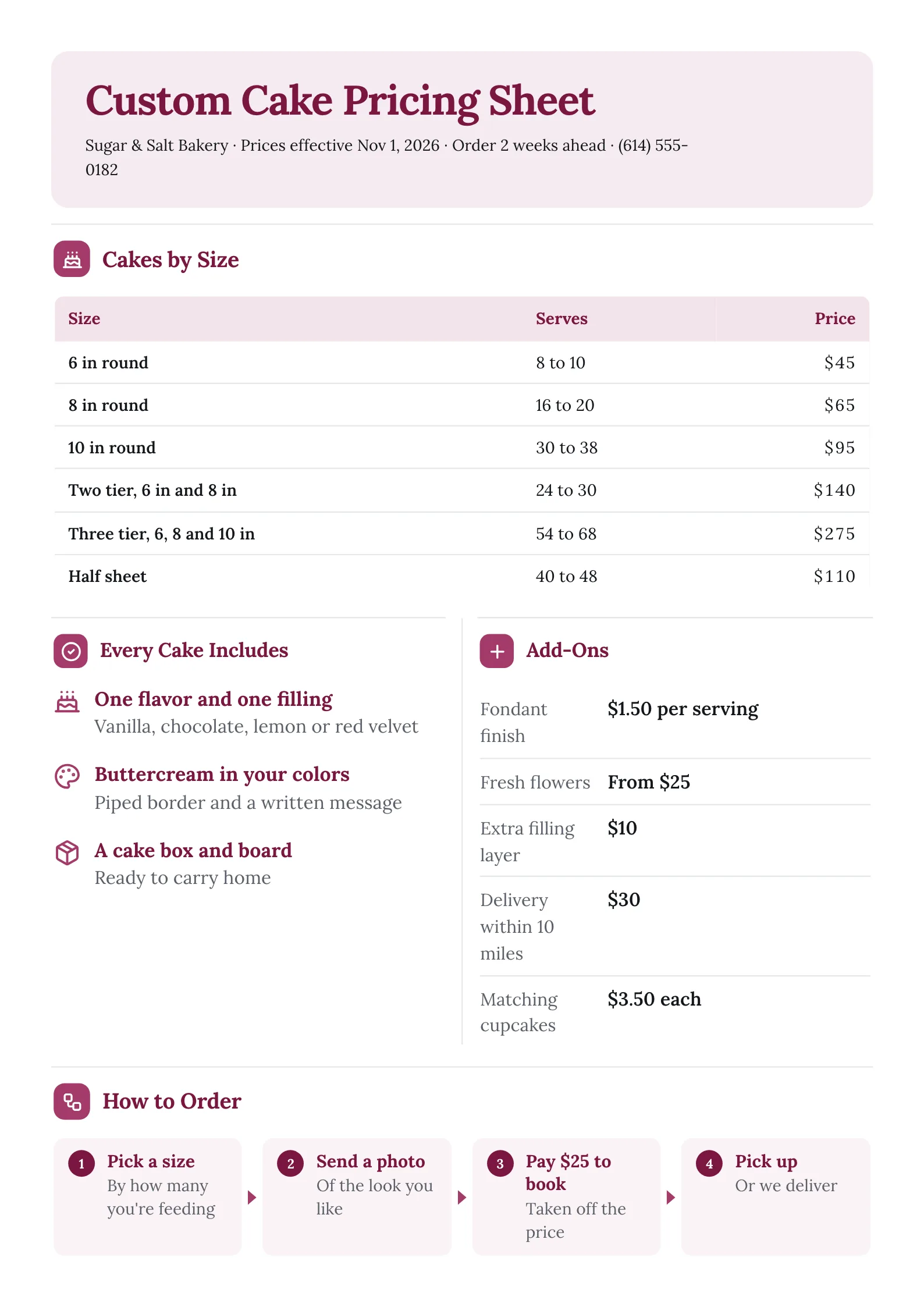
The custom cake pricing sheet has the most useful column of any example here: "Serves". A customer doesn't shop for an 8-inch round. They shop for a party of 18. With the serving counts beside each size, from 8 to 10 people for a $45 six-inch to 54 to 68 for a $275 three-tier, the sheet answers that question before the phone rings.
The "Every cake includes" list does the second job well: one flavor and one filling, buttercream in your colors with a written message, and a box and board. That's what the $65 eight-inch buys, so nobody is surprised that the box isn't extra.
Most add-ons carry their own unit. Fondant is $1.50 per serving, matching cupcakes $3.50 each, delivery within 10 miles $30. Because delivery is optional (you can pick the cake up), it can sit in the add-ons box instead of inside the cake price. That difference, optional against required, is the line the next section is about. The subtitle also carries the lead time, "Order 2 weeks ahead", which is a term, not a price, but it belongs on the same sheet.
The rule that decides where a fee goes
California made the fifth part of our table a law. Since July 1, 2024, Civil Code section 1770(a)(29) bans "advertising, displaying, or offering a price for a good or service that does not include all mandatory fees or charges", with two exceptions: taxes or fees a government puts on the sale, and postage or carriage to ship a physical item. The California Attorney General's office calls it the Honest Pricing Law, and its FAQ (read November 22, 2026) puts it simply: "the price a Californian sees should be the price they pay."
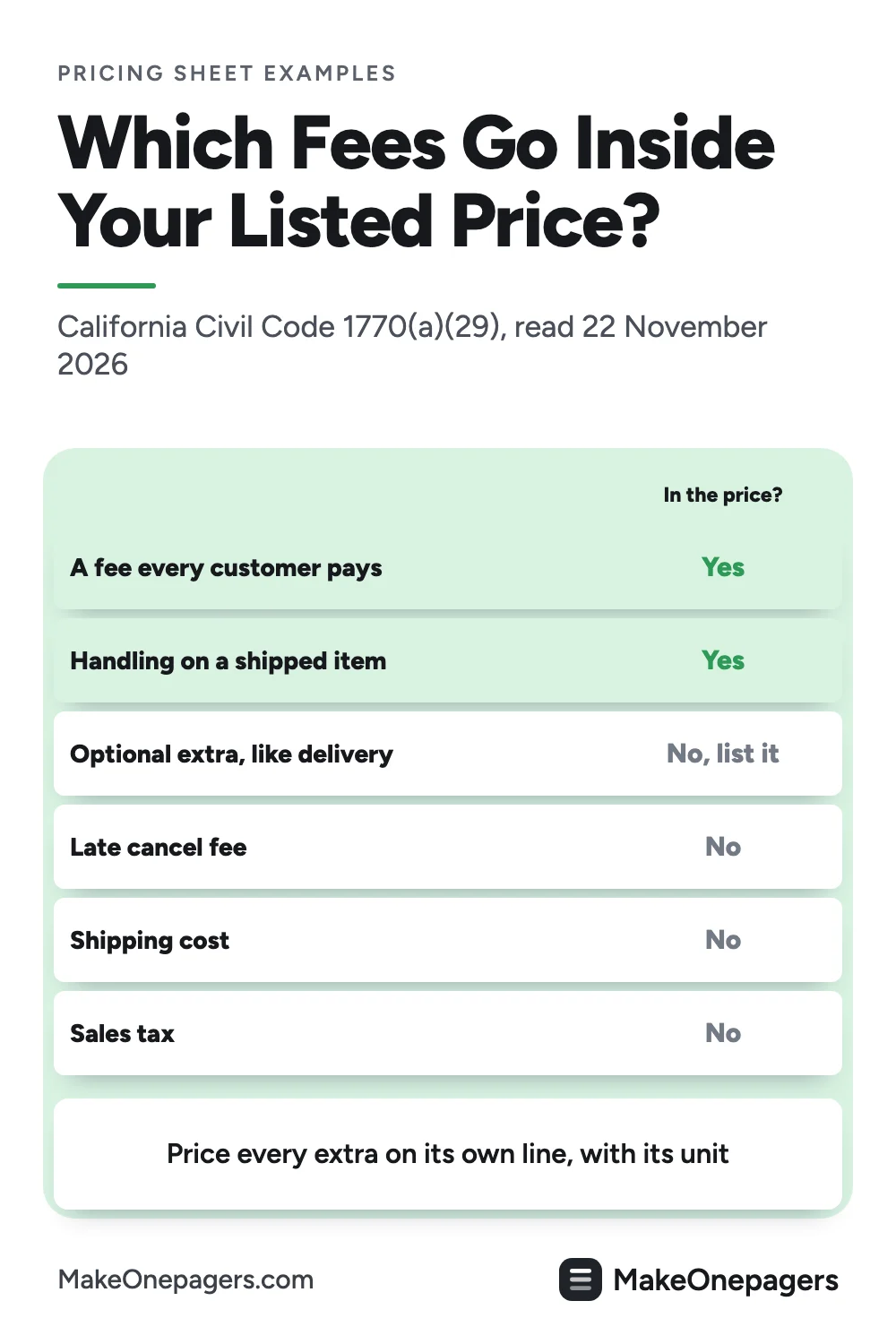
The FAQ also answers the three questions every pricing sheet raises, and they map straight onto the examples above:
| Kind of charge | Does it go inside the listed price? | Example from our sheets |
|---|---|---|
| A fee every customer must pay | Yes | A required "trip fee" on a detailing price would have to be built into the $75 |
| An optional extra | No, list it separately | Cake delivery at $30, headlight restore at $60 |
| A fee that depends on what the customer does later | No | The tutoring sheet's "Cancel 24 hours ahead, or the session is charged" |
| A handling charge on a shipped item | Yes | Shipping can be added, handling can't |
| Government taxes | No | Sales tax |
The FAQ also closes the usual loophole. Asked whether a business can comply by disclosing the extra fees before the customer pays, it answers no: the listed price "must be the full price that the consumer is required to pay." Restaurants, bars and some food sellers have a narrower exception, as long as the fee is shown clearly with its purpose.
Two limits matter. The law sits in California's Consumers Legal Remedies Act, which covers people buying "for personal, family, or household purposes" (Civil Code 1761(d)), so a managed IT contract with a business is outside it. And it's one state's rule, not legal advice for yours. But it's a good test anywhere: if a customer can't avoid a charge, it belongs in the price they read first, or, for business buyers, right next to it in the same size type.
Build yours in six moves
- Start from what customers ask for most. List those first, grouped the way people shop: by package, by size, by level.
- Give every price its unit. Per visit, per hour, per user a month, per serving. A price with no unit is half an answer.
- Say what each price includes. A ticked grid, a column or three short lines under the price.
- Fold in every fee the customer can't avoid. If you charge a setup or trip fee to everyone, put it inside the price. (For business buyers, a line right beside it is the minimum.) Keep true extras in their own box, each with its own price.
- Turn "call for a quote" into a formula where you can. "$80 + $30 per extra 1/2 acre" beats "Quoted on site" for most jobs.
- Add your terms and the date. Minimums, contract length, lead time, cancellation, and "Prices effective" with a real date at the top.
Keep it to one sheet. When a customer can see every price at once, they compare your packages instead of comparing you with the next business. Our pricing sheet template post covers the blank layout and the FTC's date-and-unit habits, and how to make a price list walks through a posted price list step by step.
Where price sheets lose the sale
- A price with no unit. "$45" next to tutoring could be an hour or a month. Write "$45 an hour".
- A required fee in the small print. If everyone pays the onboarding or trip fee, a buyer who finds it on the invoice feels tricked, even if it was on page two.
- "From" with nothing behind it. Say what moves the price up: size, condition, number of bags.
- No date. An old sheet saved on a phone turns into an argument a year later. Date the top and replace it when prices change.
- Too many packages. Three is the norm in every example here. A fourth usually splits customers who would have bought the middle one.
Start from the sheet nearest your trade
Choose the example closest to how you sell: packages, sizes, levels or a bundle. Keep its columns, put in your own prices with their units, fold in any fee everyone pays, and date it. Every sheet above opens in the editor on MakeOnepagers: swap in your services and prices, then download a free PDF to hand out or post.
Frequently asked questions
What is a pricing sheet example?
A pricing sheet example is a filled-in price list for a real kind of business, showing each product or service, its price, its unit and what it includes, so you can copy the structure for your own. The five above cover car detailing, a funeral home, IT support, lawn care and custom cakes.
What should be included in a pricing sheet?
Your business name and contact, a date the prices start, each product or service with its price and unit, what each price includes, priced extras, and your terms (minimums, contracts, cancellation, lead time). Any fee every customer must pay belongs inside the listed price.
What is the difference between a pricing sheet and a price list?
They're mostly the same thing. "Price list" is common for shops and salons that post one list on the wall. "Pricing sheet" or "price sheet" is common for service businesses that hand or send a one-sheet with packages, terms and extras, like the IT support and lawn care examples.
How many packages should a pricing sheet have?
Three is the usual number, and every package sheet here uses three: Express, Full Detail and Showroom, or Essentials, Business and Secure. Three lets the middle option look like the sensible pick, which is why both sheets shade or flag it.
Do I have to include fees in the prices on my price sheet?
In California, for sales to consumers, yes: Civil Code 1770(a)(29) requires the listed price to include every mandatory fee except government taxes and shipping. Optional extras and fees that depend on later conduct, like a late cancellation, can stay separate. Other states differ, so check your own state's rules.




