We Cut 8 Pages of City Council Minutes to One: Meeting Summary Examples
Meeting summary examples for board, team, client, school and project meetings, plus 8 pages of real city council minutes rewritten as one page.

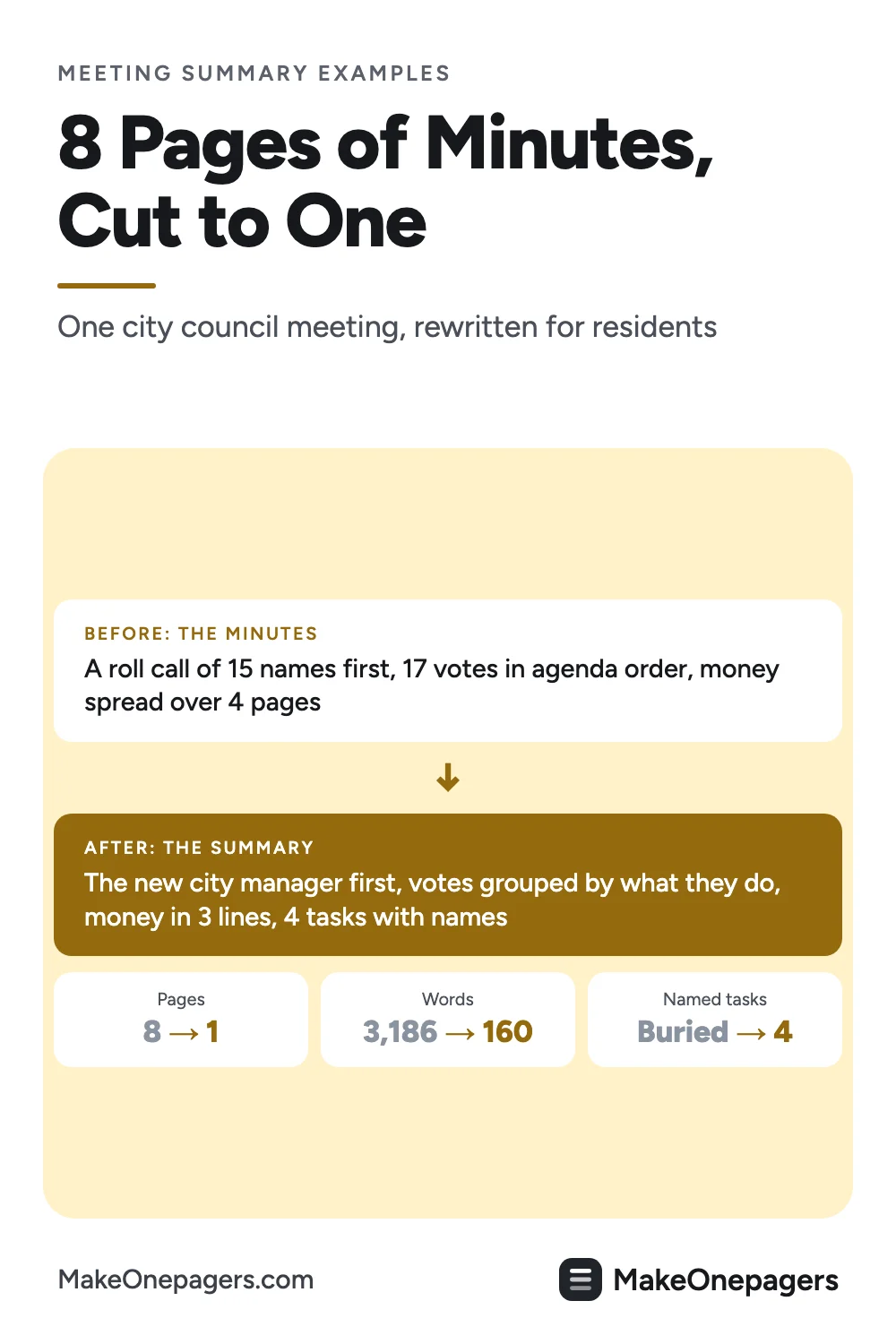
On April 13, 2026, the city council of Jonesboro, Georgia met from 6:02 pm, and its closed session alone ran until 10:50 pm. The official minutes run 8 pages and 3,186 words. Below, those minutes become a one-page summary. Meeting summary examples from MakeOnepagers follow, for a board, a team, a client, a school and a project. Last, we time how fast 6 more public summaries from 2026 reached their readers, from one day to 33, so you can set your own deadline.
One‑Pager examples
Real One-Pagers made with MakeOnepagers. Open any one to edit it as your own.
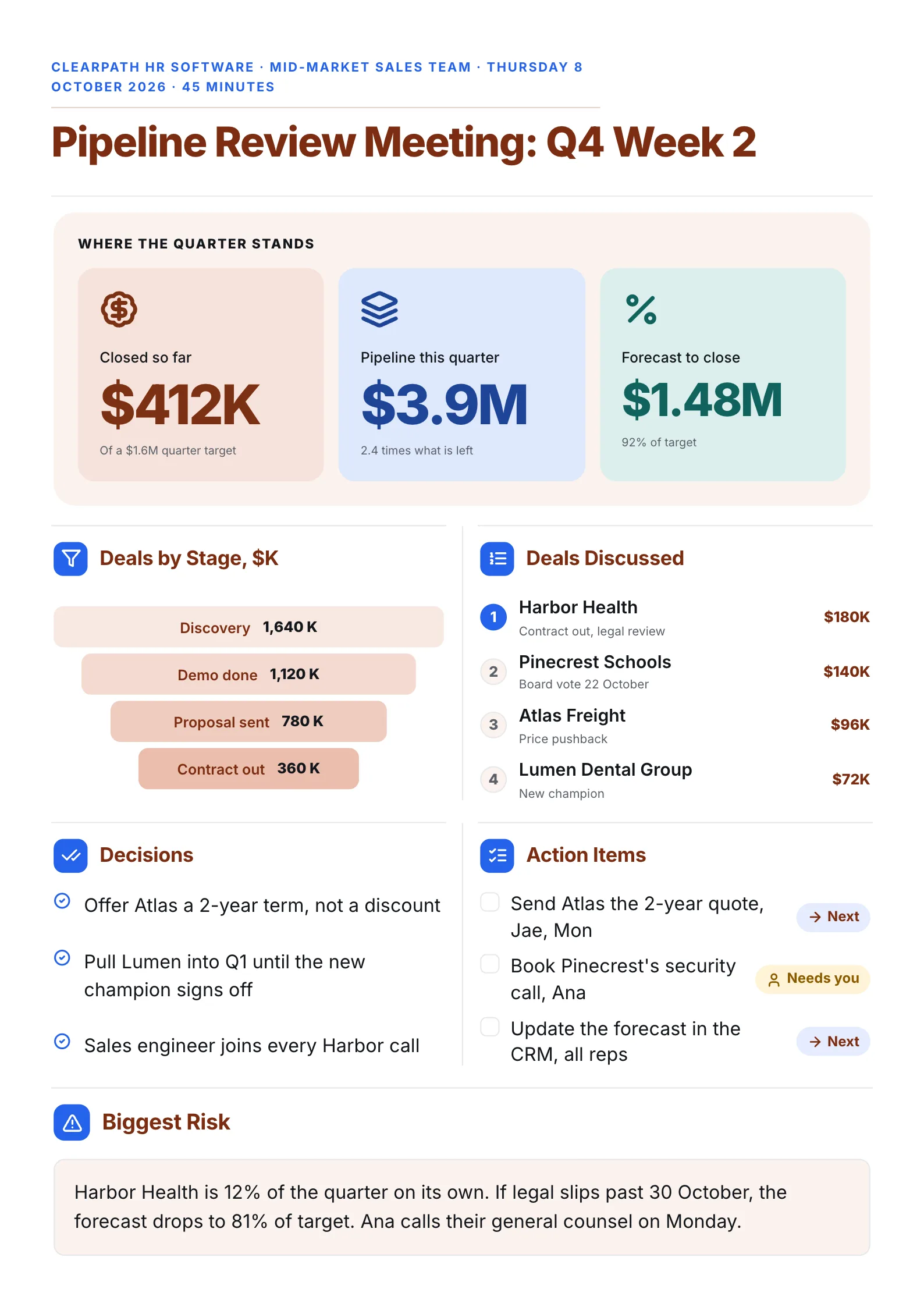 Meeting Summary: Sales Pipeline ReviewEdit for free(opens in a new tab)
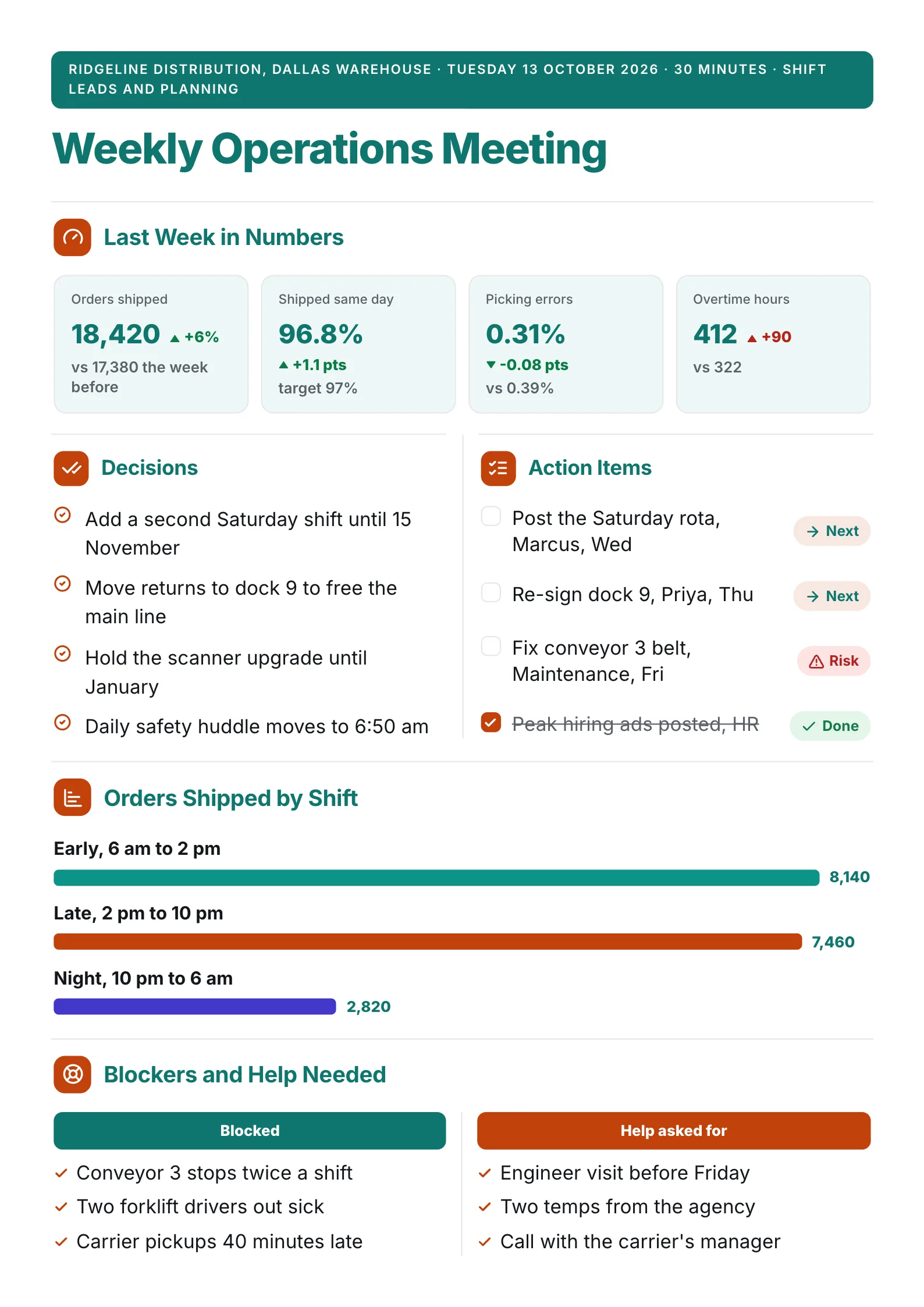 Meeting Summary: Weekly OperationsEdit for free(opens in a new tab)
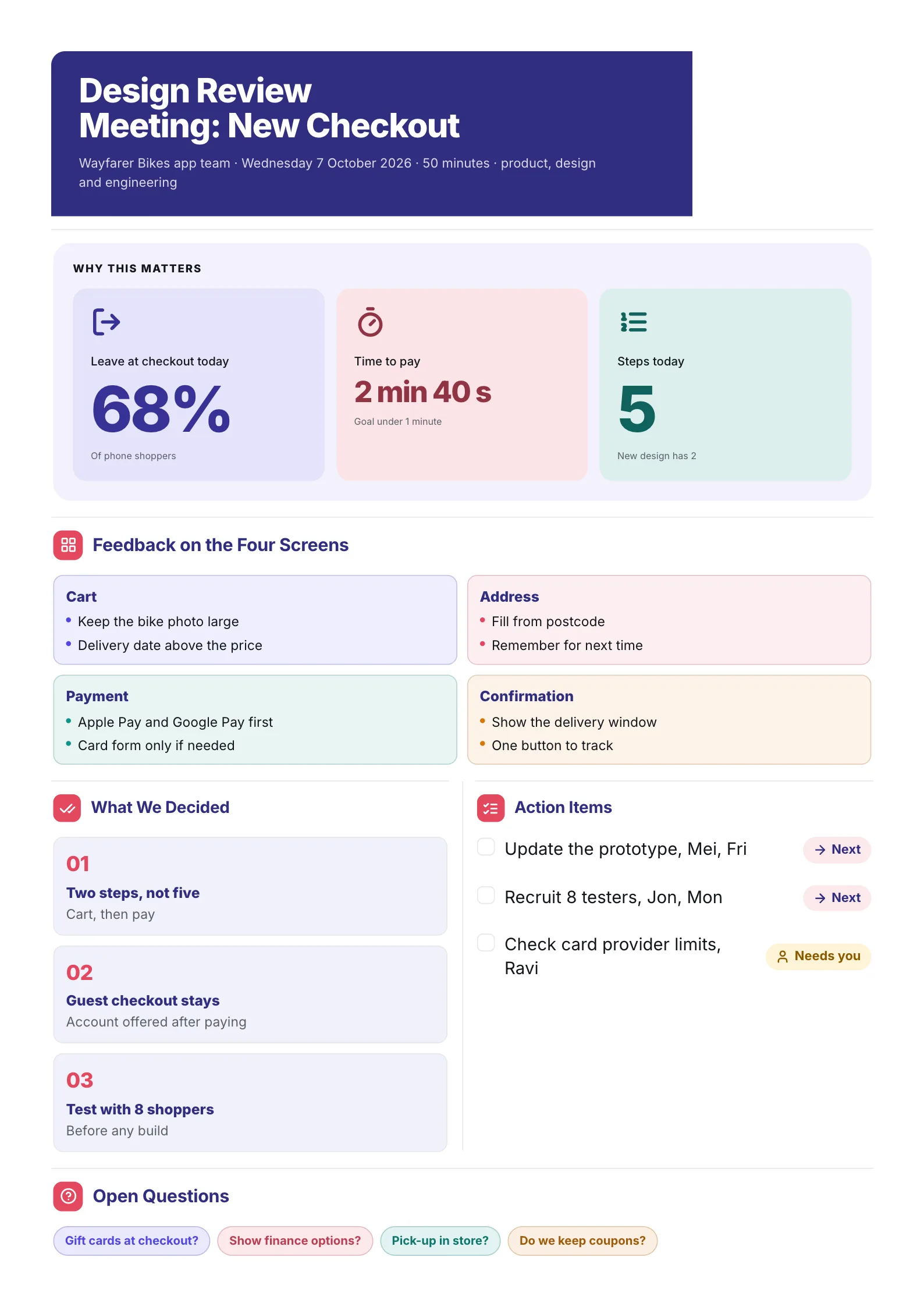 Meeting Summary: Design ReviewEdit for free(opens in a new tab)
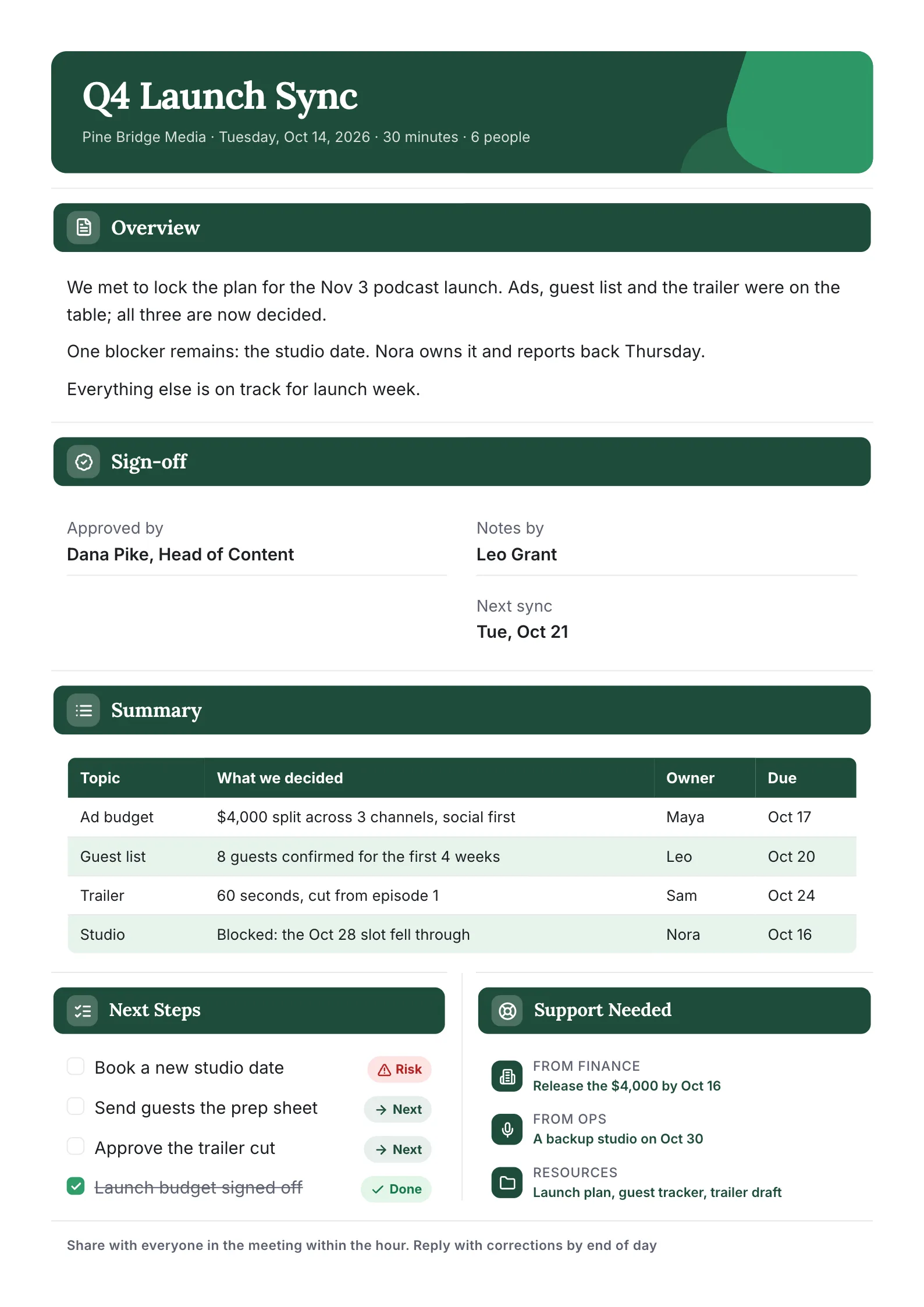 Meeting Summary One-PagerEdit for free(opens in a new tab)
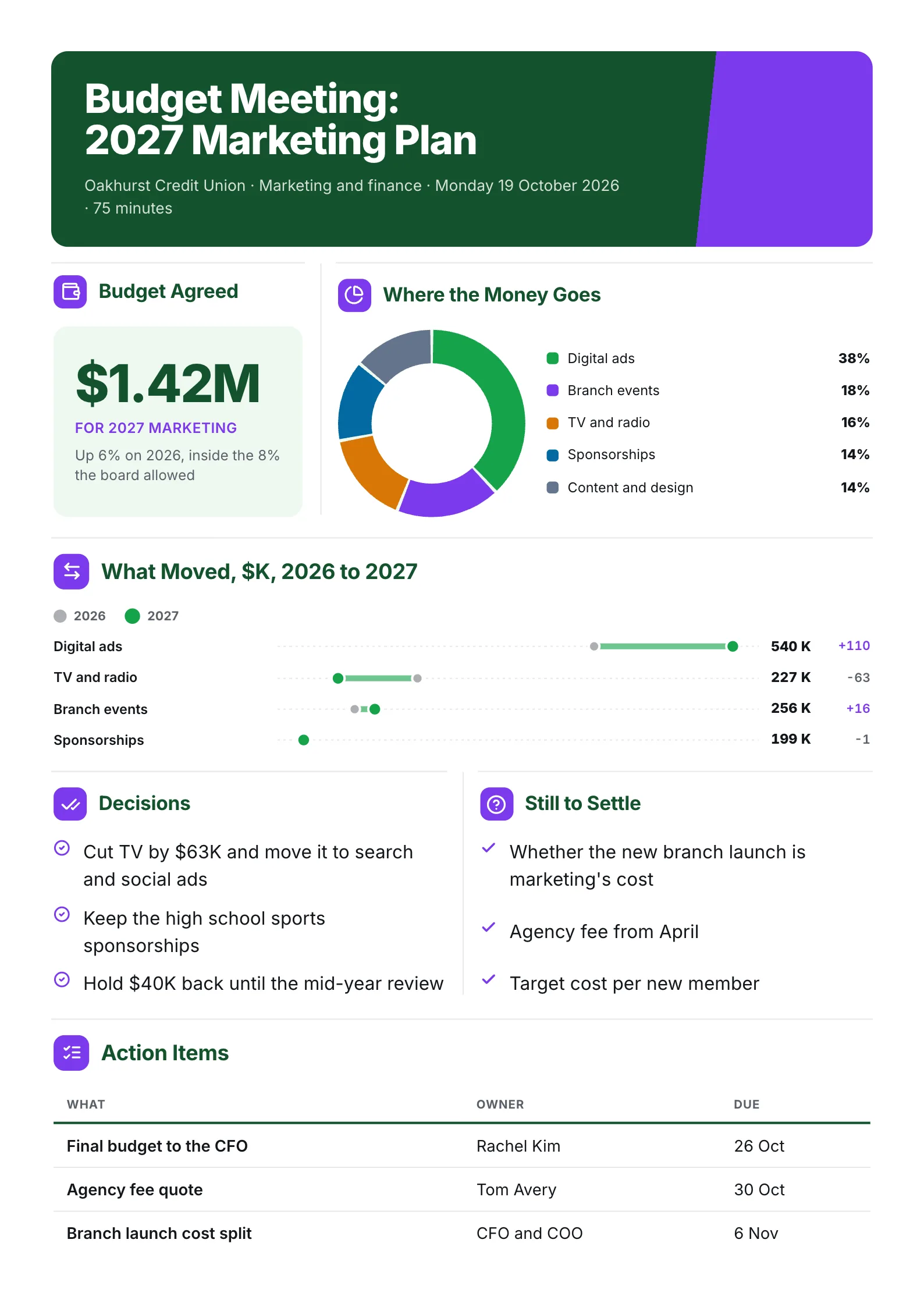 Meeting Summary: Budget PlanningEdit for free(opens in a new tab)
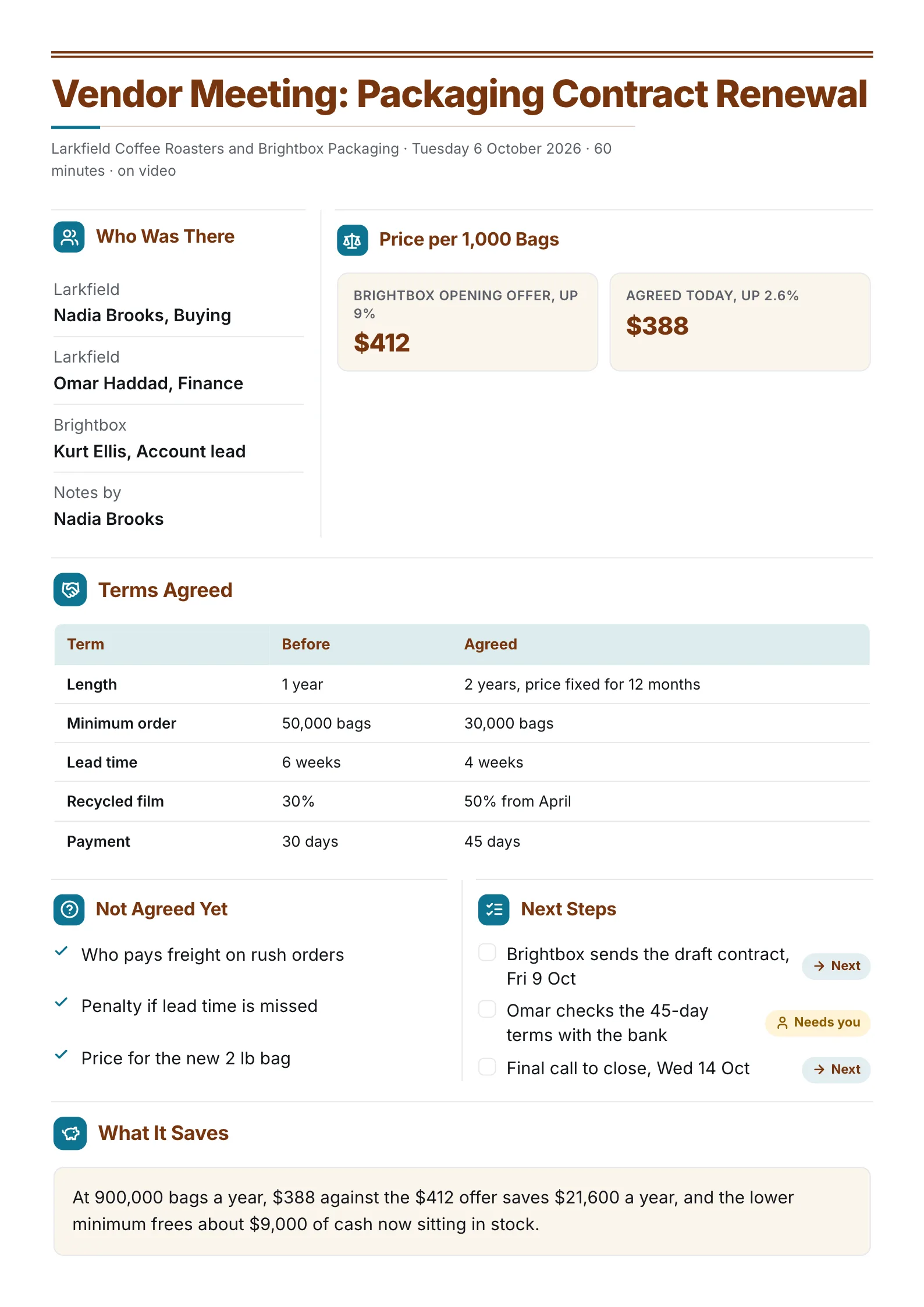 Meeting Summary: Vendor NegotiationEdit for free(opens in a new tab)
Before: 8 pages of minutes from Jonesboro, Georgia
Minutes are the legal record of a meeting, so they walk you through the agenda line by line. Jonesboro's make you read a roll call of 15 names, an invocation and the pledge first. Then you get two presentations, a proclamation, public comment and two public hearings. You'll count 18 lines that start with "RESULT." Seventeen of them are votes, and every one passed unanimously. One motion was even withdrawn and made again, because the city attorney said a grant and its agreement belonged in a single vote.
The biggest decision waits for you on page 8. The council went into a closed session at 8:14 pm and came back at 10:50 pm. Then it named Blue Cole city manager, effective immediately. If you read from the top, you'd get through about 935 words of councilmember and mayor reports first, close to 3 of every 10 words in the minutes.
One item shows why a summary needs a careful hand. For a pavement survey, the public works director recommended a quote of $30,025. A few lines later, the director said $36,000 would cover pavement, striping, sign posts and trees in the right of way. The motion that passed was for $39,000. Your summary can carry only one number, and the motion's $39,000 is the one that counts.
After: the same meeting on one page
Here's the rewrite you could send the morning after. It leads with what changed for residents and folds 17 votes into a few lines.
Jonesboro City Council, April 13, 2026: what changed
- New city manager: Blue Cole, starting now, at $140,000 a year plus $600 for a car. Pay rises to $160,000 after 90 days.
- Money in: a $125,000 nutrition grant, run with the Salvation Army's Jonesboro Citadel Corps.
- Money out: $39,000 for a pavement condition survey.
- Also approved: an alcohol license on Tara Boulevard, a stream buffer variance on South Main Street, a fence ordinance update, new striping on Fayetteville Road, and street closures on April 25 and September 12.
- Still waiting: the education trust pilot returns May 11. The JYCG resolution goes back for the clerk's format.
- Who does what next: Mayor Sartor and the city attorney release a sanitation request for proposals this week. Public Works Director Heard posts that the request is only exploratory. Councilmember A. Dixon brings back a $1,600 wellness request and the resolution.
Every vote was unanimous. The full minutes are on the city's website.
| Before: the minutes | After: the summary | |
|---|---|---|
| Length | 8 pages, 3,186 words | 1 page, about 160 words |
| First thing you read | Roll call of 15 names | The new city manager and the salary |
| Votes | 17, in agenda order | Grouped by what they do, with one line saying all were unanimous |
| Money | Spread over 4 of the 8 pages | Three lines near the top |
| Follow-ups | Buried in paragraphs | 4 tasks, each with a name |
| Reports and thanks | About 935 words | Left in the minutes |
A resident reading your page loses nothing they need to act on. The thanks and event plugs are real, and you'll still find them in the record. Your summary just points there.
To do this with your own minutes, start with a highlighter and the vote lines. Mark every motion that passed, then every task someone agreed to do. You'll usually find the tasks inside paragraphs, where a name sits next to "bring back" or "will provide." Jonesboro had 4 of them, and none sat in a list. Write each one as a person plus a verb, and add a date if the minutes give one. Then read your draft as someone who missed the meeting. If you'd still have to open the minutes to know what changed, move that line up.
Meeting summary examples by meeting type
Each sample below is a one-page summary built for one kind of room. As you scroll, look at what sits at the top of each page. The top line is the choice you'll change most from meeting to meeting.
Board and council meetings
 Edit this template
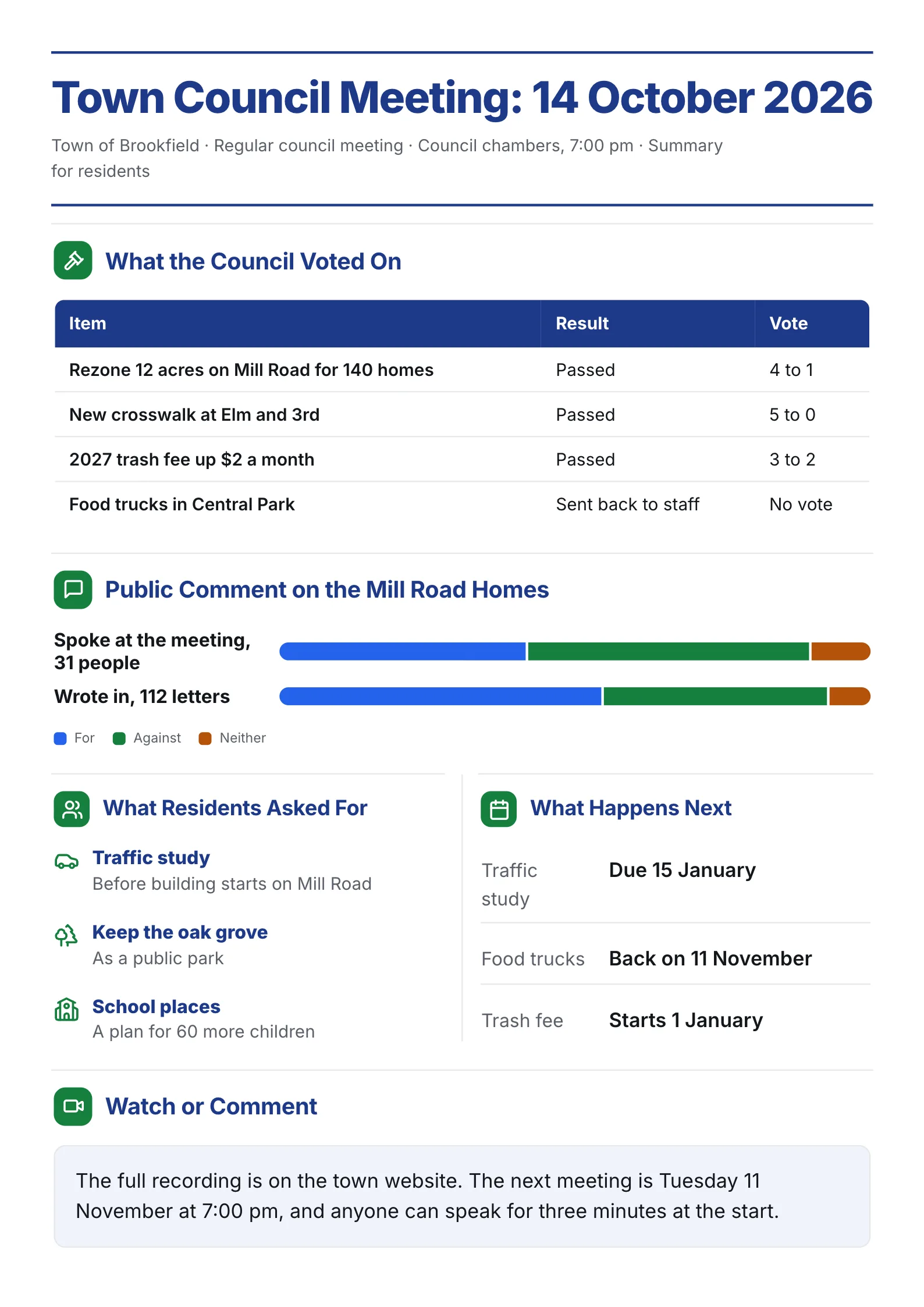
Split votes earn their own column here, since a 3 to 2 vote tells residents the fee could have gone the other way.
The Town of Brookfield summary puts its votes in a table: item, result, vote. You read four items in four rows. Below it, you see public comment on the Mill Road homes counted, with 31 people speaking and 112 letters written in. Then "What Happens Next" gives three dates, from November 11 to January 15.
The vote column earns its space because Brookfield's votes were split. When your votes are all unanimous like Jonesboro's 17, a column would repeat one word, so one sentence does the job better. Walla Walla, Washington shows the split case in real life. Its April 22, 2026 recap prints a tally on all 8 items, and one of them, an annexation, passed 5 to 2.
Team meetings
 Edit this template
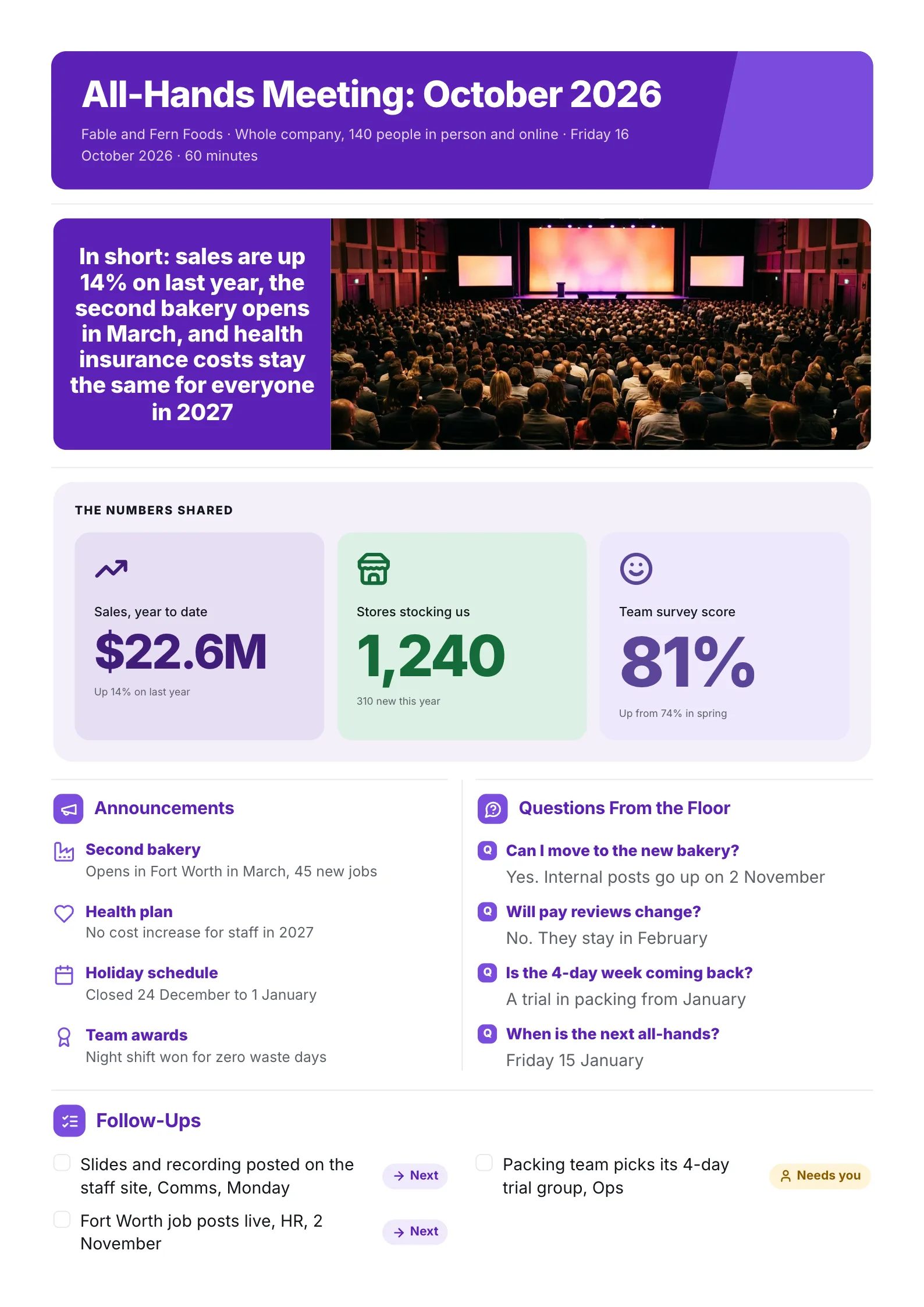
The questions from the floor are what most of the 140 people will scroll back to find.
Fable and Fern Foods opens with an "In short" line that covers sales, the new bakery and health costs in one sentence. Next, you see three number tiles: $22.6M in sales, 1,240 stores and a survey score of 81%, up from 74% in spring. Then four questions people asked, each answered in a few words. Can I move to the new bakery? Yes, and internal posts go up November 2.
For your own team meeting, write the answers as plainly as the questions came. Anyone who missed the meeting will look for their own question first. Two of the three follow-ups name a team and a day, such as HR posting the Fort Worth jobs on November 2.
Client meetings
 Edit this template
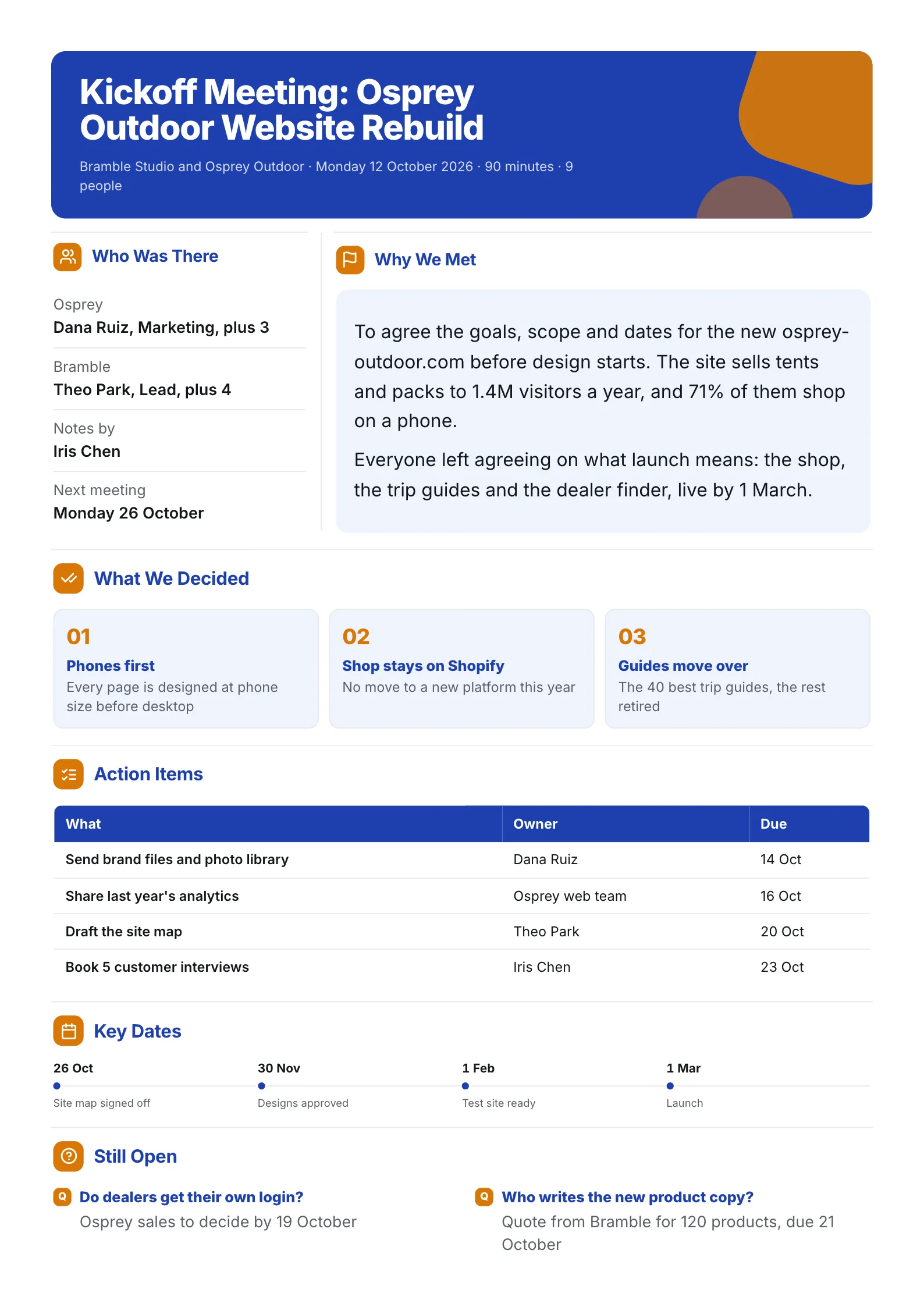
Owners on both sides get named, so nobody on the client's team can assume the studio has it.
The Osprey Outdoor kickoff lists who came from each company, then why you met in two sentences. Three decisions follow: design for phones first, stay on Shopify and move the 40 best trip guides. Each of the four action items names an owner and a date, from Dana Ruiz sending brand files by October 14 to Iris Chen booking 5 customer interviews by October 23.
Its strongest block is "Still Open." Each open question names who decides and by when. Osprey's sales team decides on dealer logins by October 19. When a client meeting ends with a loose end, this is where you pin it down.
School meetings
 Edit this template
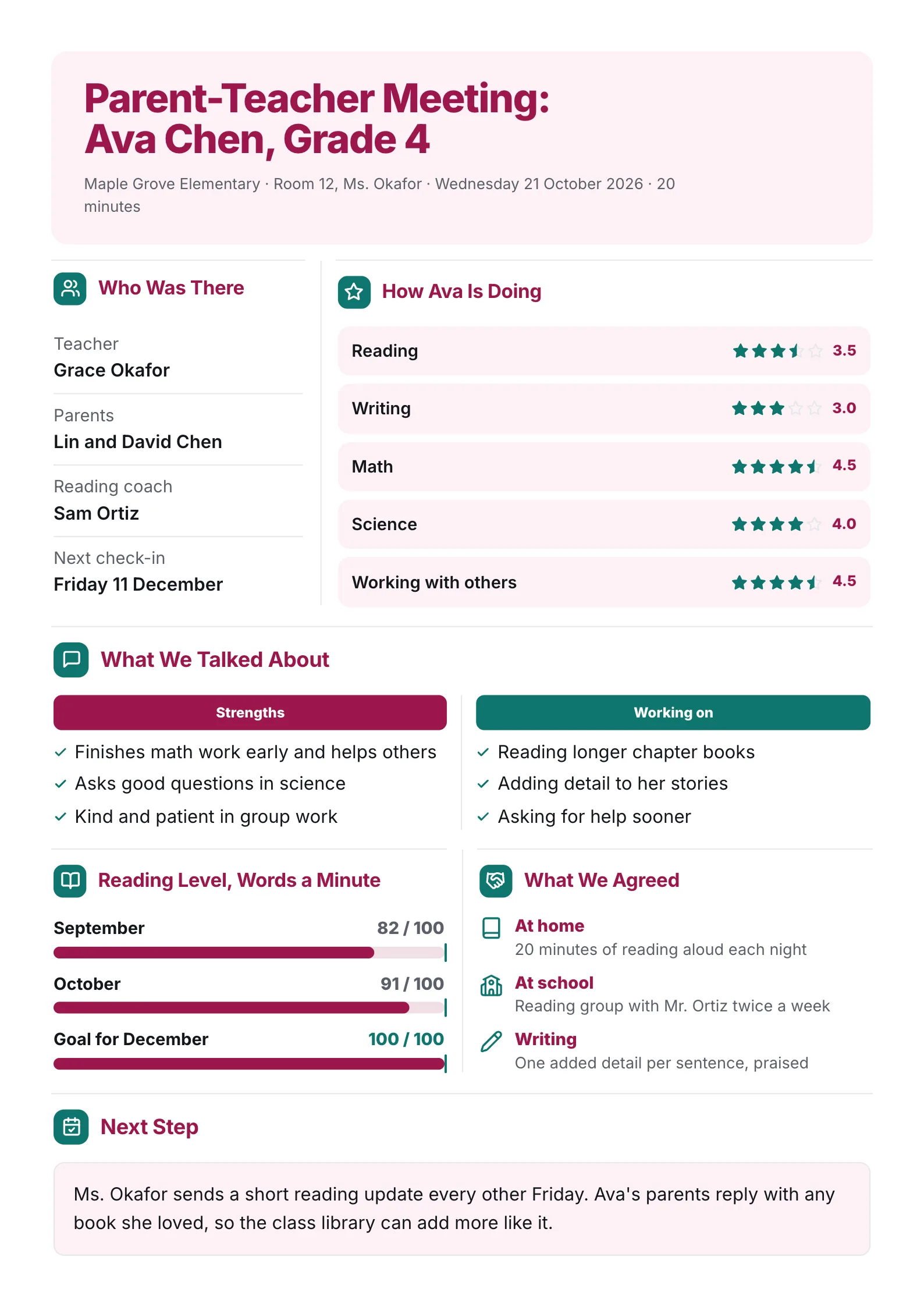
Splitting the agreements into home and school tells the family exactly which half is theirs.
Ava Chen's conference took 20 minutes, and you can read the page just as fast. Five subject ratings sit at the top, from 3 in writing to 4.5 in math. A small chart shows Ava's reading speed going from 82 to 91 words a minute, with 100 as the December goal. Under "What We Agreed," home gets 20 minutes of reading aloud each night, and school gets a reading group twice a week.
School boards write a different kind of summary. Williamson County Schools in Tennessee opened its June 15, 2026 recap with one decision: the board extended the superintendent's contract by one year. Sycamore District 427 in Illinois added a short video from its superintendent. Either way, you put the decision that affects families most in the first line.
Project meetings
 Edit this template
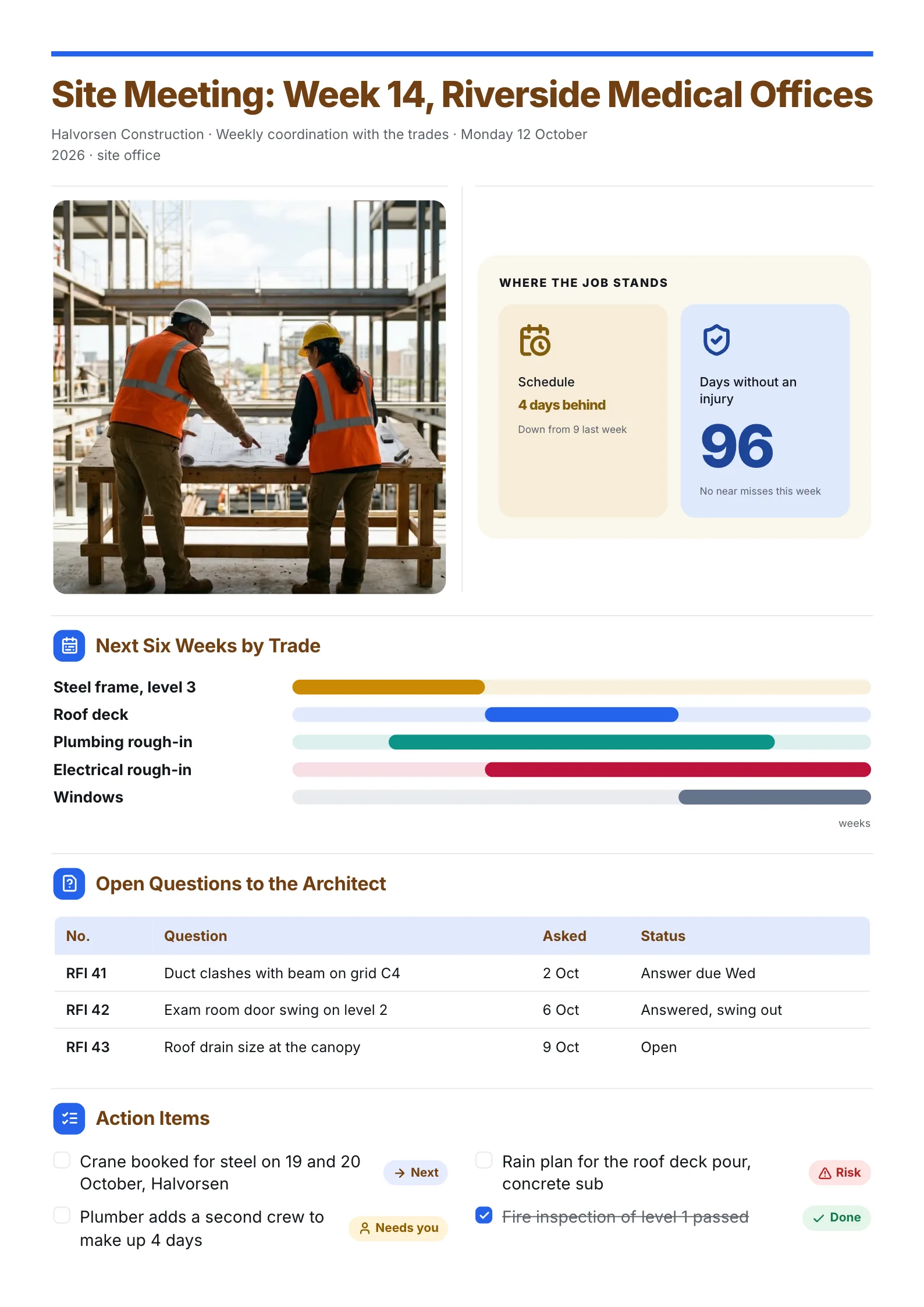
Numbered questions let next week's summary say "still open" without retelling the whole problem.
The Riverside Medical Offices summary is a weekly site meeting, week 14. Its top line tells you the job is 4 days behind, down from 9 the week before. Then you see 96 days without an injury, a six-week plan by trade and three numbered questions to the architect. RFI 41 has an answer due Wednesday, RFI 42 is answered and RFI 43 is still open.
Project meetings repeat, so your summary should make the next one easier. Number the open items and keep the numbers from week to week. Then anyone can scan for "RFI 43" and see how long it has waited.
How fast 6 public summaries reached their readers
We read 6 more summaries that public bodies published in 2026, and timed each one from the meeting to the date on the page.
| Summary | Meeting | Words | Decisions | Vote counts | Out after |
|---|---|---|---|---|---|
| Walla Walla, WA, council recap | April 22, 2026 | about 230 | 8 | 8 of 8 | 1 day |
| Williamson County Schools, TN, Across the Board | June 15, 2026 | about 300 | 8 | 0 | 8 days |
| Sycamore District 427, IL, After the Board | May 26, 2026 | about 540 | 3 | 0 | 16 days |
| National Geospatial Advisory Committee | January 28 to 29, 2026 | 825 | 0 | 0 | 33 days |
| Prairie Village, KS, Council Actions | October 19, 2026 | about 120 | 5 | 0 | Dated before the meeting |
| Maplewood, MN, Council Recap | October 26, 2026 | 93 | 6 | 0 | Not dated |
Walla Walla sent its recap at 1:01 pm the day after the meeting, while people in town were still talking about it. The title tells you the meeting name and date, and each item shows the minute it starts in the meeting video. You can jump straight to the debate you care about, which a set of minutes weeks later can't offer.
Williamson County took 8 days and Sycamore took 16. Both give you the decision families care about most in the opening lines. By the third week, though, many parents will already have heard the news from a neighbor, and your summary becomes the second telling.
The advisory committee shows what a late summary costs. Each of its 8 actions has an owner, such as "3DEP Subcommittee" or "NGAC members," and two carry calendar dates, February 6 and February 20. The summary is dated March 3, so both deadlines had passed when it came out. A summary that lands after its own deadlines can only report them.
Two of the six leave you unsure when they came out. Prairie Village's page carries an October 6 date for an October 19 meeting, and Maplewood's 93-word recap has no date at all. Both still teach you a good line. Maplewood labels itself an "unofficial report" and points to the finalized minutes, and Prairie Village says it covers only items with a binding vote, which answers "where's the rest?" before anyone asks.
Meeting summary FAQ
When should you send a meeting summary?
Send it the morning after, with the meeting name and date in the subject line. Walla Walla's "Recap of the April 22, 2026, City Council meeting" went out on April 23, and a reader could tell from the subject alone which meeting it covered. Our guide on how to write a meeting summary walks through the draft itself.
Can a meeting summary replace the official minutes?
For a council or school board, no. The minutes are the record the board approves at a later meeting, and Jonesboro approved two earlier sets of minutes at this one. Call your summary unofficial and link to the minutes, the way Maplewood does. A board that votes on budgets and contracts also needs a paper before the meeting, and our board meeting report guide covers what directors expect in it.
Should a meeting summary show vote counts?
Show them when any of your votes is split, the way Walla Walla prints 7 to 0 and 5 to 2. When every vote is unanimous, one sentence saying so is enough. The meeting summary template post has a one-page layout you can copy for either case.
How do you summarize a meeting where nothing was decided?
Lead with the actions and say why there was no decision. The advisory committee made no recommendations in January 2026. It still listed 8 actions with owners, and a comments box explained it was waiting on new members.
Publish it within days, with the decision on top
Your minutes can take weeks, because the board has to approve them at its next meeting. Your summary has no such wait. Jonesboro hired a city manager on April 13, and a resident reading the minutes reaches that news after about 935 words of reports. Walla Walla had its recap out at 1:01 pm the next day. Open with the hire, the vote or the dollar figure people will ask about, and send it that week.
Riverside opens on days behind schedule, Fable and Fern on an "In short" line, Ava Chen's page on five ratings and Osprey on who came from each company, so pick the top line your own room will ask about first.




