How to Write a Lesson Plan: What 145 NASA Lesson Plans Share
How to write a lesson plan, from 145 NASA JPL lesson plans: the 8 sections they follow in order and what goes in each one.

To learn how to write a lesson plan, start with the goal. Write what your students will be able to do by the end, and the standard it meets. Then list what you need, how you'll set up the room, and the steps you'll follow. Add the questions you'll ask, how you'll check what they learned, and what to try next. That's the whole plan. Start from a free one pager template.
One‑Pager examples
Real One-Pagers made with MakeOnepagers. Open any one to edit it as your own.
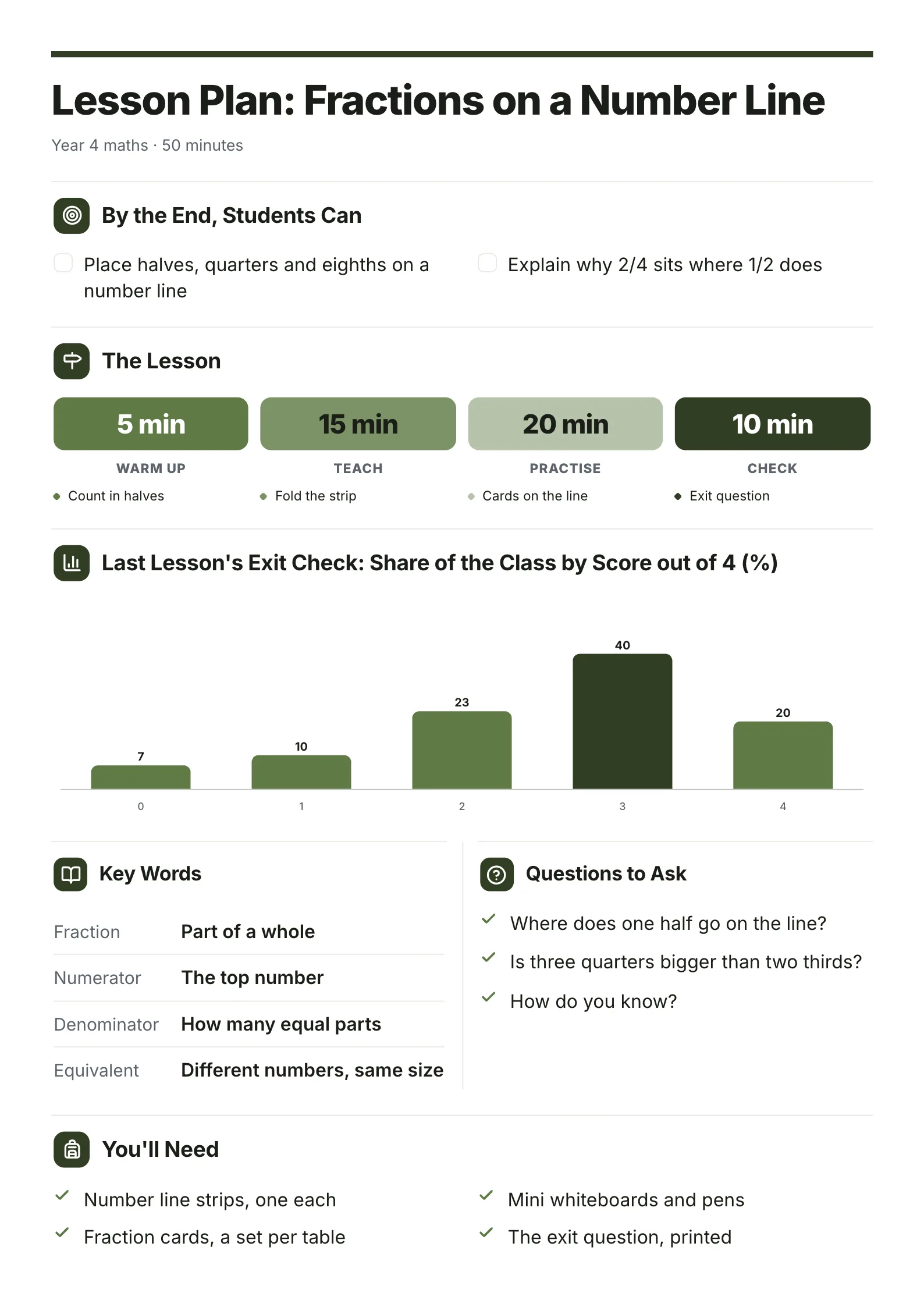 Lesson PlanEdit for free(opens in a new tab)
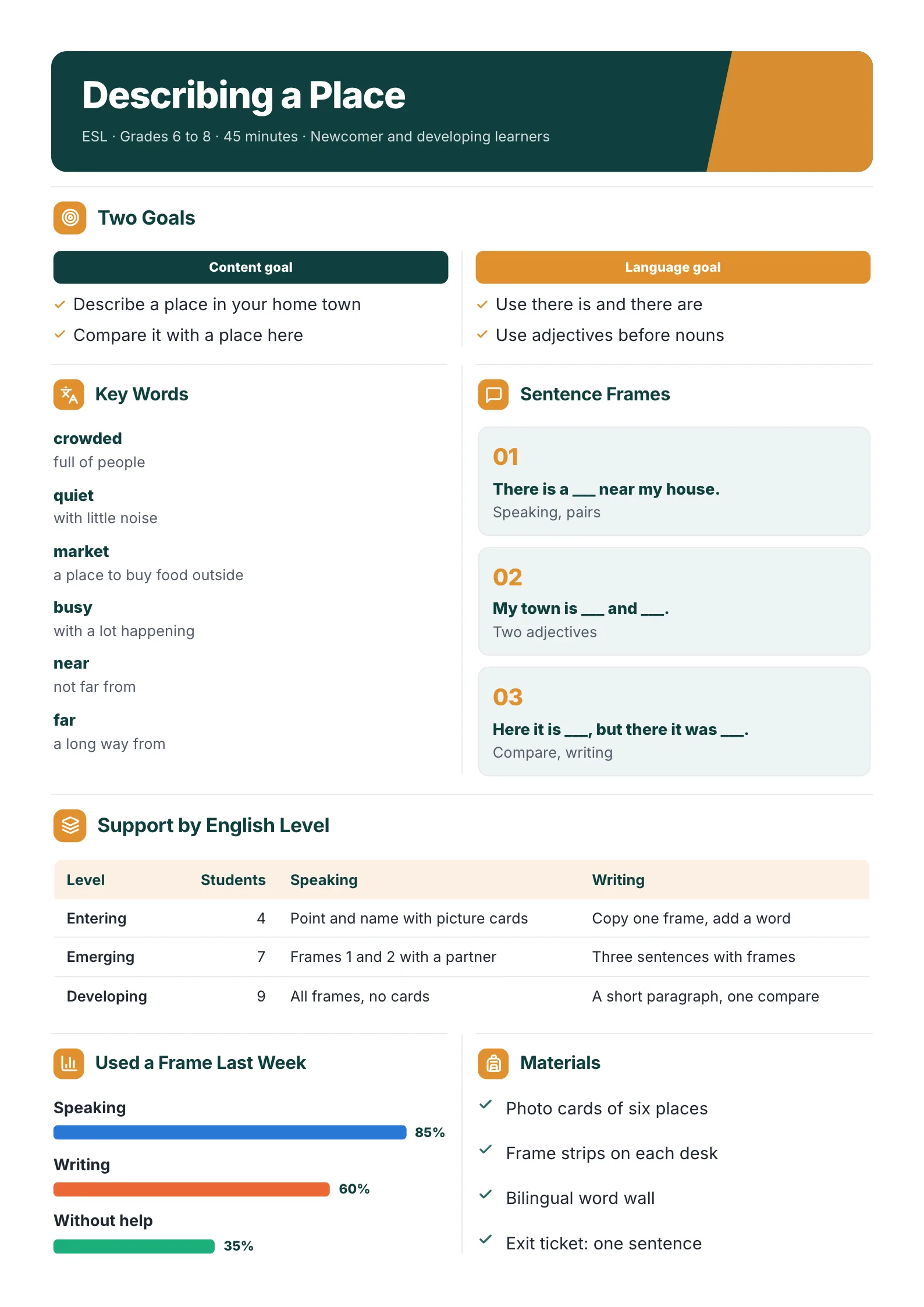 Lesson Plan: ESLEdit for free(opens in a new tab)
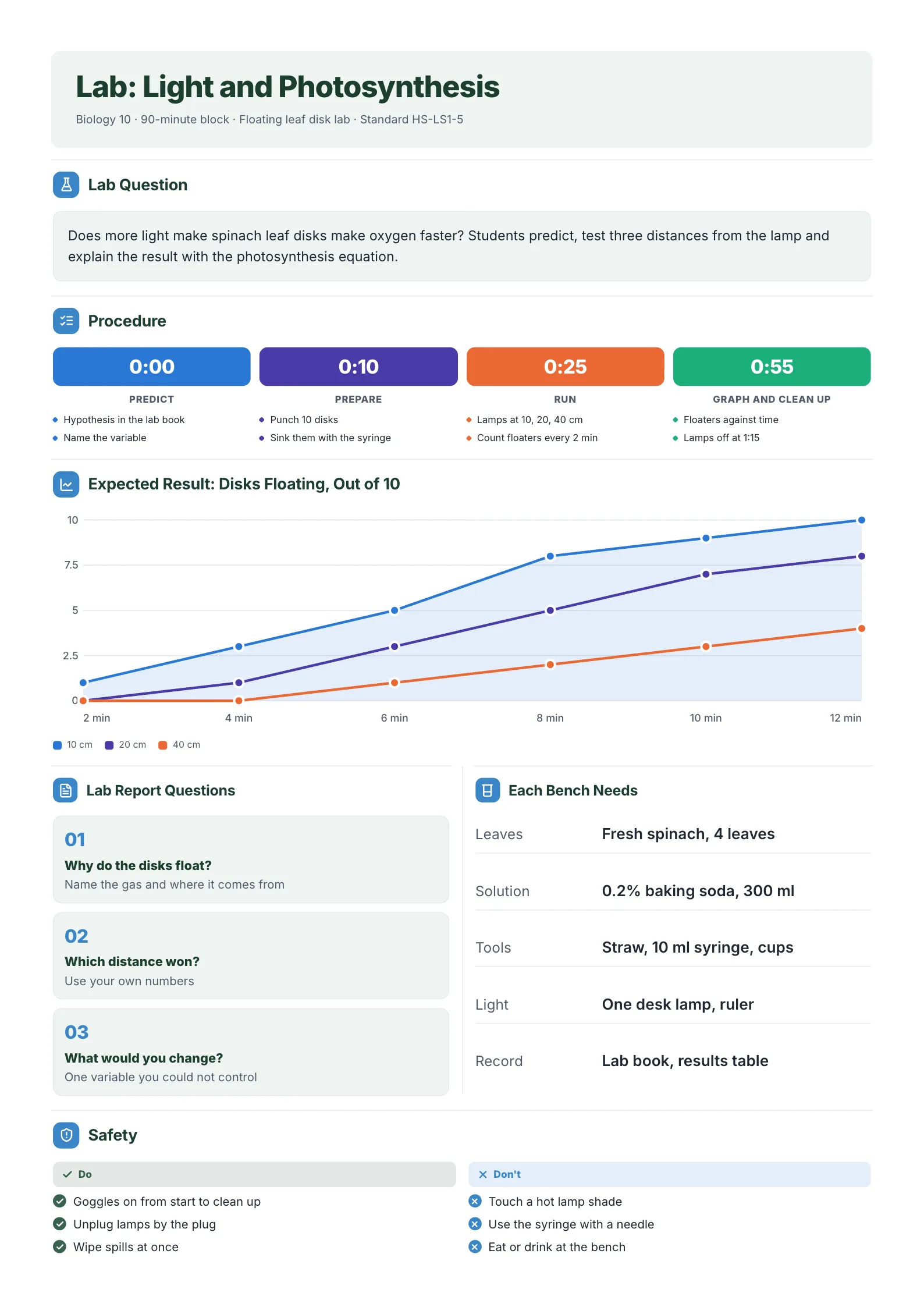 Lesson Plan: Biology LabEdit for free(opens in a new tab)
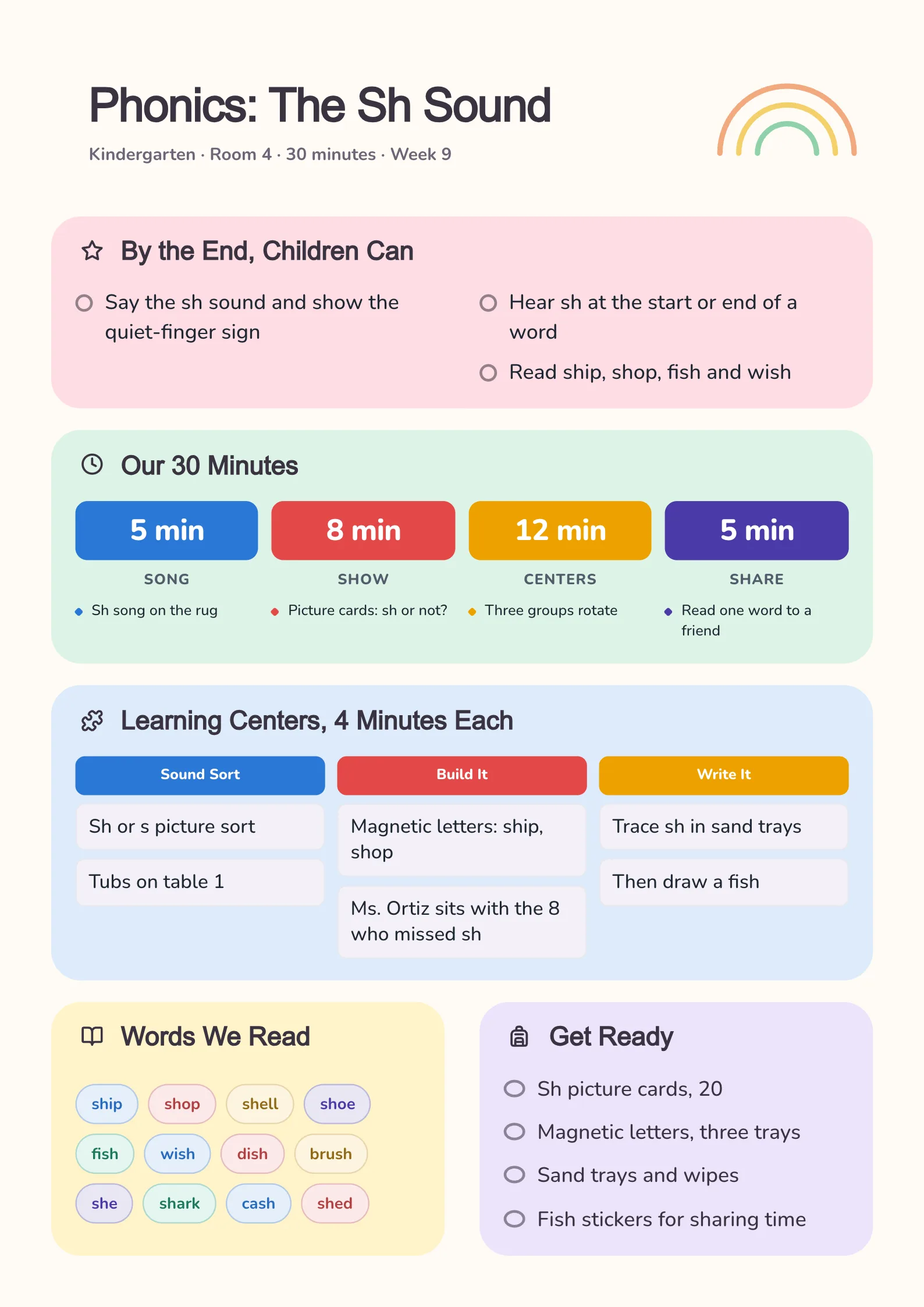 Lesson Plan: Kindergarten PhonicsEdit for free(opens in a new tab)
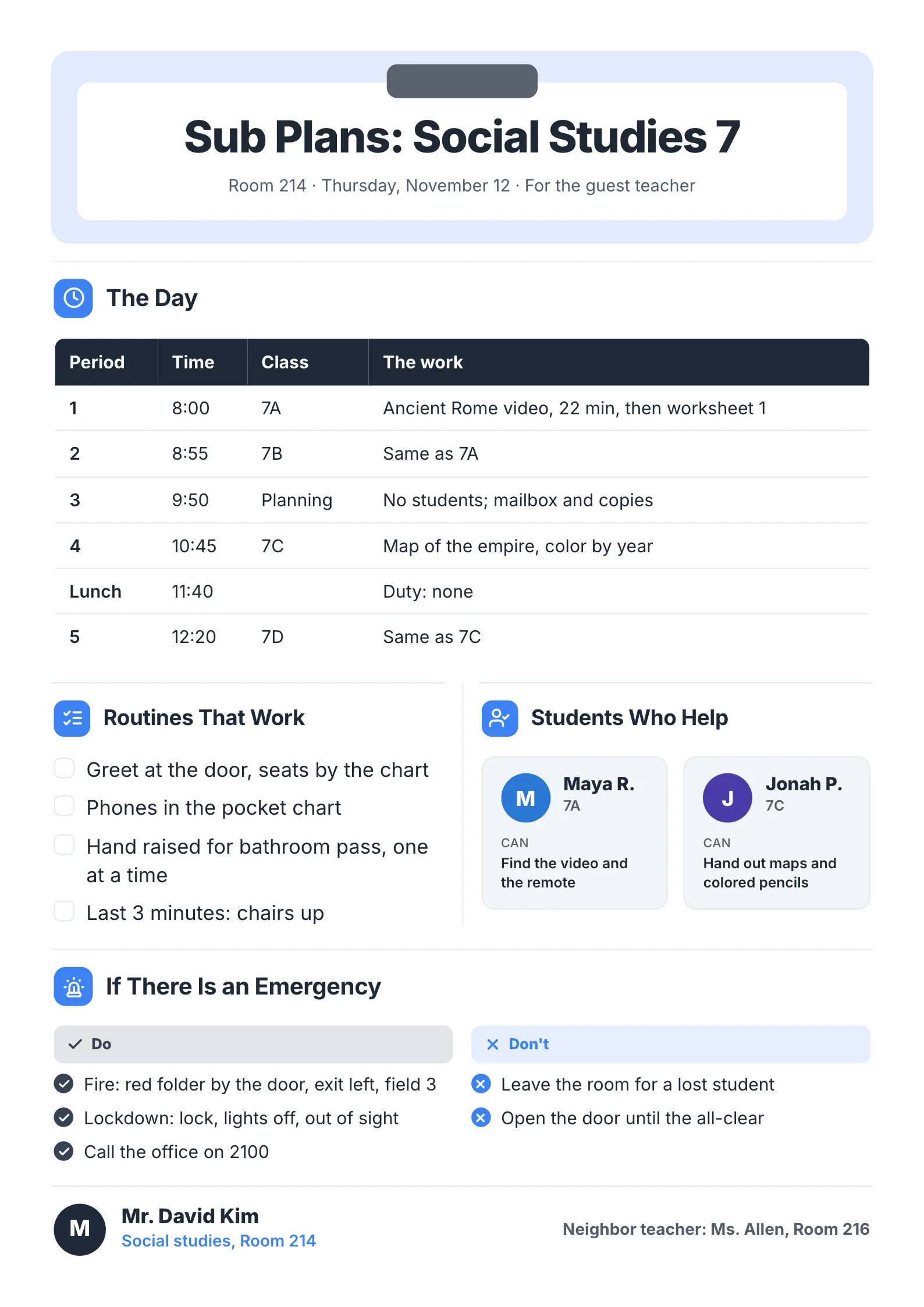 Lesson Plan: Substitute TeacherEdit for free(opens in a new tab)
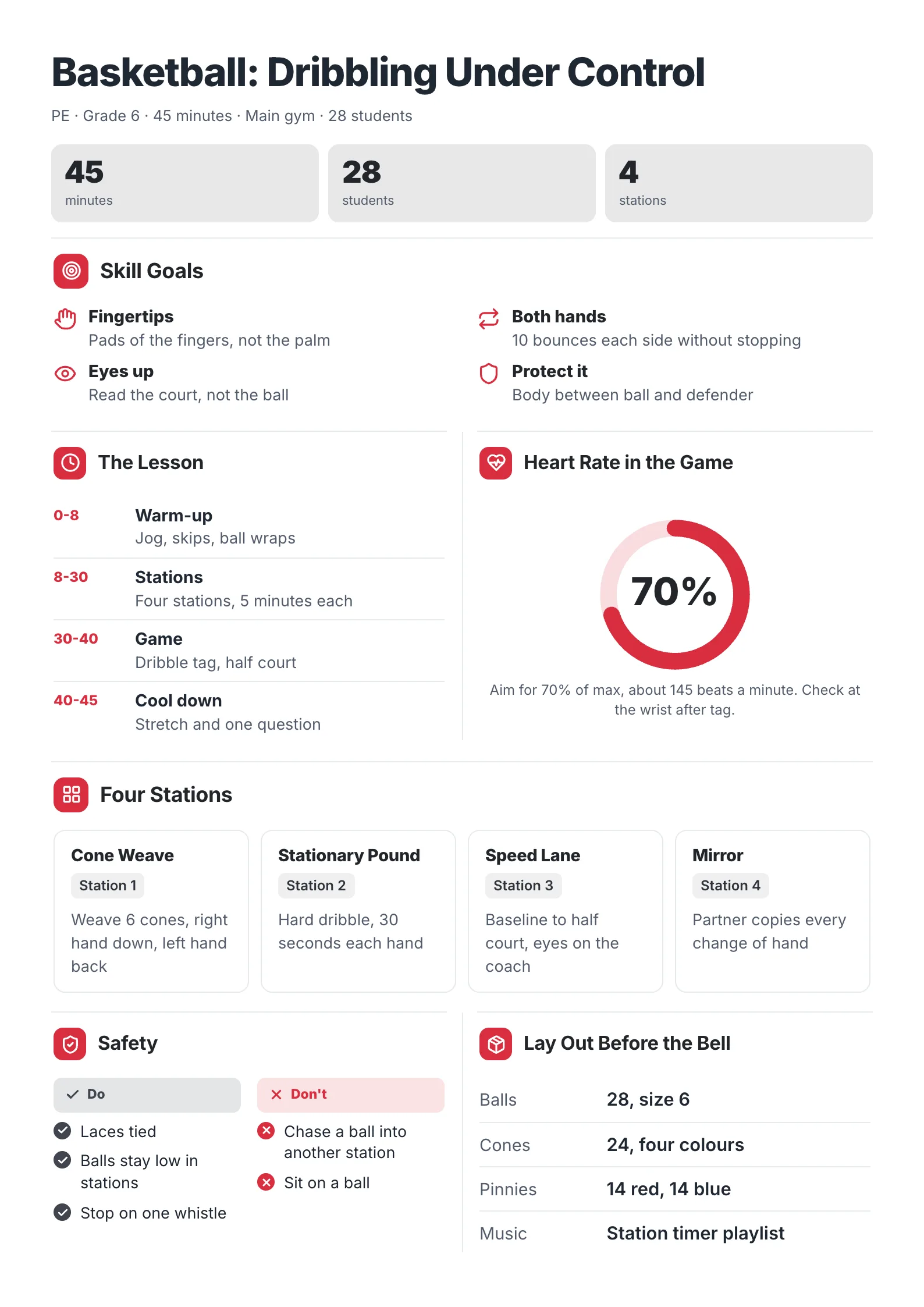 Lesson Plan: PEEdit for free(opens in a new tab)
To see how a big team does it, we read the lesson plans that NASA's Jet Propulsion Laboratory (JPL) publishes for teachers. JPL is the NASA center that builds and runs Mars rovers. Its education team writes free lessons for classrooms. We found one structure in all 145 full lessons: some or all of the same 8 sections, always in the same order. Below are those sections, what each one holds, and how you can use the same shape for your own class.
The lesson plans we read
JPL's education site lists its lessons at addresses like jpl.nasa.gov/edu/resources/lesson-plan. The Internet Archive's index lists 201 different lesson plan addresses in that folder. 200 have copies saved in January and February 2025. The last one, saved in March 2025, is a second address for the Moon phases calendar lesson, so we counted that lesson once. On October 26, 2026, we read all of those copies, because the live site shows a bot check to scripts. Every lesson was last updated in 2024.
55 of the 200 are single math problems from JPL's "Pi in the Sky" challenge, such as Asteroid Ace. They're short and mostly skip the planning sections, so we left them out. That leaves 145 full lessons:
| Subject | Lessons |
|---|---|
| Science | 82 |
| Engineering | 25 |
| Math | 25 |
| Technology | 12 |
| English Language Arts | 1 |
Each one also lists its grade levels and the time it takes. 137 of the 145 name the standards they teach, such as the Next Generation Science Standards or the Common Core math standards, above the lesson itself.
The 8 sections, in order
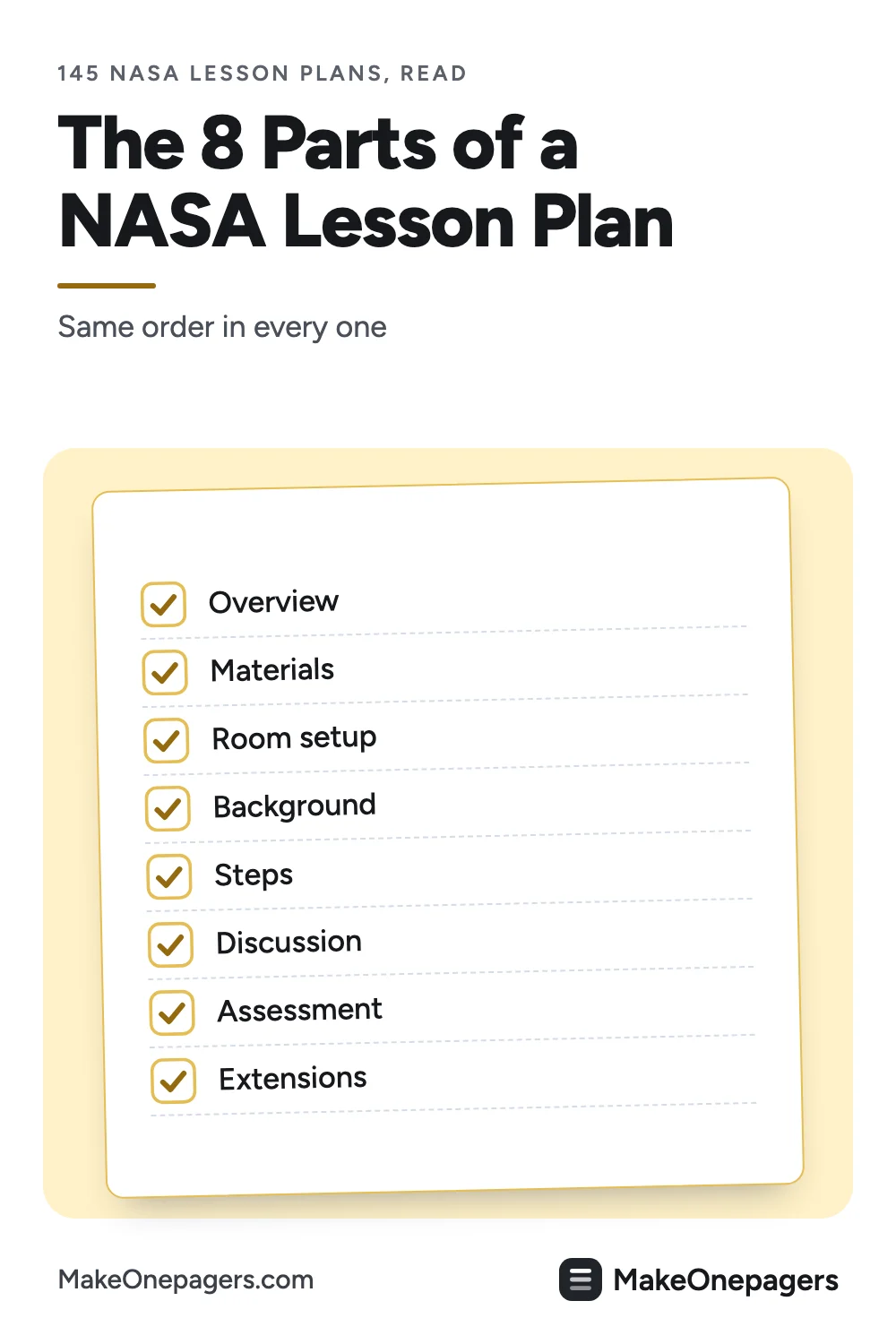
Every one of the 145 lessons uses some or all of these headings, and always in this order. Here's how many of the 145 fill each section, counting a section when any text sits under its heading:
| Section | What it holds | Lessons that use it |
|---|---|---|
| Overview | What students do and learn | 142 |
| Materials | Everything you need, as a list | 144 |
| Management | How to set up and run the room | 141 |
| Background | What you need to know about the topic | 135 |
| Procedures | The steps, in order | 145 |
| Discussion | Questions to ask the class | 115 |
| Assessment | How you'll check what they learned | 124 |
| Extensions | What to try next | 136 |
Procedures is the only section in all 145. Discussion is the one most often left out, in 30 lessons.
What goes in each section
Overview
The overview says what students will do and what they'll learn, in a few sentences. The median overview is 44 words. 80 of the 145 use the words "students will" somewhere in it.
In Build a Satellite, for grades 5 to 8, students design, build, test and improve a model satellite. It must survive a shake test, like a real one on a rocket.
Materials
Write every item, with the amount, as a list. The median JPL list has 7 items, and the longest has 38. If you'll project a video or a picture, list it here too. Then you can gather it all the day before.
Management
JPL puts this section in 141 of the 145 lessons. It tells you how to run the room:
- How students work together. 80 lessons say how students work: in groups, teams, pairs or partners. One says "Organize students into teams of three."
- What to prepare ahead. 32 lessons name something to do before class. Build a Satellite asks you to build a weak model in advance, so you can shake it apart in front of the class.
- Safety. 20 lessons carry a safety note. One, using a lamp near water, says to keep the cord and bulb away from the water.
Background
This section is written for you. It explains the science or math behind the lesson, so you can answer the questions that come up. It's often the longest part: the median JPL background runs about 350 words.
Procedures
These are the steps you follow, in order. In Build a Satellite there are 23. They open with what students already know about satellites, and they end with teams presenting their models. Most of its steps start with a verb such as show, explain, assign or demonstrate. Across all 145 lessons, 84 use "explain" in their steps.
Discussion
These are the questions you'll ask, usually after the activity. 95 of the 115 discussion sections list questions. Balancing Forces, for example, asks students how their predicted mass compared to the true value, and what could have caused the difference.
Assessment
This says how you'll know the lesson worked. 21 of the 124 point to a rubric, and 20 to a worksheet, data sheet or journal that students fill in. Some are one line, such as "Refer to the engineering rubric." Others say exactly what a correct answer shows.
Extensions
These are activities for students who finish early, or for the next class. 136 lessons have them.
How long the lessons run
Each JPL lesson gives its time up front, so you can see whether it fits your class period.
| Time | Lessons |
|---|---|
| Under 30 minutes | 13 |
| 30 to 60 minutes | 75 |
| 1 to 2 hours | 39 |
| Over 2 hours | 13 |
| Two or more sessions, or months | 3 |
| Varies | 2 |
About half fit one class period of 30 to 60 minutes. A lesson that runs longer, like Build a Satellite, says it may take more than one day.
What JPL leaves out, and the guides add
JPL has no heading for objectives. Its goal sits in the overview and in the standards above it. Teacher training programs ask for more.
Drexel University's guide for student teachers lists 7 parts of a basic plan. They are the unit title with the subject and grade, the standards, an overview, your own objectives, the materials, the vocabulary, and the formative assessments you'll use. It says objectives should use action verbs that fit your students' level. Its example turns a Common Core standard into one objective: "The learner will analyze how the author's use of bias shapes tone in a nonfiction essay."
Cult of Pedagogy plans the other way around. You write measurable objectives for the unit first, then the assessment, and only then the daily lessons. That's the backward design approach from Grant Wiggins and Jay McTighe's book Understanding by Design. Its first step for daily lessons is to "roughly map out the days based on the assessment plan."
So if your school asks for objectives, add them as one line under the overview. Use a verb you can check, such as explain, compare or build.
Lesson plan examples
These are lesson plans built in MakeOnepagers. Each one opens with the goal, as a JPL overview does, then moves the other parts to fit its class. The music and art plans list materials after the steps. The college plan lists the reading and homework instead, and the weekly and training plans have no materials list. Use the JPL sections as a checklist, then lay them out the way your class runs.
 Edit this template
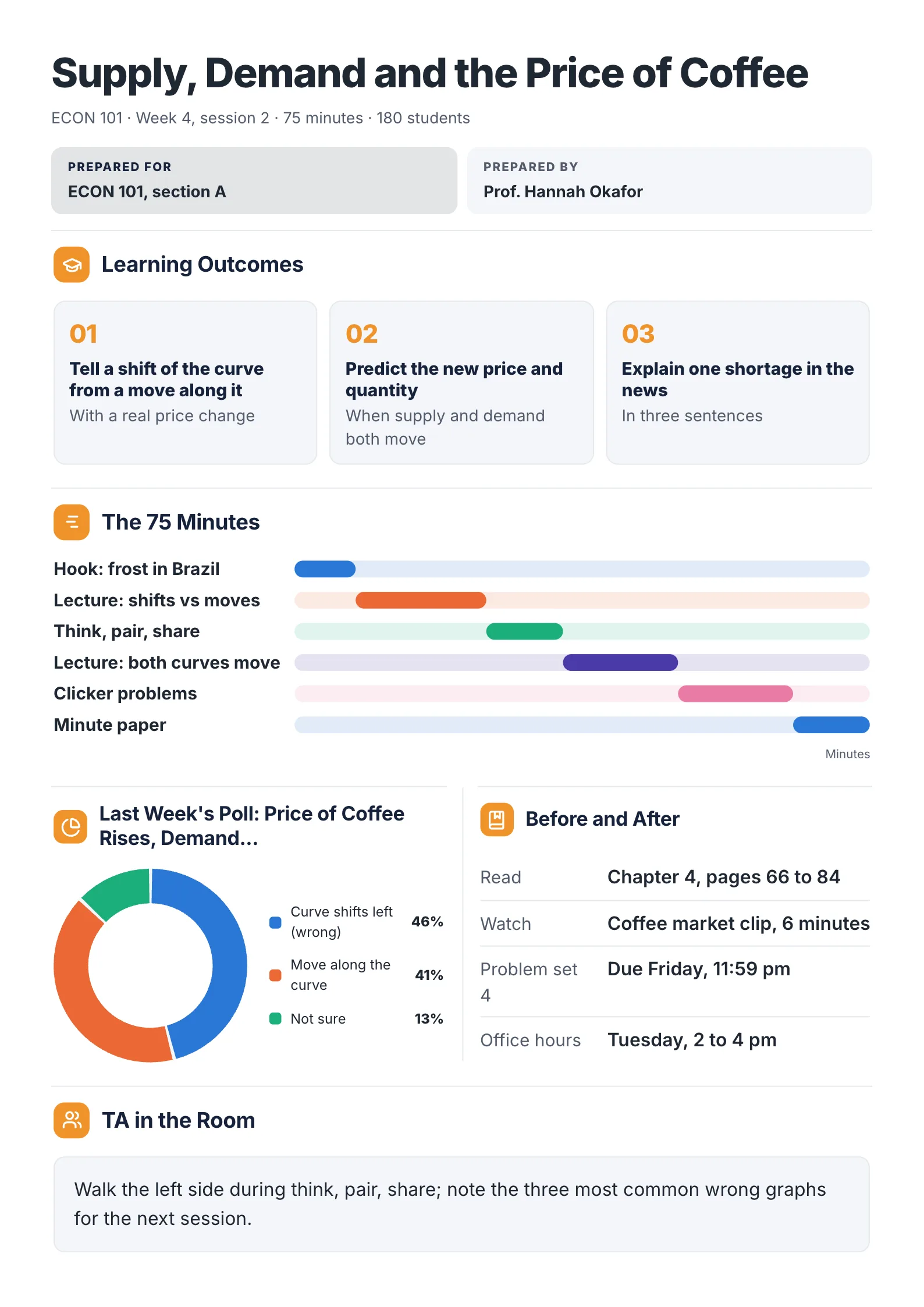
This college lecture plan puts three learning outcomes at the top, each with a verb you can check: tell, predict and explain. The 75 minutes run as a bar chart, from a hook to a minute paper at the end, so you can see where the time goes.
It also has a note on running the room, like JPL's Management section. The teaching assistant walks the left side during think, pair, share and notes the three most common wrong graphs. You can edit this college lecture lesson plan template for free.
 Edit this template
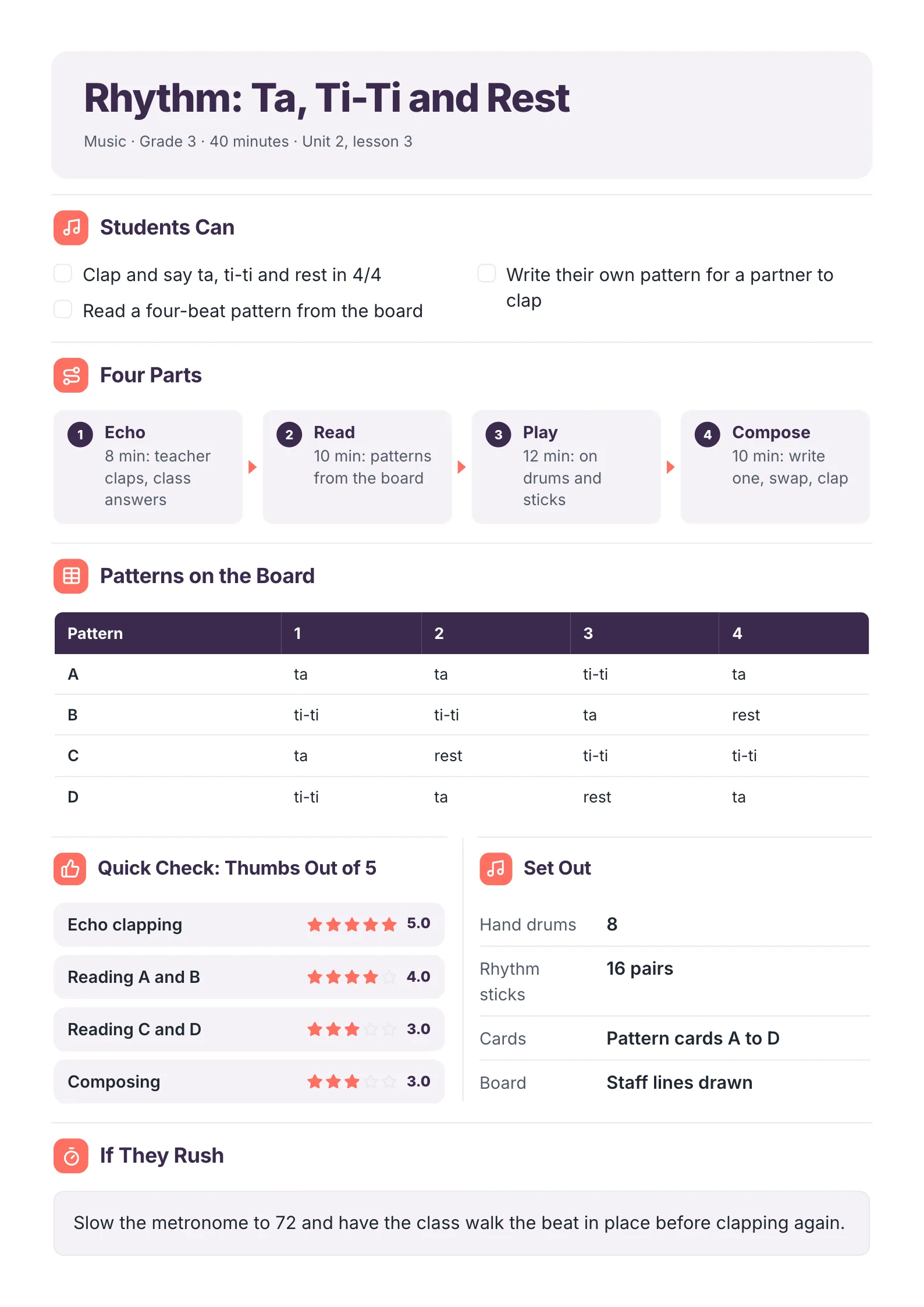
This grade 3 music plan splits 40 minutes into four parts: echo, read, play and compose. The rhythm patterns sit in a table, so you can read them off the board.
Its materials list is exact: 8 hand drums and 16 pairs of rhythm sticks. A line called "If They Rush" tells you what to do if the beat speeds up. You can edit this music lesson plan template for free.
 Edit this template
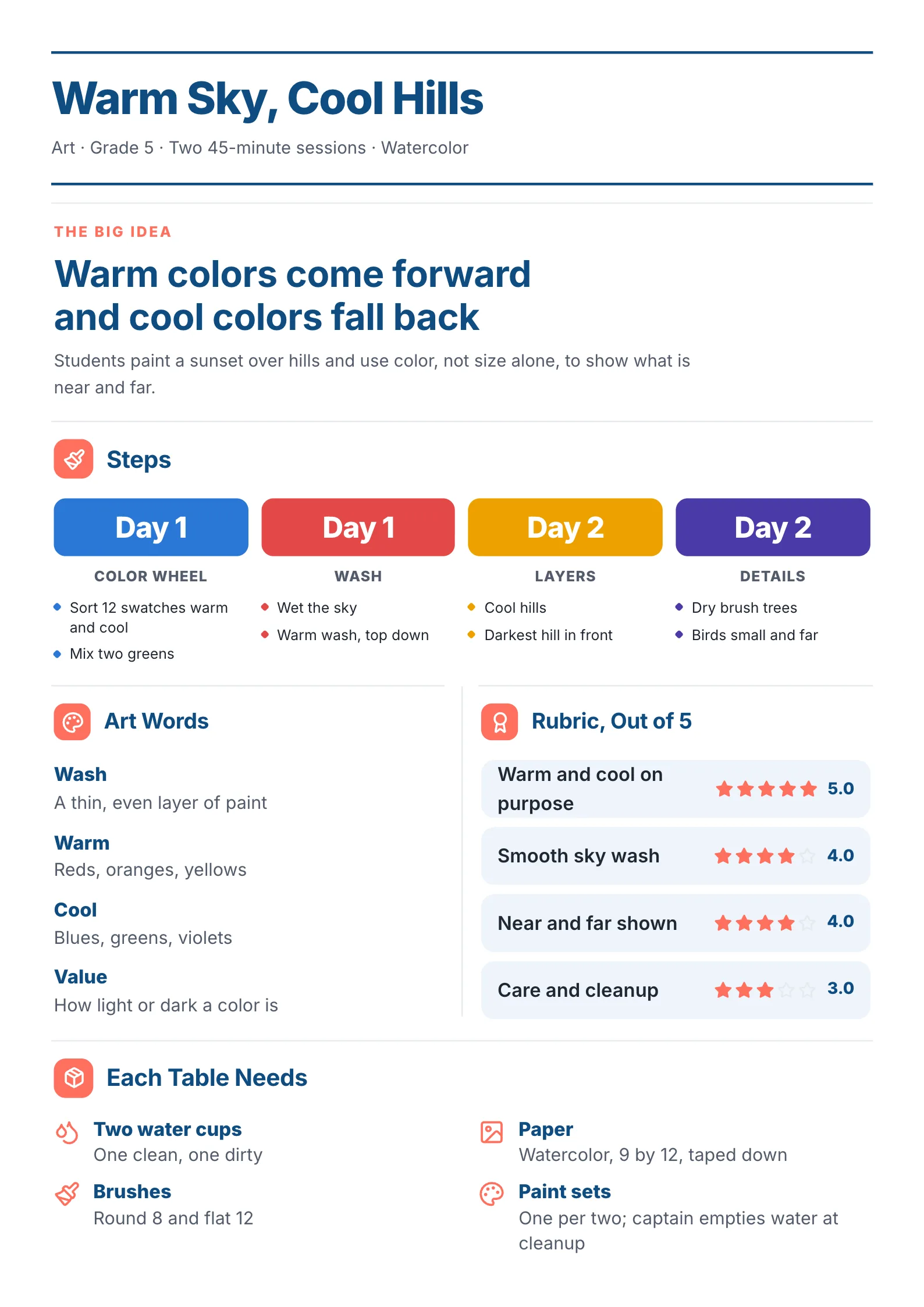
This grade 5 art plan runs over two 45-minute sessions. It opens with one big idea: warm colors come forward and cool colors fall back. The steps are split by day.
The assessment is a rubric out of 5, and the materials are listed per table, down to two water cups, one clean and one dirty. You can edit this art lesson plan template for free.
 Edit this template
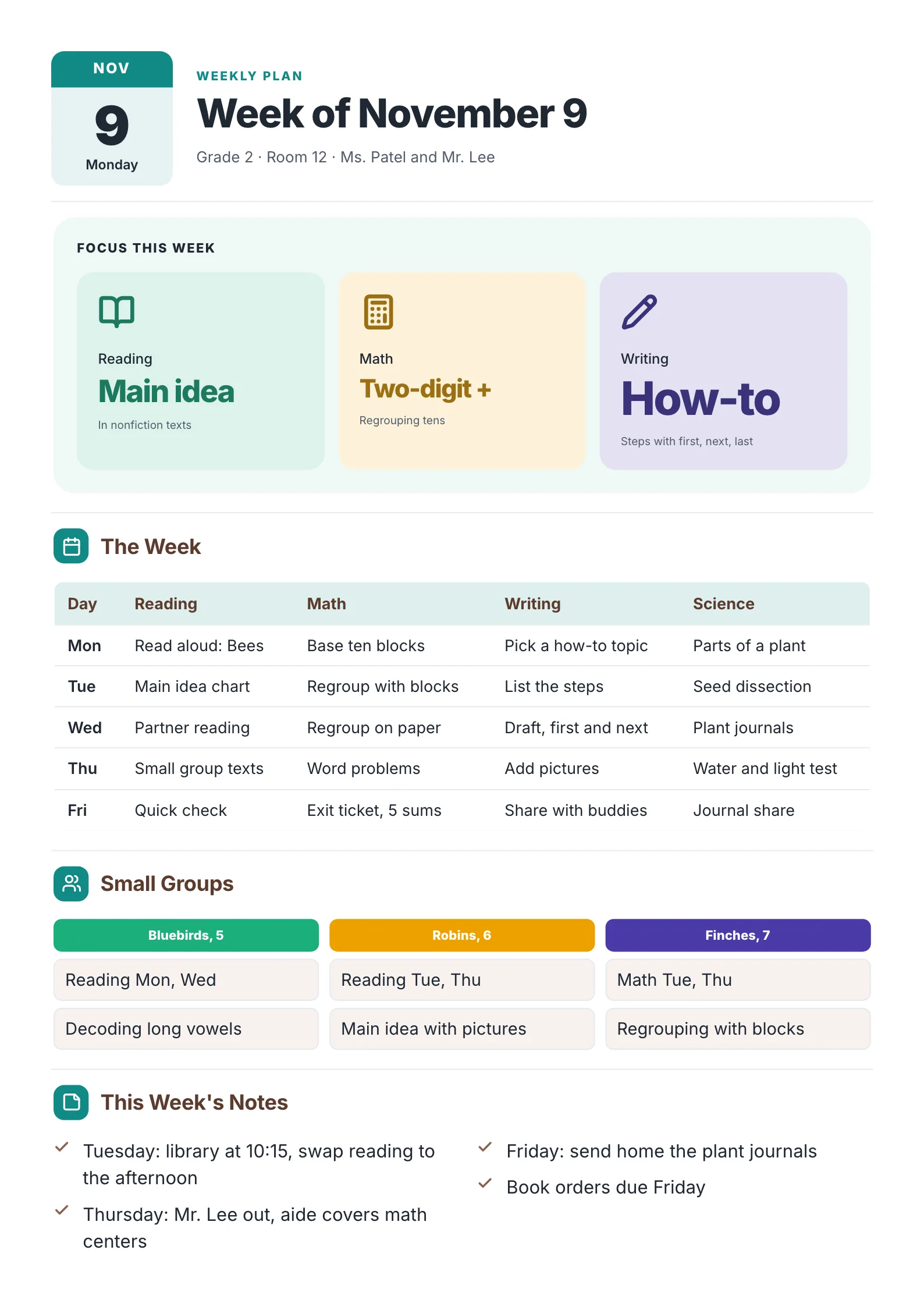
A weekly plan puts five days on one sheet. This grade 2 plan names one focus each for reading, math and writing, then gives every day a row in a table.
Small groups get their own row, with the days they meet and what they work on. The notes at the bottom cover changes, such as reading moving to the afternoon on Tuesday. You can edit this weekly lesson plan template for free.
 Edit this template
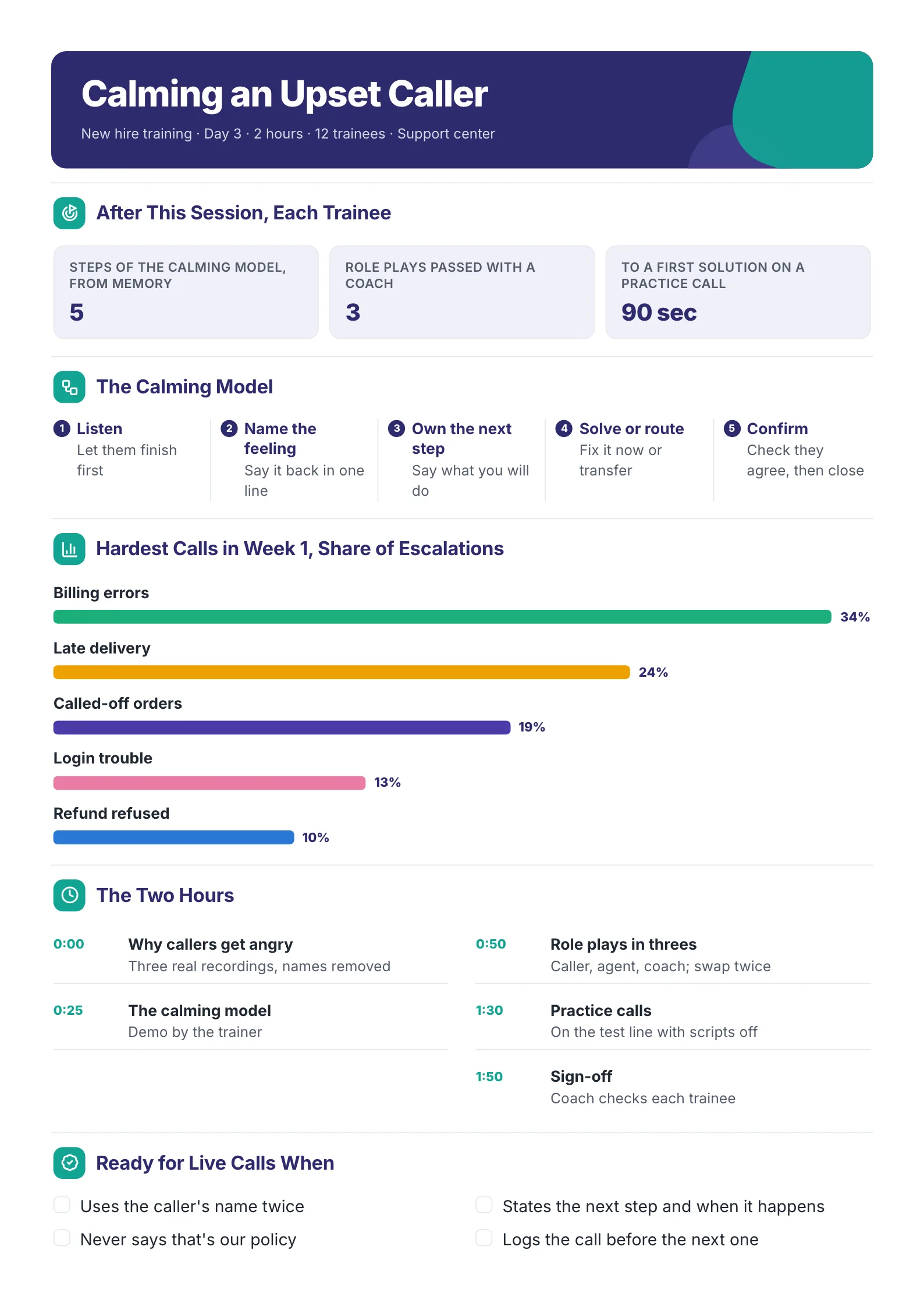
Lesson plans work for adults too. This 2-hour training plan for 12 new support staff opens with three goals each trainee must meet, such as passing 3 role plays with a coach.
The plan runs by the clock, from 0:00 to the sign-off at 1:50. A checklist at the end says when a trainee is ready for live calls. You can edit this training lesson plan template for free.
How to write a lesson plan, step by step
- Write the goal. One or two sentences on what your students will be able to do, with a verb you can check.
- Name the standard it meets, if your school uses them.
- List the materials, with amounts.
- Plan the room. Groups or pairs, what to prepare ahead, and any safety note.
- Write the background you need, in a few lines.
- Open with a hook, a question or a short story that gets your students thinking, like the frost in Brazil that opens the college plan in the examples above.
- Write the steps in order, each starting with a verb, with the minutes for each part.
- Write the questions you'll ask during or after the activity.
- Decide how you'll check learning: a rubric, a worksheet or a short exit question.
- Close with a reflection. In a minute paper, as the college plan uses, students write what they learned and what's still unclear.
- Add an extension for students who finish early.
Questions people ask about lesson plans
What are the parts of a lesson plan?
The 145 JPL lessons use the 8 sections in the table above, from the overview to the extensions. Many schools also ask for objectives and the standards they meet.
How long should a lesson plan be?
Long enough that another teacher could teach it. A single class period usually fits on one sheet. A multi-day project, like Build a Satellite, needs more steps and often a worksheet of its own.
What's the difference between an objective and a standard?
A standard is set by your state or district for a whole grade. An objective is your own goal for one lesson, written so you can check it by the end of class.
Do substitute teachers need a different plan?
They need more detail on the room: where things are, how groups are set up and who can help. Our lesson plan template post shows a one-sheet version, and the grid below has a substitute plan.
Make your lesson plan
Start from a design with room for the goal, the timed steps, your materials and the check at the end. You can browse every lesson plan design in MakeOnepagers, or turn your notes into a first draft with our One-Pager maker (free for 7 days).




