Construction One‑Pager Template: Free Project Summary for Builders
Free construction one-pager template for bids, progress reports and project summaries. Five examples that lead with the number the reader decides on.

A construction one-pager is a single sheet that tells an owner, a board or a client what they need to know about your project. It covers what is being built and what it costs, along with when it finishes, what could go wrong and who answers the phone. It replaces your 40-page binder for everyone who will never open the binder. Start from a free one pager template.
One‑Pager examples
Real One-Pagers made with MakeOnepagers. Open any one to edit it as your own.
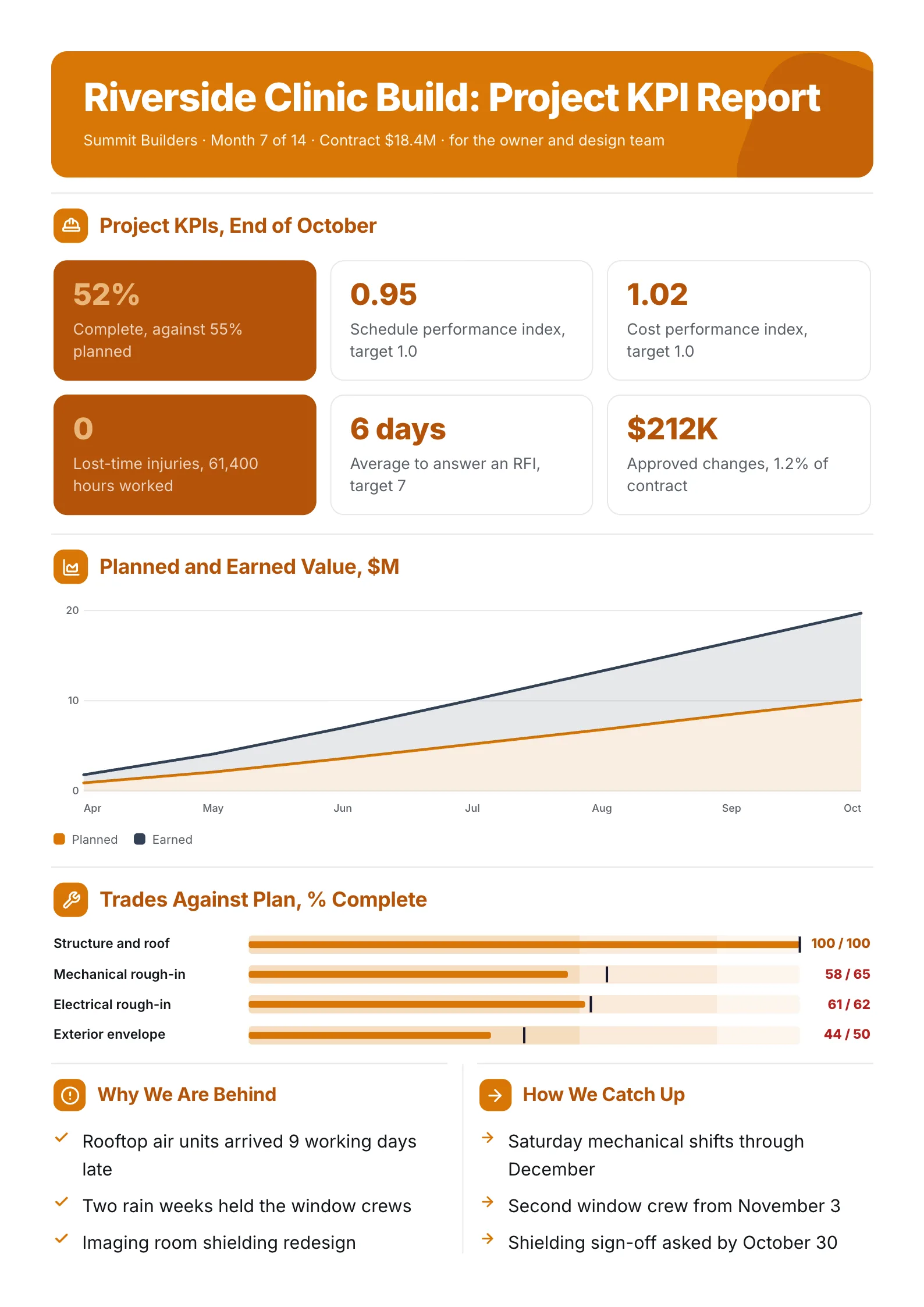 KPI Report: Construction ProjectEdit for free(opens in a new tab)
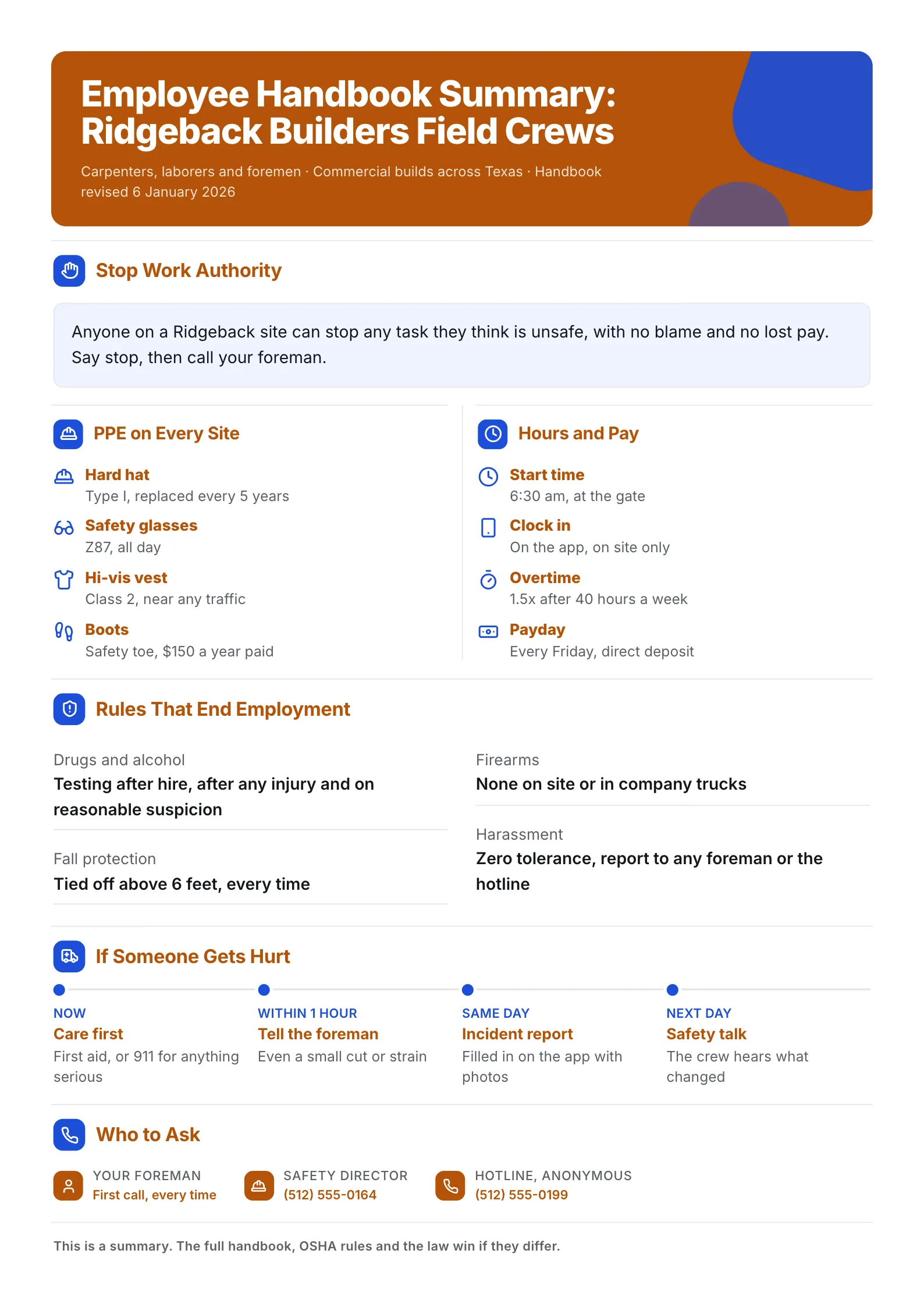 Employee Handbook Summary: Construction Field CrewsEdit for free(opens in a new tab)
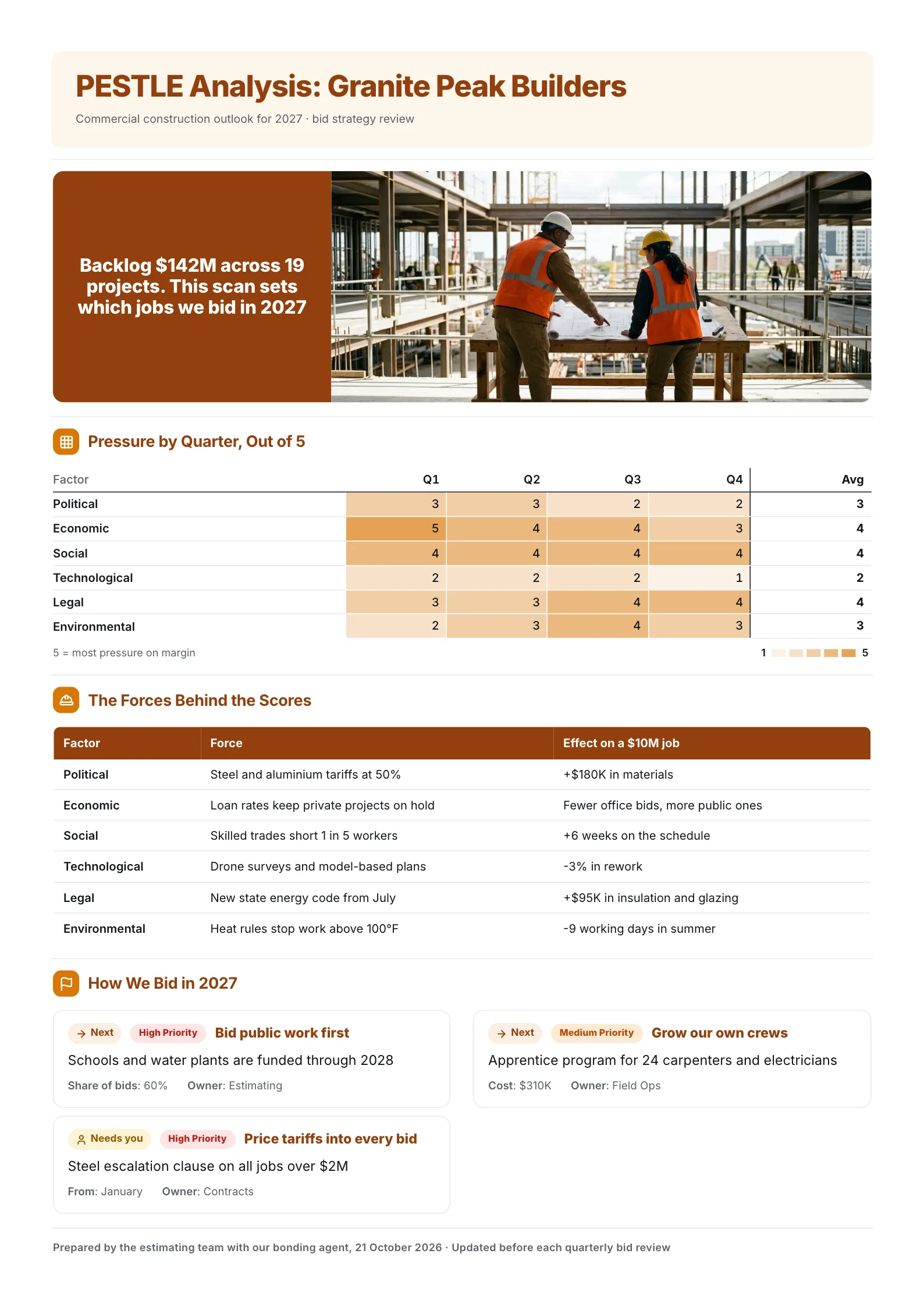 PESTLE Analysis: Construction CompanyEdit for free(opens in a new tab)
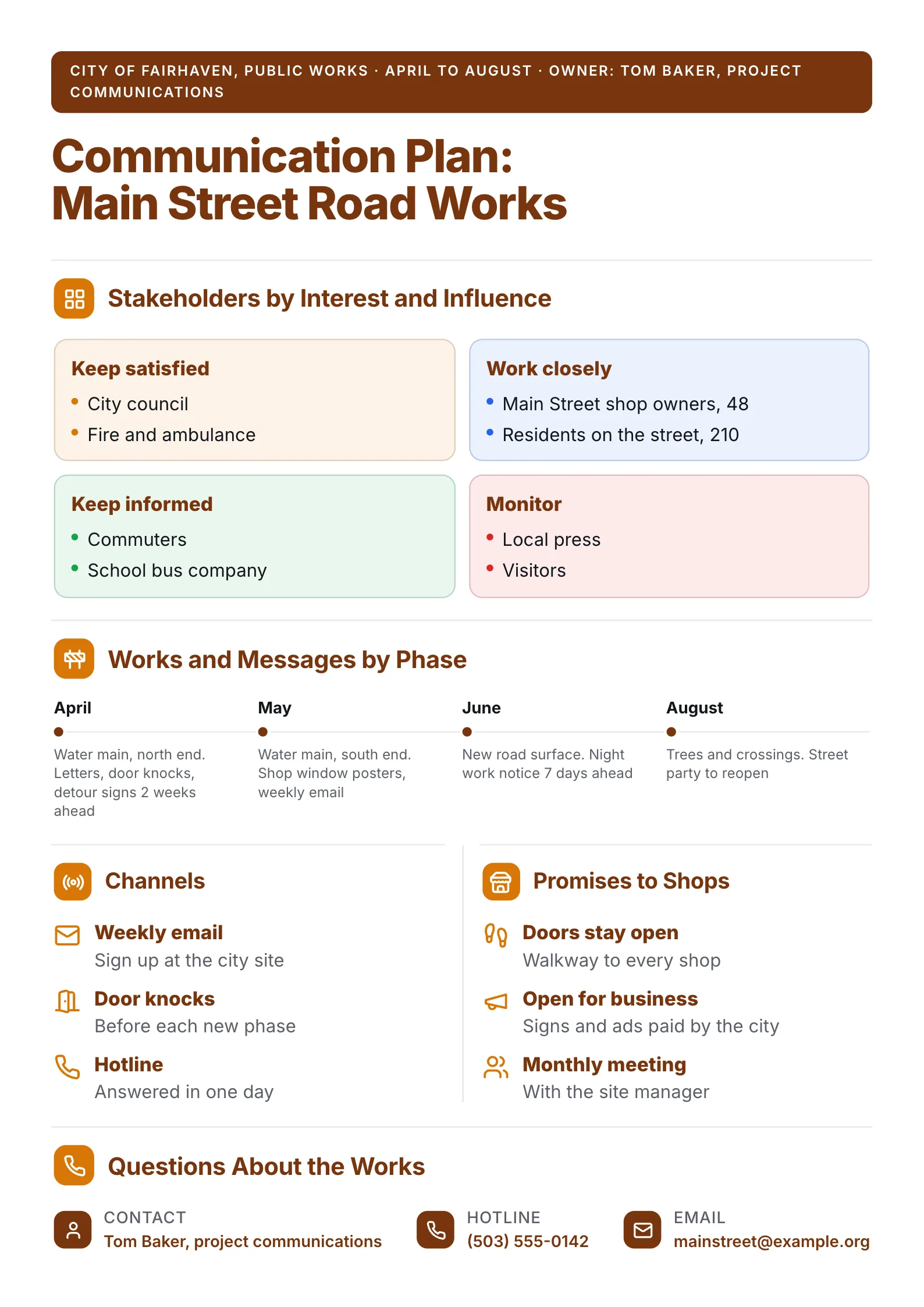 Communication Plan: Construction Project NeighboursEdit for free(opens in a new tab)
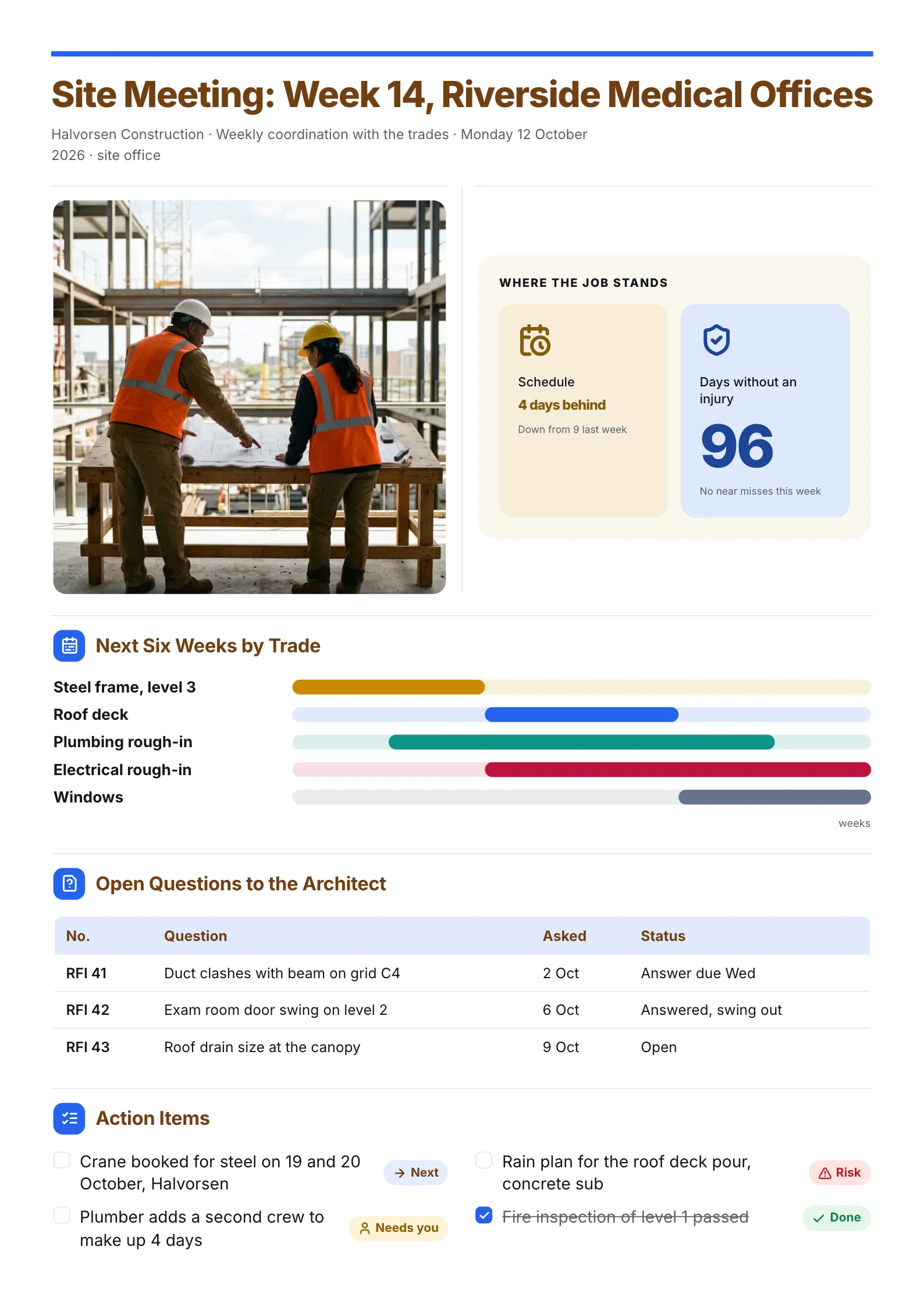 Meeting Summary: Construction SiteEdit for free(opens in a new tab)
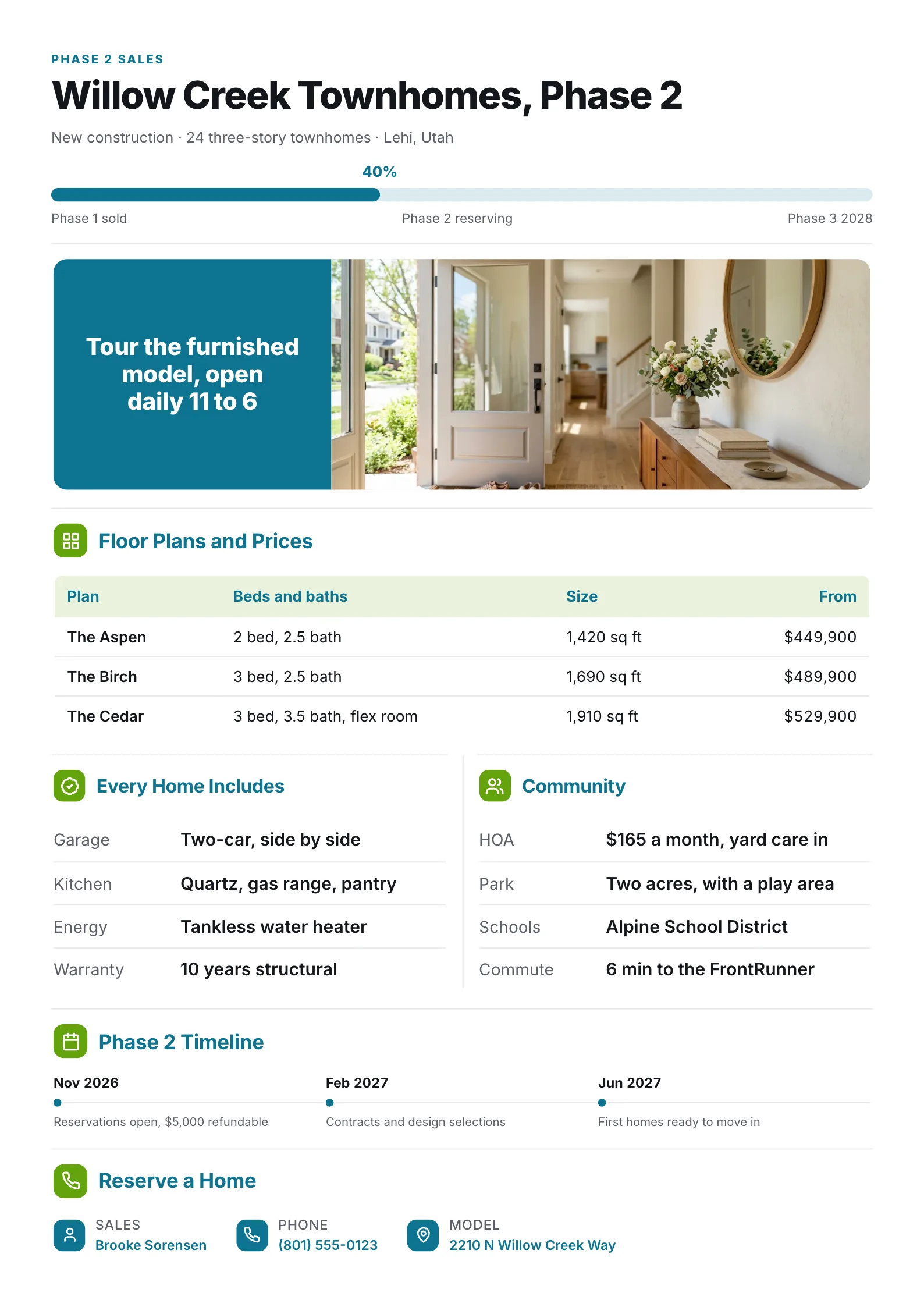 Property Fact Sheet: New Construction TownhomesEdit for free(opens in a new tab)
We made every example here with MakeOnepagers. You can open each one as a free template and edit every word and number to fit your job.
What goes on a construction one-pager?
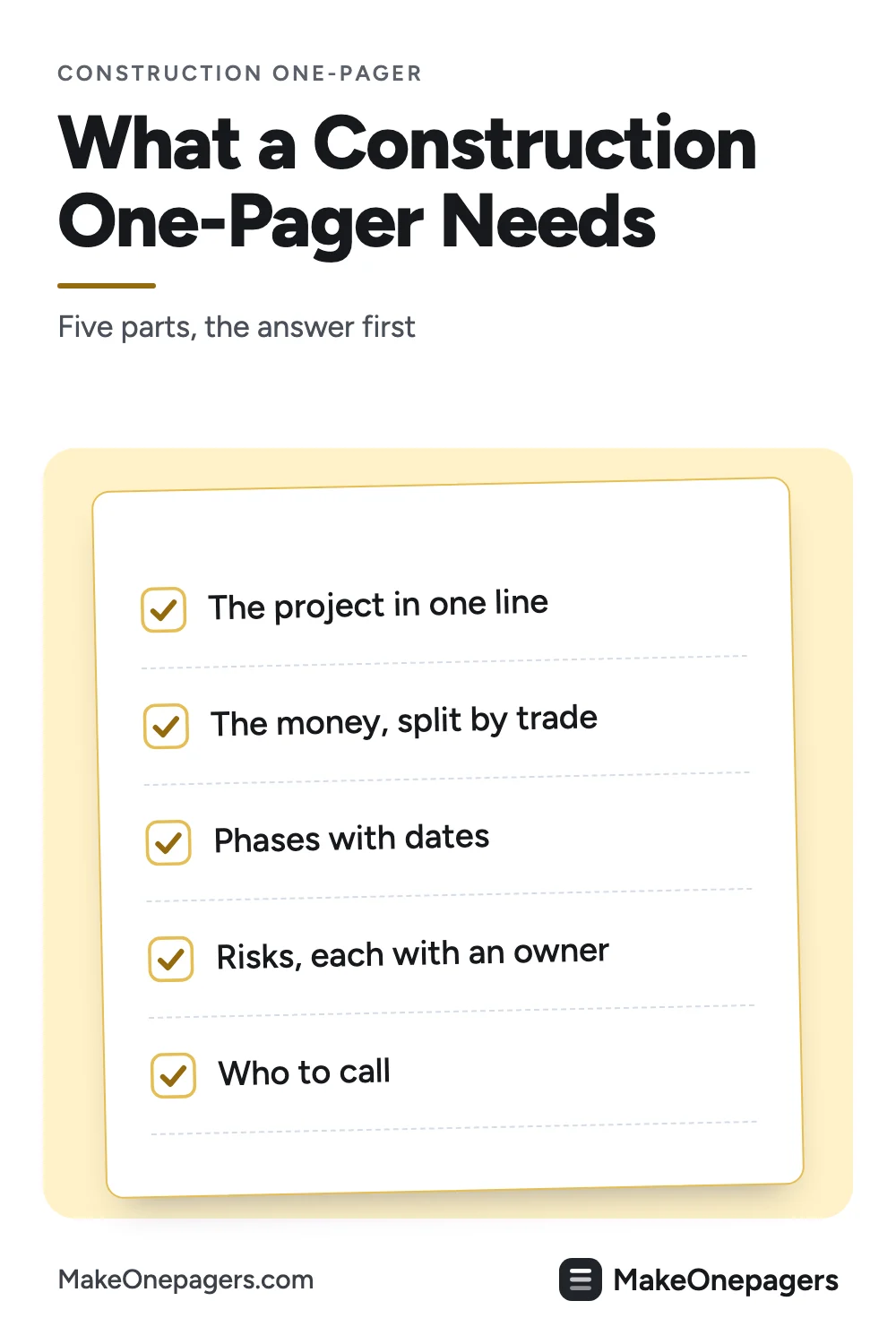
Builders write many kinds of one-page documents, but the strong ones share five parts:
- The project in one line. Size, use and place: "A 38,000 sq ft center with a gym, pool and six meeting rooms."
- The money. The total, and where it goes, as a short split or a table by trade.
- The schedule. Phases or milestones with dates, so the reader can see where today sits.
- The risks. Three to five, each with an owner and what is being done about it.
- Who to call. The project manager, the site office and one email.
Your readers are busy, and most of them are not builders. A board member, a lender or a school principal wants the answer first and the detail second. A one-pager makes you write it in that order.
Construction project summary example
 Edit this template
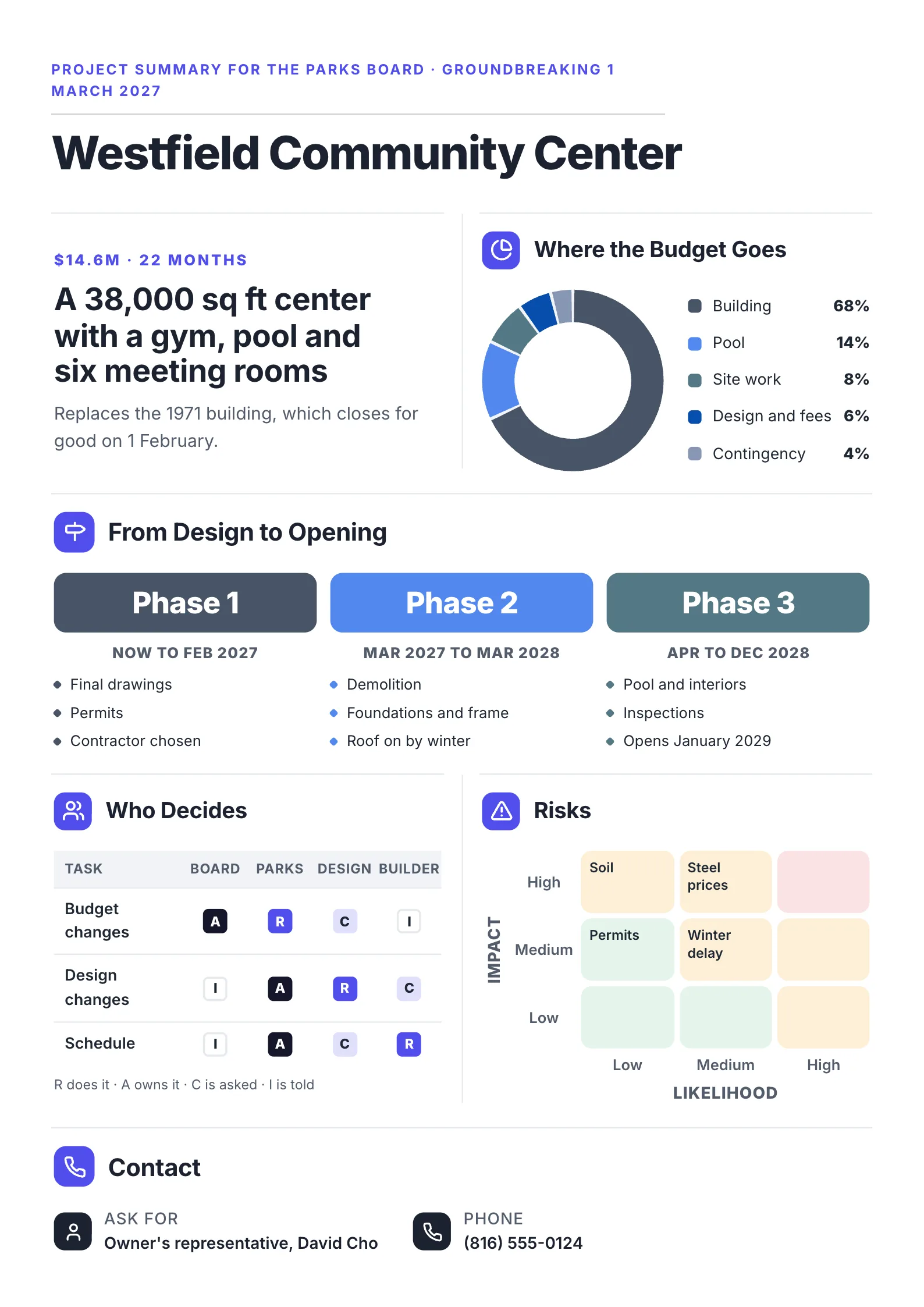
This project summary was written for a parks board vote. The headline states the building in one sentence. Then the donut shows where the $14.6M goes, with the building itself at 68%. The three phases run from drawings to the January 2029 opening, so your board sees the whole timeline at a glance.
Most summaries miss the who-decides table. Make sure yours has one. This table shows who approves budget changes and design changes, and who signs off on the schedule. That question causes the most arguments later, so it pays to settle it before you break ground.
Construction company profile
 Edit this template
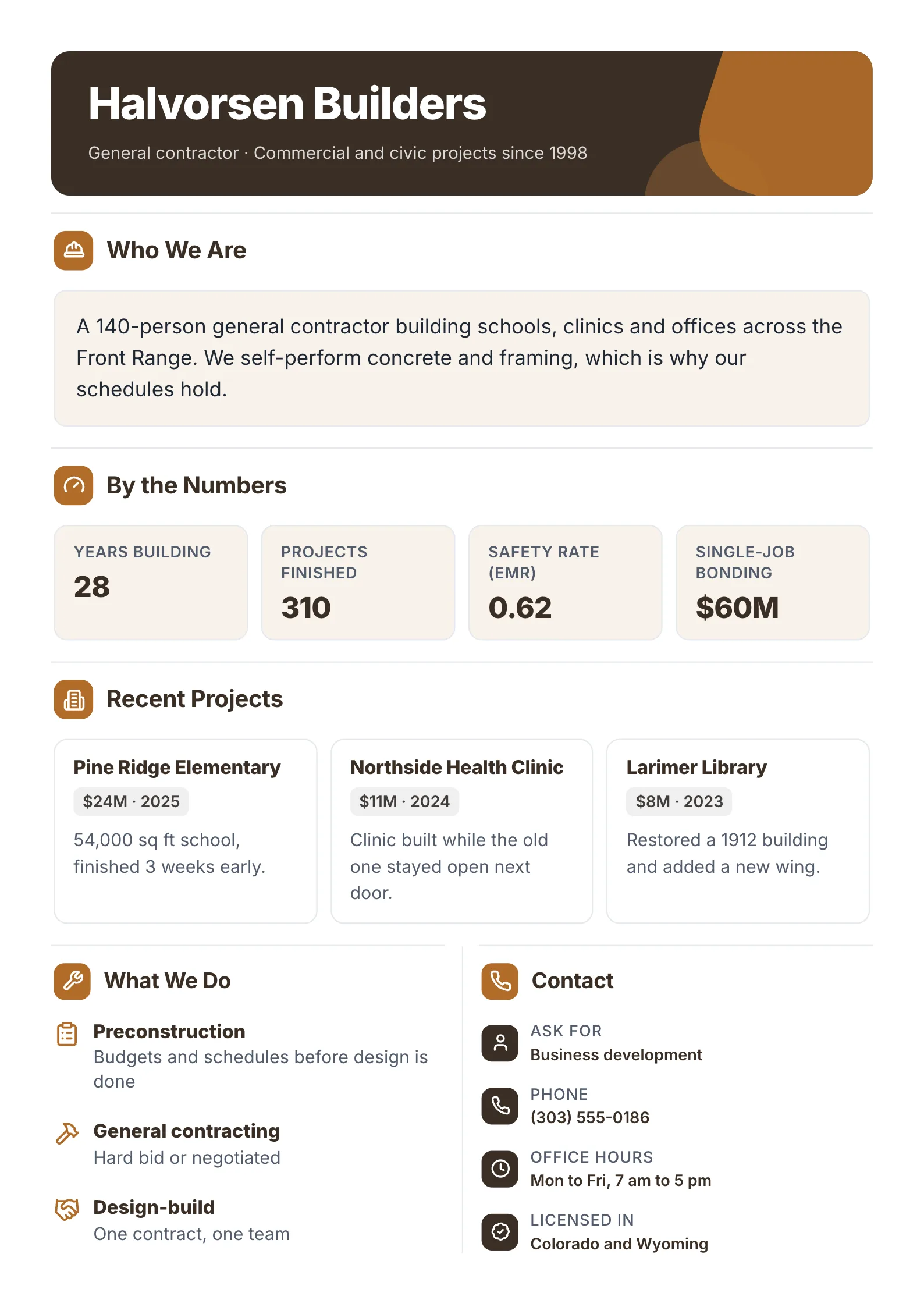
Your company profile goes into bid packages and prequalification files. This one leads with the four numbers an owner checks. They are years in business and projects finished, plus your safety rate and your single-job bonding limit. Three recent projects follow, and each one shows its value and year with one line on how it went. A line like "Finished 3 weeks early" is worth more than any adjective you could write.
Construction progress report
 Edit this template
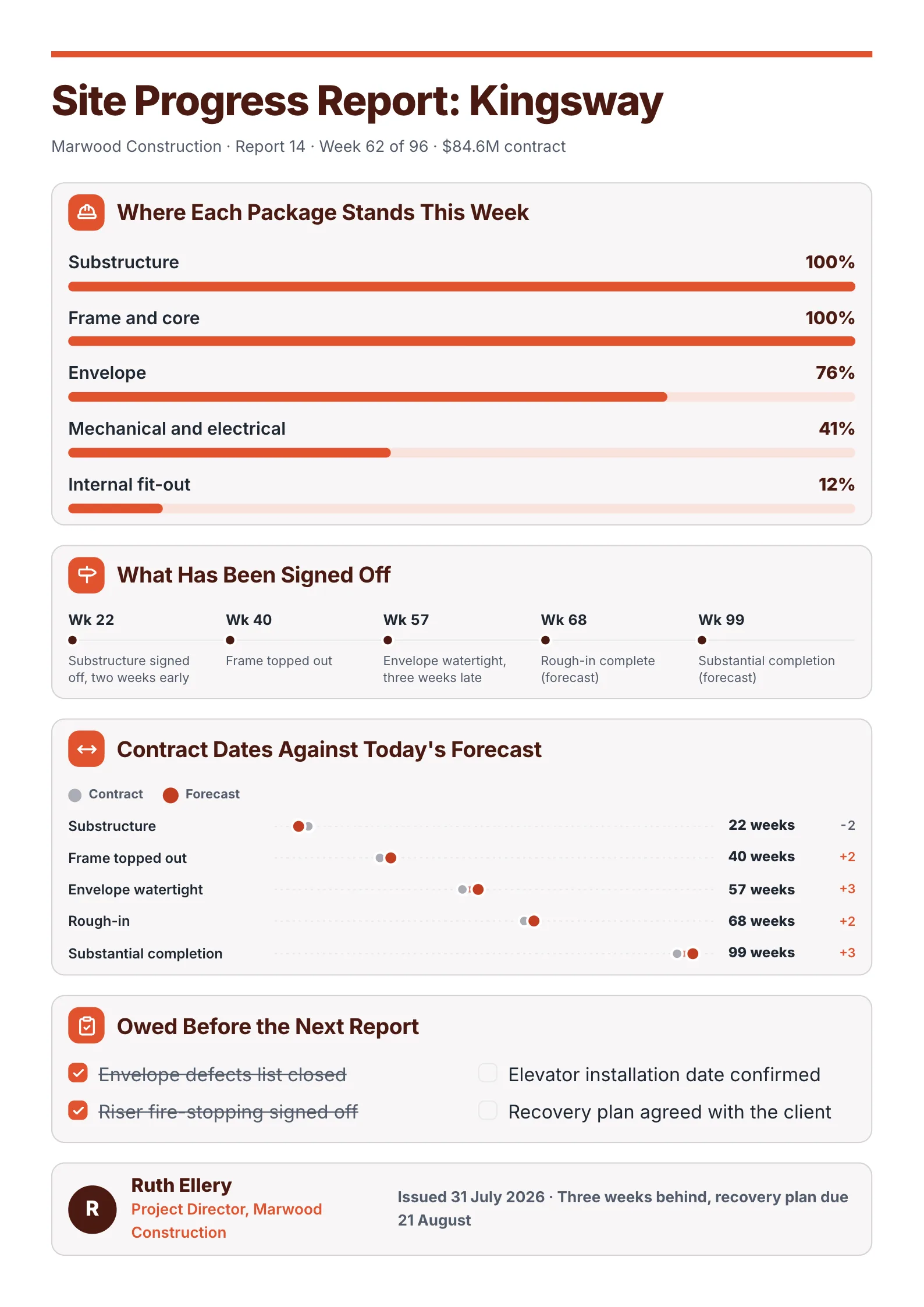
A progress report shows how far along the work is and if your dates still hold. Here each work package has its own bar, from substructure at 100% to internal fit-out at 12%. The contract dates sit against the forecast, so you can see exactly where the project slipped and by how many weeks. A short list of what is owed before the next report keeps both sides honest.
Construction bid summary
 Edit this template
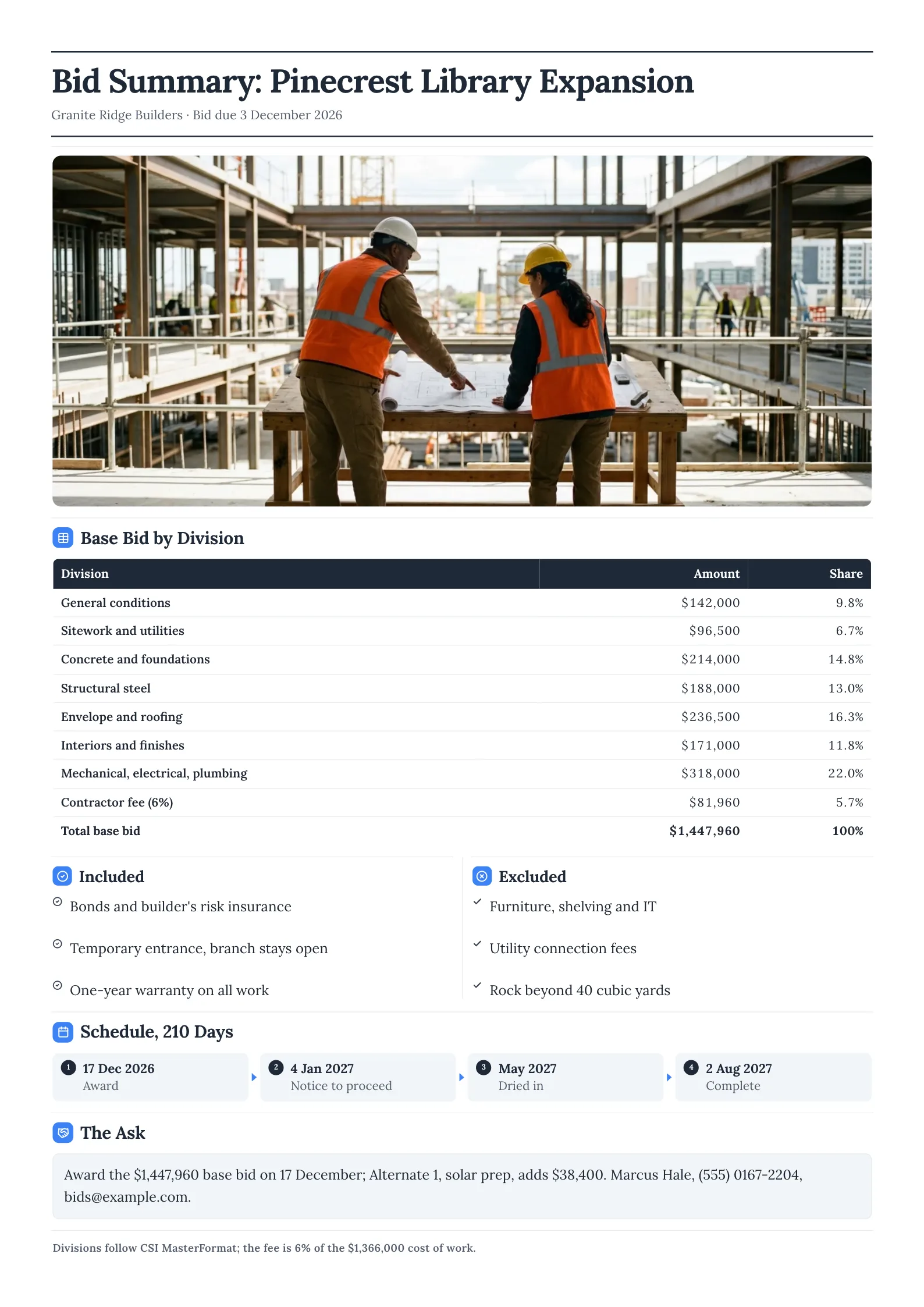
Your bid summary sits on top of the full proposal. It's often the only page the committee reads closely. This one breaks the base bid into divisions, with each share of the total. Then it lists what is included and, just as important, what is excluded. When you write exclusions plainly on page one, you prevent most change-order fights. The ask at the bottom names your price and the alternate, and tells the committee who to call.
Construction risk register
 Edit this template
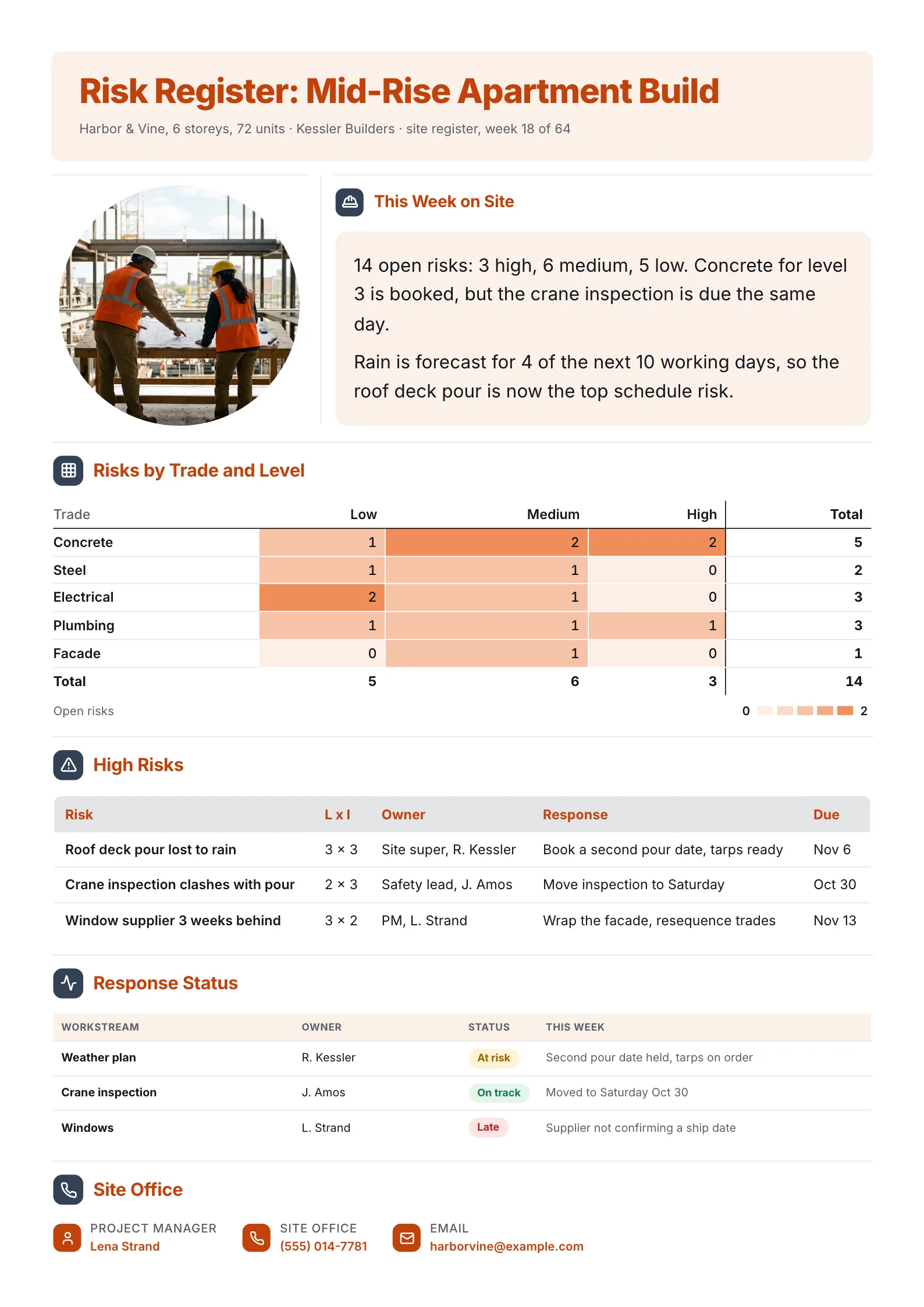
Put your risk register on one page and it gets read at the weekly meeting instead of filed. This one opens with a two-line note on what changed this week. Below it, a heat map shows open risks by trade. Each high risk carries a score and an owner, plus a response and a due date. That way nothing sits without a name next to it.
How to make a construction one-pager
- Pick the document your reader needs. A board needs a project summary, a committee needs a bid summary, an owner's rep needs a progress report.
- Write the headline number first. The total, the percent complete or the weeks behind.
- Fill the schedule with real dates. Months or week numbers, never "soon" or "Q2-ish".
- Name an owner for every risk. A risk without a person is a worry, not a plan.
- Add one site photo. A real photo of the site or a past job builds more trust than a rendering.
- Download it as a PDF and send it ahead of the meeting, so the meeting is for decisions.
Mistakes that make owners stop reading
- Leading with history. Nobody needs the founding year before the price.
- Hiding the exclusions. If it is not in the bid, say so on the first page.
- Percent complete with no dates. "70% done" means nothing without the finish date it predicts.
- Too many trades in the risk list. Show the top five. The full register can live in the appendix.
- No contact. The person reading it will have one question. Tell them who to ask.
Construction one-pager FAQ
What is a construction project summary?
It's a one-page overview of your project. It says what is being built and gives the budget and the schedule, then the main risks and the contacts. Owners, boards and lenders use it to make decisions without reading the full contract documents.
What should a construction bid summary include?
Start with your total bid and the bid split by division or trade. Then list what is included and excluded. Add the schedule in days or weeks, any alternates and one contact for questions.
How often should a construction progress report go out?
Most owners expect one a month. Large or late projects send one every two weeks. Keep your layout the same each time. Your reader can then compare it with the last one in seconds.
Is the construction one-pager template free?
Yes. Open any example above, make every word and number yours, and download it when you're done.




