Team One‑Pager Template: Free Team Charter, OKRs, Budget and Intro
Free team one-pager template for a charter, OKRs, a budget or a new member intro. Five examples, plus how to name owners and keep the page current.

It's a new hire's first week, and they want to know who handles the data pipeline. They ask in the channel, someone guesses, and someone else corrects them. A team one pager template settles that kind of question once, in writing, where you and anyone else can find it. Start from a free one pager template.
One‑Pager examples
Real One-Pagers made with MakeOnepagers. Open any one to edit it as your own.
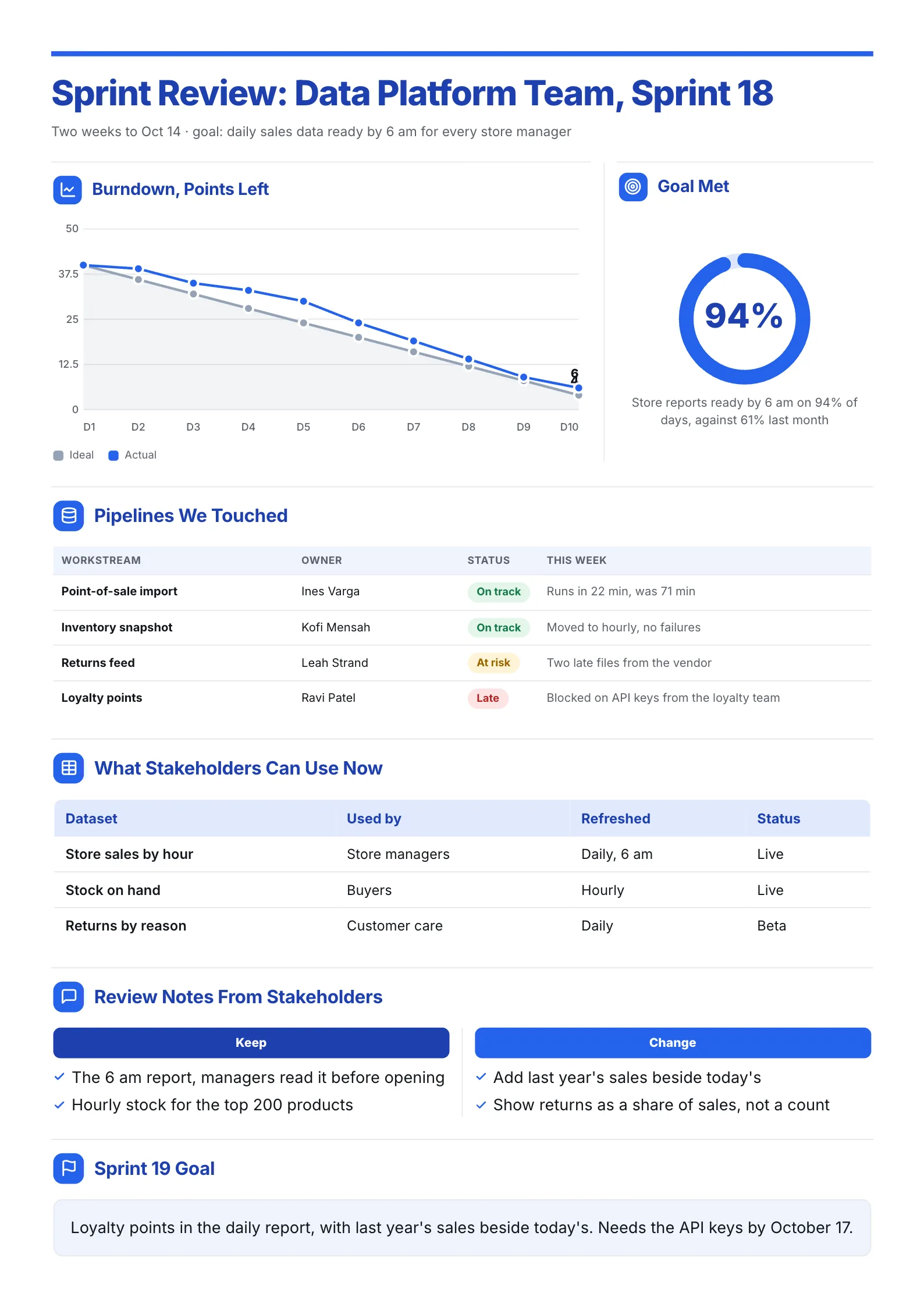 Data Team Sprint ReviewEdit for free(opens in a new tab)
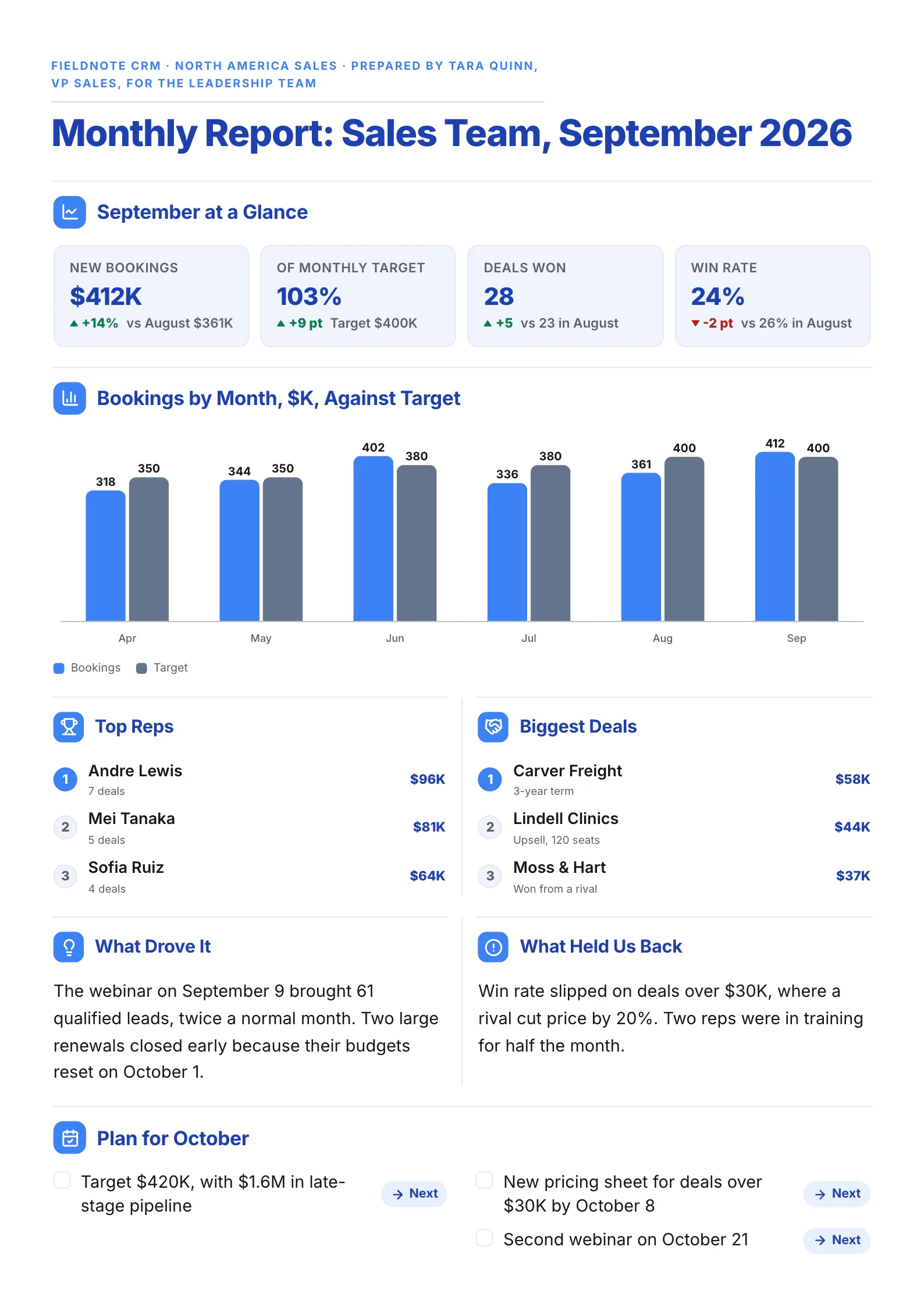 Monthly Report: Sales Team ResultsEdit for free(opens in a new tab)
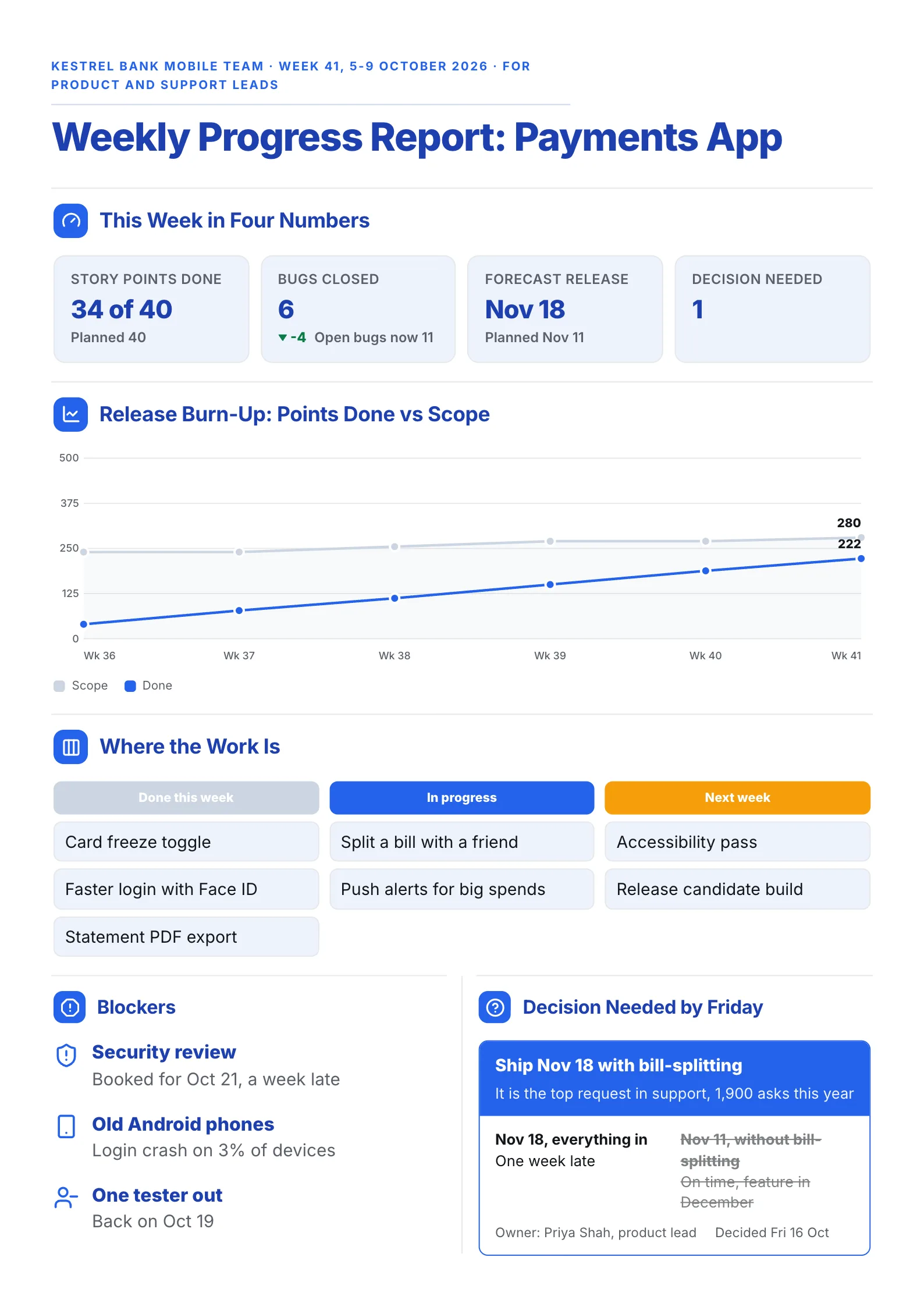 Progress Report: Weekly Team UpdateEdit for free(opens in a new tab)
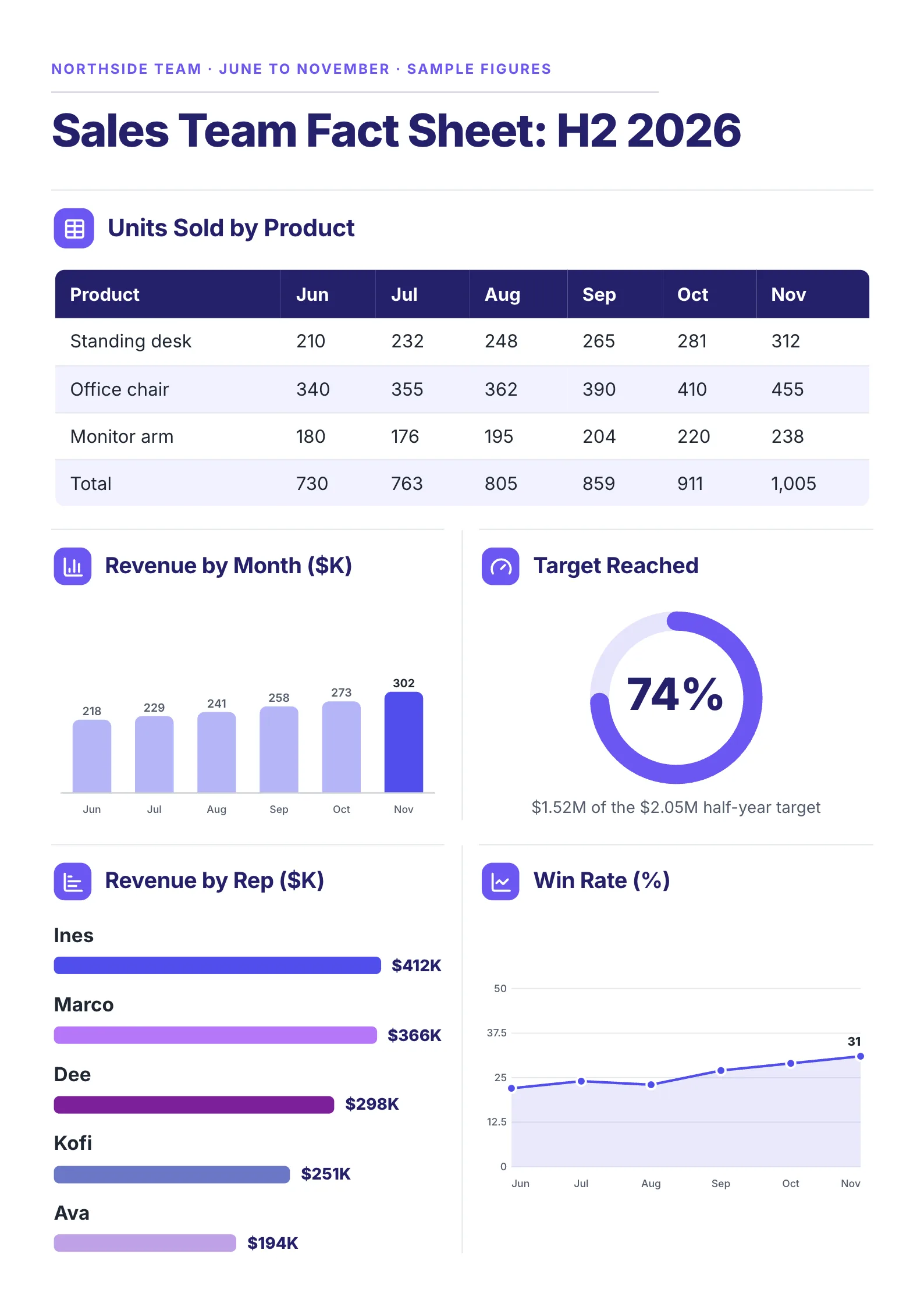 Sales Team Fact SheetEdit for free(opens in a new tab)
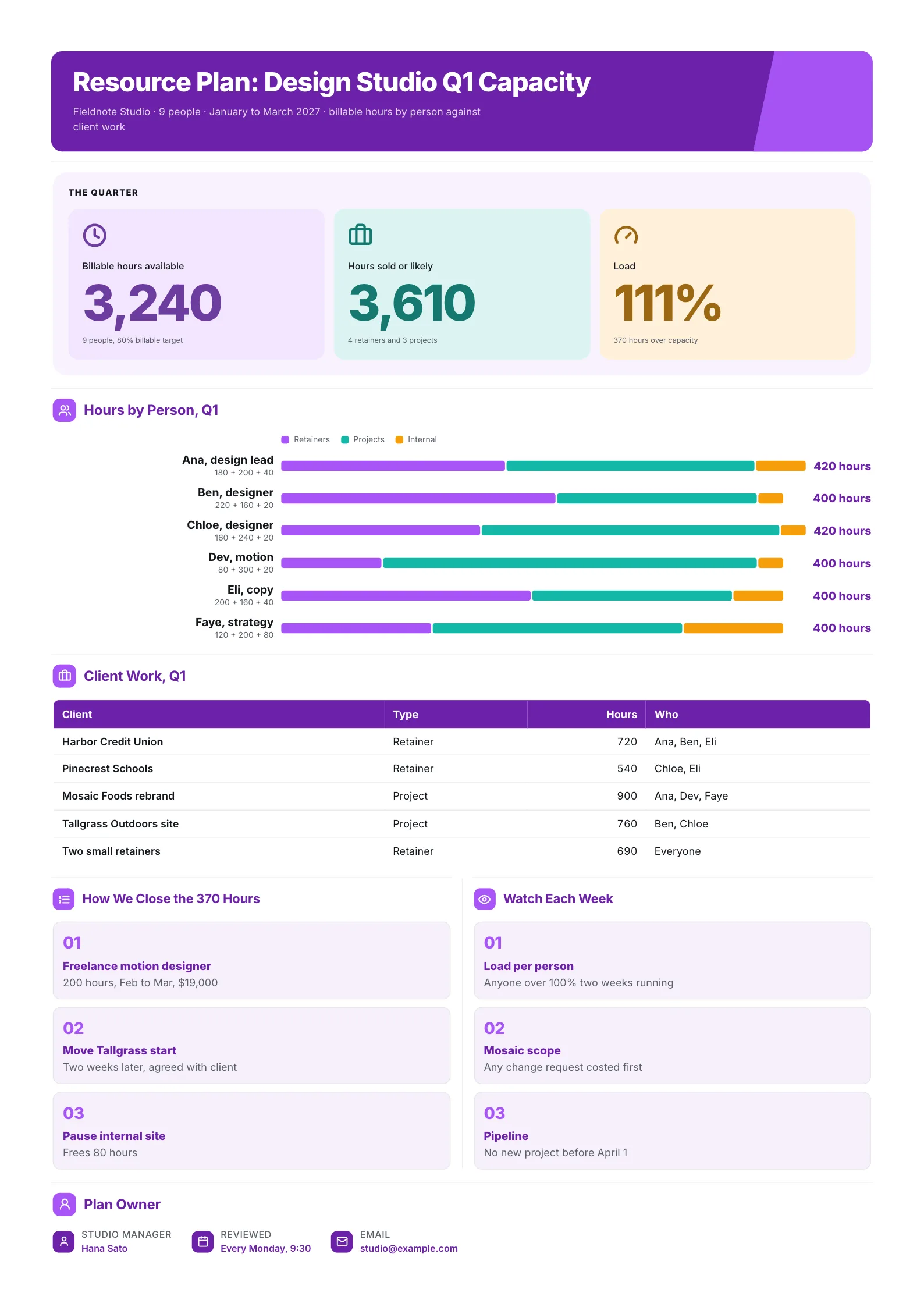 Resource Plan: Agency Team CapacityEdit for free(opens in a new tab)
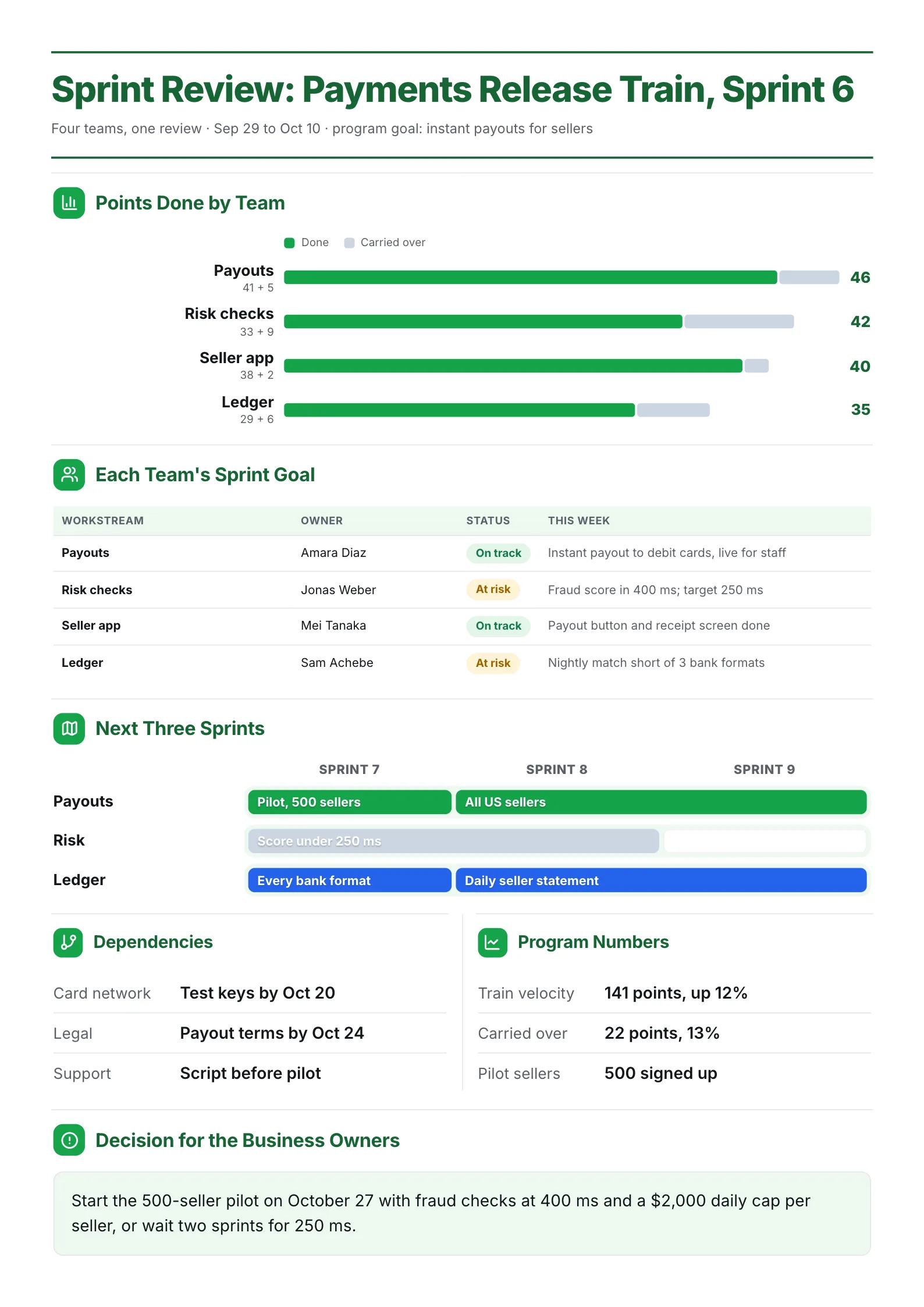 Multi-Team Sprint ReviewEdit for free(opens in a new tab)
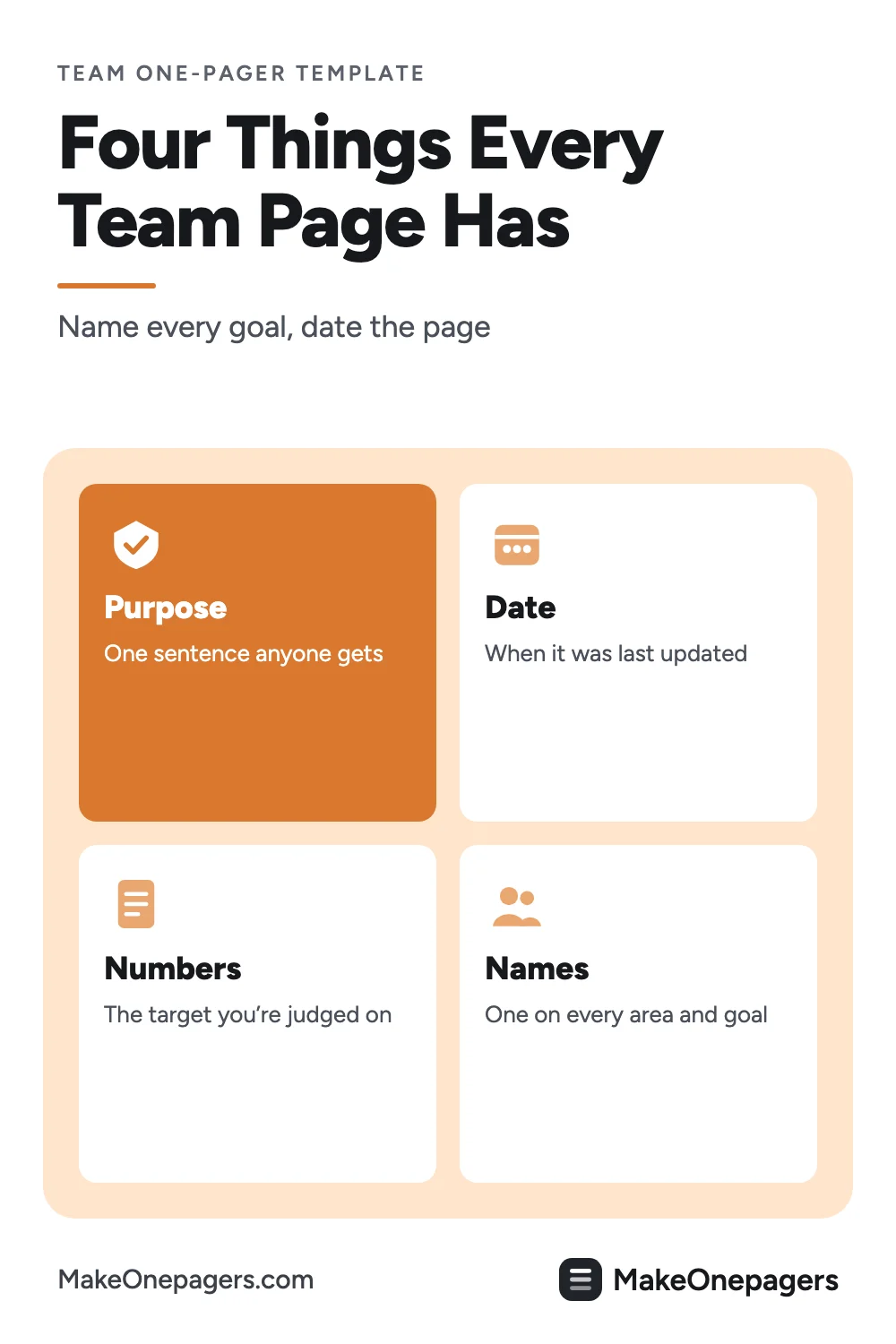
You don't need one big team page, because you're answering several different questions. Start with the one you're tired of hearing.
- "Who owns this?" A team charter.
- "What are you working on this quarter?" An OKR plan.
- "Where did the money go?" A budget snapshot.
- "Who's the new person?" A member intro.
- "Where do I need to be on Tuesday?" An offsite itinerary.
"Who owns this?" The team charter
 Edit this template
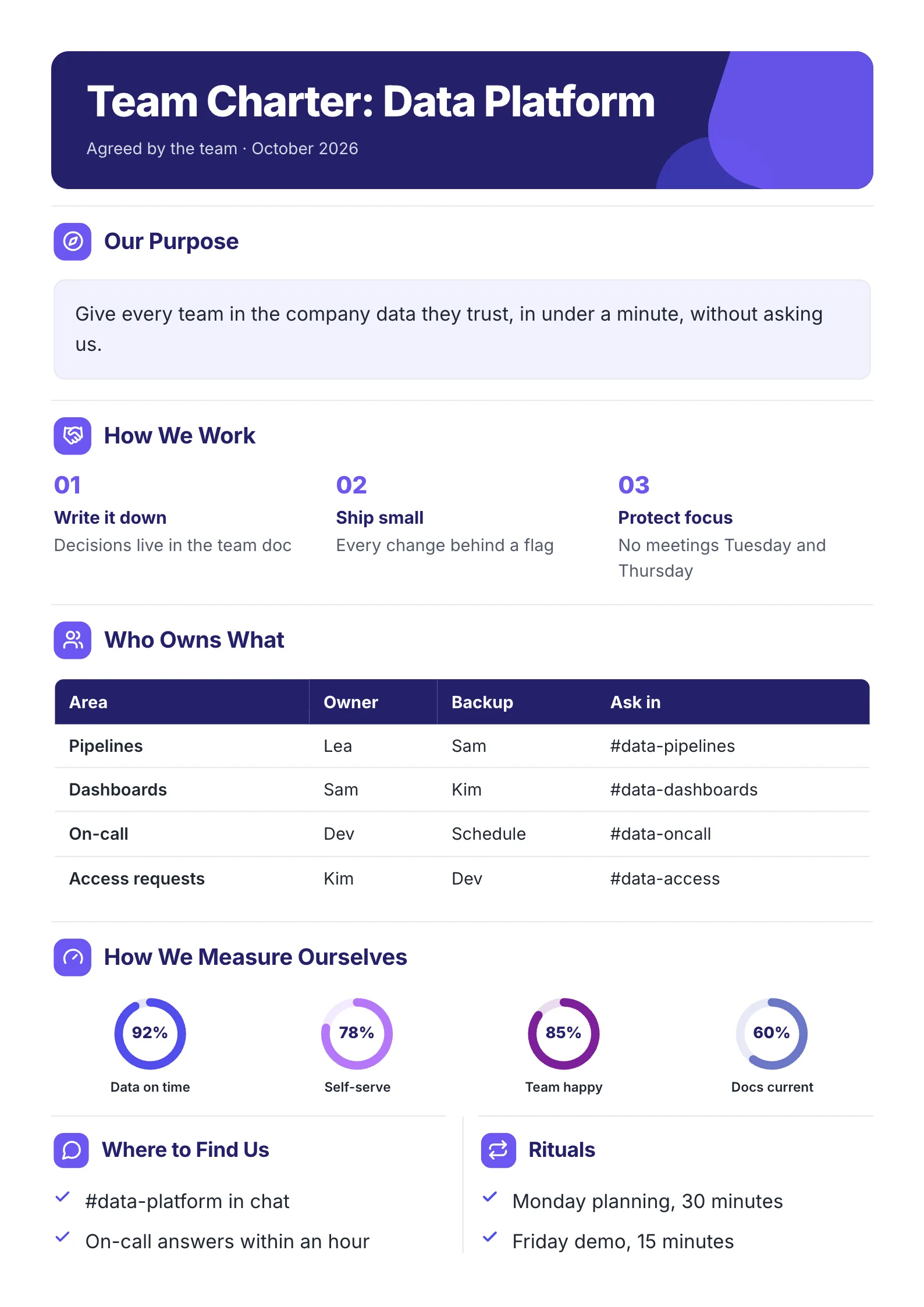
The table in the middle does most of the work on this data platform charter: each area has an owner, a backup and a channel. Around it sit the purpose in one line, trusted data for every team in under a minute, three working rules (write it down, ship small, protect focus) and four measures shown as rings.
You shouldn't fill in your table alone. Atlassian's roles and responsibilities play has teammates write down what they think each role covers, then has each role holder accept or reject those items. Where two people claim the same work, one becomes the primary owner and the other a contributor or backup. Anything nobody accepts goes on an unassigned list for the team to review. That list is often the most useful thing to come out of the meeting, because it shows the work nobody thought was theirs.
"What are you working on?" The OKR plan
 Edit this template
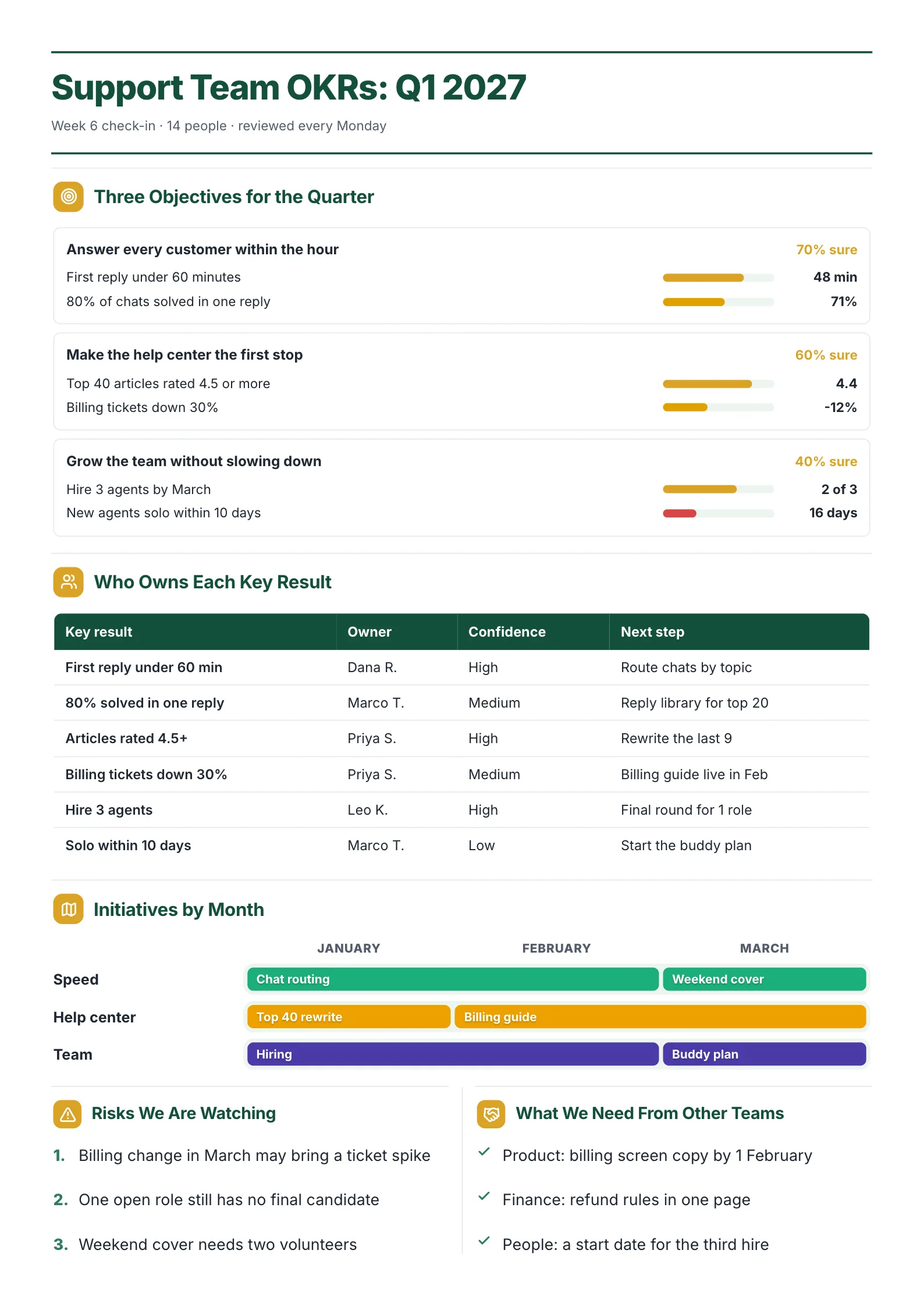
A support team's quarter fits on this sheet: three objectives, each with key results that show a target and today's number. The owner table adds a name, a confidence level and a next step for each key result, so a weekly check takes minutes. Initiatives by month come next, followed by risks and what the team needs from other teams.
If you're wondering how many to set, three sits comfortably inside Google's guidance. Its re:Work OKR guide says to pick three to five objectives with about three key results each, and warns that more can spread a team too thin. Google also sets OKRs so that hitting about 70% counts as success, so tell your readers if yours are stretch goals. Otherwise a 70% score looks like a miss.
"Where did the money go?" The budget snapshot
 Edit this template
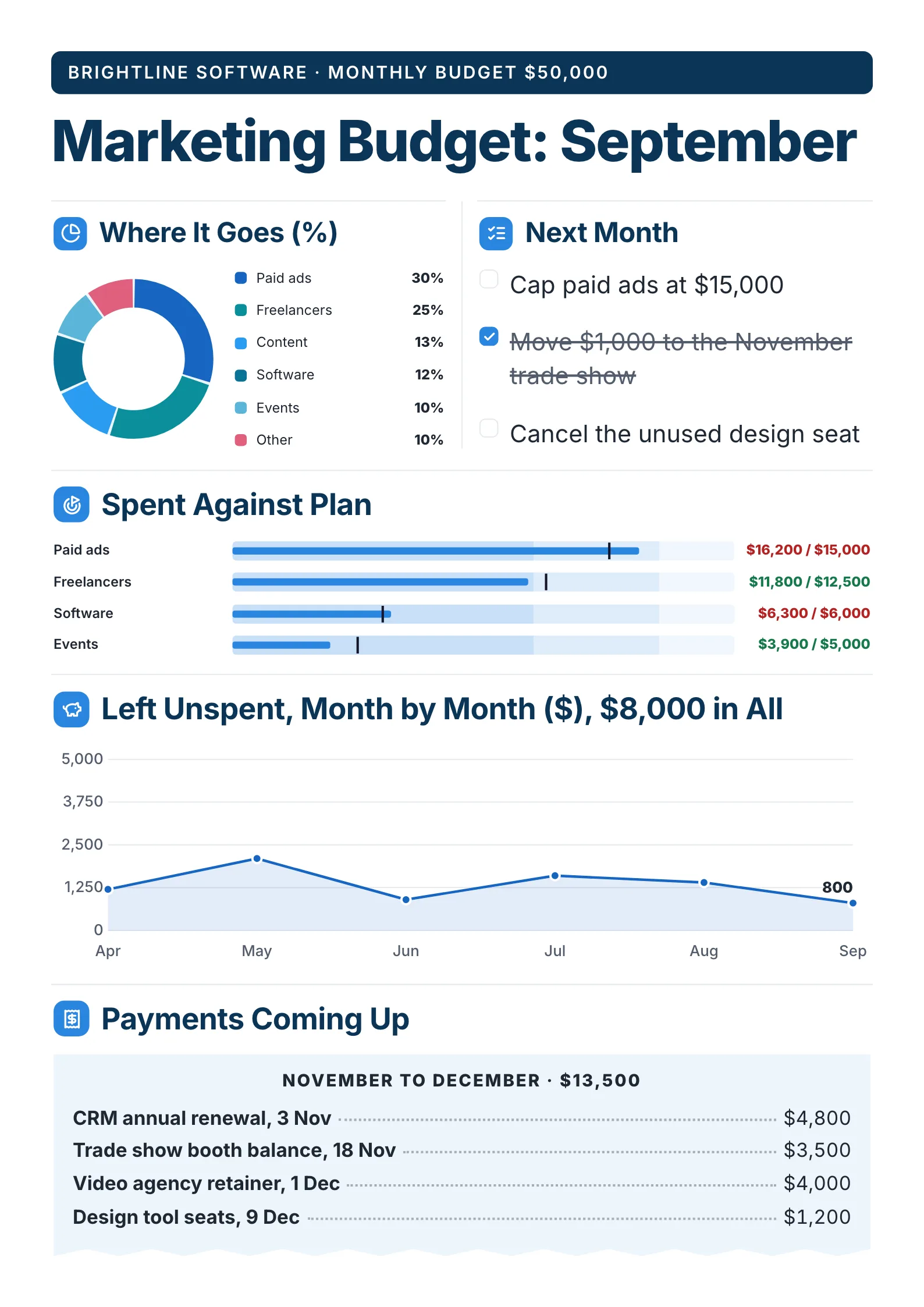
Finance and a team lead can read this marketing budget in the same glance. A donut splits the month's spend, and bars of spend against plan show which lines are running hot. The unspent line shows, month by month, how much is left over. Upcoming payments are listed with dates, so a big bill doesn't arrive as a surprise.
You won't fit every invoice on your page, and that's fine. It exists so you can spot the one line worth asking about.
"Who's the new person?" The member intro
 Edit this template
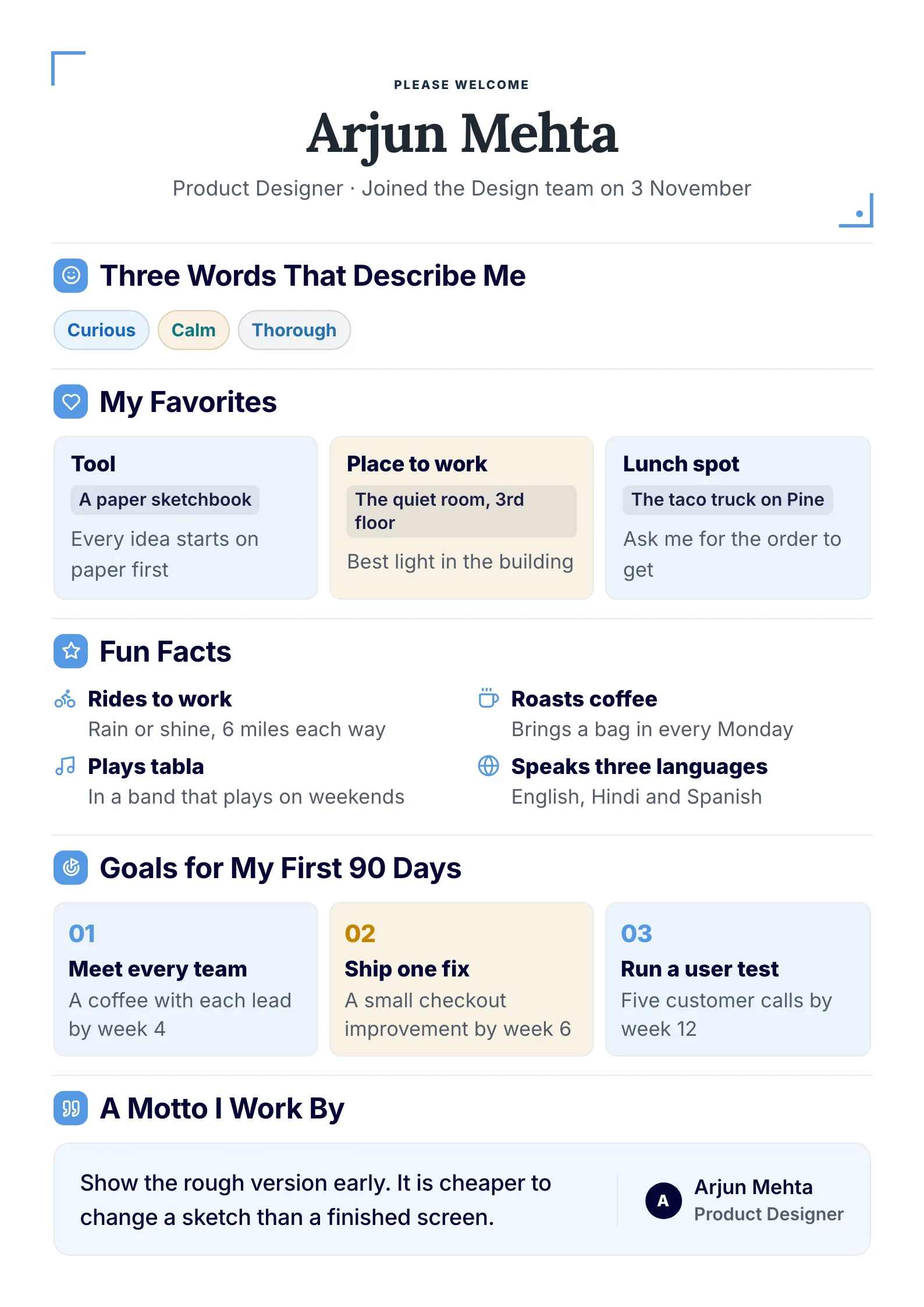
This is the friendliest page of the five: three words about the person, their favorite tool and lunch spot, and a few fun facts. Those give people something to say on day one. The first-90-days goals make it useful as well as friendly, since they show colleagues where the new person will be working and might need a hand.
Let your new hire write the personal parts. If you're their manager, agree the goals with them first.
"Where do I need to be?" The offsite itinerary
 Edit this template
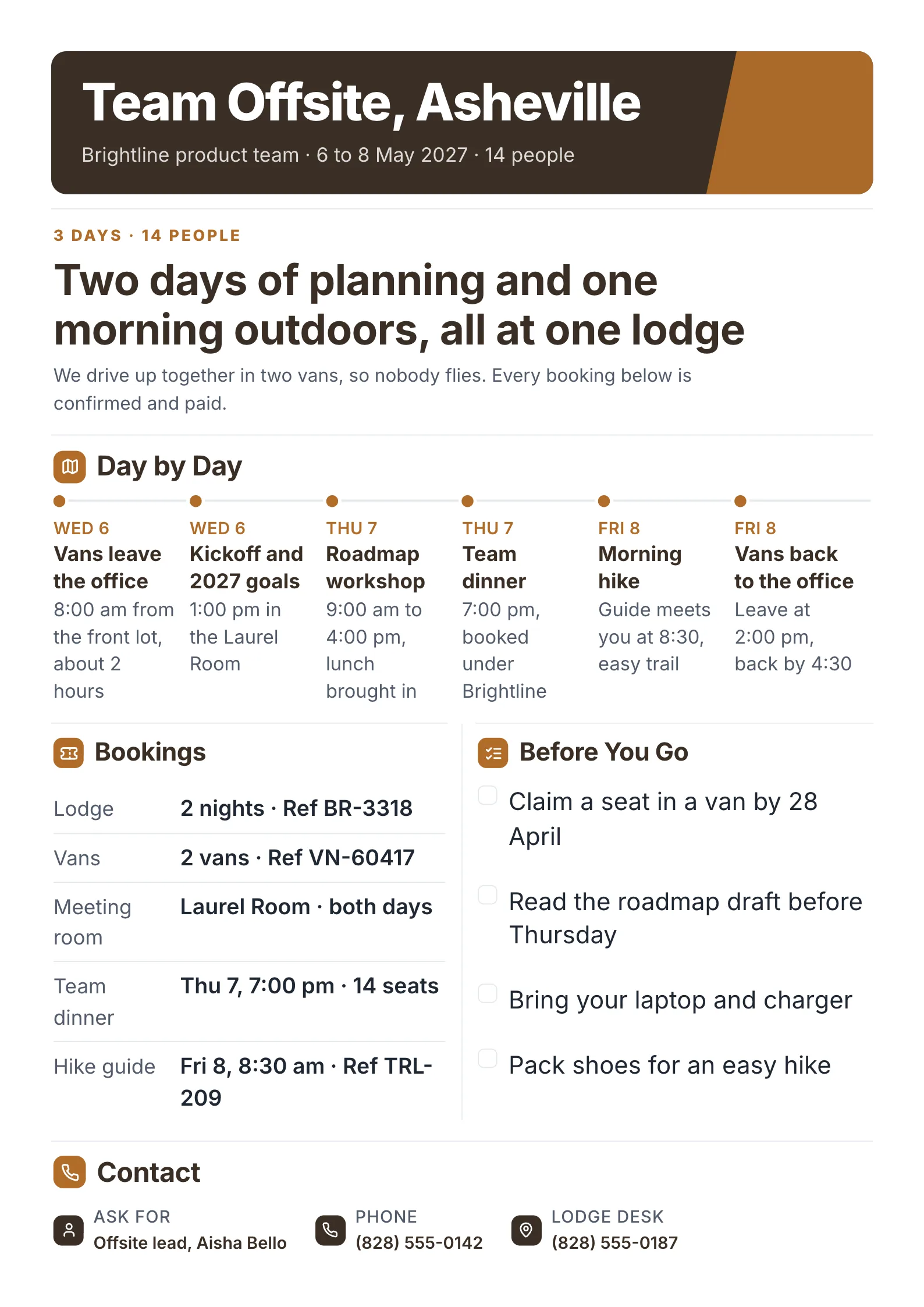
If you've organized a trip, you know how the chat fills up with the same few questions. This sample answers them in advance: the headline says two days of planning and one morning outdoors, a row gives each day's times and places, and a table carries the booking references. A before-you-go checklist covers van seats, the reading and what to pack, and the contacts sit at the end. Send yours a week ahead, and again the night before.
Put yours together in six steps
- Choose one question. Pick from the five above, and save the others for their own pages.
- Write the first line for an outsider. Someone in another department should understand it.
- Add names wherever a job could fall between two people: areas, key results, budget owners.
- Show the numbers you're judged on, if this page has any. An intro doesn't need them.
- Say where to find the team: a channel, a meeting or a person.
- Pin it, date it and set a reminder to update it.
Why team pages go stale
- No review date. Atlassian suggests revisiting working agreements quarterly, and also when new people join, when the team reorganizes or when an agreement can't be kept. The same moments suit a charter.
- A goal with no name. If you don't assign it, it's nobody's job, so it waits.
- More objectives than you can track. If you pass Google's five, cut something.
- Team shorthand. Your whole company reads this page too, so spell out your project names.
- No way to reach you. A reader with a follow-up question needs your channel or a person to ask.
Questions teams ask
What should a team charter include?
The team's purpose, how it works, who owns each area with a backup, how it measures itself, when it meets and where to reach it.
How do you write team OKRs on one page?
Pick up to five objectives for the quarter, three if you can, each with about three key results that carry a number. Then give each key result an owner, a confidence level and a next step.
What goes in a new team member intro?
Name, role and start date, plus a photo. Add a few words on how they like to work, a couple of personal facts, and their goals for the first 90 days.
Is it free?
Yes. These samples were made with MakeOnepagers and open as editable templates. Change the words, numbers and colors to match your team, then download the page.




