Software One‑Pager Template: Free Product Sheet, Proposal and Launch Plan
Free software one-pager template for a product sheet, launch plan or battlecard. Five examples, one for each reader, and what that reader checks first.

Who is going to read it? Answer that before you fill in a software one pager template, because the same product needs a different page for each person. A buyer asks what problem it removes. A client asks what the build costs and when it arrives. Your launch team asks who owns what on the day. A sales rep, mid-call, asks what to say about the competitor. Nobody reads the 30-slide version twice. Start from a free one pager template.
One‑Pager examples
Real One-Pagers made with MakeOnepagers. Open any one to edit it as your own.
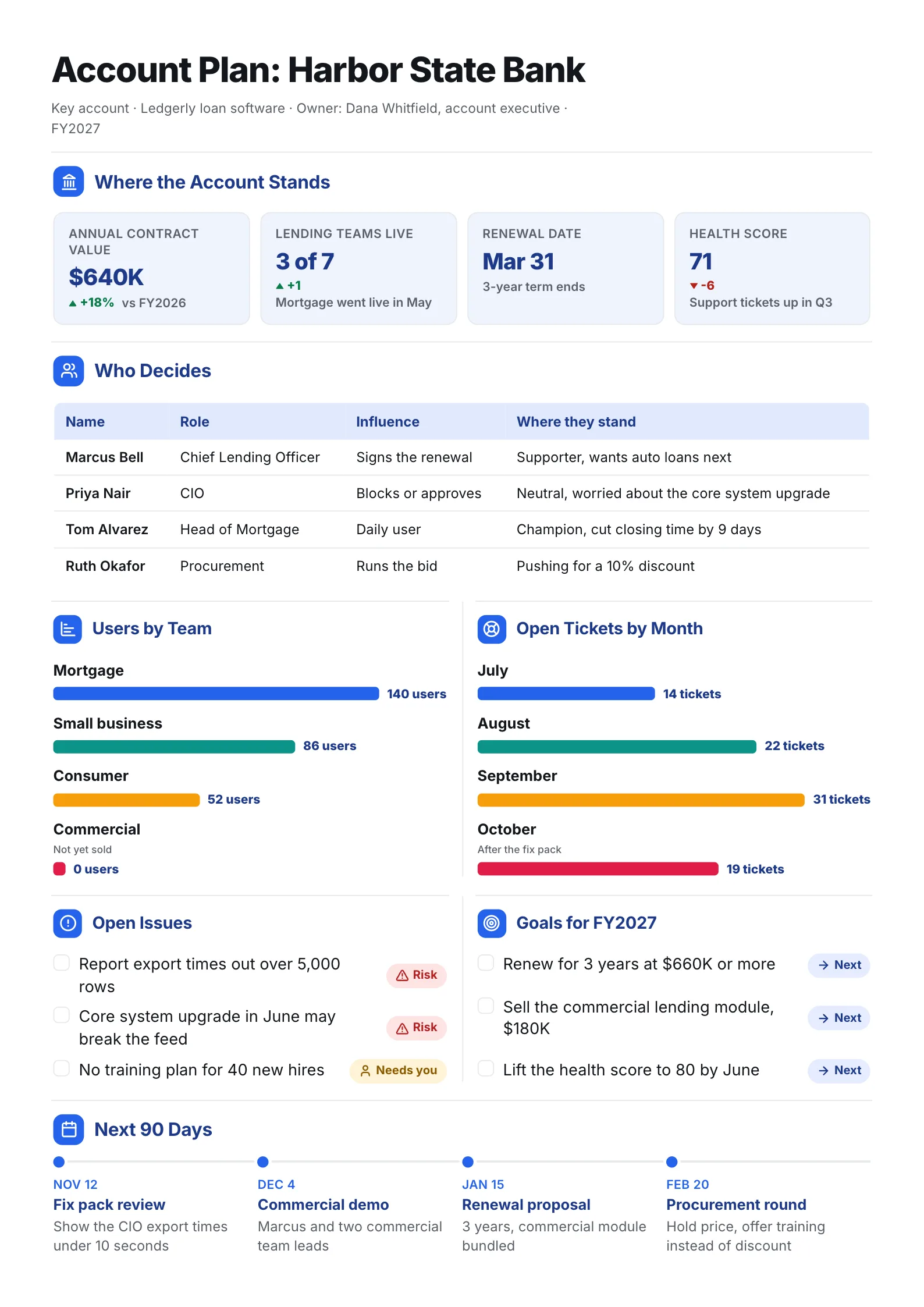 Account Plan: Regional Bank Software RenewalEdit for free(opens in a new tab)
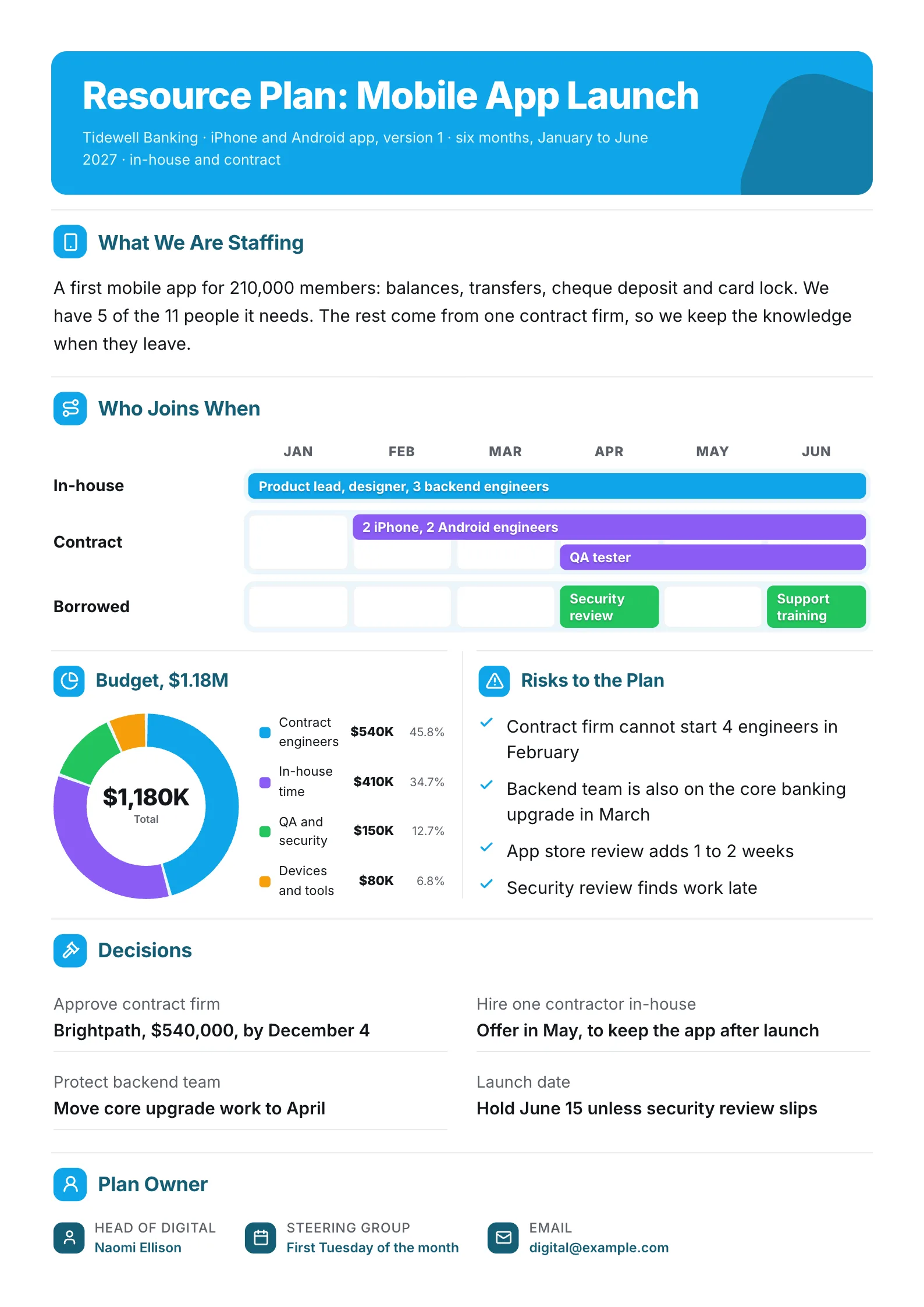 Resource Plan: Software Launch TeamEdit for free(opens in a new tab)
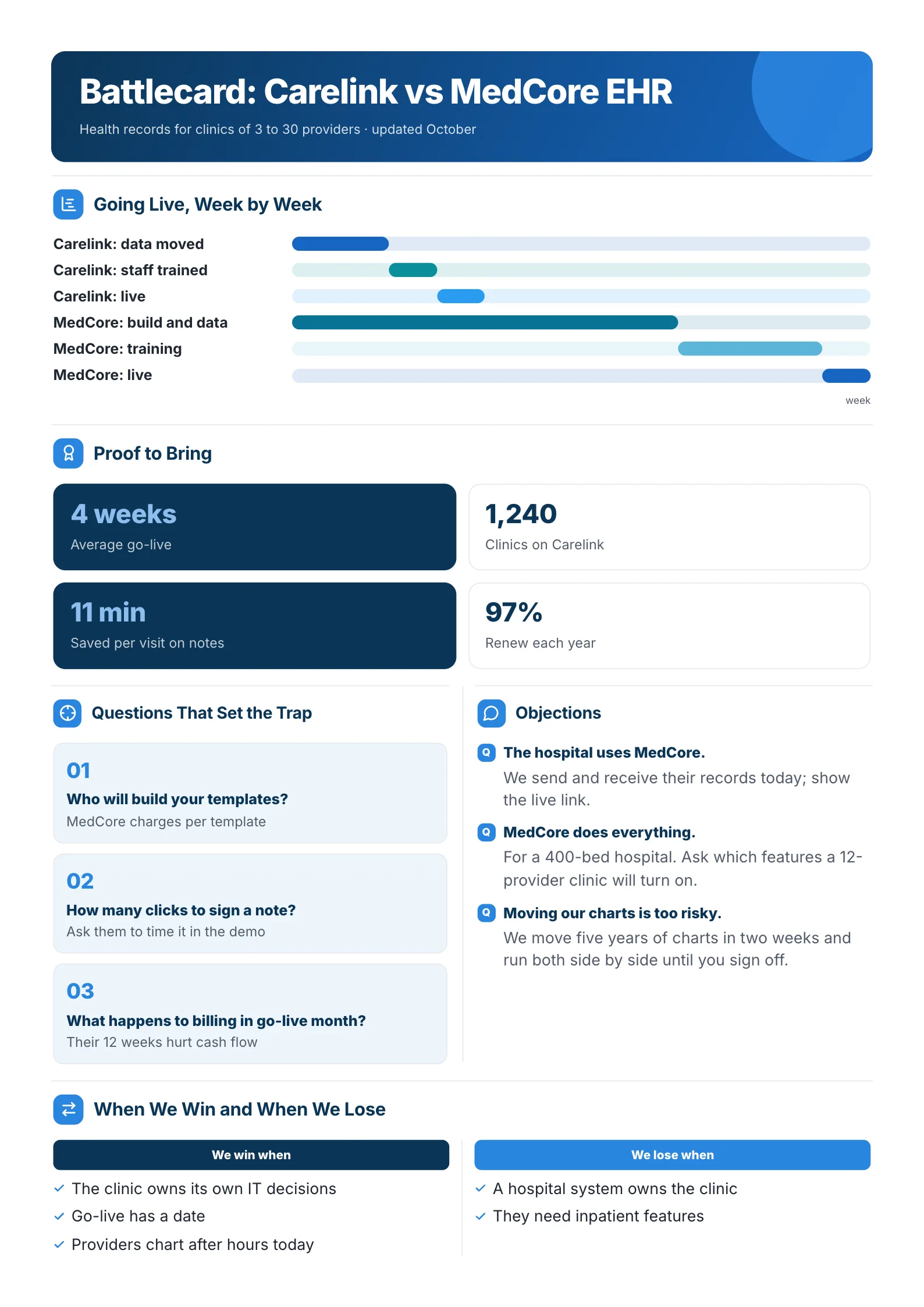 Healthcare Software BattlecardEdit for free(opens in a new tab)
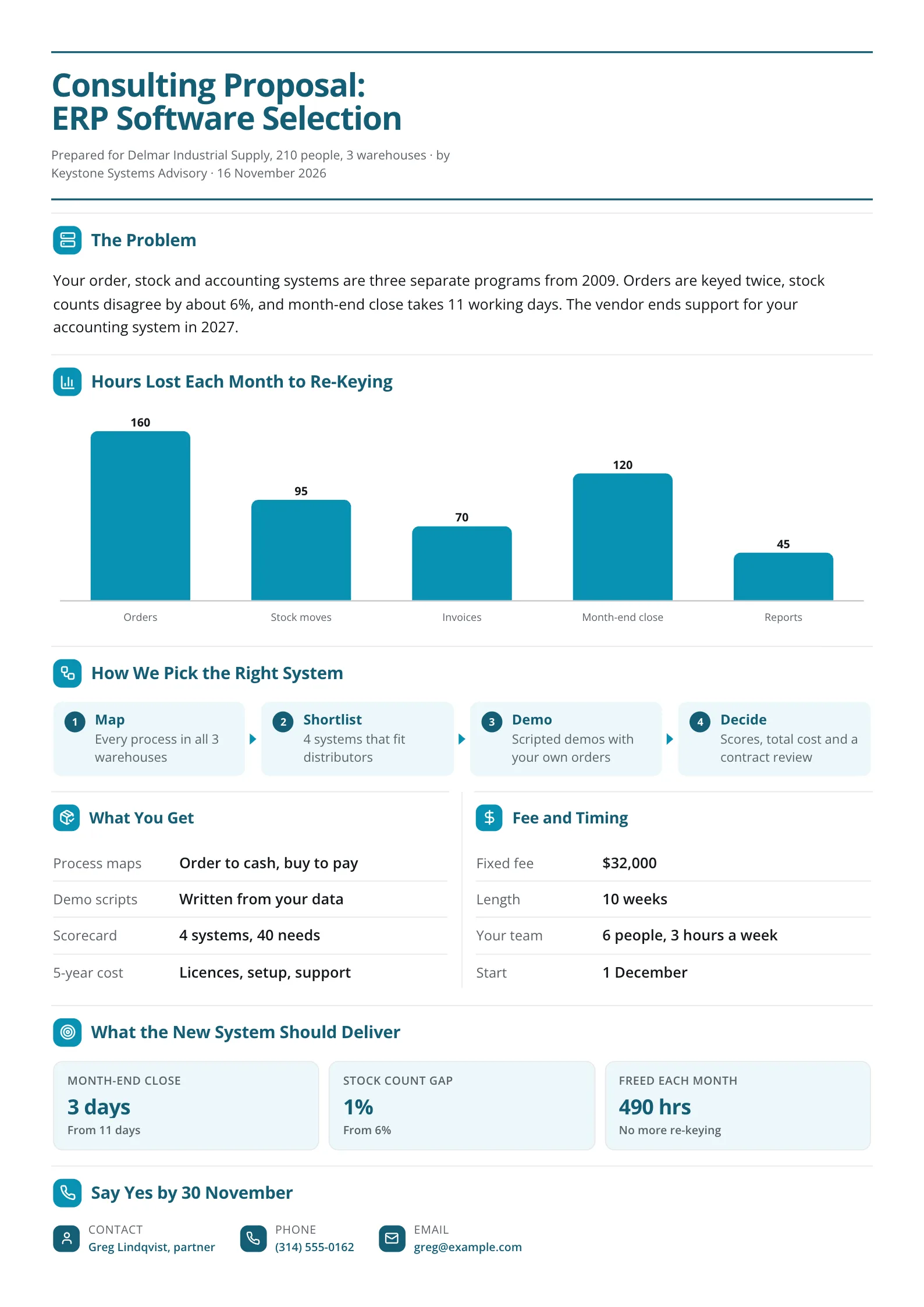 Consulting Proposal: ERP Software SelectionEdit for free(opens in a new tab)
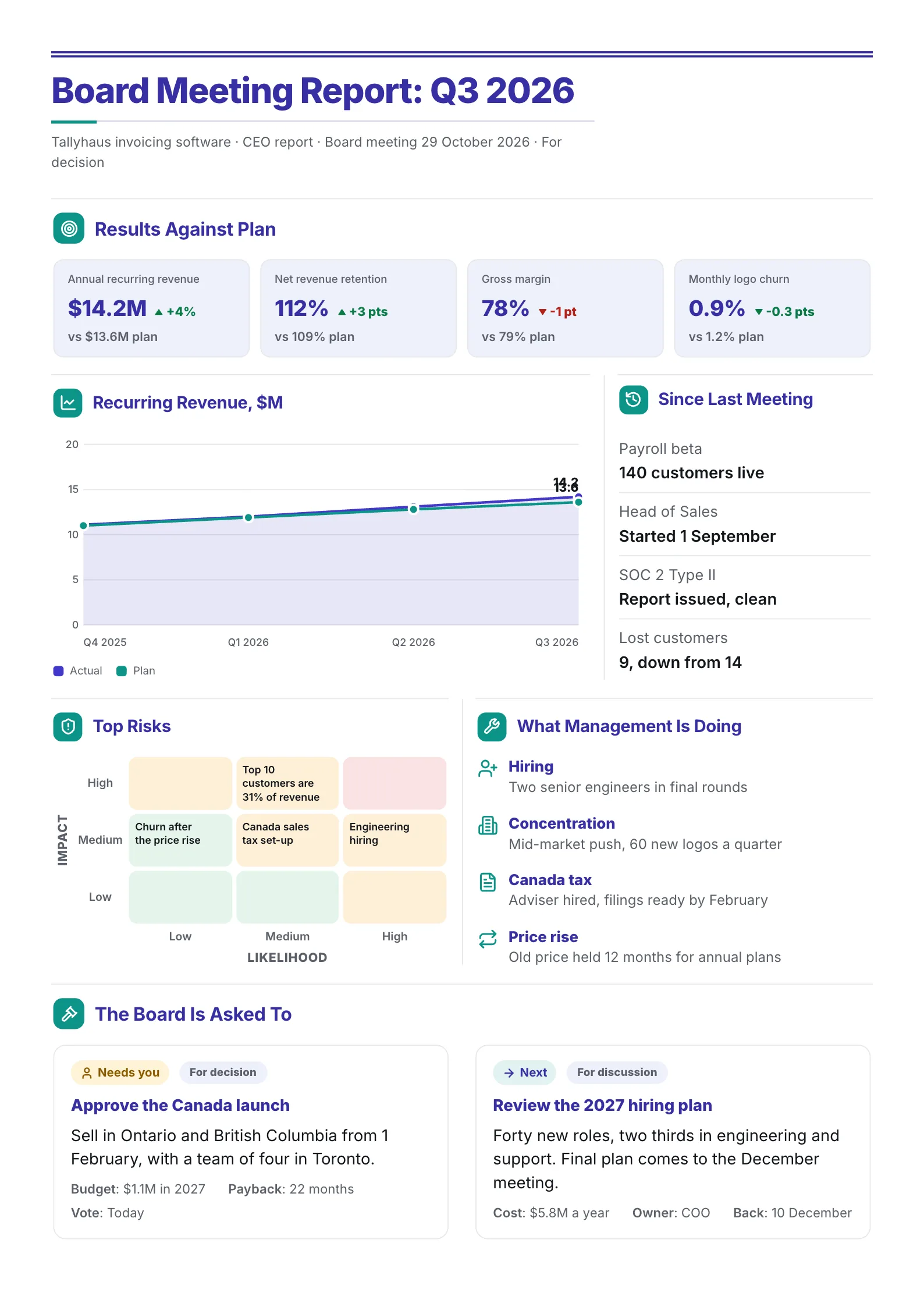 Board Meeting Report: CEO, Software CompanyEdit for free(opens in a new tab)
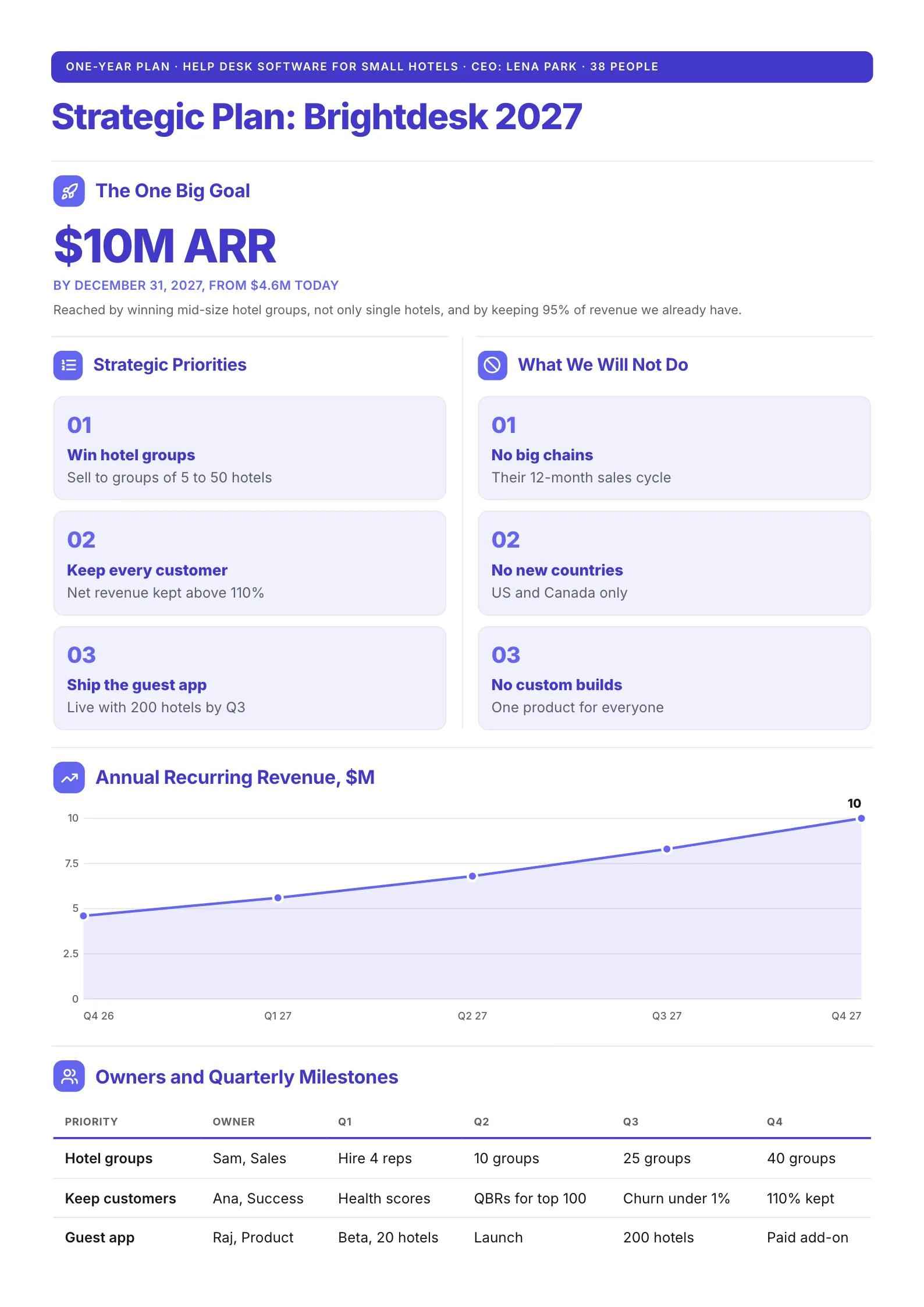 Strategic Plan: Software Startup Annual PlanEdit for free(opens in a new tab)
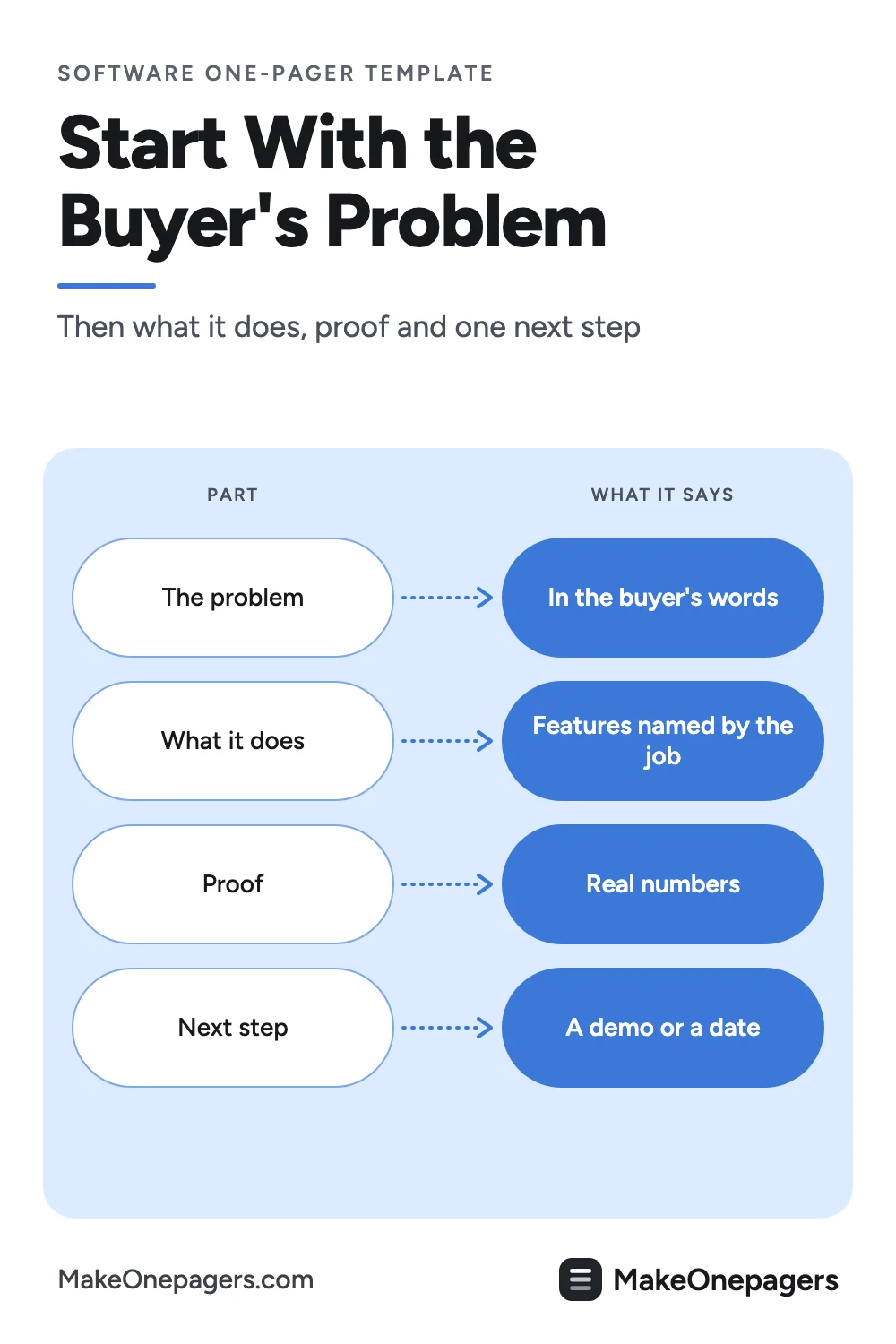
Your reader will probably skim. When Jakob Nielsen tested how people read web pages in 1997, 79 percent of his test users scanned and only 16 percent read word by word. So whatever you put on the page, your reader's answer has to be easy to spot.
| Reader | The page to send | What they check first |
|---|---|---|
| A buyer after a first call | Company profile | The problem, then the proof |
| A buyer's IT team | Features and pricing sheet | Deployment, single sign-on, API |
| A client | Development proposal | The total and the dates |
| Your own teams | Launch plan | The date and their row |
| Your sales reps | Battlecard | The numbers against one rival |
Sending a profile to a buyer
 Edit this template
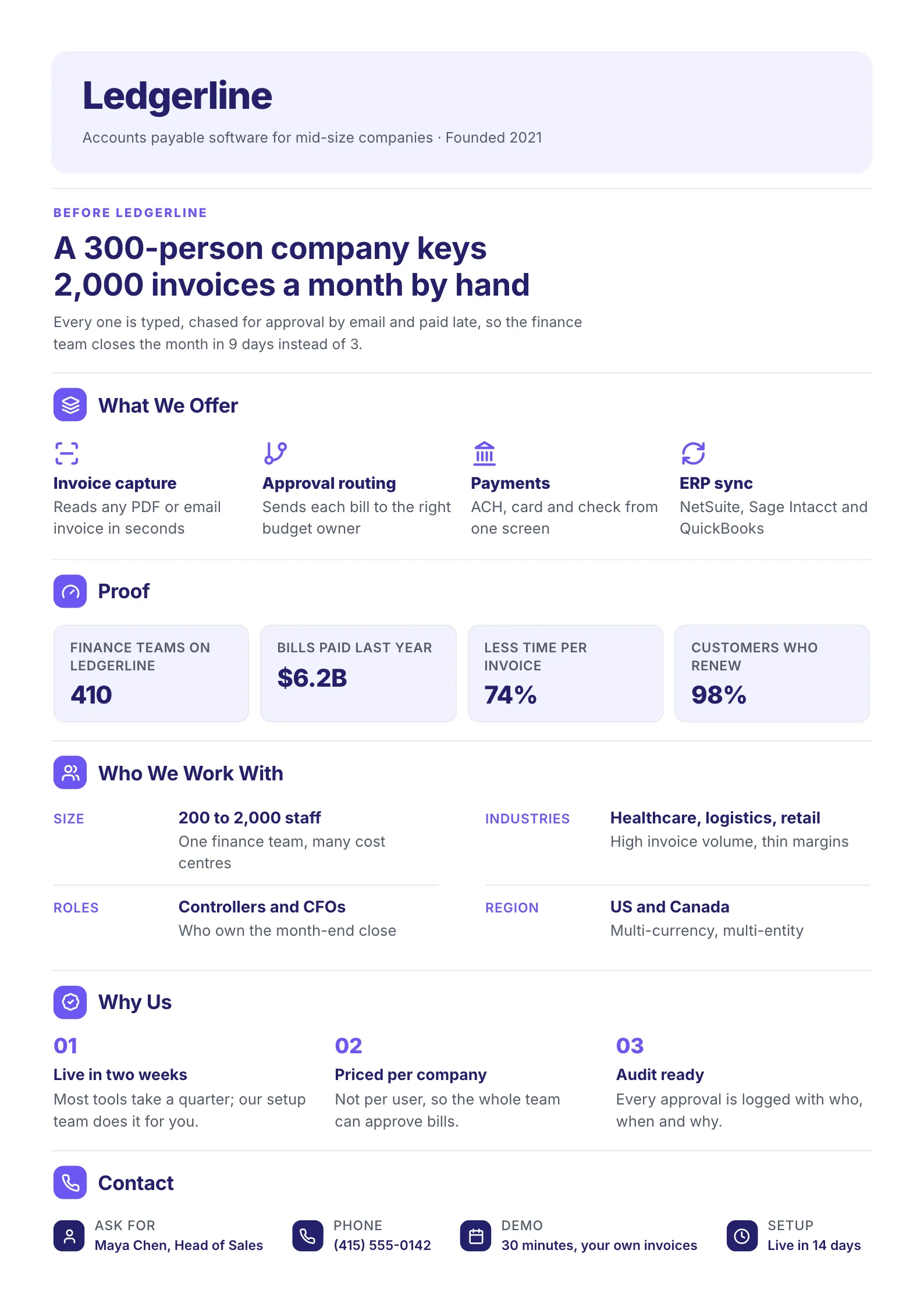
This one sells accounts payable software, and it spends its first lines on life before the product: invoices typed by hand, chased for approval and paid late, with the books taking nine days to close. Only then come the four features, each with a one-line job. The proof row counts finance teams served, bills paid last year, time saved per invoice and renewals. It closes on a 30-minute demo using the buyer's own invoices, which is a far easier yes than "get in touch".
You can write yours the same way. If you can't tie a feature to something in your opening problem, cut it from this page.
Answering IT with a pricing sheet
 Edit this template
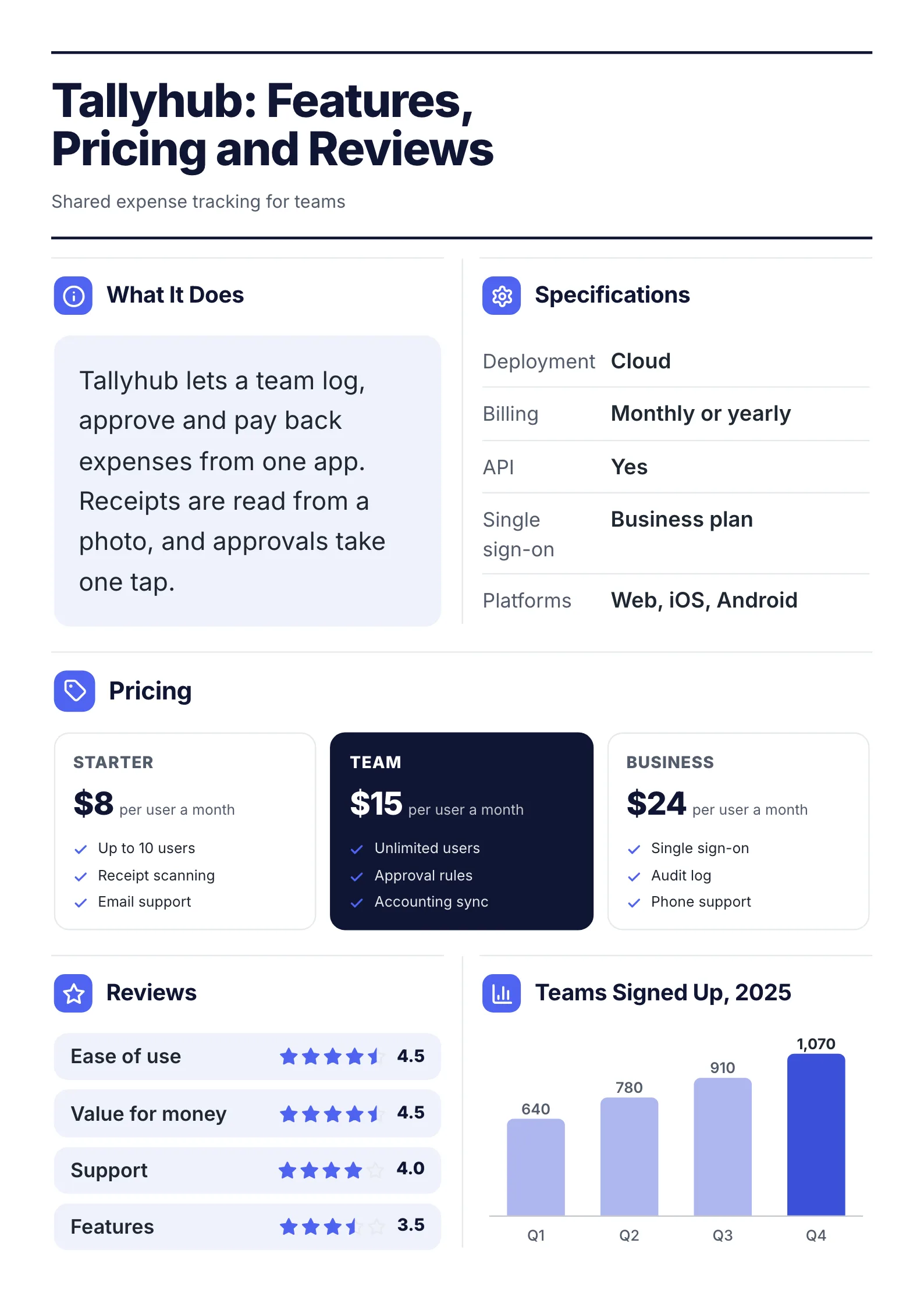
An expense app sits on this sheet, and there's no problem statement at the top, because this reader is already past that stage. One paragraph says what the app does. Then a table lists deployment, billing, API, single sign-on and platforms: the questions an IT reviewer would otherwise send by email. Three pricing tiers sit side by side with the most popular in dark, and review scores and a sign-up chart stand in for adjectives.
If your price is custom, tell your reader what it depends on: seats, volume or contract length. You'll get fewer emails asking.
Quoting a client on one page
 Edit this template
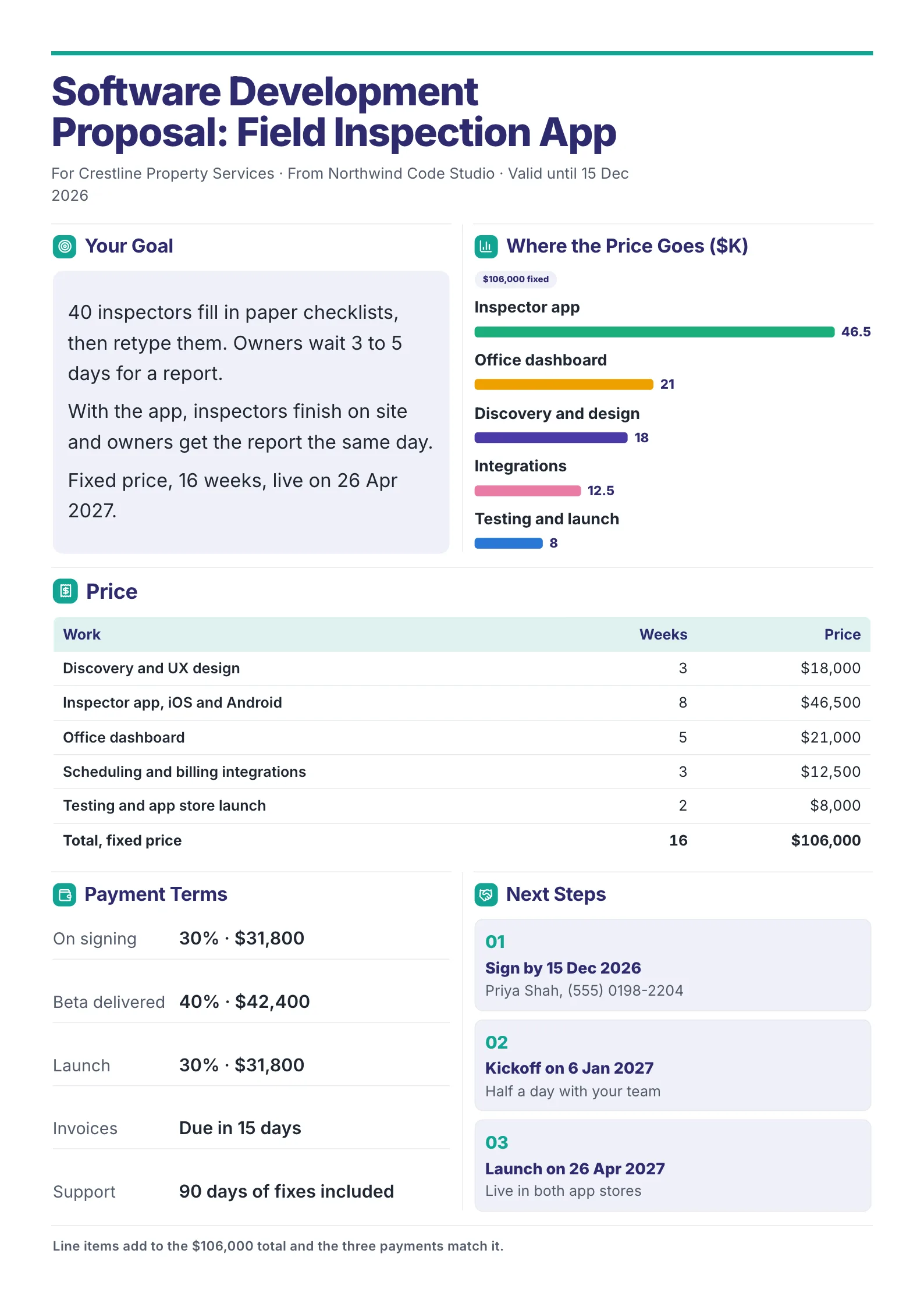
Here the reader is a client who wants a field inspection app, and they'll check the sums in the meeting. The goal comes back in their own terms: inspectors fill in paper checklists, and owners wait days for a report. Each work package gets its weeks and its price, and the rows add up to one fixed total. Payments are tied to milestones, and the last box gives the signing date, the kickoff and the launch.
You'll still need a contract, but when you agree the scope and the total on one page first, you draft that contract once.
Running a launch from one sheet
 Edit this template
Google's site reliability engineers treat launches as a checklist problem. Their book describes up to 70 launches a week and a launch checklist used to qualify each one, and it also says a company launching every three years doesn't need so detailed a process. Your team probably sits in between, and one sheet is about the right size.
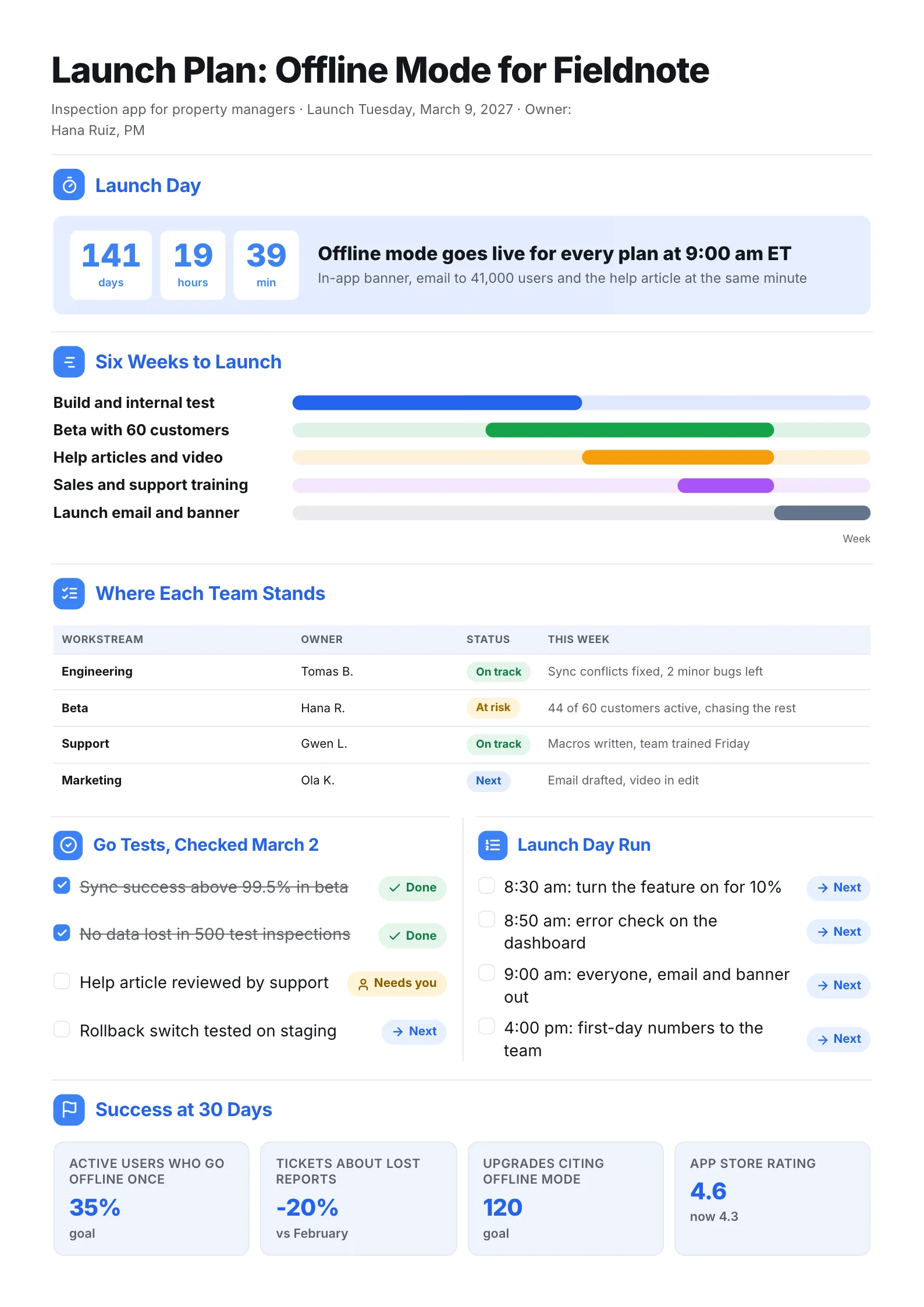
This sample plans an offline mode feature. The countdown leads, a six-week timeline shows each stream of work, and a table gives each team an owner and this week's status. Below that are the go tests, an hour-by-hour run sheet for launch day and the measures that will say at 30 days whether it worked. Set your measures before launch day, while you have no result to defend.
Arming reps with a battlecard
 Edit this template
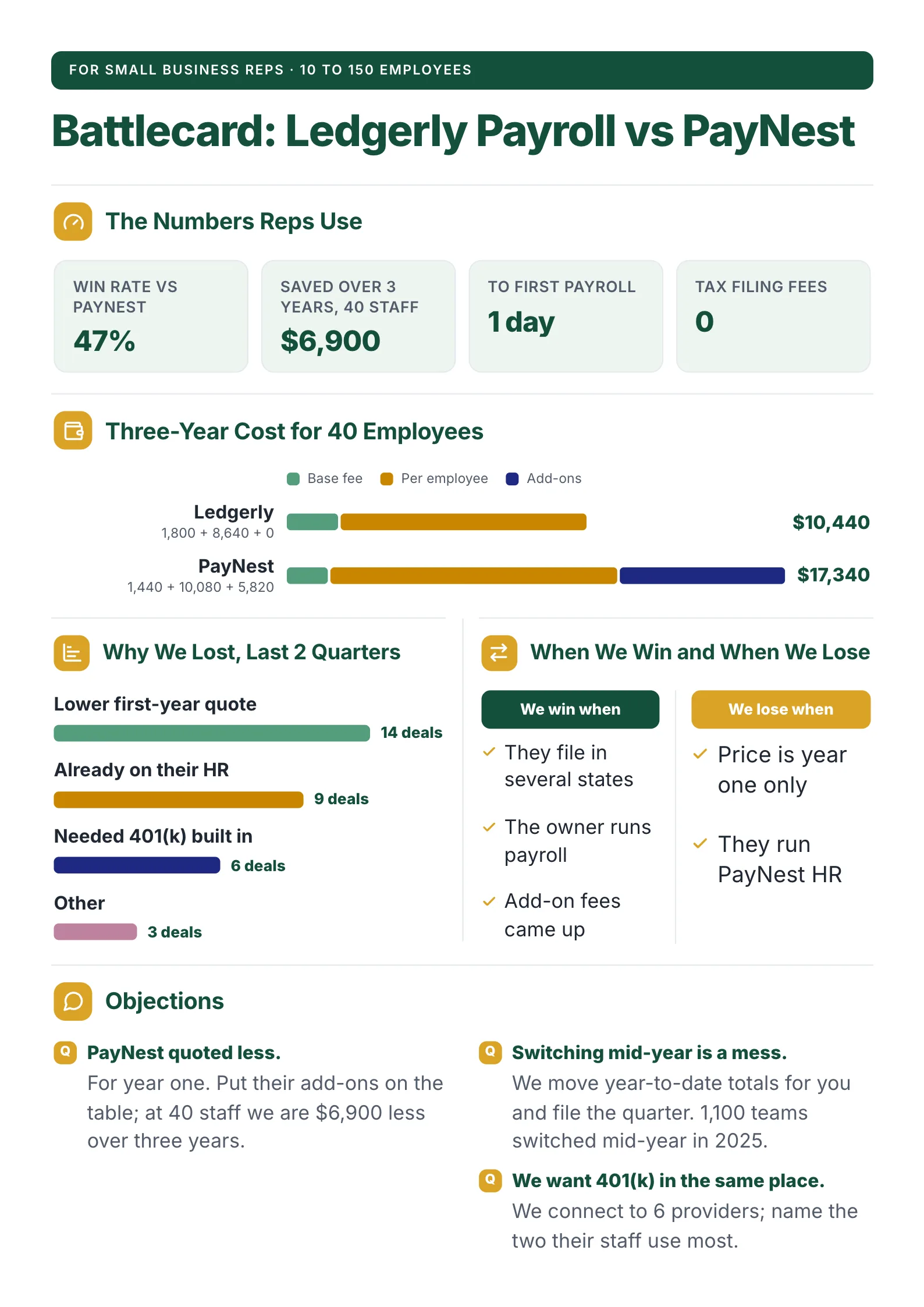
A battlecard stays open during the call, so it starts with what a rep will quote out loud: the win rate against this payroll rival, the three-year saving and the time to first payroll. A cost bar compares both products for a company of 40. The most useful boxes are the honest ones, why deals were lost and when the rival wins, because a rep who knows the bad match stops chasing it. Short answers to the common objections fill the rest.
Keep your battlecard to one rival. If you face a second competitor, give it a second card.
How to make a software one-pager
- Name one reader. If two people need it, make two pages from the same facts.
- Write down the question they arrive with, and answer it in the top third of the page.
- Name each feature by its job. "Approval routing: sends each bill to the right budget owner."
- Use proof you could defend on a call. A customer count, a renewal rate, a review score.
- Show the price or the date if this reader needs it to decide.
- End on one step, then download a PDF to attach to your email.
Mistakes that lose the reader
- A screenshot of the whole app. You can't read a full dashboard at page size. Show one screen or none.
- Vague proof. "Trusted by teams everywhere" says nothing. "410 finance teams" gives the reader something to check.
- Three calls to action. Book a demo, start a trial or sign by a date. Pick one.
- A feature list for a buyer. An engineer may want it. A buyer wants to know what changes on Monday.
- An old number. If you quote a figure, put a date near it, and update it when you get a new one.
Software one-pager FAQ
What is a software product one-pager?
A single page that explains a product to someone deciding about it. For a buyer that usually means the problem, the main features, proof, price and how to start. Sales teams send it after a call or leave it after a demo.
What should a software development proposal include?
The client's goal, the scope split into work packages, the time and price of each, and the total. Add payment terms tied to milestones, then the dates for signing, kickoff and launch.
Can I use a software one-pager for an app or a SaaS startup?
Yes. The profile and pricing sheet suit a mobile app or a SaaS product as they are, and the launch plan works for an internal tool. Change the facts and keep the order.
Is the software one-pager template free?
Yes. The examples here were made with MakeOnepagers, and each one opens as a template. Edit every word and number, add your logo, then download it.




