A Monthly Report Format You Can Repeat Without Rethinking It
A monthly report format taken from a real city report: a repeating page, counts instead of essays, highlights and a look ahead, plus 5 one-page versions for teams.

People read a monthly report fastest when they know its layout before opening the file. Your monthly report format should put their number in the same spot as last month, so you can count on them reading it and moving on. Start from a free one pager template.
One‑Pager examples
Real One-Pagers made with MakeOnepagers. Open any one to edit it as your own.
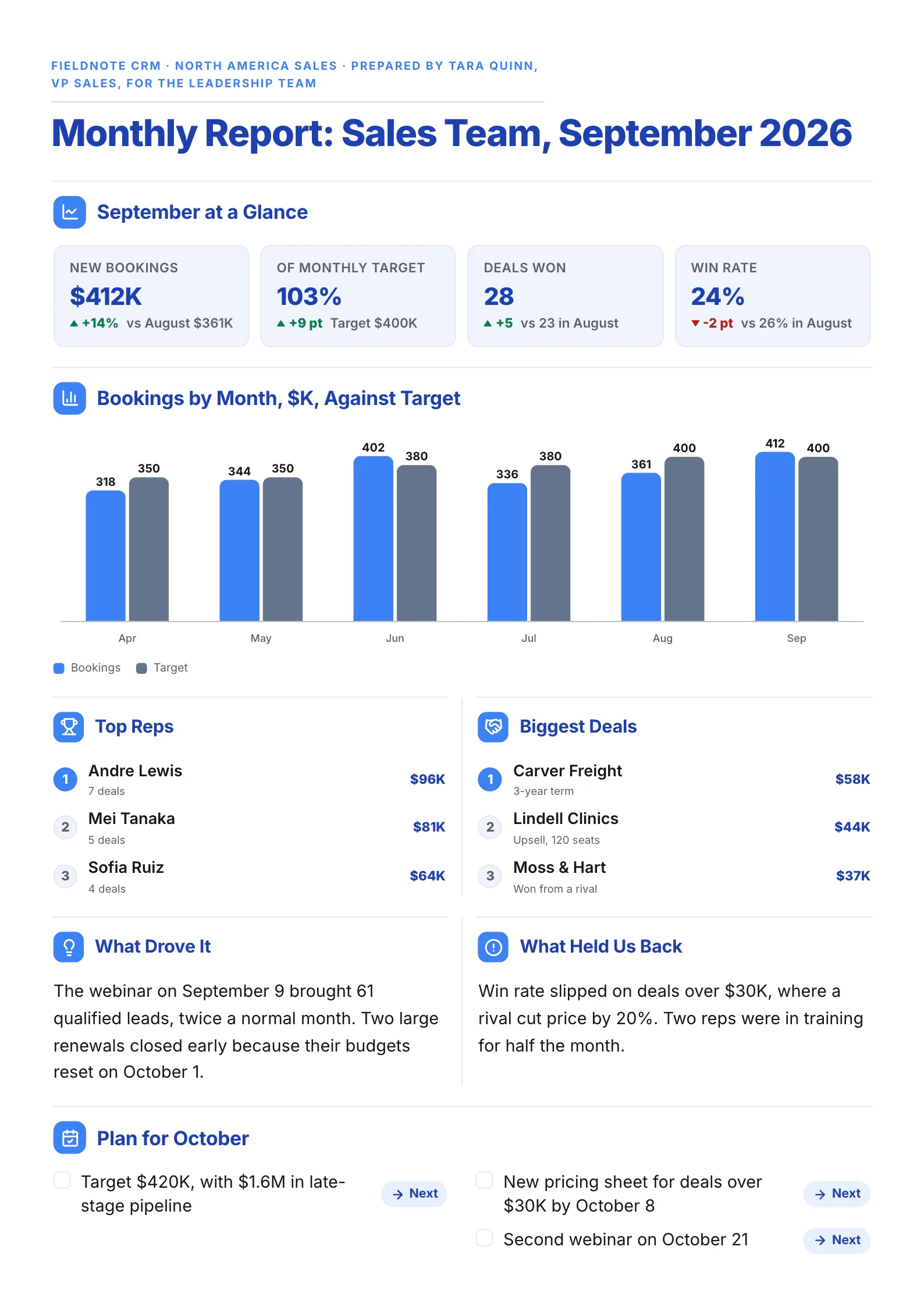 Monthly Report: Sales Team ResultsEdit for free(opens in a new tab)
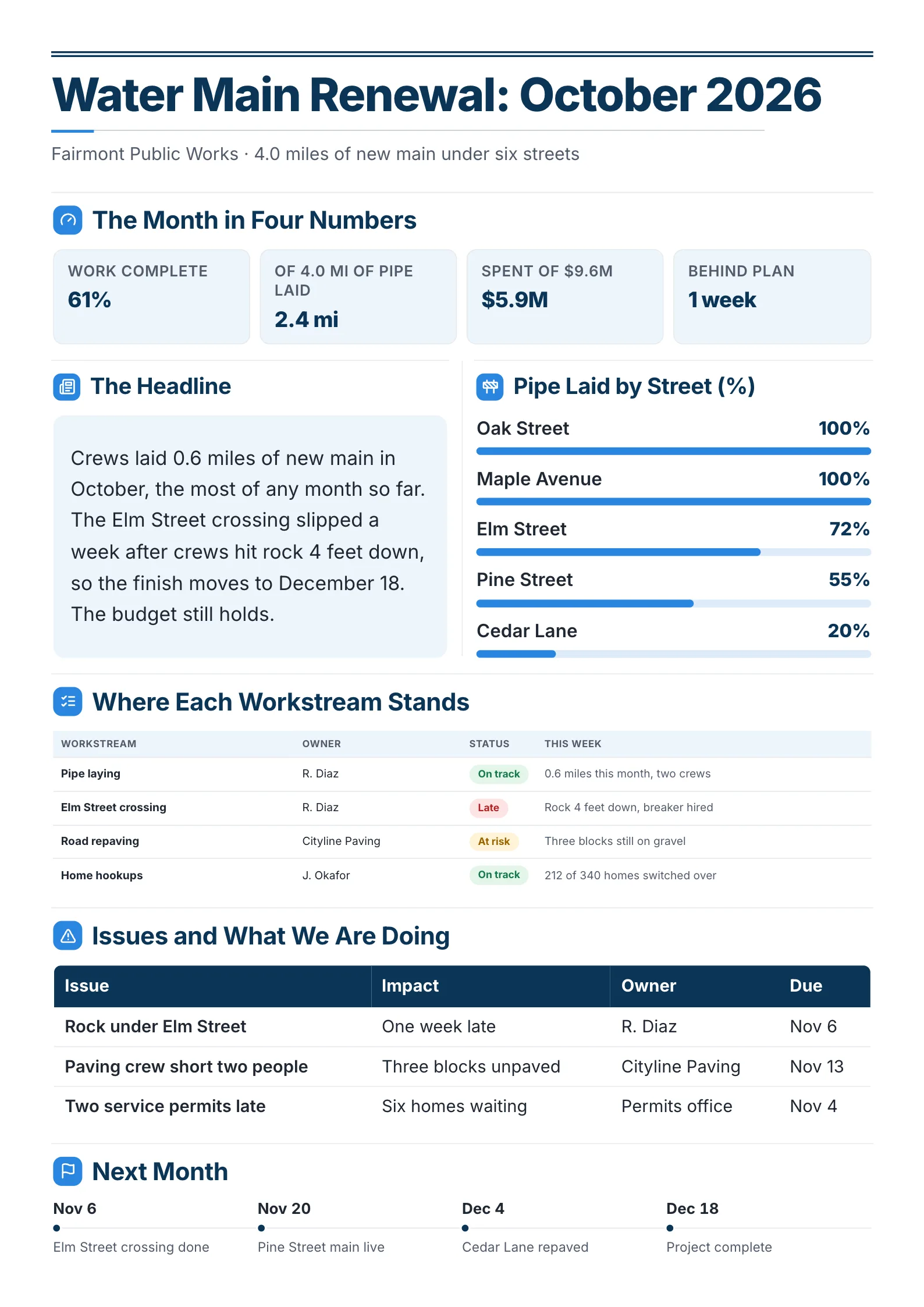 Monthly Project Summary ReportEdit for free(opens in a new tab)
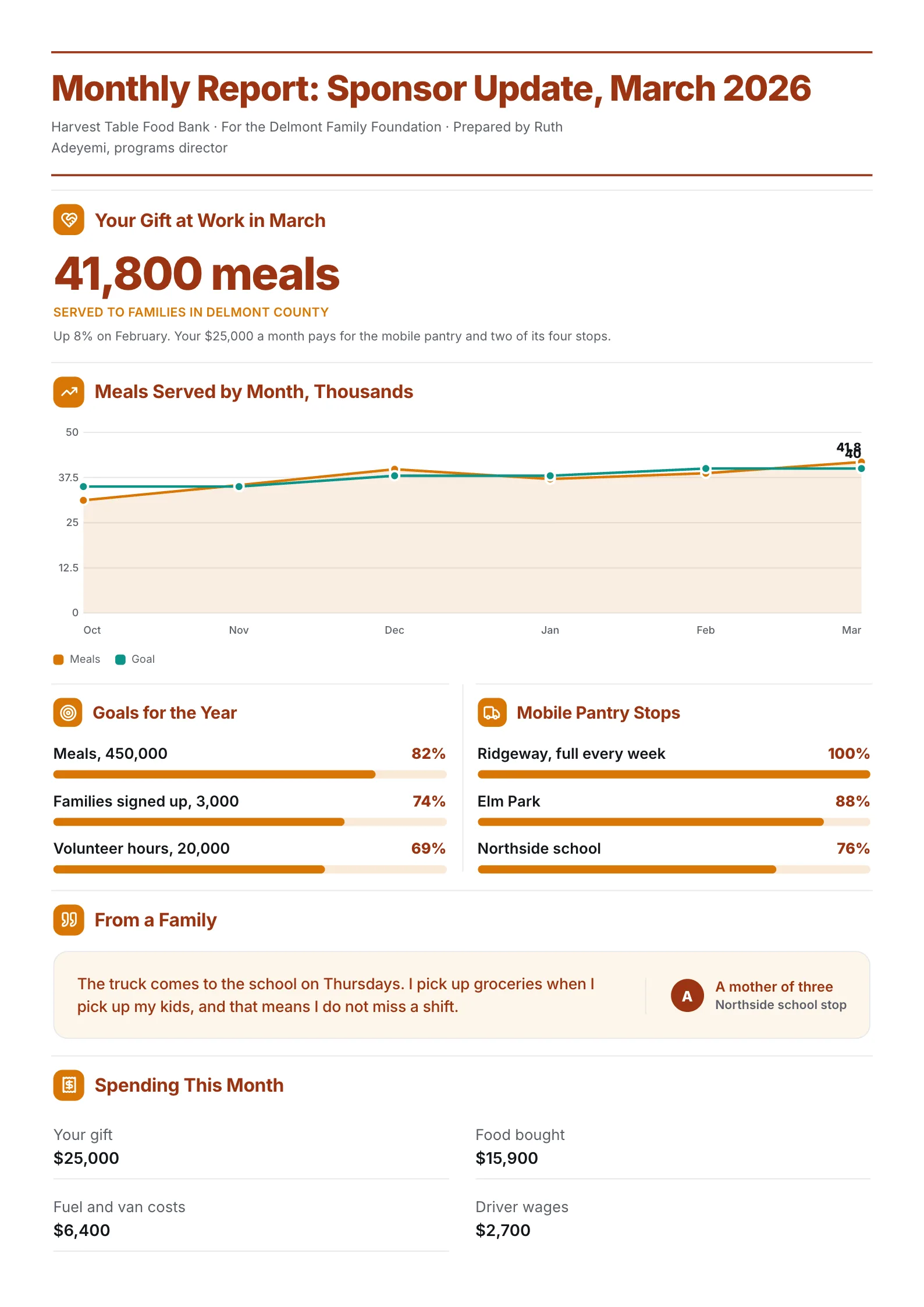 Monthly Report: Nonprofit Sponsor UpdateEdit for free(opens in a new tab)
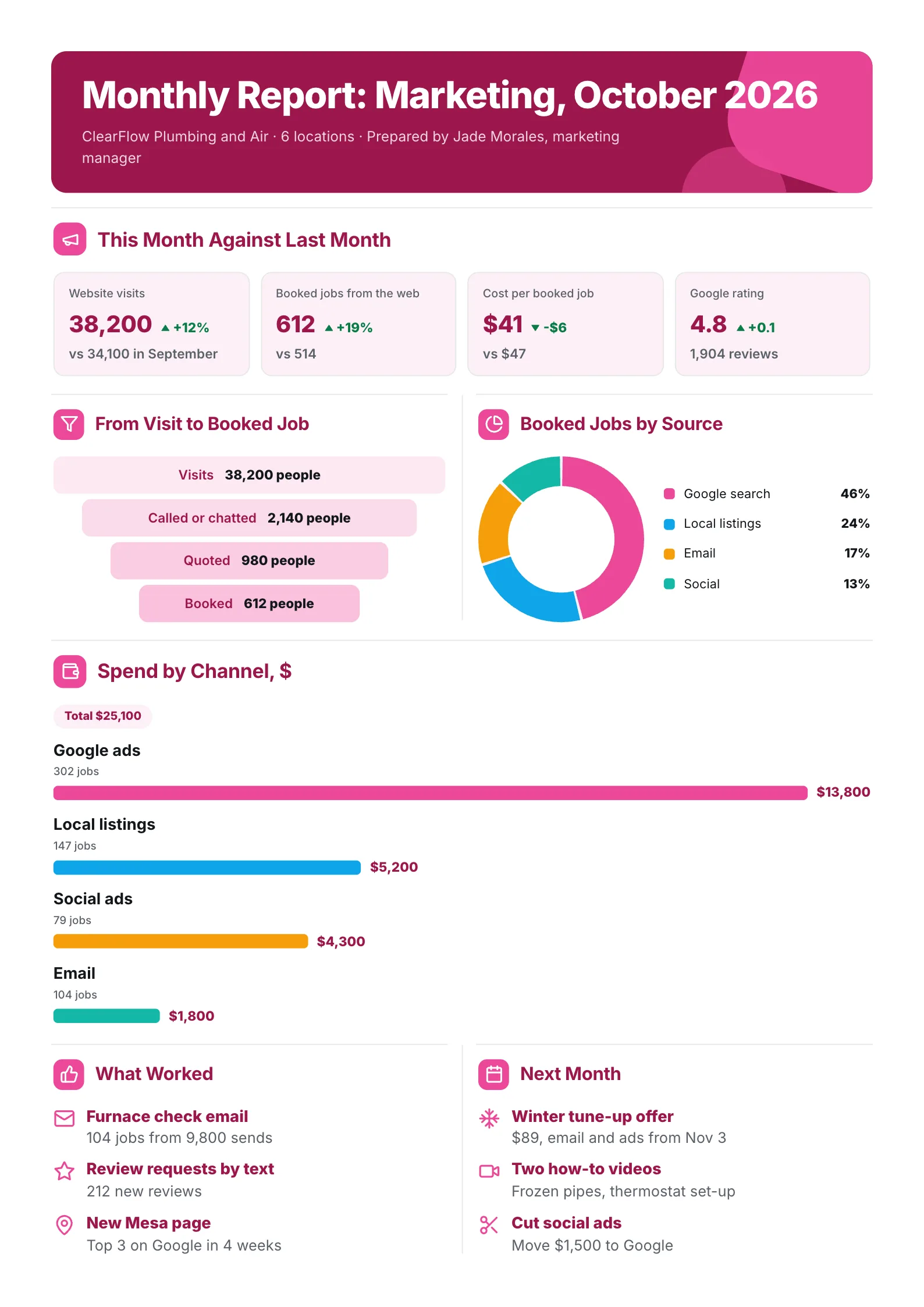 Monthly Report: Marketing PerformanceEdit for free(opens in a new tab)
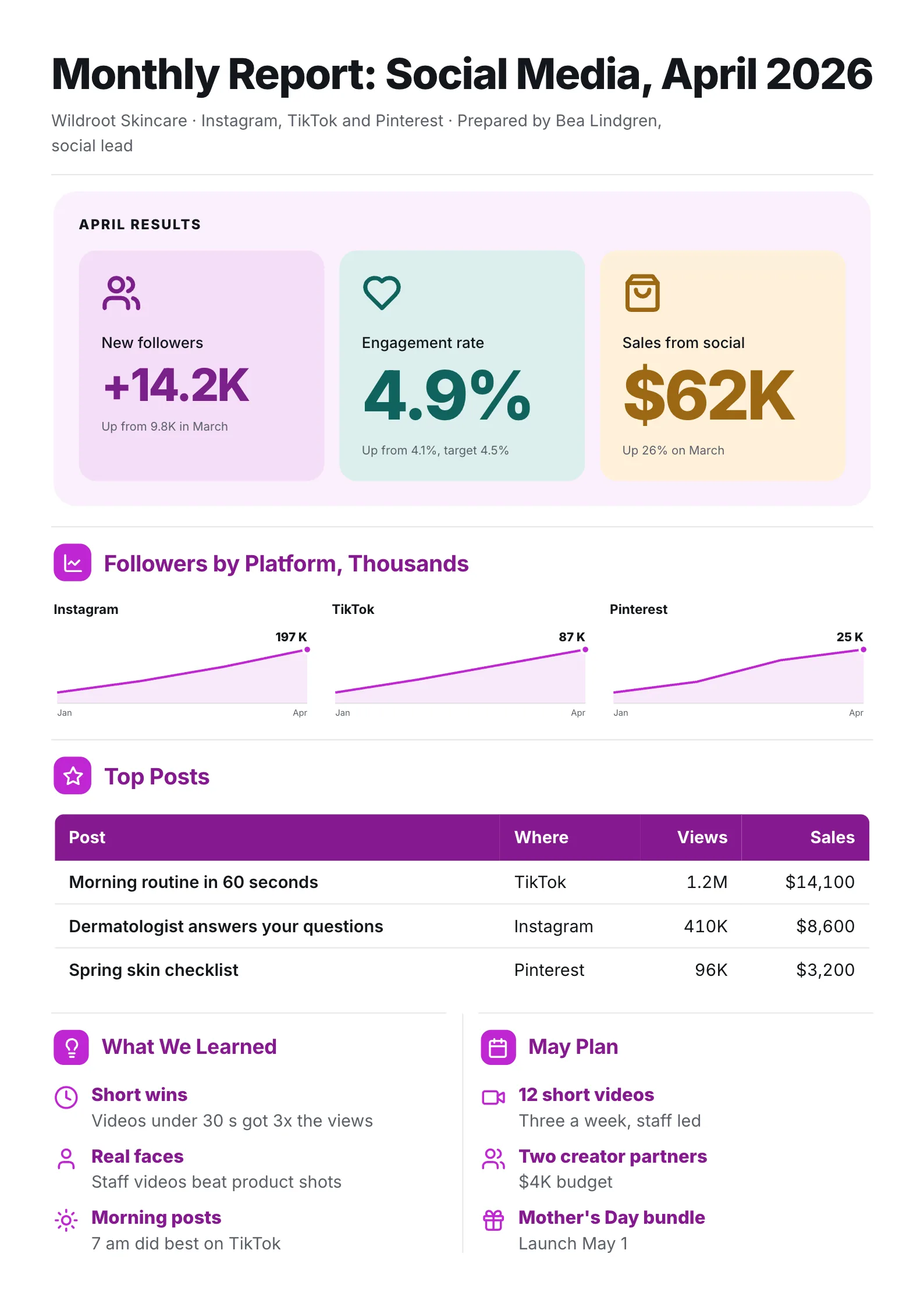 Monthly Report: Social Media ResultsEdit for free(opens in a new tab)
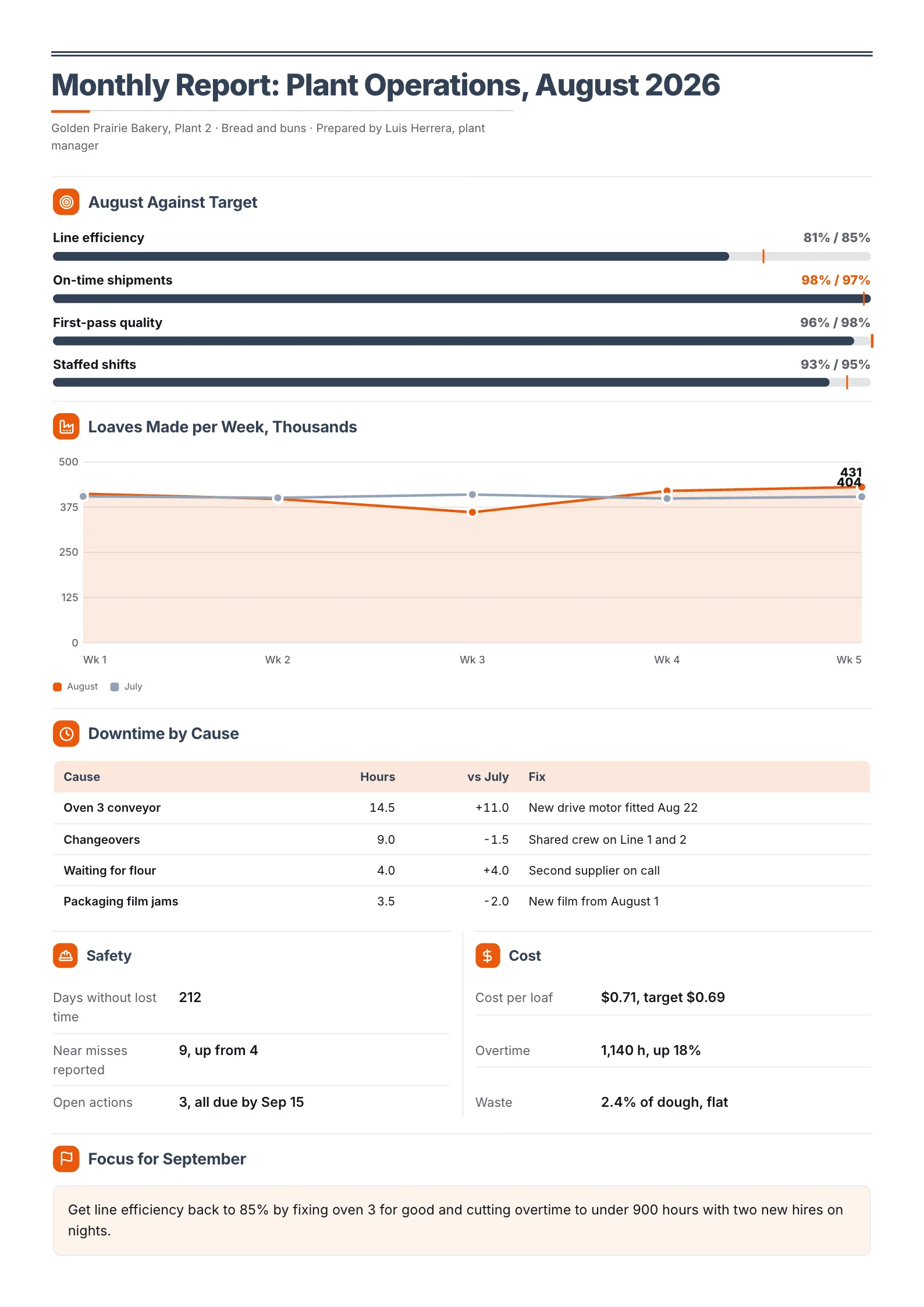 Monthly Report: Plant OperationsEdit for free(opens in a new tab)
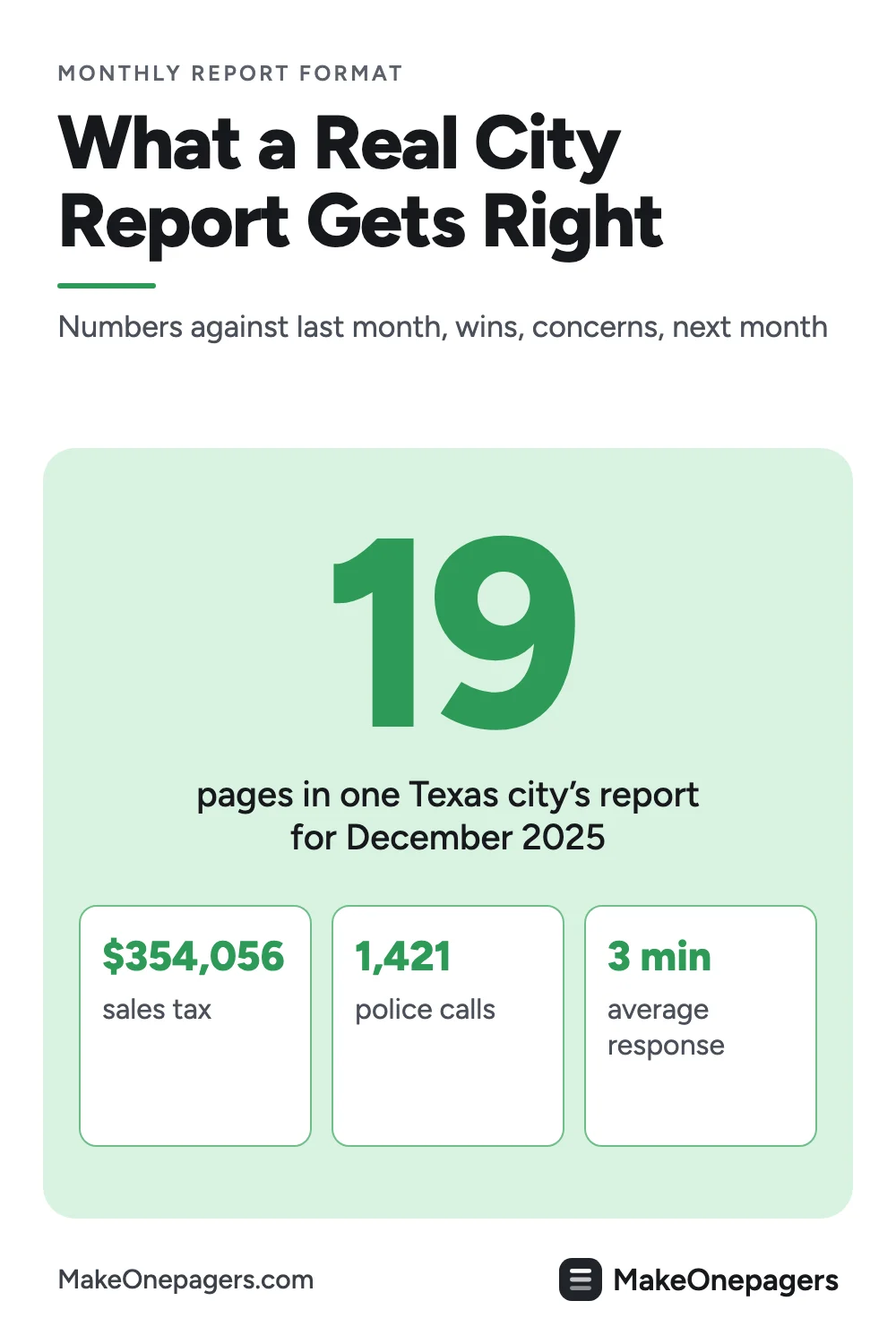
For a real model, we read the December 2025 Monthly Report from the City of Sanger, Texas. Sanger's city manager sends it to the mayor and council. Then we'll shrink its lessons onto one page, using samples from MakeOnepagers with invented names and figures.
How Sanger's report is built
The report runs 19 pages. A contents page lists 13 departments, along with the city manager's message and upcoming events. Each department gets its own page under a repeating banner, and a footer carries the city, the month and the page number. What sits inside changes by department: icon blocks on Finance, four lists on Police and tiles on Marketing.
| Part | What it holds | What you can copy |
|---|---|---|
| Message from the city manager | A note to the mayor and council | One short opening from the person responsible |
| Finance page | $354,056 in sales tax, 4,552 utility bills prepared, 521 payables processed | Counts you can compare from one month to the next |
| Public Works page | 3,510 water connections, 262 service orders and "Monthly Highlights" | Numbers first, then a few sentences of story |
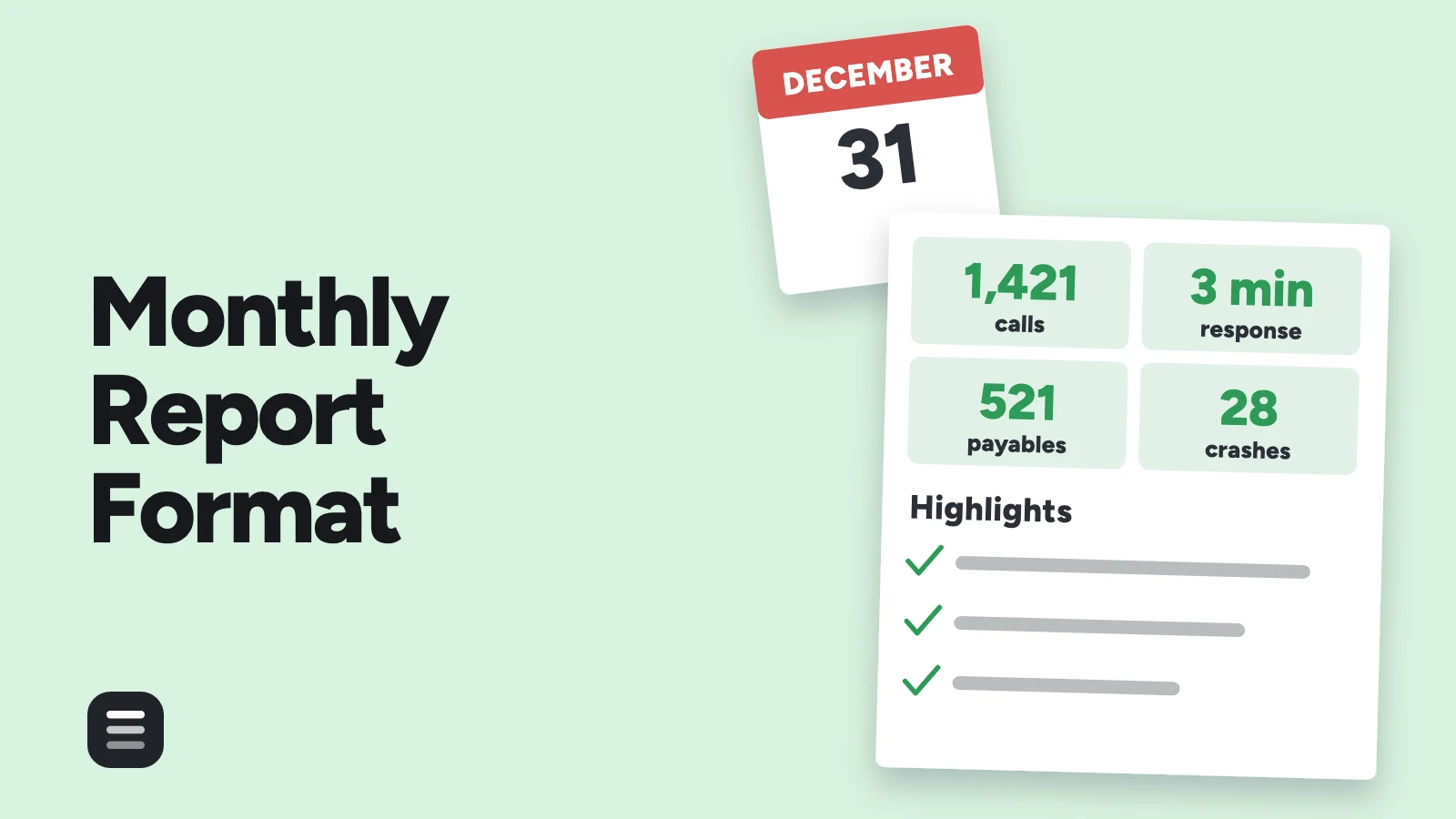
| Police page | 1,421 calls, a 3-minute average response time, 28 traffic crashes | Categories that stay listed even when one reads 0 |
| Upcoming events | The last section | A look ahead |
The zeros are worth noticing. Police lists "0 - Robbery" instead of dropping that row. We read one issue, so we can't say Sanger's rows never change, but keeping your empty rows means any month can sit beside any other.
The one-page format, block by block
A city needs 19 pages because it has 13 departments to cover, while you and your team probably need just one.
Block 1: Who, when and who prepared it
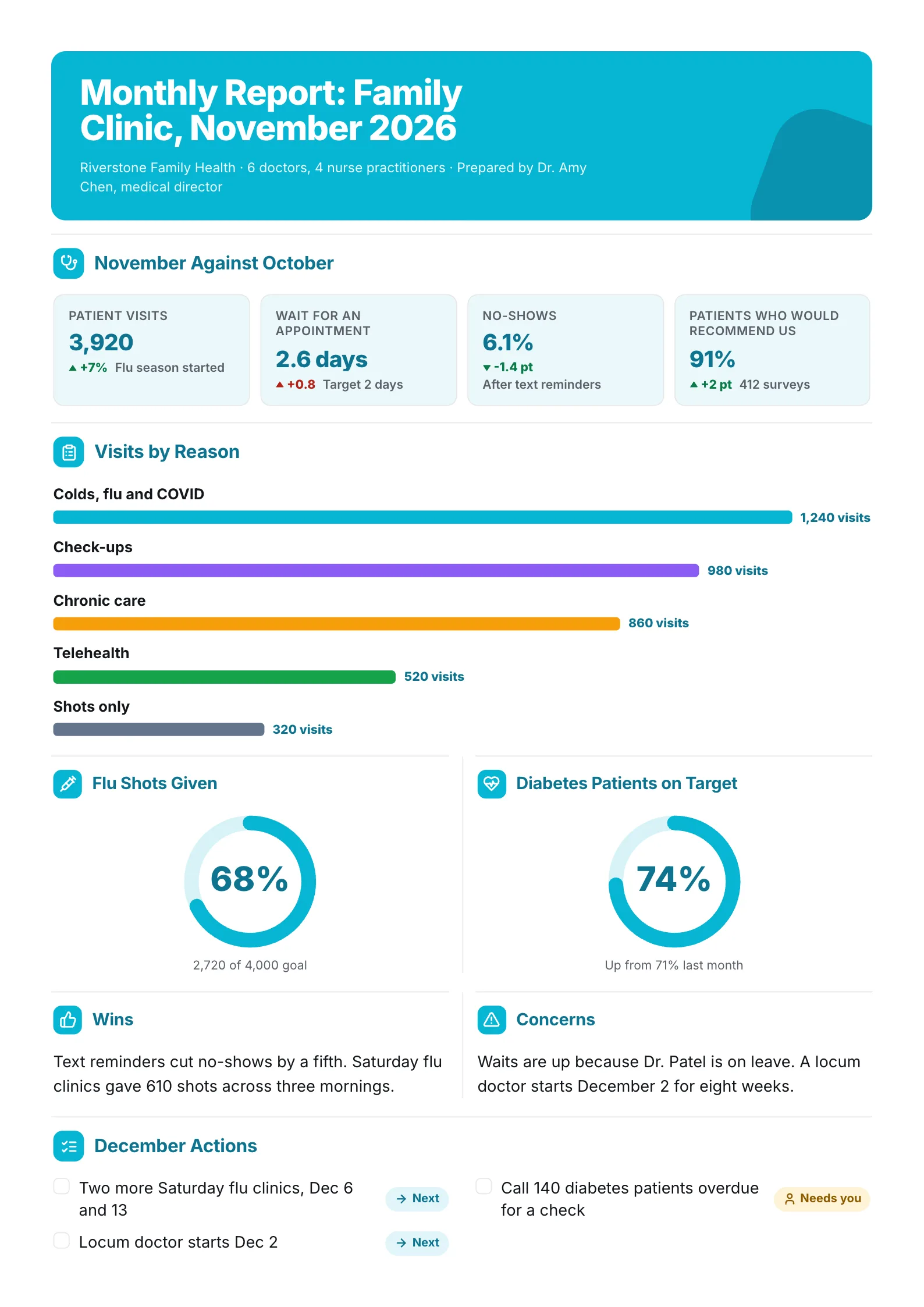
Name the team, the month and the person who wrote it, so you get the call when someone has a question.
 Edit this template
"Prepared by Dr. Amy Chen" sits in the subtitle, which tells you who to call.
Block 2: Three or four numbers, each with a comparison
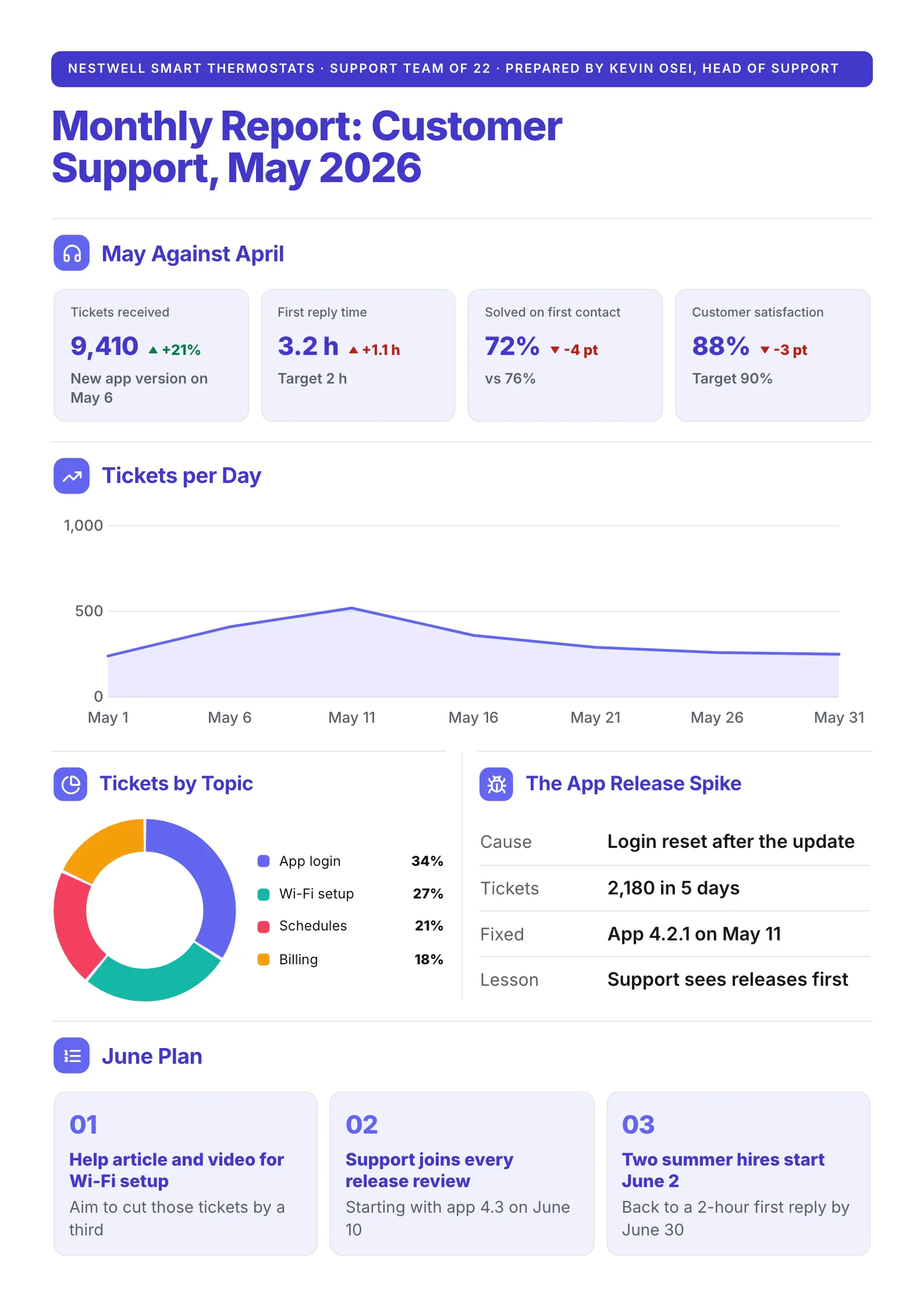
A figure means little alone, so pair each one with last month, a target or last year, and add a few words on why it moved.
 Edit this template
"+21%" comes with its reason: the new app version on May 6.
Bad months go in this block too. This one shows first reply time at 3.2 hours against a target of 2, and that honesty is what makes your good months believable.
Block 3: One chart
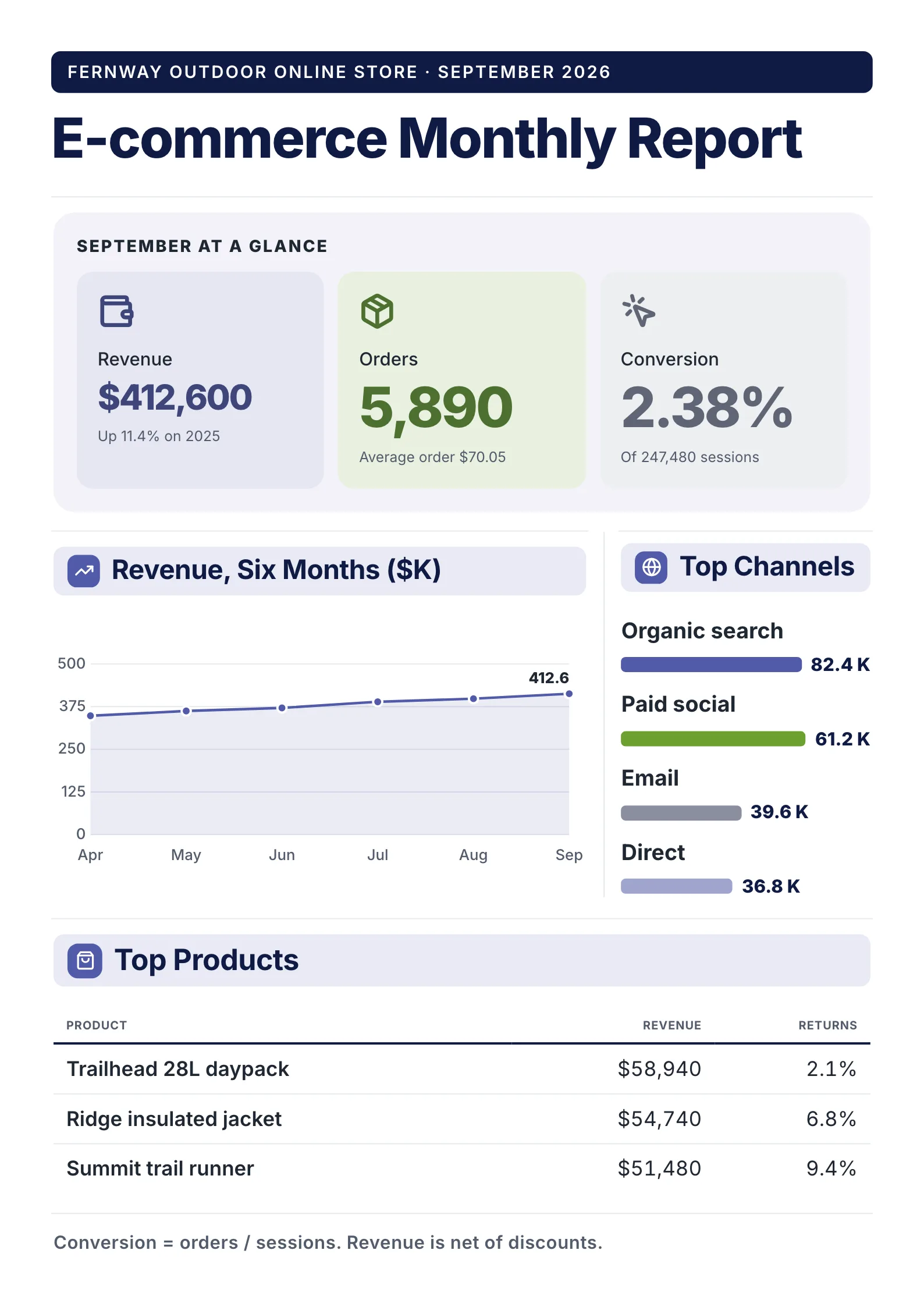
Pick the chart that answers the biggest question you get, and stop there. Revenue over six months suits an online store, with a few rows on top products underneath.
 Edit this template
Returns sit right beside revenue in the products table, so a best seller's weak spot shows.
Block 4: What happened, in short sentences
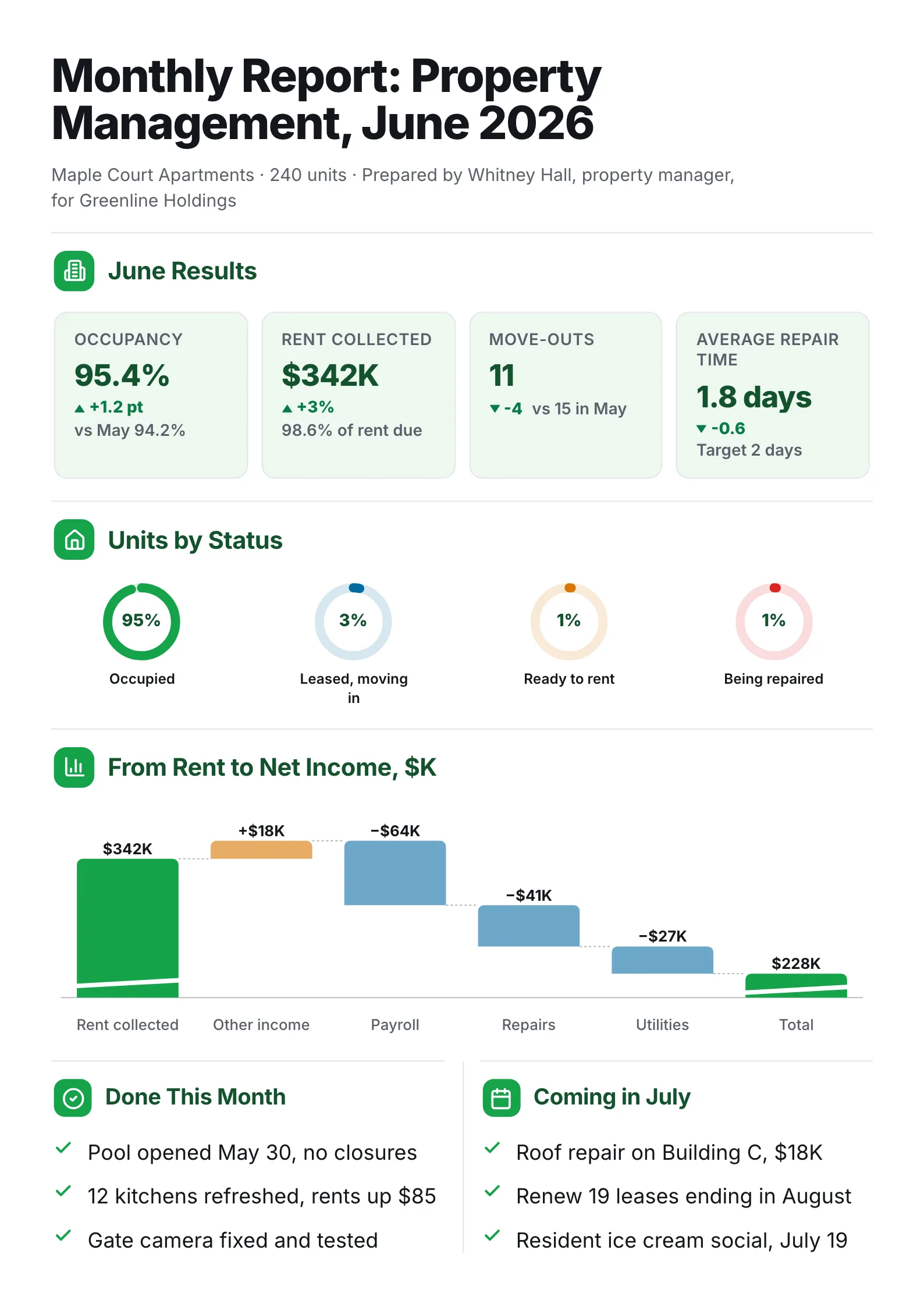
Sanger calls these "Monthly Highlights," and you might split yours into done and coming next. Keep to the few items an owner would ask about.
 Edit this template
"Roof repair on Building C, $18K" warns the owner about next month's cost early.
Block 5: What comes next
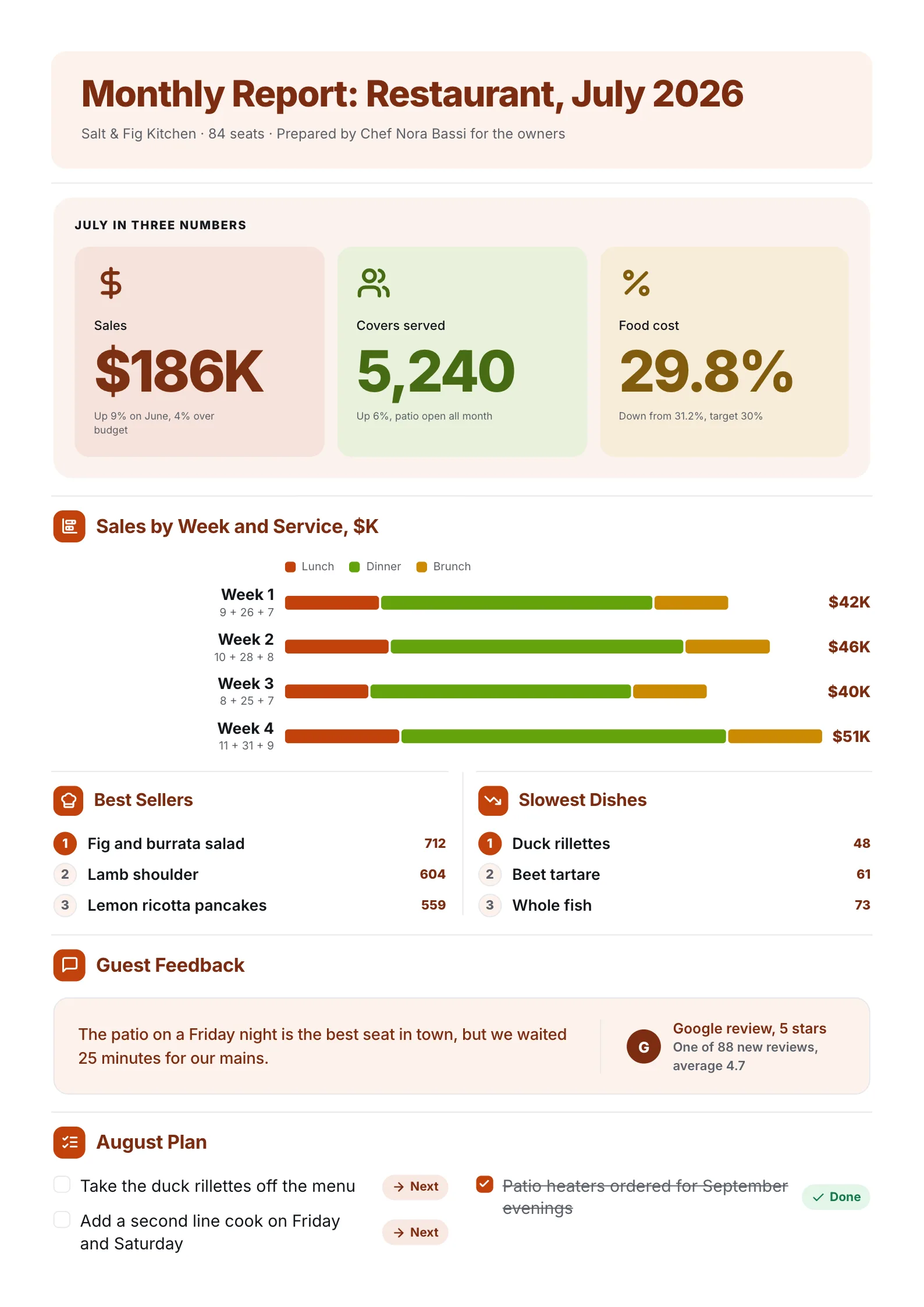
Close on what's coming, as Sanger does with upcoming events. It helps to include anything you need your boss to approve.
 Edit this template
Slowest dishes sit beside best sellers, and the August Plan turns that into a menu decision.
Rules for keeping it the same every month
- Save your report as a copy of last month's, and change only the numbers and notes.
- Keep every row, even when it reads 0.
- Pick one comparison and stay with it, such as month against month.
- Send it on the same date, so people expect it.
- Add a short source note if any figure could be read two ways.
Frequently asked questions
How long should a monthly report be?
Aim for one page per team. Sanger's 19 pages cover 13 departments, which works out to about one page each, plus a contents page and a message.
Should a monthly report be Word, PDF or slides?
Send a PDF if people mostly read on their phones or print it, since your layout won't shift. Keep your editable copy as the master for next month.
What's the difference between a monthly report format and a template?
A format is the order of blocks, and a template fills them in with a design. Our monthly report template guide shows filled examples.




