How to Write a Sprint Review That Starts a Conversation
How to write a sprint review your stakeholders can act on: the goal, what shipped, what changed and the decision you need, based on the Scrum Guide and GOV.UK.

To write a sprint review, start from the questions your stakeholders will ask, and answer them in the order they care about. Did you hit the goal? What can they use now? What changed? What do you need from them? A list of finished tickets answers none of those questions well. Start from a free one pager template.
One‑Pager examples
Real One-Pagers made with MakeOnepagers. Open any one to edit it as your own.
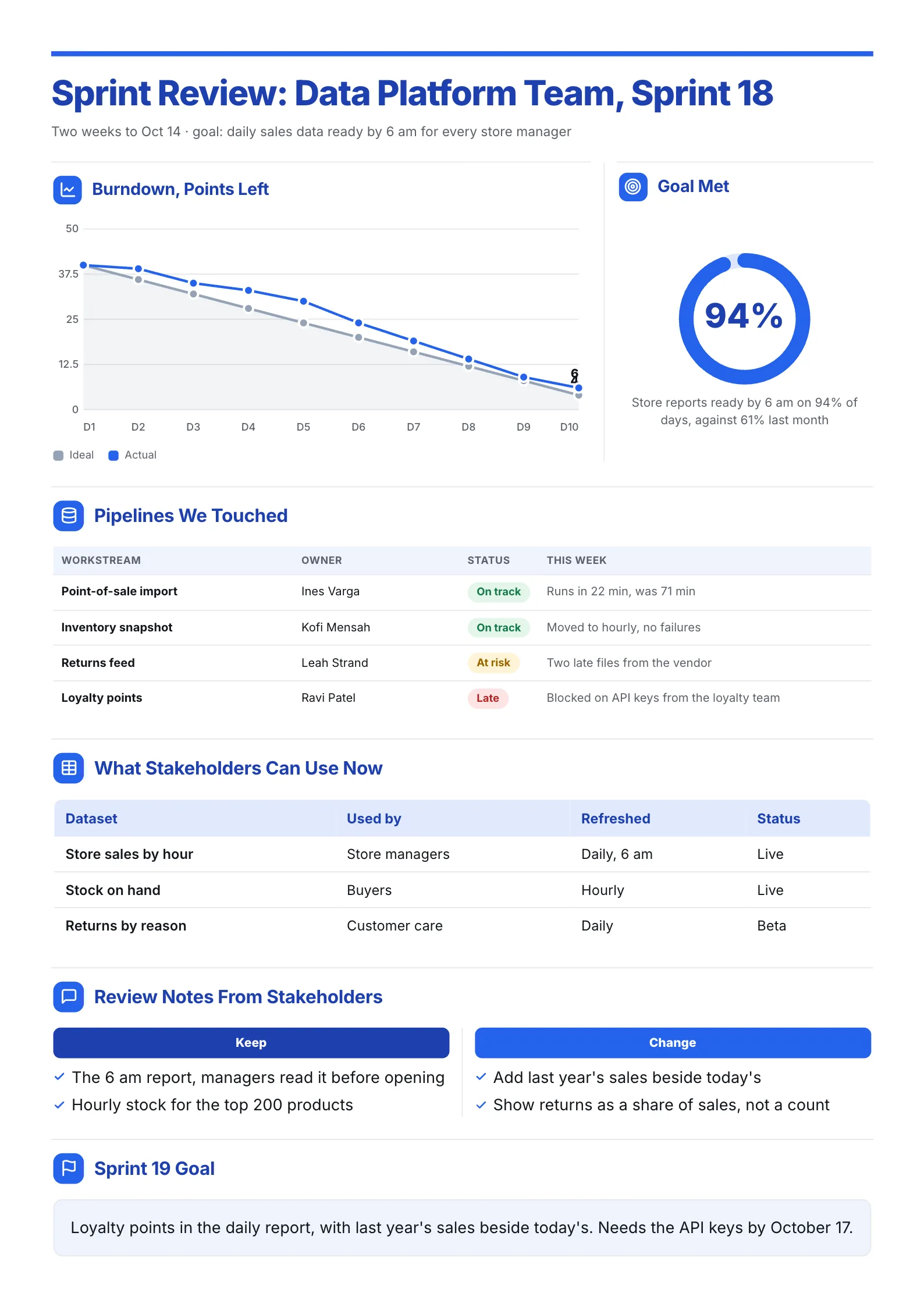 Data Team Sprint ReviewEdit for free(opens in a new tab)
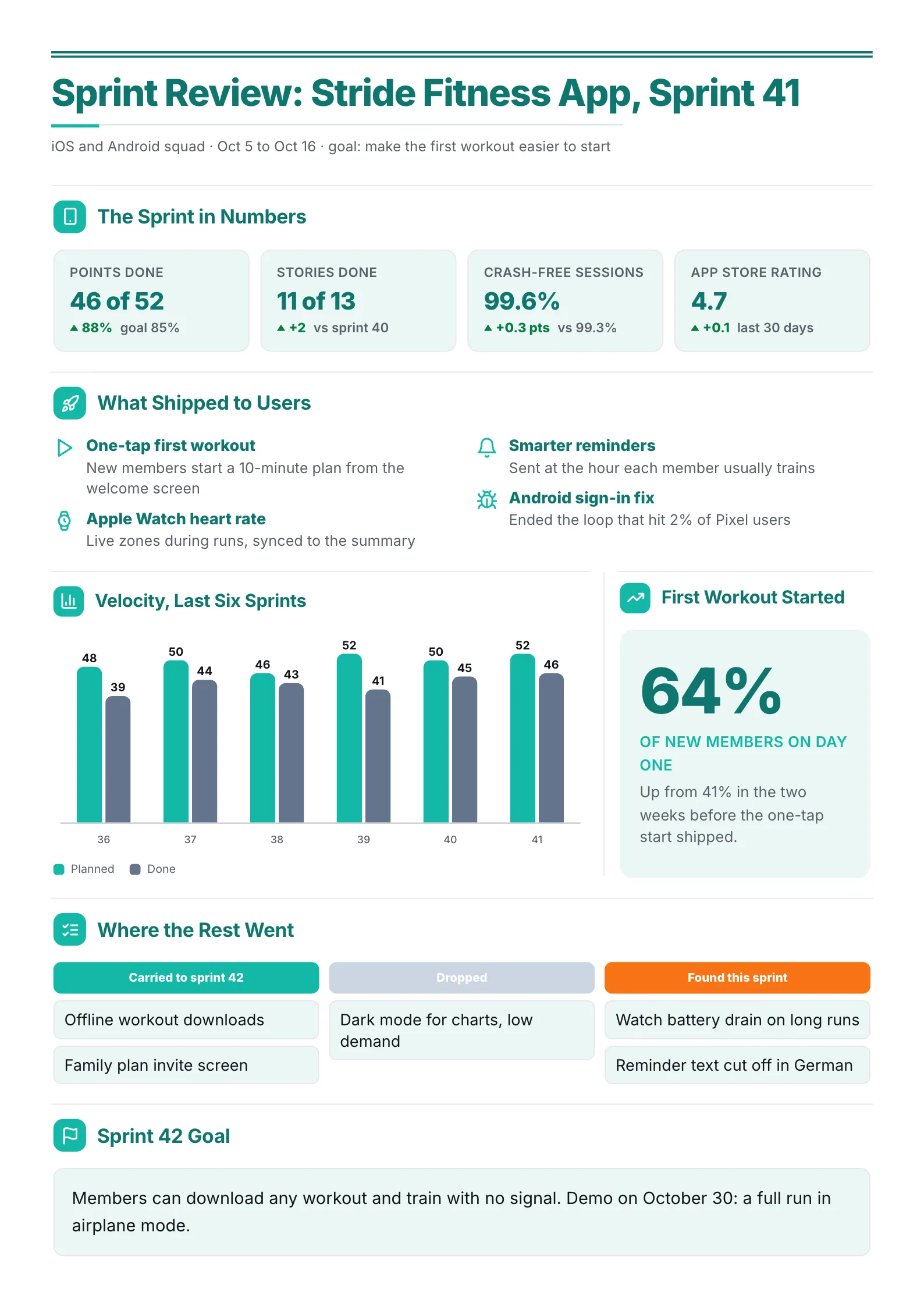 Mobile App Sprint ReviewEdit for free(opens in a new tab)
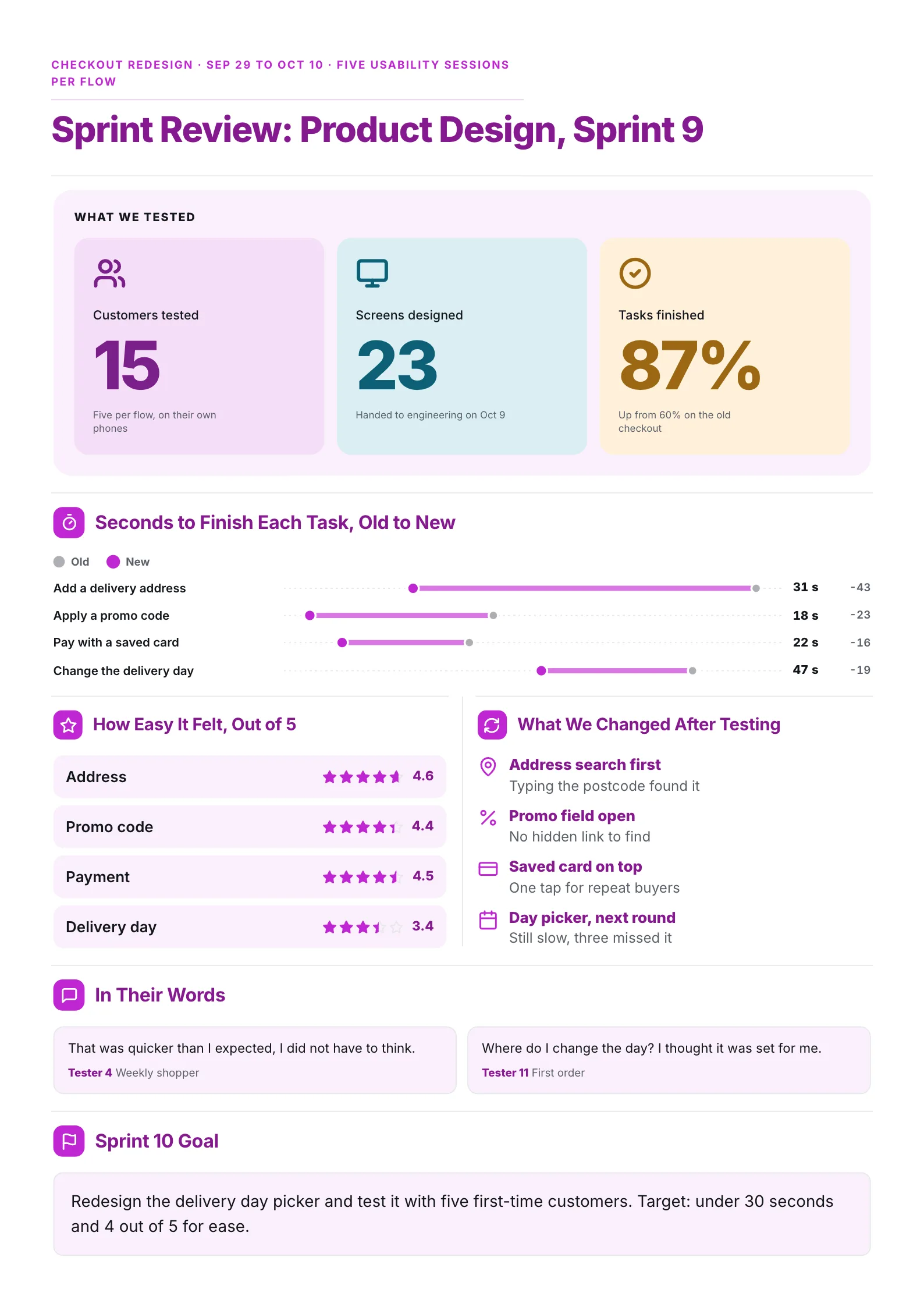 Design Sprint ReviewEdit for free(opens in a new tab)
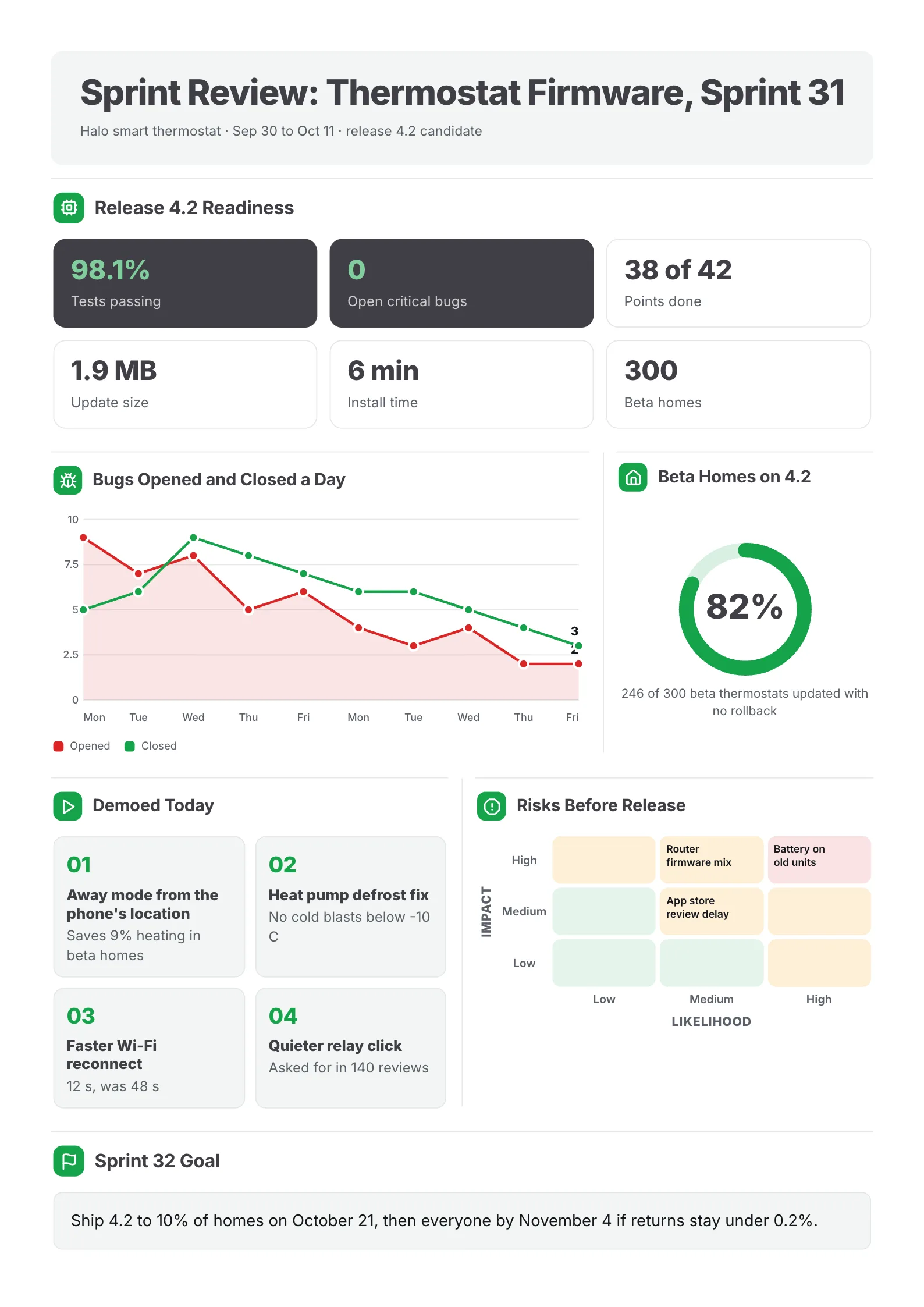 Hardware Sprint ReviewEdit for free(opens in a new tab)
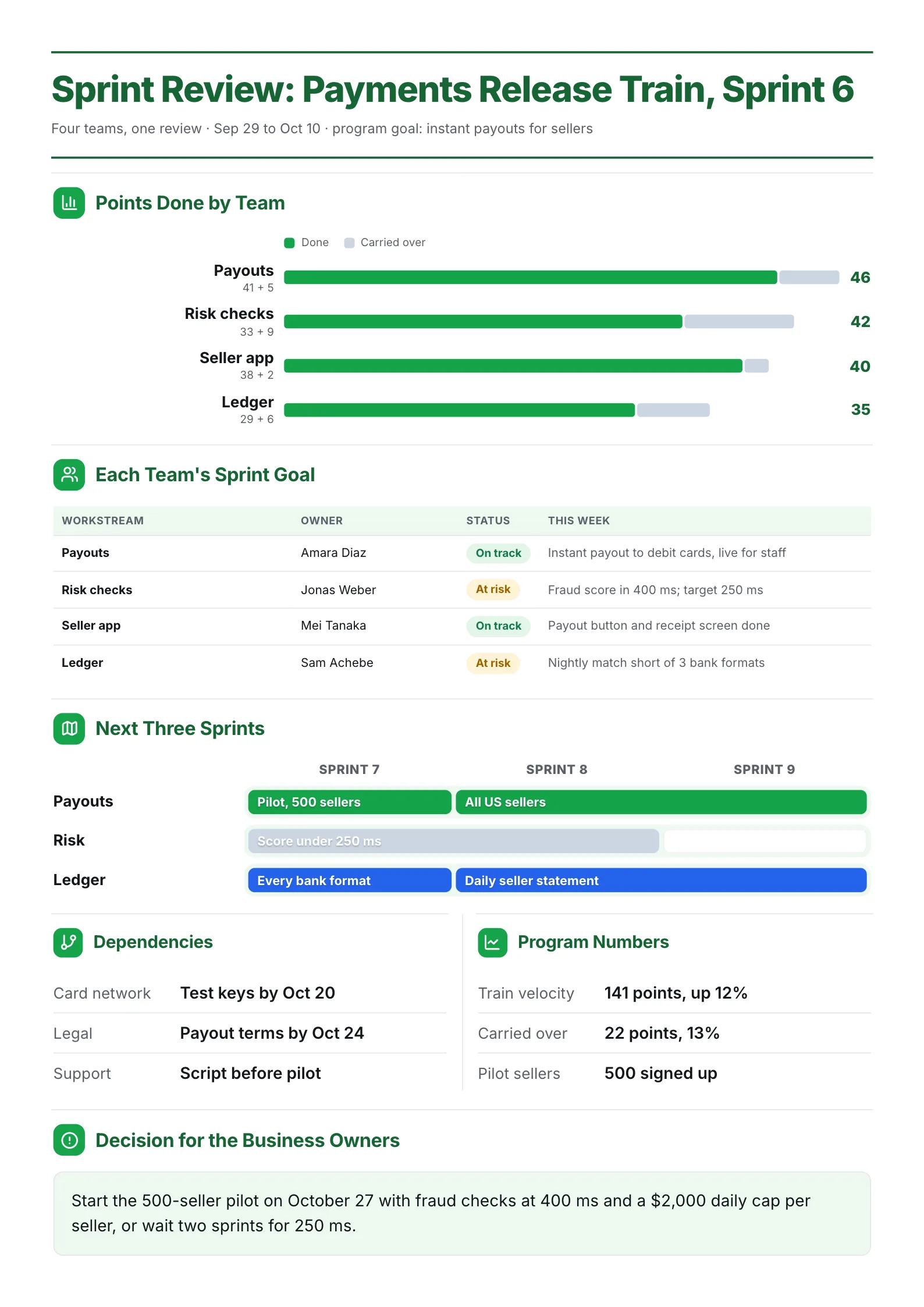 Multi-Team Sprint ReviewEdit for free(opens in a new tab)
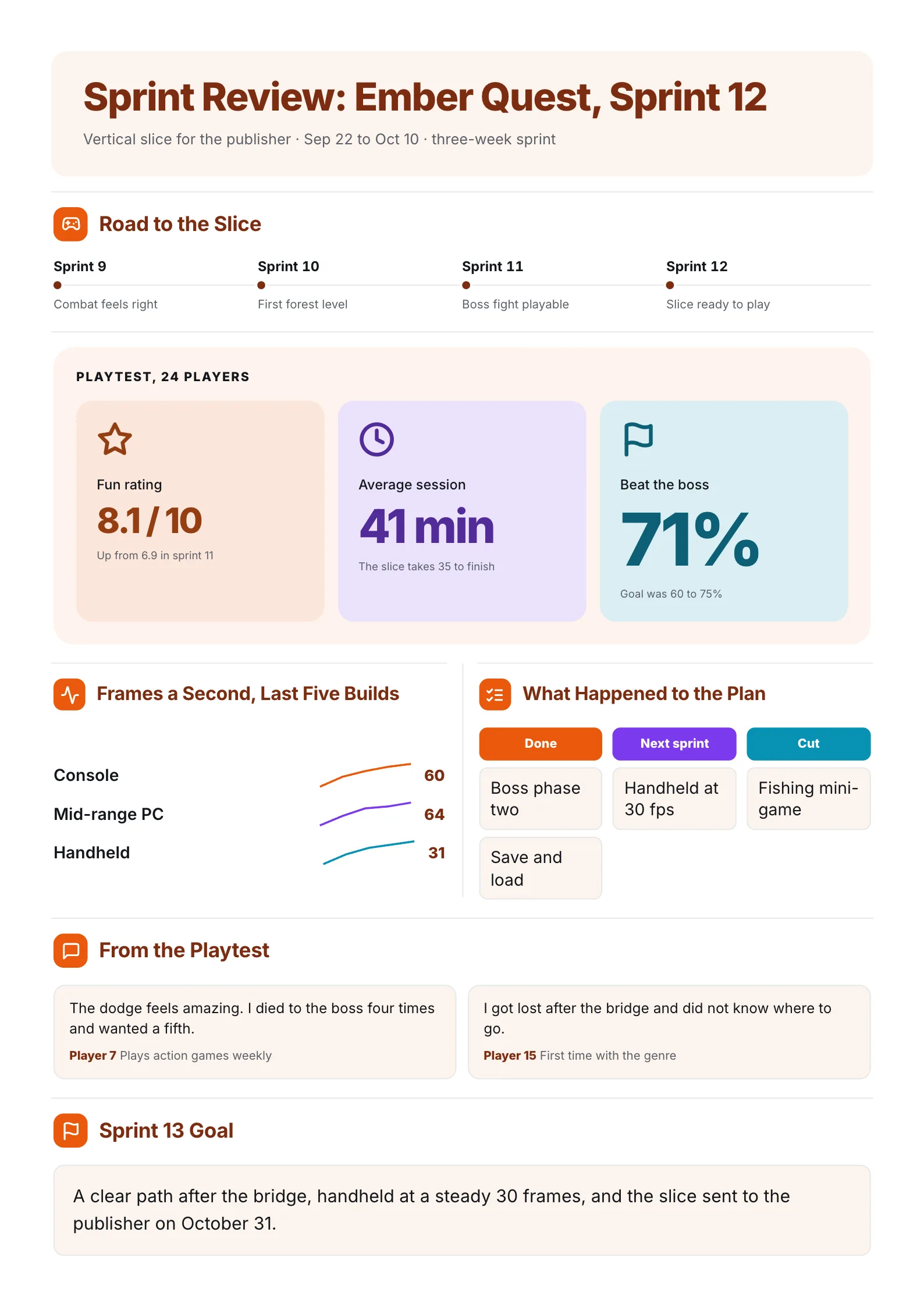 Game Development Sprint ReviewEdit for free(opens in a new tab)
The rules here come from the 2020 Scrum Guide, plus two UK government guides that teach teams how to share their work. You'll also see five samples from MakeOnepagers, and all of their teams and figures are made up.
What the guides ask your review to do
| Source | What it says a review is for | What your page needs |
|---|---|---|
| Scrum Guide | "Inspect the outcome of the Sprint and determine future adaptations" | Results, what changed around you, what to do next |
| GOV.UK Service Manual | Show your most important work, what you've learned, your plans, then take questions | A short list of top work and one lesson |
| Test, Learn and Grow Playbook | Mark the sprint as finished, check progress toward overall goals and record lessons learned | Progress against the bigger goal |
The Scrum Guide also sets your time limit: a one-month sprint gets at most four hours, and shorter sprints usually get less. So your page should be short enough to leave most of that time for talking. It's "a working session," in the guide's words, and your writing should set one up.
Step 1: Open with the goal and the verdict
Put your sprint goal in the first line, then say how you did against it. Anyone who reads only that line still gets the point.
 Edit this template
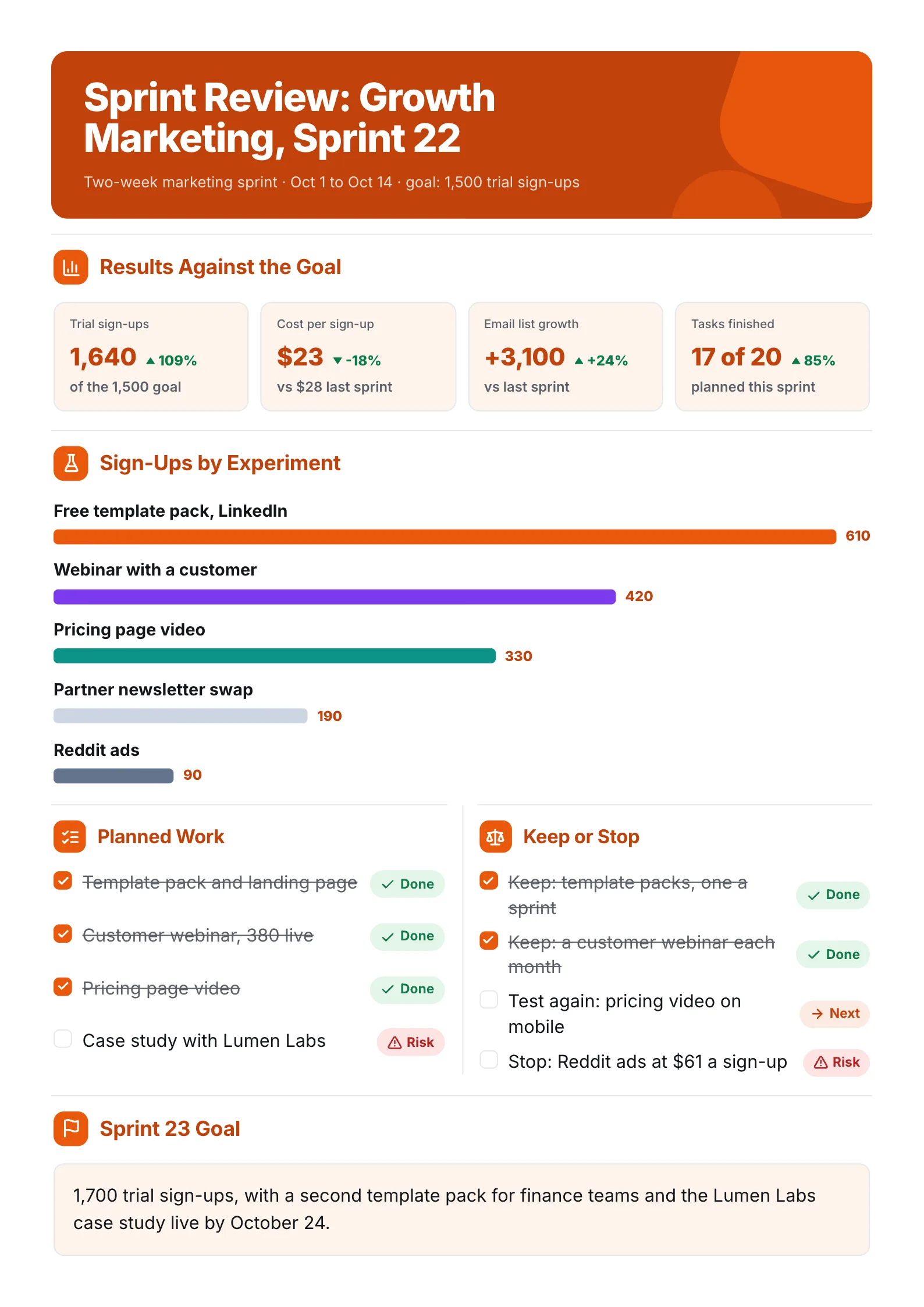
1,640 against a goal of 1,500 sits at the top, and "Stop: Reddit ads at $61 a sign-up" gives the room something to discuss.
A sprint doesn't have to be about software for this to work. Growth marketing can run the same page, as long as it names a number it was chasing.
Step 2: List what shipped, in terms people can use
Write each item as what someone can now do. "Saved cards on phones" means more to a store lead than a ticket number does. GOV.UK suggests showing your most important work, so you don't need every story on the page.
 Edit this template
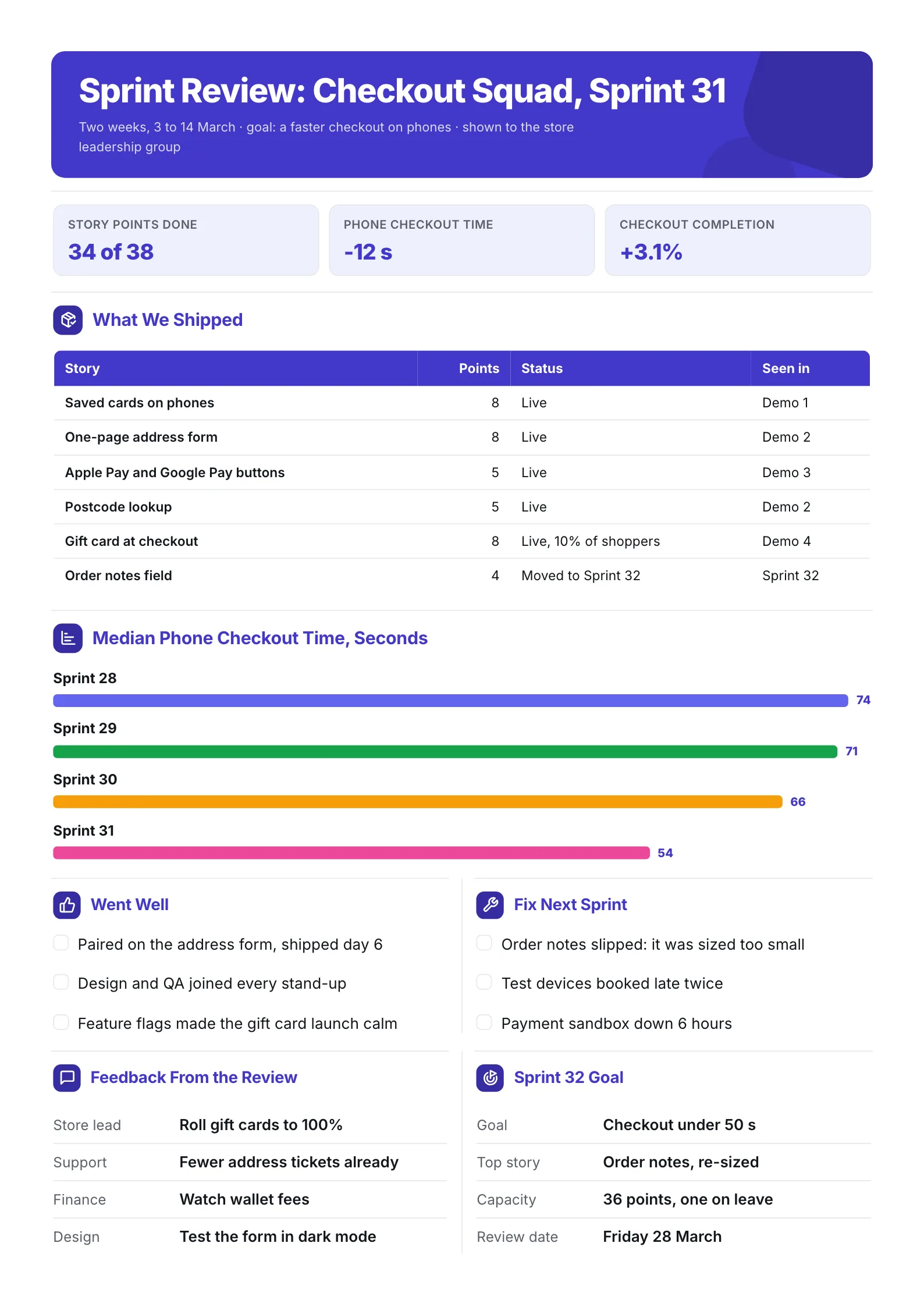
Each shipped story points to its demo, and the order notes story that slipped is listed with its new sprint.
Be just as plain about what didn't ship. In this sample, order notes moved to Sprint 32, and the team admits it "was sized too small." Saying so on paper saves you from being asked in the meeting.
Step 3: Write down what changed
The Scrum Guide asks teams to review "what has changed in their environment." A vendor might have slipped, a test key may not have arrived or a priority may have moved. Add those, along with who can clear each one.
 Edit this template
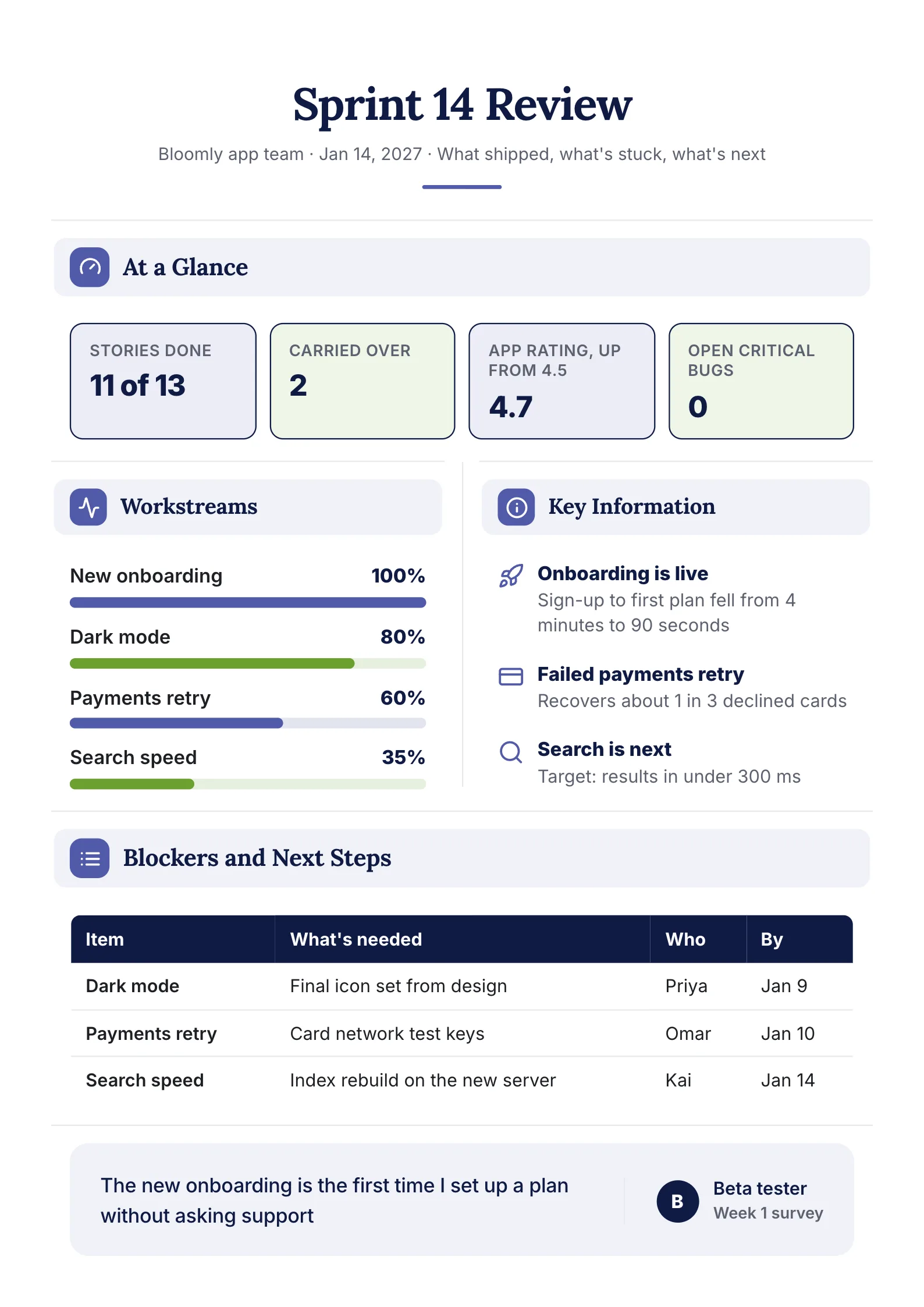
Each blocker row names a person and a date, so a stuck item has an owner when you leave the room.
Step 4: Add the lesson and the numbers that prove it
Record one or two things you learned, since the playbook lists lessons learned as part of the meeting. Add a number to each if you can, because numbers are harder to argue with than adjectives.
 Edit this template
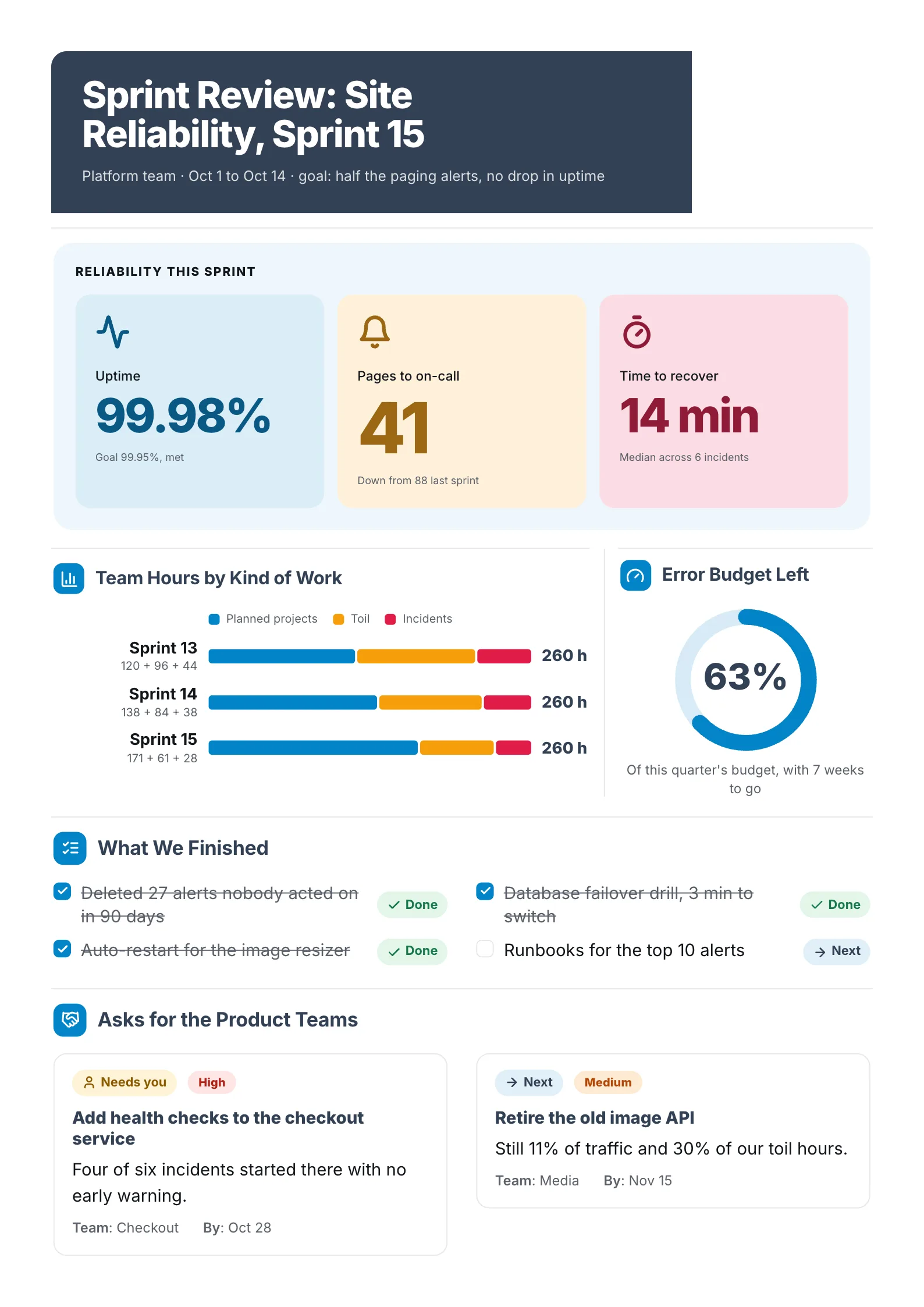
"Deleted 27 alerts nobody acted on in 90 days" is both a result and a lesson.
Notice the asks here too. "Four of six incidents started there with no early warning" tells the checkout team why adding health checks should matter to them.
Step 5: Close on your ask and your next goal
Close on your next sprint goal and on any decision you need. The Scrum Guide says attendees "collaborate on what to do next," and the backlog may change as a result. So give your stakeholders something to react to, like a goal they can challenge.
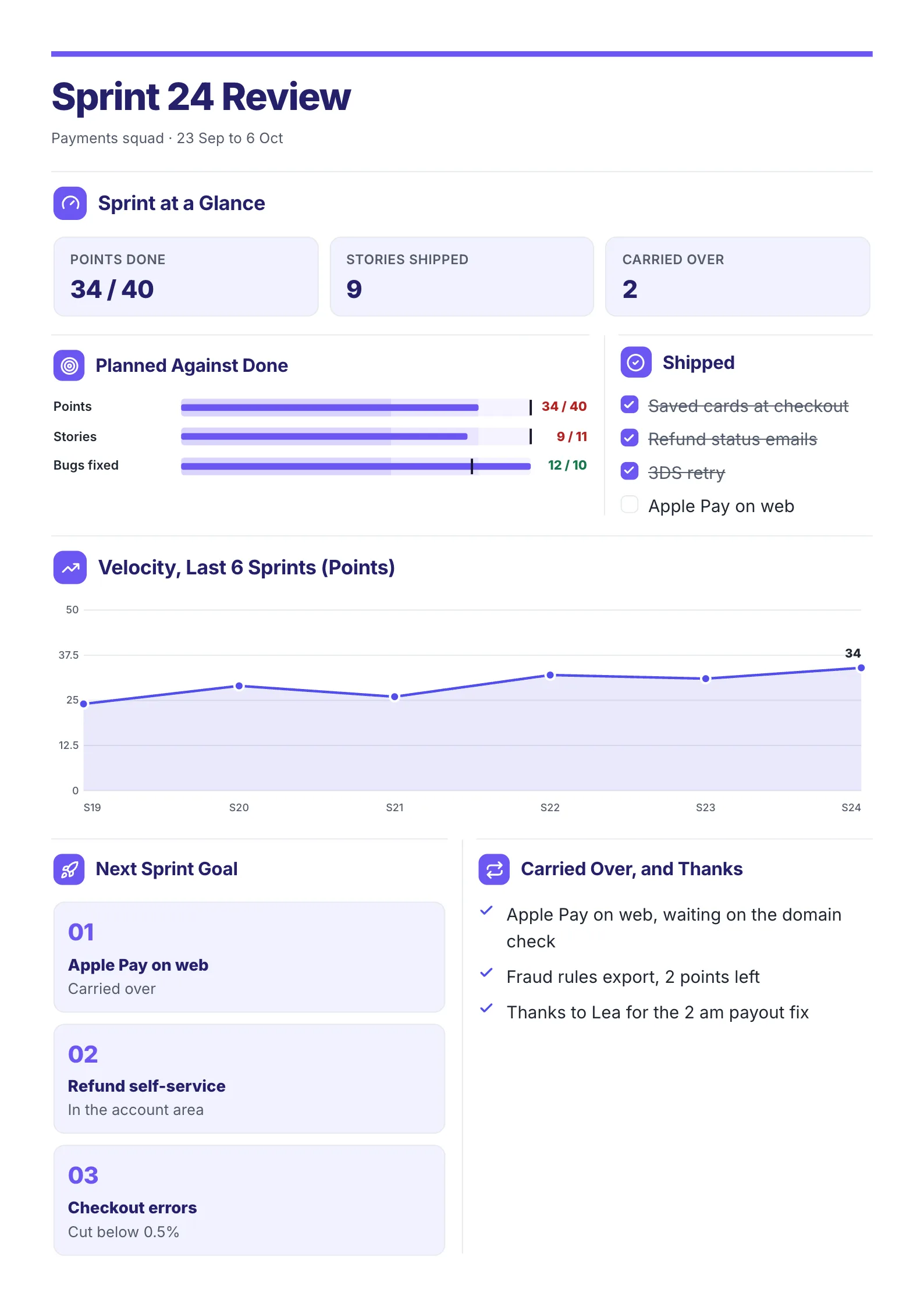 Edit this template
Three carried-over items each get a reason, and thanks go to teammates by name.
Review or retrospective?
These two get mixed up, and your page should stick to one. The review covers the product and goes to stakeholders. The Scrum Guide's retrospective looks at how your team worked, including "individuals, interactions, processes, tools." Save the second one for your team alone.
Frequently asked questions
Who should get a sprint review write-up?
Send it to everyone with a stake, including people who missed the meeting. The UK playbook tells teams to "send updates from your sprint reviews to people outside the main team," summing up progress, lessons and next steps.
When should you write a sprint review?
Draft it before the meeting, then update it with the feedback and decisions afterward. Your second version is the one worth sending.
Should a sprint review include velocity?
Add it only when it helps. A stakeholder usually cares more about what they can use now, so keep the chart small or leave it out.
How long should a sprint review be?
Four hours is the Scrum Guide's limit when your sprint lasts a month, and shorter sprints usually take less.




