Event One Pager: 4 One-Page Examples for Before and After an Event
Event one pager examples for guests, sponsors and your team: an event sheet, a sponsorship sheet, a webinar recap and an event post-mortem.

An event one pager is a one-sheet summary of an event, written for one reader. Guests want the date and the agenda, sponsors want to know who'll be in the room, and your boss wants to hear how it went. Try to serve all three on one page and you end up with a page that serves none of them, so this guide treats them as separate sheets: two you send before the event and two you write after it. Start from a free one pager template.
One‑Pager examples
Real One-Pagers made with MakeOnepagers. Open any one to edit it as your own.
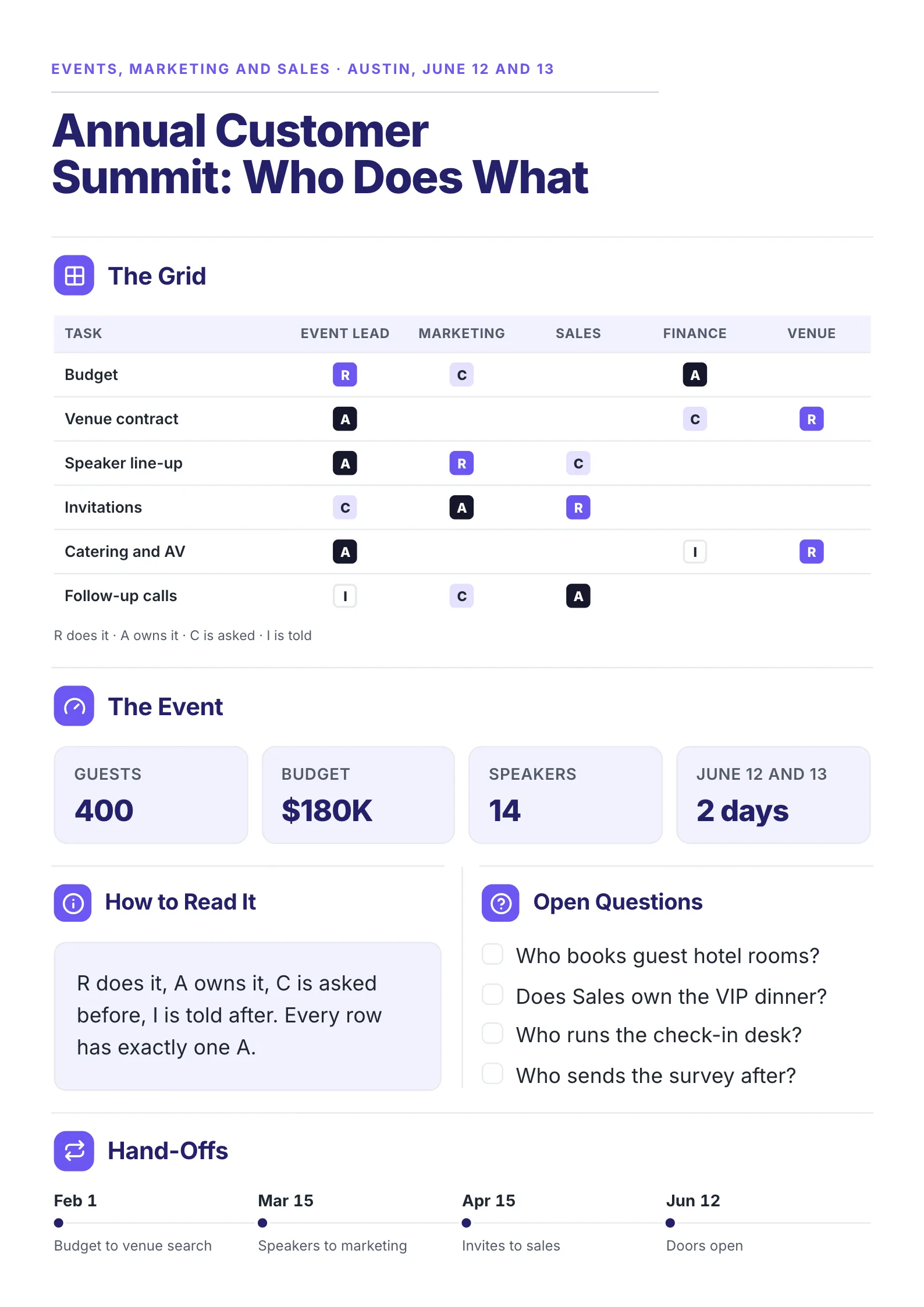 Event Planning RACI ChartEdit for free(opens in a new tab)
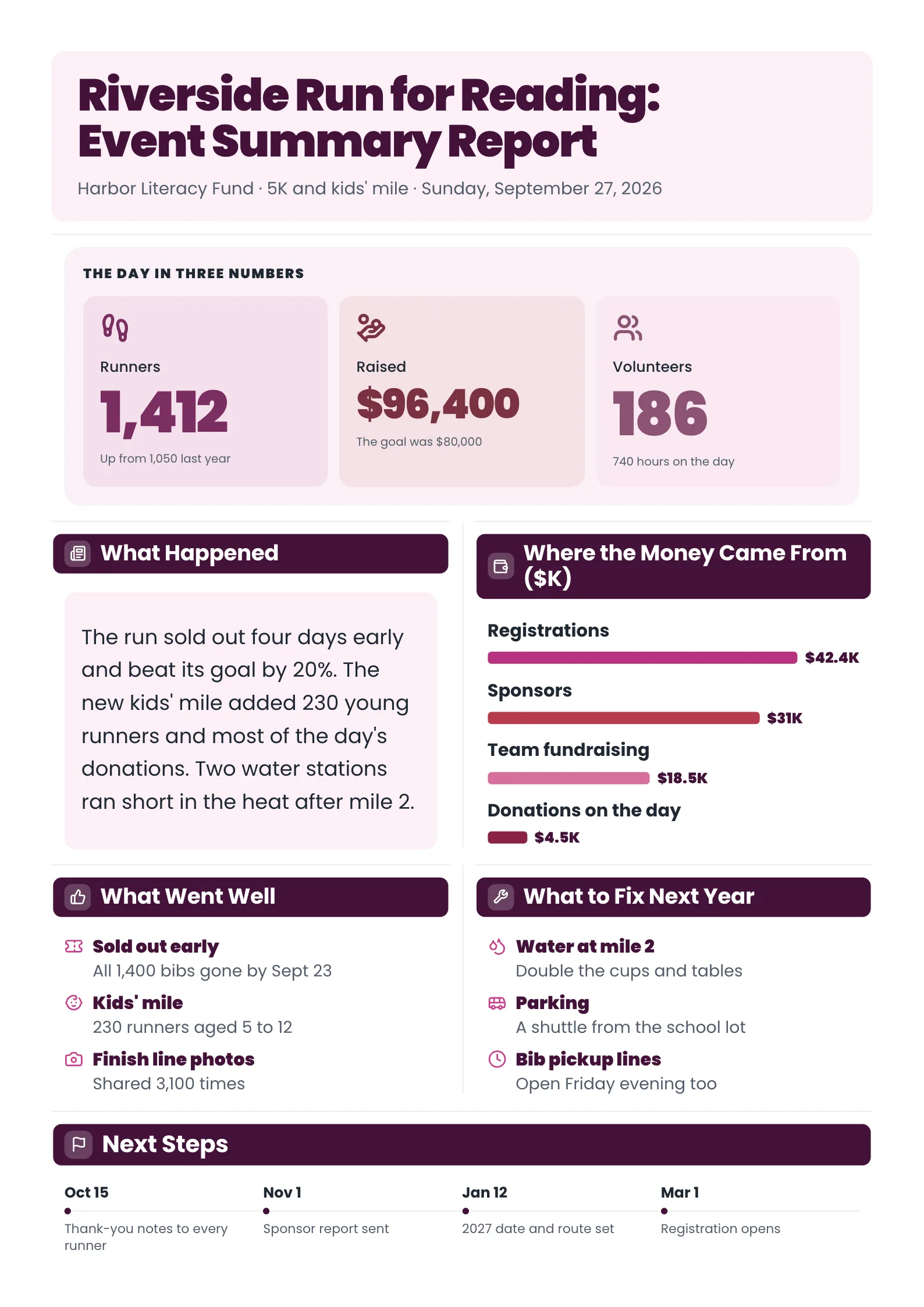 Event Summary ReportEdit for free(opens in a new tab)
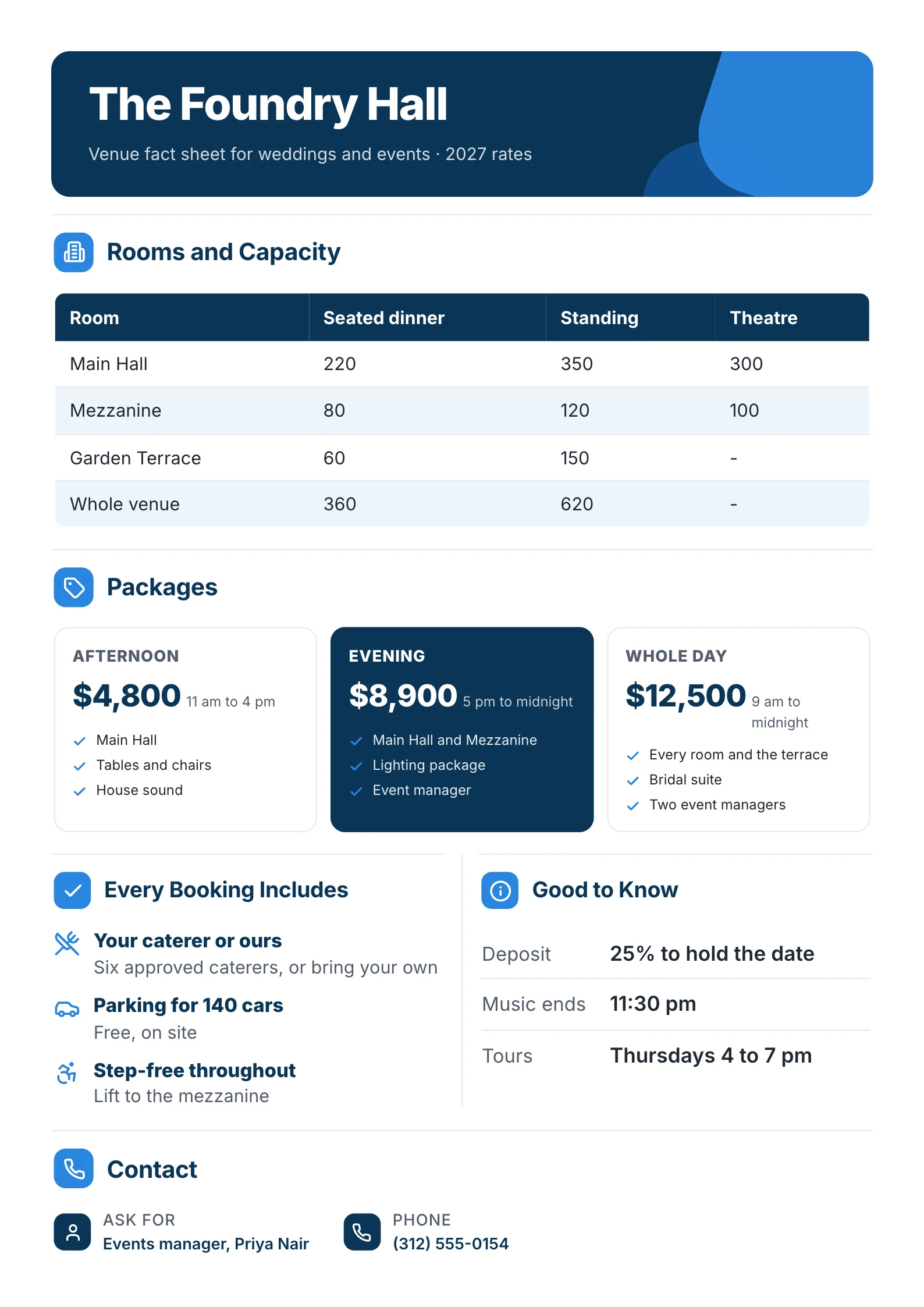 Event Venue Fact SheetEdit for free(opens in a new tab)
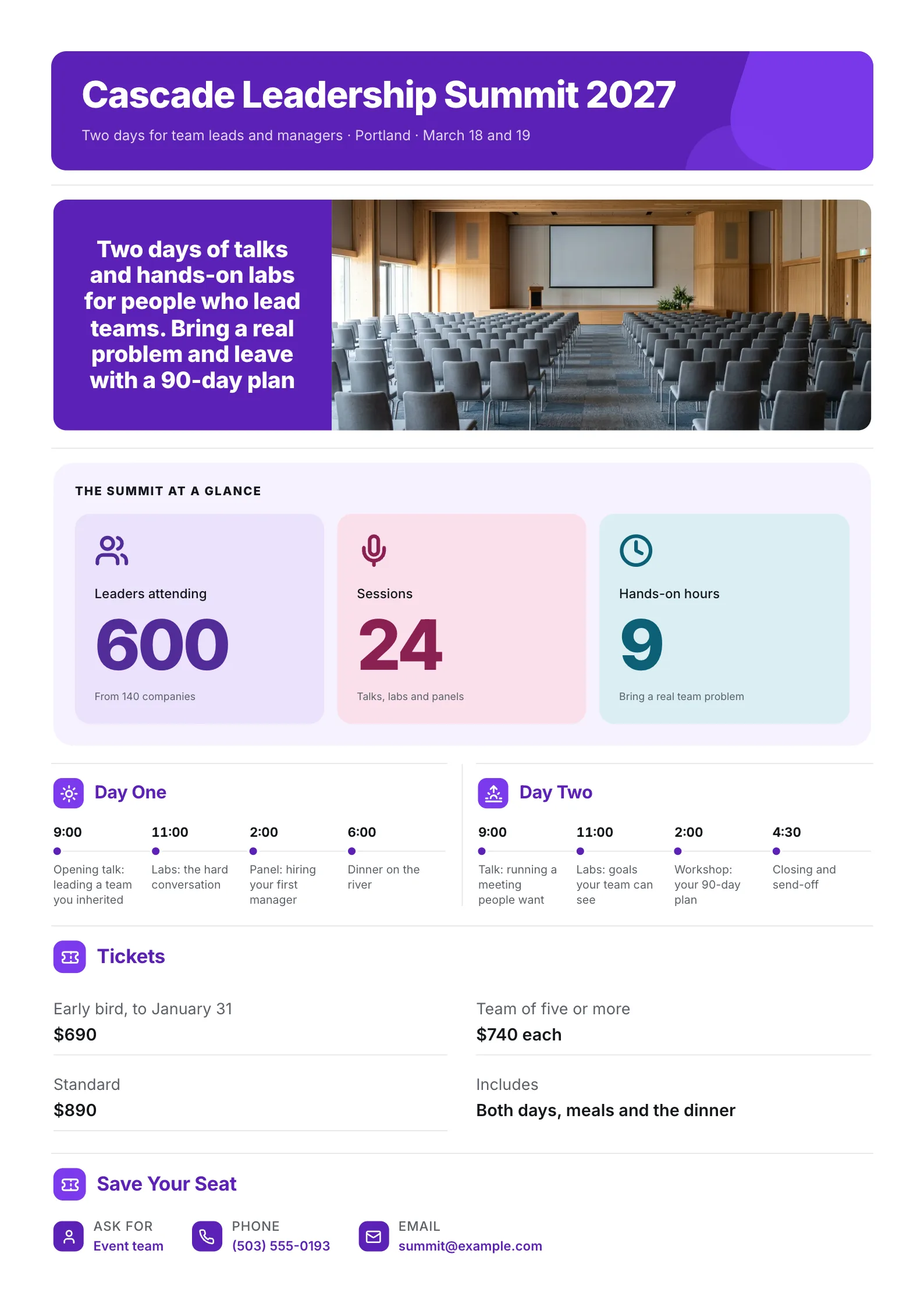 Event One-Pager, Big HeaderEdit for free(opens in a new tab)
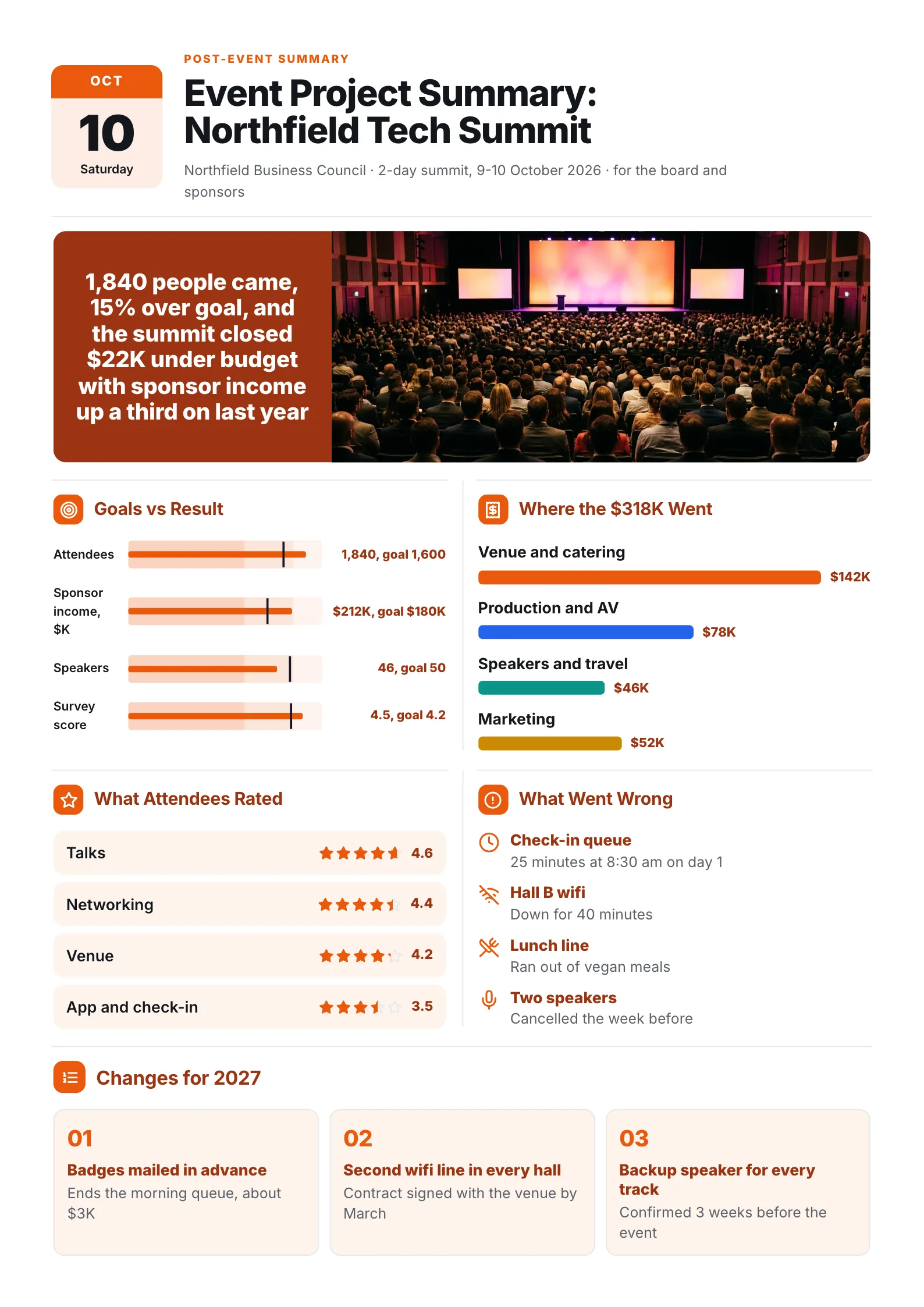 Project Summary: Event Wrap-UpEdit for free(opens in a new tab)
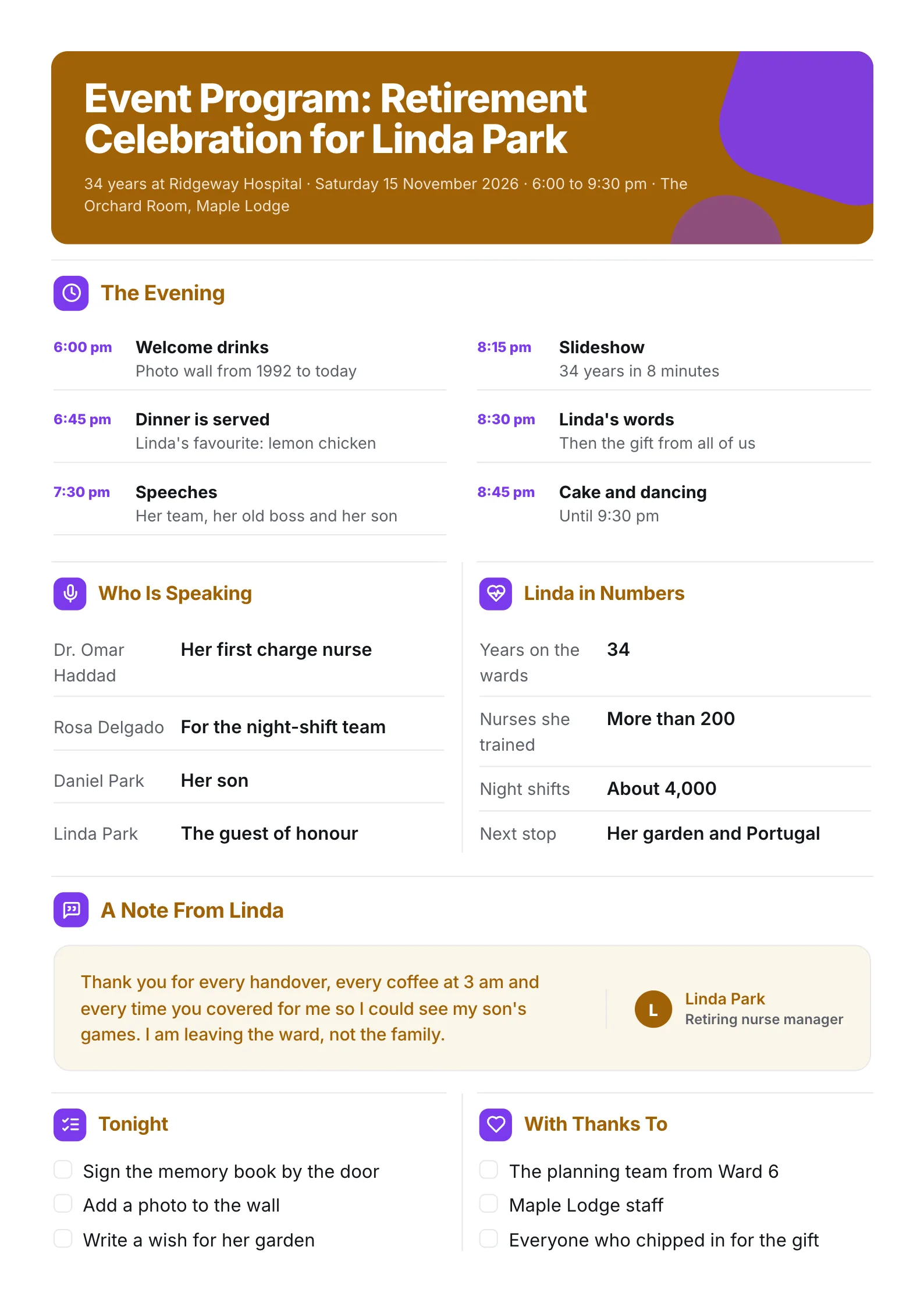 Event Program: Retirement CelebrationEdit for free(opens in a new tab)
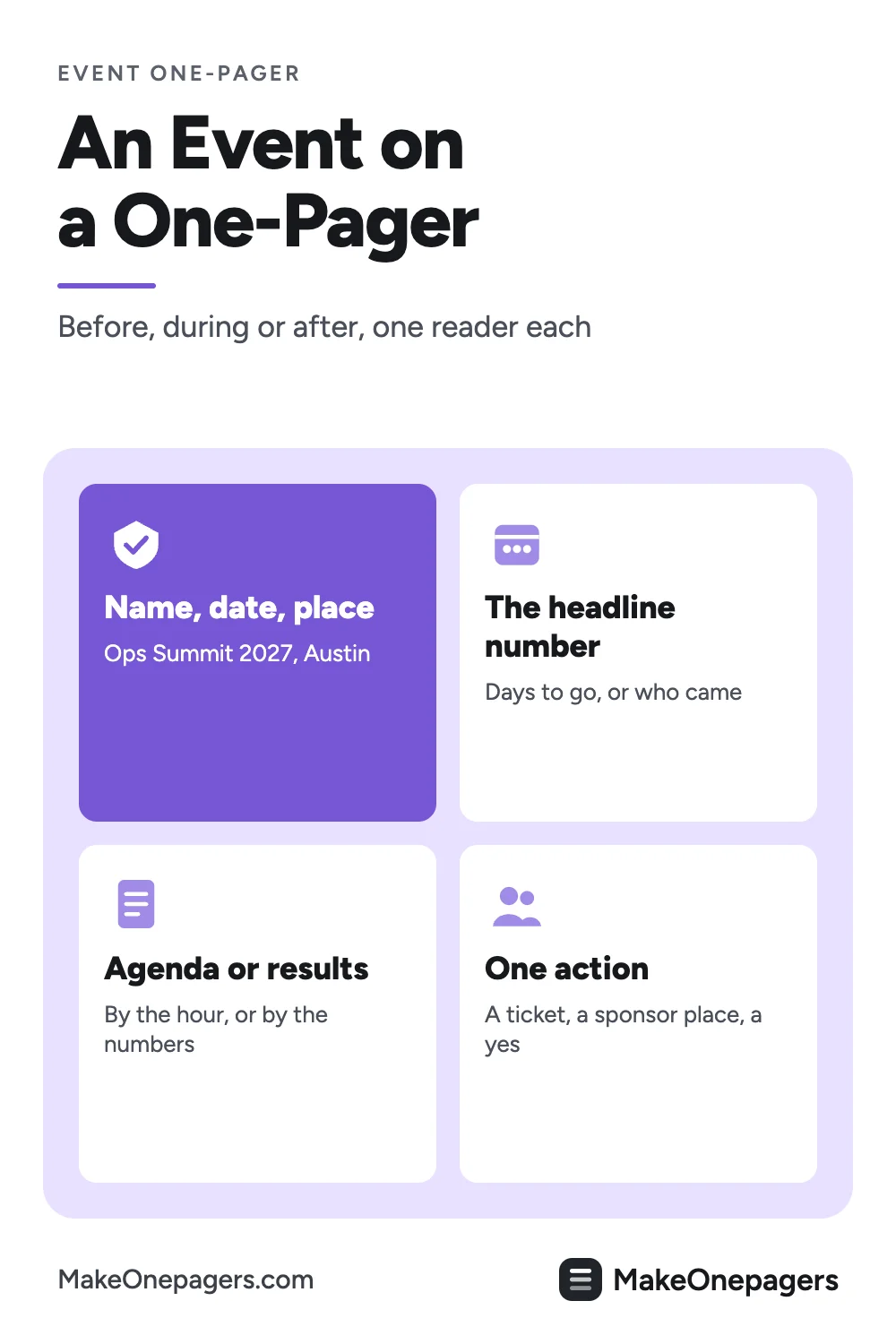
All four are MakeOnepagers templates, so you can open one and swap in your event.
Who reads which sheet
| When | Reader | Lead with | Example below |
|---|---|---|---|
| Before | Guests | Date, place, countdown | Event sheet |
| Before | Sponsors | Audience size and who they are | Sponsorship sheet |
| After, online | Your team | Registered against attended | Webinar recap |
| After, in person | Your team | Tickets sold against people who came | Post-mortem |
Before: the sheet for guests
 Edit this template
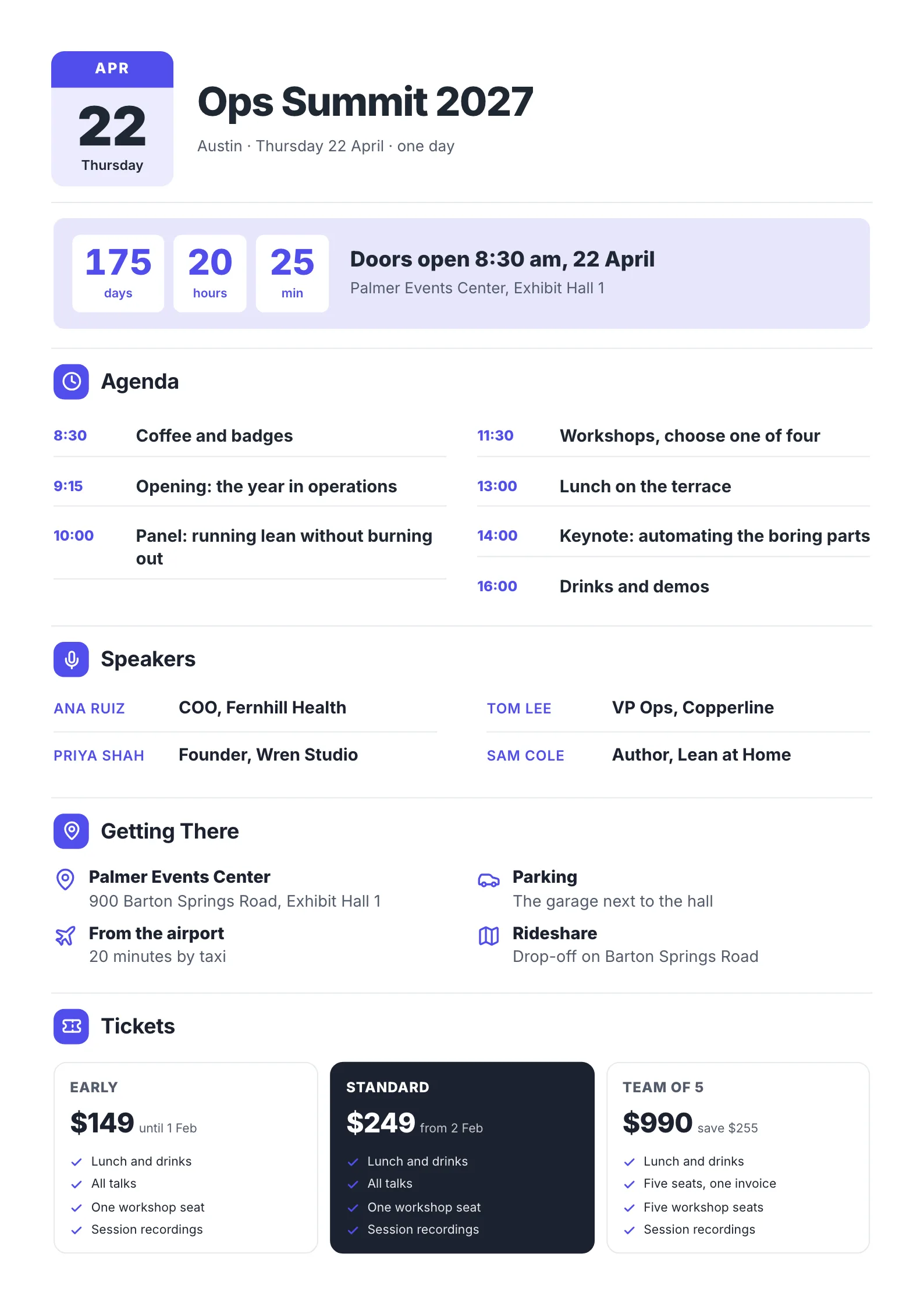
Ops Summit's guest sheet: a countdown, the day by the hour, four speakers, how to get there and three ticket prices.
A guest has one question first: can I make it? So Ops Summit puts Austin, Thursday, April 22 at the top, with a countdown to the day and the 8:30 am doors right beside it. The agenda comes next, seven lines from coffee to drinks, because people book a flight around the last session of the day. The early ticket is $149 until February 1, which means waiting costs $100. That deadline does more selling than any adjective on the page.
Start from this event template.
Before: the sheet for sponsors
 Edit this template
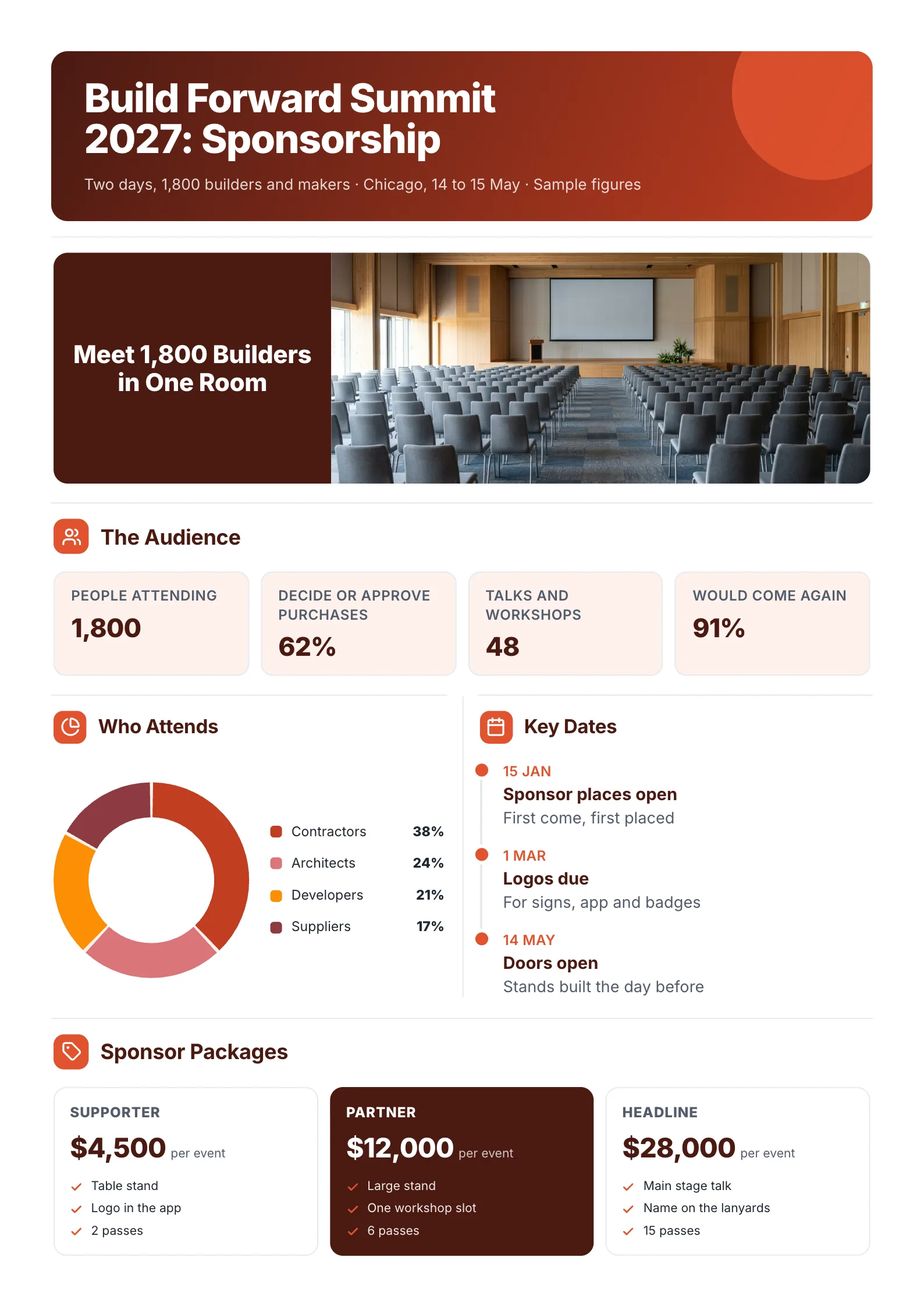
Build Forward's sponsor sheet swaps the agenda for the audience: who attends, three dates and three packages.
Look at what's gone. This sheet has no parking and no speakers, and the session times are missing too. A sponsor is buying access to people, so Build Forward opens on 1,800 attendees and the share of them who approve purchases. Sponsors have their own full guide: see the sponsorship one pager, or edit this event sponsorship template.
After, online: the webinar recap
 Edit this template
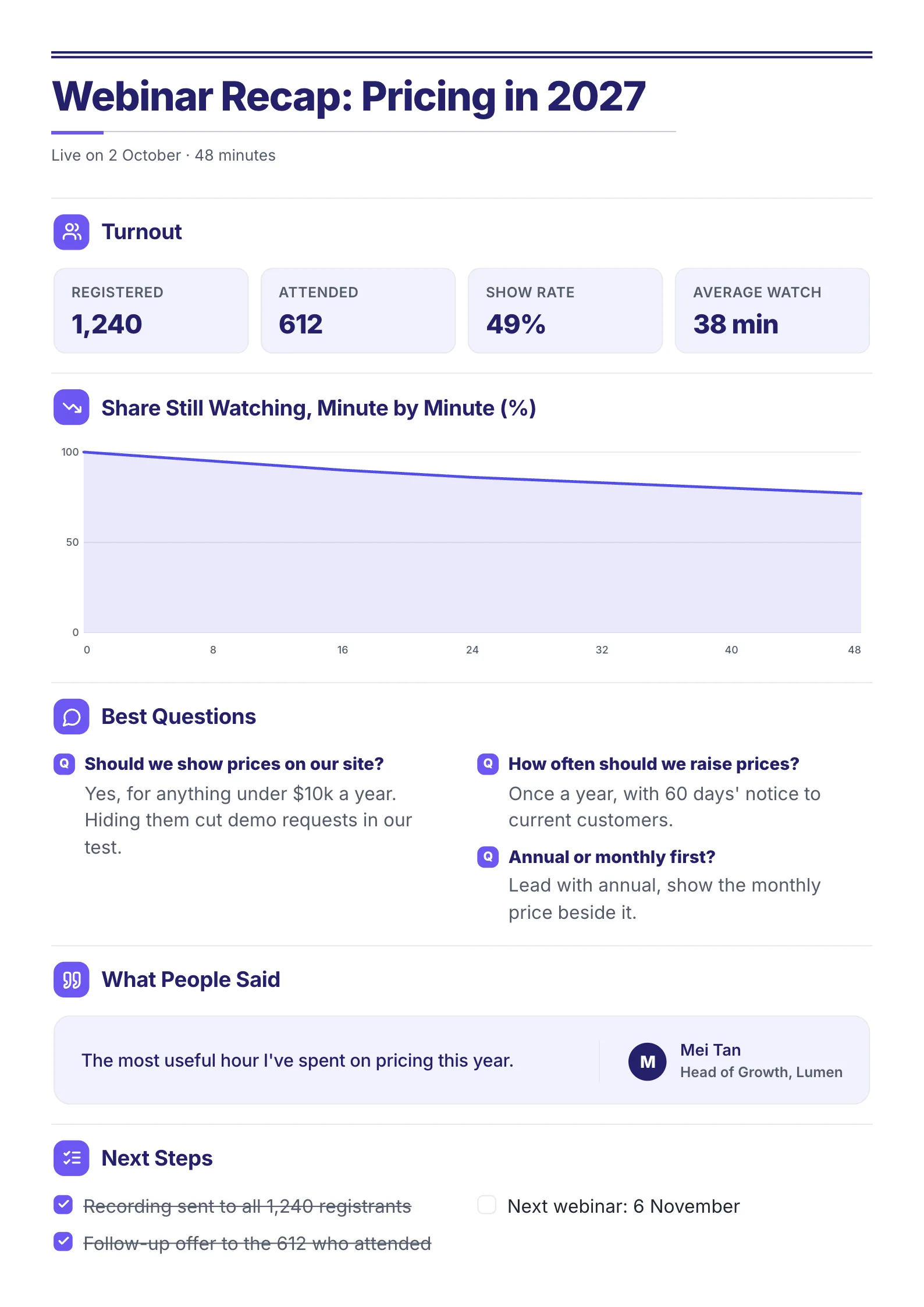
A recap for an online event: turnout in four numbers, who stayed, the best questions and the follow-up.
An online event hands you better numbers than any ballroom, and this recap uses them: 1,240 registered and 612 attended, for a 49% show rate. Is 49% good? Give your reader a yardstick. Livestorm puts the average webinar attendance rate at 47.7%, so this one landed about on the average. A number with a comparison beside it starts a useful conversation, where a number alone only gets a nod.
The minute-by-minute chart shows where people left. The best questions, with their answers, make the page worth reading for those who missed it. And "Recording sent to all 1,240 registrants", checked off, tells your boss the follow-up already happened.
Drop your own numbers into this webinar recap template.
After, in person: the post-mortem
 Edit this template
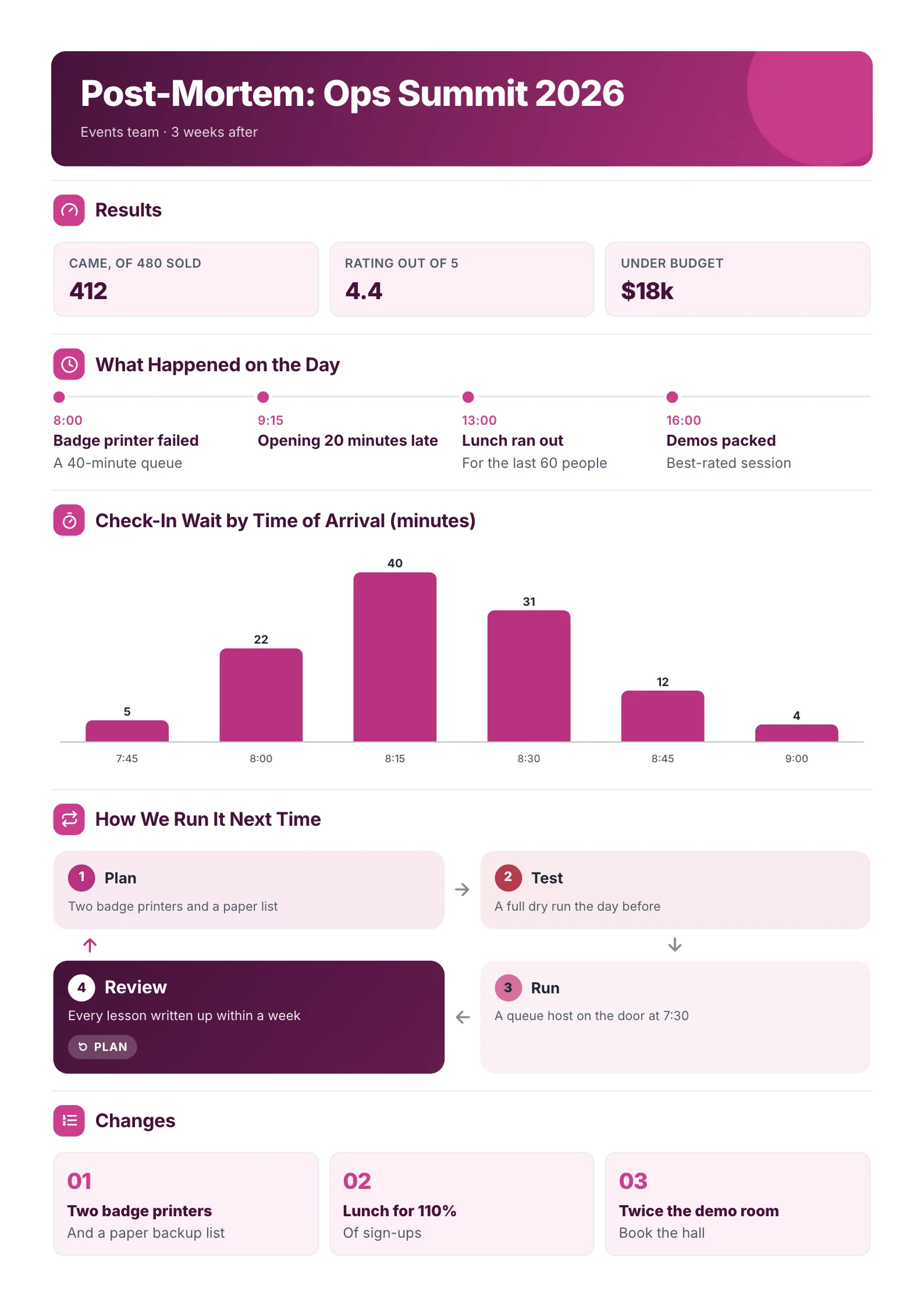
The team's review, three weeks on: results, the day as a timeline, the check-in wait and three changes.
This is the only sheet here where the bad news belongs near the top. "A 40-minute line" with the 8:00 badge printer failure beside it is far more use than "check-in was slow", because a time and a cause can be fixed. The chart of wait by arrival time backs it up. Each change answers one problem on the sheet: two badge printers for the queue, lunch for 110% of sign-ups because lunch ran out, and twice the demo room because the demos were packed. Next spring, you can check each of those with a yes or a no.
Three numbers set the frame: 412 came of 480 sold, the event rated 4.4, and it finished $18k under budget. Edit this event post-mortem template with your own.
Build yours
Write these six lines in order, then cut whatever your one reader won't use.
- Name, date and place. "Ops Summit 2027, Austin, Thursday, April 22."
- Their number. Days to go for a guest, headcount for a sponsor, turnout for your boss.
- The agenda or the results. By the hour before the event, by the numbers after it.
- The people. Speakers before, a guest's quote after.
- The practical block. Tickets and travel, or packages, or next steps.
- One action. Buy a ticket, book a sponsor place, or approve the changes.
Got a run sheet or a survey export already? Upload it to MakeOnepagers and edit the draft you get back.
Four ways these sheets go wrong
- An agenda with no times. "Morning sessions" helps nobody book a train.
- A date hidden in the middle of the page. It belongs in the first line a reader sees.
- A recap with only good news. Your team can't fix what the page leaves out.
- Nothing to do at the end. A guest with no ticket link closes the page and forgets.
Frequently asked questions
What is an event one pager?
It's a one-sheet summary of an event for one reader: your guests, your sponsors or your own team. It gives the details or the results that reader needs, and one next step.
Can I use one sheet for guests and sponsors?
Better to make two. Guests need travel and tickets, and sponsors need the audience and the packages. Both can share the event's name, date and look.
What should an event recap include?
Turnout against registrations, how long people stayed, the best questions or moments, and the follow-up with an owner for each step.
When should I write an event post-mortem?
While the team still remembers the day. The Ops Summit sample was written three weeks after the event, and sooner is better for the timeline.
Is there a free event one pager template?
Yes, all four above open for free editing in MakeOnepagers. If you'd rather begin with your own file, try the AI One-Pager Generator.




