Benefits Summary Template: Free One-Page Employee Guide
Free one-page benefits summary template for employers, with the 6 parts employees look for and a worked example for health, retirement and leave.

A benefits summary template puts everything you offer your staff on one sheet. That means health coverage, a retirement match, paid time off, a learning budget, a wellbeing allowance and family leave. It also shows what changed this year, your enrollment dates and who to ask. Benefits guides are often forty pages long, and your employees end up missing what they are owed. A one-page benefits summary shows the whole package at a glance, so your people use what they have and your candidates can see what the job is really worth. Below you'll find the six parts employees look for, a free template you can copy, a worked example and five more. Start from a free one pager template.
One‑Pager examples
Real One-Pagers made with MakeOnepagers. Open any one to edit it as your own.
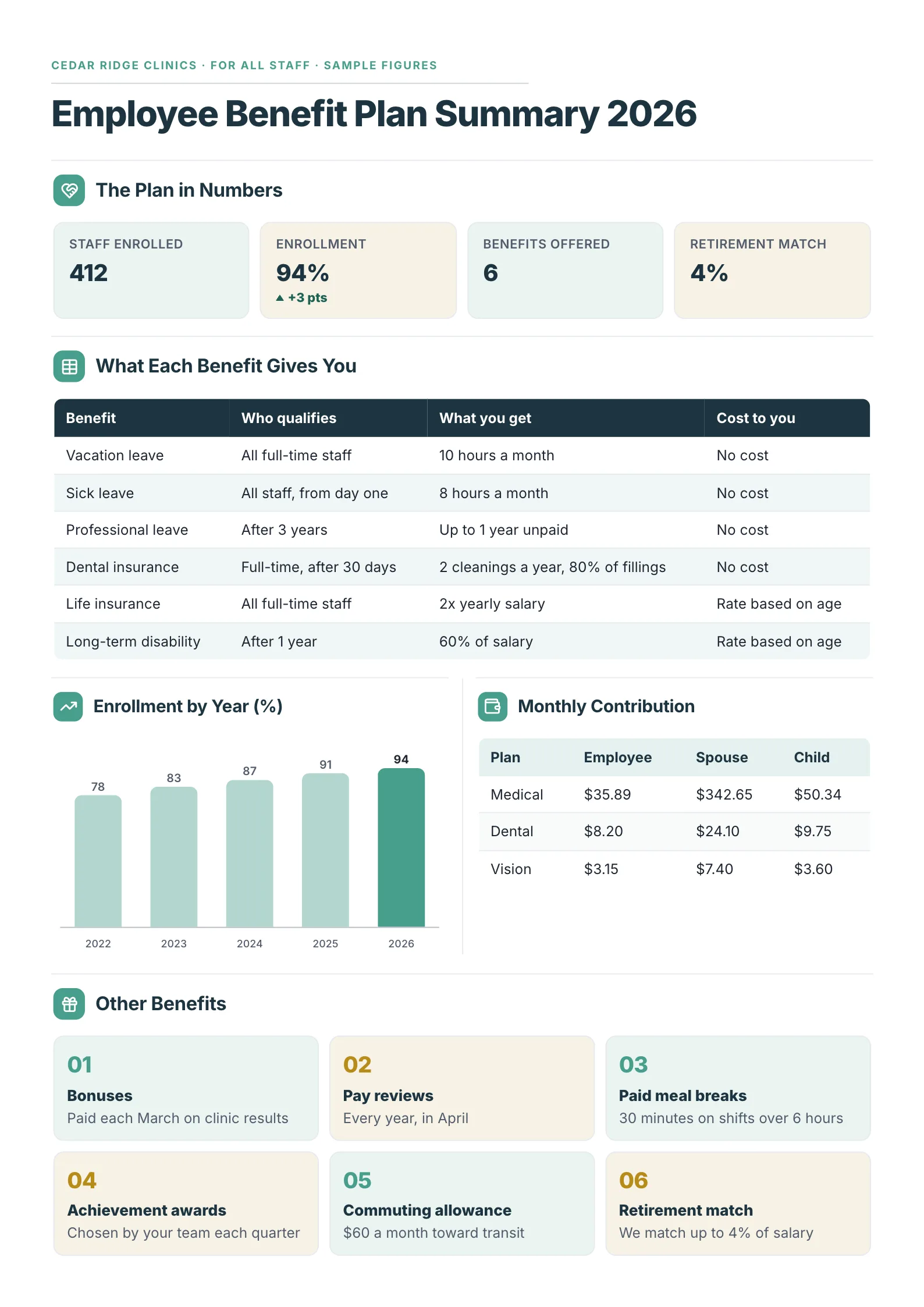 Employee Benefit Plan SummaryEdit for free(opens in a new tab)
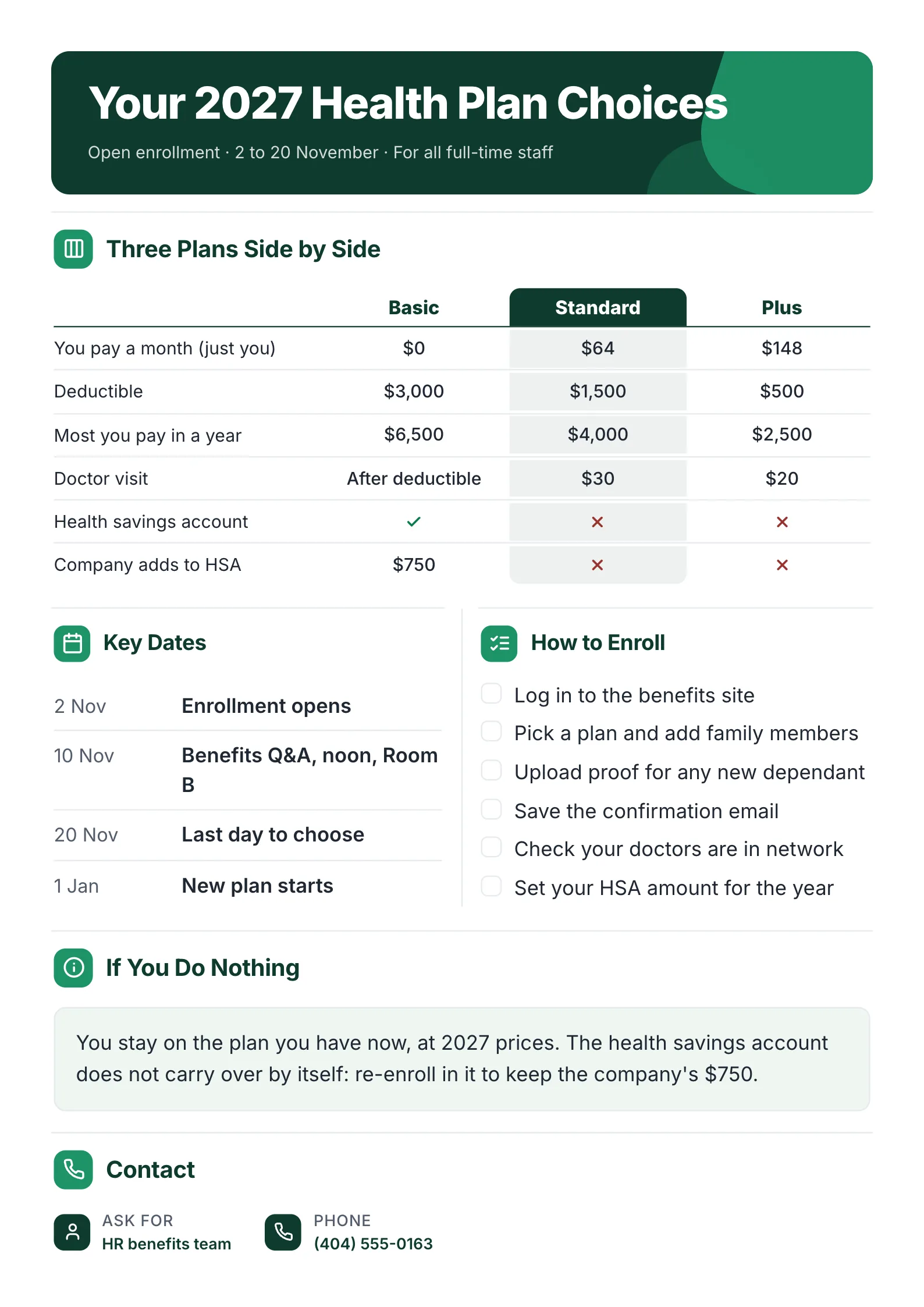 Health Plan Benefits SummaryEdit for free(opens in a new tab)
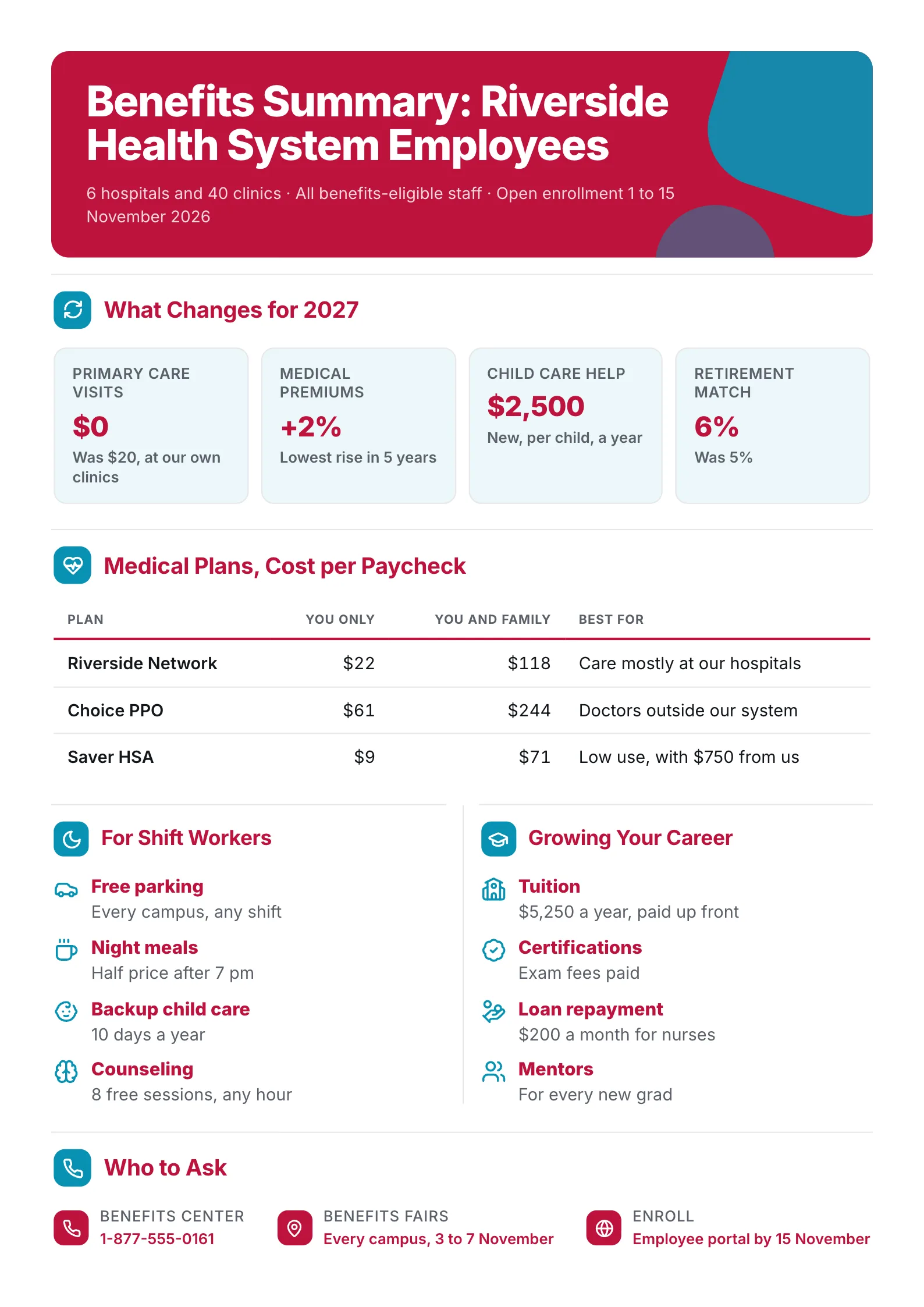 Benefits Summary: Hospital System EmployeesEdit for free(opens in a new tab)
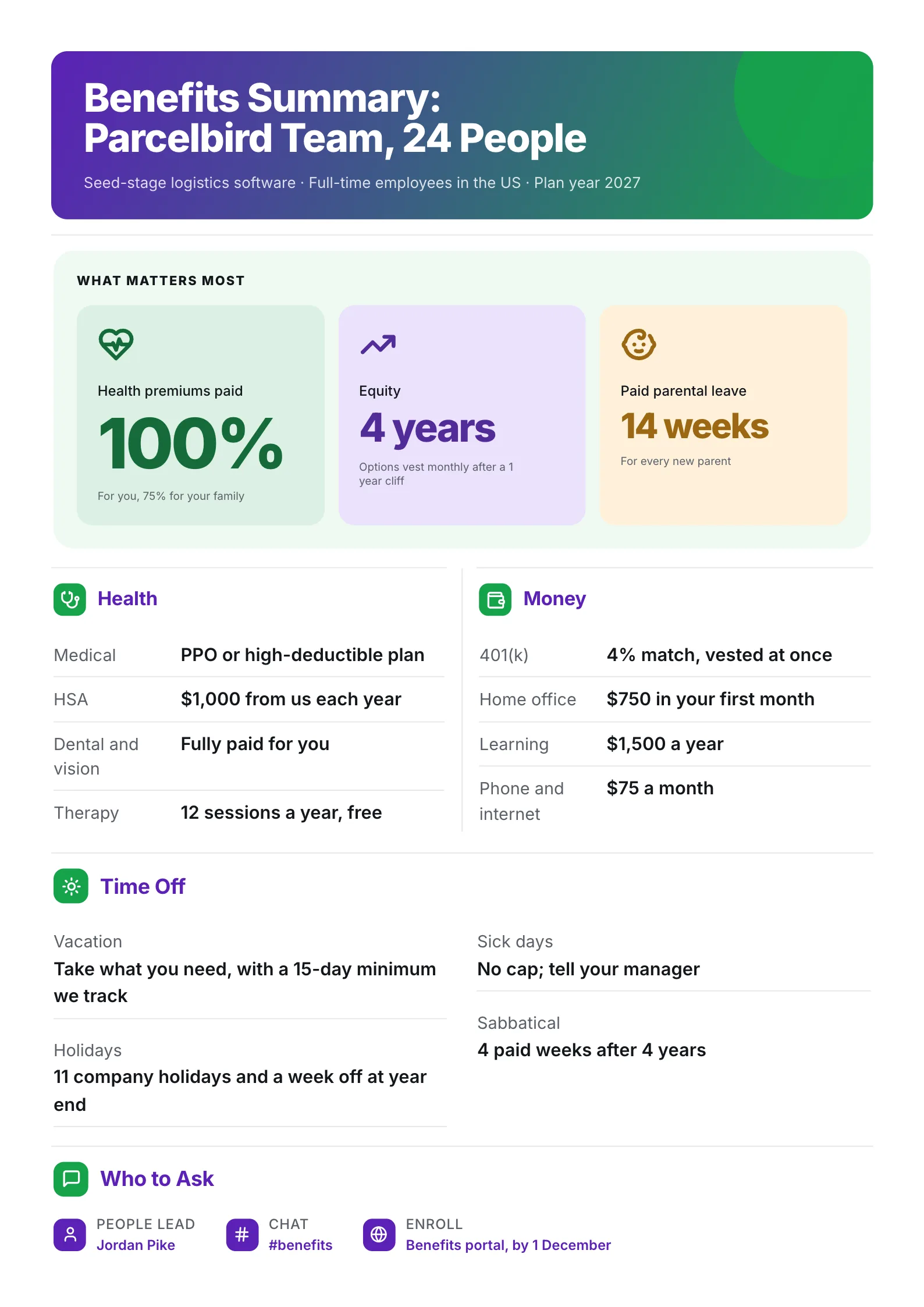 Benefits Summary: Startup TeamEdit for free(opens in a new tab)
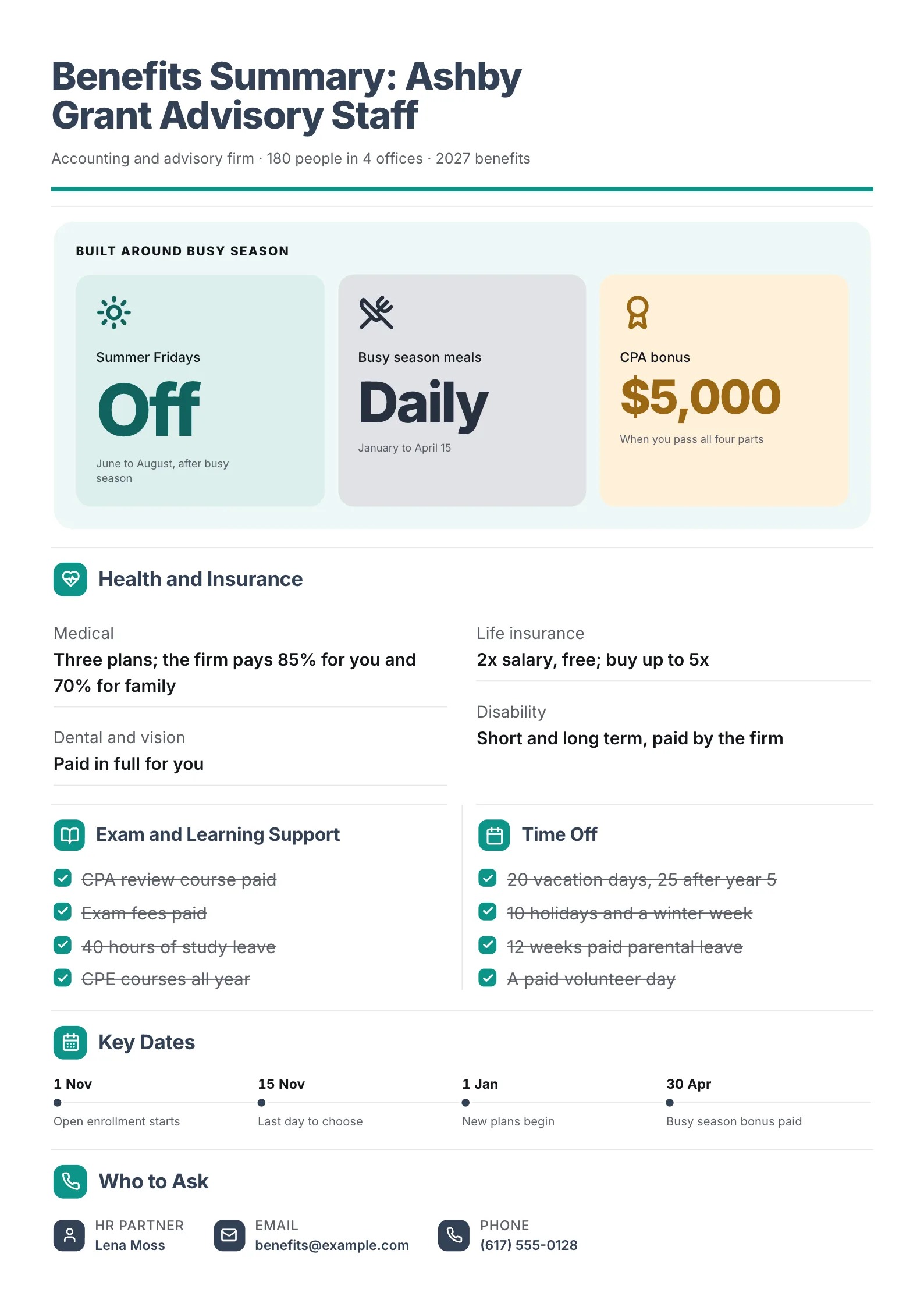 Benefits Summary: Accounting Firm StaffEdit for free(opens in a new tab)
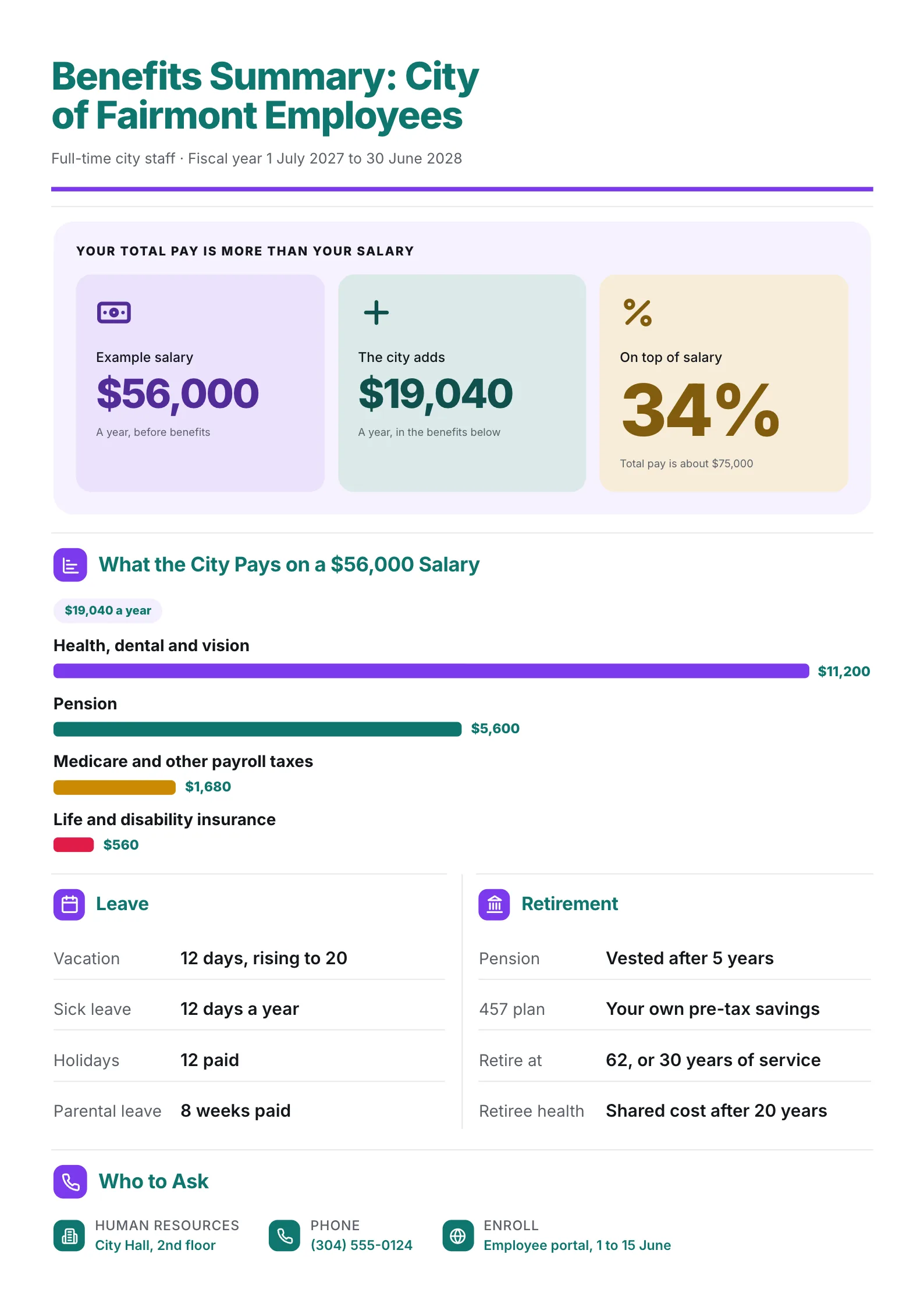 Benefits Summary: City Government EmployeesEdit for free(opens in a new tab)
The examples were made with MakeOnepagers. Each one opens as a template you can edit for free. You can change every word and every chart, and the colors too.
What is a benefits summary?
A benefits summary (or employee benefits overview) is a short guide to the benefits a company offers its staff. Your HR team hands it to new hires and shares it at open enrollment. You can also attach it to job offers.
It doesn't replace the plan document, and the legal detail stays in the full plans. The summary is what your people actually read.
The 6 parts of a benefits summary
- Who it covers and for which year.
- At a glance: each main benefit as a number and one line.
- Also included: the smaller extras people forget.
- What changed from last year.
- Key dates: when enrollment opens, closes and when new plans start.
- Questions people ask, and who to ask.
A free benefits summary template
Copy this into a document, or open the example below and edit it.
| Part | What to write, with an example |
|---|---|
| Title | Year, company, who. Your Benefits 2027, all full-time staff |
| At a glance | 6 numbers with a line. 6%: we match what you put in, up to 6% |
| Also included | 4 extras. Life cover: 2x your salary |
| What changes | 3. Gym allowance now $60 a month |
| Key dates | 3. Enrollment opens 1 November |
| Questions | 2 with answers. When does cover start? On your first day |
| Who to ask | Team and portal |
Benefits summary example
 Edit this template
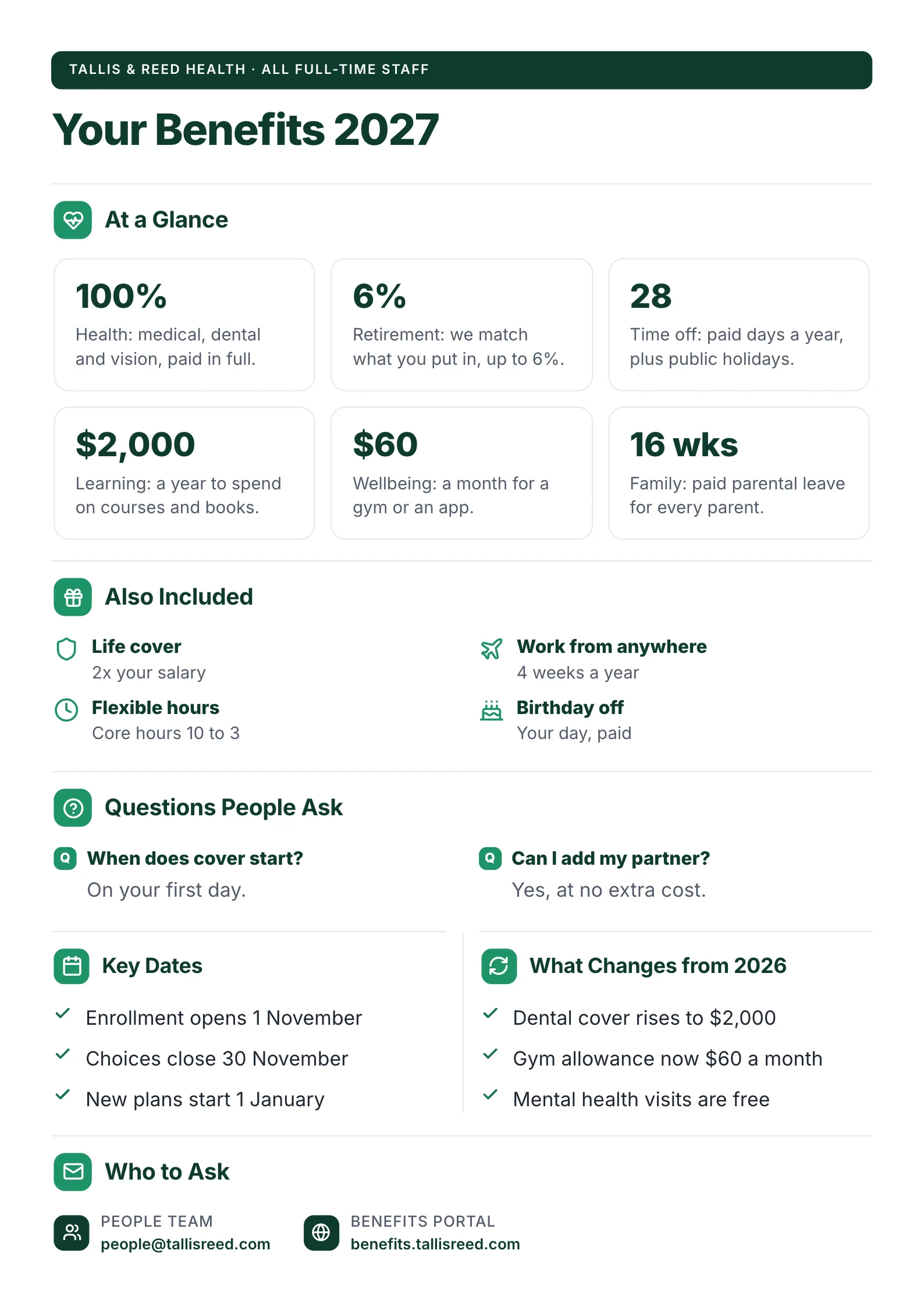
A whole benefits package on one sheet, with the number first for every benefit.
What to copy:
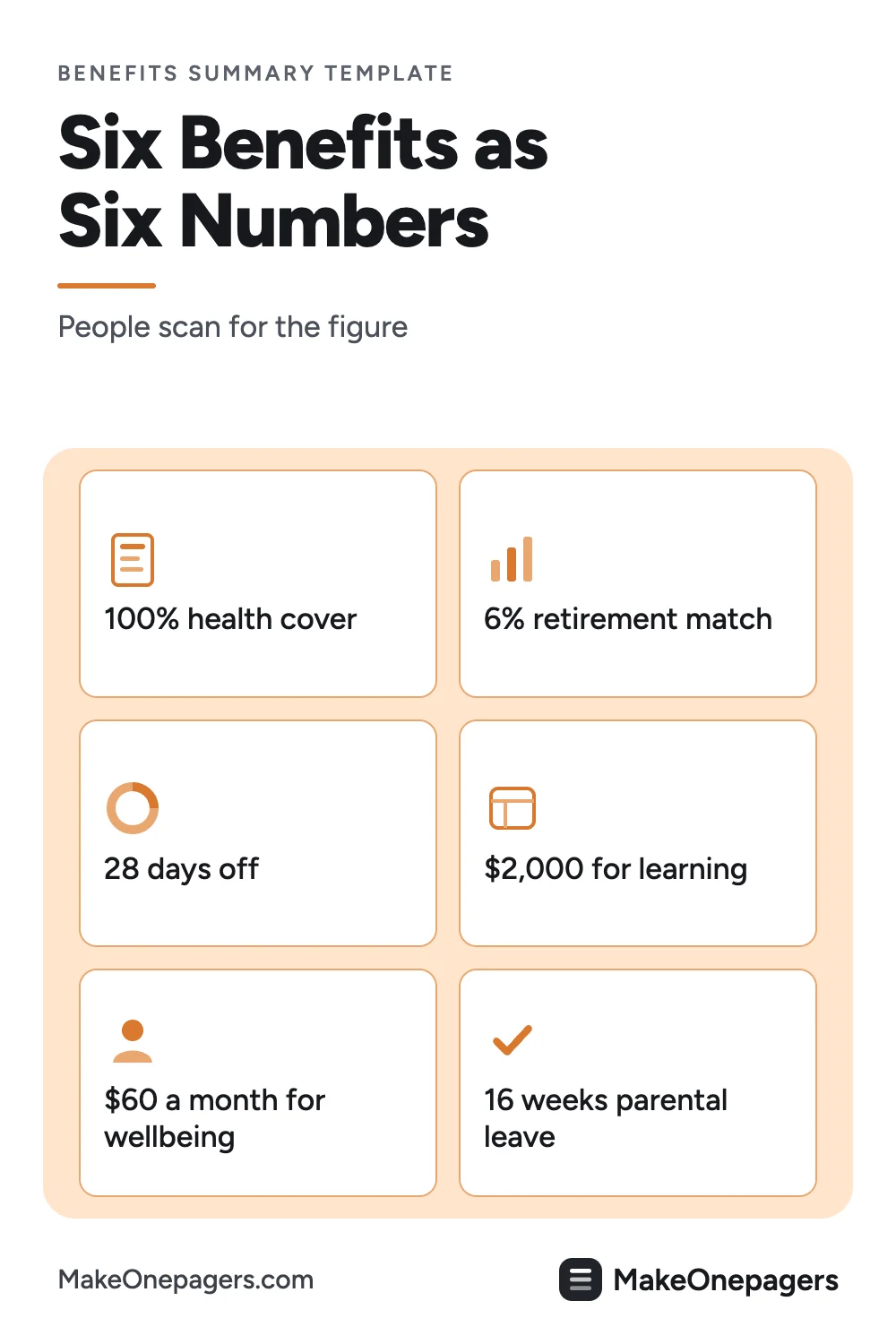
- Six numbers at the top: 100% health cover, 6% retirement match, 28 days off, $2,000 for learning, $60 a month for wellbeing, 16 weeks of parental leave. The value of the package is clear in five seconds.
- The extras people forget: life cover at 2x salary, core hours 10 to 3, four weeks a year working from anywhere, birthday off.
- What changed from last year: dental cover rises to $2,000, the gym allowance is now $60 a month, mental health visits are free. Existing staff read this section first.
- Two answers to the most common questions: cover starts on your first day, and adding a partner costs nothing extra.
You can edit this benefits summary template for free.
5 more benefits summary examples
Hourly cooks, teachers, union electricians and retirees all need a different benefits summary. Here are five more, each for a different group, so you can start from the one closest to your own staff.
1. Hourly staff benefits summary
 Edit this template
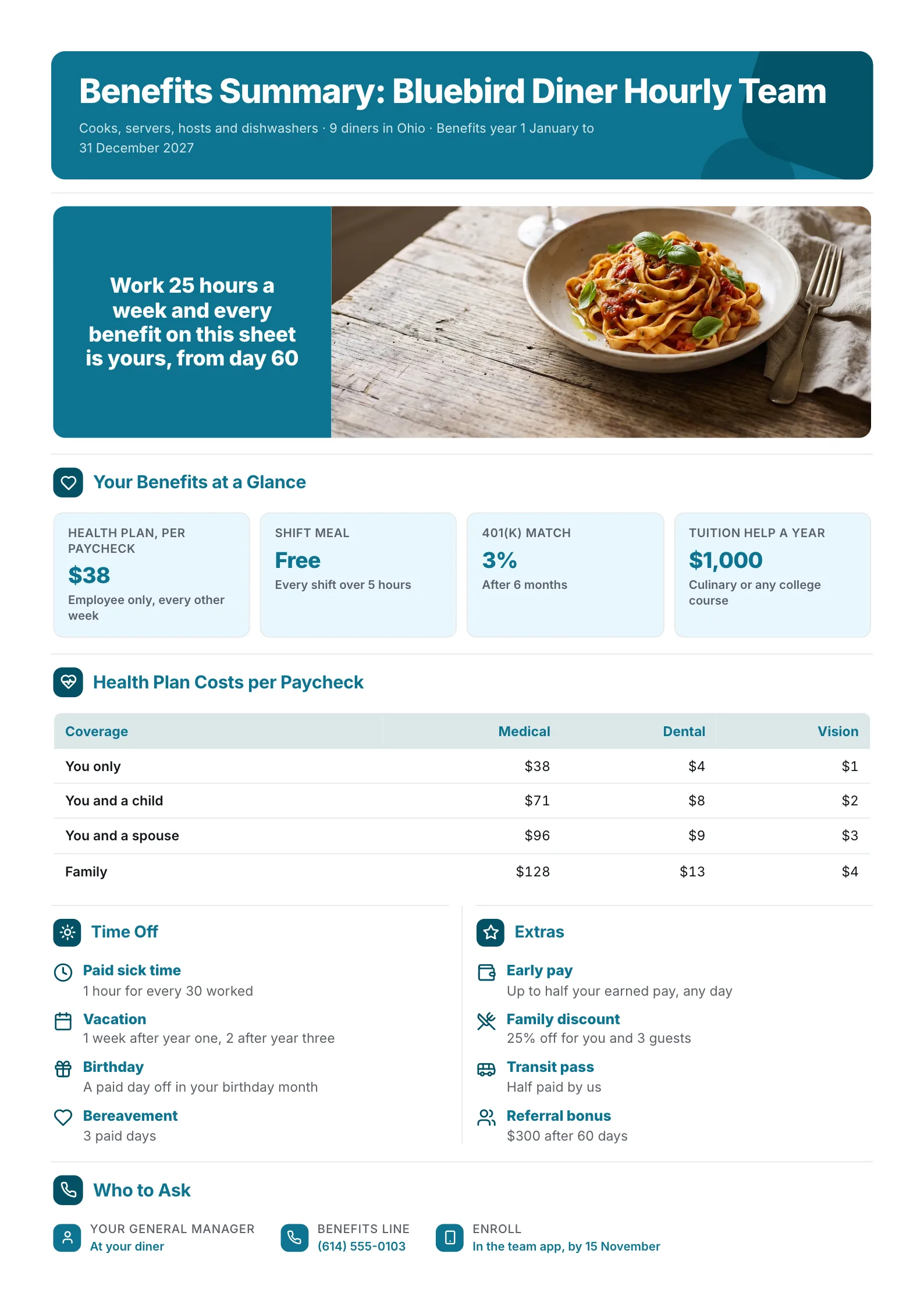
A diner chain's benefits for cooks, servers, hosts and dishwashers across 9 diners.
What to copy:
- Health plan costs per paycheck, the number an hourly worker actually budgets with.
- Who to ask, named on the sheet.
Want this layout? Edit the hourly staff benefits summary template for free.
2. Teacher benefits summary
 Edit this template
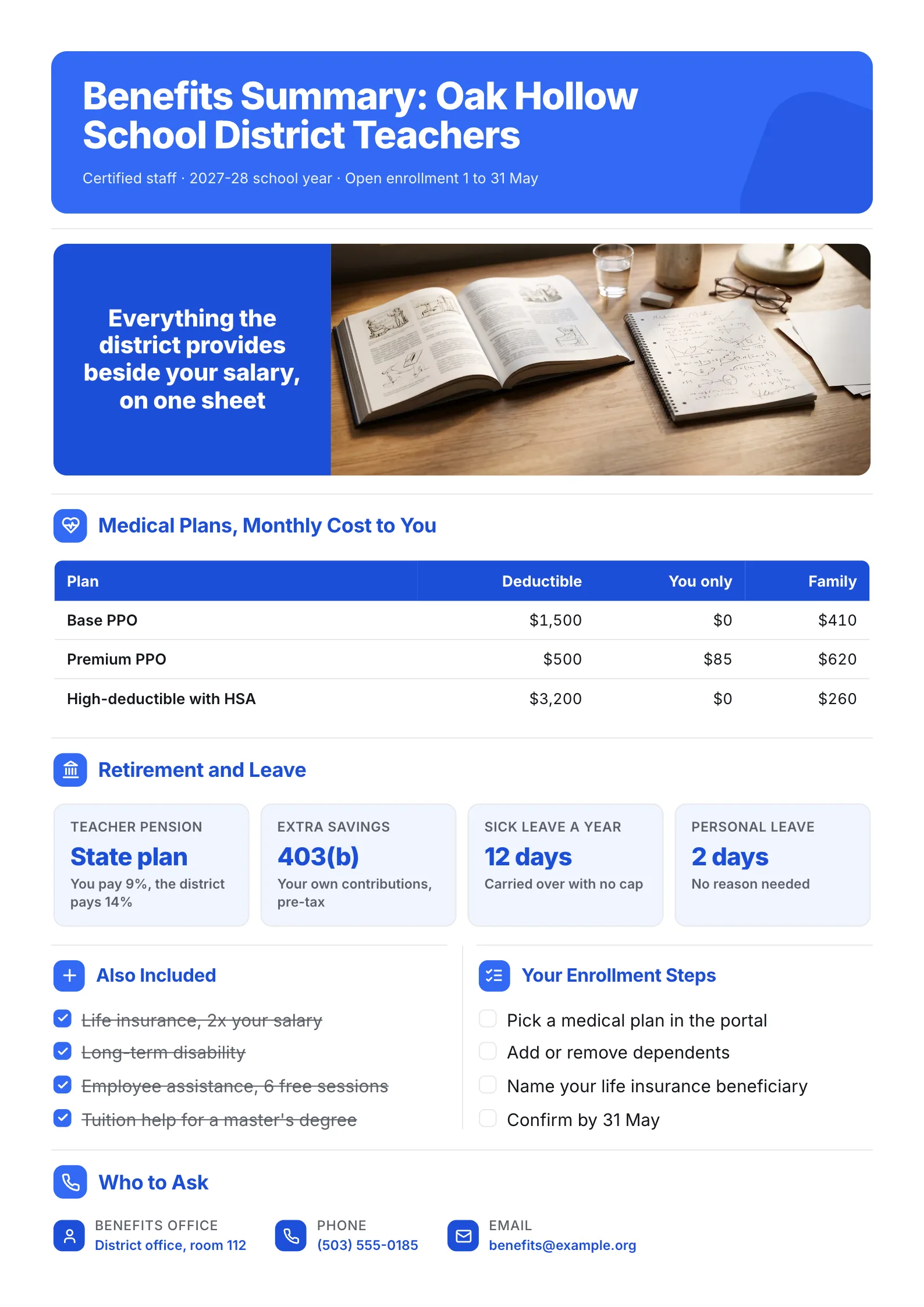
A school district's benefits for certified staff, with open enrollment in May.
What to copy:
- Medical plans with deductibles and monthly costs, side by side.
- The enrollment steps, in order, at the bottom.
You can make this teacher benefits summary template your own for free.
3. Part-time benefits summary
 Edit this template
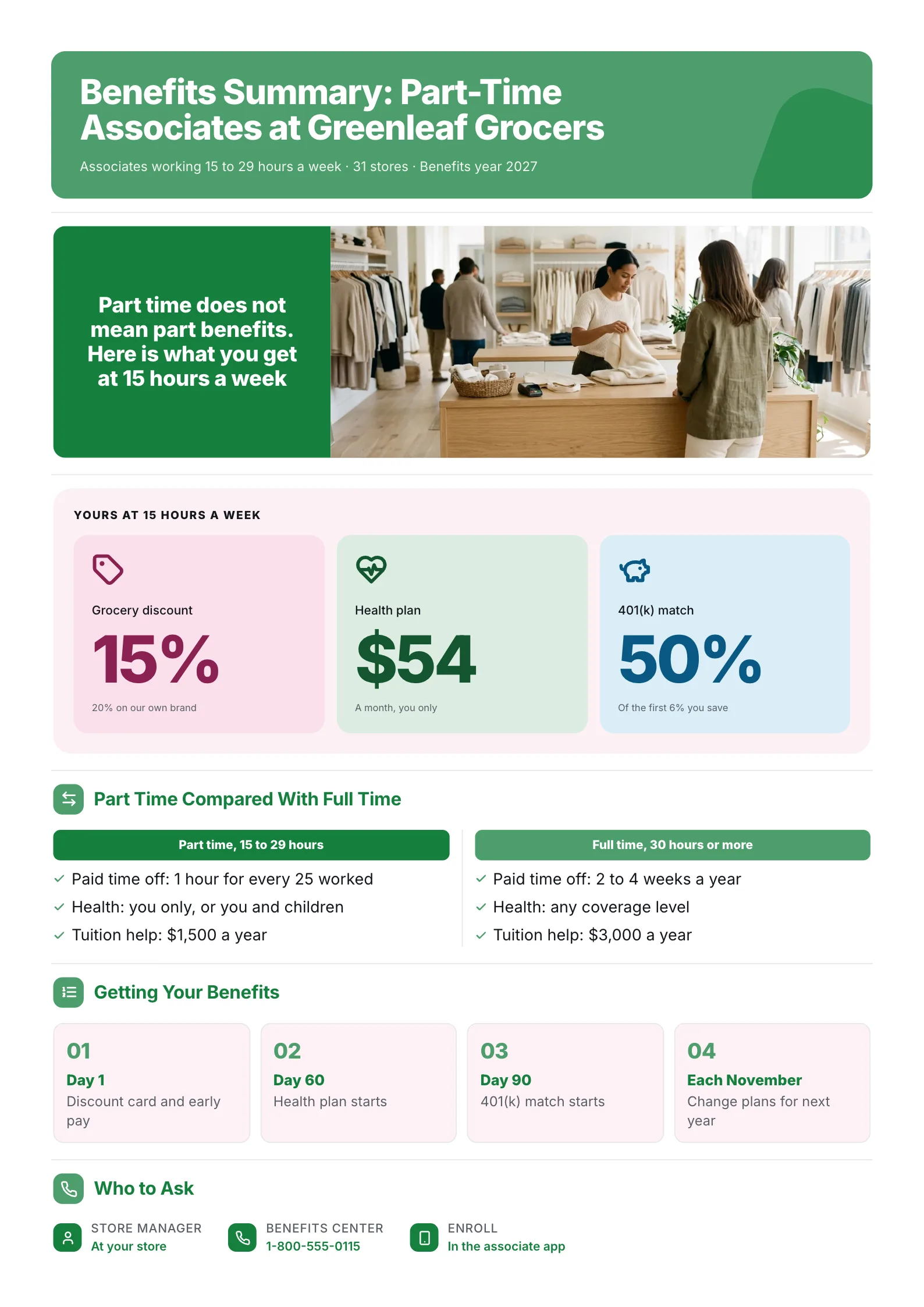
A grocer's benefits for associates working 15 to 29 hours a week in 31 stores.
What to copy:
- Part time compared with full time, so nobody has to guess what they miss.
- When each benefit starts, by date.
Open the part-time benefits summary template and edit it for free.
4. Union benefits summary
 Edit this template
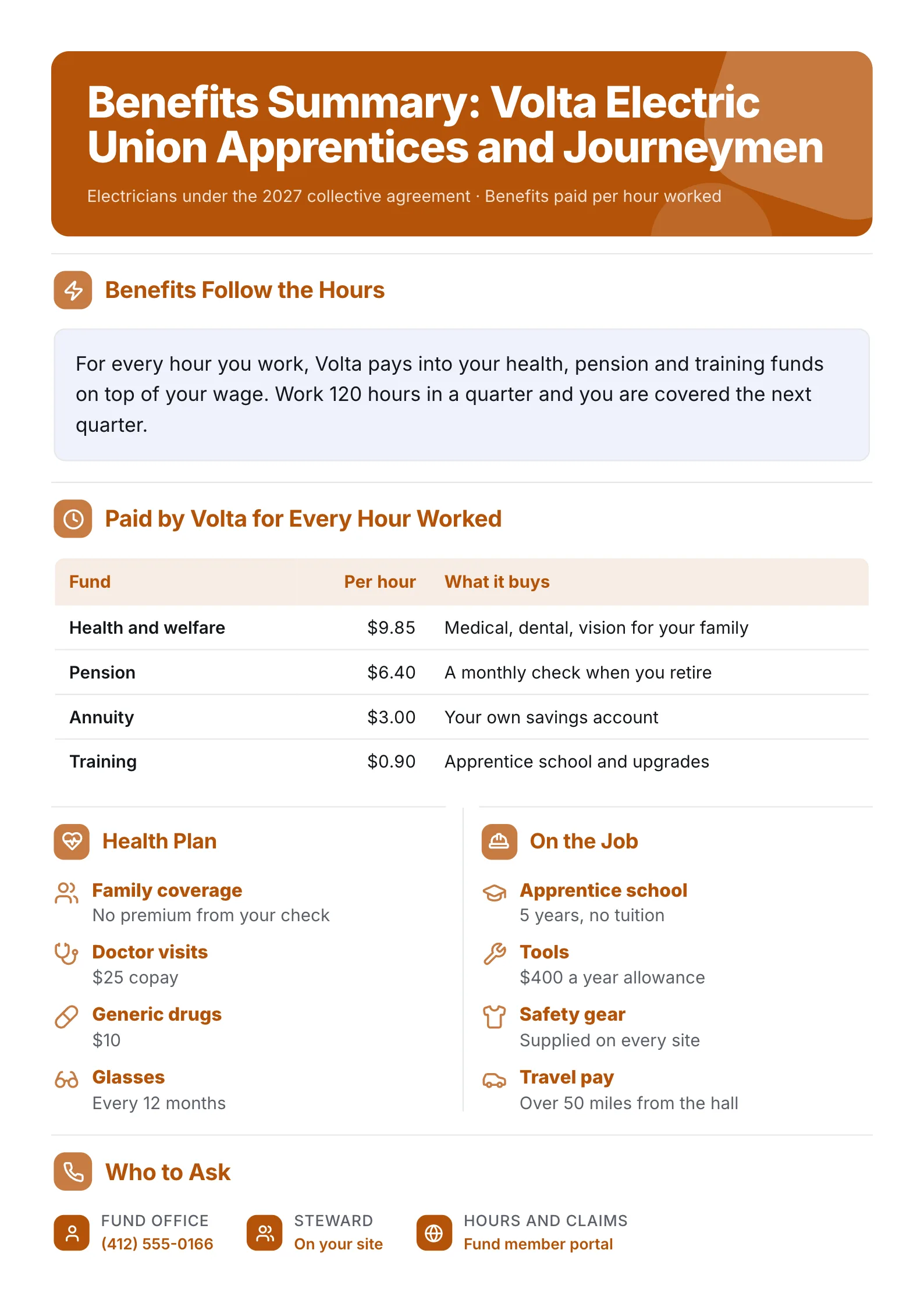
Benefits for apprentice and journeyman electricians under a 2027 agreement.
What to copy:
- How hours earn coverage, which is the question every new member asks.
- Fund contributions per hour, beside the health plan.
You can edit this union benefits summary template for free.
5. Retiree benefits summary
 Edit this template
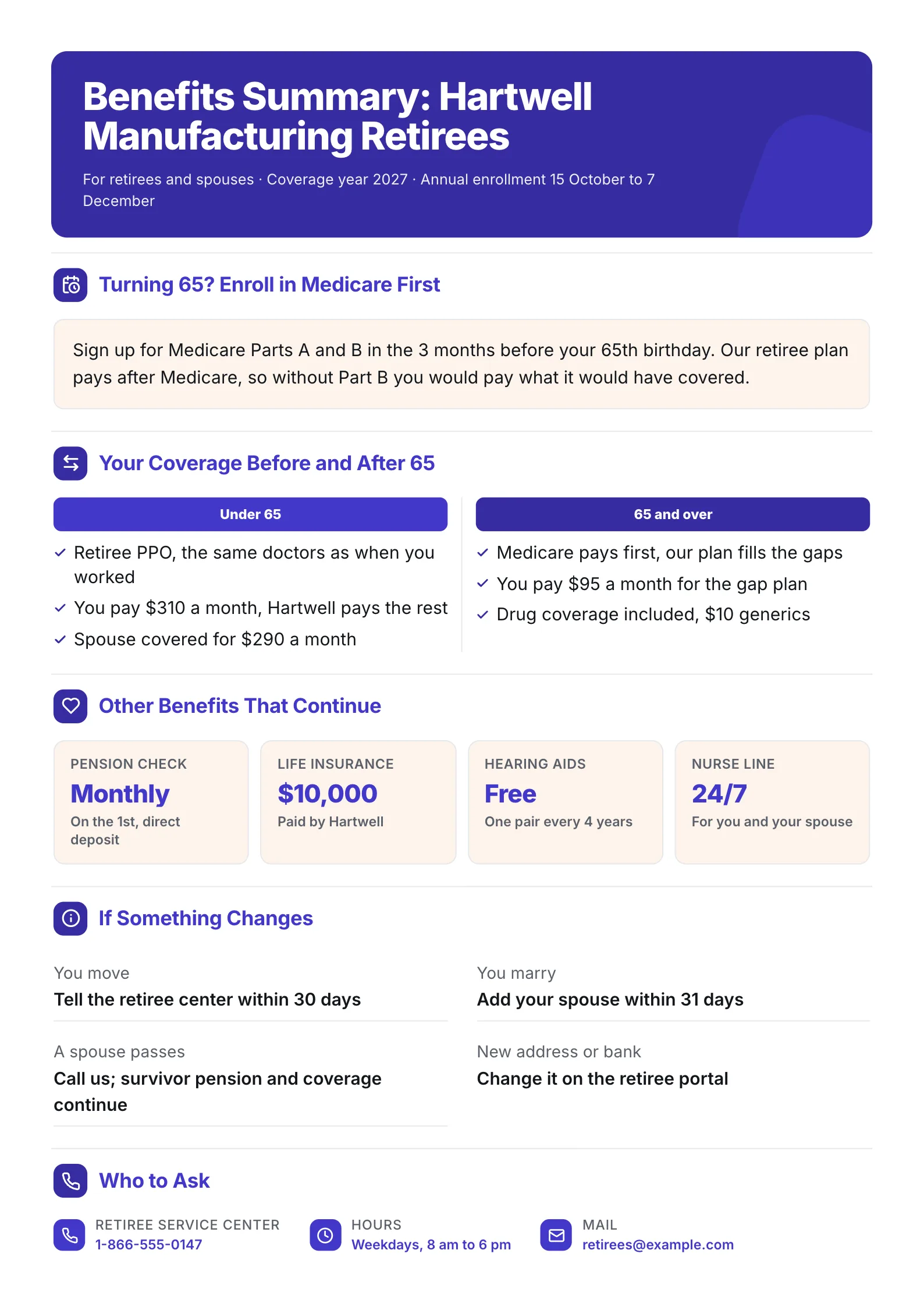
A manufacturer's benefits for retirees and spouses for 2027.
What to copy:
- The Medicare step at 65, with coverage before and after it.
- What to do when life changes, such as a move or a spouse's death.
If you look after retirees, start from this retiree benefits summary template and edit it for free.
Where to use a benefits summary
| Moment | Why it helps |
|---|---|
| Job offers | Candidates compare the whole package, not just salary |
| New hire onboarding | People enroll in what they would otherwise miss |
| Open enrollment | Staff see what changed before choosing |
| Retention conversations | A reminder of value that is easy to forget |
How to make a benefits summary in 6 steps
- List every benefit from your plan documents and policies.
- Turn each into a number and one line.
- Pick the six most valuable for the top of the sheet.
- Write what changed from last year.
- Add the key dates and two common questions.
- Add who to ask and where the full plan documents live.
Have a long benefits guide as a PDF? Drop it into the free AI One-Pager generator and get your benefits summary back as a designed One-Pager.
Benefits summary mistakes
- Paragraphs instead of numbers. People scan for the figure.
- No dates. Enrollment windows close, and people miss them.
- Only the big benefits. The small extras are often the ones people value most.
- No contact. Every question becomes an email to the wrong person.
Make your benefits summary
Open the free benefits summary template and put in your benefits, or drop your benefits guide into the free AI One-Pager generator and get a finished summary back.
Frequently asked questions
What should a benefits summary include?
Say who it covers and list each main benefit with its value. Then add the smaller extras and what changed from last year. End with your key dates and who to ask.
Is a benefits summary the same as a summary of benefits and coverage?
No. In the US, a summary of benefits and coverage (SBC) is a standard legal form for a health plan. A benefits summary is a friendly overview of everything you offer as an employer.
When should employees get a benefits summary?
Give it to your people with the job offer and on their first day. Then share it again at every open enrollment.
How long should a benefits summary be?
One page. You can link the full plan documents from it.




