BlogGuide
SaaS One‑Pager: Free Template, Examples and What to Put on It
A free SaaS one-pager template, the six blocks every software one-pager needs, three real examples with pricing tables, and the mistakes that make buyers skip it.

By MakeOnepagers Team
Updated · 6 min read
A SaaS one-pager is a single page that sells a software product: the problem it solves, what it does, why teams choose it, what it costs and how to start. Sales teams send it after a first call, founders attach it to cold emails, and buyers forward it to the person who signs off. Below is the layout that works, a free SaaS one-pager template you can copy and three examples to borrow from.
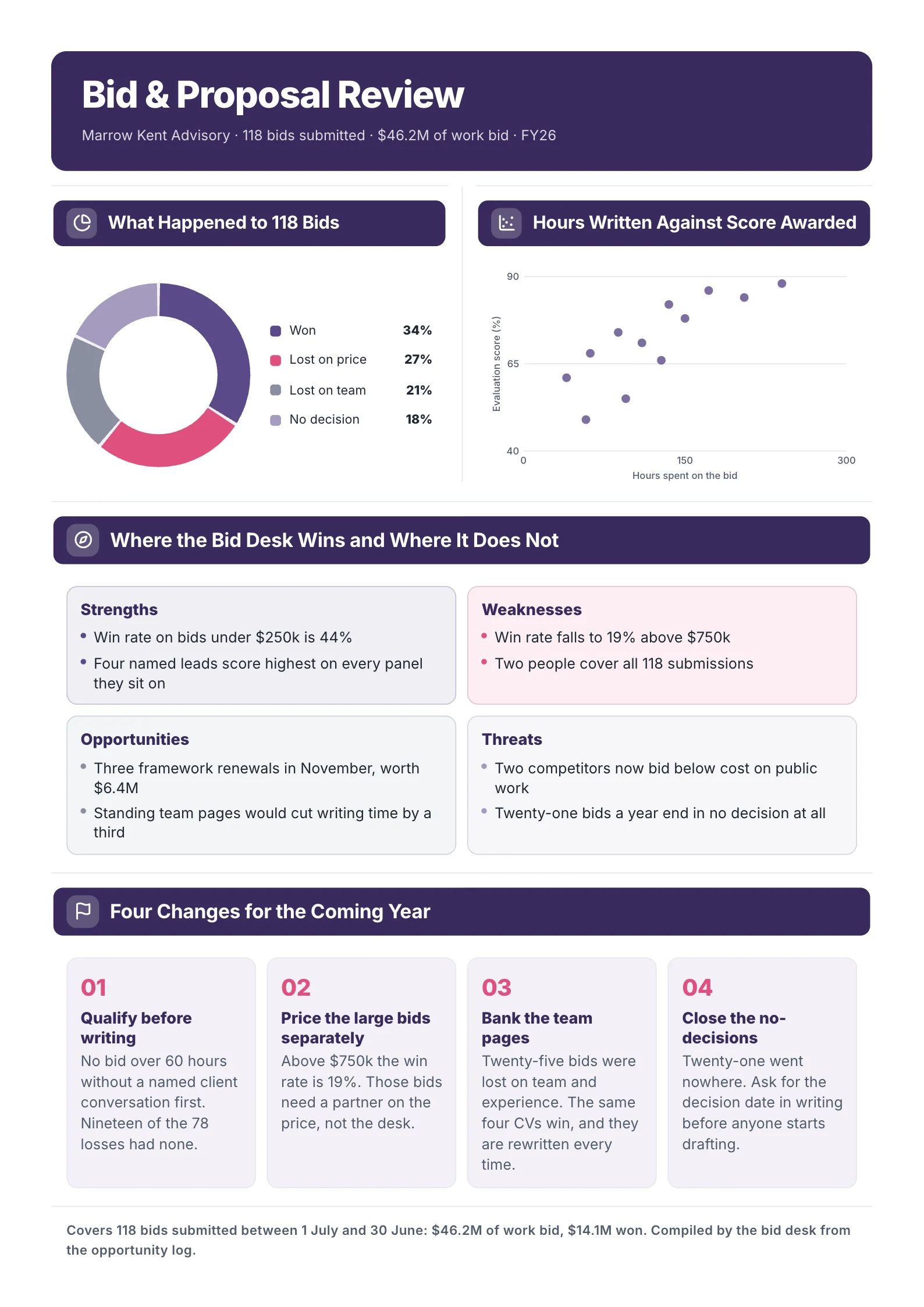
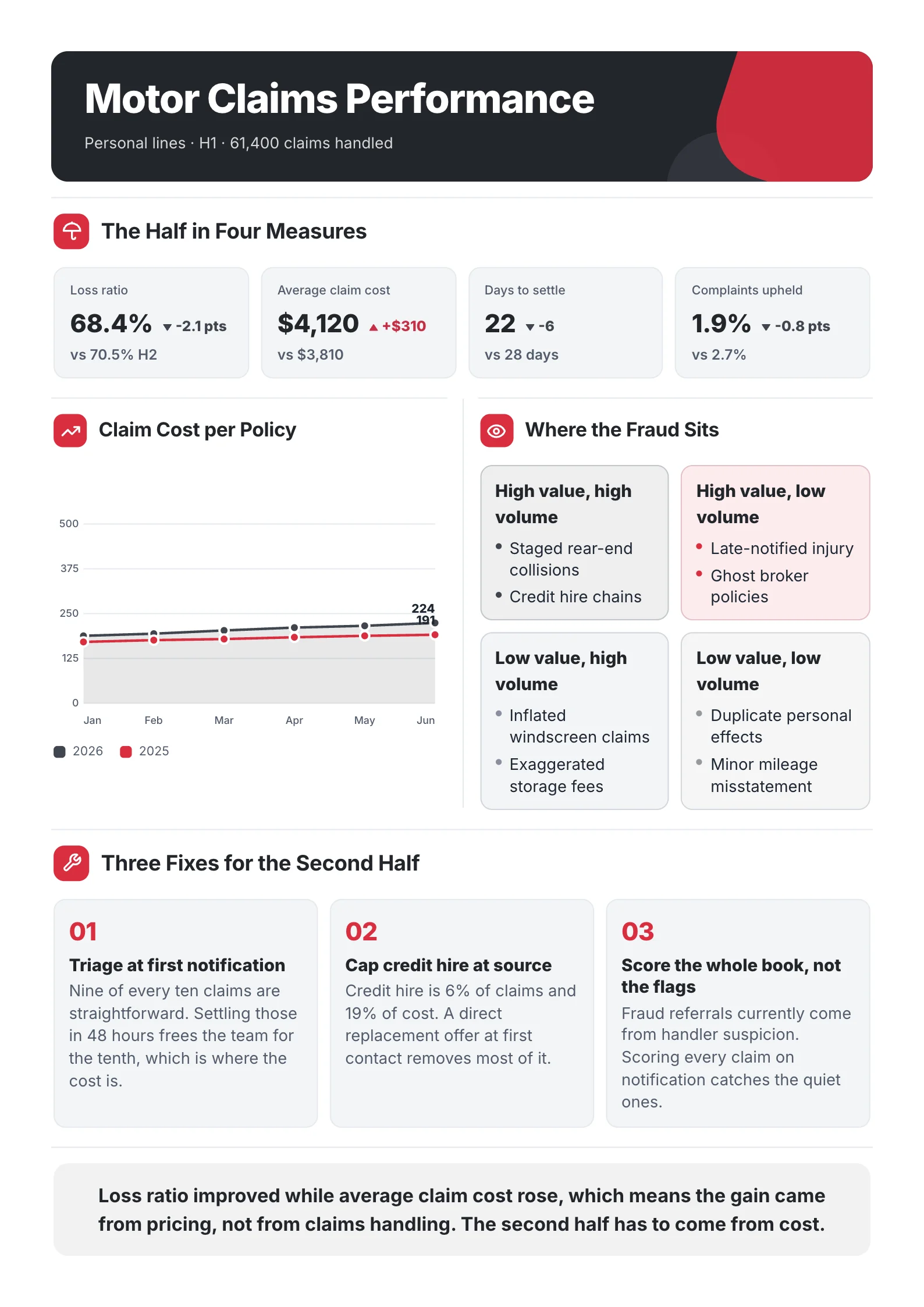
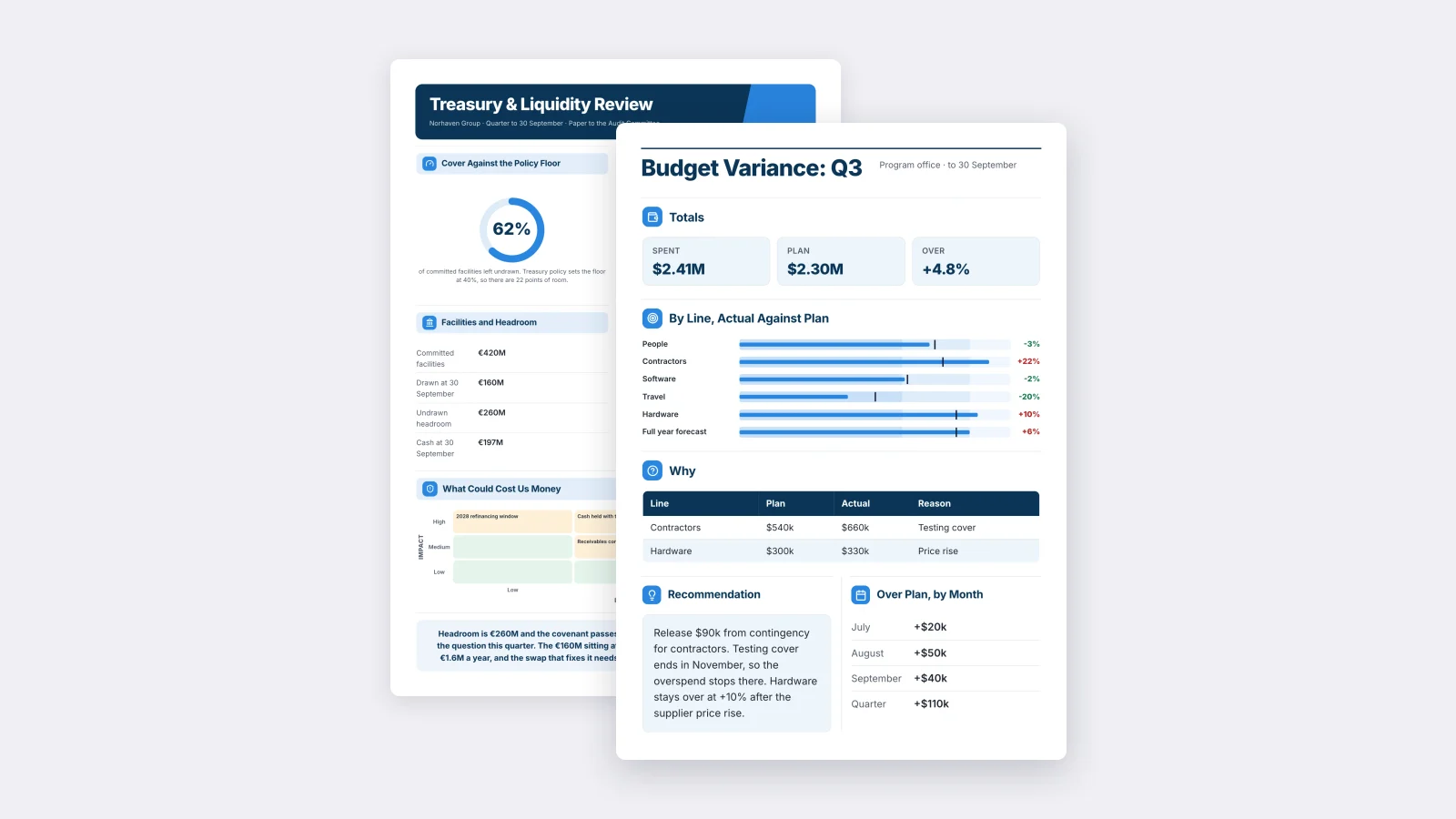
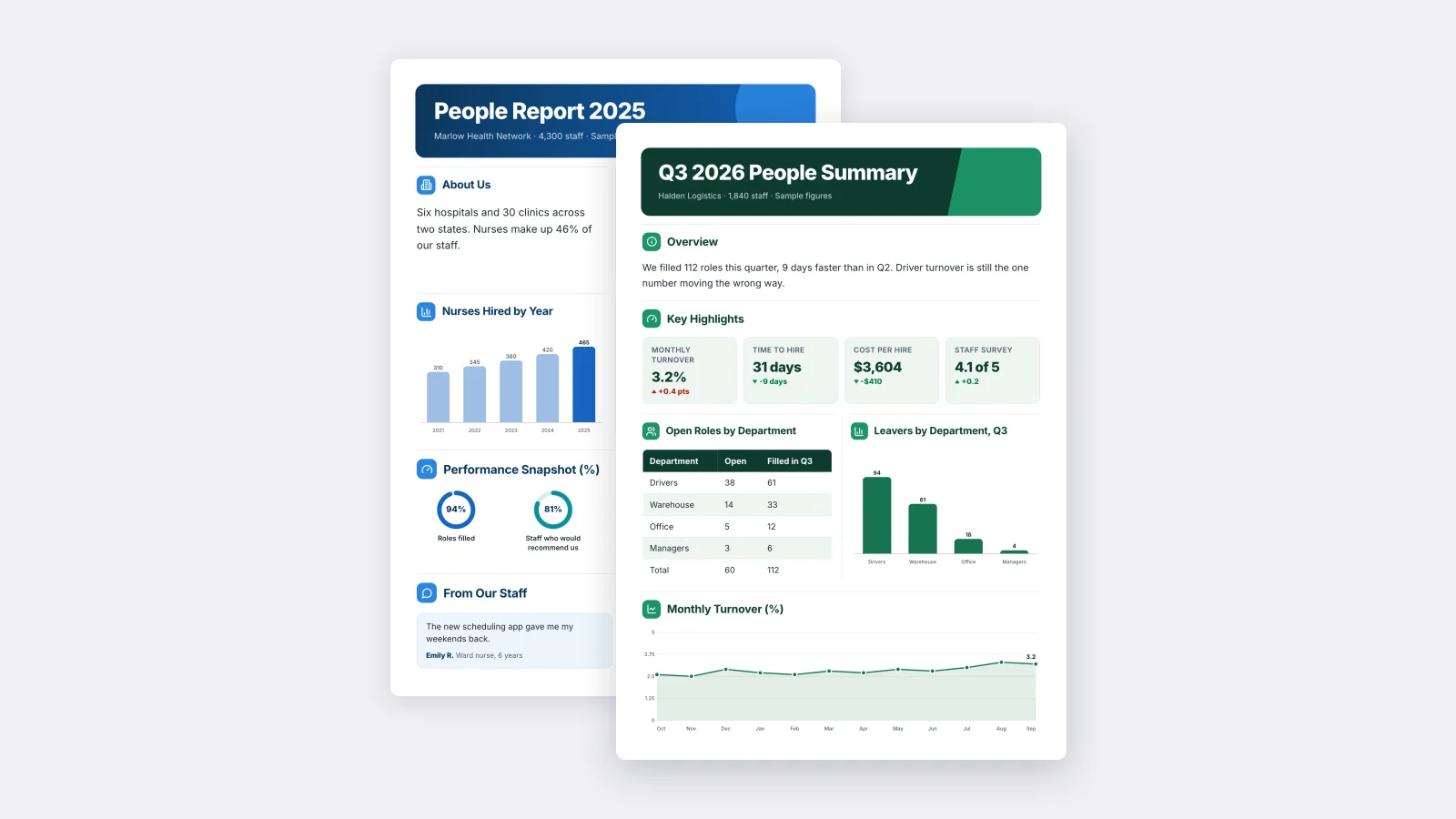
One‑Pager examples
Real One-Pagers made with MakeOnepagers. Open any one to edit it as your own.
Every example was made with MakeOnepagers. The product names and figures are samples, and each one opens as a template you can edit for free.
What goes on a SaaS one-pager
| Block | What it answers | Keep it to |
|---|---|---|
| Headline | What is it, in the buyer's words? | One line |
| The problem | What does it cost them today? | One number, before and after |
| What it does | How does it fix that? | Three features, one line each |
| Why teams pick it | Why this one and not another? | Four short proofs |
| Plans | What will it cost? | Three plans, one highlighted |
| Next step | What do I do now? | One action and a link |
The buyer reading it is usually not the person who saw the demo. Write it so someone who has never heard of the product can understand it in two minutes and pass it on.
A free SaaS one-pager template
Copy this outline, or open the example below and edit it.
- Headline: [Product]: [the result, in the buyer's words].
- The problem: [hours, money or errors] before, [the same measure] after.
- What it does: three features, each a verb and a result. "Connects in minutes. Writes the summary. Sends itself."
- Why teams pick it: setup time, who it is built for, how data is kept safe, one usage number.
- Plans: three plans with the price per seat and the one thing each adds. Mark the one most teams choose.
- Next step: one action, such as "Try it with your own data", and the web address.
SaaS one-pager example
 Edit this template
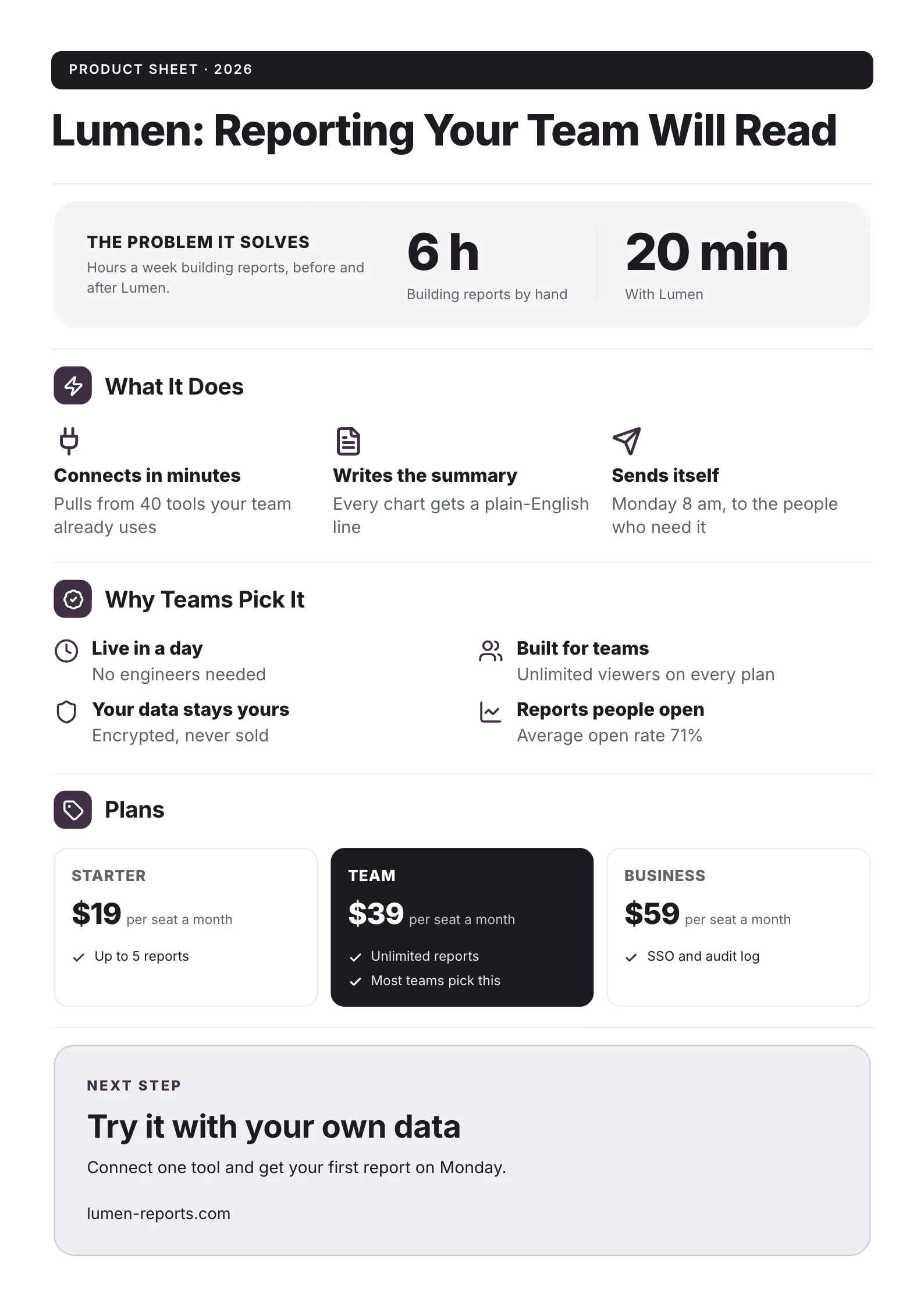
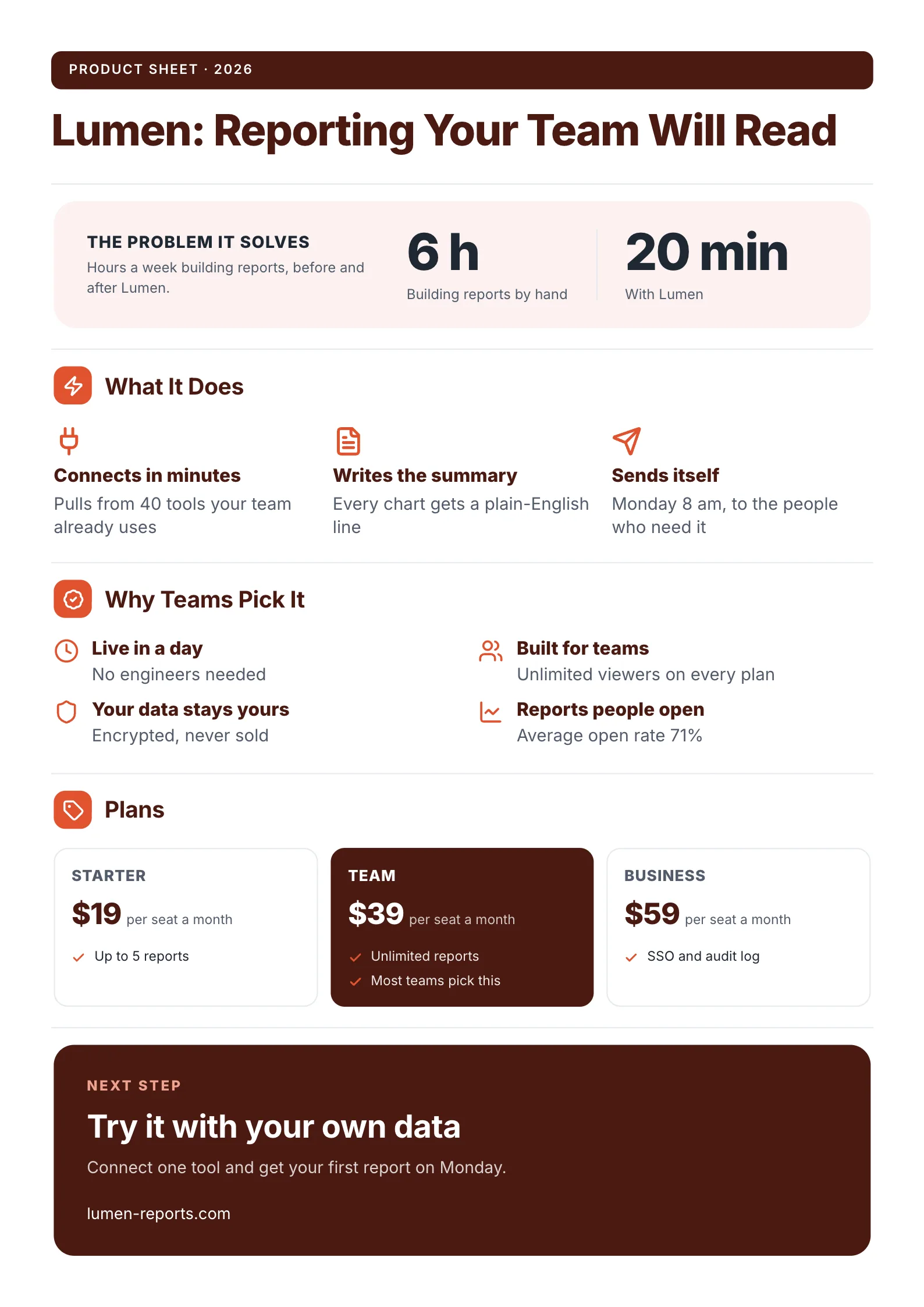
A reporting tool's product sheet: the problem as a before and after, three features, four proofs and three plans.
What to copy:
- The problem as two numbers: "6 h building reports by hand, 20 min with Lumen." The buyer does the math before reading another word.
- Features as verbs: "Connects in minutes", "Writes the summary", "Sends itself". Each one is a thing the product does, not an adjective about it.
- One plan highlighted: the Team plan is dark and says "Most teams pick this". Buyers who cannot decide pick the one you marked.
Open it: SaaS product one-pager template.
Two more SaaS one-pager examples
Features, pricing and reviews: for buyers comparing tools
 Edit this template
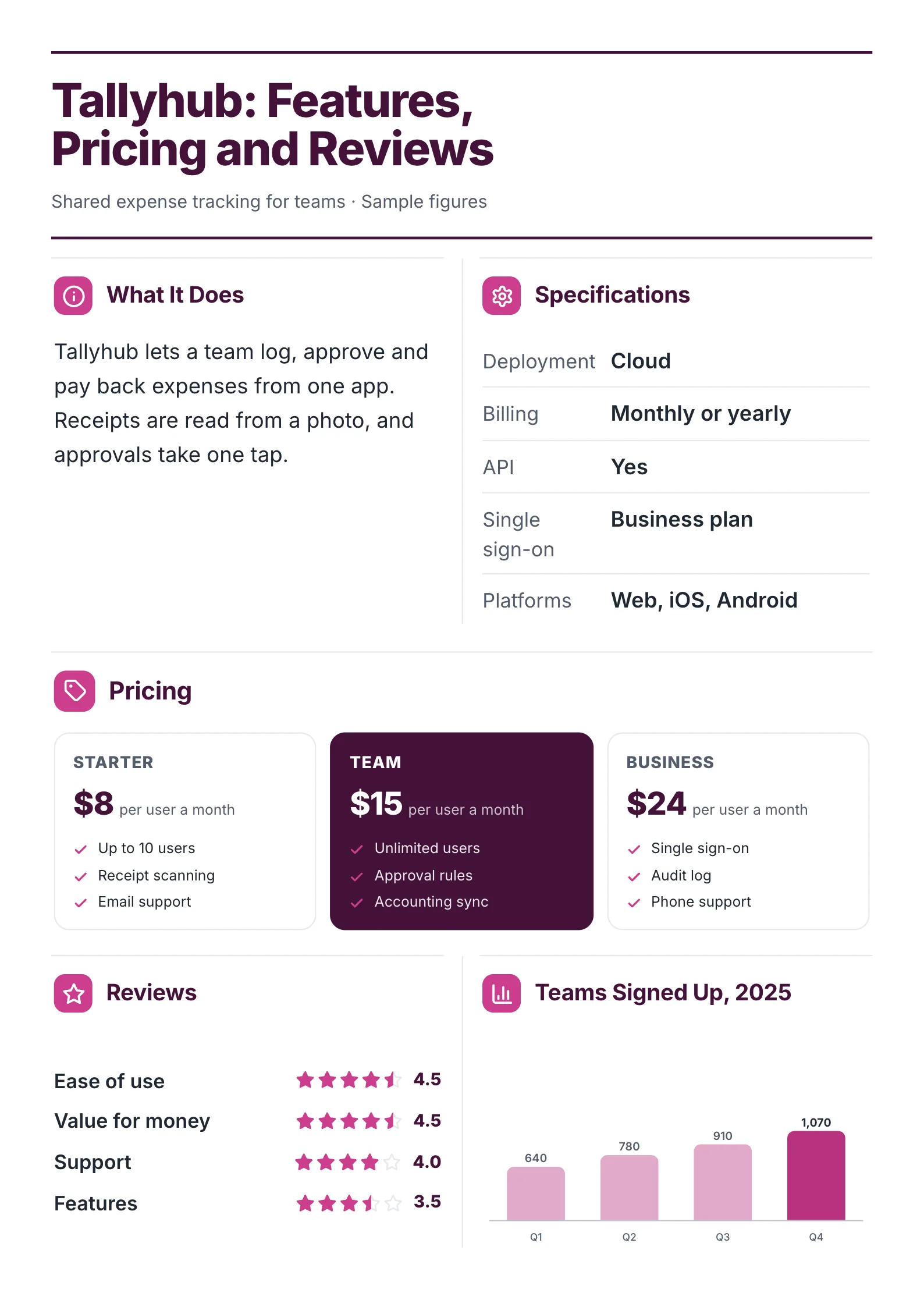
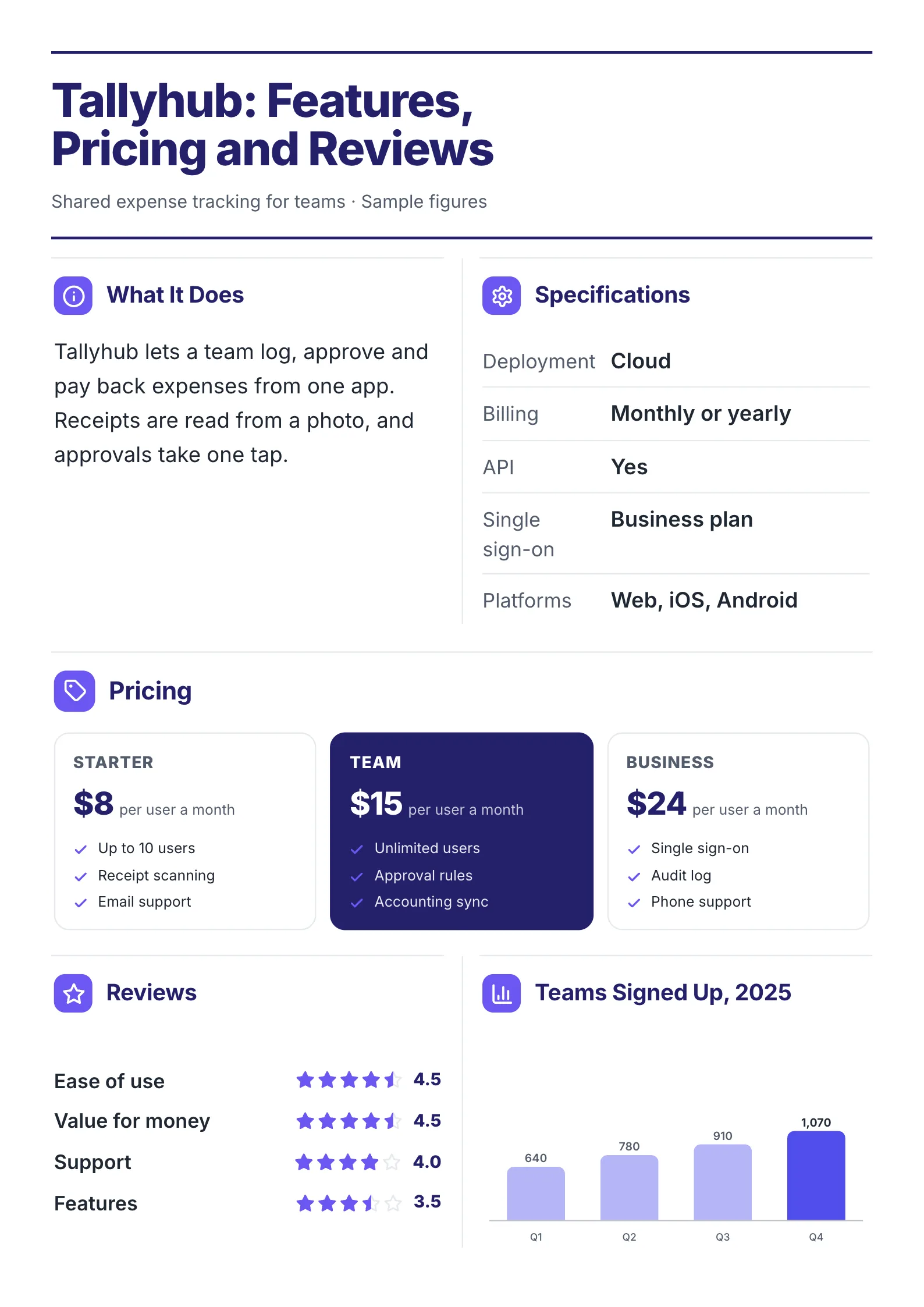
An expense app laid out the way buyers compare tools: specs, plans, review scores and growth.
- A specifications table: deployment, billing, API, single sign-on, platforms. IT asks these five questions every time, so answer them before the call.
- Review scores by category: ease of use 4.5, support 4.0, features 3.5. Showing the lowest score honestly makes the high ones believable.
- Growth as a chart: teams signed up rising from 640 to 1,070 over four quarters.
Open it: software features and pricing template.
Sell sheet with a photo: for a product sold to non-technical buyers
 Edit this template
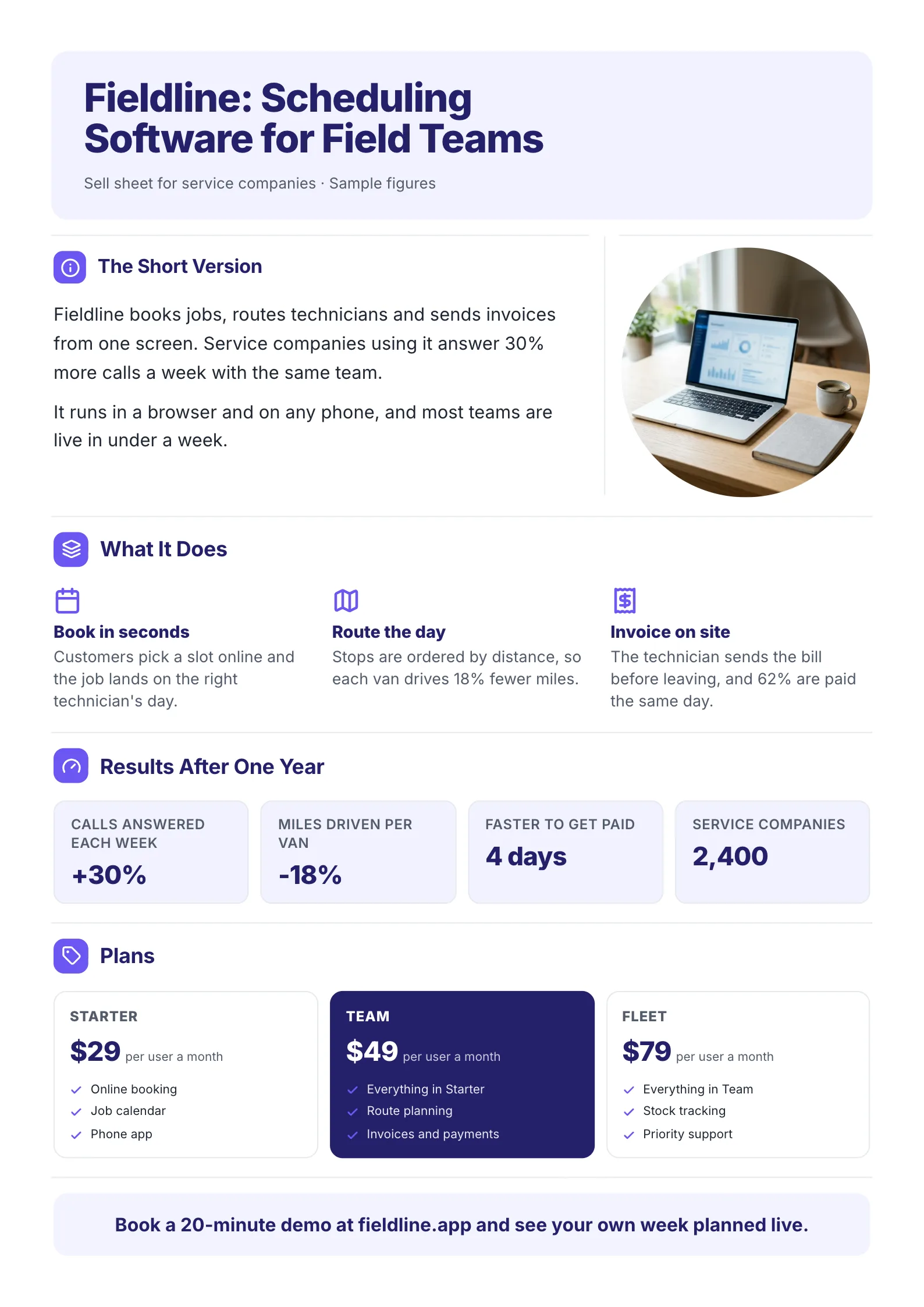
Scheduling software sold to service companies, with results after one year in four boxes.
- Results after one year in four boxes: +30% calls answered, -18% miles per van, paid 4 days faster, 2,400 companies.
- Each feature carries its own number: "Stops are ordered by distance, so each van drives 18% fewer miles."
- A photo of the product in use, for buyers who run a business rather than a software team.
Open it: technology sell sheet template.
How to make a SaaS one-pager in 5 steps
- Write the problem as a number your buyer already tracks: hours, money, errors or wait time.
- Pick three features that change that number. Leave the rest for the demo.
- Add four proofs: how fast it goes live, who it is built for, how data is kept safe, and one usage figure.
- Copy your pricing page into three plans, and mark the one most teams choose.
- End on one next step with a link, such as a trial, a demo or a call.
Already have a deck, a website or a long product brief? Drop it into the free AI One-Pager generator and get a first SaaS one-pager back to edit.
SaaS one-pager mistakes
- A feature list with no problem. Buyers do not buy features. Start with what it costs them today.
- Twelve features. Three get read. The rest go to the demo.
- No price. If the buyer has to book a call to find the price, many will not. Show at least the starting price.
- Two next steps. "Book a demo or start a trial or read the docs" means no step gets taken. Pick one.
- Jargon in the headline. "AI-native data orchestration" means nothing to the person signing off. Say what it does for them.
Make your SaaS one-pager
Open the free SaaS product one-pager template and put in your product, or drop your deck into the free AI One-Pager generator and get a finished page back. Browse every One-Pager template for more layouts.
Frequently asked questions
What is a SaaS one-pager?
A one-page summary of a software product, used in sales and marketing. It covers the problem, what the product does, why teams choose it, the plans and the next step.
What should a software one-pager include?
A headline, the problem as a number, three features, a few proofs, the pricing and one call to action. A specifications table helps when IT is part of the decision.
How is a SaaS one-pager different from a sell sheet?
They are close. A sell sheet is the general term for a one-page product sheet. A SaaS one-pager is a sell sheet for software, so it usually adds plans, setup time and how data is kept safe.
Should a SaaS one-pager show pricing?
Yes, at least the starting price. Buyers use the one-pager to decide whether to take the next call, and price is one of the first things they check.