BlogGuide
Post Mortem Template: Free, One Page, 3 Examples
A free one-page post mortem template, the 6 parts every review needs, and 3 examples: an event, a software incident and a product launch retrospective.

By MakeOnepagers Team
Updated · 6 min read
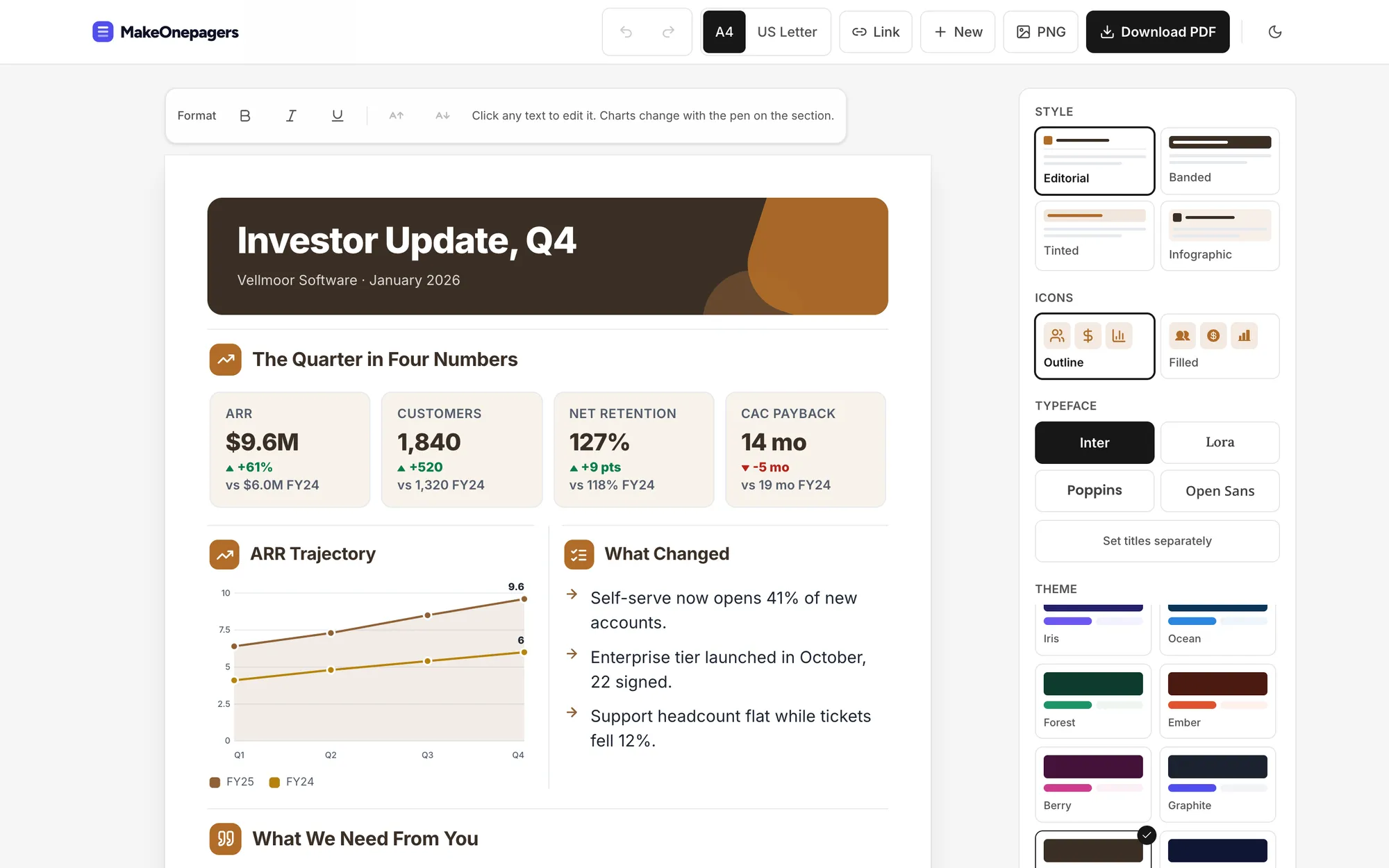
A post mortem template gives a team one place to record what happened, why it happened and what will change before the next time. It is used after an event, a project, a launch or an outage, and the best ones fit on one page. A short review gets read and acted on. A twelve-page review gets filed. Below are the six parts every post mortem needs, a free template you can copy and three examples.
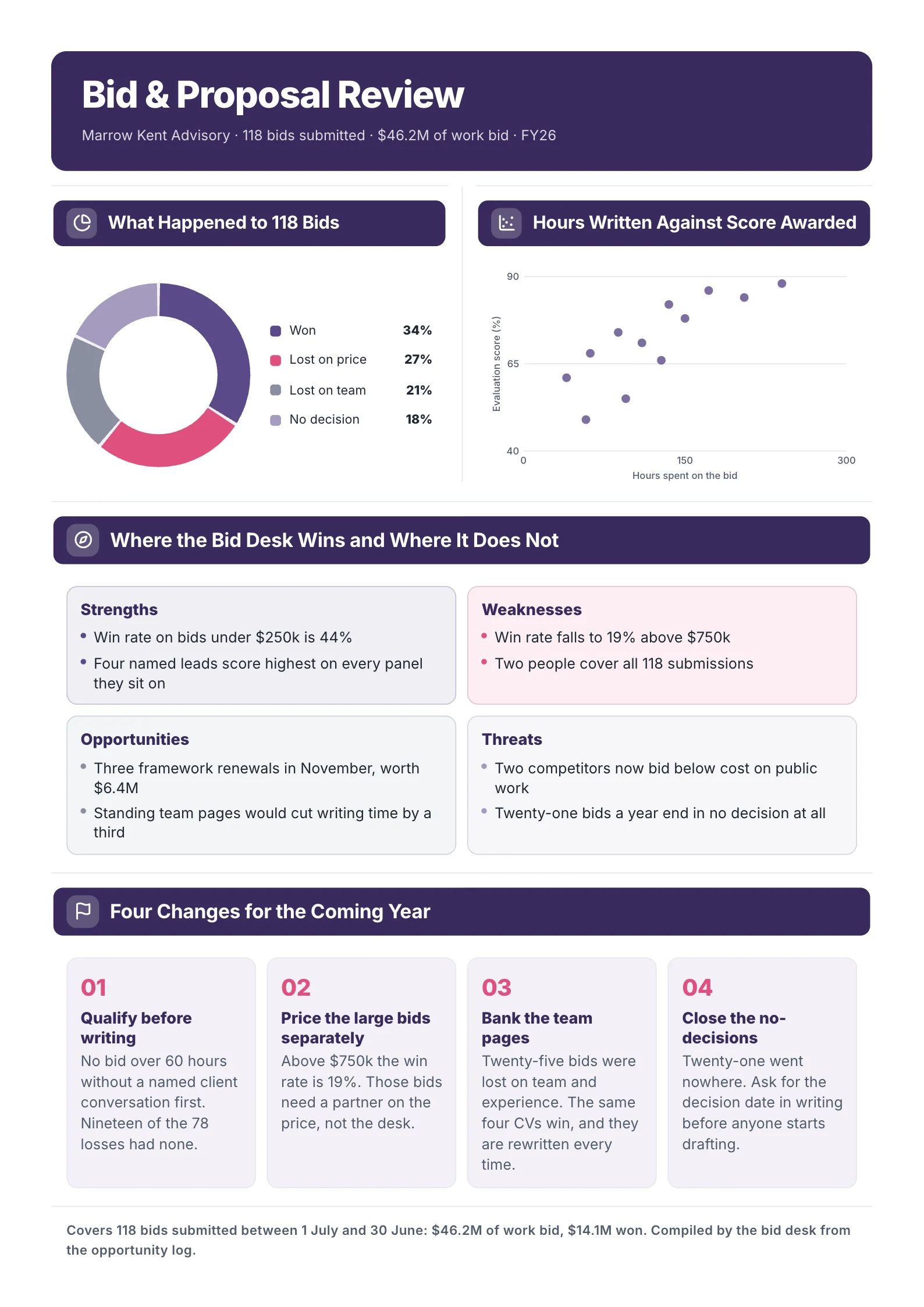
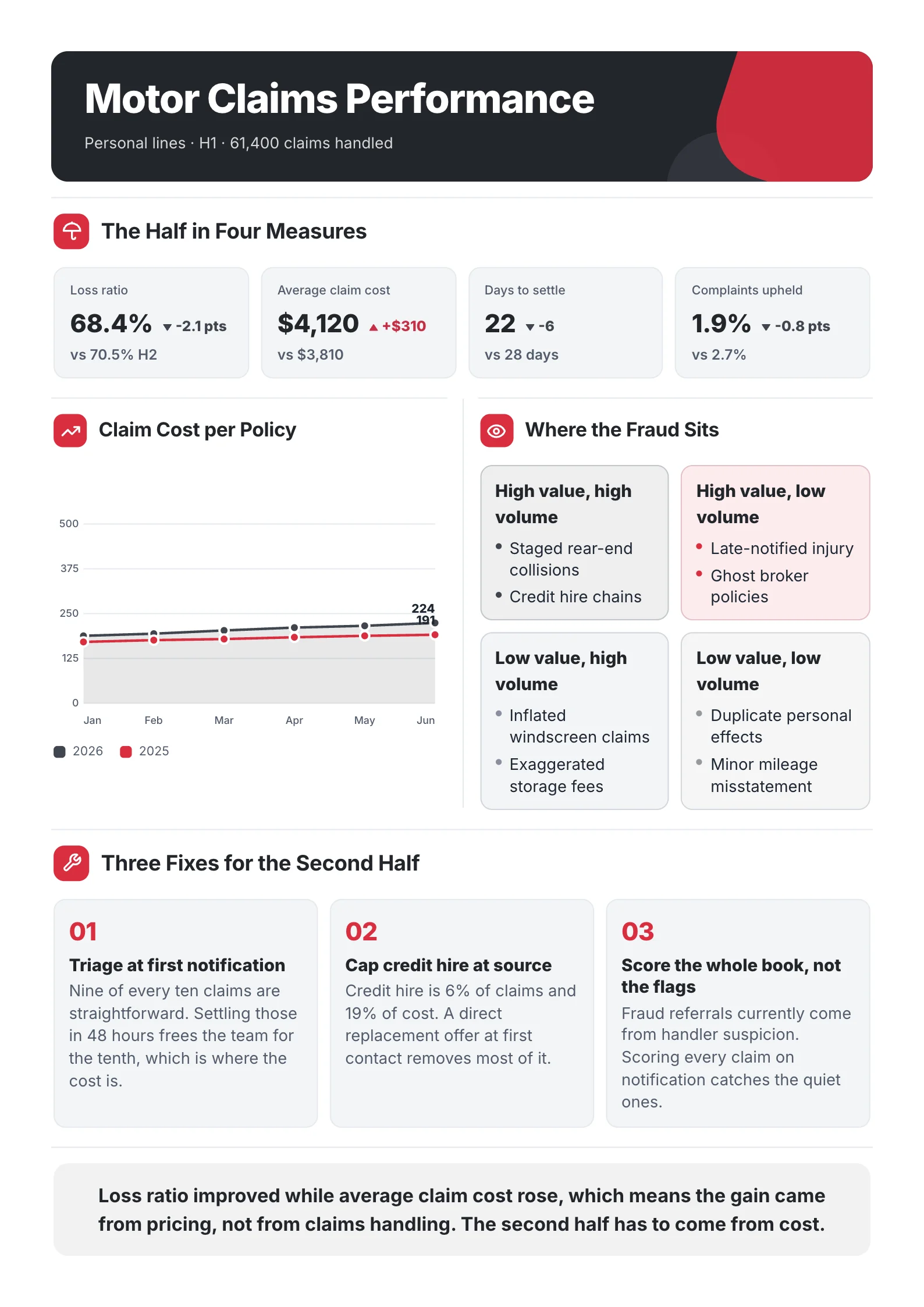
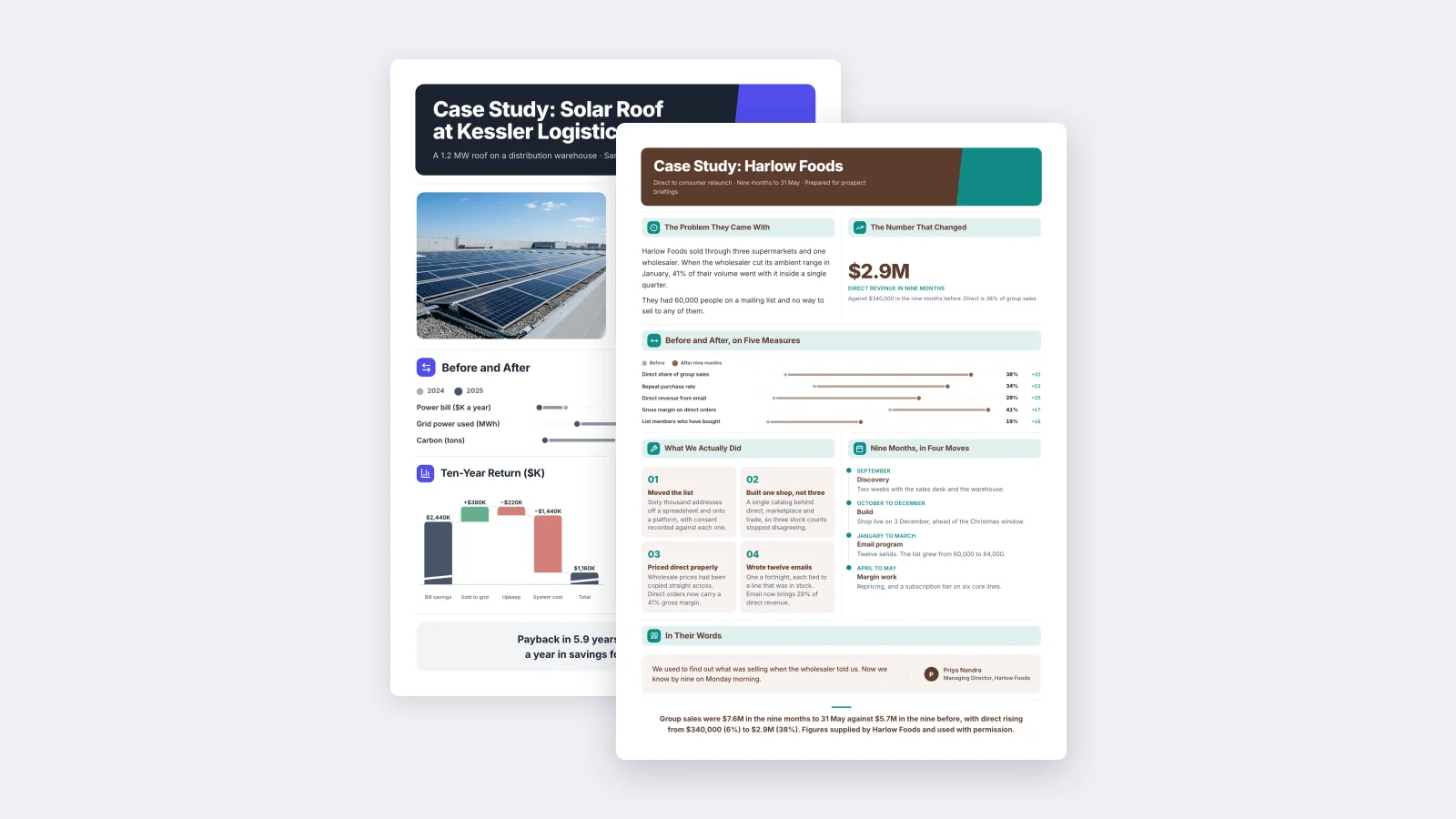
One‑Pager examples
Six real One-Pagers made with MakeOnepagers. Open any one to edit it as your own.
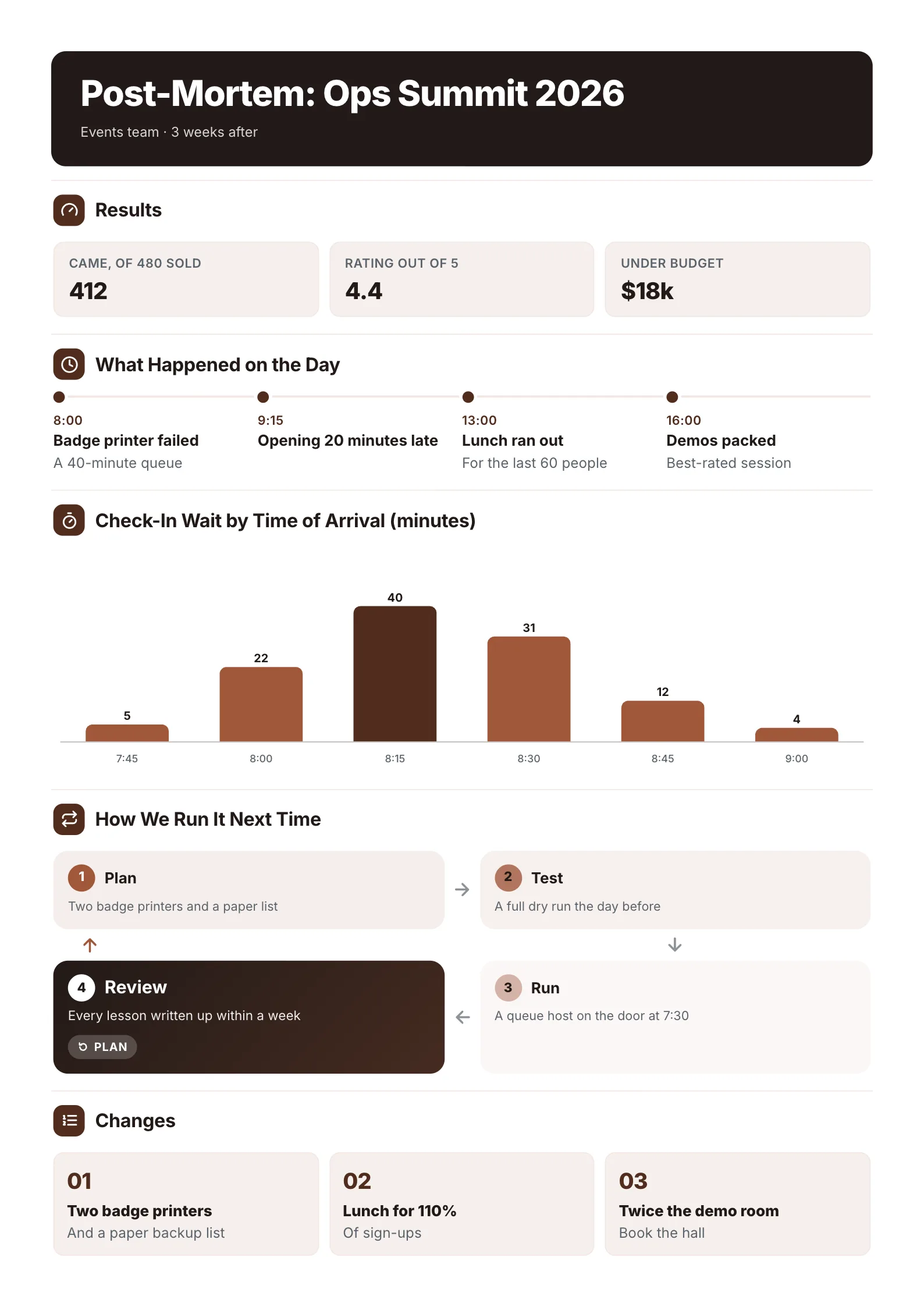
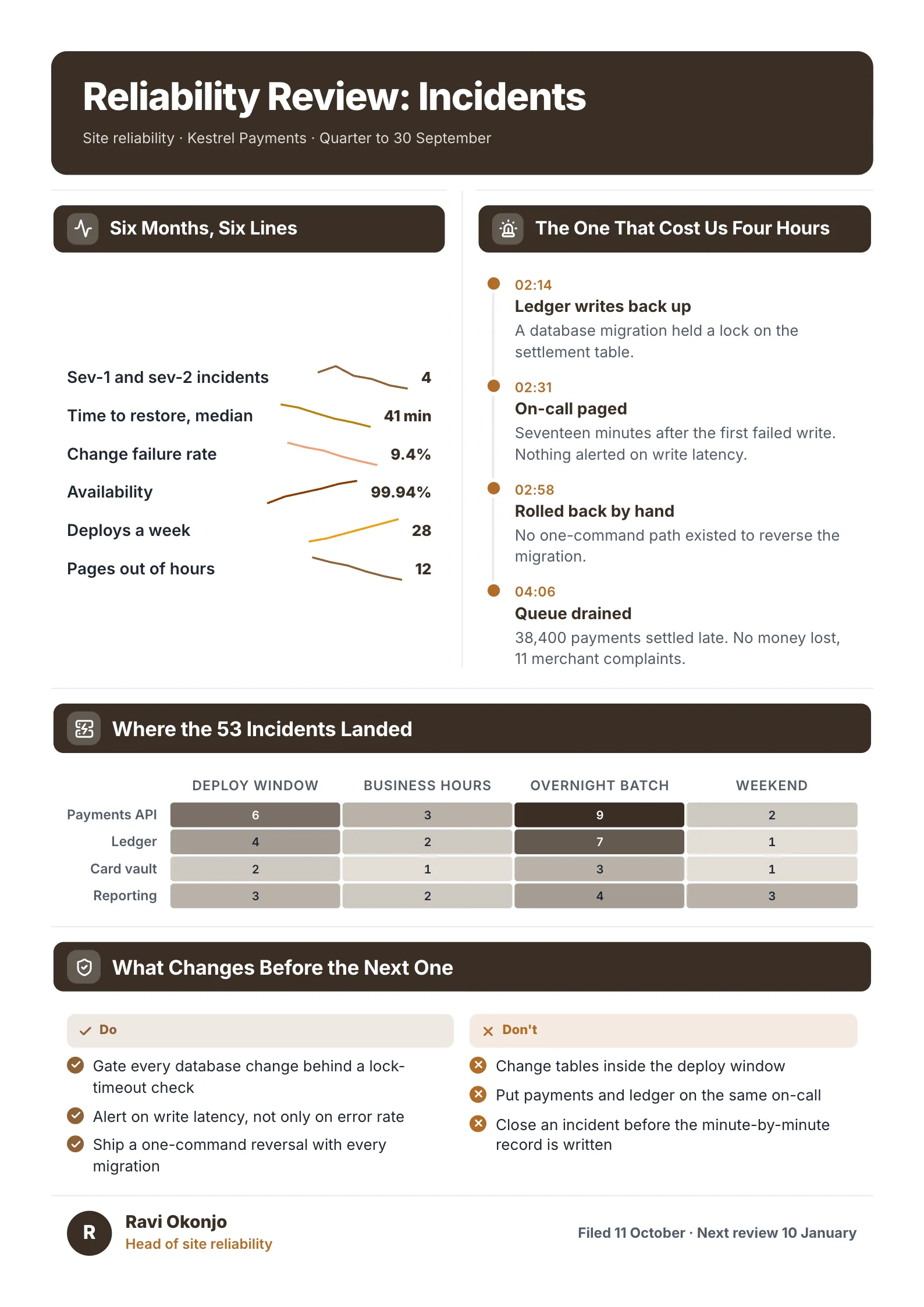
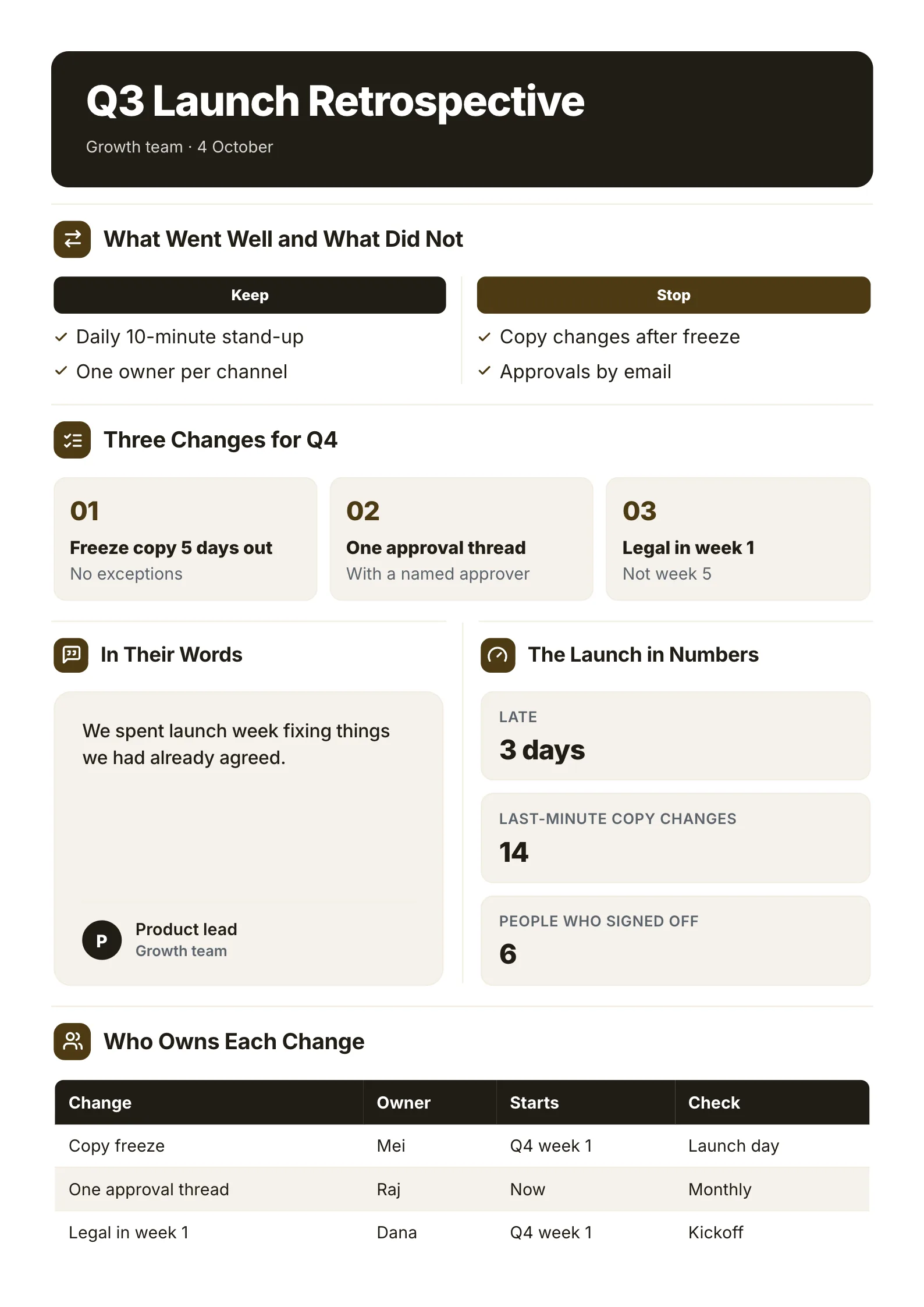
Every example was made with MakeOnepagers. The organisations and figures are samples, and each one opens as a template you can edit for free.
What is a post mortem?
A post mortem is a review held after something ends, to learn from it. Software teams hold one after an outage. Event teams hold one after a conference. Project teams hold one after a launch, where it is often called a retrospective or a lessons learned review.
A good post mortem is blameless. It asks what in the process let the problem happen, not who to blame. People tell the truth when they are not on trial, and the truth is the only thing a review is good for.
The 6 parts of a post mortem
- The headline result. Three numbers that say how it went. "412 came of 480 sold, rated 4.4 out of 5, $18k under budget."
- What happened, in order. A timeline with times: what broke, when it was noticed, what was done.
- The cause. One chart or one sentence that shows why. Not the symptom, the cause.
- What went well. Keep doing these.
- What changes. Three changes at most, each specific enough to check.
- Who owns each change, when it starts and when it will be checked.
A free post mortem template
Copy this into a document, or open one of the examples below and edit it.
| Part | What to write, with an example |
|---|---|
| Title | What and when. Post-Mortem: Ops Summit 2026, events team, 3 weeks after |
| Results | 3 numbers. 412 came of 480 sold, rating 4.4, $18k under budget |
| Timeline | 4 to 6 times. 8:00 badge printer failed, a 40-minute queue |
| Cause | One chart. Check-in wait by time of arrival: 40 minutes at 8:15 |
| Keep | 2 or 3. Daily 10-minute stand-up |
| Changes | 3 at most. Two badge printers and a paper backup list |
| Owners | Change, owner, start, check. Copy freeze, Mei, Q4 week 1, launch day |
3 post mortem examples
1. Event post mortem
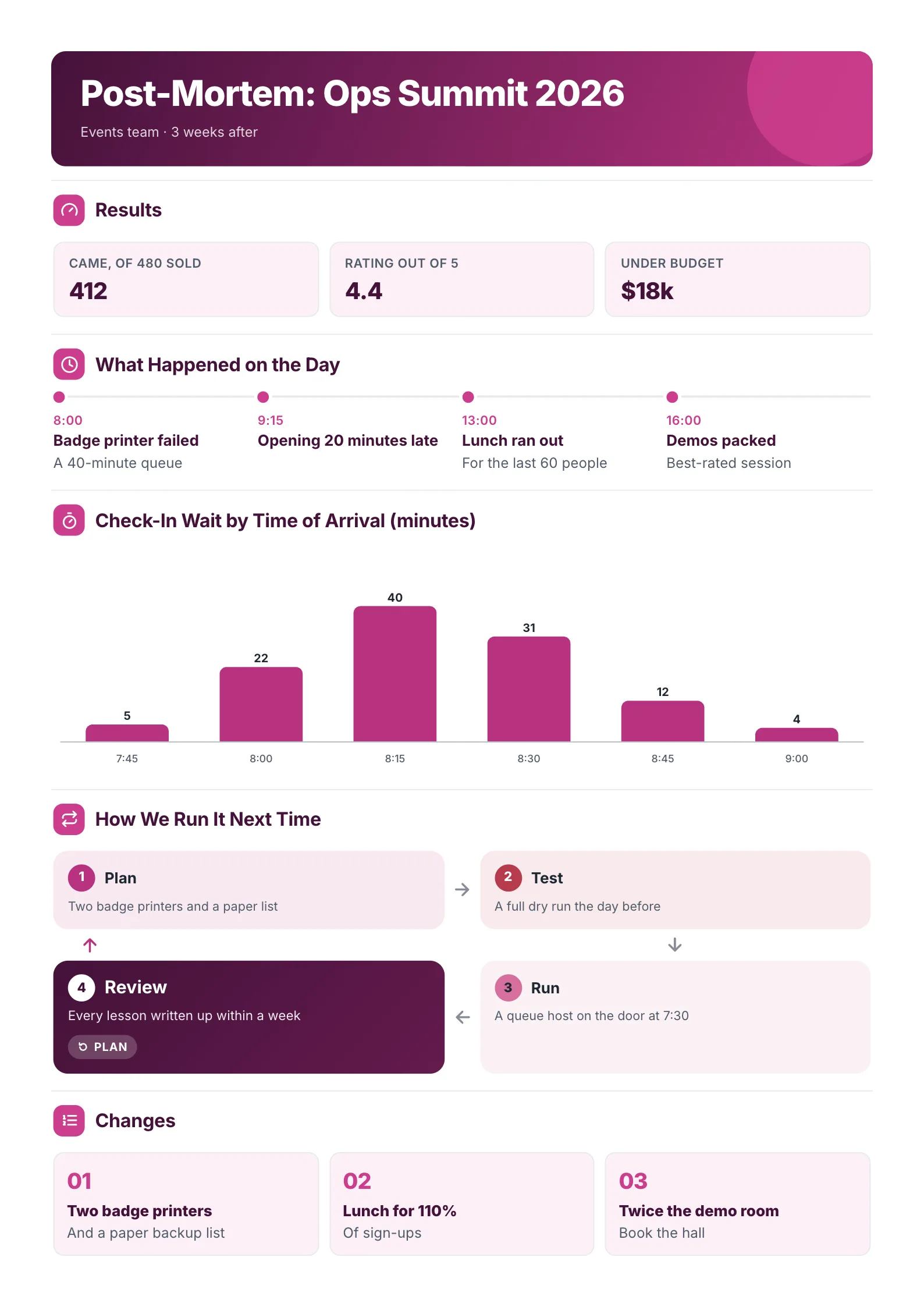 Edit this template
A conference reviewed three weeks later: good results, one bad hour, and the fix for it.
What to copy:
- Results first, and they are good. A post mortem is not only for failures. Starting with what worked keeps the room honest about the rest.
- The cause as a chart: check-in wait by time of arrival, peaking at 40 minutes at 8:15. Nobody argues with it.
- Changes as three short lines: two badge printers, lunch for 110% of sign-ups, twice the demo room.
Open it: event post mortem template.
2. Incident post mortem
 Edit this template
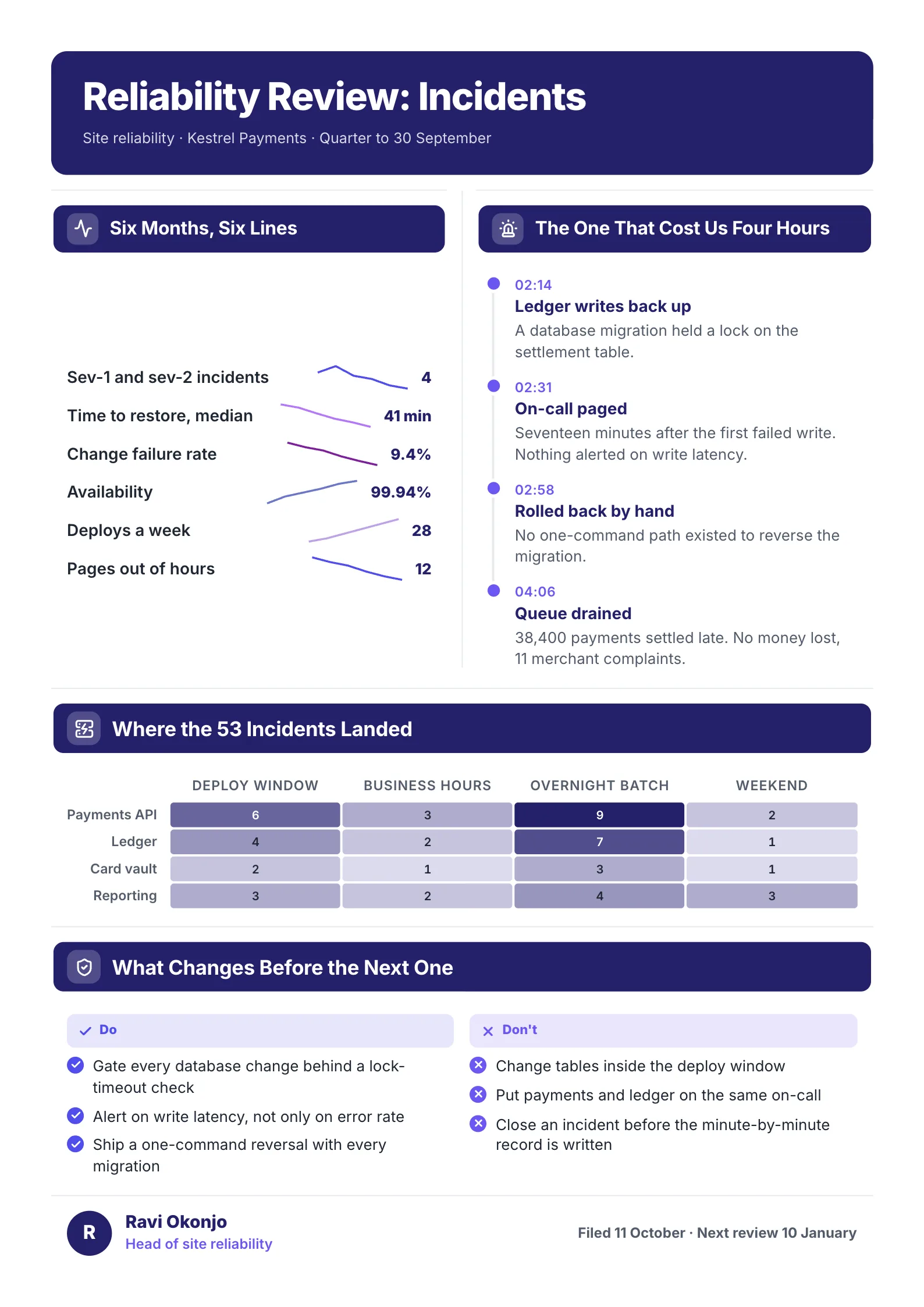
A software team's quarter of incidents, with the one that cost four hours told in full.
What to copy:
- The worst incident as a timeline: 02:14 writes back up, 02:31 on-call paged, 02:58 rolled back by hand, 04:06 queue drained. The gap between the first two times is the lesson.
- Where incidents landed, as a grid of systems against time of day. The overnight batch column is darkest, so that is where the money goes.
- Do and don't lists that turn the story into rules: "Alert on write latency, not only on error rate."
Open it: incident review template.
3. Project retrospective
 Edit this template
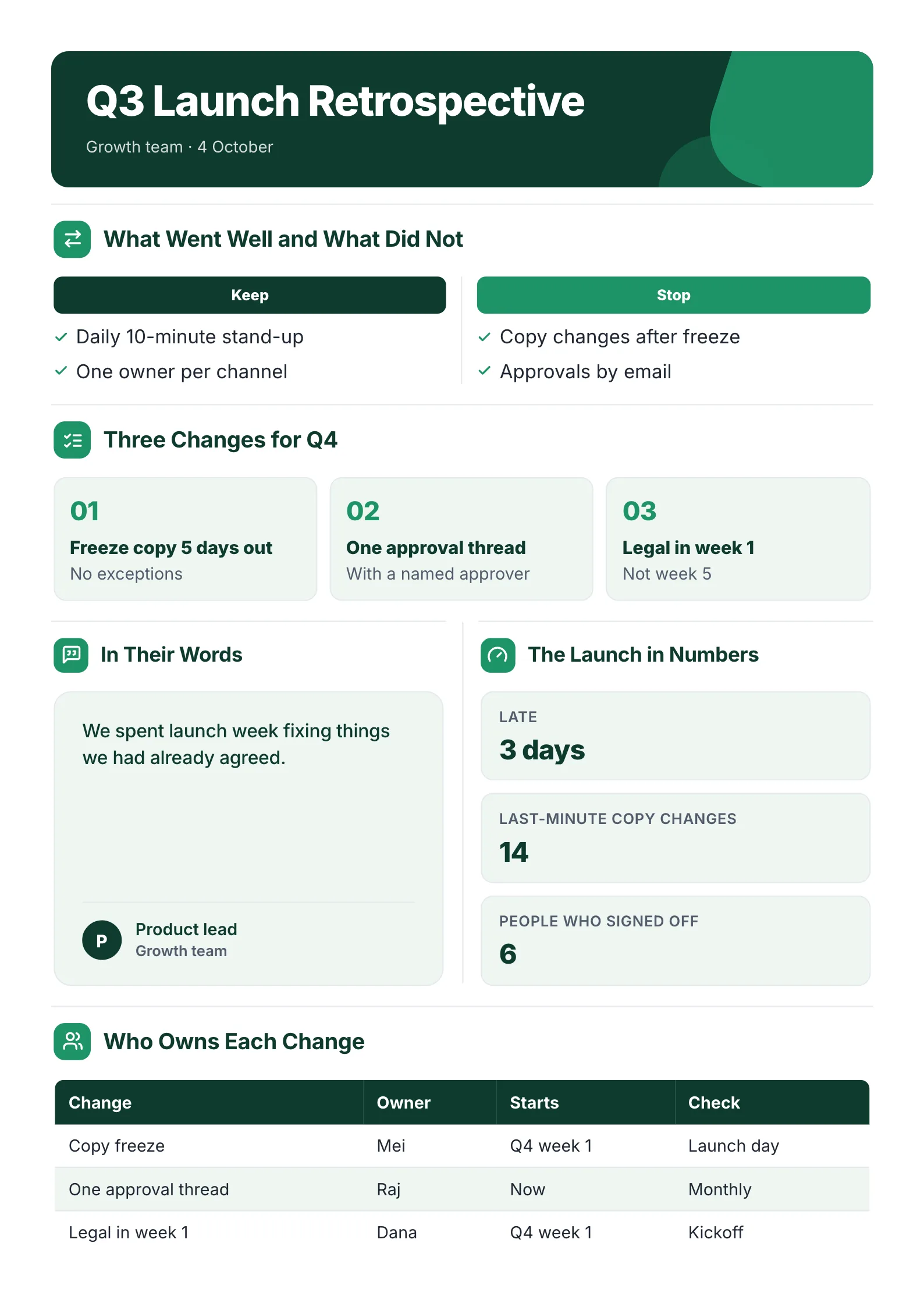
A launch that went out three days late, reviewed by the team a week after.
What to copy:
- Keep and stop in two columns. "Keep: one owner per channel. Stop: approvals by email."
- A quote in the team's own words: "We spent launch week fixing things we had already agreed." It names the real problem better than a chart.
- An owner table with who, when it starts and when it is checked. This is the part that makes next quarter different.
Open it: retrospective template.
Post mortem, retrospective or lessons learned?
They are the same habit with different names.
| Name | Where you hear it | Usually after |
|---|---|---|
| Post mortem | Software, events, operations | An outage or a one-off event |
| Incident review | Engineering, site reliability | A service failure |
| Retrospective | Agile and product teams | A sprint, a quarter or a launch |
| Lessons learned | Project management | A whole project |
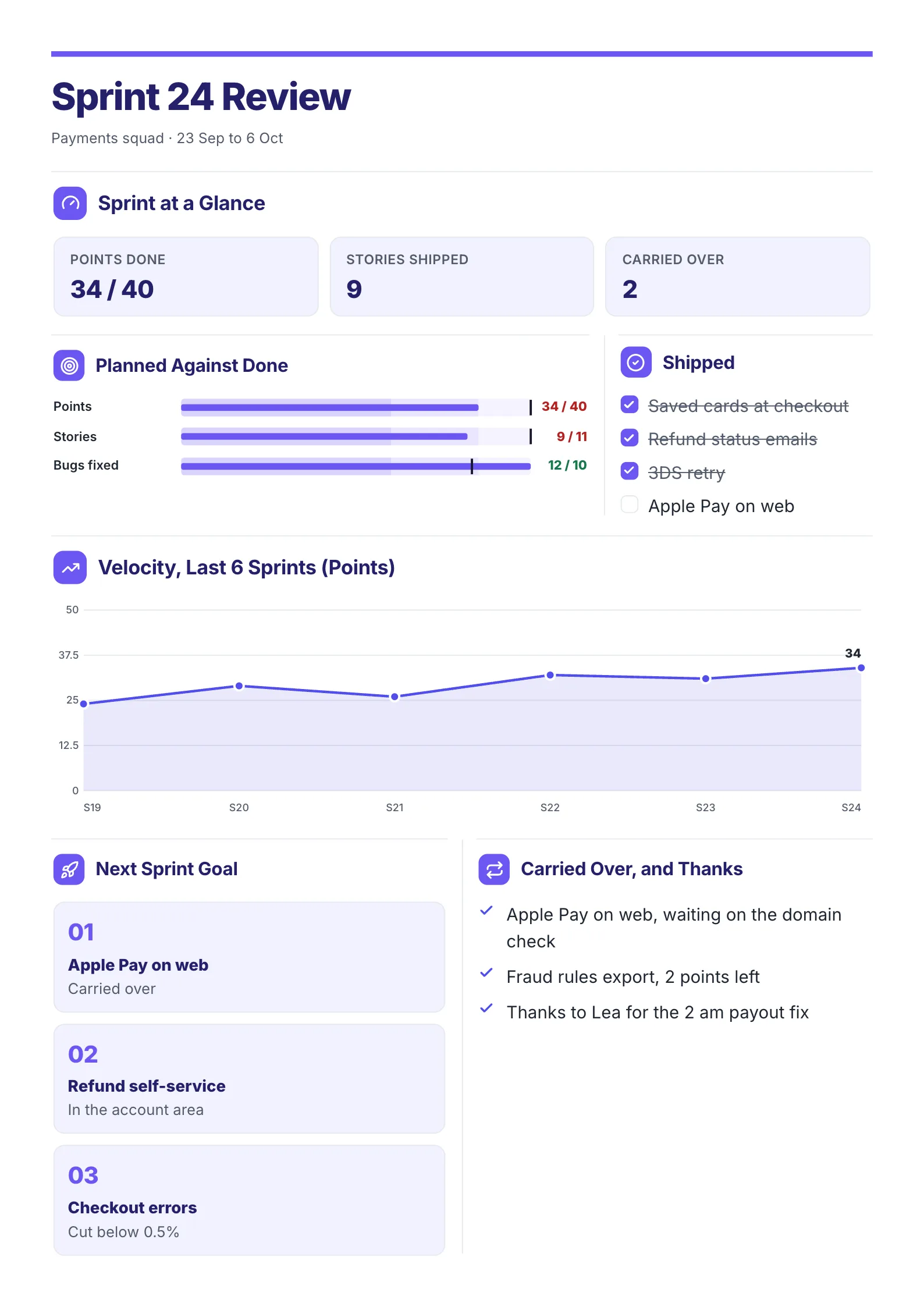
The six parts above work for all of them. For a sprint, the sprint review template adds velocity and what carried over.
 Edit this template
How to run a post mortem in 6 steps
- Hold it within two weeks, while people still remember.
- Write the timeline first, from logs, messages and notes, before anyone gives opinions.
- Find the cause: ask "why" until the answer is something you can change.
- List what went well, so it is kept on purpose.
- Agree three changes at most, each with an owner and a date.
- Send the one-page summary to everyone involved and the people who were affected.
Have notes, a chat log or a long report already? Drop it into the free AI One-Pager generator and get it back as a designed post mortem.
Post mortem mistakes
- Blaming a person. You fix one person and the process breaks again with the next one.
- Ten action items. None of them get done. Pick three.
- Changes with no owner. "We should test more" is a wish. "Mei runs a full dry run the day before, from Q4" is a change.
- No check. Put a date on the calendar to look at whether each change happened.
Make your post mortem
Open the free event post mortem template, the incident review or the retrospective, or drop your notes into the free AI One-Pager generator and get a finished review back.
Frequently asked questions
What should a post mortem include?
The headline result, a timeline of what happened, the cause, what went well, up to three changes, and an owner and start date for each change.
What is a blameless post mortem?
A review that looks for what in the process let a problem happen rather than who caused it. It makes people more willing to say what really went wrong.
When should you hold a post mortem?
Within one to two weeks of the event, incident or project ending, while details are fresh and the logs are still easy to find.
What is the difference between a post mortem and a retrospective?
A post mortem usually follows a single event or failure. A retrospective is a regular review, often after every sprint or quarter, of how the team worked. The structure is the same.