BlogGuide
Best Marketing Plan Templates of 2026: 5 Sources Compared
The best marketing plan templates of 2026 from 5 sources, compared on length, cost and what each plan covers, with free one-page templates to start.

By MakeOnepagers Team
Updated · 6 min read
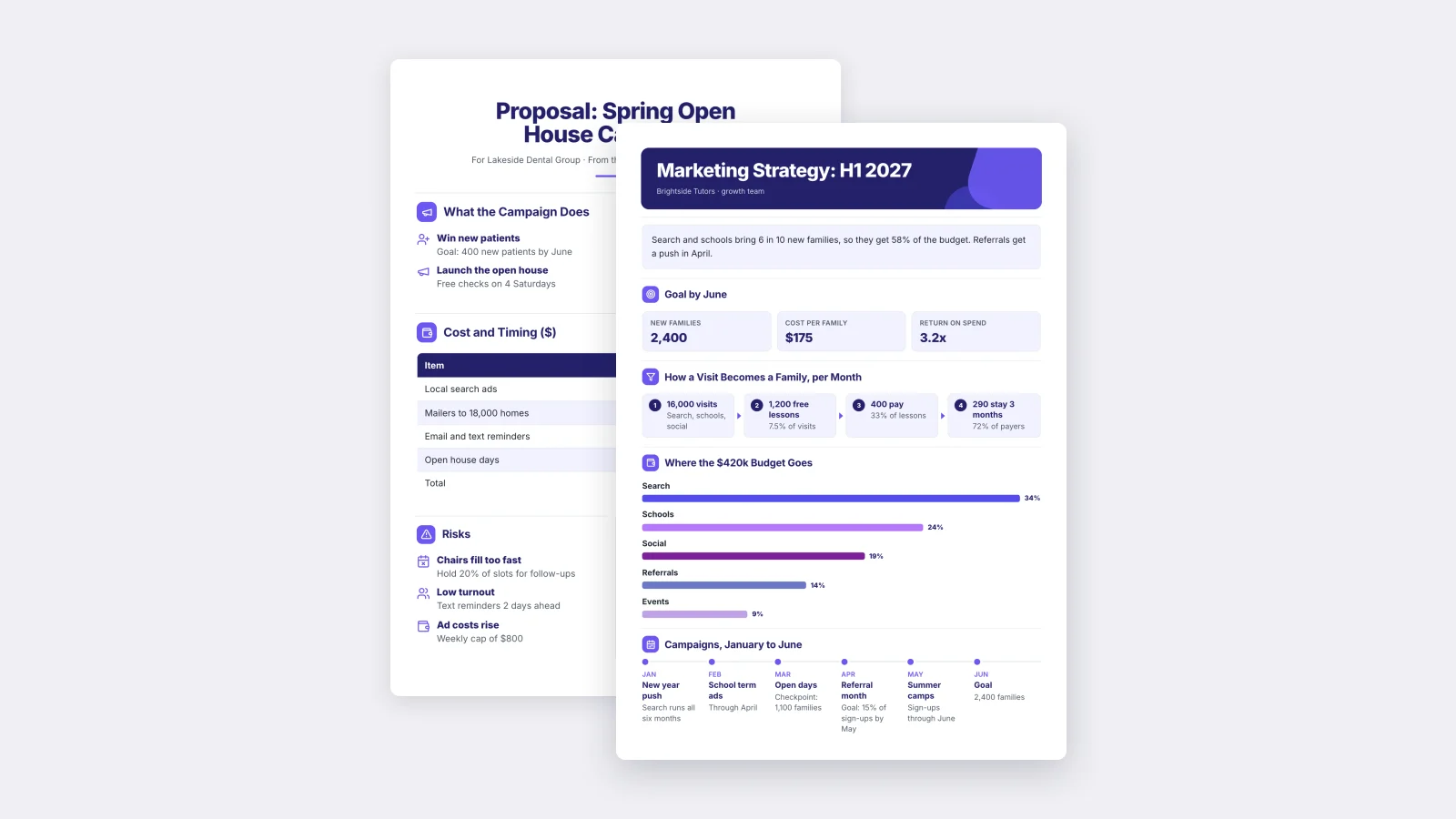
The best marketing plan template depends on who reads the plan. If a boss, a client or a board needs to approve it in one sitting, use a one-page template, like the free marketing strategy and campaign templates from MakeOnepagers. If your team needs the full written plan with a section for every channel, start from HubSpot's free marketing plan template. If you care most about the look, Visme and Venngage hold the largest galleries of designed plans.
One‑Pager examples
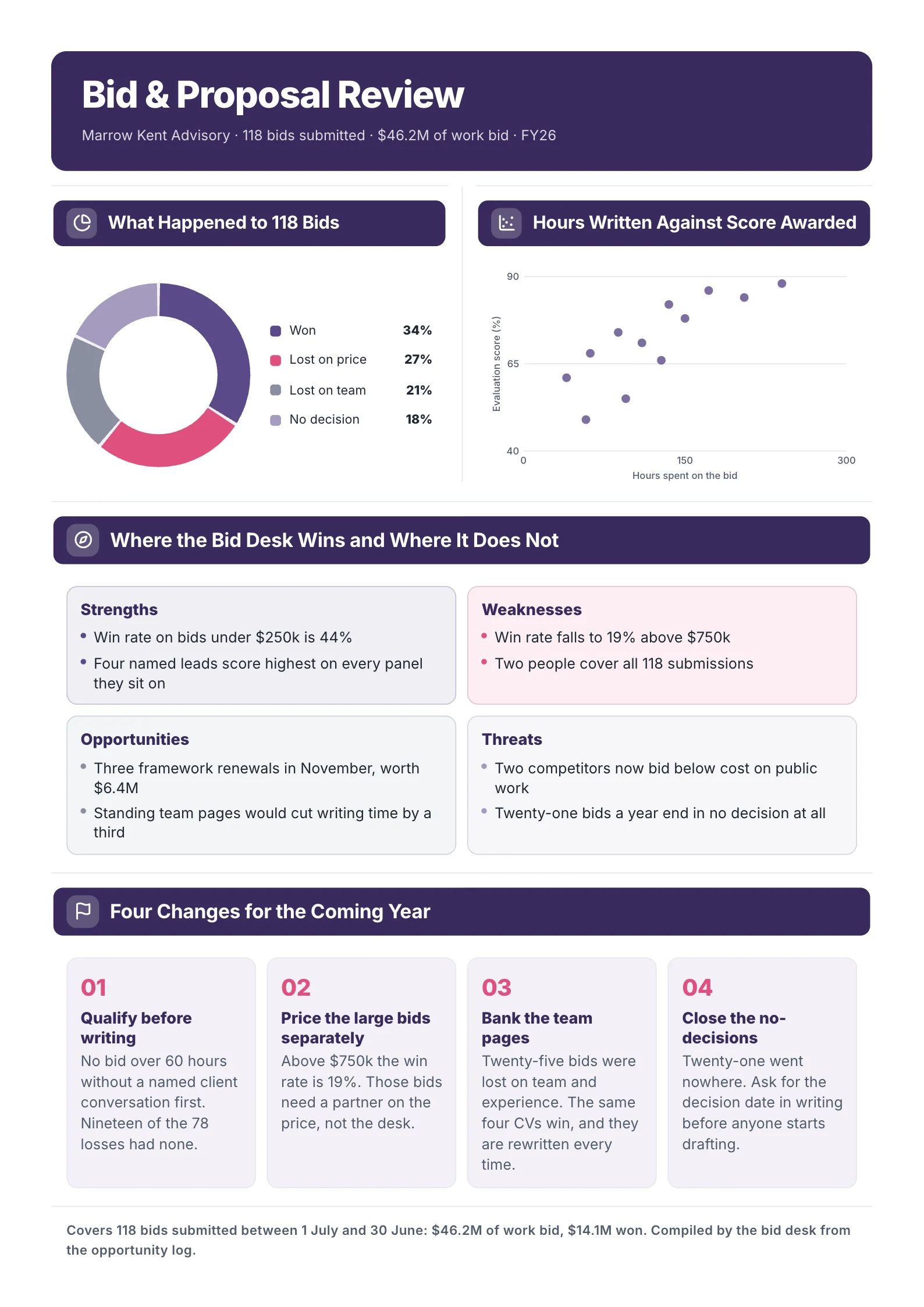
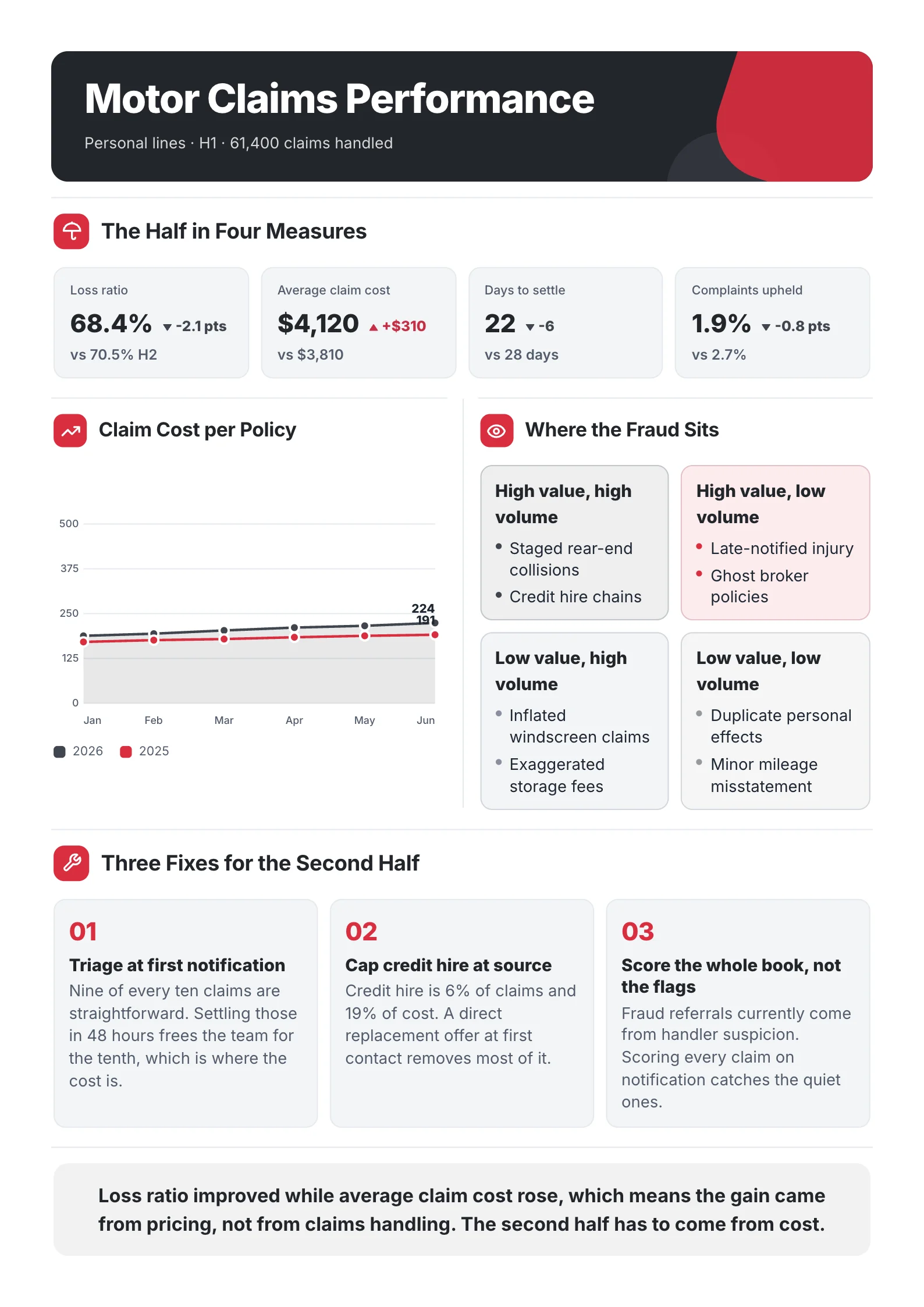
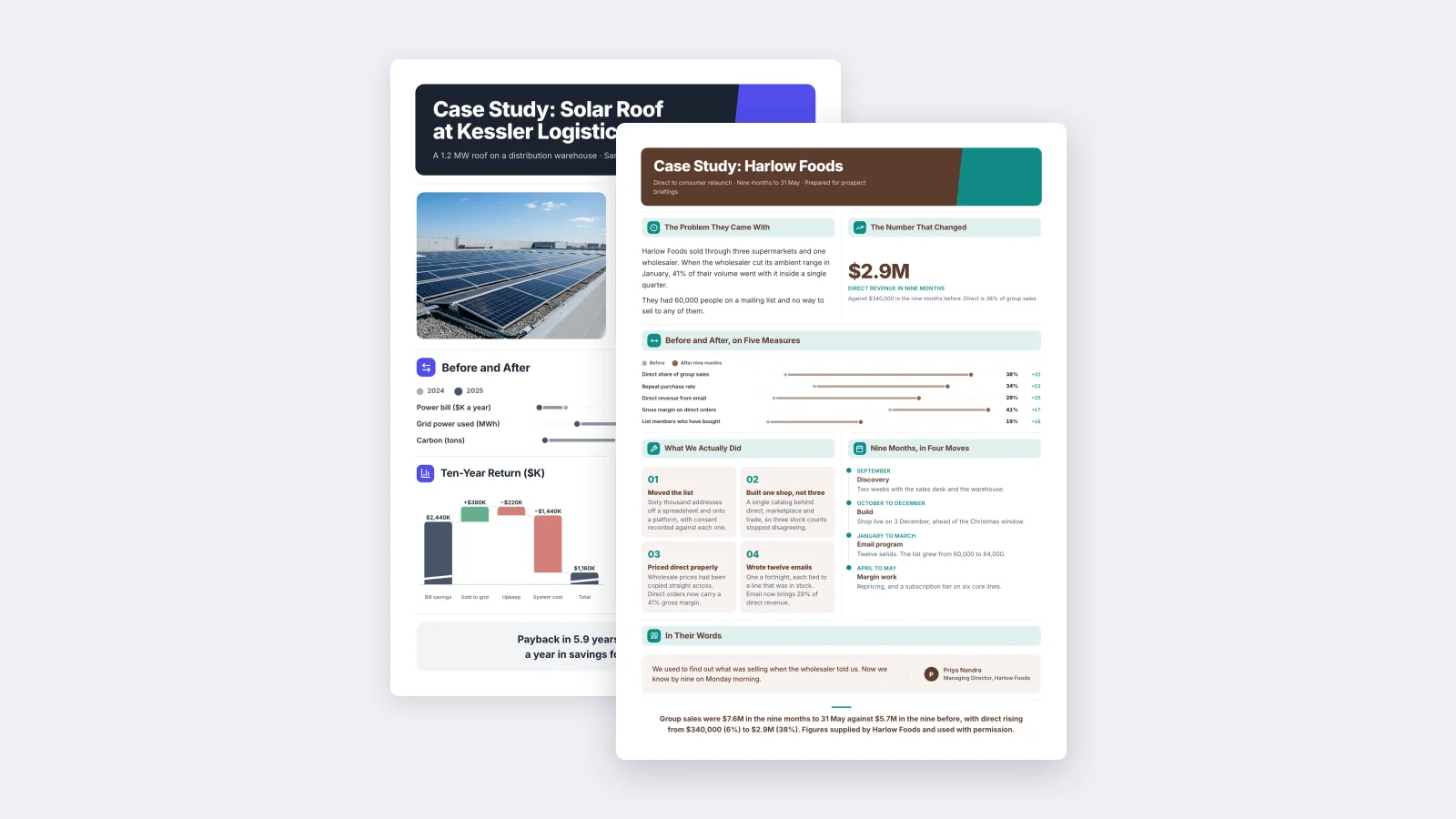
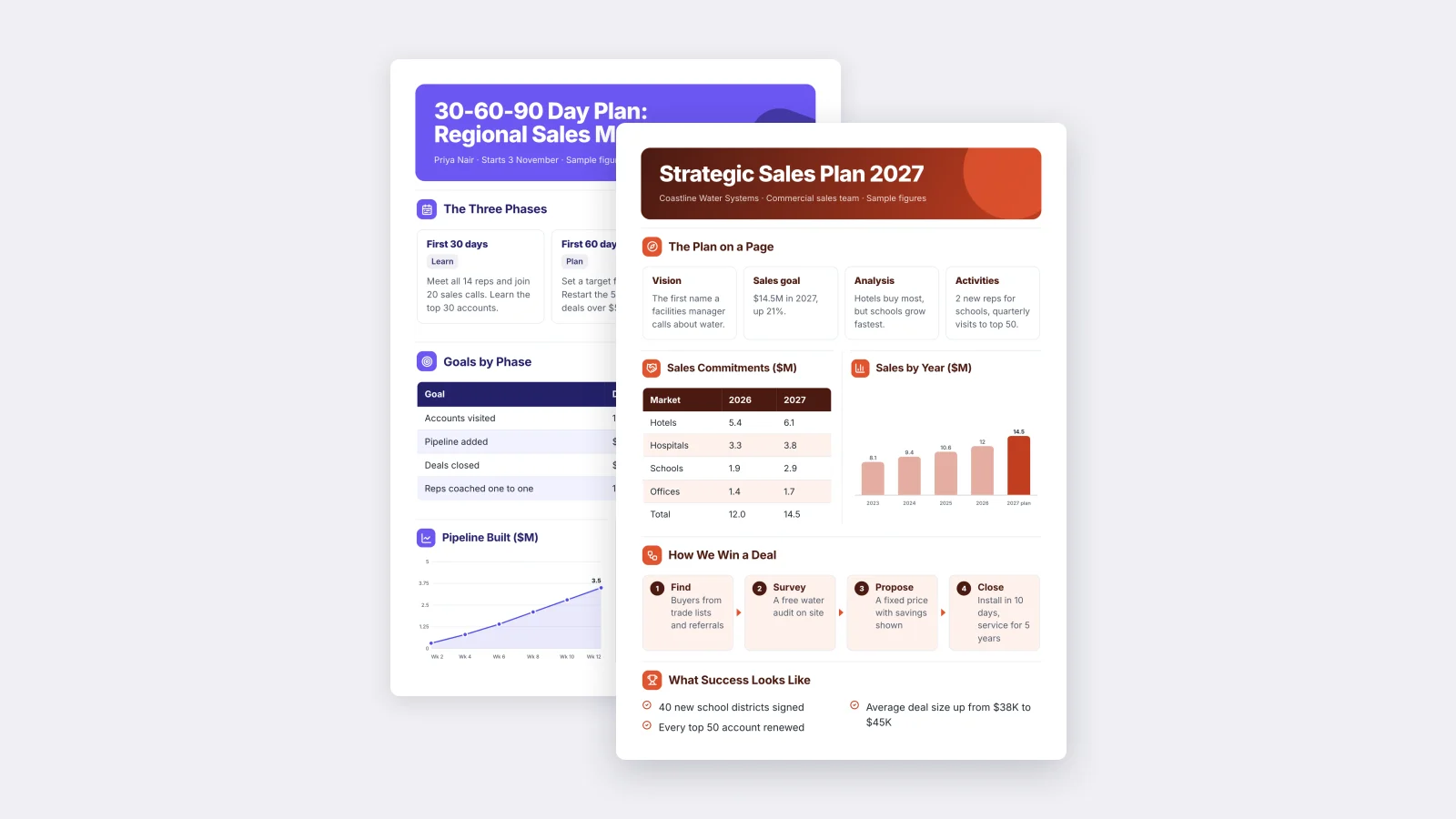
Six real One-Pagers made with MakeOnepagers. Open any one to edit it as your own.
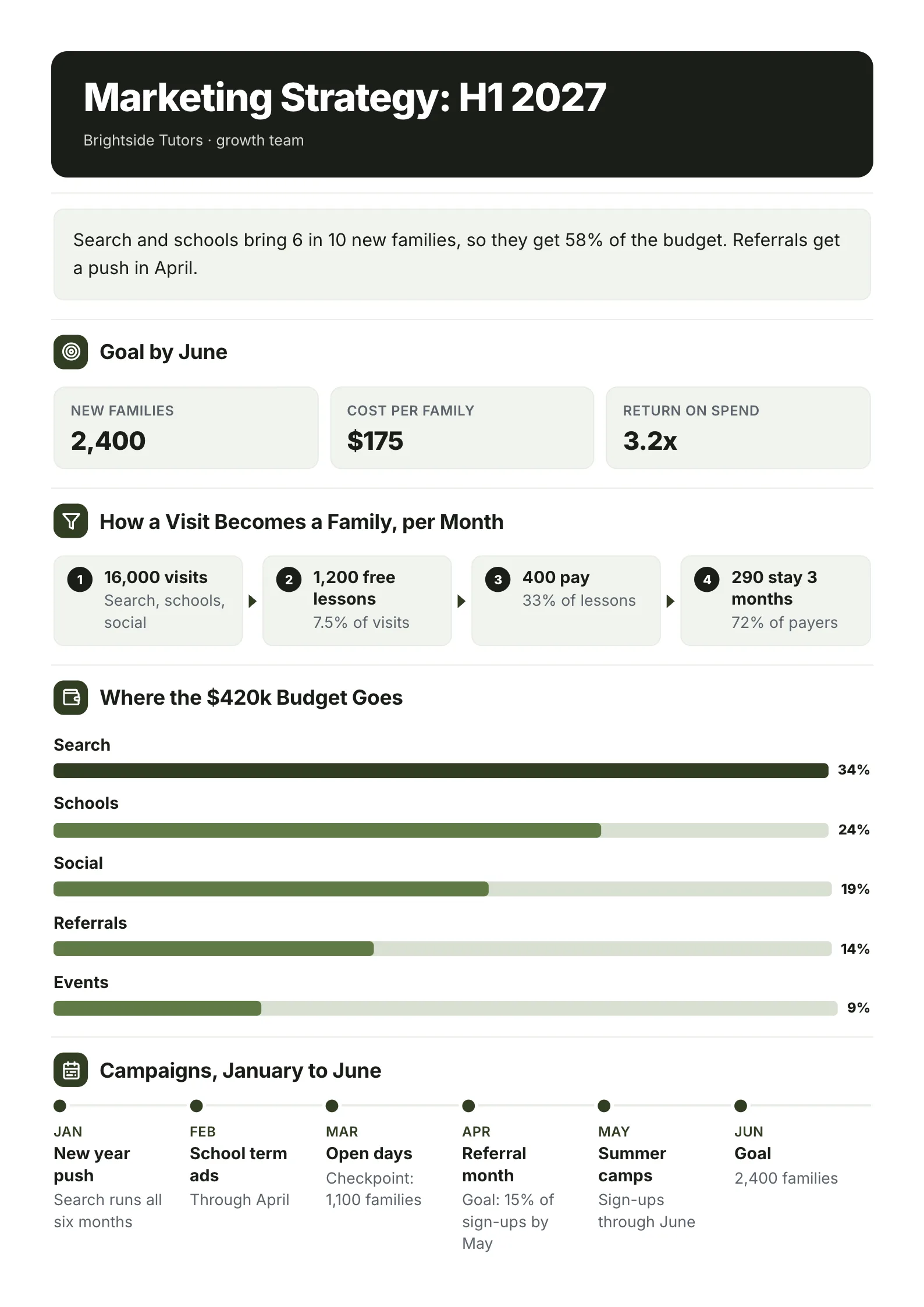 Marketing StrategyOpen this One-Pager (opens in a new tab)
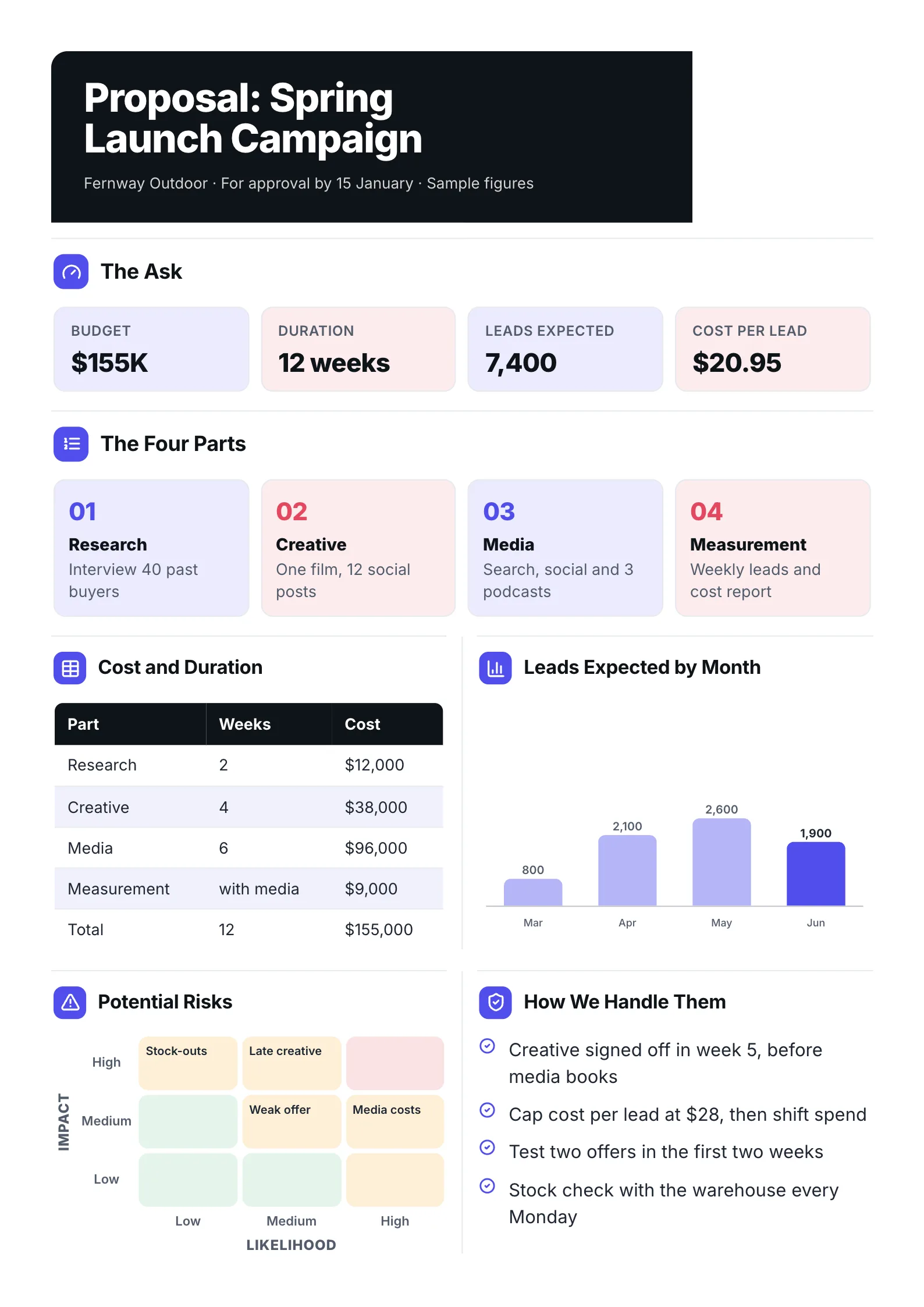 Marketing Project ProposalOpen this One-Pager (opens in a new tab)
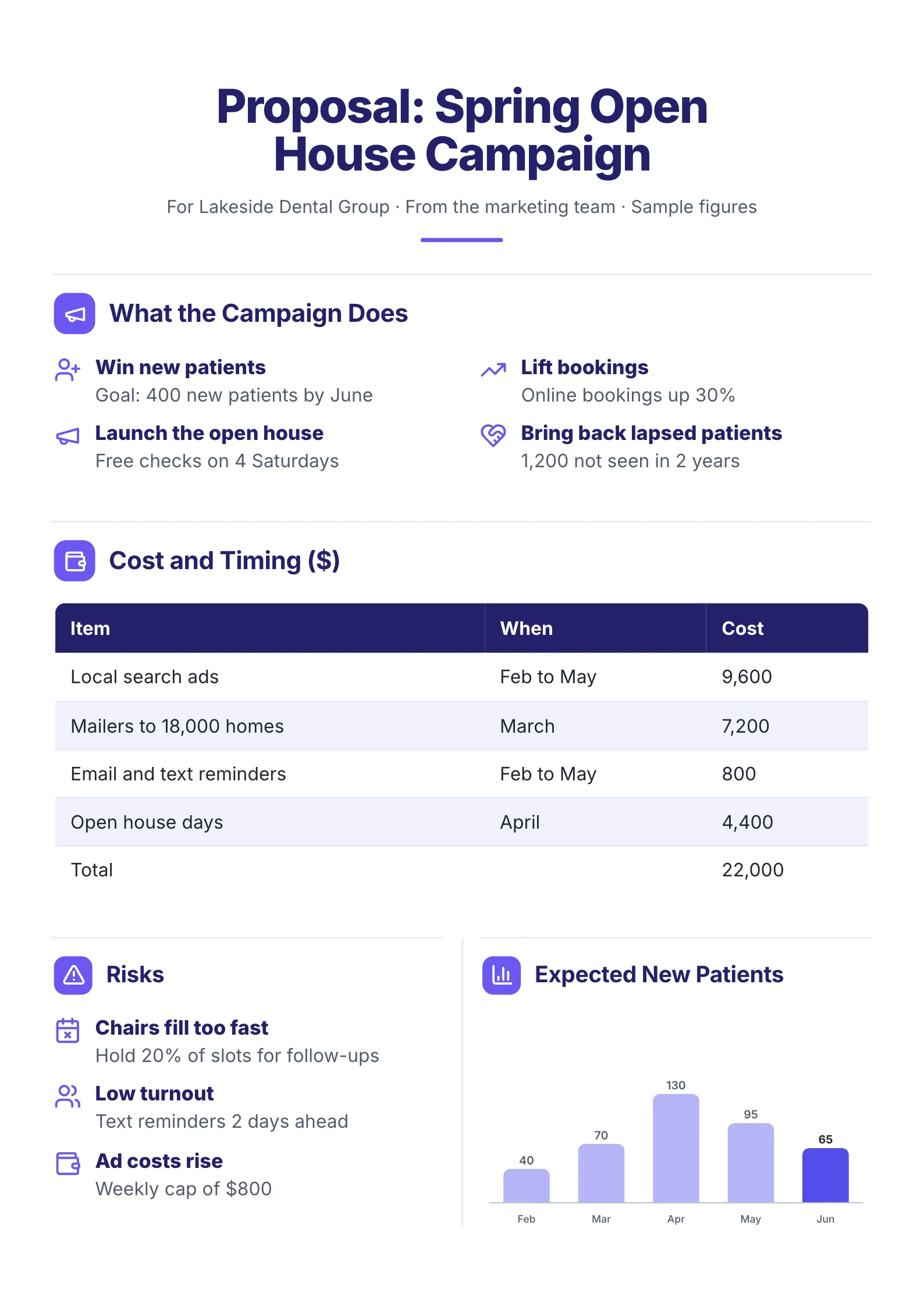 Campaign ProposalOpen this One-Pager (opens in a new tab)
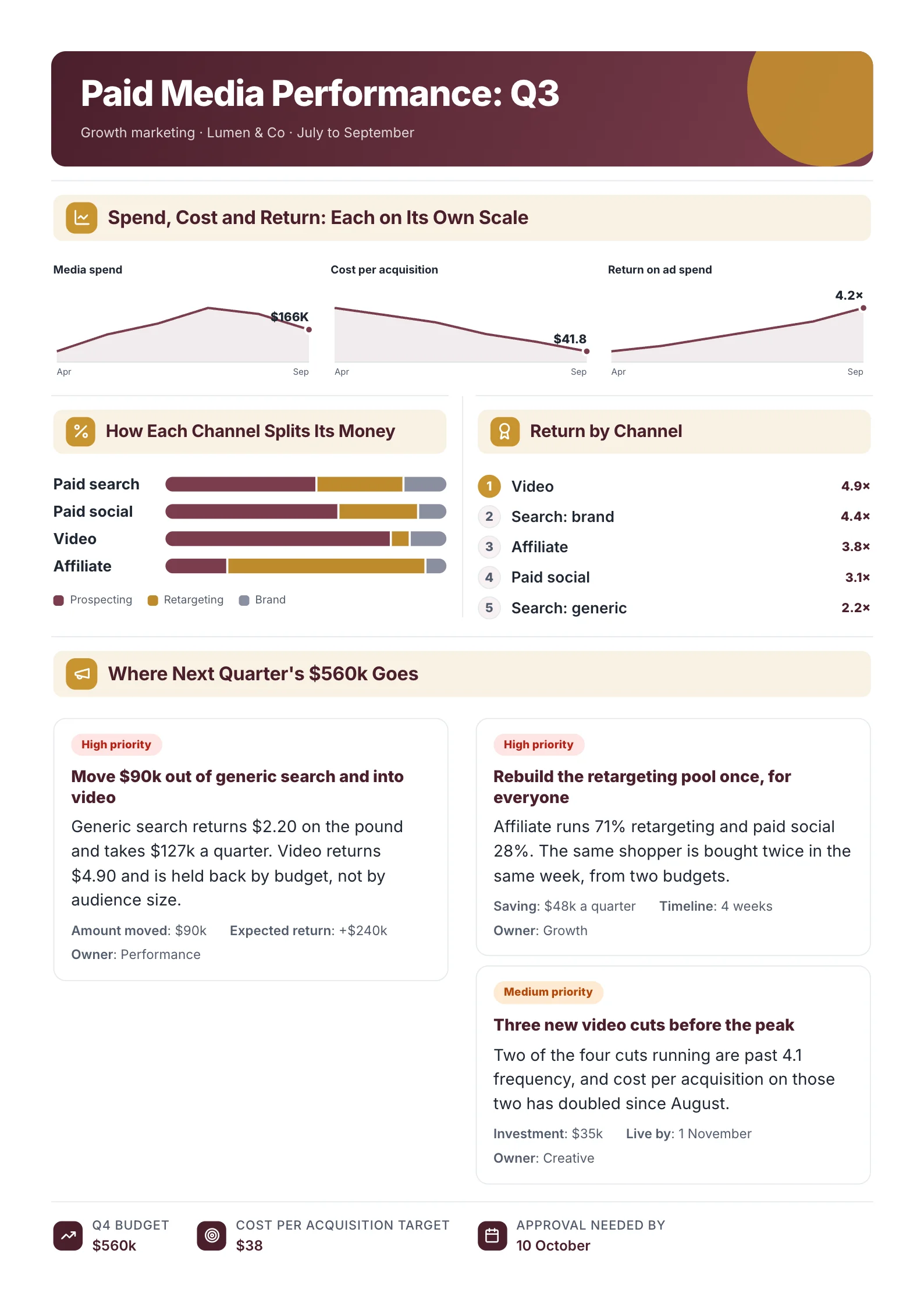 Marketing Campaign ReportOpen this One-Pager (opens in a new tab)
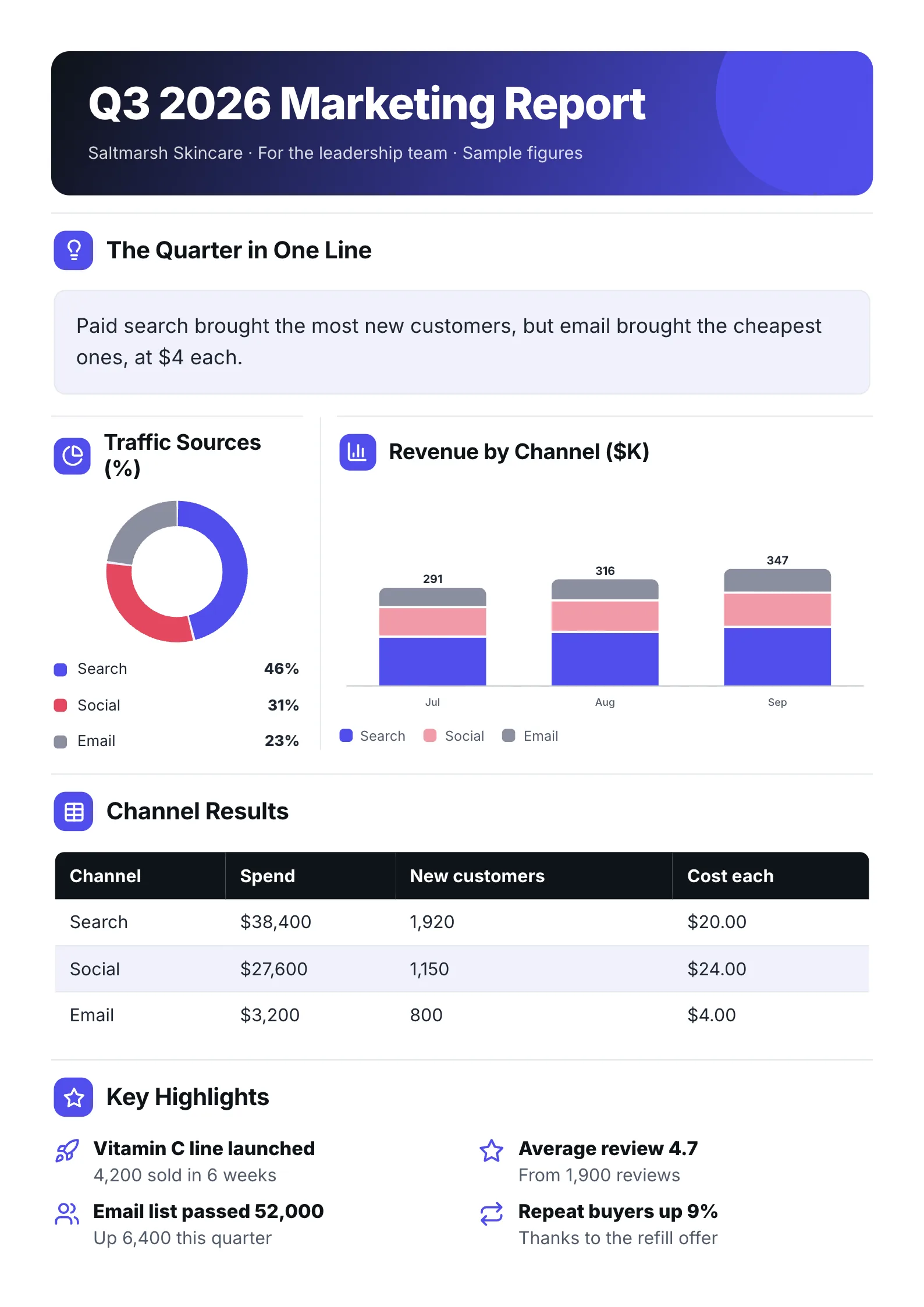 Quarterly Marketing ReportOpen this One-Pager (opens in a new tab)
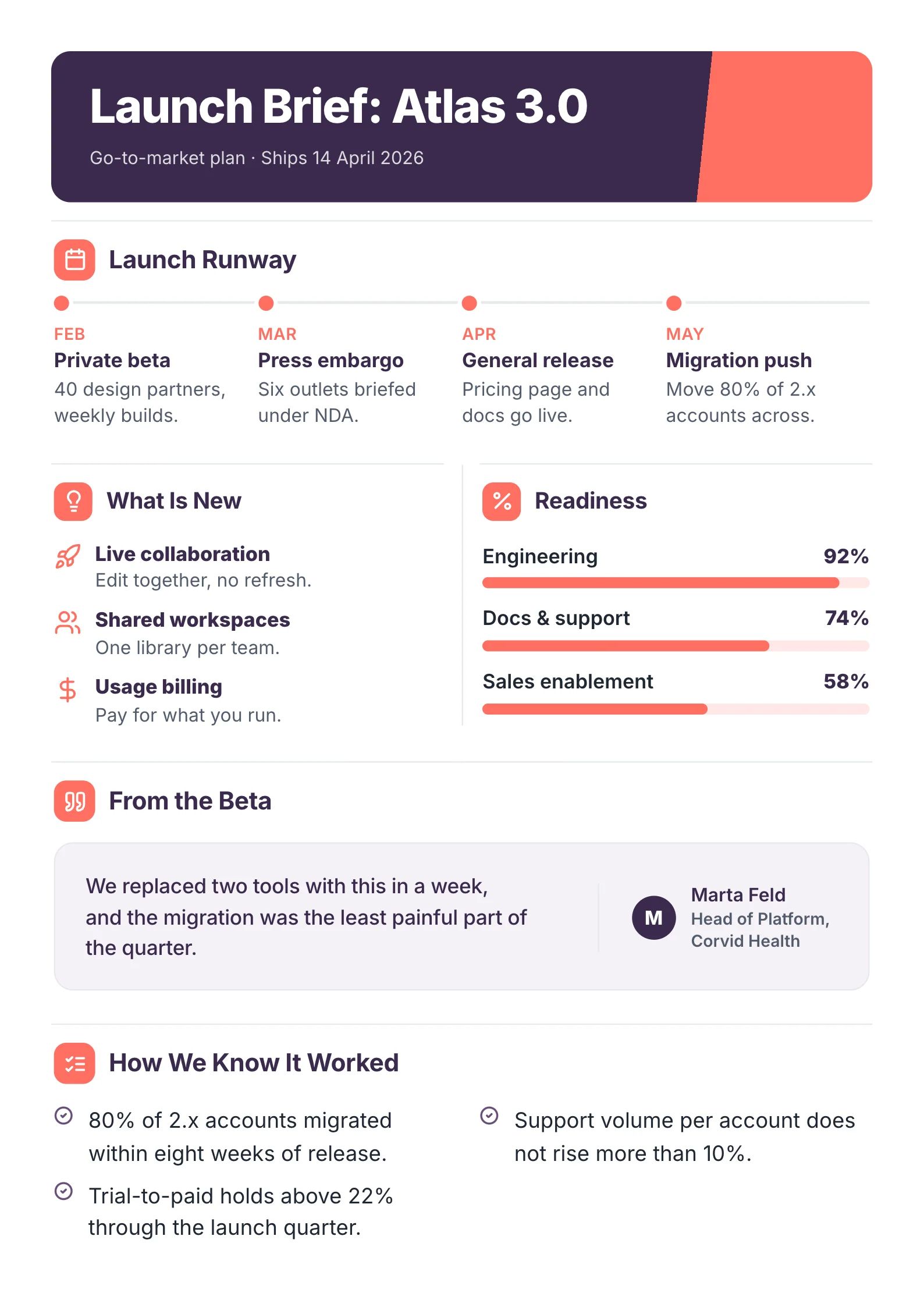 Product Launch BriefOpen this One-Pager (opens in a new tab)
Full disclosure: we make MakeOnepagers, so it is listed first. Every other source below was read on its own website on 8 October 2026. Where another source is the better choice, we say so.
The picks at a glance
| Source | Best for | Length | Free start |
|---|---|---|---|
| MakeOnepagers | A plan someone has to approve on one page | One page | Free templates to edit, 7-day trial with 3 One-Pagers |
| HubSpot | A full written plan, section by section | Multi-page document | Free after a sign-up form |
| Visme | Choosing from hundreds of designed plans | Varies | Free Basic plan |
| Venngage | Infographic-style plans with stock photos | Varies | Free plan, 5 designs |
| Canva | Teams already designing everything in Canva | Varies | Free plan |
How we judged them
A marketing plan has two readers. The team that runs it needs every detail. The person who signs off on it needs the goal, the money and the timeline in two minutes. So we looked at four things:
- Who the template is built for: the team doing the work, or the person approving it.
- What sections it already holds, so you are not inventing the structure.
- What it costs to edit and download.
- What it takes to get it: an open page, an account, or a form.
1. MakeOnepagers: best when the plan has to be approved on one page
MakeOnepagers makes One-Pagers and nothing else, so its marketing templates are all one page long. Each one puts the numbers an approver asks about first: who you sell to, the budget, the channels and the dates.
- Marketing Strategy: who we sell to, how they find us and the plan by month.
- Marketing Project Proposal: the campaign, its audience, budget and timeline, ready for approval.
- Campaign Proposal: a campaign's goal, audience, budget and expected results.
- Marketing Campaign Report: spend and results for each paid channel, for after the campaign runs.
- Quarterly Marketing Report: the quarter's traffic, leads, spend and what worked.
- Product Launch Brief: the launch date, the plan and the owners.
If you already wrote the long plan, you do not have to rebuild it by hand. The free AI One-Pager generator reads a PDF, Word or PowerPoint file of up to 10 pages, with no account, and gives it back as one designed One-Pager.
- Free start: every template above opens free to edit. Making new One-Pagers from your own files starts with a 7-day trial that includes 3.
- Skip it if: you need the full 15-page plan your team works from. MakeOnepagers gives you the summary page that sits on top of it, not the whole plan.
2. HubSpot: best free template for the full written plan
HubSpot's marketing plan template is a document you fill in, with seven sections already laid out: business summary, business initiatives, target market, market strategy, budget, marketing channels and marketing technology. That is a sound structure for a team that has never written a plan before.
- Cost: free. HubSpot's page answers "Is this really free?" with "Absolutely".
- The catch: you fill out a form with your details before you can download it, and HubSpot uses that to market to you.
- Skip it if: you need something designed to show a client. It is a working document, not a finished page.
3. Visme: best for the widest choice of designed plans
Visme's plan templates page showed 401 plan templates when we read it, across marketing, business, project and product plans. You edit them in Visme's online editor and can add charts and interactive parts.
- Cost: a free Basic plan. Paid plans started at $12.25 a month billed yearly when we last read Visme's pricing page on 1 October 2026.
- Skip it if: you only need one page. Check a plan's page count before you start, because trimming a long design down is slower than starting short.
4. Venngage: best for infographic-style plans
Venngage's marketing plan templates lean visual: timelines, icons and stock photos. Each template on the page is labelled Free, Premium or Business, so you can see which ones need a paid plan before you open them.
- Cost: a free plan with 5 designs. Premium was $10 a month billed yearly on 1 October 2026.
- Skip it if: your plan is mostly numbers and text. The designs give a lot of space to pictures.
5. Canva: best if your team already lives in Canva
Canva has the biggest general template library of any tool here and a free plan, so if your brand kit is already set up there, its marketing plan designs will match everything else you make.
- Cost: a free plan. Pro was US$144 a year on 1 October 2026.
- Skip it if: you want a template that tells you what to write. Canva's designs give you the look, and the thinking is on you.
What every good marketing plan template includes
Whichever source you pick, check the template has a place for each of these before you start:
- The goal, as a number and a date. "500 trial sign-ups by 31 March", not "grow awareness".
- Who you are selling to, named as one kind of buyer.
- The channels, and why each one reaches that buyer.
- The budget, split by channel.
- The timeline, by month or by week.
- How you will measure it, and who reads the numbers.
If a template has no budget or no measure of success, it is a design, not a plan.
One page or a full plan?
Write both, in that order of reading. The full plan is for the team that runs the work. The one-page version is what gets the plan approved and what people still remember a month later. Start with the long plan if you have to think it through, then cut it to one page with a One-Pager template or the free generator. For a strategy that covers the whole business rather than marketing alone, use the Strategy on a Page template.
Make your marketing plan One-Pager
Pick a free One-Pager template and fill it in, or drop your existing plan into the free AI One-Pager generator and get it back as one page your approver will read.
Frequently asked questions
What is the best free marketing plan template?
For a full written plan, HubSpot's template is free and has every section laid out, after a sign-up form. For a one-page plan you can show a boss or client, the Marketing Strategy template on MakeOnepagers is free to edit with no form.
Can a marketing plan fit on one page?
Yes, the summary of one can. A one-page marketing plan holds the goal, the buyer, the channels, the budget and the timeline. The detail behind each line lives in the full plan.
Is there a marketing plan template for Word or Google Docs?
HubSpot's free business One-Pager template comes in Word, Google Docs and PDF, according to its own page. One-Pagers made on MakeOnepagers export as a PDF you can print or send.
Which template is best for a marketing campaign rather than a yearly plan?
Use a campaign template. The Campaign Proposal gets a single campaign approved, and the Marketing Campaign Report shows what it returned afterwards.